What is the harvest log form template?
Yields and quality vary from field to field and day to day, and that variation is where the useful information is. A harvest log that ties each load to a field, a variety and a lot number lets you compare blocks, answer a buyer's traceability question and see whether the crew's hours match what came in.
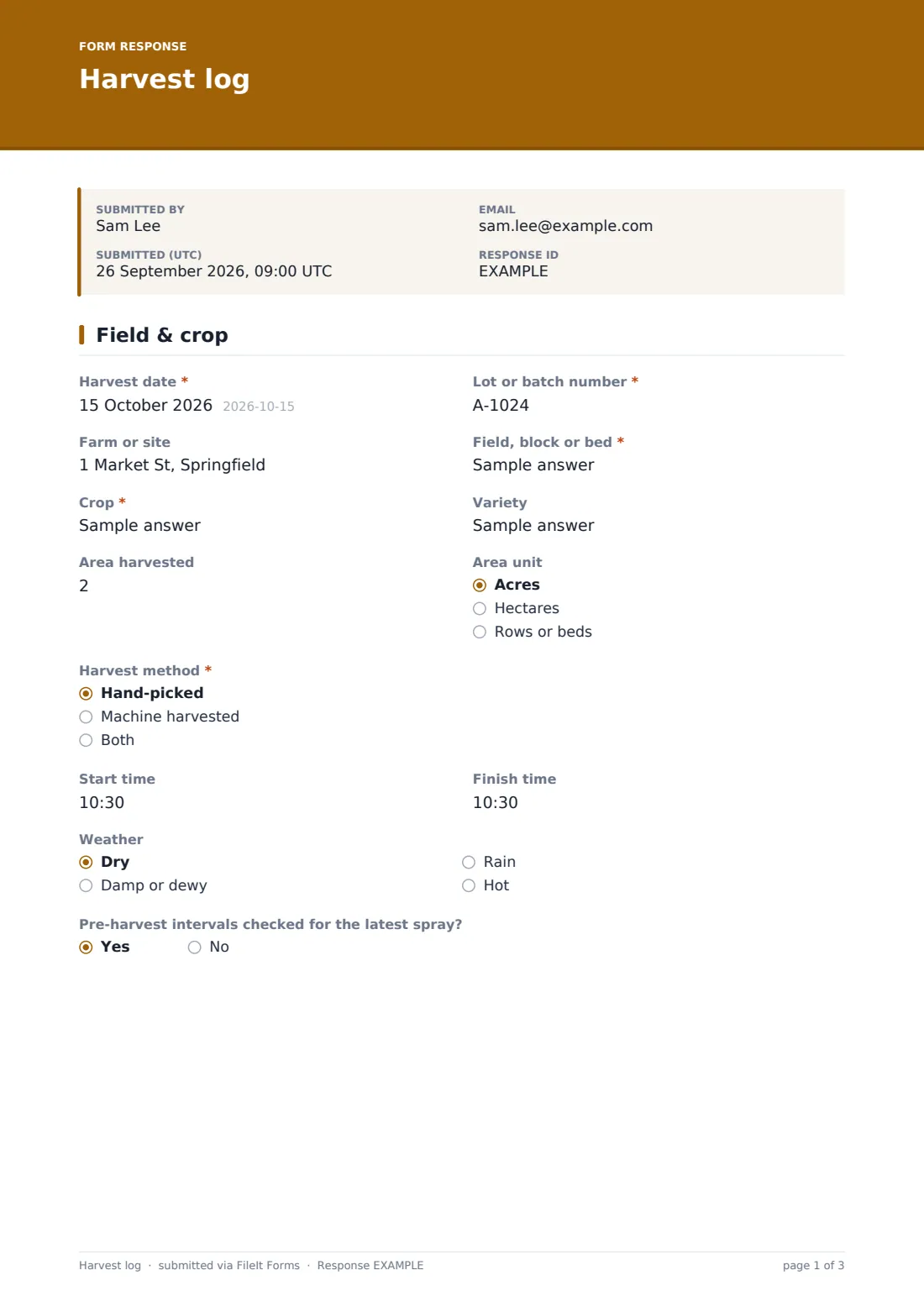
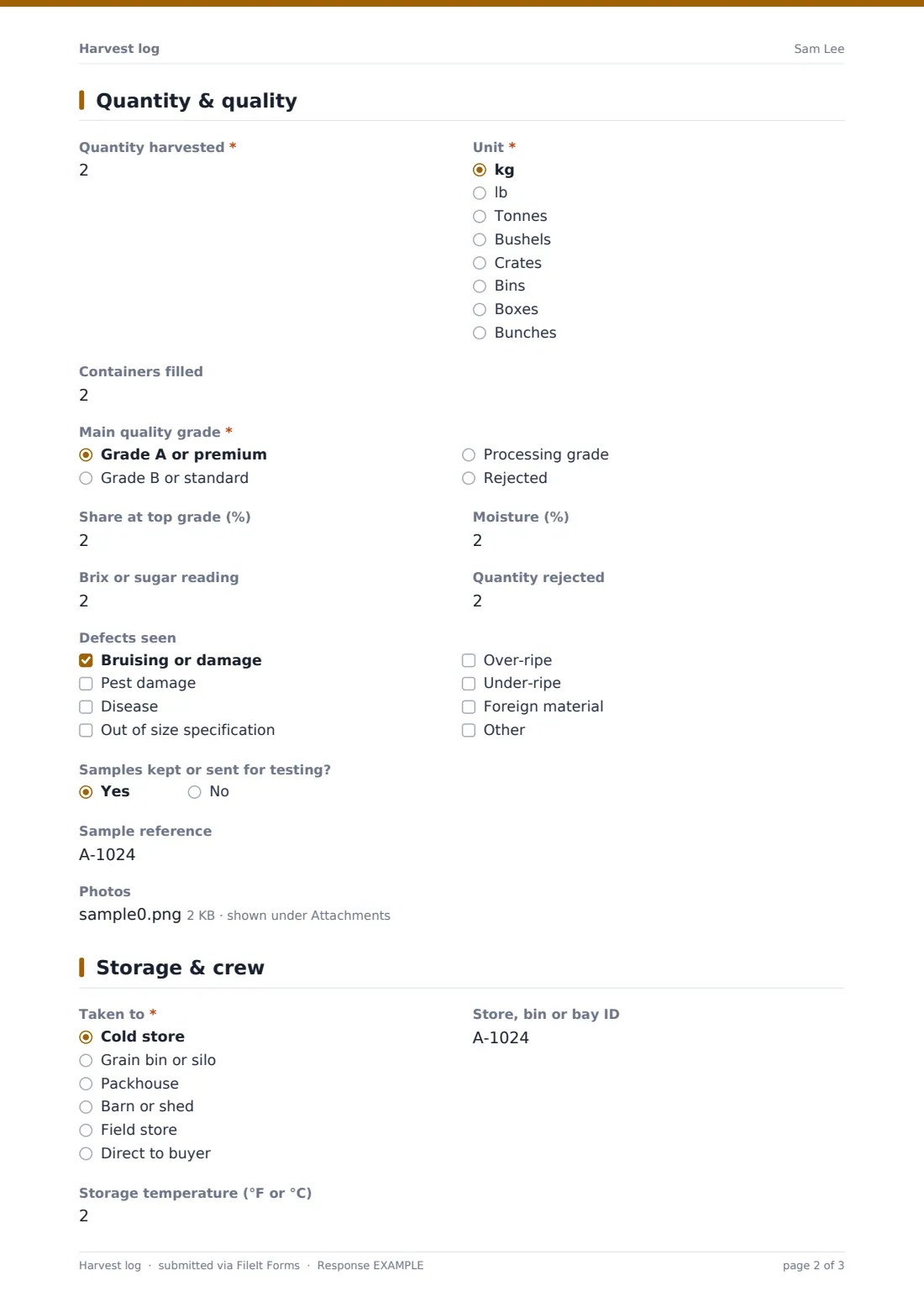
This harvest log template keeps one entry per harvest. The first page records the date, lot or batch number, farm, field, crop, variety, area, method, times, weather and whether pre-harvest intervals were checked against the latest spray. The second page records the quantity and unit, containers, main quality grade, the share at top grade, moisture or Brix readings, quantity rejected, defects, samples and photos.
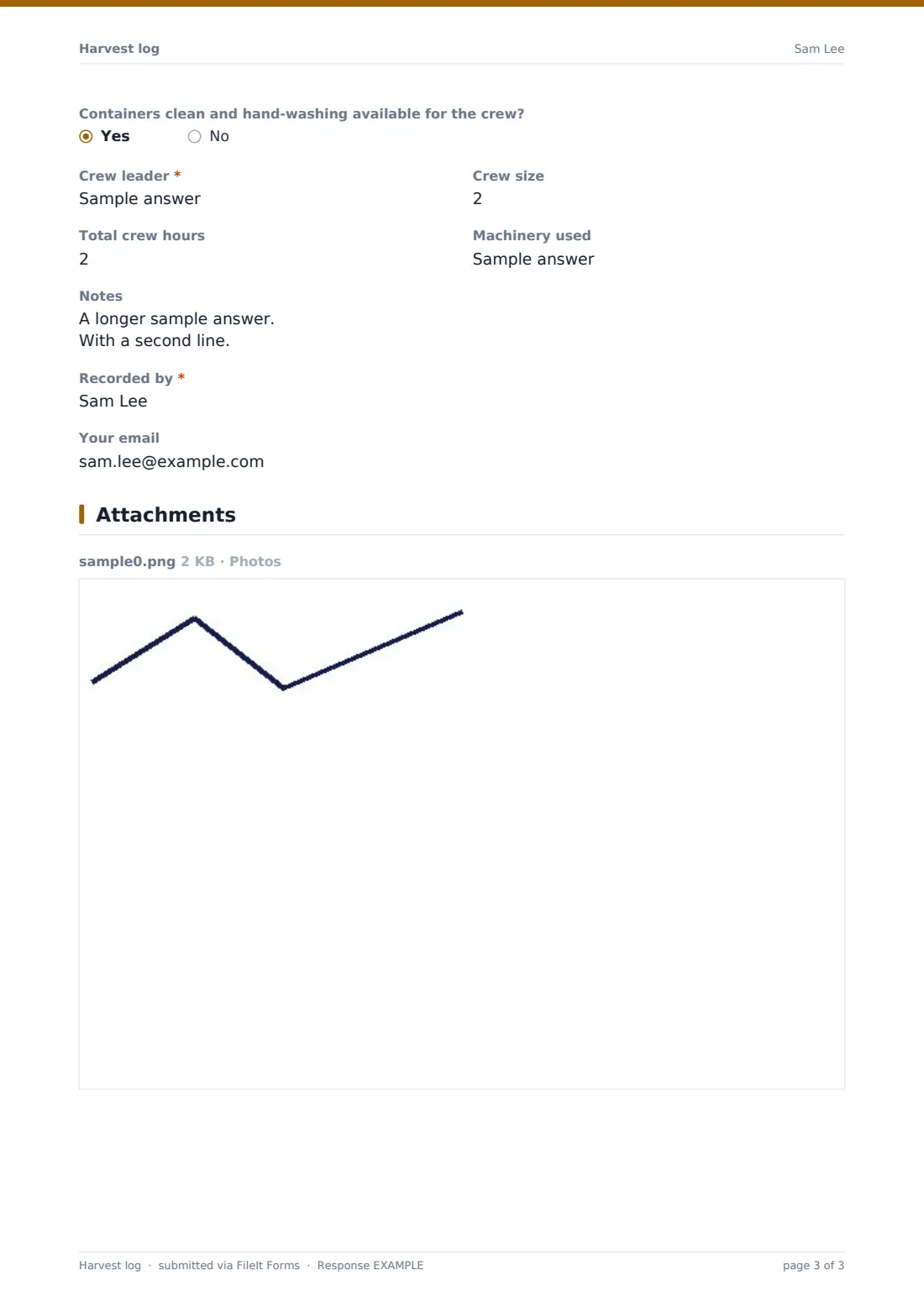
The last page records where the harvest went — cold store, silo, packhouse, barn, field store or direct to a buyer — with the store ID and temperature, a hygiene check, the crew leader, crew size, hours, machinery and notes. Each entry is filed as a PDF in your FileIt vault.
- Best for
- Fruit and vegetable growers, arable farms, vineyards, orchards, market gardens and community farms
- Filled in by
- The crew leader, farm manager or packhouse supervisor
- Time to complete
- About 3 minutes per harvest
- Includes
- Lot number, pre-harvest interval check, quantity and grade, moisture or Brix, defects, storage, crew hours, photos
Who uses a harvest log form?
- A market garden logging each bed's harvest for the weekly box scheme
- An orchard recording picks by block and variety
- An arable farm logging loads and moisture into the grain store
- A vineyard recording Brix and quantity for each block at harvest
- Tracing a buyer's complaint back to a field and harvest date
- Comparing crew hours with quantity picked across a season
Questions on this harvest log form
37 questions over 3 pages · includes file upload, conditional questions, multiple pages.
1 Field & crop
- Harvest date*
- Lot or batch number*
- Farm or site
- Field, block or bed*
- Crop*
- Variety
- Area harvested
- Area unit Acres · Hectares · Rows or beds
- Harvest method* Hand-picked · Machine harvested · Both
- Start time
- Finish time
- Weather Dry · Damp or dewy · Rain · Hot
- Pre-harvest intervals checked for the latest spray?
2 Quantity & quality
- Quantity harvested*
- Unit* kg · lb · Tonnes · Bushels · Crates · Bins · Boxes · Bunches
- Containers filled
- Main quality grade* Grade A or premium · Grade B or standard · Processing grade · Rejected
- Share at top grade (%)
- Moisture (%)
- Brix or sugar reading
- Quantity rejected
- Defects seen Bruising or damage · Pest damage · Disease · Out of size specification · Over-ripe · Under-ripe · Foreign material
- Samples kept or sent for testing?
- Sample reference asked only when it applies
- Photos
3 Storage & crew
- Taken to* Cold store · Grain bin or silo · Packhouse · Barn or shed · Field store · Direct to buyer
- Store, bin or bay ID
- Storage temperature (°F or °C)
- Buyer or destination asked only when it applies
- Containers clean and hand-washing available for the crew?
- Crew leader*
- Crew size
- Total crew hours
- Machinery used
- Notes
- Recorded by*
- Your email
The harvest log form, page by page
1 Field & crop
Harvest date and Lot or batch number come first, with help explaining that the lot number traces the harvest through storage and sale. Farm or site, Field, block or bed, Crop, Variety, Area harvested with its unit, Harvest method, Start time, Finish time and Weather follow. Pre-harvest intervals checked for the latest spray? is a quick yes or no.
2 Quantity & quality
Quantity harvested and Unit — kilograms, pounds, tonnes, bushels, crates, bins, boxes or bunches — are required, with Containers filled. Main quality grade, Share at top grade, Moisture for grain, Brix for fruit and Quantity rejected record quality. Defects seen lists common problems, Samples kept or sent for testing? asks for a reference, and up to five photos can be added.
3 Storage & crew
Taken to records the storage destination, with Store, bin or bay ID and Storage temperature; direct to buyer asks who. A hygiene check asks whether containers were clean and hand-washing was available. Crew leader, Crew size, Total crew hours, Machinery used, Notes, Recorded by and an optional email for a copy finish the entry.
Make the template yours
- Replace the field text box with a dropdown of your blocks or beds
- Edit the grades to match your buyer's specification
- Remove moisture or Brix if they don't apply to your crops
- Set a lot number format in the help text, such as field code plus date
- File harvests into a vault folder per season
- Add a buyer delivery note upload for direct sales
Tips for a better harvest log form
- Write the lot number on the bins or crates as well as in the log
- Check the latest spray record before the crew goes in
- Weigh or count in the same unit every time for the same crop
- Photograph defects when a block grades poorly — it helps next season
- Export the season's log to CSV to compare yields by field
Every response becomes a PDF in your vault
Each harvest is saved as a PDF in the vault folder you choose, with any photos attached, and you're notified straight away. The person recording can receive a copy.
The Responses table lets you search by lot number, field or crop and export the season to CSV for yield analysis or a buyer's traceability request.
- Start from this template. It opens in the FileIt Forms designer — change any question, add pages, set the rules for when questions appear.
- Share it. Turn on a public link, or send it to people by email, each with their own link. They don’t need a FileIt account.
- Get the answers as PDFs. Each response is saved as a PDF in the vault folder you choose, with uploaded files attached — and listed in a Responses table you can export to CSV.
Harvest log form: frequently asked questions
Is this harvest log template free?
Yes. It's a starter template in the FileIt Forms app, available on the free plan.
Does it total the season's yield?
No. Each harvest is its own entry. Export to CSV and total quantities in a spreadsheet.
Can I use it for traceability?
Yes. The lot number, field, date and destination are recorded together. Whether that meets a buyer's or scheme's requirements depends on their rules.
Can I add photos of the harvest?
Yes. Up to five photos per entry.
Can crew leaders fill it in in the field?
Yes. It works in any phone browser, even on a small screen.
Do crew members need a FileIt account?
No. Anyone with the link can log a harvest.