What is the crop spray application record form template?
Spray records are one of the most important pieces of paperwork on a farm. Buyers, assurance schemes, inspectors and your own agronomist may all ask what went on a field, when, at what rate and in what weather. Records written up at the end of the week from memory tend to miss the batch number, the wind direction or the second product in the tank.
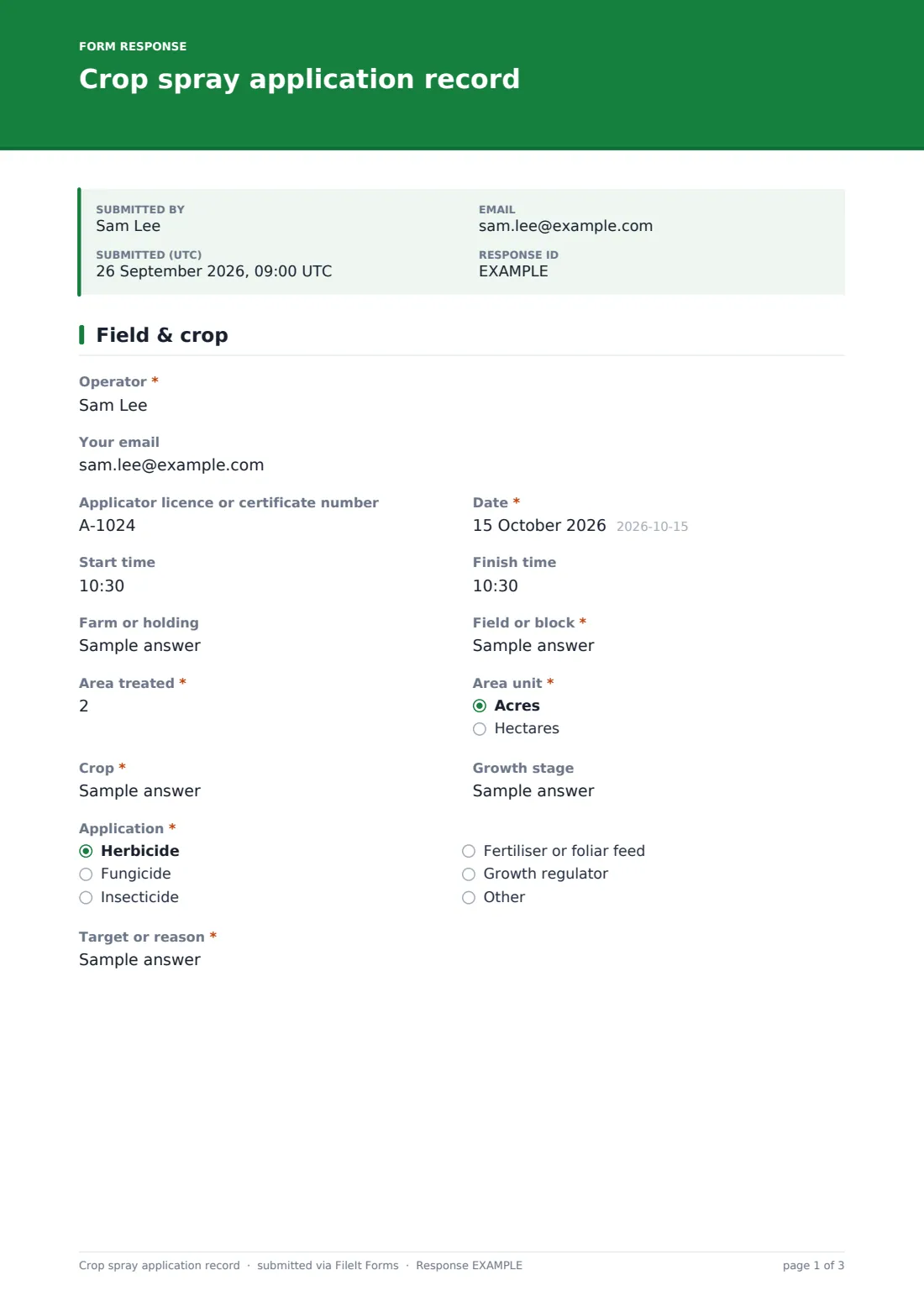
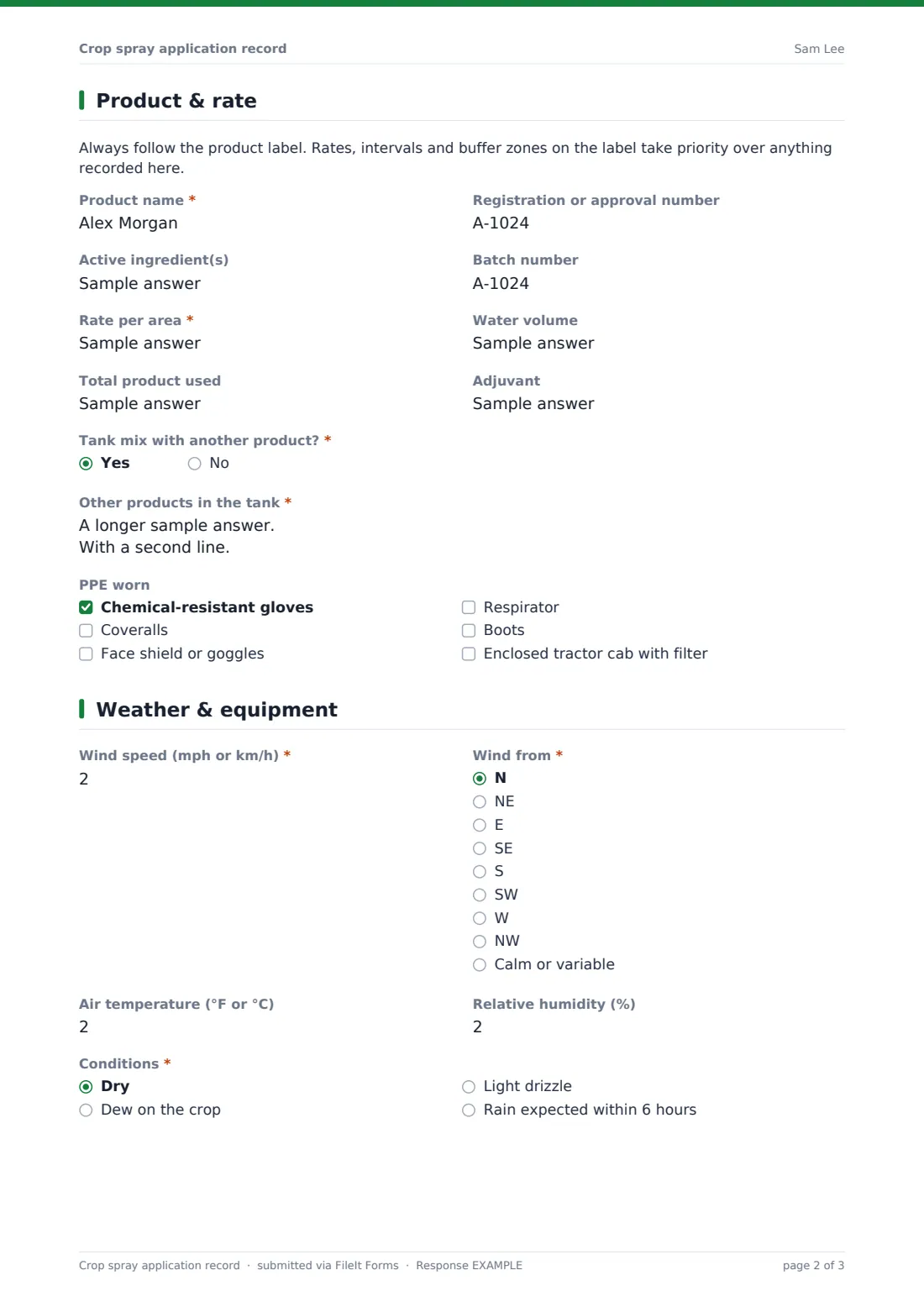
This template records each application as it happens. The first page covers the operator and licence number, date and times, field, area, crop, growth stage, type of application and target. The second page records the product, registration number, active ingredients, batch, rate, water volume, total used, adjuvant, any tank mix partners and the PPE worn, with a reminder that the product label always takes priority.
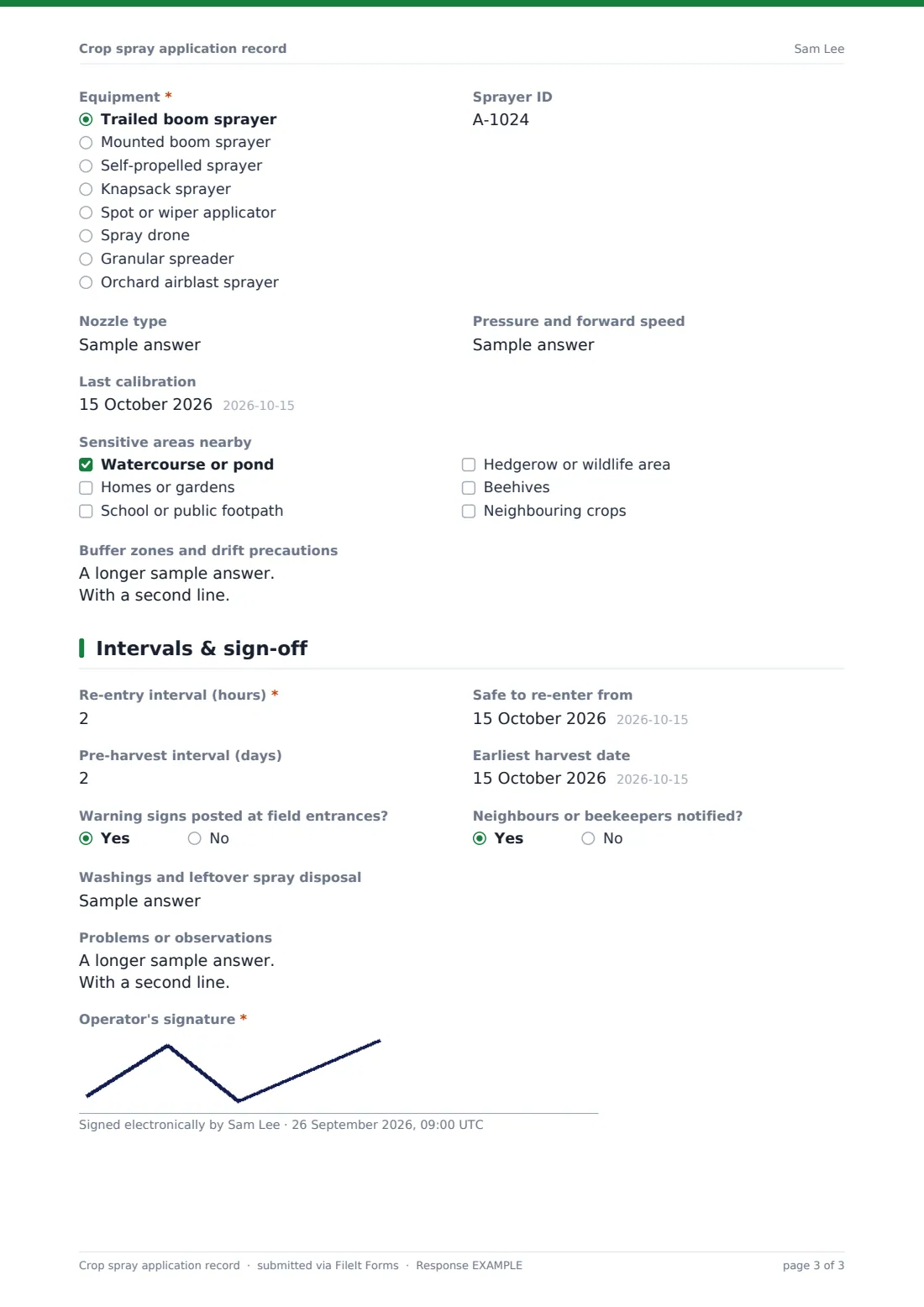
Weather, equipment, calibration and sensitive areas nearby follow, then re-entry and pre-harvest intervals, signs, notifications, washings disposal and the operator's signature. Each record is filed as a PDF in your FileIt vault, so a season's applications are searchable by field or product.
- Best for
- Arable farms, orchards, vineyards, vegetable growers, contractors and golf or turf managers
- Filled in by
- The spray operator
- Time to complete
- About 5 minutes per field
- Includes
- Product and batch, tank mix, PPE, wind and conditions, equipment and calibration, sensitive areas, re-entry and harvest intervals, signature
Who uses a crop spray application record form?
- Recording a fungicide pass across several wheat fields
- A spraying contractor giving the farmer a signed record for each field
- An orchard logging insecticide applications and pre-harvest intervals
- A vegetable grower keeping records ready for a buyer's audit
- Logging foliar feed and growth regulator applications
- A golf course greenkeeper recording turf treatments
Questions on this crop spray application record form
46 questions over 4 pages · includes signature, conditional questions, multiple pages.
1 Field & crop
- Operator*
- Your email
- Applicator licence or certificate number
- Date*
- Start time
- Finish time
- Farm or holding
- Field or block*
- Area treated*
- Area unit* Acres · Hectares
- Crop*
- Growth stage
- Application* Herbicide · Fungicide · Insecticide · Fertiliser or foliar feed · Growth regulator
- Target or reason*
2 Product & rate
- Product name*
- Registration or approval number
- Active ingredient(s)
- Batch number
- Rate per area*
- Water volume
- Total product used
- Adjuvant
- Tank mix with another product?*
- Other products in the tank* asked only when it applies
- PPE worn Chemical-resistant gloves · Coveralls · Face shield or goggles · Respirator · Boots · Enclosed tractor cab with filter
3 Weather & equipment
- Wind speed (mph or km/h)*
- Wind from* N · NE · E · SE · S · SW · W · NW · Calm or variable
- Air temperature (°F or °C)
- Relative humidity (%)
- Conditions* Dry · Dew on the crop · Light drizzle · Rain expected within 6 hours
- Equipment* Trailed boom sprayer · Mounted boom sprayer · Self-propelled sprayer · Knapsack sprayer · Spot or wiper applicator · Spray drone · Granular spreader · Orchard airblast sprayer
- Sprayer ID
- Nozzle type
- Pressure and forward speed
- Last calibration
- Sensitive areas nearby Watercourse or pond · Homes or gardens · School or public footpath · Hedgerow or wildlife area · Beehives · Neighbouring crops
- Buffer zones and drift precautions asked only when it applies
4 Intervals & sign-off
- Re-entry interval (hours)*
- Safe to re-enter from
- Pre-harvest interval (days)
- Earliest harvest date
- Warning signs posted at field entrances?
- Neighbours or beekeepers notified?
- Washings and leftover spray disposal
- Problems or observations
- Operator's signature*
The crop spray application record form, page by page
1 Field & crop
Operator, an optional email for a copy, and Applicator licence or certificate number come first, then Date, Start time and Finish time. Farm or holding, Field or block, Area treated with its unit, Crop and Growth stage describe what was sprayed. Application covers herbicides, fungicides, insecticides, fertiliser and growth regulators, with an Other option, and Target or reason records why.
2 Product & rate
A note reminds operators that the label comes first. Product name, Registration or approval number, Active ingredient(s), Batch number, Rate per area, Water volume, Total product used and Adjuvant follow. Tank mix with another product? asks for each other product's registration number, batch and rate. PPE worn lists gloves, coveralls, eye protection, respirators, boots and a filtered cab.
3 Weather & equipment
Wind speed, Wind from, Air temperature, Relative humidity and Conditions record the weather. Equipment covers boom sprayers, knapsacks, spot applicators, drones, granular spreaders and airblast sprayers, with Sprayer ID, Nozzle type, Pressure and forward speed and Last calibration. Sensitive areas nearby — watercourses, homes, schools, wildlife areas, beehives and neighbouring crops — opens a box for buffer zones and drift precautions.
4 Intervals & sign-off
Re-entry interval, Safe to re-enter from, Pre-harvest interval and Earliest harvest date are typed from the label. Whether warning signs were posted and neighbours or beekeepers notified, Washings and leftover spray disposal and Problems or observations follow, and the operator signs.
Make the template yours
- Replace Field or block with a dropdown of your own field names
- Change the units in the labels to the ones your farm uses
- Add your regular products as a dropdown to speed up entry
- Add a question for the agronomist's recommendation number
- File records into a vault folder per season or per farm
- Add your agronomist or assurance contact to notification emails so they see every record
Tips for a better crop spray application record form
- Fill in the weather at the field, not from the morning forecast
- Copy the batch number from the container, not the invoice
- Record each field separately even when one tank covers several
- Check the re-entry interval before anyone walks the crop
- Export the season's records to CSV before an audit
Every response becomes a PDF in your vault
Each record is saved as a signed PDF in the vault folder you choose, titled with the date and operator. You're notified straight away, and the operator can receive a copy.
The Responses table lets you search by field, crop or product and export the whole season to CSV for your farm records, buyer or assurance audit.
- Start from this template. It opens in the FileIt Forms designer — change any question, add pages, set the rules for when questions appear.
- Share it. Turn on a public link, or send it to people by email, each with their own link. They don’t need a FileIt account.
- Get the answers as PDFs. Each response is saved as a PDF in the vault folder you choose, with uploaded files attached — and listed in a Responses table you can export to CSV.
Crop spray application record form: frequently asked questions
Is this crop spray record template free?
Yes. It's a starter template in FileIt's Forms app, which is included on the free plan.
Does it check rates or intervals against the label?
No. The operator types the rate and intervals from the label. FileIt doesn't check products or give agronomic advice.
Does this record meet the legal requirements where I farm?
FileIt doesn't give legal advice. Record-keeping rules for pesticides vary by country and state, so add any questions your rules or scheme require.
Can I record a tank mix?
Yes. Answer yes to the tank mix question and list each other product with its registration number, batch and rate.
Can operators fill it in on a phone in the cab?
Yes. It works in any phone browser and the signature can be drawn with a finger.
Do contractors need a FileIt account?
No. Anyone with the link can submit a record.