What is the guest travel and accommodation survey form template?
Planning shuttles and hotel rooms for a wedding or event means knowing things guests rarely tell you until the last minute: which day they land, which flight, whether they'll need a lift and whether they've booked somewhere to sleep. This one-page survey asks for exactly that.
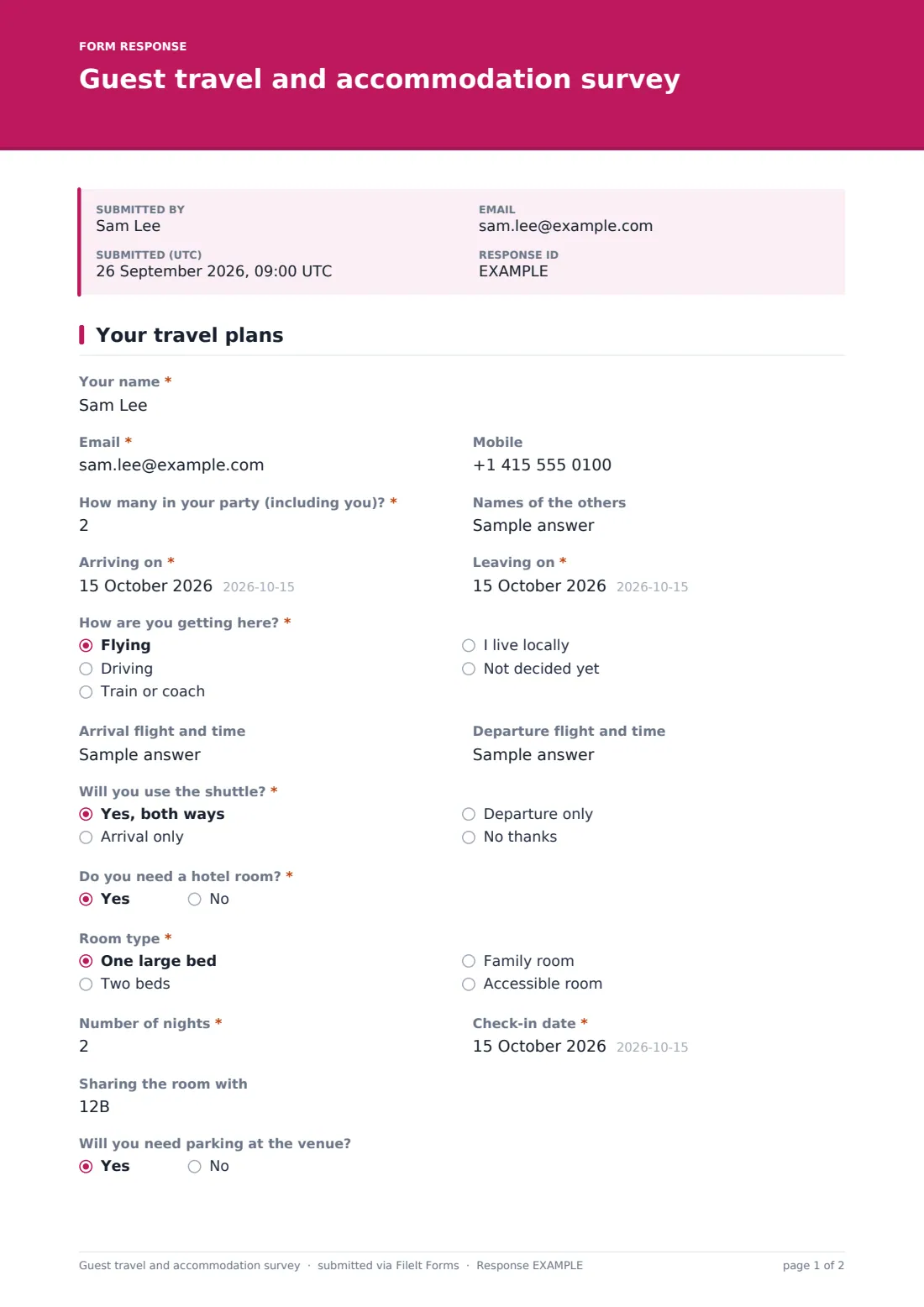
Guests give their name, contact details and party size, then their arrival and departure dates and "How are you getting here?". Flyers are asked for their arrival and departure flights. Everyone says whether they'll use the shuttle. Answering yes to "Do you need a hotel room?" opens room type, number of nights, check-in date and who they're sharing with, which is the information you need to size a room block or pass a list to the hotel.
Responses arrive as PDFs in your FileIt vault, and the Responses table turns them into one list you can sort by arrival date and export for the shuttle company or hotel.
- Best for
- Couples, wedding planners, event organisers and reunion hosts
- Filled in by
- Each guest or household
- Time to complete
- About 2 minutes
- Includes
- Flight details for flyers, shuttle use, hotel room type and nights, parking and access needs
Who uses a guest travel and accommodation survey form?
- A destination wedding where most guests fly in over two days
- A planner sizing a hotel room block before the release date
- Booking an airport shuttle with the right number of seats and runs
- A company offsite collecting travel plans from staff in several offices
- A family reunion working out who needs a room and who's staying with relatives
- Sending the hotel a rooming list built from the answers
Questions on this guest travel and accommodation survey form
19 questions · includes conditional questions.
1 Your travel plans
- Your name*
- Email*
- Mobile
- How many in your party (including you)?*
- Names of the others asked only when it applies
- Arriving on*
- Leaving on*
- How are you getting here?* Flying · Driving · Train or coach · I live locally · Not decided yet
- Arrival flight and time asked only when it applies
- Departure flight and time asked only when it applies
- Will you use the shuttle?* Yes, both ways · Arrival only · Departure only · No thanks
- Do you need a hotel room?*
- Room type* asked only when it applies One large bed · Two beds · Family room · Accessible room
- Number of nights* asked only when it applies
- Check-in date* asked only when it applies
- Sharing the room with asked only when it applies
- Will you need parking at the venue?
- Mobility or access needs
- Anything else about your travel
The guest travel and accommodation survey form, page by page
1 Your travel plans
Guests enter their name, email and mobile, and "How many in your party (including you)?". If more than one, a box asks for the names of the others. They give the dates they're arriving and leaving, then choose how they're getting there: flying, driving, train or coach, living locally, or not decided yet. Flyers get two extra boxes for the arrival flight and time and the departure flight and time.
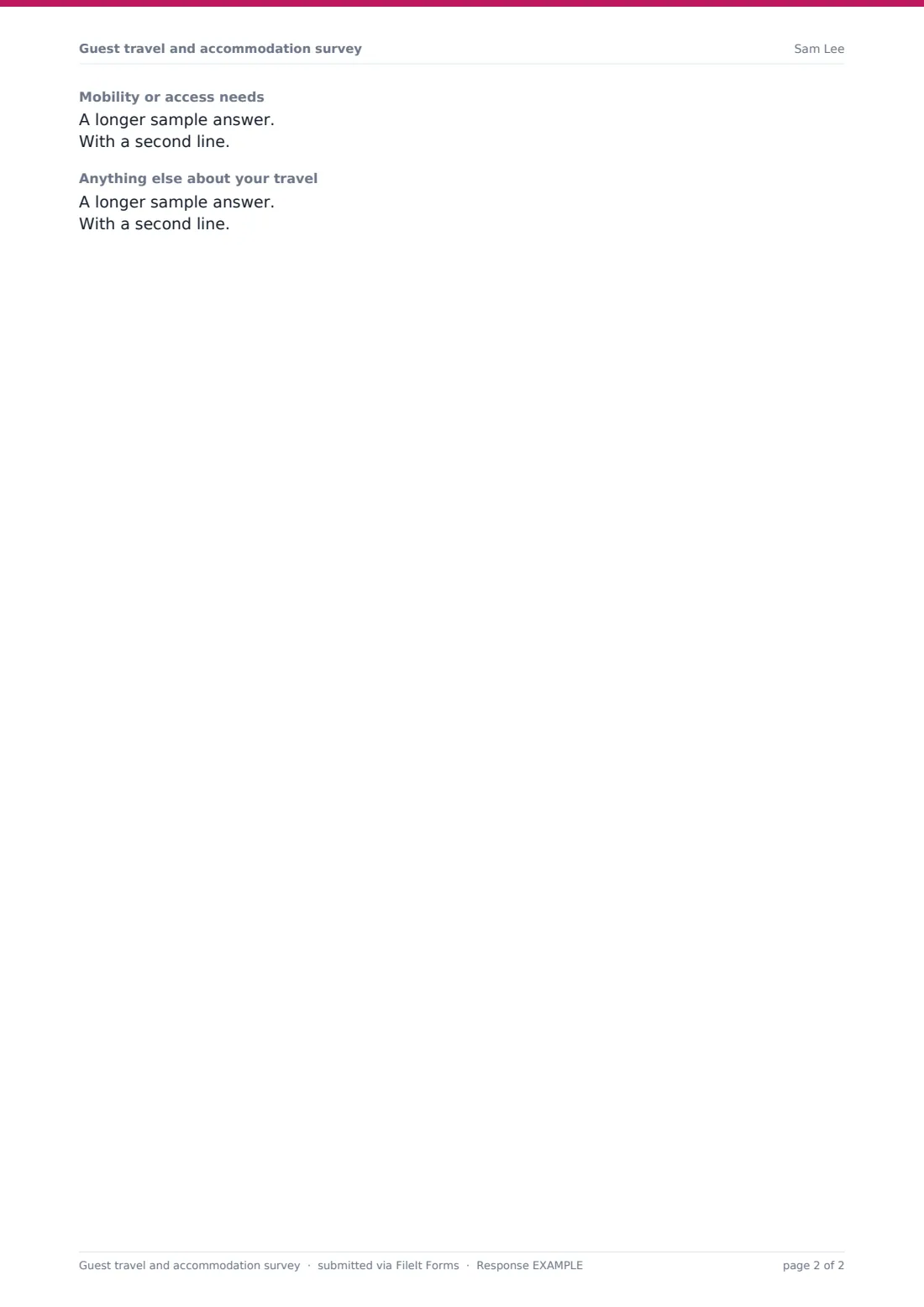
"Will you use the shuttle?" offers both ways, arrival only, departure only, or no thanks. Then comes "Do you need a hotel room?" A yes opens the room type (one large bed, two beds, a family room or an accessible room), the number of nights, the check-in date and who they're sharing the room with. The form ends with parking at the venue, mobility or access needs and anything else about their travel.
Make the template yours
- Rename "the shuttle" to the actual route, such as "the airport shuttle" or "the hotel-to-venue bus"
- Change the room types to the ones your hotel block offers
- Set a closing date to match the hotel's room block release date
- Add your event name and dates to the cover text
- Remove the hotel questions if guests are booking their own rooms
- Turn on notifications to your planner as well as yourself
Tips for a better guest travel and accommodation survey form
- Send the survey with the invitation or straight after RSVPs, while guests are still booking
- Set a closing date a week or two before the hotel needs final numbers
- Sort responses by arrival time to plan shuttle runs
- Follow up with guests who chose "Not decided yet" a few weeks later
- Share the export with the hotel or shuttle company rather than retyping it
Every response becomes a PDF in your vault
Each guest's answers are saved as a PDF in your FileIt vault, and you can be emailed for every new response. Guests get a copy of what they told you.
The Responses table puts every guest in one list. Export it to CSV for a rooming list or shuttle manifest, and set a maximum number of responses or a closing date if you need one.
- Start from this template. It opens in the FileIt Forms designer — change any question, add pages, set the rules for when questions appear.
- Share it. Turn on a public link, or send it to people by email, each with their own link. They don’t need a FileIt account.
- Get the answers as PDFs. Each response is saved as a PDF in the vault folder you choose, with uploaded files attached — and listed in a Responses table you can export to CSV.
Guest travel and accommodation survey form: frequently asked questions
Is this guest travel survey free?
Yes. It's included in the Forms app on every FileIt account, including the free plan.
Does it book hotel rooms?
No. It collects what guests need so you or your planner can arrange the room block with the hotel.
When do the hotel questions appear?
Only when a guest answers yes to "Do you need a hotel room?".
Can I use it alongside an RSVP form?
Yes. Many hosts send the RSVP first and this survey to guests who are coming.
Can guests change their answers?
They can fill it in again, and you'll see both responses with their dates, so use the newest one.
Do guests need to sign up?
No. They open the link and submit without an account.