What is the golf league registration form template?
Running a weekly league means juggling handicaps, tee-time requests, teammates and fees before the first ball is struck. This registration template collects all of it online, in the same order an organiser builds the tee sheet, so you're not chasing players for a missing handicap the week before the season starts.
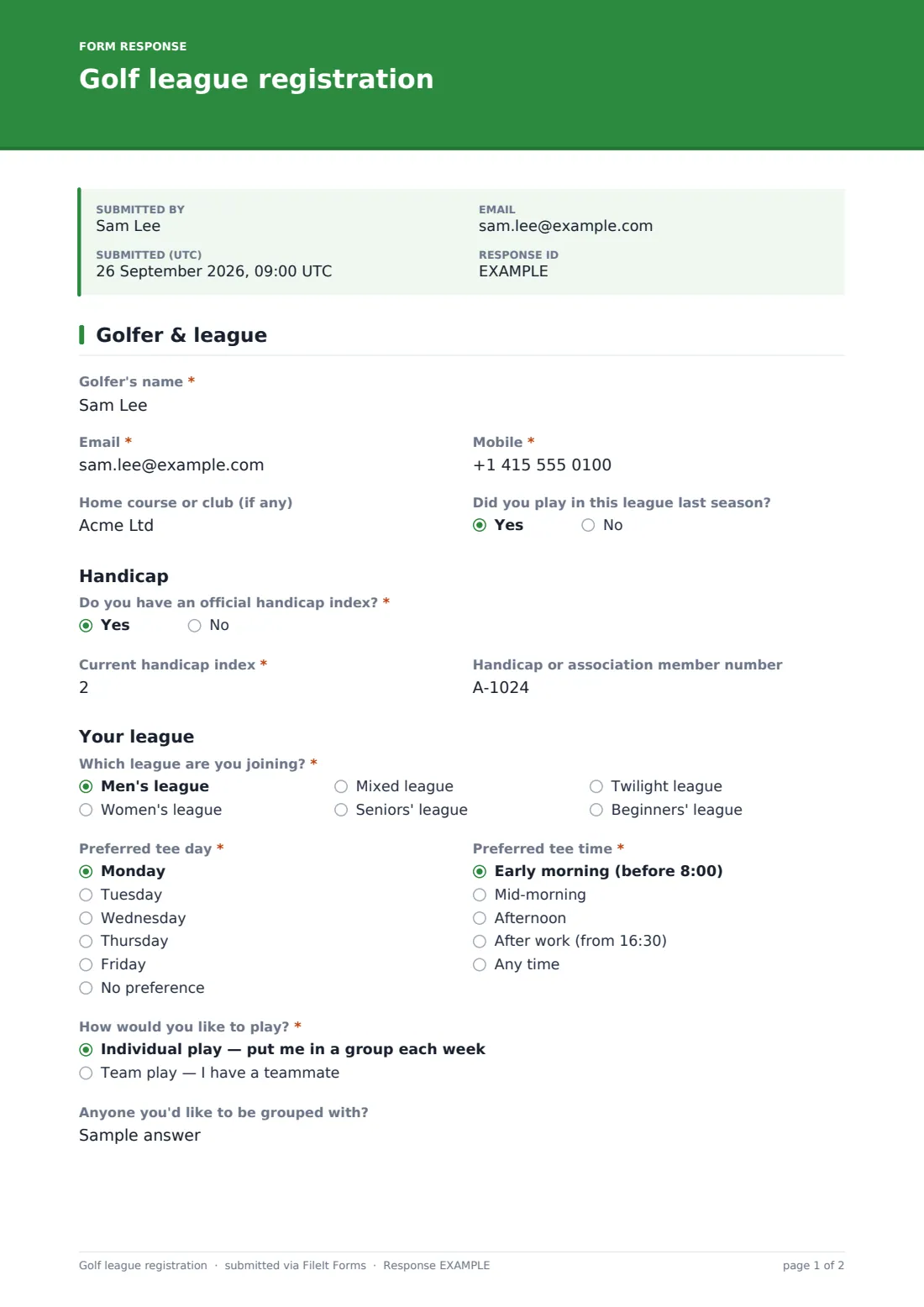
The first page covers the golfer's name, email, mobile, home course and whether they played last season. Golfers with an official handicap enter their index and member number; those without one give their usual score for nine holes so you can set a starting figure. Then they choose a league, a preferred tee day and a preferred tee time, and answer 'How would you like to play?'. Choosing team play asks for the teammate's name and email; individual players can say who they'd like to be grouped with.
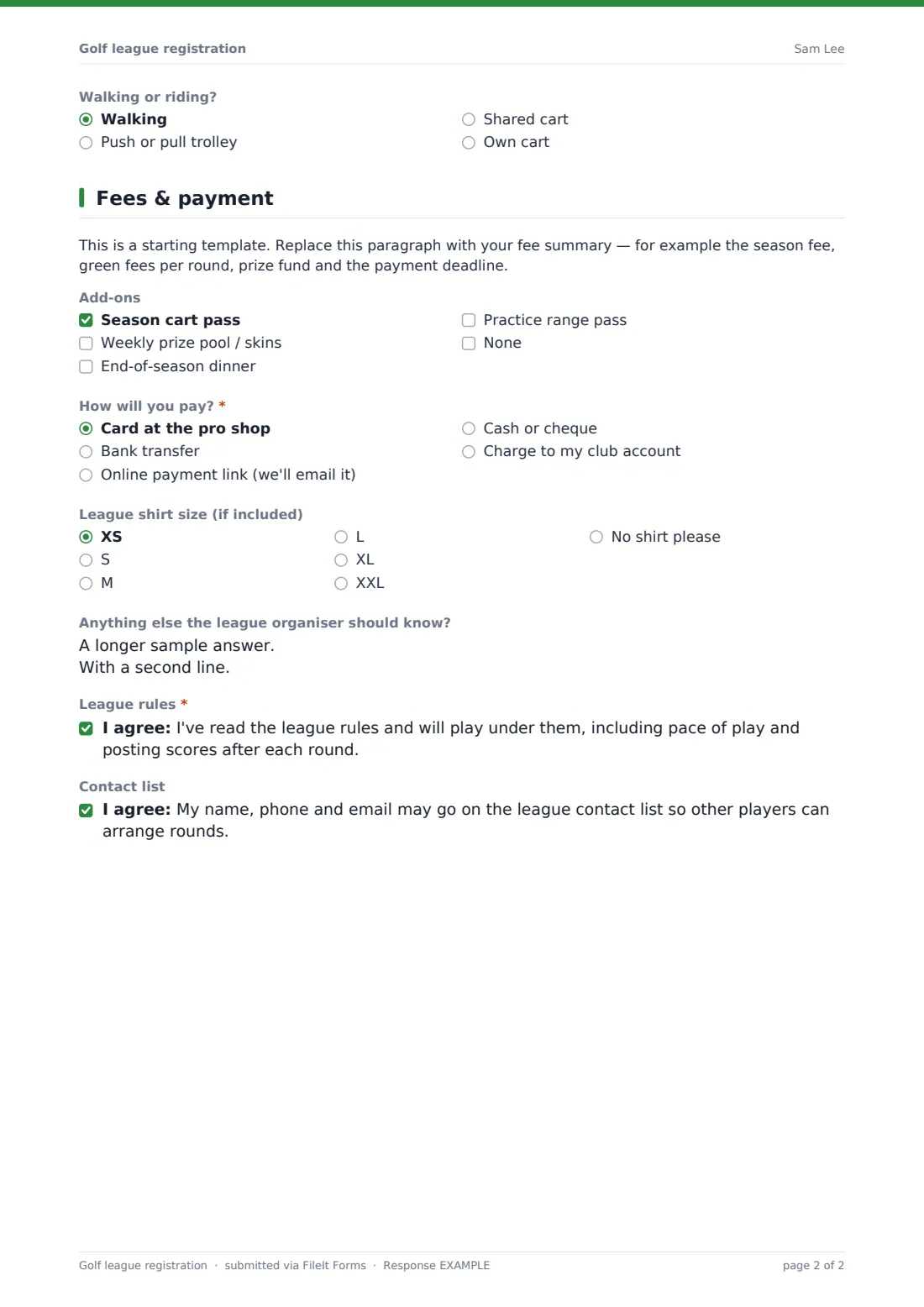
The second page holds your fee summary, a few add-ons such as a cart pass or the end-of-season dinner, a payment preference and a shirt size. Players agree to the league rules and can opt into the contact list. Every registration is saved as a PDF in your FileIt vault, and the Responses table gives you a sortable list to build the groups from.
- Best for
- Golf clubs, public courses, pro shops and social golf societies
- Filled in by
- Each player
- Time to complete
- About 3 minutes
- Includes
- Handicap index, tee day and time, team or individual play, add-ons, payment preference
Who uses a golf league registration form?
- A public course opens sign-ups for its Tuesday twilight league
- A club's women's section registers players for the summer season
- Two friends register as a team and name each other as teammates
- A new golfer without a handicap joins the beginners' league
- A seniors' league collects dinner numbers along with registrations
- A society organiser shares one link in the group chat instead of a paper list
Questions on this golf league registration form
26 questions over 2 pages · includes conditional questions, multiple pages, consent checkbox.
1 Golfer & league
- Golfer's name*
- Email*
- Mobile*
- Home course or club (if any)
- Did you play in this league last season?
- Do you have an official handicap index?*
- Current handicap index* asked only when it applies
- Handicap or association member number asked only when it applies
- Your usual score for 9 holes asked only when it applies
- Which league are you joining?* Men's league · Women's league · Mixed league · Seniors' league · Twilight league · Beginners' league
- Preferred tee day* Monday · Tuesday · Wednesday · Thursday · Friday · No preference
- Preferred tee time* Early morning (before 8:00) · Mid-morning · Afternoon · After work (from 16:30) · Any time
- How would you like to play?* Individual play — put me in a group each week · Team play — I have a teammate
- Teammate's name* asked only when it applies
- Teammate's email asked only when it applies
- Has your teammate registered as well? asked only when it applies
- Anyone you'd like to be grouped with? asked only when it applies
- Walking or riding? Walking · Push or pull trolley · Shared cart · Own cart
2 Fees & payment
- Add-ons Season cart pass · Weekly prize pool / skins · End-of-season dinner · Practice range pass · None
- Guests coming to the dinner with you asked only when it applies
- How will you pay?* Card at the pro shop · Bank transfer · Online payment link (we'll email it) · Cash or cheque · Charge to my club account
- Club account number* asked only when it applies
- League shirt size (if included) XS · S · M · L · XL · XXL · No shirt please
- Anything else the league organiser should know?
- League rules*
- Contact list
The golf league registration form, page by page
1 Golfer & league
Golfer's name, email and mobile are required; home course and 'Did you play in this league last season?' are optional. 'Do you have an official handicap index?' is required: a yes asks for the current handicap index (plus handicaps entered as a negative number) and member number, a no asks for their usual score for 9 holes. Then the league from a dropdown, a preferred tee day and tee time, and 'How would you like to play?'. Team play reveals the teammate's name and email and whether they've registered too; individual play offers 'Anyone you'd like to be grouped with?'. An optional walking-or-riding question ends the page.
2 Fees & payment
A placeholder paragraph for your fees and deadline, then optional add-ons — season cart pass, weekly prize pool, end-of-season dinner (which asks how many guests), practice range pass. A required 'How will you pay?' (a club account asks for the account number), a shirt size, a notes box for weeks away, a required agreement to the league rules and an optional consent to appear on the contact list.
Make the template yours
- Put your real fees and payment deadline in the placeholder paragraph
- Rename the league options to the leagues you actually run, or remove the dropdown if there's only one
- Change the tee days to match the nights your course holds league play
- Swap 'handicap index' for whatever handicap system your country or club uses
- Set a close date in Settings so registrations stop before the draw
- Use 'Max responses' to cap the field at the number of tee times you have
Tips for a better golf league registration form
- Export the Responses table to CSV and sort by tee day and tee time to draft the groups
- Ask both teammates to register separately so you have each player's contact details
- Check handicaps against your handicap system before the first round
- Remind players to note weeks they'll be away so you can plan substitutes
- Link the league rules page in the form's cover text so people read them before agreeing
Every response becomes a PDF in your vault
Each registration is saved as a PDF in your FileIt vault, and you can be emailed as soon as one arrives. Players see a confirmation message and can receive a copy of what they entered.
The Responses table lists every golfer with their league, tee preferences and payment choice, and you can search it by name when someone calls the pro shop to check.
- Start from this template. It opens in the FileIt Forms designer — change any question, add pages, set the rules for when questions appear.
- Share it. Turn on a public link, or send it to people by email, each with their own link. They don’t need a FileIt account.
- Get the answers as PDFs. Each response is saved as a PDF in the vault folder you choose, with uploaded files attached — and listed in a Responses table you can export to CSV.
Golf league registration form: frequently asked questions
Is the golf league registration template free?
Yes. It's included in the Forms app on every FileIt account, including the free plan.
Does the form take payment?
No. It records how the player intends to pay. You send the invoice or payment link yourself.
What if a player doesn't have a handicap?
Answering no to the handicap question asks for their usual nine-hole score instead, which you can use to set a starting figure.
How do teams register?
Each player fills in their own form and chooses team play, which asks for the teammate's name and email.
Can I stop registrations when the league is full?
Yes. Set a maximum number of responses or a close date in the form's settings.
Do golfers need a FileIt account?
No. They register from a link on any phone or computer.