What is the general permit to work form template?
Not every job needs a specialist permit, but plenty of maintenance work still needs someone to write down what's being done, where, what could go wrong and what's been switched off before anyone starts. A general permit to work does that for the everyday jobs: replacing a pump, working on a conveyor, cleaning a tank from the outside, changing light fittings in a plant room.
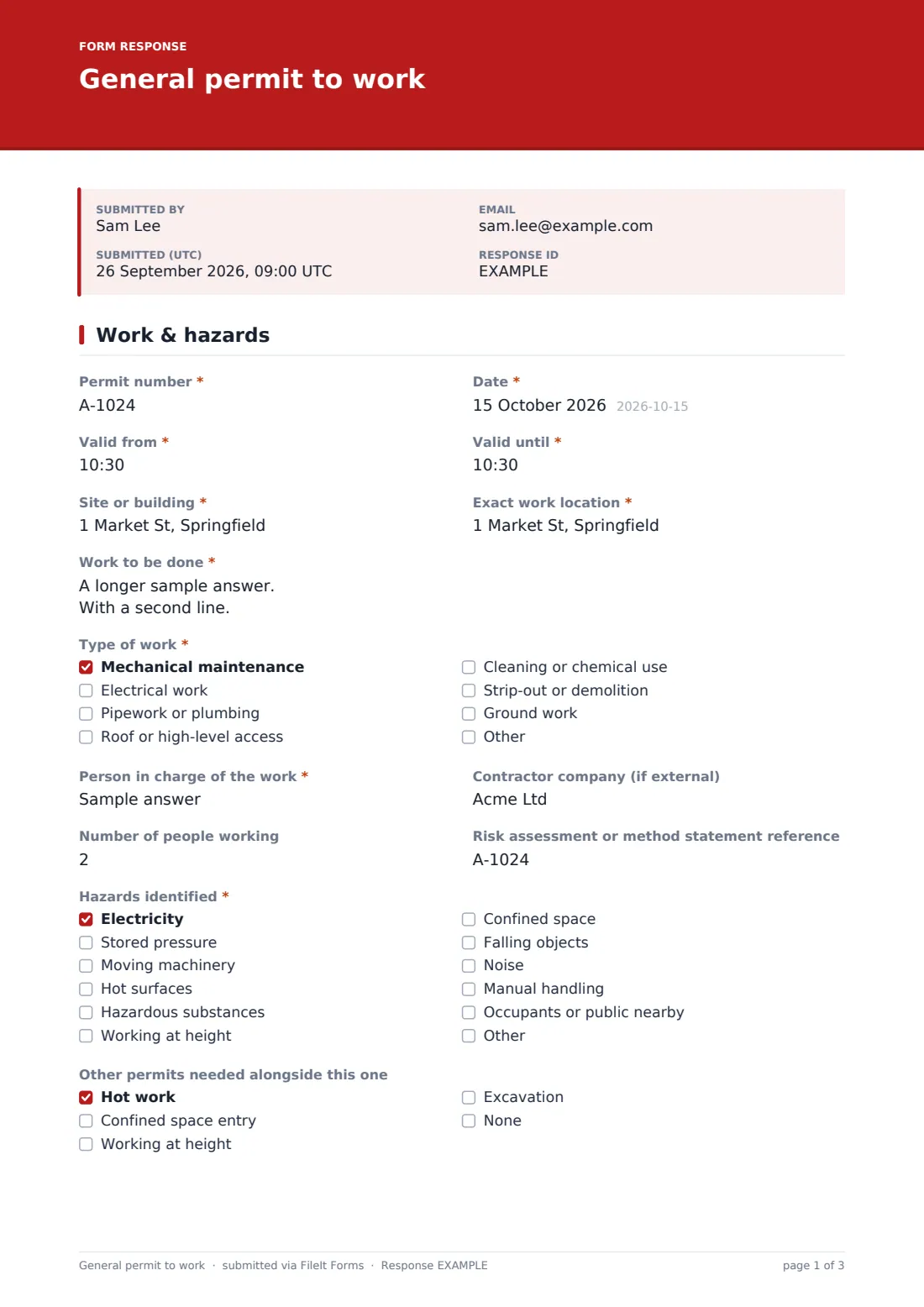
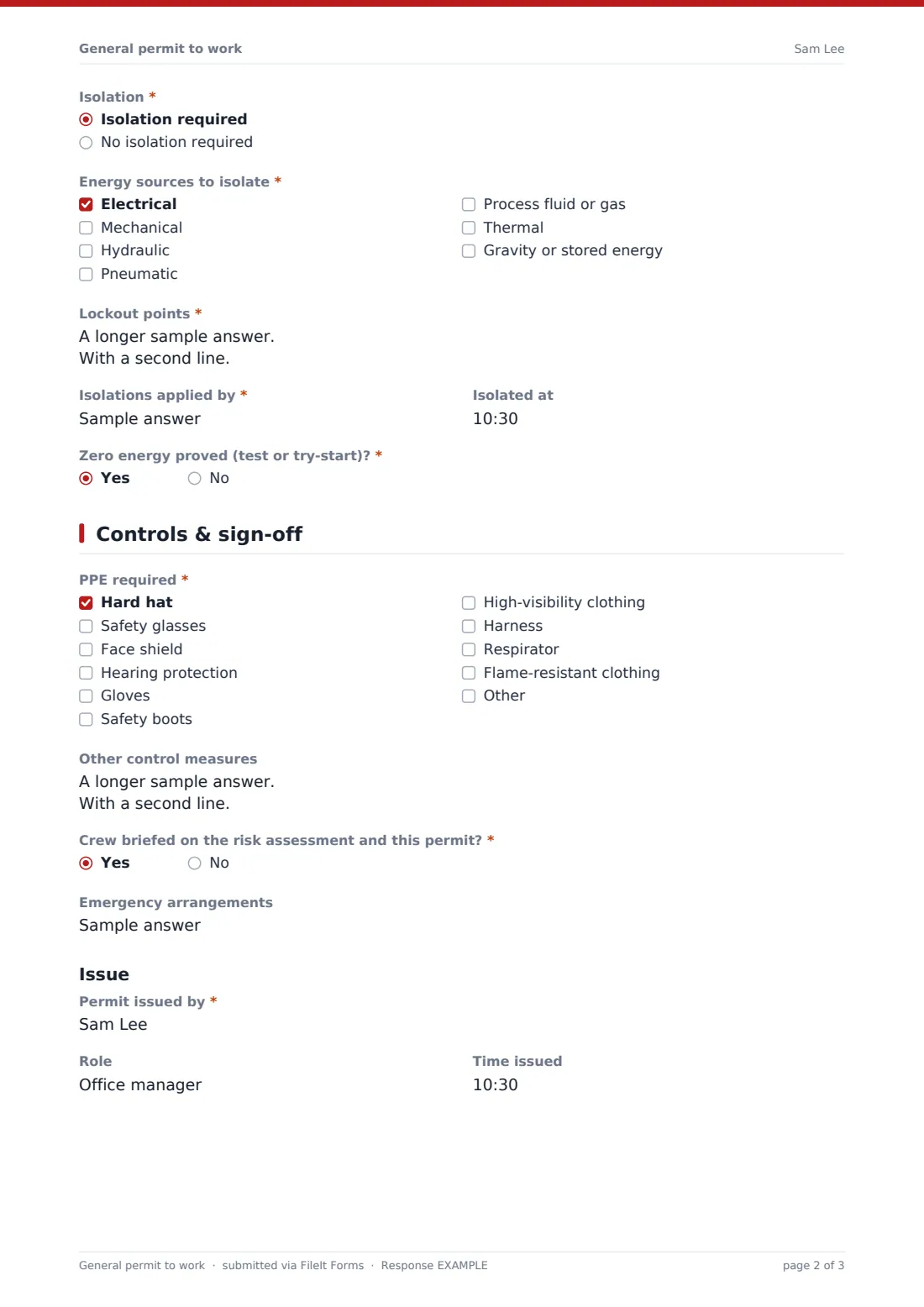
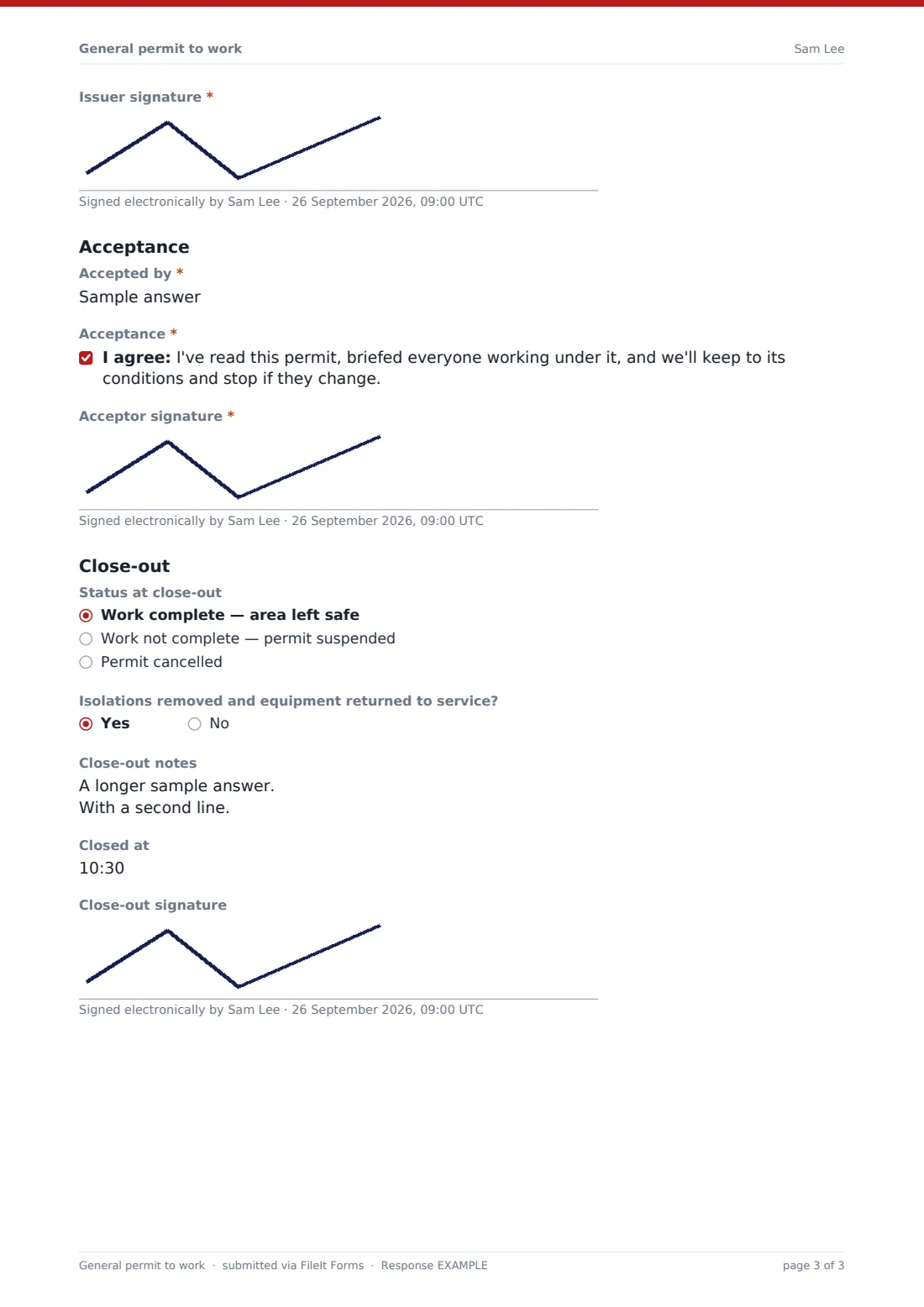
This template covers the permit on two pages. The first describes the work and the hazards and records any other permits needed alongside it. Choosing "Isolation required" opens a section for the energy sources to isolate, each lockout point with its lock or tag number, who applied the isolations, when, and whether zero energy was proved. The second page covers PPE and other controls, then the three signatures that make a permit work: the issuer, the person accepting it on behalf of the crew, and the close-out.
Every permit is saved as a PDF in your FileIt vault, so you have a numbered, signed record of who worked on what, and under which conditions.
- Best for
- Maintenance managers, facilities teams, plant supervisors and contractors
- Filled in by
- The supervisor issuing the permit, with the crew lead accepting
- Time to complete
- About 8 minutes
- Includes
- Hazard list, isolations and lockout points, PPE, issue, acceptance and close-out signatures
Who uses a general permit to work form?
- A contractor replacing a pump in a building's plant room
- Planned maintenance on a conveyor that has to be locked out first
- Electrical work on a distribution board in a shared building
- Clearing a blocked chute on a production line
- Roof-level access to service an extractor fan, alongside a working-at-height permit
- A facilities team keeping a log of every permit issued on a site
Questions on this general permit to work form
36 questions over 2 pages · includes signature, conditional questions, multiple pages, consent checkbox.
1 Work & hazards
- Permit number*
- Date*
- Valid from*
- Valid until*
- Site or building*
- Exact work location*
- Work to be done*
- Type of work* Mechanical maintenance · Electrical work · Pipework or plumbing · Roof or high-level access · Cleaning or chemical use · Strip-out or demolition · Ground work
- Person in charge of the work*
- Contractor company (if external)
- Number of people working
- Risk assessment or method statement reference
- Hazards identified* Electricity · Stored pressure · Moving machinery · Hot surfaces · Hazardous substances · Working at height · Confined space · Falling objects · Noise · Manual handling · Occupants or public nearby
- Other permits needed alongside this one Hot work · Confined space entry · Working at height · Excavation · None
- Isolation* Isolation required · No isolation required
- Energy sources to isolate* asked only when it applies Electrical · Mechanical · Hydraulic · Pneumatic · Process fluid or gas · Thermal · Gravity or stored energy
- Lockout points* asked only when it applies
- Isolations applied by* asked only when it applies
- Isolated at asked only when it applies
- Zero energy proved (test or try-start)?* asked only when it applies
2 Controls & sign-off
- PPE required* Hard hat · Safety glasses · Face shield · Hearing protection · Gloves · Safety boots · High-visibility clothing · Harness · Respirator · Flame-resistant clothing
- Other control measures
- Crew briefed on the risk assessment and this permit?*
- Emergency arrangements
- Permit issued by*
- Role
- Time issued
- Issuer signature*
- Accepted by*
- Acceptance*
- Acceptor signature*
- Status at close-out Work complete — area left safe · Work not complete — permit suspended · Permit cancelled
- Isolations removed and equipment returned to service? asked only when it applies
- Close-out notes
- Closed at
- Close-out signature
The general permit to work form, page by page
1 Work & hazards
The Permit number, Date, Valid from and Valid until set the permit's window. Site or building and Exact work location say where; Work to be done and Type of work say what. The Person in charge of the work, Contractor company, Number of people working and the Risk assessment or method statement reference follow.
Hazards identified covers electricity, stored pressure, moving machinery, hot surfaces, hazardous substances, height, confined space, falling objects, noise, manual handling, and occupants or public nearby. "Other permits needed alongside this one" flags hot work, confined space entry, working at height or excavation. Isolation is required or not; choosing "Isolation required" opens Energy sources to isolate, Lockout points, Isolations applied by, Isolated at and "Zero energy proved (test or try-start)?".
2 Controls & sign-off
PPE required lists the usual kit from hard hats to harnesses and respirators. Other control measures, "Crew briefed on the risk assessment and this permit?" and Emergency arrangements complete the controls.
Under Issue, the issuer gives their name, role and time and signs. Under Acceptance, the person accepting confirms they've read the permit and briefed everyone, then signs. The Close-out section records the status — complete, suspended or cancelled — whether isolations were removed (shown only when there were any), notes, the time it closed and a signature.
Make the template yours
- Set your own permit number format and make it required in a pattern
- Add your site's specific hazards, such as live gas mains or radiation sources
- Make the close-out signature required if permits must be closed in the same response
- Copy your safety lead on every permit through the notification emails
- Remove "Ground work" or other types of work you always cover with a specialist permit
- File permits into a folder per site, or per month, to keep the register tidy
Tips for a better general permit to work form
- Keep the validity window short — a fresh permit is better than a stretched one
- List lockout points in the order they're isolated, and reverse them to restore
- Prove zero energy every time, even when the isolator is in sight
- Brief the whole crew, not just the person signing
- If conditions change, stop and reissue rather than amending in pen
- Close the permit out as soon as the work finishes, before handing back
Every response becomes a PDF in your vault
The permit is filed as a PDF in your FileIt vault, named with the date, carrying every signature. The account owner is notified when a permit is submitted.
Because permits are issued at the start of the work and closed at the end, many teams print or keep the PDF at the work location. The Responses table and CSV export make a running permit register for audits and site reviews.
- Start from this template. It opens in the FileIt Forms designer — change any question, add pages, set the rules for when questions appear.
- Share it. Turn on a public link, or send it to people by email, each with their own link. They don’t need a FileIt account.
- Get the answers as PDFs. Each response is saved as a PDF in the vault folder you choose, with uploaded files attached — and listed in a Responses table you can export to CSV.
General permit to work form: frequently asked questions
Is this permit to work template free?
Yes. It's part of the Forms app on every FileIt account, including the free plan.
Does it replace a hot work or confined space permit?
No. It's for general maintenance work. Use the "Other permits needed" question to flag when a specialist permit should be issued as well.
What does choosing "Isolation required" do?
It opens the isolation section: energy sources, lockout points with lock or tag numbers, who applied them, when, and whether zero energy was proved.
Can the issuer and the acceptor sign on the same device?
Yes. Both signatures are drawn on screen in the same response, so the permit can be signed at the work location on a tablet.
How do I close out the permit later?
The close-out fields are optional, so a permit can be submitted when it is issued. For longer jobs, many teams sign close-out on the printed PDF at the work location, or duplicate this form into a short close-out form.
Does the form decide what's safe?
No. It records the hazards, controls and decisions made by your competent people. Every option can be edited to match your own procedures.