
What is the excavation permit form template?
An excavation permit — often called a permit to dig or ground disturbance permit — makes sure underground services have been found and protected, and the trench will be supported, before anyone digs. This template records the location, purpose, size and method, works through six service-location checks, lists services found, sets the collapse protection and site controls, and names the competent person who will inspect it.
Service strikes and trench collapses are serious and often avoidable. A permit that requires every check to be answered, plus a record of where each service is and how it will be protected, makes it harder to skip a step when the machine is already on site.
It runs on FileIt's Forms app, included on every FileIt account. The permit issuer completes it on site from a phone or tablet, uploads marked-up drawings or photos, and each permit becomes a PDF filed in your vault under the project.
- Best for
- Civil contractors, utilities, groundworks, landscaping and facilities teams
- Filled in by
- The site supervisor or permit issuer
- Time to complete
- About 10–15 minutes
- Includes
- Service location matrix, services found, collapse protection, controls matrix, inspection regime, photos
Who uses a excavation permit form?
- A drainage connection or new service trench
- Foundations or footings on a live site
- Fence post, sign or lighting column installation
- Landscaping or tree planting near buried services
- Emergency repair digs on utility networks
- Contractor digs on a client-owned site that requires a permit
Questions on this excavation permit form
28 questions over 4 pages · includes signature, file upload, conditional questions, multiple pages, consent checkbox, ratings.
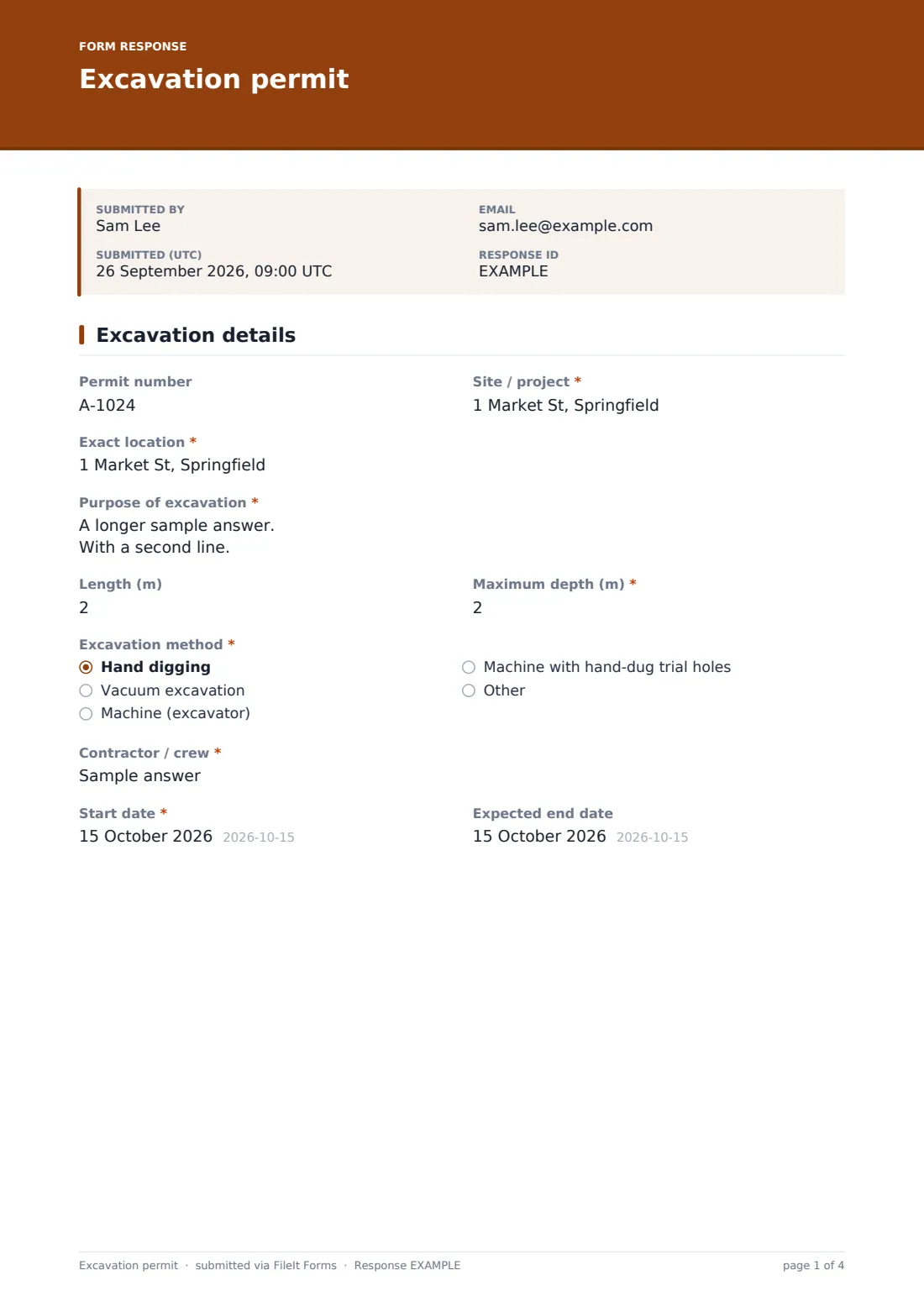
1 Excavation details
- Permit number
- Site / project*
- Exact location*
- Purpose of excavation*
- Length (m)
- Maximum depth (m)*
- Excavation method* Hand digging · Vacuum excavation · Machine (excavator) · Machine with hand-dug trial holes
- Contractor / crew*
- Start date*
- Expected end date
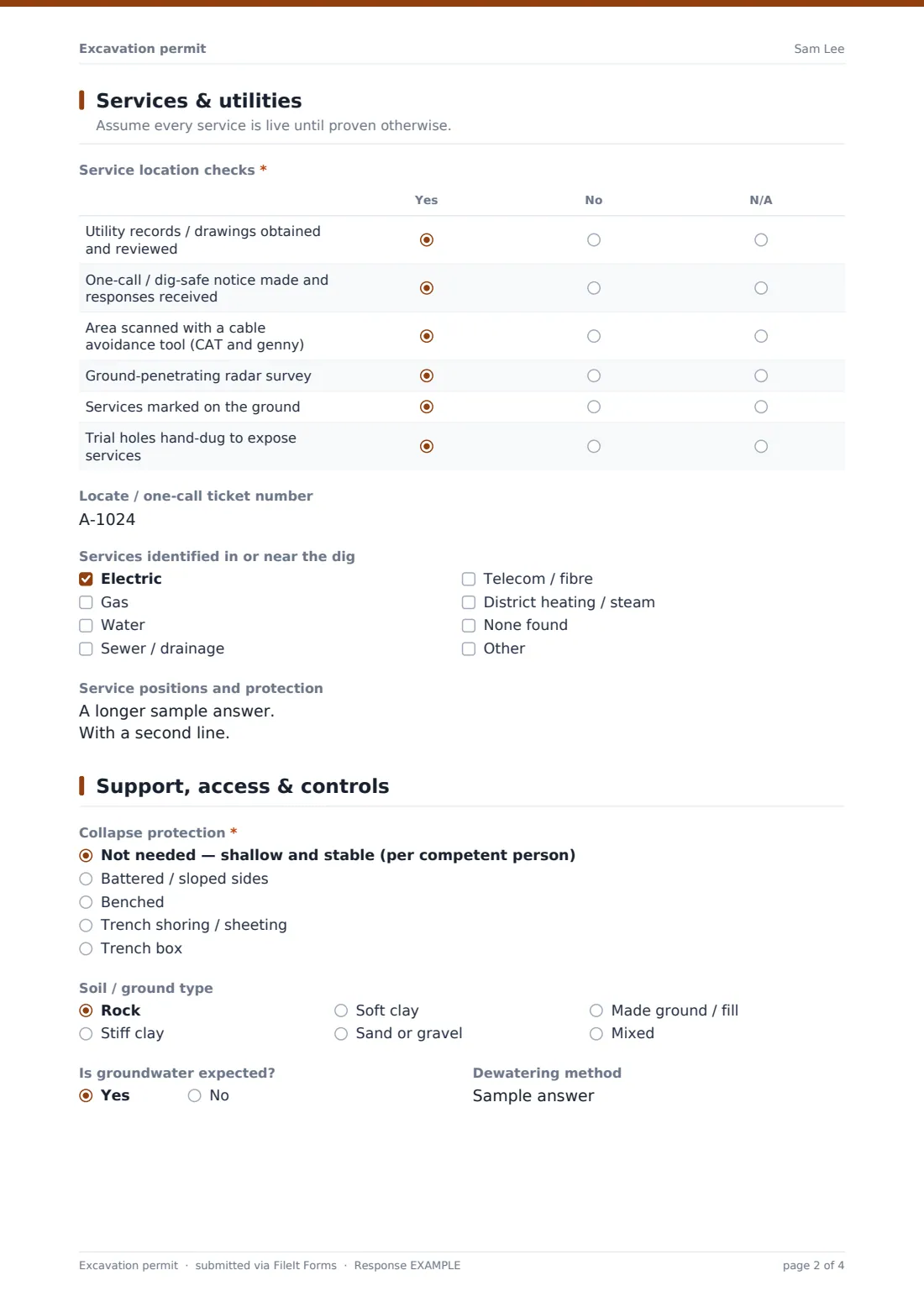
2 Services & utilities
- Service location checks* Yes · No · N/A
- Locate / one-call ticket number
- Services identified in or near the dig Electric · Gas · Water · Sewer / drainage · Telecom / fibre · District heating / steam · None found
- Service positions and protection
3 Support, access & controls
- Collapse protection* Not needed — shallow and stable (per competent person) · Battered / sloped sides · Benched · Trench shoring / sheeting · Trench box
- Soil / ground type Rock · Stiff clay · Soft clay · Sand or gravel · Made ground / fill · Mixed
- Is groundwater expected?
- Dewatering method asked only when it applies
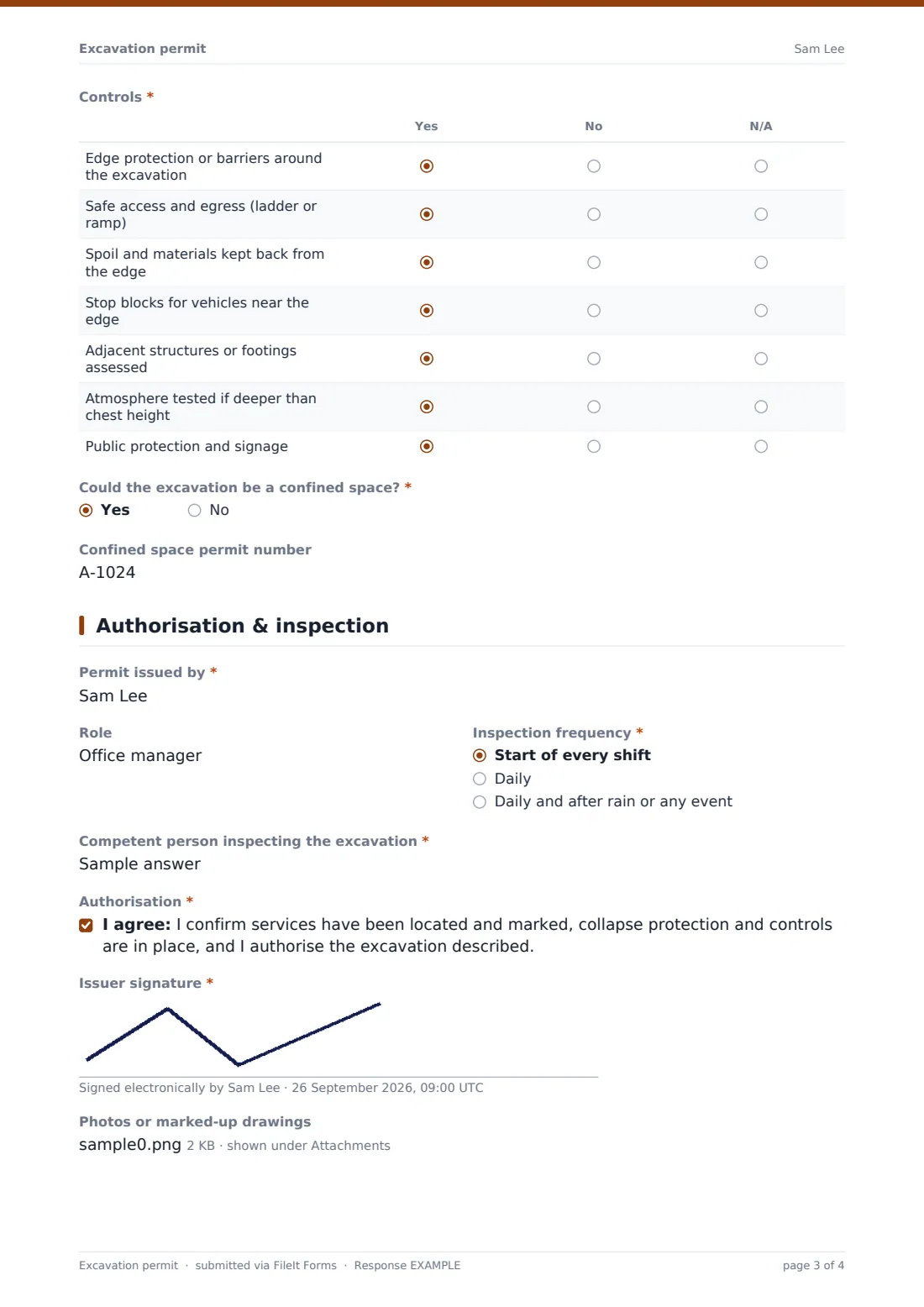
- Controls* Yes · No · N/A
- Could the excavation be a confined space?*
- Confined space permit number asked only when it applies
4 Authorisation & inspection
- Permit issued by*
- Role
- Inspection frequency* Start of every shift · Daily · Daily and after rain or any event
- Competent person inspecting the excavation*
- Authorisation*
- Issuer signature*
- Photos or marked-up drawings
The excavation permit form, page by page
1 Excavation details
Permit number, site, exact location and the purpose of the dig come first. Length, maximum depth, method — hand, vacuum, machine or machine with trial holes — the crew and start and end dates follow.
2 Services & utilities
A matrix records whether utility records were reviewed, a one-call notice made, the area scanned with a cable avoidance tool, a GPR survey done, services marked and trial holes dug. The locate ticket number, services identified and a note of their positions and protection complete the page.
3 Support, access & controls
The issuer picks the collapse protection — none needed, battered, benched, shoring or a trench box — and the soil type. Groundwater asks how it will be managed. A controls matrix covers edge protection, access and egress, spoil placement, stop blocks, adjacent structures, atmosphere testing and public protection. If the excavation could be a confined space, the form asks for the permit number.
4 Authorisation & inspection
The issuer's name and role, the inspection frequency and the competent person inspecting the excavation are recorded before the issuer confirms and signs. Photos or marked-up drawings can be attached.
Make the template yours
- Replace the one-call wording with your country's utility notification service
- Add minimum hand-dig distances from your own procedures to the help text
- Add a daily excavation inspection form alongside this permit
- Add a signature for the machine operator
- Send permits to your project manager's address
- File permits into a folder per project
Tips for a better excavation permit form
- Treat utility records as a guide — services are often not where drawings show them
- Scan again immediately before digging, not just days before
- Hand dig or vacuum excavate near located services
- Keep spoil and vehicles back from the edge
- Inspect excavations at the start of each shift and after rain
- Never enter an unsupported trench deeper than your procedures allow
Every response becomes a PDF in your vault
The permit is saved as a PDF titled with the date, with any photos or drawings attached, and filed in the vault folder you chose. You're notified and the issuer gets a copy for site.
Use the Responses table to see all excavation permits on a project and export them to CSV for handover files or audits.
- Start from this template. It opens in the FileIt Forms designer — change any question, add pages, set the rules for when questions appear.
- Share it. Turn on a public link, or send it to people by email, each with their own link. They don’t need a FileIt account.
- Get the answers as PDFs. Each response is saved as a PDF in the vault folder you choose, with uploaded files attached — and listed in a Responses table you can export to CSV.
Excavation permit form: frequently asked questions
Is this excavation permit template free?
Yes. It's included with the Forms app on every FileIt account, including the free plan.
Does it meet OSHA excavation or HSG47 guidance?
FileIt doesn't give legal or compliance advice. The permit covers common planning steps for digging, but check it against the rules and guidance that apply to you.
Does the issuer need a FileIt account?
No. They fill it in from the link you share.
Can I attach drawings with services marked?
Yes. Up to five photos or PDFs.
Does it record daily excavation inspections?
It records who will inspect and how often. Use a separate inspection form for each inspection, or add inspection fields in the designer.
Can I change the service types?
Yes. Every option list can be edited in the designer.
Does FileIt contact the utility locate service?
No. The permit records the ticket number; you make the notification through your local service.