What is the gas detector bump test log form template?
Portable gas detectors protect people working in confined spaces, sewers, tanks, plant rooms and anywhere gas can build up — but only if the sensors and alarms actually respond. A bump test briefly exposes the detector to a known gas to confirm it reacts and alarms; a full calibration adjusts its readings. Many manufacturers and site rules call for a bump test before each day's use, with regular calibration.
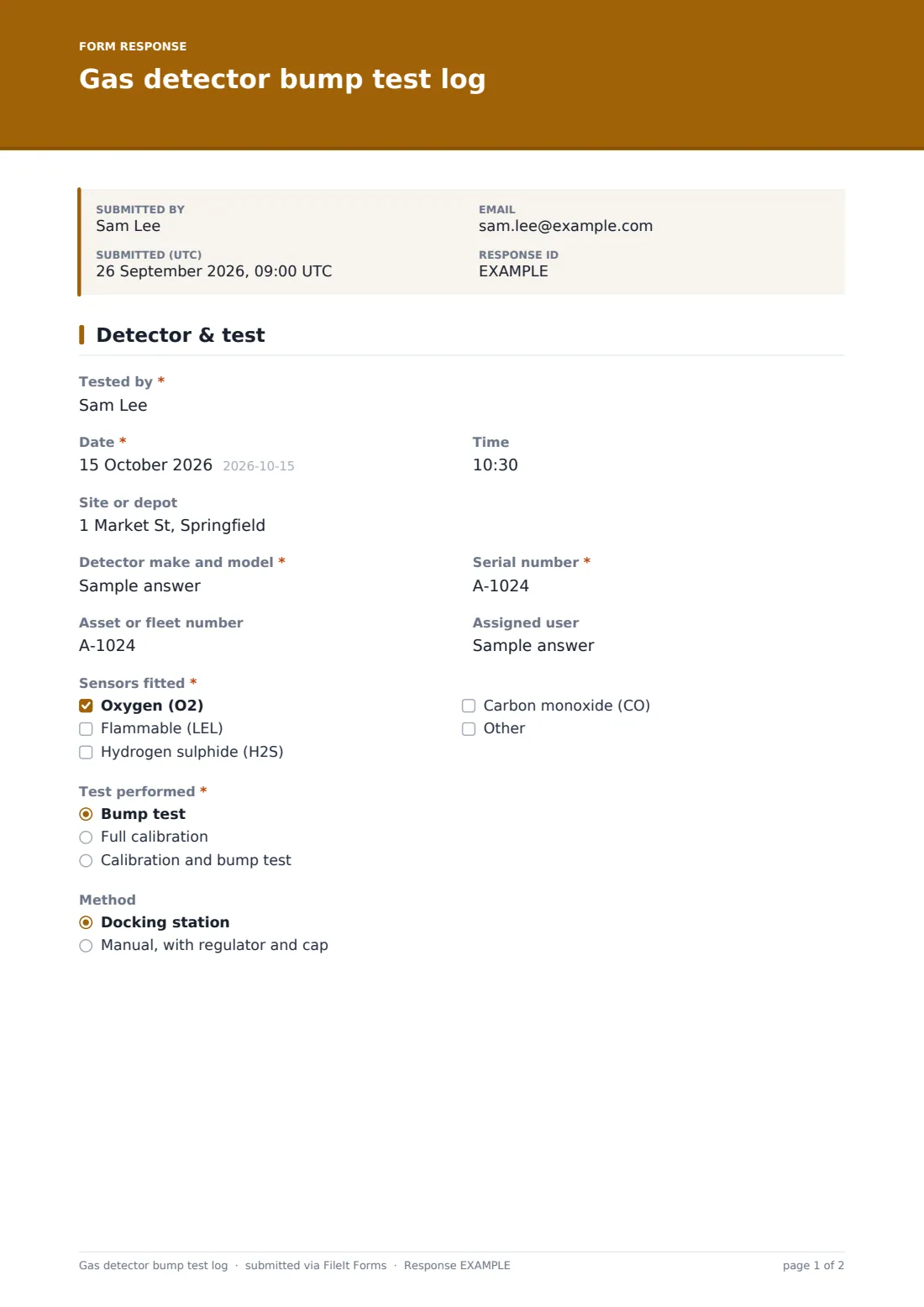
This template logs one test of one detector. The tester records the make, model, serial and asset number, the assigned user, which sensors are fitted and whether it was a bump test, a calibration or both, using a dock or manually. The test gas cylinder's lot number, expiry date and gas mix are recorded next, then a pass, fail or not fitted result for oxygen, flammable (LEL), hydrogen sulphide and carbon monoxide, the readings shown and which alarms activated.
A failed detector asks what was done about it: recalibrated and re-tested, removed from service and tagged, or sent for repair. Calibrations can add the next due date and a certificate or dock printout. Each test is saved as a PDF in FileIt, building a searchable history per serial number.
- Best for
- Utilities, water and wastewater, construction, oil and gas, and confined space teams
- Filled in by
- The detector user or a site supervisor
- Time to complete
- About 2 minutes per detector
- Includes
- Per-sensor result grid, test gas lot and expiry, alarm check, calibration certificate upload, failed-unit action and signature
Who uses a gas detector bump test log form?
- Daily pre-use bump tests before confined space entry
- Logging docking station tests across a detector fleet
- Recording periodic full calibrations with the certificate attached
- Contractors proving detectors were tested before work on a client site
- Tracking which units failed and what happened to them
- Keeping a history per serial number for audits
Questions on this gas detector bump test log form
23 questions over 3 pages · includes signature, file upload, conditional questions, multiple pages, ratings.
1 Detector & test
- Tested by*
- Date*
- Time
- Site or depot
- Detector make and model*
- Serial number*
- Asset or fleet number
- Assigned user
- Sensors fitted* Oxygen (O2) · Flammable (LEL) · Hydrogen sulphide (H2S) · Carbon monoxide (CO)
- Test performed* Bump test · Full calibration · Calibration and bump test
- Method Docking station · Manual, with regulator and cap
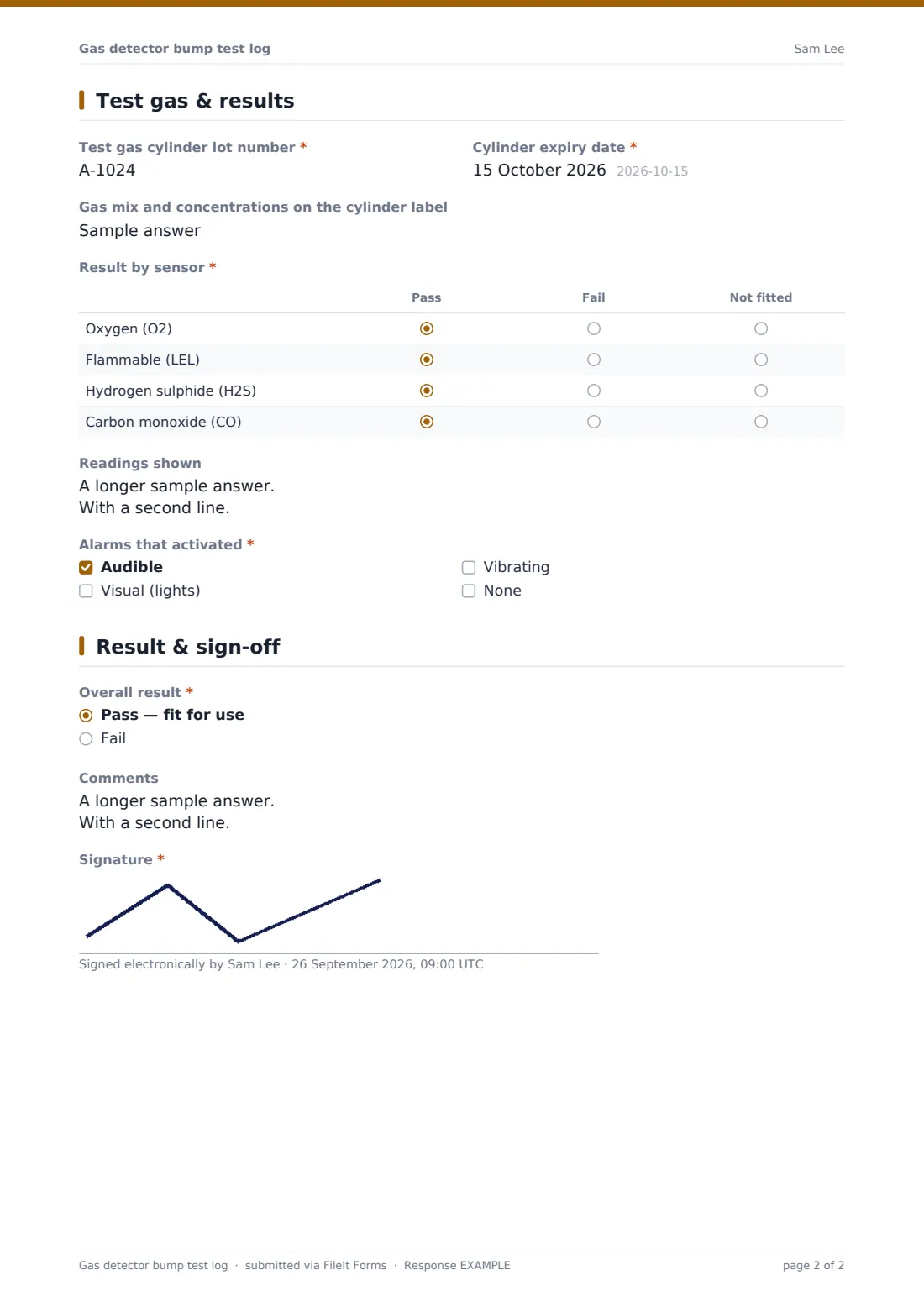
2 Test gas & results
- Test gas cylinder lot number*
- Cylinder expiry date*
- Gas mix and concentrations on the cylinder label
- Result by sensor* Pass · Fail · Not fitted
- Readings shown
- Alarms that activated* Audible · Visual (lights) · Vibrating · None
- Next calibration due asked only when it applies
- Calibration certificate or dock printout asked only when it applies
3 Result & sign-off
- Overall result* Pass — fit for use · Fail
- Action taken* asked only when it applies Calibrated and re-tested — now passes · Removed from service and tagged · Sent for service or repair
- Comments
- Signature*
The gas detector bump test log form, page by page
1 Detector & test
Record who tested, the date and time, the site, the detector's make, model, serial number and asset number, and who it's assigned to. Tick the sensors fitted — oxygen, flammable (LEL), hydrogen sulphide and carbon monoxide, with room for others — then choose the test performed: bump test, full calibration or both, and whether it was done on a docking station or manually.
2 Test gas & results
Enter the test gas cylinder's lot number and expiry date and the gas mix from its label. A grid marks each of the four common sensors pass, fail or not fitted, and a box records the peak readings displayed. The tester ticks which alarms activated — audible, visual, vibrating or none. For a calibration, the next calibration due date and a certificate or dock printout can be added.
3 Result & sign-off
The overall result is pass, fit for use, or fail. A fail asks what action was taken: calibrated and re-tested so it now passes, removed from service and tagged, or sent for service — or something else. Comments and the tester's signature complete the record.
Make the template yours
- Replace the make and model text box with a dropdown of the detectors you own
- Add the sensors your detectors carry, such as SO2, NO2 or VOC, to the sensor list and result grid
- Prefill site and depot fields with personal links for each team
- Send failed results to your equipment or safety manager by email
- File each depot's tests in its own vault folder
- Shorten the form for docked tests if your dock stores readings itself
Tips for a better gas detector bump test log form
- Follow the detector manufacturer's instructions for bump test and calibration frequency
- Don't use test gas past its expiry date — it can give a false pass
- Never use a detector that failed until it's been fixed and passes
- Attach the dock printout when you have one; it's stronger evidence than typed readings
- Record the serial number every time so history can be traced per unit
- Check that every alarm type activates, not just the display
Every response becomes a PDF in your vault
Each test is saved as a PDF in the vault folder you choose, with the result grid, readings, cylinder details, any certificate and the signature. The account owner can be emailed each time a test is submitted.
In Responses, filter by serial number to see one detector's history, or export to CSV to check that every unit in the fleet was tested and to spot repeat failures.
- Start from this template. It opens in the FileIt Forms designer — change any question, add pages, set the rules for when questions appear.
- Share it. Turn on a public link, or send it to people by email, each with their own link. They don’t need a FileIt account.
- Get the answers as PDFs. Each response is saved as a PDF in the vault folder you choose, with uploaded files attached — and listed in a Responses table you can export to CSV.
Gas detector bump test log form: frequently asked questions
Is this gas detector bump test log free?
Yes. It's part of the Forms app, included with every FileIt account, the free plan too.
Does this replace the detector's own data log?
No. It's a record of the test and what was done. Many detectors and docks keep their own logs; you can attach a printout to the form.
How often should we bump test?
Follow the manufacturer's instructions and your site's rules. Many manufacturers recommend a bump test before each day's use; the form records whatever schedule you use.
Can I log several detectors at once?
Each response covers one detector, so the history stays clear per serial number. Submit the form once for each unit.
Our detectors have other sensors. Can I add them?
Yes. Add options to the sensor list and rows to the result grid in the designer.
Does FileIt remind us when calibration is due?
The form records the next calibration date, but it doesn't send reminders on its own. Set a reminder in your own calendar or maintenance system.