What is the calibration record form template?
A measurement is only as trustworthy as the instrument behind it. Quality systems typically expect each gauge or instrument to have a calibration history showing what standard it was checked against, what it read before any adjustment, whether it was within tolerance and when it's due again.
This form records one calibration. It identifies the instrument and its acceptance tolerance, notes whether the work was in-house or by an external lab, captures the reference standard and ambient conditions, and logs as-found readings. An out-of-tolerance as-found result asks for the impact on measurements made since the last calibration, and an adjustment asks for as-left readings.
The final page records the result, any restriction on use or what happens to a failed instrument, the interval and next due date, and the certificate. Each record is filed as a PDF in your FileIt vault, so an instrument's history is easy to pull up for an audit.
- Best for
- Quality teams, labs, maintenance departments and workshops that control measuring equipment
- Filled in by
- The technician who carried out or received the calibration
- Time to complete
- About 5-10 minutes per instrument
- Includes
- As-found and as-left readings, out-of-tolerance impact, result and restrictions, next due date, certificate upload and signature
Who uses a calibration record form?
- In-house calibration of calipers, micrometers and gauges
- Recording certificates returned from an external calibration lab
- First calibration of a new instrument before use
- Re-checking an instrument that was dropped or gave a suspect reading
- Pressure gauges, thermometers and scales on a process line
- Building a calibration history for an audit
Questions on this calibration record form
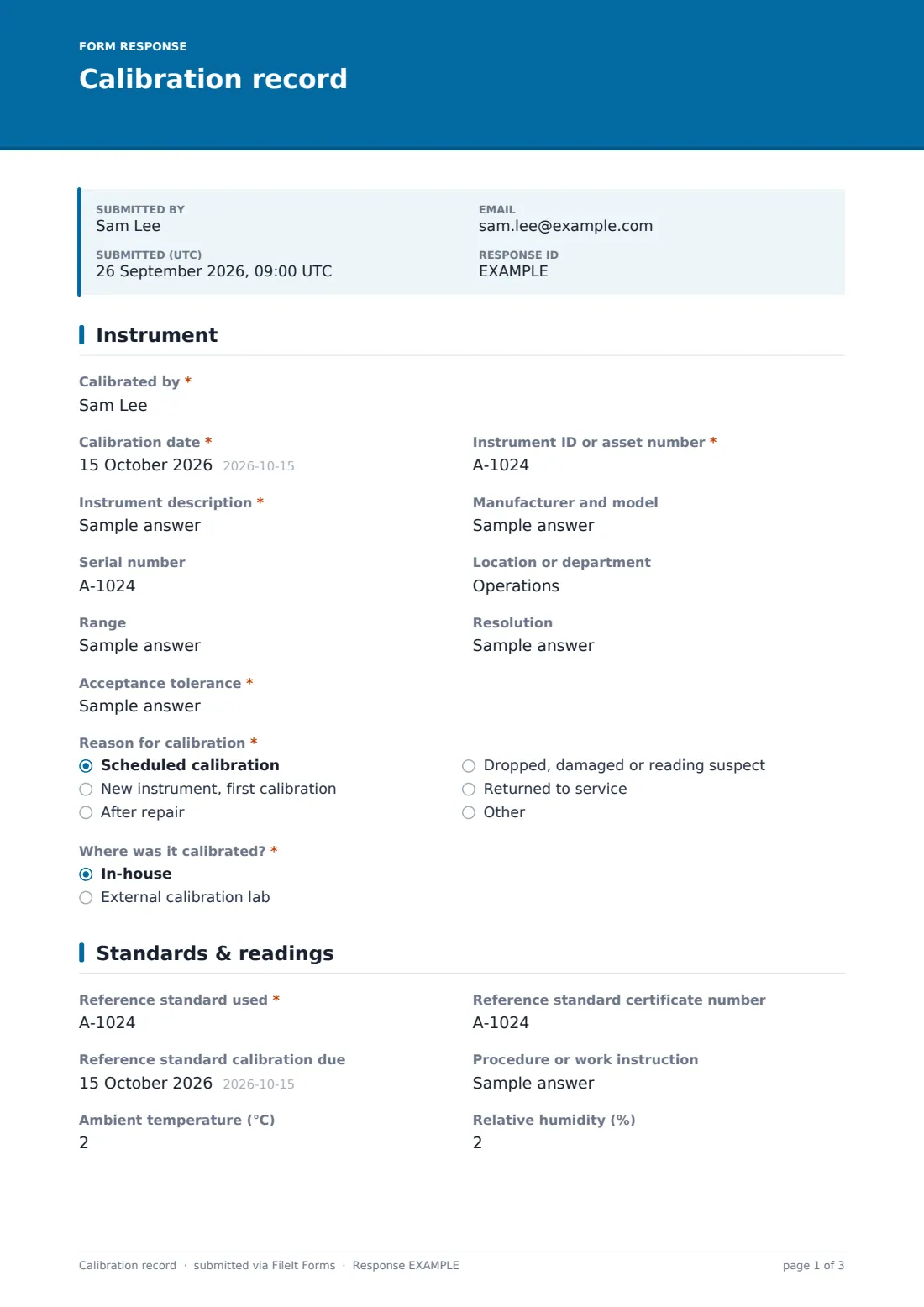
36 questions over 3 pages · includes signature, file upload, conditional questions, multiple pages.
1 Instrument
- Calibrated by*
- Calibration date*
- Instrument ID or asset number*
- Instrument description*
- Manufacturer and model
- Serial number
- Location or department
- Range
- Resolution
- Acceptance tolerance*
- Reason for calibration* Scheduled calibration · New instrument, first calibration · After repair · Dropped, damaged or reading suspect · Returned to service
- Where was it calibrated?* In-house · External calibration lab
- Calibration lab* asked only when it applies
- Lab certificate number asked only when it applies
2 Standards & readings
- Reference standard used*
- Reference standard certificate number
- Reference standard calibration due
- Procedure or work instruction
- Ambient temperature (°C)
- Relative humidity (%)
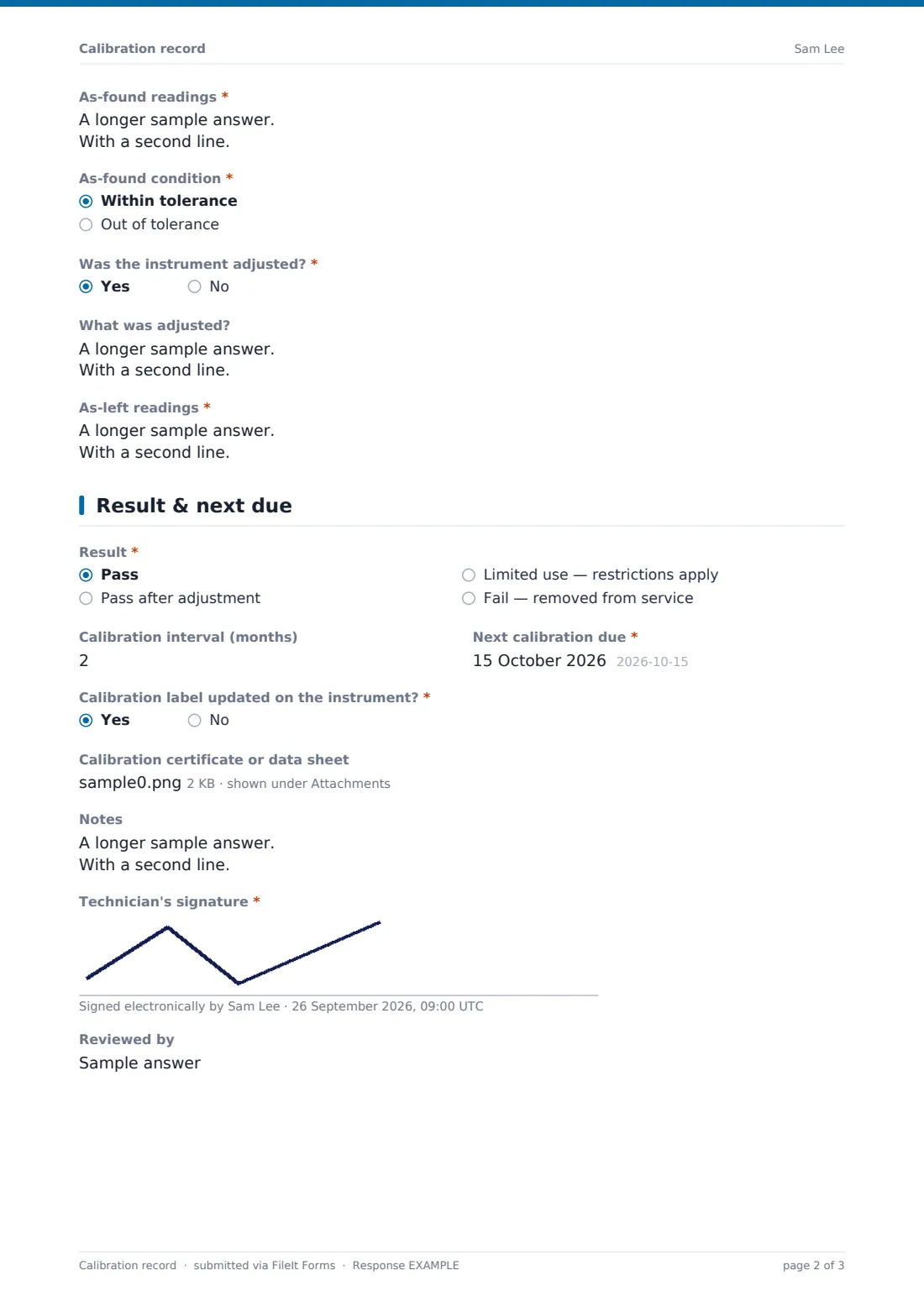
- As-found readings*
- As-found condition* Within tolerance · Out of tolerance
- Impact on measurements made since the last calibration* asked only when it applies
- Was the instrument adjusted?*
- What was adjusted? asked only when it applies
- As-left readings* asked only when it applies
3 Result & next due
- Result* Pass · Pass after adjustment · Limited use — restrictions apply · Fail — removed from service
- Restriction on use* asked only when it applies
- What happens to the instrument?* asked only when it applies Sent for repair · Scrapped and replaced · Quarantined pending decision
- Calibration interval (months)
- Next calibration due*
- Calibration label updated on the instrument?*
- Calibration certificate or data sheet
- Notes
- Technician's signature*
- Reviewed by
The calibration record form, page by page
1 Instrument
The technician and calibration date come first, then the instrument ID or asset number and description, both required, with manufacturer and model, serial number, location, range and resolution. The acceptance tolerance is required, since it decides pass or fail.
Reason for calibration covers scheduled, new, after repair, suspect and returned to service. Choosing an external calibration lab under Where was it calibrated? asks for the lab's name and certificate number.
2 Standards & readings
The reference standard used is required, with its certificate number and calibration due date, the procedure followed and the ambient temperature and humidity. As-found readings, taken before any adjustment, list each test point with the reference value, reading and error.
If the as-found condition is out of tolerance, the form requires an assessment of the impact on measurements made since the last calibration. If the instrument was adjusted, it asks what was changed and for as-left readings at the same points.
3 Result & next due
The result is pass, pass after adjustment, limited use or fail. Limited use requires the restriction, such as a reduced range, and a fail asks whether the instrument was sent for repair, scrapped or quarantined.
The calibration interval and next due date, confirmation that the label was updated, an uploaded certificate or data sheet, notes, the technician's signature and a reviewer complete the record.
Make the template yours
- Replace the readings boxes with number fields for fixed test points if you calibrate the same instrument type often
- Add your instrument categories as a dropdown to sort records
- Make the certificate upload required for external calibrations
- Send notifications to the quality manager when a result is fail or as-found is out of tolerance
- File each instrument's records into its own vault folder
Tips for a better calibration record form
- Always record as-found readings before adjusting; without them you can't judge past measurements
- Check the reference standard's own calibration date before you start
- Note the ambient temperature for dimensional instruments
- Review past measurements whenever an instrument is found out of tolerance
- Put the next due date in your calendar or a reminder, not just on the label
Every response becomes a PDF in your vault
Each calibration is saved as a PDF in your FileIt vault with the certificate attached. Searching your vault for an instrument ID brings up its calibration history.
Export the Responses table to CSV for a calibration register showing each instrument's latest result and next due date.
- Start from this template. It opens in the FileIt Forms designer — change any question, add pages, set the rules for when questions appear.
- Share it. Turn on a public link, or send it to people by email, each with their own link. They don’t need a FileIt account.
- Get the answers as PDFs. Each response is saved as a PDF in the vault folder you choose, with uploaded files attached — and listed in a Responses table you can export to CSV.
Calibration record form: frequently asked questions
Is this calibration record template free?
Yes. It's included in the FileIt Forms app on every account, including the free plan, and every question can be edited, removed or added to in the form designer.
Does FileIt remind me when an instrument is due?
The form records the next due date, but it doesn't create a reminder by itself. You can export the due dates or set up reminders separately in your FileIt vault.
What's the difference between as-found and as-left?
As-found readings are taken before any adjustment and show whether the instrument was within tolerance while in use. As-left readings are taken after adjustment and show its condition going back into service.
Is this an accredited calibration certificate?
No. It's a record of the calibration. Accredited certificates come from labs accredited for that measurement; upload theirs with the record.
Can I record several instruments in one submission?
The form is designed for one instrument per record so each has its own history. Submit the form once per instrument; the same person can submit it as many times as needed.
Who should sign?
The technician signs, and the reviewer's name can be added for a second check.