What is the employee license and certification record form template?
Nurses, electricians, forklift drivers, accountants, security officers, first aiders: plenty of roles depend on a license or certificate that has a number, an issuing body and, very often, an expiry date. Keeping track of them in a spreadsheet works until someone renews early, a copy goes missing, or a renewal turns out to need continuing education hours nobody counted. This template records one credential at a time, completely, with proof attached.
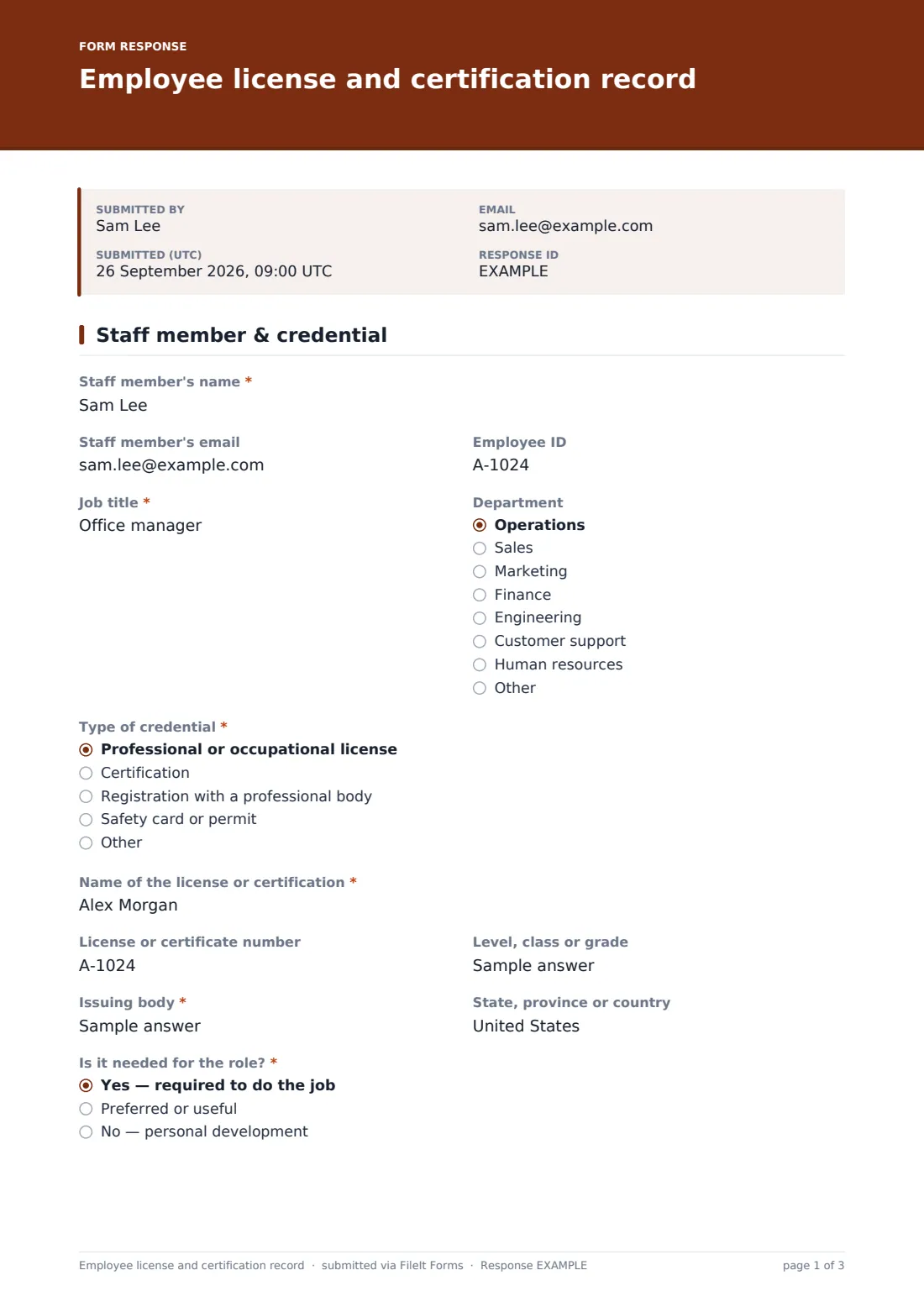
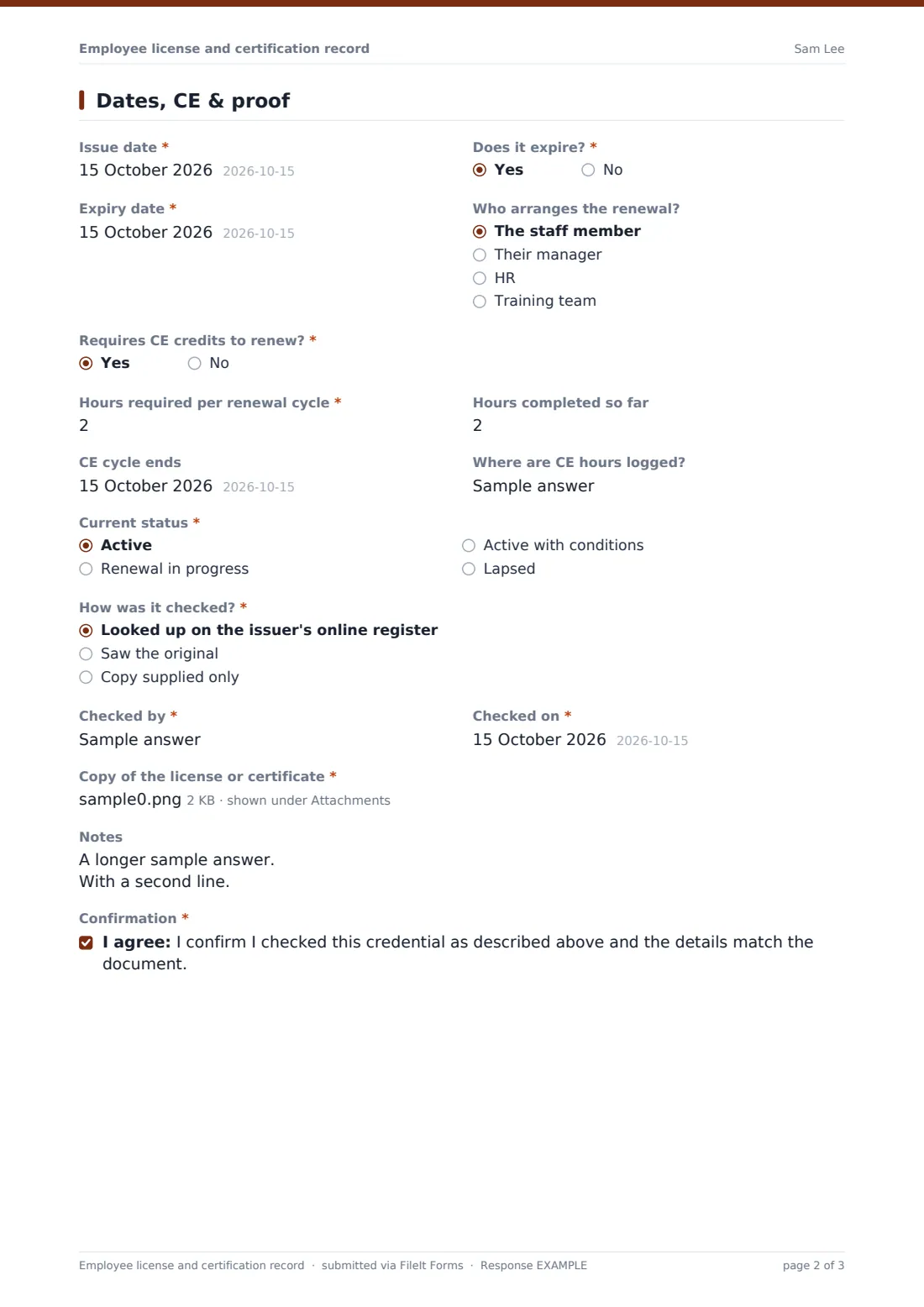
HR or a manager fills it in. They note the “Type of credential” — a professional or occupational license, a certification, a registration with a professional body, or a safety card or permit — along with the license number, issuer and where it's valid. The second page holds the dates. “Does it expire?” reveals the “Expiry date” and who arranges the renewal, and “Requires CE credits to renew?” reveals the hours required per renewal cycle, hours completed so far, when the cycle ends and where the hours are logged.
Each record is saved as a PDF in your FileIt vault with the uploaded copy of the credential attached. Because it's an ordinary vault document, you can give it an expiry date there and FileIt's reminders will work just as they do for passports and policies.
- Best for
- Healthcare, construction, transport, security, finance and any team with licensed or certified roles
- Filled in by
- HR, a manager or a training lead — one record per credential
- Time to complete
- About 4 minutes with the document to hand
- Includes
- Credential details, issue and expiry dates, CE hours tracking, verification method and a required copy upload
Who uses a employee license and certification record form?
- A home care agency recording each carer's registration and first aid certificate
- An electrical contractor keeping journeyman and master licenses on file with their renewal dates
- A clinic tracking nursing licenses and the CE hours each renewal needs
- A logistics firm logging forklift and HGV qualifications for every driver
- An accounting practice keeping CPA licenses and CPD records ready for review
Questions on this employee license and certification record form
28 questions over 2 pages · includes file upload, conditional questions, multiple pages, consent checkbox.
1 Staff member & credential
- Staff member's name*
- Staff member's email
- Employee ID
- Job title*
- Department Operations · Sales · Marketing · Finance · Engineering · Customer support · Human resources · Other
- Type of credential* Professional or occupational license · Certification · Registration with a professional body · Safety card or permit
- Name of the license or certification*
- License or certificate number
- Level, class or grade
- Issuing body*
- State, province or country
- Is it needed for the role?* Yes — required to do the job · Preferred or useful · No — personal development
2 Dates, CE & proof
- Issue date*
- Does it expire?*
- Expiry date* asked only when it applies
- Who arranges the renewal? asked only when it applies The staff member · Their manager · HR · Training team
- Requires CE credits to renew?*
- Hours required per renewal cycle* asked only when it applies
- Hours completed so far asked only when it applies
- CE cycle ends asked only when it applies
- Where are CE hours logged? asked only when it applies
- Current status* Active · Renewal in progress · Active with conditions · Lapsed
- How was it checked?* Looked up on the issuer's online register · Saw the original · Copy supplied only
- Checked by*
- Checked on*
- Copy of the license or certificate*
- Notes
- Confirmation*
The employee license and certification record form, page by page
1 Staff member & credential
The record starts with the staff member's name, email, employee ID, job title and department. Then comes the “Type of credential”, with an Other option, and the “Name of the license or certification”, with examples like Registered Nurse or First Aid at Work. Half-width fields hold the “License or certificate number”, the “Level, class or grade”, the “Issuing body” and the “State, province or country”. “Is it needed for the role?” separates credentials the job depends on from ones that are preferred or purely for development.
2 Dates, CE & proof
The “Issue date” is required. “Does it expire?” shows the expiry date and who arranges the renewal: the staff member, their manager, HR or the training team. “Requires CE credits to renew?” shows the CE fields.
The recorder sets the “Current status” (active, renewal in progress, active with conditions, or lapsed) and says “How was it checked?”: looked up on the issuer's online register, saw the original, or copy supplied only. They add who checked it and when. Then they upload up to three files of the license or certificate, front and back for cards, add notes and confirm the details match the document.
Make the template yours
- Add a dropdown of the specific credentials your roles require, in place of the free-text name
- Pick a dedicated vault folder in the settings so every credential record is filed in one place
- Make the employee ID required if your HR system relies on it
- Remove the CE section if none of your credentials need continuing education
- Share the form with the staff members themselves so they can submit their own renewals
Tips for a better employee license and certification record form
- Check the issuer's online register where one exists, rather than relying on a photocopy
- Create a fresh record at every renewal so the history of each credential stays intact
- Set an expiry date on the filed vault document so a reminder arrives well before it lapses
- Review CE hours a few months before the cycle ends, not the week before
- Treat lapsed or conditional credentials as an action item, and note what was agreed
Every response becomes a PDF in your vault
The record and its uploaded copy are filed together in your vault as one PDF document with attachments, and you're notified by email. No copy goes to the staff member automatically, since the recorder is usually HR.
The Responses table lists every credential with its status. Search by name to see one person's full set, or export to CSV to sort everyone's expiry dates and plan renewals.
- Start from this template. It opens in the FileIt Forms designer — change any question, add pages, set the rules for when questions appear.
- Share it. Turn on a public link, or send it to people by email, each with their own link. They don’t need a FileIt account.
- Get the answers as PDFs. Each response is saved as a PDF in the vault folder you choose, with uploaded files attached — and listed in a Responses table you can export to CSV.
Employee license and certification record form: frequently asked questions
Is this license and certification record free?
Yes. It's one of the starter templates in FileIt's Forms app, available on every account, including the free plan.
Will FileIt remind me before a license expires?
The form itself doesn't send reminders. The record is filed as a vault document, so you can add an expiry date to it and FileIt's reminder schedule applies, the same as for any other document.
Can staff fill it in themselves?
Yes. Send them the link or an email request from the Share tab. You may want to keep the verification questions for HR.
Is the copy of the credential required?
Yes, in this template. You can make it optional in the designer if you'd rather.
What file types can be uploaded?
PDF, JPG, PNG and HEIC photos, up to three files per record.
Does this check whether a license is valid?
No. It records how you checked it. The verification itself, such as looking up the issuer's register, happens outside the form.