What is the early check-in / late check-out request form template?
Requests for an early check-in or a late check-out usually arrive as a scribbled note at the front desk, a line in a booking email or a phone call nobody wrote down. Then housekeeping plans the day without knowing, and the guest is surprised by a charge at check-out. This one-page request form puts the whole thing in writing.
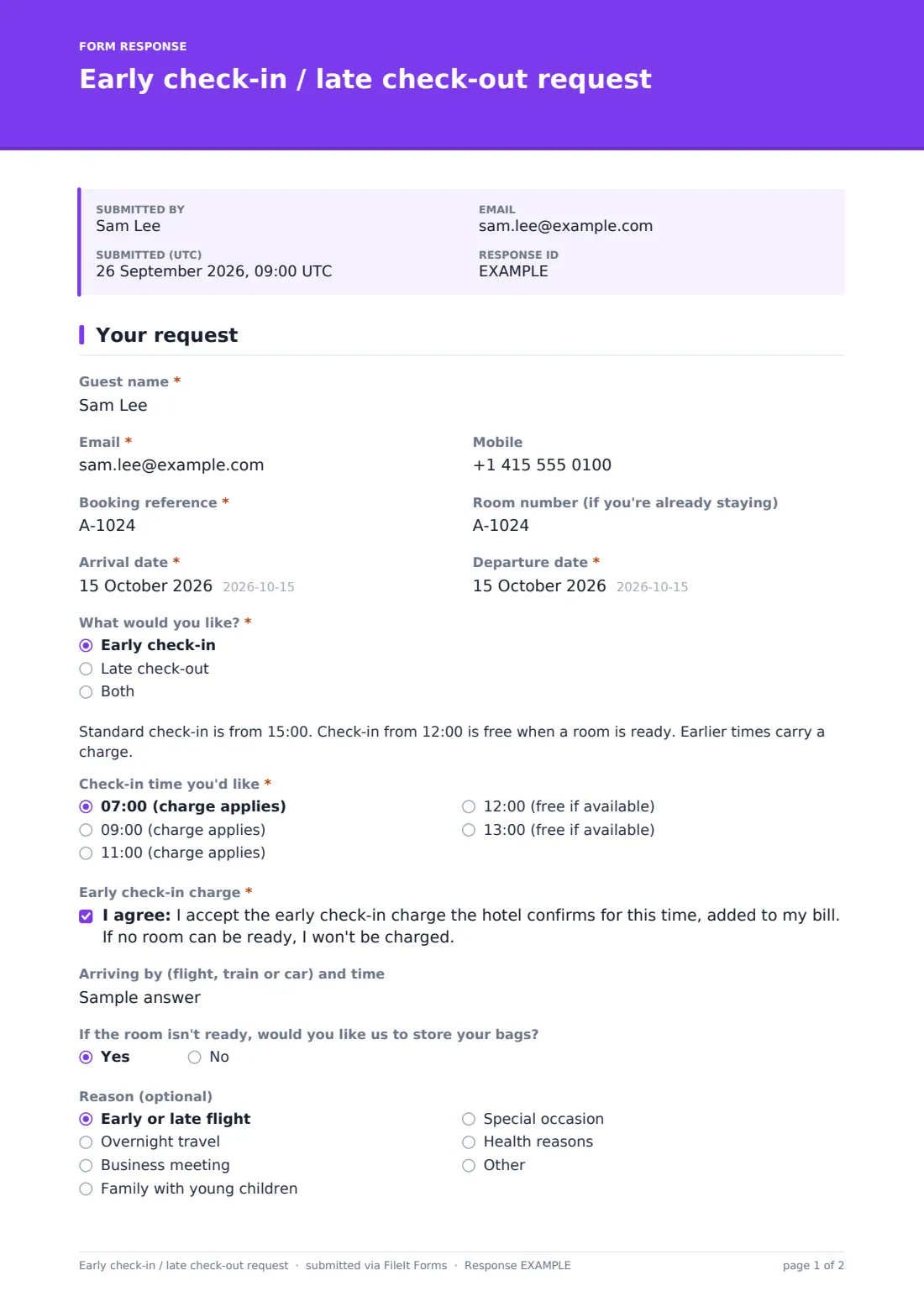
Guests give their booking reference, dates and whether they want early check-in, late check-out or both. Each choice shows a short note about your standard times and a dropdown of times, each one marked either "(free if available)" or "(charge applies)". Picking a time that carries a charge reveals a consent statement the guest has to accept, so the fee is agreed before it reaches the bill.
Each request is saved as a PDF in FileIt and the front desk is notified by email, so it can be checked against occupancy and confirmed. It suits small hotels, B&Bs, serviced apartments and hostels that want a fair, consistent way to handle these requests.
- Best for
- Hotels, B&Bs, guesthouses, serviced apartments and hostels
- Filled in by
- The guest, before arrival or during the stay
- Time to complete
- About 2 minutes
- Includes
- Separate early and late time choices, charge acceptance, bag storage and flexibility preferences
Who uses a early check-in / late check-out request form?
- A guest arriving on a red-eye flight asking to get into their room by 09:00
- A family with an evening flight asking to keep the room until 16:00
- A business traveller wanting a late check-out after a meeting
- Linking the form from your pre-arrival email so requests come in writing
- Front desk staff filling it in for a guest who asks in person
- Reviewing how often late check-outs are requested to set your pricing
Questions on this early check-in / late check-out request form
17 questions · includes conditional questions, consent checkbox.
1 Your request
- Guest name*
- Email*
- Mobile
- Booking reference*
- Room number (if you're already staying)
- Arrival date*
- Departure date*
- What would you like?* Early check-in · Late check-out · Both
- Check-in time you'd like* asked only when it applies 07:00 (charge applies) · 09:00 (charge applies) · 11:00 (charge applies) · 12:00 (free if available) · 13:00 (free if available)
- Early check-in charge* asked only when it applies
- Arriving by (flight, train or car) and time asked only when it applies
- If the room isn't ready, would you like us to store your bags? asked only when it applies
- Check-out time you'd like* asked only when it applies 12:00 (free if available) · 14:00 (charge applies) · 16:00 (charge applies) · 18:00 (charge applies)
- Late check-out charge* asked only when it applies
- Reason (optional) Early or late flight · Overnight travel · Business meeting · Family with young children · Special occasion · Health reasons · Other
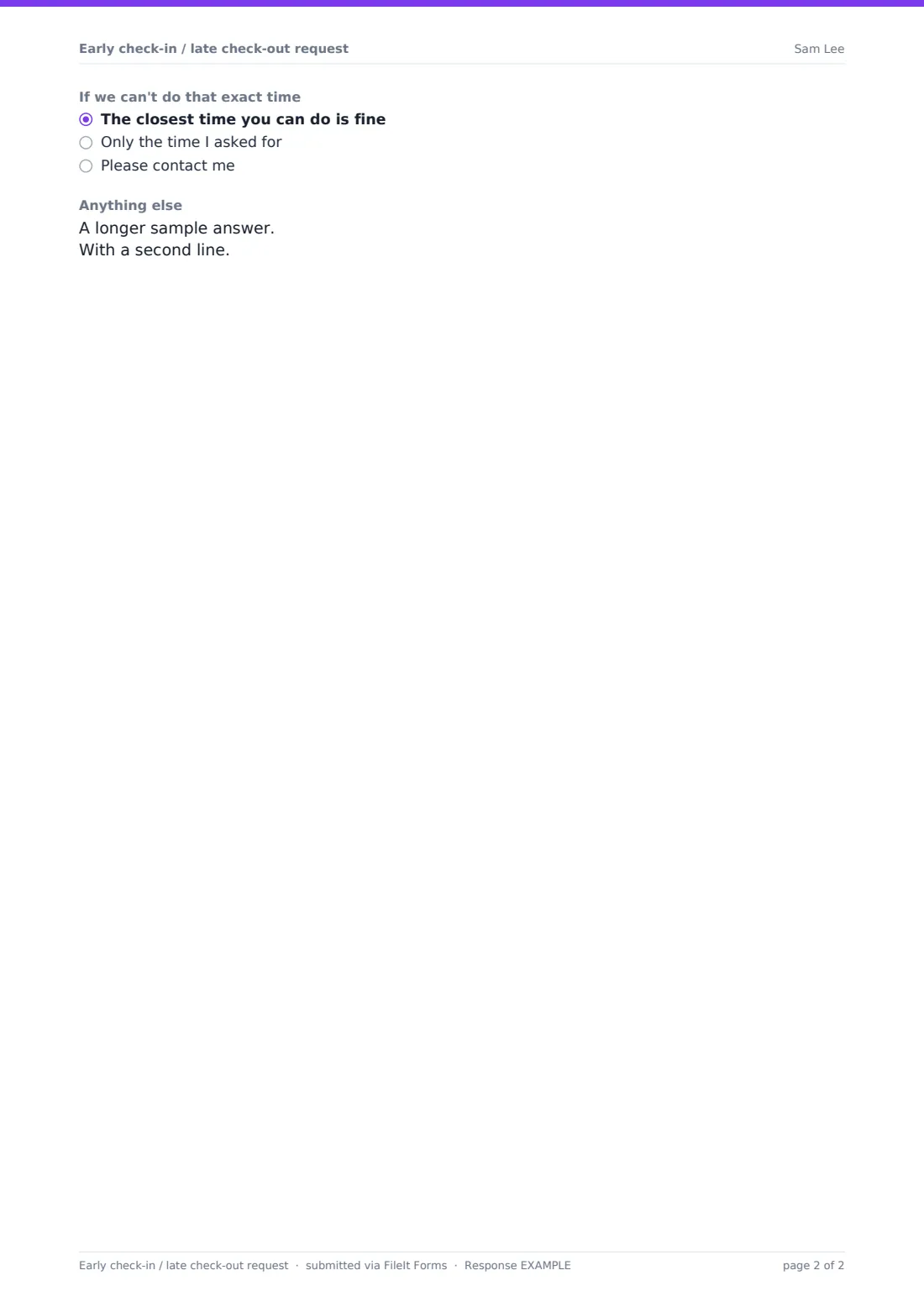
- If we can't do that exact time The closest time you can do is fine · Only the time I asked for · Please contact me
- Anything else
The early check-in / late check-out request form, page by page
1 Your request
Guests start with their name, email, mobile, booking reference and room number if they're already staying, plus arrival and departure dates. "What would you like?" offers early check-in, late check-out or both.
For early check-in, a note explains the standard check-in time and the free window, and "Check-in time you'd like" lists times from 07:00 to 13:00. The earlier ones say charge applies. If the guest picks one of those, the "Early check-in charge" consent appears: they accept the charge the hotel confirms, and won't be charged if no room can be ready. They can also say how and when they're arriving and whether to store bags if the room isn't ready.
Late check-out works the same way, with times from 12:00 to 18:00 and its own charge consent for the later slots. Finally, guests can give a reason, say what to do if that exact time isn't possible (the closest time is fine, only the time I asked for, or contact me) and add any notes.
Make the template yours
- Change the times and the text in the two notes to your real standard times and free windows
- Mark which times are free or charged by editing the dropdown options. The charge consent appears for any option whose value includes "paid"
- Add your fees to the option labels if you prefer guests to see the price
- Send notifications to the front desk and housekeeping email addresses
- Use the document title to include the booking reference so PDFs are easy to match
- Translate the cover and notes if many of your guests speak another language
Tips for a better early check-in / late check-out request form
- Confirm or decline every request by email, even if the answer is "we'll do our best on the day"
- Check requests against tomorrow's arrivals before promising a late check-out
- Offer bag storage as the fallback. Most guests mainly want somewhere to leave luggage
- Keep the free window consistent so staff aren't making it up at the desk
- Look at the PDFs during disputes. The guest's own consent to the charge is on it
Every response becomes a PDF in your vault
Each request is saved as a PDF in your FileIt vault, and the front desk gets an email straight away. The guest gets a copy of what they asked for and the charge they accepted, if any.
The Responses table shows every request with arrival and departure dates, so you can sort by date each afternoon and plan housekeeping. Export to CSV if you want to track demand over a season.
- Start from this template. It opens in the FileIt Forms designer — change any question, add pages, set the rules for when questions appear.
- Share it. Turn on a public link, or send it to people by email, each with their own link. They don’t need a FileIt account.
- Get the answers as PDFs. Each response is saved as a PDF in the vault folder you choose, with uploaded files attached — and listed in a Responses table you can export to CSV.
Early check-in / late check-out request form: frequently asked questions
Is this check-in and check-out request form free?
Yes. It's included with the Forms app on every FileIt account, including the free plan.
Does submitting the form guarantee the time?
No. It's a request. The confirmation message tells guests nothing is final until the front desk confirms by email.
When does the charge acceptance appear?
Only when a guest picks a time marked "(charge applies)". Times in the free window don't show it.
Does it take payment?
No. The guest agrees to the charge, and you add it to their bill through your usual system.
Can a guest ask for both early check-in and late check-out?
Yes. Choosing Both shows both sets of times and both charge statements where they apply.
Do guests need an account?
No. Share the link in your booking confirmation or pre-arrival email and guests fill it in without signing in.