What is the hotel night audit checklist form template?
The night audit closes the hotel's business day: rooms checked against housekeeping, rates and taxes posted, no-shows handled, cash and card totals balanced and the date rolled in the system. When it goes smoothly nobody notices. When it doesn't, the morning team needs to know what happened.
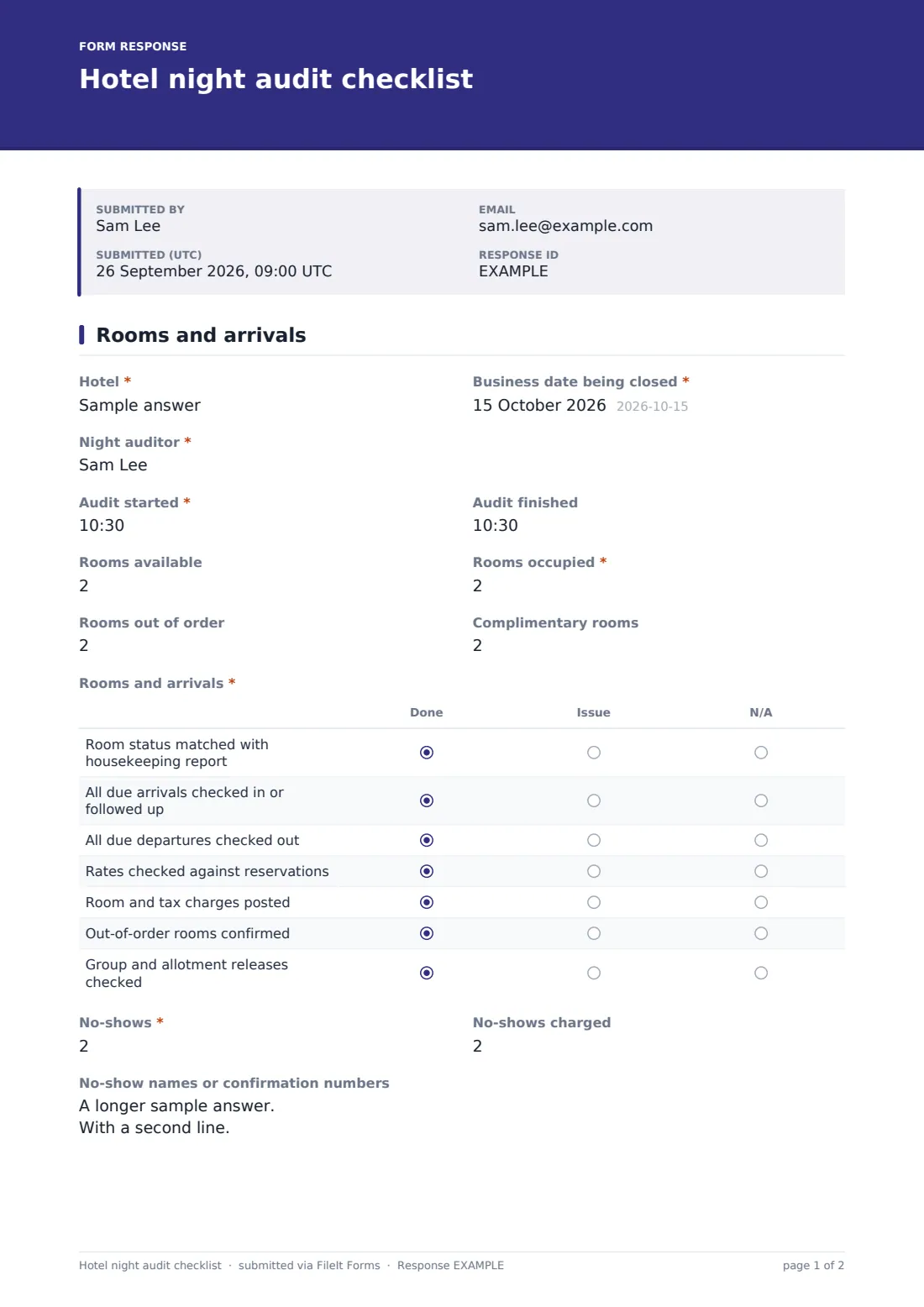
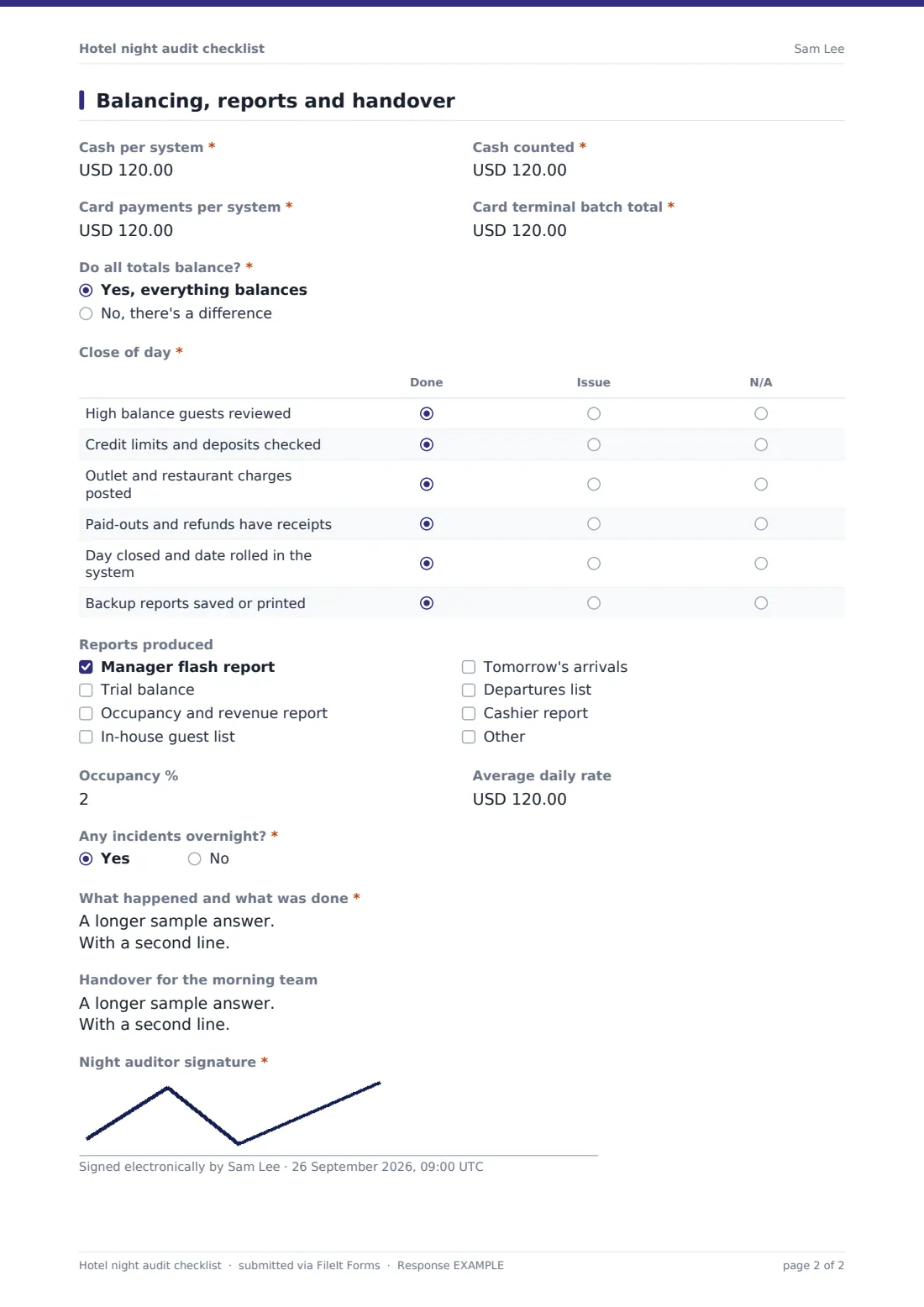
This checklist takes the auditor through the job in two pages. The first covers the business date, occupancy figures and a "Rooms and arrivals" grid where each task is marked Done, Issue or N/A, followed by no-shows. The second page records cash per system against cash counted, and card payments per system against the terminal batch. If the answer to "Do all totals balance?" is no, the form asks for the size of the difference, where it is and a variance explanation.
A close-of-day grid, reports produced, occupancy and ADR, overnight incidents and a handover note finish the audit, and the auditor signs. FileIt files each night as a PDF, so a manager can open any night and see what happened.
- Best for
- Hotels, motels, resorts, serviced apartments and hostels with a night shift
- Filled in by
- The night auditor or night manager
- Time to complete
- 10 to 15 minutes alongside the audit
- Includes
- Task grids, no-show tracking, cash and card balancing, variance explanation, incidents and a signature
Who uses a hotel night audit checklist form?
- An independent hotel giving new night auditors a step-by-step routine
- A general manager checking any night's balances from home in the morning
- Tracking a recurring card variance over several nights
- A small motel where the night clerk also handles security incidents
- Building an audit trail for an owner or accountant
- Making handover to the morning front desk team clear and consistent
Questions on this hotel night audit checklist form
29 questions over 2 pages · includes signature, conditional questions, multiple pages, ratings.
1 Rooms and arrivals
- Hotel*
- Business date being closed*
- Night auditor*
- Audit started*
- Audit finished
- Rooms available
- Rooms occupied*
- Rooms out of order
- Complimentary rooms
- Rooms and arrivals* Done · Issue · N/A
- No-shows*
- No-shows charged asked only when it applies
- No-show names or confirmation numbers asked only when it applies
2 Balancing, reports and handover
- Cash per system*
- Cash counted*
- Card payments per system*
- Card terminal batch total*
- Do all totals balance?* Yes, everything balances · No, there's a difference
- Size of the difference* asked only when it applies
- Where* asked only when it applies Cash · Card · Both · City ledger or other
- Variance explanation* asked only when it applies
- Close of day* Done · Issue · N/A
- Reports produced Manager flash report · Trial balance · Occupancy and revenue report · In-house guest list · Tomorrow's arrivals · Departures list · Cashier report
- Occupancy %
- Average daily rate
- Any incidents overnight?*
- What happened and what was done* asked only when it applies
- Handover for the morning team
- Night auditor signature*
The hotel night audit checklist form, page by page
1 Rooms and arrivals
Enter the hotel, the business date being closed, the night auditor's name and the time the audit started and finished. Record rooms available, rooms occupied, rooms out of order and complimentary rooms.
The "Rooms and arrivals" grid covers matching room status with the housekeeping report, following up due arrivals, checking out due departures, checking rates against reservations, posting room and tax charges, confirming out-of-order rooms and checking group and allotment releases. Enter the number of no-shows. Any at all opens no-shows charged and a box for names or confirmation numbers.
2 Balancing, reports and handover
Record cash per system and cash counted, then card payments per system and the card terminal batch total. "Do all totals balance?" is a straight yes or no. A no opens the size of the difference, where it is (cash, card, both, or city ledger) and a required variance explanation.
The close-of-day grid covers high balance guests, credit limits and deposits, outlet charges, receipts for paid-outs, closing the day and rolling the date, and saving backup reports. Tick the reports produced, add occupancy % and average daily rate, answer "Any incidents overnight?" (a yes asks what happened and what was done), write a handover for the morning team and sign.
Make the template yours
- Rename grid rows to match your property management system's steps
- Change the currency to your own
- Add rows for property-specific tasks, like checking the pool gate or car park barrier
- Send each audit to the general manager and the finance inbox
- Make the handover required if your morning team relies on it
- Set the form to file into a vault folder per month
Tips for a better hotel night audit checklist form
- Follow the checklist in order. Balancing before posting charges leads to false variances
- Write the variance explanation for someone who wasn't there
- Mark a row Issue rather than Done if you had to work around something
- Keep incident notes factual: time, room, who was involved and what you did
- Read last night's handover before you start tonight's audit
Every response becomes a PDF in your vault
Each night's audit is saved as a signed PDF in your FileIt vault, titled with the business date, and the manager can get an email as soon as it's submitted.
The Responses table shows every night in order. Filter for nights that didn't balance, or export to CSV to look at occupancy, ADR and variances over a month.
- Start from this template. It opens in the FileIt Forms designer — change any question, add pages, set the rules for when questions appear.
- Share it. Turn on a public link, or send it to people by email, each with their own link. They don’t need a FileIt account.
- Get the answers as PDFs. Each response is saved as a PDF in the vault folder you choose, with uploaded files attached — and listed in a Responses table you can export to CSV.
Hotel night audit checklist form: frequently asked questions
Is this night audit checklist free?
Yes. It's one of the ready-made templates in the Forms app on every FileIt account, including the free plan.
Does it connect to our property management system?
No. The auditor copies the figures from your system. The checklist records that each step was done and what the numbers were.
When does the variance explanation appear?
When the auditor answers "No, there's a difference" to "Do all totals balance?".
Can the manager see it the next morning?
Yes. Turn on email notifications, and every audit is in the vault and the Responses table.
Can I add our own steps?
Yes. Edit the grid rows or add questions in the designer.
Is the auditor's signature captured?
Yes. The last field is a signature, which appears on the PDF.