What is the daycare daily report form template?
Parents want to know how their child's day went, and busy pickup times aren't the best moment to explain it. A written daily sheet answers the usual questions — did they eat, did they nap, any accidents — before they're asked.
This template covers a typical day in care: arrival and collection times, a grid for how much was eaten at each meal, drinks and bottle feeds, naps, nappy changes or toilet visits, sun cream, any medicine given and any incidents, then activities, highlights, mood, new skills, photos and a list of supplies to bring in.
Each report is saved as a PDF in your vault, ready to print or share with the family, and builds up into a record of the child's time in your care.
- Best for
- Nurseries, daycare centers, childminders and baby rooms
- Filled in by
- The child's key person or room staff
- Time to complete
- About 2–4 minutes per child
- Includes
- A meals grid, nap and nappy logs, conditional medicine and incident questions, photos and a supplies checklist
Who uses a daycare daily report form?
- Daily reports for babies and toddlers in a nursery room
- Childminders keeping parents informed at the end of each day
- Recording nap and feed times for infants
- Tracking progress with toilet training
- Asking parents for nappies, spare clothes or sun cream
- Keeping a dated record of medicine given and incidents
Questions on this daycare daily report form
26 questions over 5 pages · includes file upload, conditional questions, multiple pages, ratings.
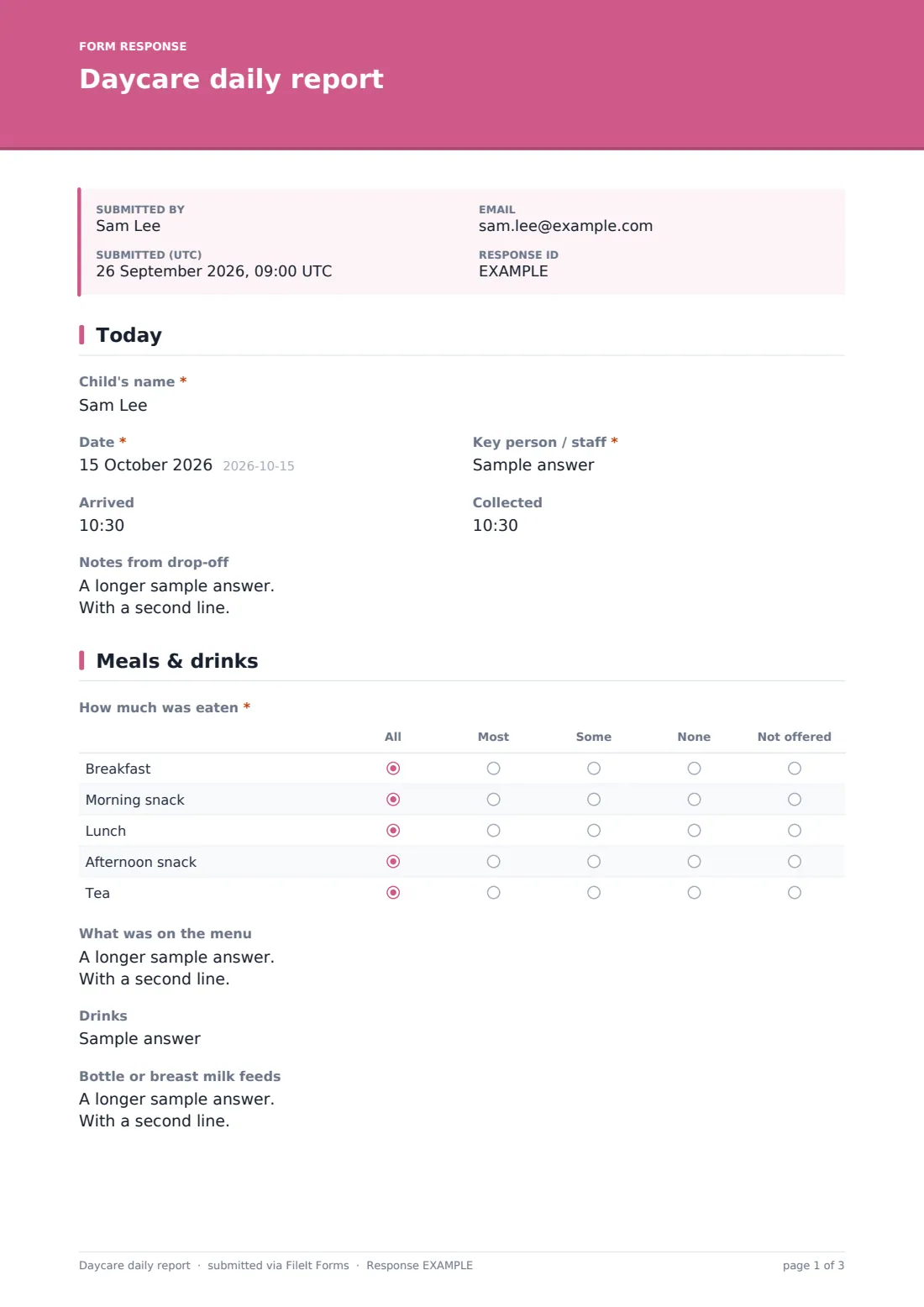
1 Today
- Child's name*
- Date*
- Key person / staff*
- Arrived
- Collected
- Notes from drop-off
2 Meals & drinks
- How much was eaten* All · Most · Some · None · Not offered
- What was on the menu
- Drinks
- Bottle or breast milk feeds
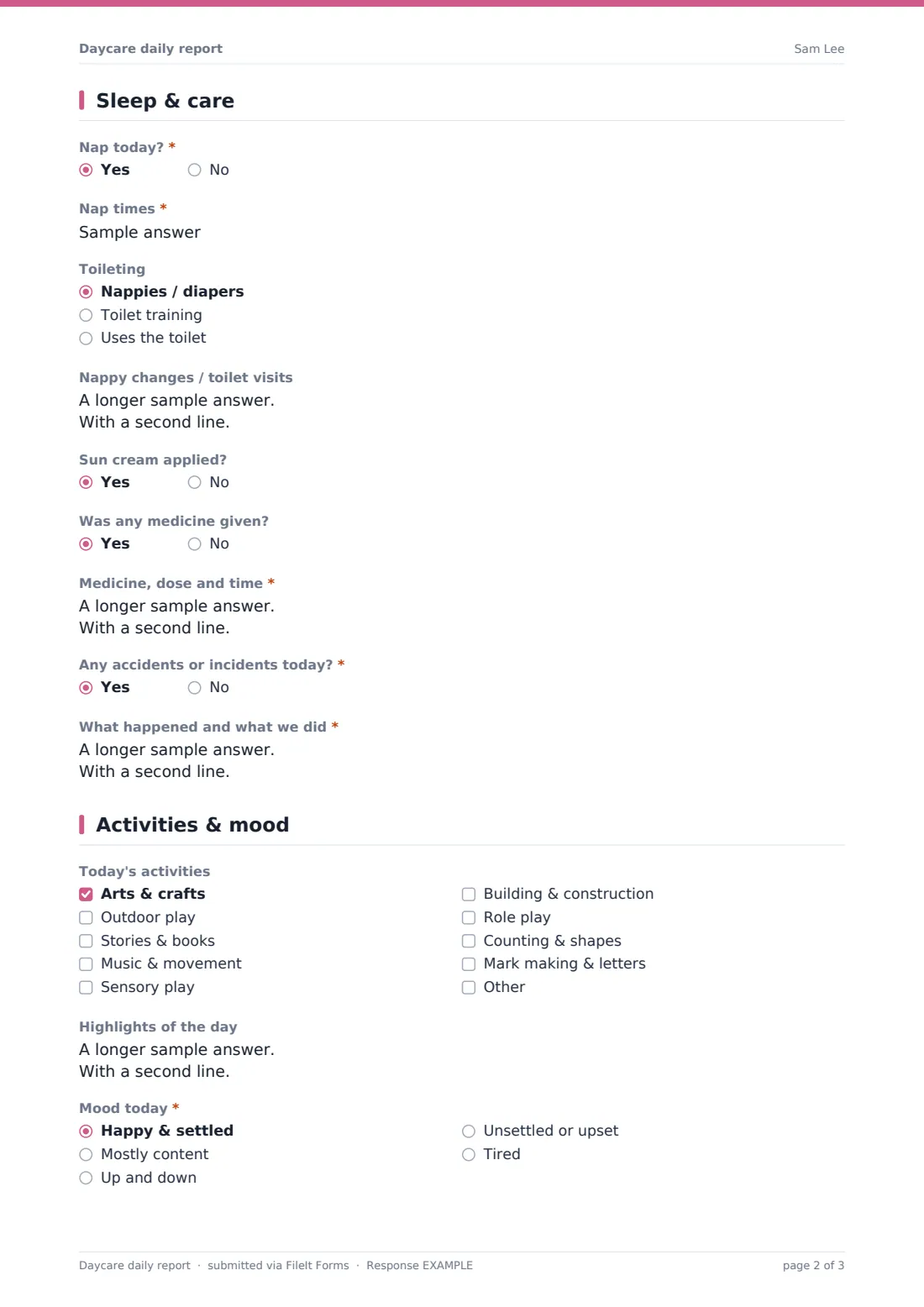
3 Sleep & care
- Nap today?*
- Nap times* asked only when it applies
- Toileting Nappies / diapers · Toilet training · Uses the toilet
- Nappy changes / toilet visits
- Sun cream applied?
- Was any medicine given?
- Medicine, dose and time* asked only when it applies
- Any accidents or incidents today?*
- What happened and what we did* asked only when it applies
4 Activities & mood
- Today's activities Arts & crafts · Outdoor play · Stories & books · Music & movement · Sensory play · Building & construction · Role play · Counting & shapes · Mark making & letters
- Highlights of the day
- Mood today* Happy & settled · Mostly content · Up and down · Unsettled or upset · Tired
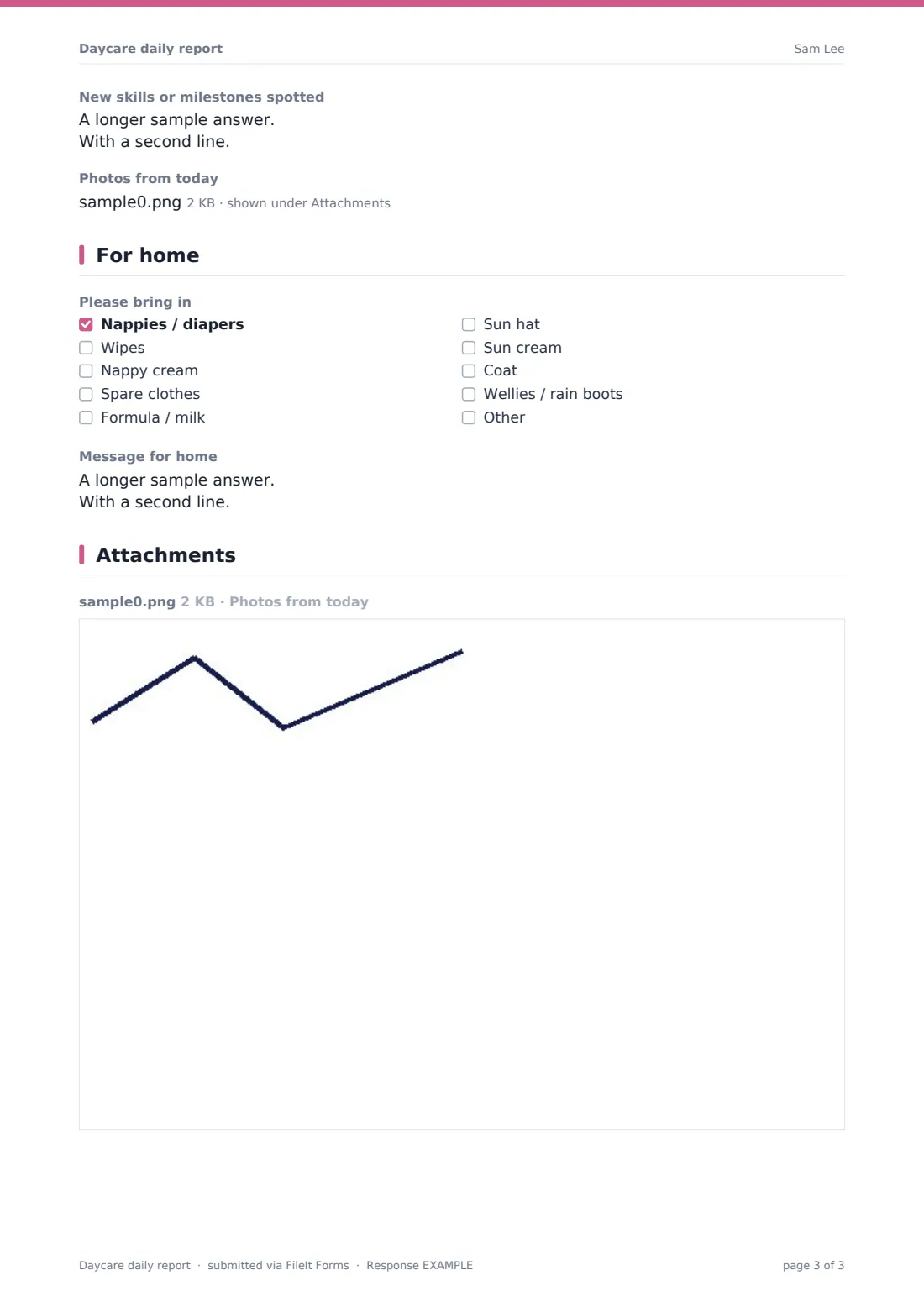
- New skills or milestones spotted
- Photos from today
5 For home
- Please bring in Nappies / diapers · Wipes · Nappy cream · Spare clothes · Formula / milk · Sun hat · Sun cream · Coat · Wellies / rain boots
- Message for home
The daycare daily report form, page by page
1 Today
Staff enter the child's name, the date, the key person, and arrival and collection times, plus any notes from drop-off such as a bad night or a new tooth coming.
2 Meals & drinks
A required grid records how much was eaten at breakfast, morning snack, lunch, afternoon snack and tea — All, Most, Some, None or Not offered. Optional fields cover what was on the menu, drinks, and bottle or breast milk feeds with times and amounts.
3 Sleep & care
A required yes/no records whether the child napped, with nap times if so. Staff note whether the child uses nappies, is toilet training or uses the toilet, and log nappy changes or toilet visits. Yes/no questions cover sun cream and medicine — a yes to medicine asks for the medicine, dose and time, given with the parent's written consent. A required question asks about accidents or incidents, and a yes opens a description with a note that a separate accident record will be shared for signing.
4 Activities & mood
A checklist of activities — arts and crafts, outdoor play, stories, music and movement, sensory play, building, role play, counting and shapes, mark making — plus highlights of the day. Mood is required (happy and settled, mostly content, up and down, unsettled, tired), and staff can note new skills and upload up to three photos.
5 For home
A checklist tells parents what to bring in — nappies, wipes, nappy cream, spare clothes, formula or milk, sun hat, sun cream, coat or wellies — and a final box holds a message for home.
Make the template yours
- Change the meal rows to match your setting's routine
- Add a question for the parent's email so you know where to send each report
- Remove bottle feeds and nappies for pre-school rooms
- File reports in a folder per child so each child's record builds up
- Adjust the activities list to your curriculum or learning areas
- Set up a separate copy of the form for each room
Tips for a better daycare daily report form
- Fill in meals and naps as the day goes, not all at pickup
- Keep highlights specific — parents love a real moment from the day
- Only give medicine with written parent consent on file, and record it every time
- Use the separate accident record for anything more than a note
- Check photo permissions before uploading pictures
- Tick supplies a day early so parents have time to bring them
Every response becomes a PDF in your vault
When staff submit the report, FileIt saves it as a PDF with any photos and files it in the vault folder you've chosen. The form owner is notified, and a copy can be emailed to the person who submitted it.
Settings often keep a folder per child so a history of daily reports is always to hand, and use the Responses table to look back at naps, meals or incidents over a week or a month.
- Start from this template. It opens in the FileIt Forms designer — change any question, add pages, set the rules for when questions appear.
- Share it. Turn on a public link, or send it to people by email, each with their own link. They don’t need a FileIt account.
- Get the answers as PDFs. Each response is saved as a PDF in the vault folder you choose, with uploaded files attached — and listed in a Responses table you can export to CSV.
Daycare daily report form: frequently asked questions
Is this daycare daily report template free?
Yes. It's one of the starter templates in the Forms app on every FileIt account, including the free plan.
How do parents get the report?
Each report is saved as a PDF in your vault, ready to print, download or share with the family. The staff member who submits it can also receive a copy by email.
Can staff add photos?
Yes. Up to three photos can be uploaded with each report.
Does it record medicine given?
Yes. A yes/no question opens a required box for the medicine, dose and time, which should only be given with the parent's written consent on file.
Can I use it for babies and pre-schoolers?
Yes. The bottle feed and nappy fields are optional, and you can remove them for older children.
Do staff need a FileIt account?
No. Staff can fill in the form from a link on a tablet or phone without an account.