What is the customs commercial invoice worksheet form template?
Shipments get held at customs for avoidable reasons: a description that just says "parts", a missing country of origin, no HS code, or values that don't match the paperwork. The commercial invoice is where those details live, and getting them right starts with collecting them properly.
This worksheet gathers the information in three pages: the invoice number and date with the shipper, consignee and, if different, the importer of record; the goods, listed item by item with HS code, origin, quantity, value and weight, plus currency, totals and package details; and the terms, covering reason for export, Incoterms rule and named place, freight and insurance, related-party status and whether a licence is needed.
It's a worksheet, not the invoice itself. Freight forwarders, logistics teams and small exporters can use the submission, saved as a PDF in FileIt, to produce the commercial invoice in their own format. Customs requirements differ by country and product, so check what your destination expects.
- Best for
- Exporters, freight forwarders, customs brokers and logistics teams
- Filled in by
- The shipper or the person who knows the goods and the sale
- Time to complete
- 10-20 minutes depending on the number of items
- Includes
- Importer of record follow-up, item lines with HS codes and origin, packages and weights, Incoterms, licence check, declaration and signature
Who uses a customs commercial invoice worksheet form?
- A forwarder collecting invoice details from a client before a shipment
- A small business preparing its first international shipment
- Sending samples or warranty returns that still need a customs value
- Exhibition goods going abroad temporarily
- A logistics team standardising invoice data from several departments
- Keeping a record of what was declared for each export
Questions on this customs commercial invoice worksheet form
44 questions over 3 pages · includes signature, file upload, conditional questions, multiple pages, consent checkbox.
1 Shipper & consignee
- Prepared by*
- Email*
- Phone
- Invoice number*
- Invoice date*
- Shipper company name*
- Shipper address*
- Exporter tax, VAT or EORI number
- Shipper contact name and phone
- Consignee name or company*
- Consignee address*
- Consignee tax or importer number
- Consignee contact name and phone
- Is the importer of record different from the consignee?
- Importer of record name* asked only when it applies
- Importer address asked only when it applies
2 Goods
- Items*
- Invoice currency* USD · EUR · GBP · CAD · AUD · CNY · JPY · Other
- Other currency (3-letter code)* asked only when it applies
- Total value of goods*
- Number of packages*
- Package type Cartons · Pallets · Crates · Envelopes or bags · Drums · Other
- Total gross weight (kg)*
- Total net weight (kg)
- Package dimensions
- Shipping marks or package numbers
- Is the country of origin known for every item?*
- Which items have an unknown origin, and how will it be confirmed?* asked only when it applies
3 Terms & export details
- Reason for export* Sale · Commercial sample · Gift · Repair or warranty return · Return of goods · Temporary export, such as an exhibition · Personal effects
- Are the goods supplied free of charge? asked only when it applies
- Incoterms rule* EXW · FCA · CPT · CIP · DAP · DPU · DDP · FAS · FOB · CFR · CIF · Not agreed
- Named place
- Freight charges
- Insurance
- Other charges
- Payment terms
- Are the buyer and seller related parties?
- Is an export licence or permit needed?* No · Yes · Not sure
- Licence or permit number* asked only when it applies
- Carrier or forwarder
- Air waybill, bill of lading or tracking number
- Purchase order, pro forma or other documents
- Declaration*
- Signature*
The customs commercial invoice worksheet form, page by page
1 Shipper & consignee
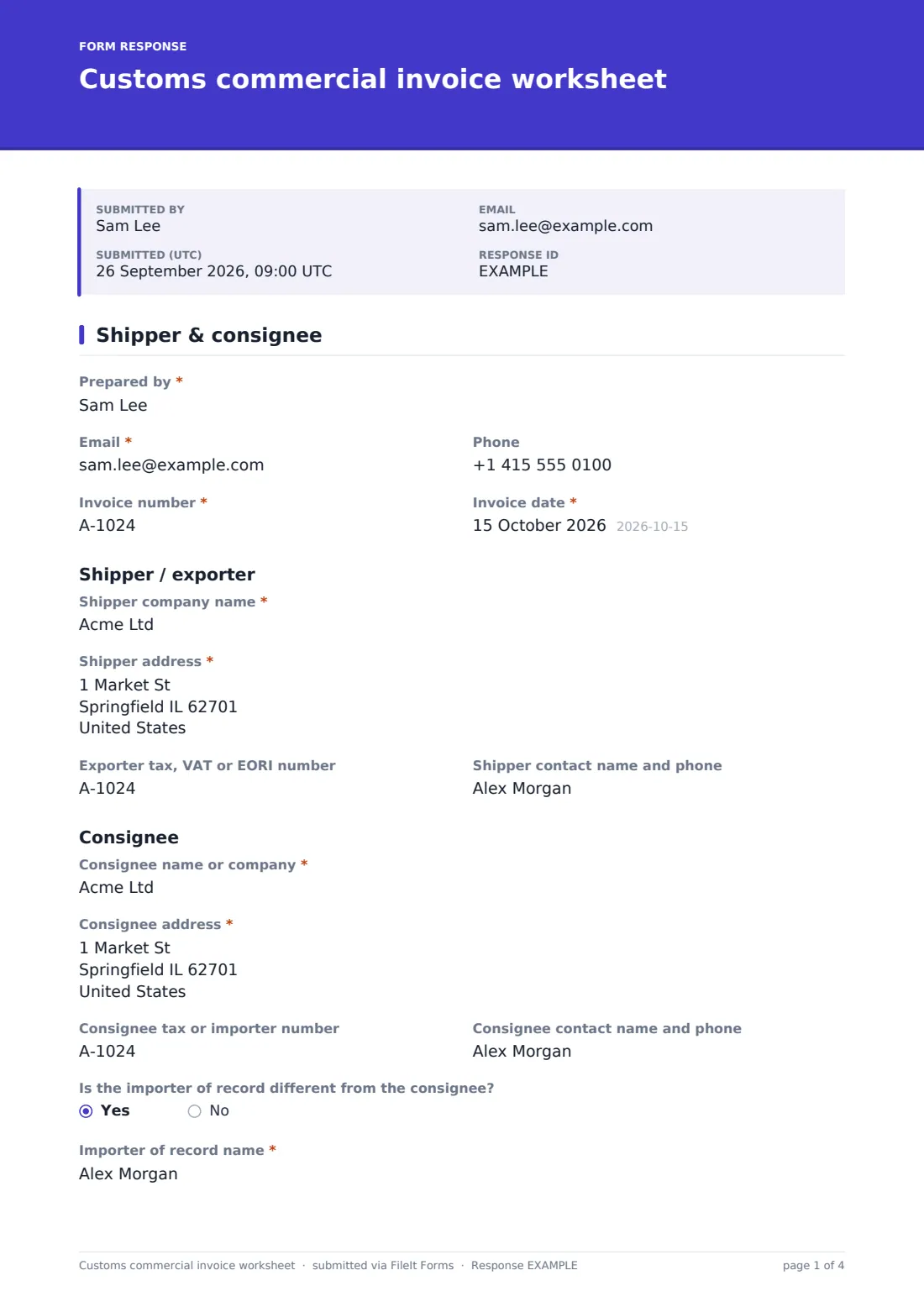
The preparer's name, email and phone, the invoice number and the invoice date come first. Under Shipper / exporter, the company name and address are required, with the exporter's tax, VAT or EORI number and a contact. The Consignee section asks for the same details. If the importer of record is different from the consignee, the form asks for the importer's name and address.
2 Goods
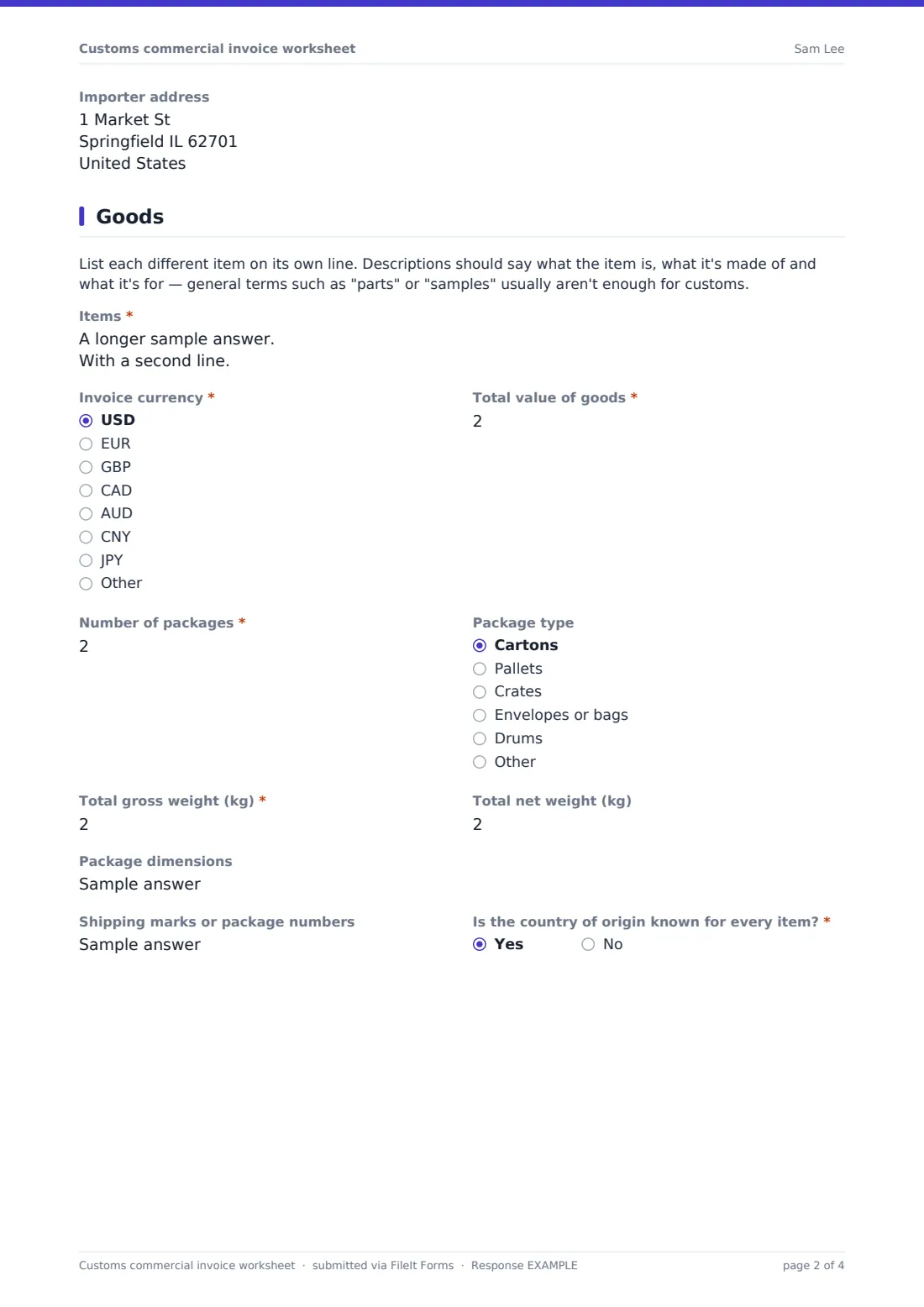
A note explains that each item needs its own line with a description specific enough for customs. The Items box asks for description, HS or tariff code, country of origin, quantity, unit value, total value and net weight for each line.
Invoice currency (Other asks for the three-letter code), total value, number of packages and gross weight are required, with package type, net weight, dimensions and shipping marks. The page ends by asking whether the country of origin is known for every item; a no asks which items and how origin will be confirmed.
3 Terms & export details
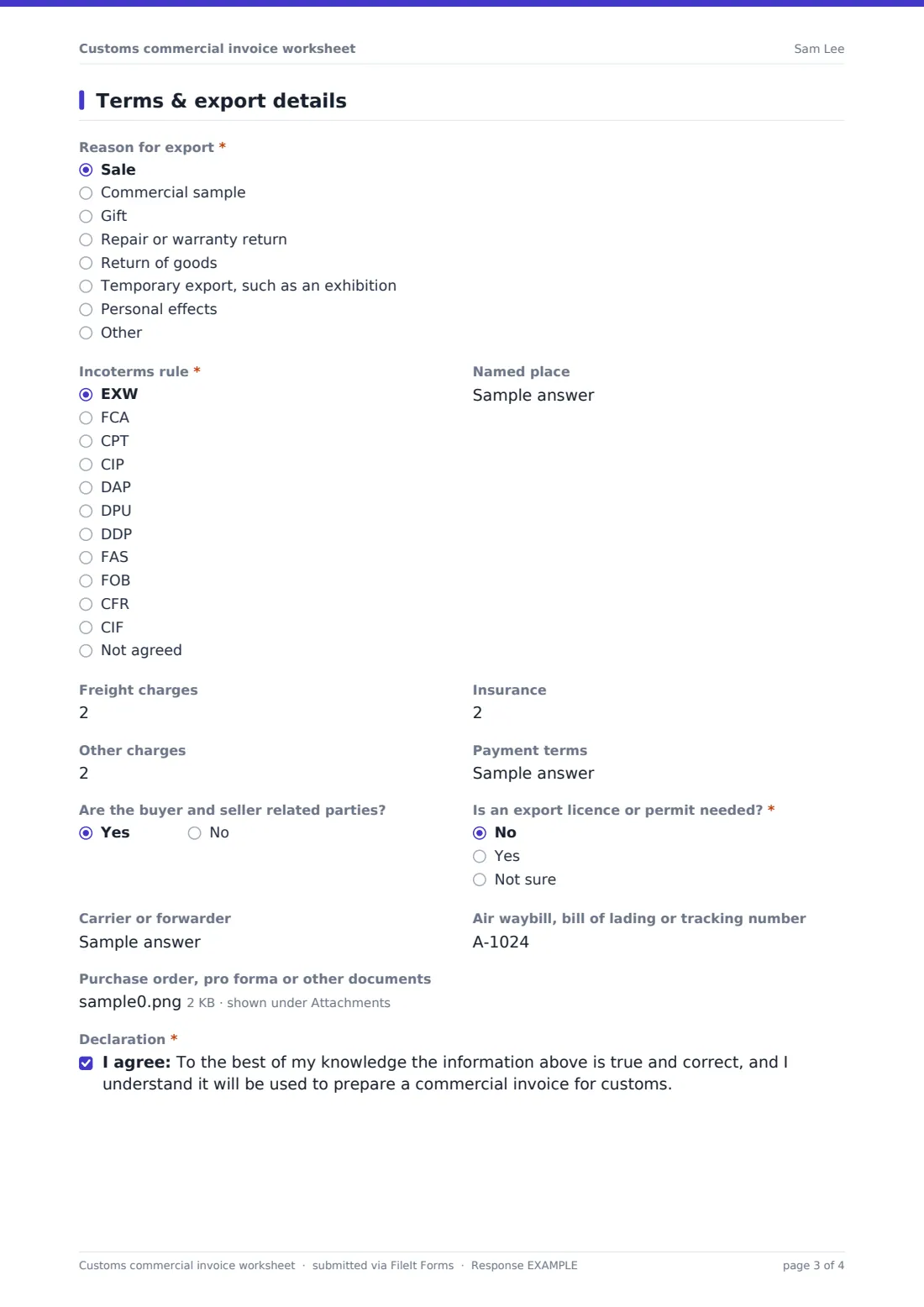
Reason for export covers sale, commercial sample, gift, repair or warranty return, return of goods, temporary export and personal effects; anything other than a sale asks whether the goods are free of charge. The Incoterms rule is required, with a named place, freight, insurance, other charges and payment terms.
The form asks whether the buyer and seller are related and whether an export licence is needed; a yes requires the licence number. Carrier, waybill or tracking number, supporting documents, a declaration and a signature complete the worksheet.
Make the template yours
- Set the currency list to the currencies you invoice in
- Add your usual shipping routes or forwarders as dropdown options
- Add questions for specific regimes you use, such as preferential origin statements, after checking the wording required
- Send notifications to your export documentation team
- Add a dangerous goods question if you ship hazardous materials
Tips for a better customs commercial invoice worksheet form
- Describe each item by what it is, what it's made of and what it's used for
- Check HS codes against the destination country's tariff; the first six digits are international but further digits vary
- Origin means where the goods were made or substantially transformed, not where they were shipped from
- Make sure values match the purchase order and payment
- Keep a copy of the final invoice with the shipment records
Every response becomes a PDF in your vault
Each worksheet is saved as a PDF in your FileIt vault, with any purchase orders or pro forma invoices attached, ready for whoever prepares the commercial invoice.
The Responses table lists worksheets by invoice number and date, and can be exported to CSV if you want to bring the data into your invoicing or shipping system.
- Start from this template. It opens in the FileIt Forms designer — change any question, add pages, set the rules for when questions appear.
- Share it. Turn on a public link, or send it to people by email, each with their own link. They don’t need a FileIt account.
- Get the answers as PDFs. Each response is saved as a PDF in the vault folder you choose, with uploaded files attached — and listed in a Responses table you can export to CSV.
Customs commercial invoice worksheet form: frequently asked questions
Is this commercial invoice worksheet template free?
Yes. It's included in the FileIt Forms app on every account, including the free plan, and every question can be edited, removed or added to in the form designer.
Is the PDF a valid commercial invoice?
It's a record of the details collected. Most shippers produce the commercial invoice on their own letterhead or through their carrier or forwarder's system, using these details.
Does FileIt look up HS codes?
No. The shipper enters the codes. Use the destination country's tariff tools or ask your customs broker if you're unsure.
Which Incoterms rules are listed?
The eleven rules of Incoterms 2020 (EXW, FCA, CPT, CIP, DAP, DPU, DDP, FAS, FOB, CFR and CIF), plus Not agreed.
Can it handle many line items?
The Items box takes up to 20,000 characters, enough for a long list. You can also attach a packing list or spreadsheet.
Does it file anything with customs?
No. FileIt doesn't submit anything to customs or any carrier. The details stay in your vault until you use them.