What is the supplier return request (RMA) form template?
Returning goods to a supplier usually involves three people and a pile of emails: the person who found the problem, purchasing, and the supplier's returns desk. A supplier return request form — often called an RMA or return-to-vendor request — captures everything once: the purchase order, what's going back, why, what condition it's in, and what you want in return.
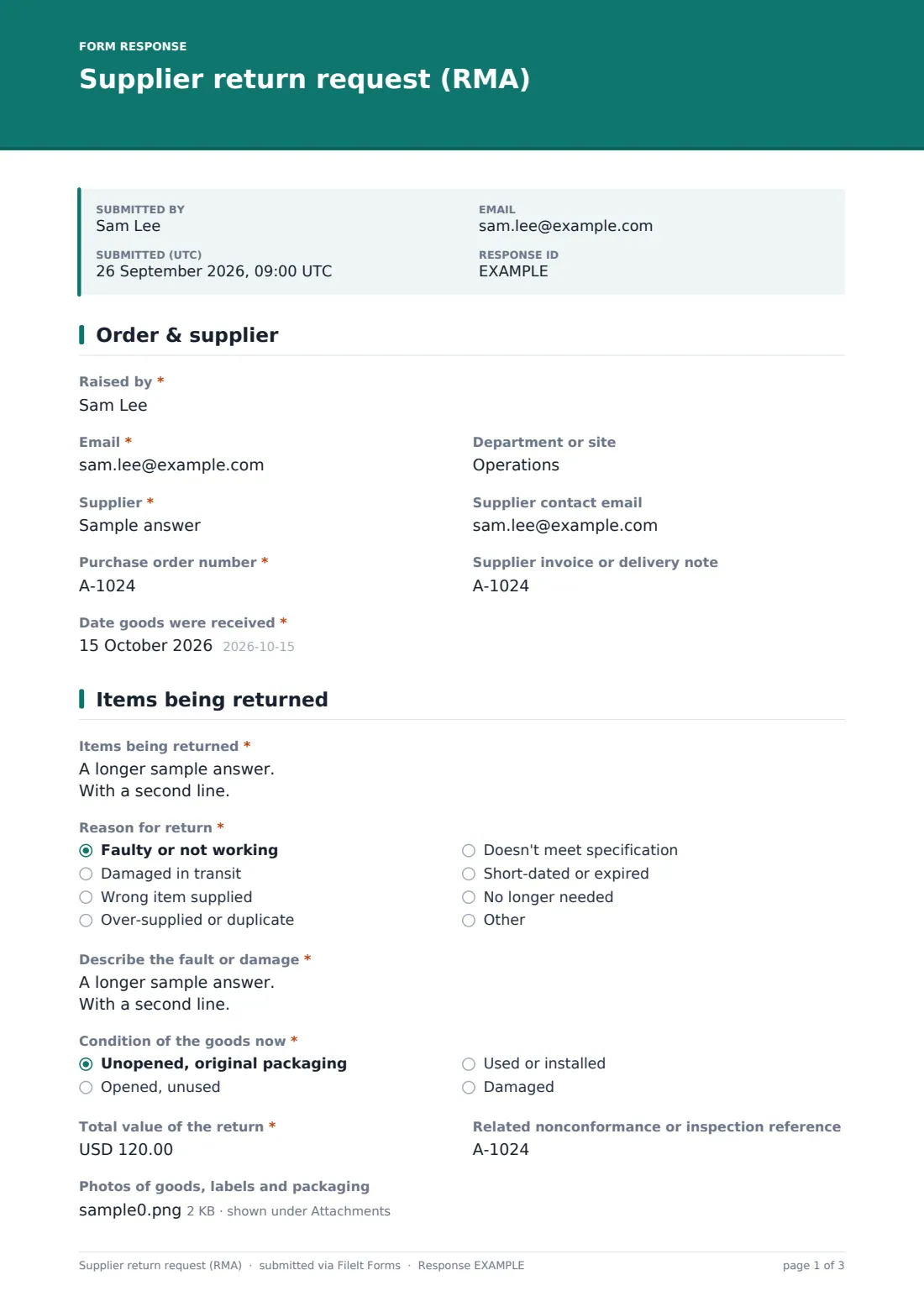
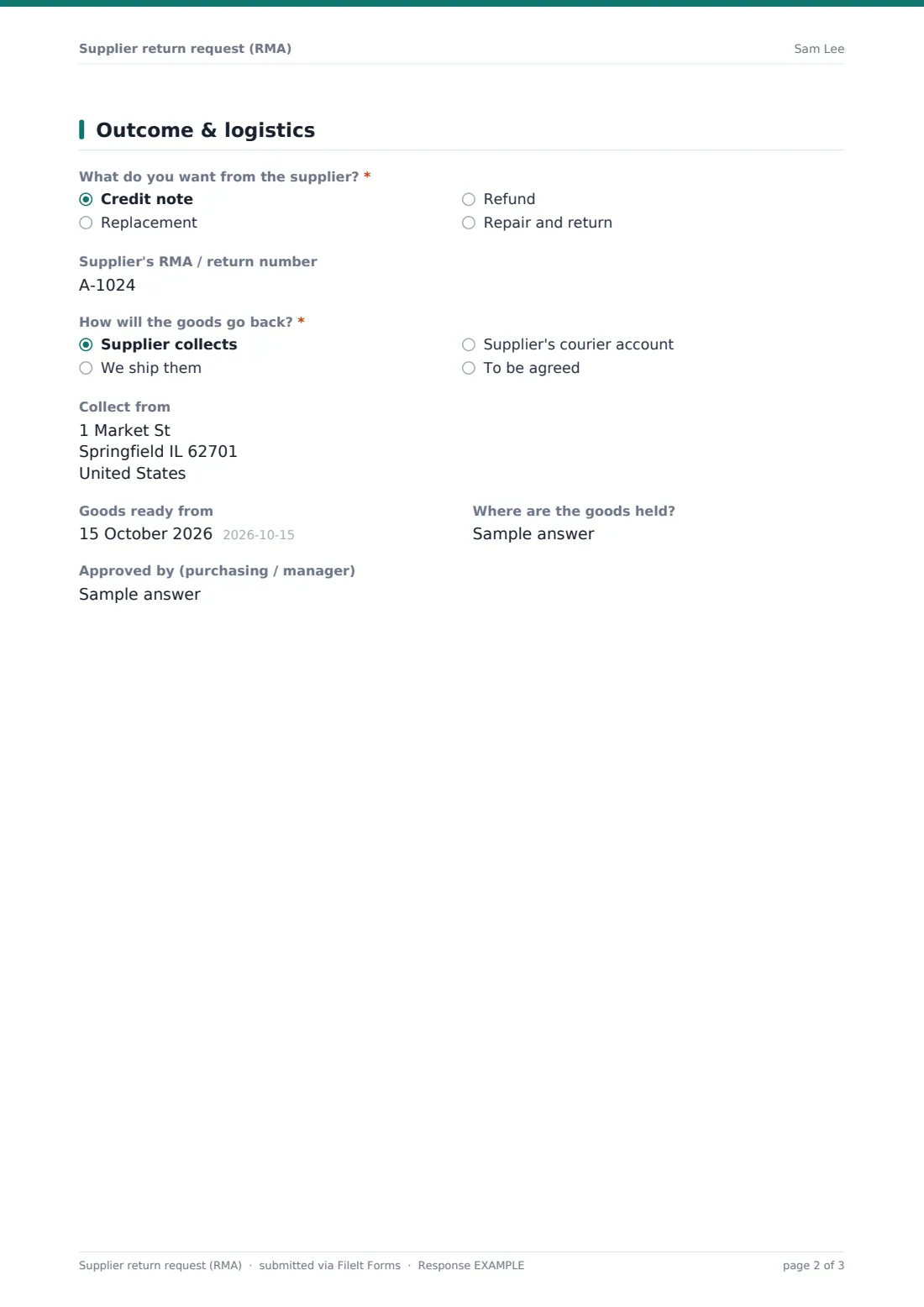
This template asks for the "Purchase order number", the supplier and the date the goods arrived, then a line-by-line list of "Items being returned" with part numbers, quantities and prices. The reason drives the follow-up: faulty goods need a description of the fault, and transit damage asks whether it was noted on the delivery paperwork. Photos of goods, labels and packaging can be attached, and the last page covers credit, replacement, refund or repair, the supplier's RMA number and how the goods will travel back.
It runs on FileIt's Forms app, and each request is filed as a PDF in your vault with its photos — the evidence you need if the supplier queries the claim.
- Best for
- Purchasing teams, warehouses, workshops and small manufacturers
- Filled in by
- Whoever received or inspected the goods, or a purchasing clerk
- Time to complete
- About 5 minutes
- Includes
- Reason-based follow-ups, condition and value, up to 6 photos, outcome and collection logic
Who uses a supplier return request (RMA) form?
- Faulty parts found during goods-in inspection
- Stock damaged in transit and spotted after the driver left
- A wrong item or over-supply that needs to go back for credit
- Short-dated or expired goods
- Items no longer needed after a project changed
- Keeping a record of returns to measure supplier quality
Questions on this supplier return request (RMA) form
24 questions over 3 pages · includes file upload, conditional questions, multiple pages.
1 Order & supplier
- Raised by*
- Email*
- Department or site
- Supplier*
- Supplier contact email
- Purchase order number*
- Supplier invoice or delivery note
- Date goods were received*
2 Items being returned
- Items being returned*
- Reason for return* Faulty or not working · Damaged in transit · Wrong item supplied · Over-supplied or duplicate · Doesn't meet specification · Short-dated or expired · No longer needed
- Describe the fault or damage* asked only when it applies
- Was the damage noted on the delivery paperwork?* asked only when it applies
- Condition of the goods now* Unopened, original packaging · Opened, unused · Used or installed · Damaged
- Total value of the return*
- Related nonconformance or inspection reference
- Photos of goods, labels and packaging
3 Outcome & logistics
- What do you want from the supplier?* Credit note · Replacement · Refund · Repair and return
- Replacement needed by asked only when it applies
- Supplier's RMA / return number
- How will the goods go back?* Supplier collects · We ship them · Supplier's courier account · To be agreed
- Collect from asked only when it applies
- Goods ready from
- Where are the goods held?
- Approved by (purchasing / manager)
The supplier return request (RMA) form, page by page
1 Order & supplier
The person raising the return gives their name, email and department or site, then the supplier and an optional supplier contact email. The purchase order number, supplier invoice or delivery note and the date the goods were received tie the return to the original order.
2 Items being returned
Items are listed one per line with part number, description, quantity and unit price. "Reason for return" offers faulty, damaged in transit, wrong item, over-supplied, doesn't meet specification, short-dated or expired, or no longer needed, plus Other. Faulty asks for a description of the fault; damaged in transit asks whether it was noted on the delivery paperwork. The current condition, total value of the return, any related nonconformance reference and up to six photos complete the page.
3 Outcome & logistics
"What do you want from the supplier?" — credit note, replacement, refund, or repair and return. A replacement asks when it's needed by. The supplier's RMA number can be added if one has been issued. "How will the goods go back?" covers supplier collection (with a collection address), shipping, the supplier's courier account or to be agreed. The date the goods are ready, where they're held and who approved the return finish the request.
Make the template yours
- Change the currency on the value question to match your purchasing
- Turn the supplier question into a dropdown of your regular suppliers
- Add an approval signature for returns over a certain value
- Notify purchasing and the warehouse on each submission
- File returns into a vault folder per supplier
- Edit the reason list to match the codes your purchasing system uses
Tips for a better supplier return request (RMA) form
- Photograph the labels as well as the damage — part and batch numbers matter
- Quarantine returned goods so they don't get picked by mistake
- Check the supplier's return window before raising the request
- Note transit damage on the delivery paperwork whenever you can
- Record the RMA number once the supplier issues it
- Review returns by supplier every quarter to spot quality problems
Every response becomes a PDF in your vault
Each request is filed as a PDF in your vault with its photos attached, and purchasing is notified by email. The person who raised it receives a copy.
The Responses table can be searched by supplier or order number and exported to CSV, which makes it easy to chase outstanding credits and replacements.
- Start from this template. It opens in the FileIt Forms designer — change any question, add pages, set the rules for when questions appear.
- Share it. Turn on a public link, or send it to people by email, each with their own link. They don’t need a FileIt account.
- Get the answers as PDFs. Each response is saved as a PDF in the vault folder you choose, with uploaded files attached — and listed in a Responses table you can export to CSV.
Supplier return request (RMA) form: frequently asked questions
Is this supplier return template free?
Yes. It's included in FileIt's Forms app on every plan, including free.
Does FileIt send the return to my supplier?
No. The form records the request internally. Purchasing contacts the supplier, though you can add the supplier's address to the notification list if you want them to see each request.
What is an RMA number?
A return merchandise authorisation number is the reference many suppliers issue before accepting a return. The form has a field to record it.
Can I attach photos?
Yes. Up to six images or PDFs of the goods, labels and packaging.
Can warehouse staff fill it in without an account?
Yes. They use the shared link — no FileIt account is needed.
Is this for customer returns too?
This one is for returning goods to your suppliers. For customers returning goods to you, use the product return request template.