What is the load securing checklist form template?
A shifted load can damage the goods, the vehicle and anyone nearby, and a missing seal number or photo makes a later damage dispute hard to resolve. A short, consistent check before departure prevents most of it and leaves a record of how the load looked when it left.
This checklist starts with the driver, vehicle, trailer type and what's being carried. Dangerous goods add a document and placard check, and temperature-controlled loads add the set temperature and a pre-cooling question. The second page records weight, restraint counts and methods, and a ten-point grid covering weight limits, load placement, bracing, restraint condition and closed doors.
The last page captures the seal, paperwork on board, required photos and a ready-to-depart decision; a held load requires a reason. It's a practical checklist, not a statement of the load securing rules that apply to you; follow your company's procedures and the regulations where you operate.
- Best for
- Hauliers, warehouses and shippers loading trucks, trailers and containers
- Filled in by
- The driver, with the warehouse loader
- Time to complete
- About 5 minutes at the dock
- Includes
- Load type follow-ups for dangerous and chilled goods, ten-point check grid, seal record, required photos and driver signature
Who uses a load securing checklist form?
- Drivers checking a curtainsider before leaving the depot
- Warehouses recording how each outbound trailer was loaded
- Container loading at a factory before sealing
- Flatbed loads of steel, timber or machinery
- Refrigerated loads where the set temperature must be recorded
- Evidence for a later damage or shortage claim
Questions on this load securing checklist form
29 questions over 3 pages · includes signature, file upload, conditional questions, multiple pages, ratings.
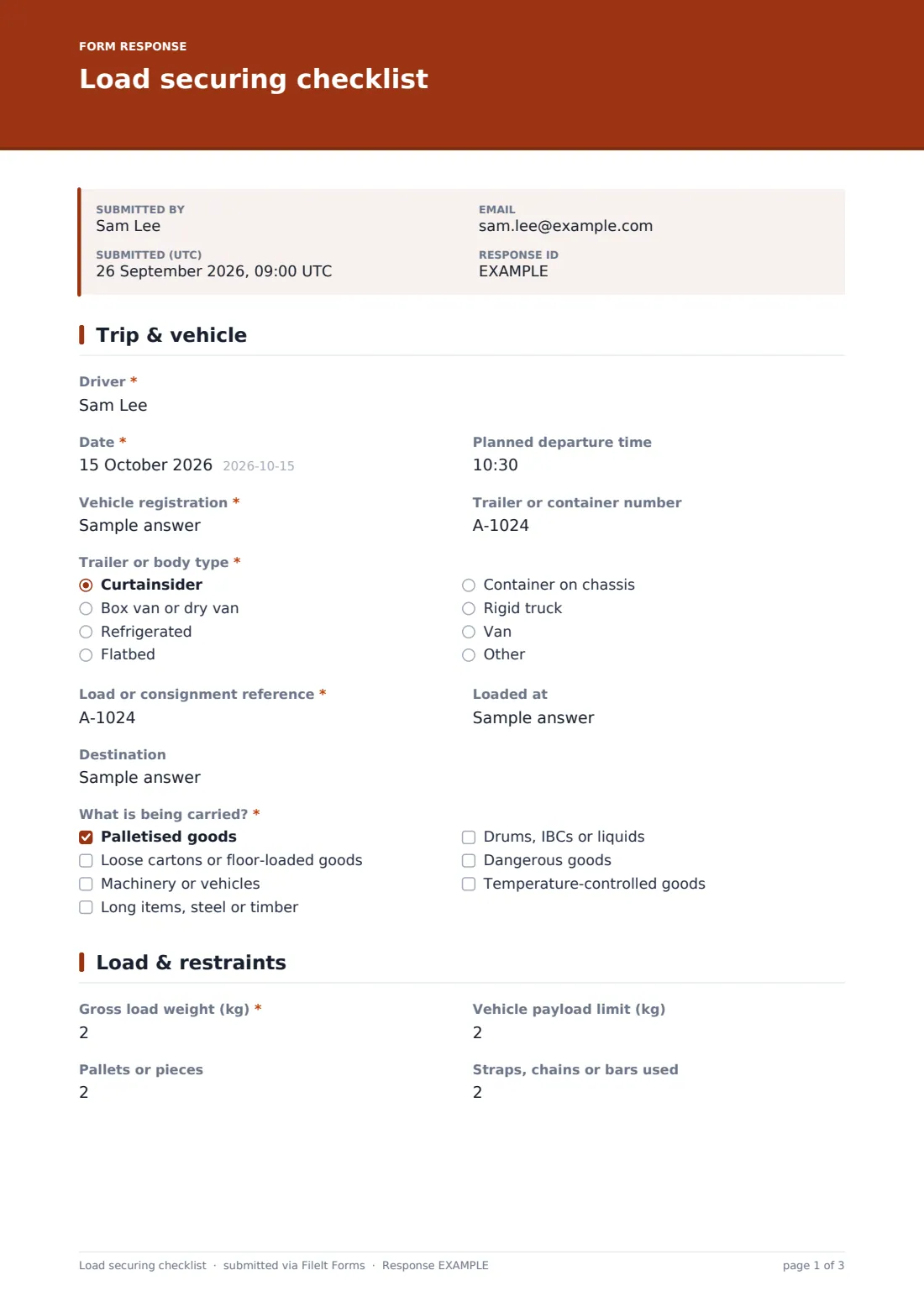
1 Trip & vehicle
- Driver*
- Date*
- Planned departure time
- Vehicle registration*
- Trailer or container number
- Trailer or body type* Curtainsider · Box van or dry van · Refrigerated · Flatbed · Container on chassis · Rigid truck · Van · Other
- Load or consignment reference*
- Loaded at
- Destination
- What is being carried?* Palletised goods · Loose cartons or floor-loaded goods · Machinery or vehicles · Long items, steel or timber · Drums, IBCs or liquids · Dangerous goods · Temperature-controlled goods
- Dangerous goods documents, placards and segregation checked?* asked only when it applies
- Unit set temperature (°C) asked only when it applies
- Trailer pre-cooled before loading? asked only when it applies
2 Load & restraints
- Gross load weight (kg)*
- Vehicle payload limit (kg)
- Pallets or pieces
- Straps, chains or bars used
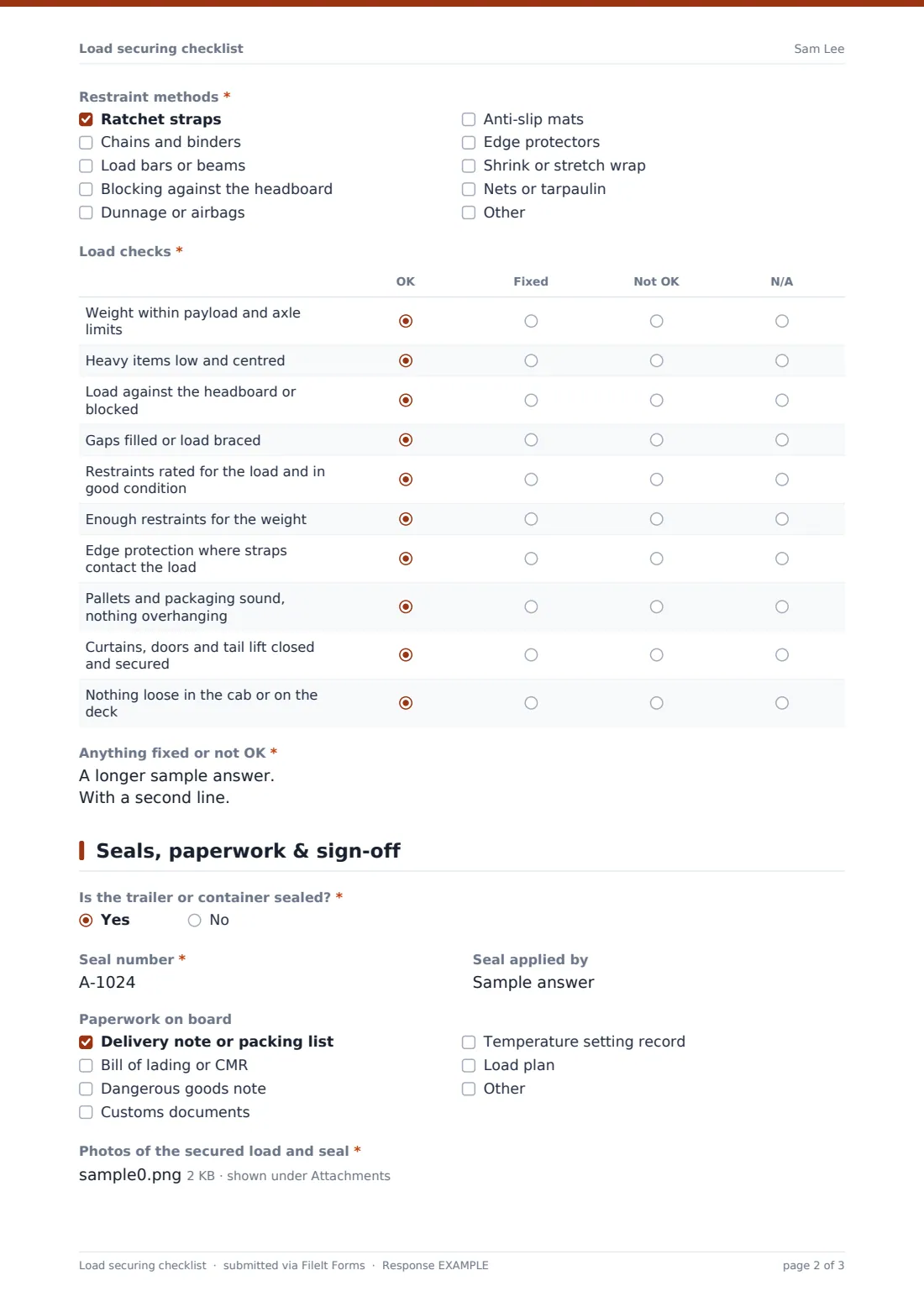
- Restraint methods* Ratchet straps · Chains and binders · Load bars or beams · Blocking against the headboard · Dunnage or airbags · Anti-slip mats · Edge protectors · Shrink or stretch wrap · Nets or tarpaulin
- Load checks* OK · Fixed · Not OK · N/A
- Anything fixed or not OK*
3 Seals, paperwork & sign-off
- Is the trailer or container sealed?*
- Seal number* asked only when it applies
- Seal applied by asked only when it applies
- Paperwork on board Delivery note or packing list · Bill of lading or CMR · Dangerous goods note · Customs documents · Temperature setting record · Load plan
- Photos of the secured load and seal*
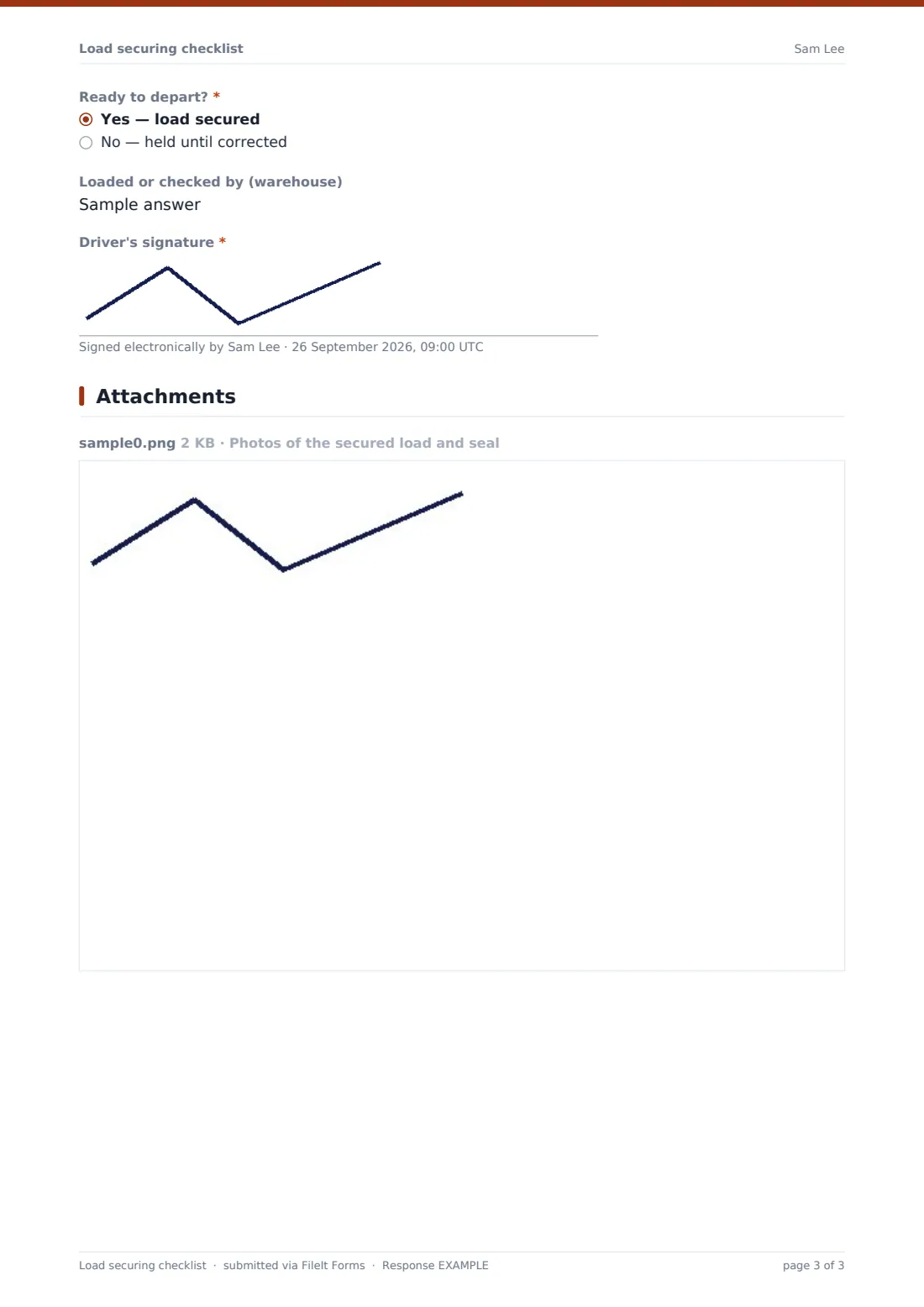
- Ready to depart?* Yes — load secured · No — held until corrected
- Why is the load held, and who has been told?* asked only when it applies
- Loaded or checked by (warehouse)
- Driver's signature*
The load securing checklist form, page by page
1 Trip & vehicle
The driver, date and planned departure time, vehicle registration, trailer or container number and trailer or body type identify the vehicle. A load or consignment reference, where it was loaded and its destination identify the trip.
What is being carried? covers palletised, floor-loaded, machinery, long items, liquids, dangerous goods and temperature-controlled goods. Ticking dangerous goods adds a check on documents, placards and segregation; ticking temperature-controlled adds the unit set temperature and whether the trailer was pre-cooled.
2 Load & restraints
Gross load weight is required, with the vehicle payload limit, the number of pallets or pieces and the number of straps, chains or bars. Restraint methods lists straps, chains, load bars, blocking, dunnage or airbags, anti-slip mats, edge protectors, wrap and nets.
The Load checks grid marks ten points as OK, fixed, not OK or N/A, from weight and axle limits to nothing loose in the cab. A required box then records anything fixed or not OK, or 'None'.
3 Seals, paperwork & sign-off
If the trailer is sealed, the seal number and who applied it are recorded. Paperwork on board covers delivery notes, bills of lading or CMR, dangerous goods notes, customs documents, the temperature record and the load plan.
Photos of the secured load and seal are required. Ready to depart? is either yes or held until corrected, and a held load needs a reason and who has been told. The loader's name and the driver's signature close the check.
Make the template yours
- Add rows to the Load checks grid for your specific load types, such as coil securing or vehicle transport
- Remove the dangerous goods and temperature options if you never carry them
- Send notifications to the transport office when a load is held
- Add a dropdown of your depots or customers for the Loaded at field
- File checks into a vault folder per customer so photos are easy to find for claims
Tips for a better load securing checklist form
- Take the photos after the last strap is tightened and before the doors close
- Photograph the seal with its number readable
- Re-check restraints after the first few miles or after heavy braking, as your procedures require
- Don't depart with a load you're unsure about; mark it held and escalate
- Replace damaged straps rather than knotting or patching them
Every response becomes a PDF in your vault
Each check is saved as a PDF in your FileIt vault with the load and seal photos attached, ready to share if the consignee reports damage or a shortage.
The Responses table lists every departure by vehicle, reference and result, and exports to CSV to spot recurring problems.
- Start from this template. It opens in the FileIt Forms designer — change any question, add pages, set the rules for when questions appear.
- Share it. Turn on a public link, or send it to people by email, each with their own link. They don’t need a FileIt account.
- Get the answers as PDFs. Each response is saved as a PDF in the vault folder you choose, with uploaded files attached — and listed in a Responses table you can export to CSV.
Load securing checklist form: frequently asked questions
Is this load securing checklist template free?
Yes. It's included in the FileIt Forms app on every account, including the free plan, and every question can be edited, removed or added to in the form designer.
Does this checklist make our loads legally compliant?
No form can do that by itself. It records the checks your drivers and loaders carry out; the securing methods and limits must follow the rules and guidance that apply where you operate and your company's procedures.
Can drivers fill it in on their phone?
Yes. It works in any phone browser, and photos can be taken and uploaded directly from the camera.
Why are photos required?
Photos of the secured load and seal are the most useful evidence if goods arrive damaged or short. You can make them optional in the designer.
Can we use it for containers?
Yes. Choose Container on chassis as the body type and record the container and seal numbers.
Do drivers need a FileIt account to fill it in?
No. Anyone with the form's link can submit it without creating an account. You can also email personal links to specific people.