What is the freight claim form template?
Freight claims stall when information is missing: no pro number, no proof of value, no photos of the packaging, or no note of whether the damage was written on the delivery receipt. Every round of back-and-forth delays settlement and can run into the claim time limits in the carrier's terms.
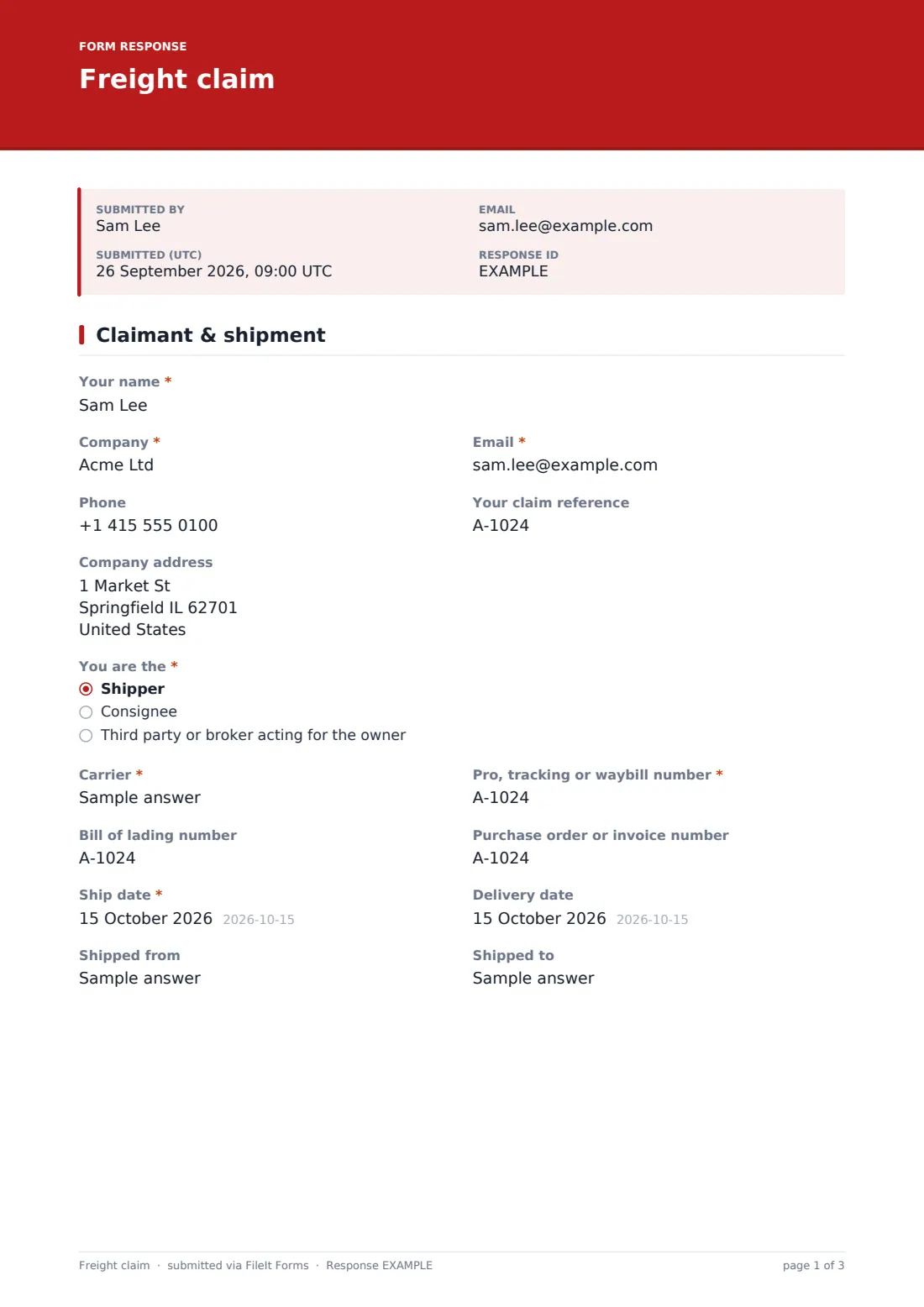
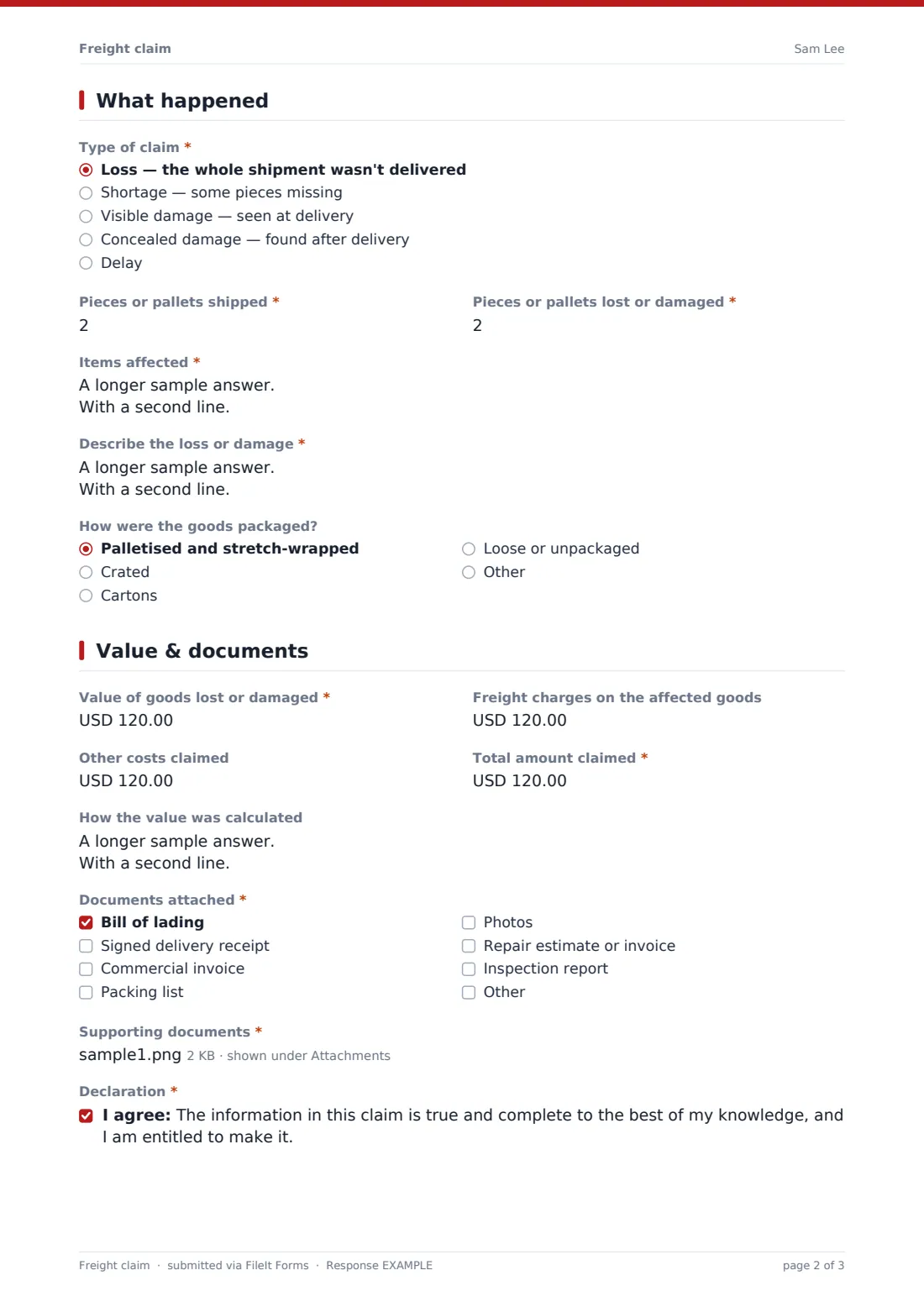
This form gathers a claim in three pages: who is claiming and the shipment's tracking, bill of lading, dates and route; what happened, with the type of claim, what the delivery receipt said, the items and pieces affected, packaging, photos and where the goods are now; and the value claimed with supporting documents, a declaration and signature.
Shippers and consignees can use it to prepare a claim before submitting it on the carrier's own claim form or portal, and carriers or 3PLs can publish it to take claims from customers. Each claim is saved as a PDF with its attachments in your FileIt vault.
- Best for
- Shippers, consignees, 3PLs and carriers handling cargo claims
- Filled in by
- The person filing the claim for the goods' owner
- Time to complete
- 10-15 minutes with the documents to hand
- Includes
- Claim type follow-ups, items affected, photo and document uploads, amount claimed, declaration and signature
Who uses a freight claim form?
- A consignee reporting concealed damage found after unpacking
- A shipper claiming for a pallet lost in transit
- An ecommerce business claiming shortages on an LTL delivery
- A 3PL collecting claims from clients to file with carriers
- A carrier publishing a claim intake form on its website
- Keeping a complete claim file for insurance
Questions on this freight claim form
36 questions over 3 pages · includes signature, file upload, conditional questions, multiple pages, consent checkbox.
1 Claimant & shipment
- Your name*
- Company*
- Email*
- Phone
- Your claim reference
- Company address
- You are the* Shipper · Consignee · Third party or broker acting for the owner
- Carrier*
- Pro, tracking or waybill number*
- Bill of lading number
- Purchase order or invoice number
- Ship date*
- Delivery date
- Shipped from
- Shipped to
2 What happened
- Type of claim* Loss — the whole shipment wasn't delivered · Shortage — some pieces missing · Visible damage — seen at delivery · Concealed damage — found after delivery · Delay
- Was the loss or damage noted on the delivery receipt?* asked only when it applies
- What was written on the delivery receipt? asked only when it applies
- Date the damage was found* asked only when it applies
- Pieces or pallets shipped*
- Pieces or pallets lost or damaged*
- Items affected*
- Describe the loss or damage*
- How were the goods packaged? Palletised and stretch-wrapped · Crated · Cartons · Loose or unpackaged
- Photos of the damage and packaging asked only when it applies
- Where are the damaged goods now? asked only when it applies Kept for carrier inspection · Salvaged or sold · Disposed of · Returned to the shipper
- Has the carrier inspected the goods? asked only when it applies
3 Value & documents
- Value of goods lost or damaged*
- Freight charges on the affected goods
- Other costs claimed
- Total amount claimed*
- How the value was calculated
- Documents attached* Bill of lading · Signed delivery receipt · Commercial invoice · Packing list · Photos · Repair estimate or invoice · Inspection report
- Supporting documents*
- Declaration*
- Signature*
The freight claim form, page by page
1 Claimant & shipment
The claimant gives their name, company, email, phone, own claim reference and address, and says whether they're the shipper, consignee or a third party acting for the owner. The carrier and the pro, tracking or waybill number are required, with the bill of lading number, purchase order or invoice number, ship and delivery dates, and origin and destination.
2 What happened
Type of claim is loss, shortage, visible damage, concealed damage or delay. Except for a total loss, the form asks whether the problem was noted on the delivery receipt and what was written. Concealed damage requires the date it was found.
Pieces shipped and pieces affected are both required, along with the items affected and their unit values, a description of the loss or damage and how the goods were packaged. For anything other than a total loss, up to ten photos can be uploaded, and the form asks where the damaged goods are now and whether the carrier has inspected them.
3 Value & documents
The value of goods affected and the total claimed are required (a delay claim with no loss or damage can enter 0 for the goods and claim its costs as other costs), with optional freight charges and other costs, and a note of how the value was calculated. The claimant ticks which documents are attached and uploads them, then agrees to a declaration that the claim is true and complete and signs.
Make the template yours
- If you're a carrier, add your claim number format and the address claims should be sent to in the confirmation message
- Change the currency on the value questions to match where you operate
- Make photos required for damage claims
- Send notifications to your claims inbox
- File claims into a vault folder per carrier
Tips for a better freight claim form
- Note any damage or shortage on the delivery receipt before signing, wherever possible
- Keep the damaged goods and packaging until the carrier has had a chance to inspect them
- Photograph the packaging and labels as well as the damaged items
- Check the time limits for filing and for any concealed damage notice in the carrier's terms or contract
- Support the amount claimed with an invoice, not just a price list
Every response becomes a PDF in your vault
Each claim is saved as a PDF in your FileIt vault together with the photos and documents uploaded, so the full claim file is in one place when the carrier responds.
The Responses table lists claims by carrier, tracking number and amount, and can be exported to CSV to track open claims and recoveries.
- Start from this template. It opens in the FileIt Forms designer — change any question, add pages, set the rules for when questions appear.
- Share it. Turn on a public link, or send it to people by email, each with their own link. They don’t need a FileIt account.
- Get the answers as PDFs. Each response is saved as a PDF in the vault folder you choose, with uploaded files attached — and listed in a Responses table you can export to CSV.
Freight claim form: frequently asked questions
Is this freight claim template free?
Yes. It's included in the FileIt Forms app on every account, including the free plan, and every question can be edited, removed or added to in the form designer.
Does FileIt send the claim to the carrier?
No. Submissions are saved in your FileIt vault and emailed to you if notifications are on. If you're claiming against a carrier, send the PDF and documents to them, or use it to fill in their claim form or portal.
How long do I have to file a freight claim?
It depends on the carrier's terms, the contract and the law that applies to the shipment. Check those before filing; this form doesn't set or track deadlines.
What is concealed damage?
Damage that wasn't visible at delivery and was only found when the goods were unpacked. The form asks for the date it was found, since carriers often expect prompt notice.
Can I claim freight charges as well as the goods?
There's a separate question for freight charges on the affected goods and for other costs. Whether they're recoverable depends on the carrier's terms.
Can customers upload large numbers of photos?
Up to ten photos and ten supporting documents can be uploaded. Each file can be up to 10 MB, and all the files in one claim together up to 25 MB, so very large photo sets are better shared as a link in the description.