What is the cold chain temperature excursion form template?
A freezer alarm at 3am, a reefer that arrives at 9°C, a cold room door left open over a weekend: when temperature-sensitive goods leave their range, the decision about whether they can still be used depends on knowing how far and for how long, and having the logger data to prove it.
This report records an excursion in three pages: where it happened and which product, batch and quantity were affected; the required range, highest and lowest readings, time outside range, how it was detected, logger files and the likely cause; and finally quarantine, who was notified, the disposition and the basis for that decision.
It suits food distributors, cold stores, pharmacies, clinics and logistics providers. The form doesn't tell you whether a product is still usable; that decision belongs to your quality team, the manufacturer's guidance or the specification for the product, and the form records who made it and why.
- Best for
- Cold stores, food and pharmaceutical distributors, pharmacies, clinics and 3PLs
- Filled in by
- Whoever discovers the excursion, completed by quality
- Time to complete
- About 5-10 minutes
- Includes
- Transit follow-ups, range and readings, logger upload, cause, quarantine, notification checklist and documented disposition
Who uses a cold chain temperature excursion form?
- A freezer or cold room alarm in a warehouse
- A refrigerated delivery arriving above temperature
- Vaccines or medicines in a clinic fridge that went out of range
- Chilled goods left on a dock too long during loading
- Retail display cabinets that failed overnight
- Supplier or carrier notifications with evidence attached
Questions on this cold chain temperature excursion form
40 questions over 3 pages · includes signature, file upload, conditional questions, multiple pages.
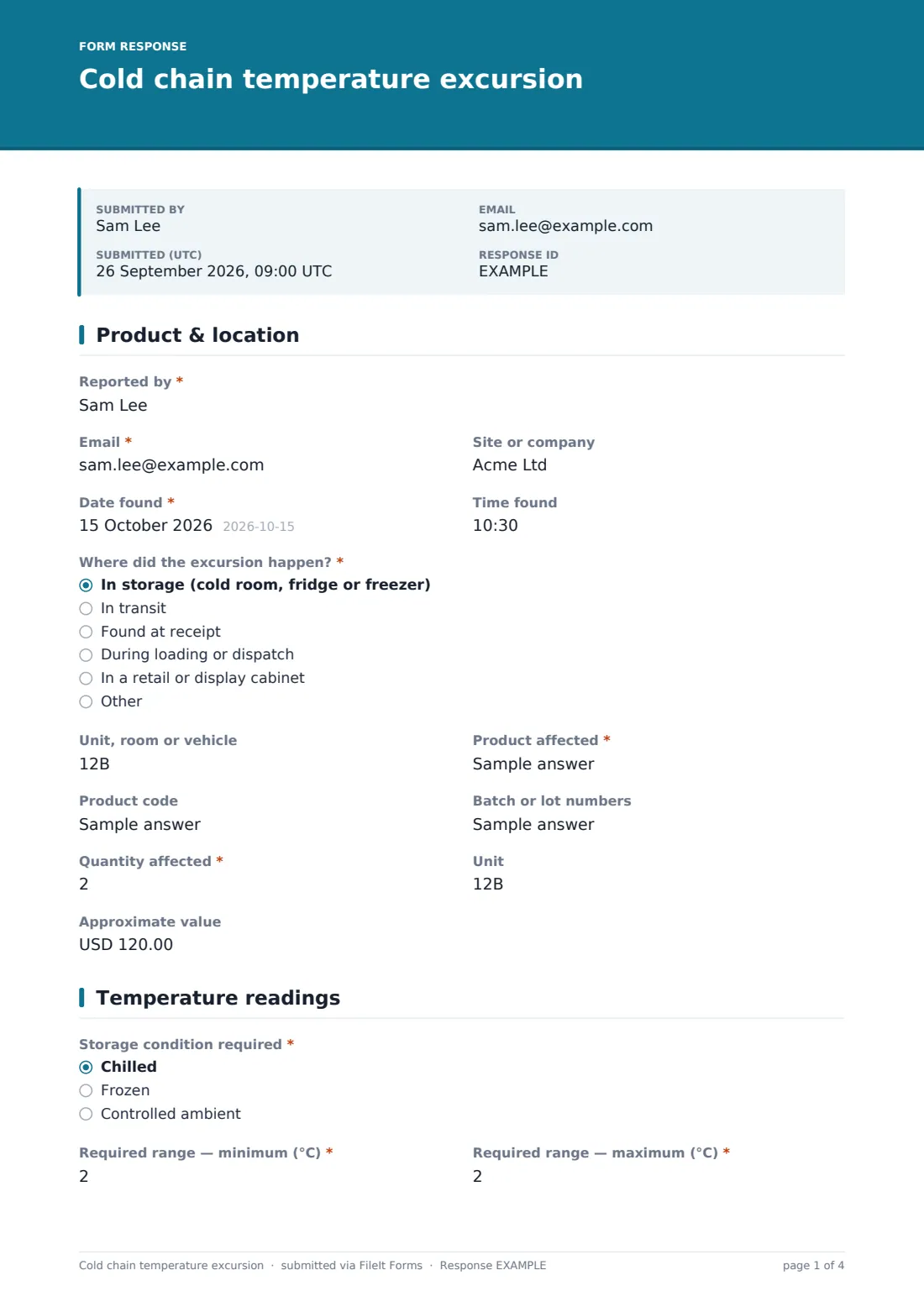
1 Product & location
- Reported by*
- Email*
- Site or company
- Date found*
- Time found
- Where did the excursion happen?* In storage (cold room, fridge or freezer) · In transit · Found at receipt · During loading or dispatch · In a retail or display cabinet
- Unit, room or vehicle
- Shipment or delivery reference asked only when it applies
- Carrier asked only when it applies
- Product affected*
- Product code
- Batch or lot numbers
- Quantity affected*
- Unit
- Approximate value
2 Temperature readings
- Storage condition required* Chilled · Frozen · Controlled ambient
- Required range — minimum (°C)*
- Required range — maximum (°C)*
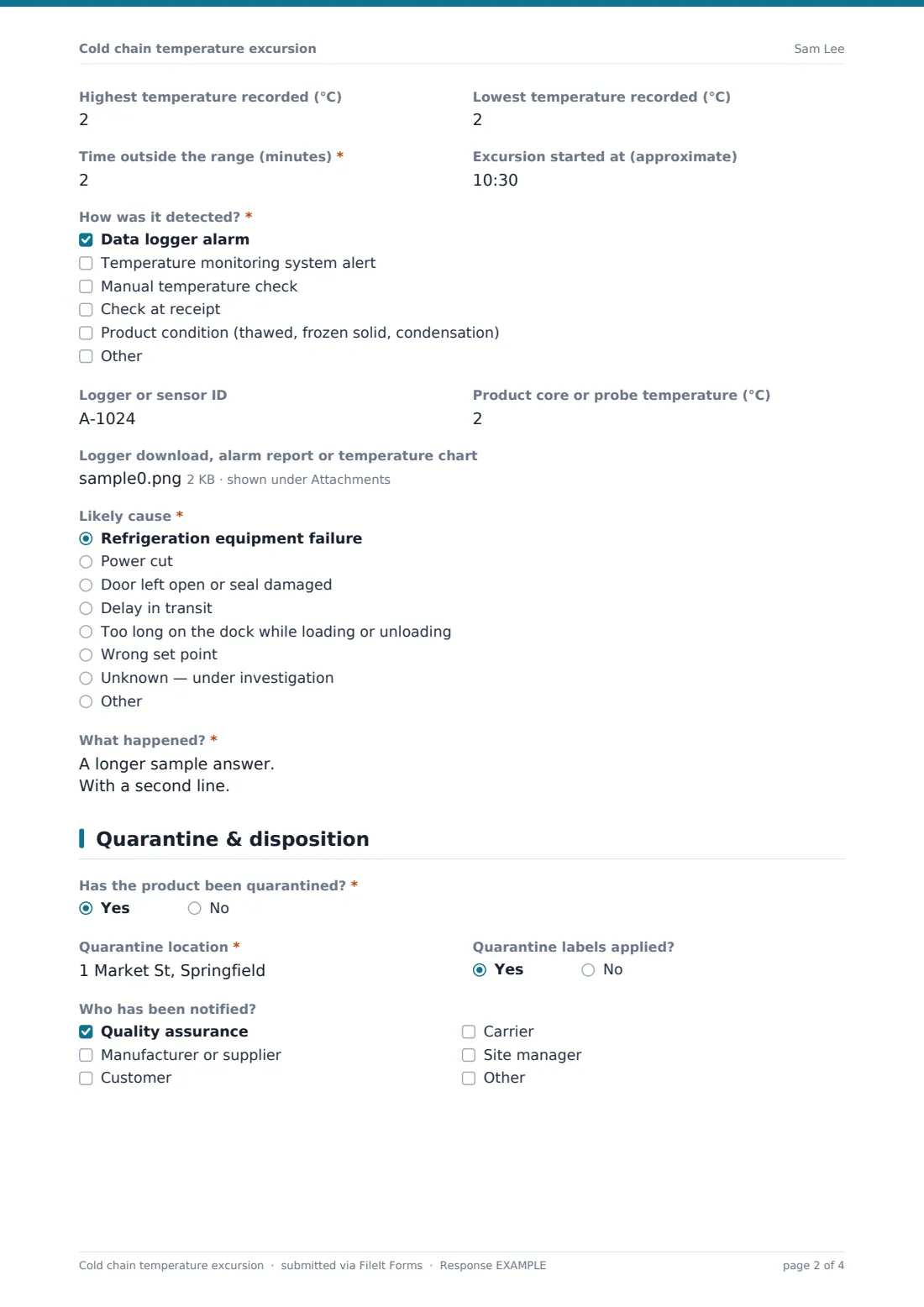
- Highest temperature recorded (°C)
- Lowest temperature recorded (°C)
- Time outside the range (minutes)*
- Excursion started at (approximate)
- How was it detected?* Data logger alarm · Temperature monitoring system alert · Manual temperature check · Check at receipt · Product condition (thawed, frozen solid, condensation)
- Logger or sensor ID
- Product core or probe temperature (°C)
- Logger download, alarm report or temperature chart
- Likely cause* Refrigeration equipment failure · Power cut · Door left open or seal damaged · Delay in transit · Too long on the dock while loading or unloading · Wrong set point · Unknown — under investigation
- What happened?*
3 Quarantine & disposition
- Has the product been quarantined?*
- Quarantine location* asked only when it applies
- Quarantine labels applied? asked only when it applies
- Why not, and where is the product now?* asked only when it applies
- Who has been notified? Quality assurance · Manufacturer or supplier · Customer · Carrier · Site manager
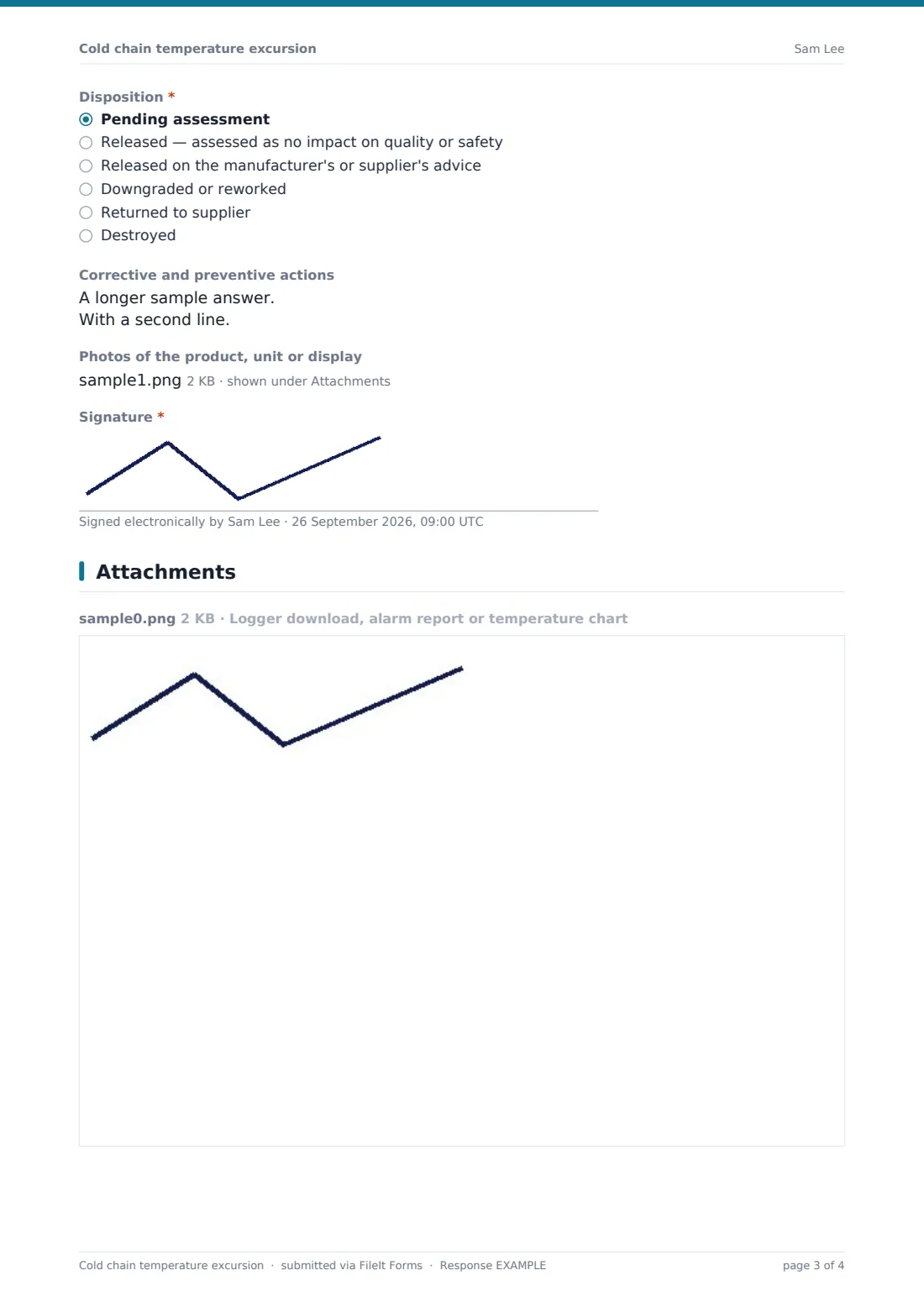
- Disposition* Pending assessment · Released — assessed as no impact on quality or safety · Released on the manufacturer's or supplier's advice · Downgraded or reworked · Returned to supplier · Destroyed
- Basis for the decision* asked only when it applies
- Assessed by asked only when it applies
- Decision date asked only when it applies
- Corrective and preventive actions
- Photos of the product, unit or display
- Signature*
The cold chain temperature excursion form, page by page
1 Product & location
The reporter, email, site and the date and time found come first. Where did the excursion happen? covers storage, transit, receipt, dispatch and retail display, with the unit, room or vehicle. In-transit excursions add the shipment reference and carrier.
The product and quantity affected are required, with the product code, batch or lot numbers, unit and approximate value.
2 Temperature readings
The required storage condition and the minimum and maximum of the required range are required, followed by the highest and lowest temperatures recorded and the time outside the range in minutes. The form asks roughly when it started, how it was detected and for the logger or sensor ID and any product probe temperature.
Logger downloads, alarm reports or charts can be uploaded. Likely cause covers equipment failure, power cuts, doors and seals, transit delays, dock time and wrong set points, and a required box describes what happened.
3 Quarantine & disposition
If the product has been quarantined, the form asks where and whether labels are applied; if not, it asks why and where it is now. A checklist records who was notified, from QA to the carrier.
Disposition starts as pending assessment. Any other choice (released, released on the manufacturer's advice, downgraded, returned or destroyed) requires the basis for the decision and records who assessed it and when. Corrective actions, photos and a signature complete the report.
Make the template yours
- Set the default range in the help text for each product category you hold
- Add a dropdown of your cold rooms, fridges or vehicles
- Send notifications to QA and the site manager so excursions are seen immediately
- Make the logger upload required if every unit has a data logger
- Create a separate copy for clinics with vaccine-specific questions your guidance requires
Tips for a better cold chain temperature excursion form
- Quarantine first and assess second; don't sell or use product until a disposition is recorded
- Download the logger data before it's overwritten
- Record the time outside range, not just the peak temperature
- Ask the manufacturer or supplier for guidance when you don't have product data
- Check whether the unit's alarm settings would have caught the excursion sooner
Every response becomes a PDF in your vault
Each excursion report is saved as a PDF in your FileIt vault with the logger files and photos attached. If the disposition was pending, the report can be followed by a new submission or a note once a decision is made.
Export the Responses table to CSV to see which units, routes or causes lead to the most excursions.
- Start from this template. It opens in the FileIt Forms designer — change any question, add pages, set the rules for when questions appear.
- Share it. Turn on a public link, or send it to people by email, each with their own link. They don’t need a FileIt account.
- Get the answers as PDFs. Each response is saved as a PDF in the vault folder you choose, with uploaded files attached — and listed in a Responses table you can export to CSV.
Cold chain temperature excursion form: frequently asked questions
Is this cold chain temperature excursion template free?
Yes. It's included in the FileIt Forms app on every account, including the free plan, and every question can be edited, removed or added to in the form designer.
Does the form decide whether the product is still safe?
No. It records the evidence and the decision. Whether product can be released depends on the manufacturer's guidance, product data or your own specification, and on the rules for your sector.
Can I upload data logger files?
Yes. PDF, CSV, Excel and image files can be uploaded, up to five on the readings page.
Is it suitable for vaccines and medicines?
It can record an excursion for any temperature-sensitive product, but vaccine and medicine storage often has specific reporting requirements. Follow your local guidance and add any questions it requires.
What if the disposition isn't known yet?
Choose Pending assessment and submit. When the decision is made, record it in a follow-up submission so the history is kept.
Do staff need a FileIt account to fill it in?
No. Anyone with the form's link can submit it without creating an account. You can also email personal links to specific people.