What is the forklift pre-use checklist form template?
A forklift that went home fine last night can start today with a leaking hose, a soft brake or a horn that doesn't sound. Pre-use checks catch these before the truck carries its first load, and a signed record shows each truck was checked, by whom and when.
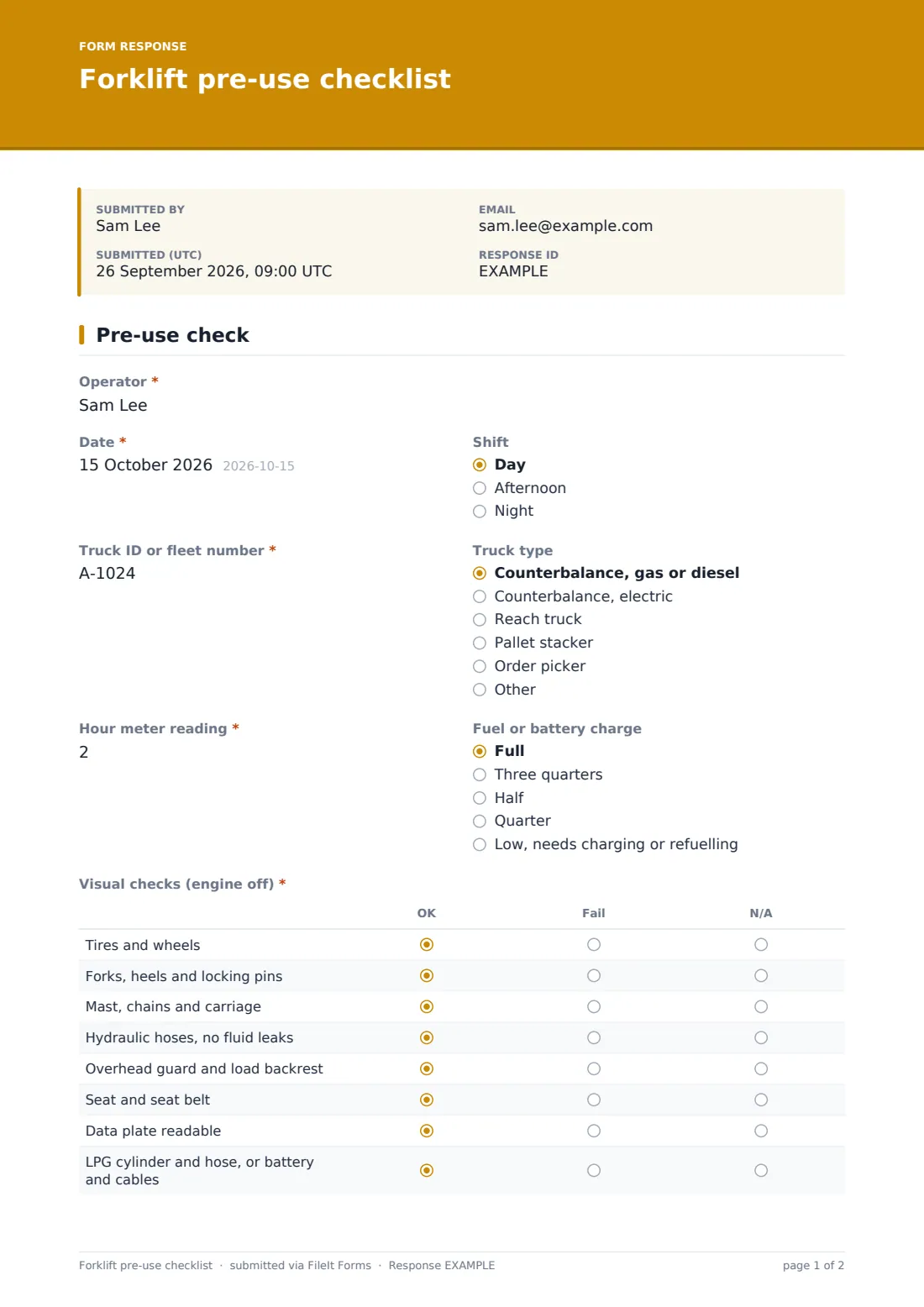
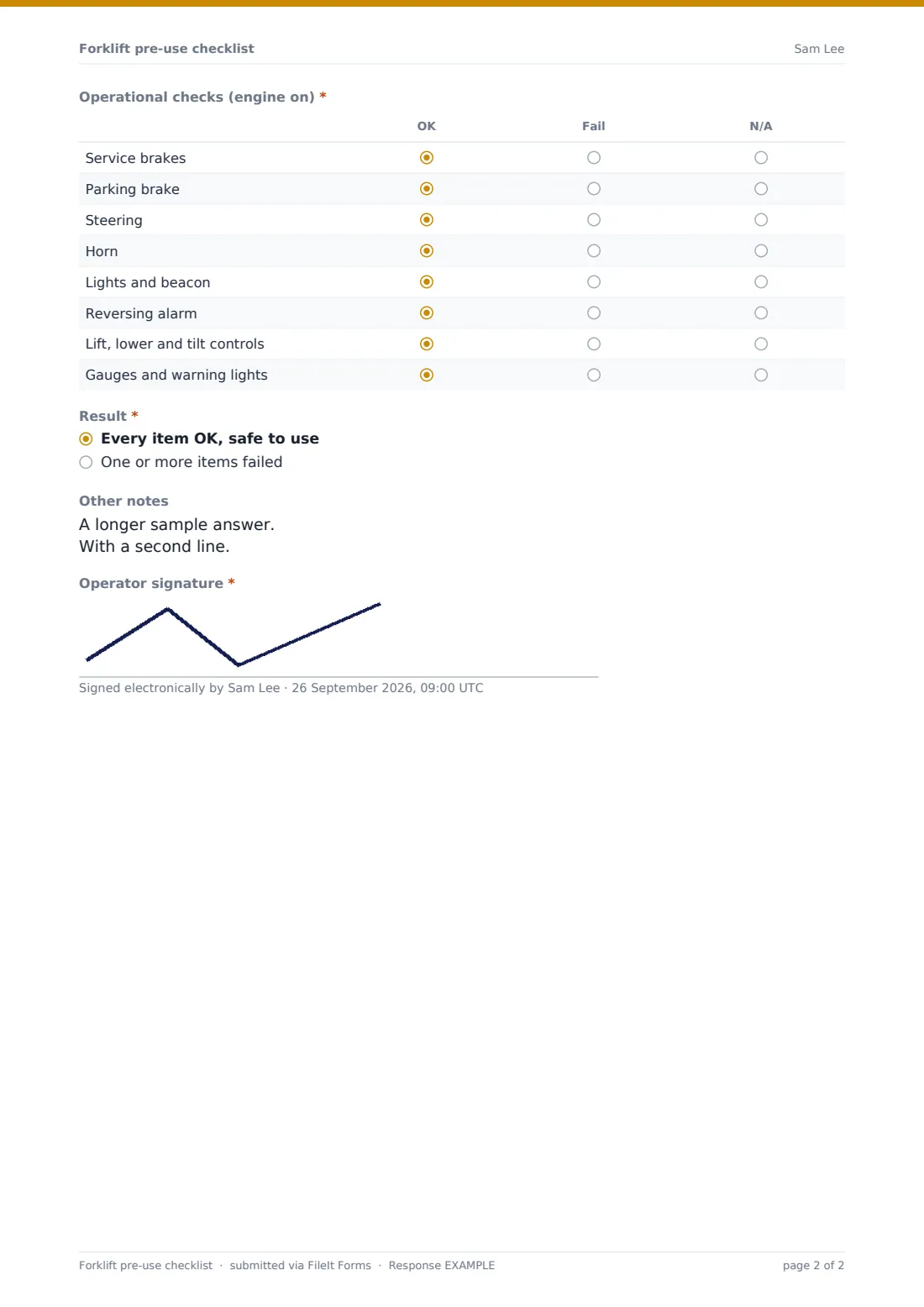
This checklist fits on one screen. The operator records the date, shift, truck ID, truck type, the hour meter reading and the fuel or battery level. Two grids follow: eight visual checks done with the engine off, from tires and forks to the mast, hydraulics, overhead guard, seat belt, data plate and the LPG cylinder or battery, then eight operational checks with it running, including both brakes, steering, horn, lights, reversing alarm, lift and tilt controls and gauges.
The operator then gives an overall result. Choosing One or more items failed shows a clear instruction not to use the truck and asks for the do-not-use tag number, the supervisor told, what failed and photos. Every check is filed as a signed PDF in your FileIt vault.
- Best for
- Warehouses, distribution centres, factories and builders' merchants
- Filled in by
- The forklift operator, at the start of each shift
- Time to complete
- About 3–5 minutes
- Includes
- Sixteen checks in two grids, hour meter, a do-not-use tag record on failure, photos and signature
Who uses a forklift pre-use checklist form?
- Daily checks on a fleet of counterbalance forklifts
- Reach truck and order picker checks in a high-bay warehouse
- Rental or hire trucks checked on delivery and before each shift
- Logging hour meter readings for servicing intervals
- Evidence of pre-use checks for an insurer or safety audit
- A QR code on each truck that opens the checklist
Questions on this forklift pre-use checklist form
16 questions · includes signature, file upload, conditional questions, ratings.
1 Pre-use check
- Operator*
- Date*
- Shift Day · Afternoon · Night
- Truck ID or fleet number*
- Truck type Counterbalance, gas or diesel · Counterbalance, electric · Reach truck · Pallet stacker · Order picker · Other
- Hour meter reading*
- Fuel or battery charge Full · Three quarters · Half · Quarter · Low, needs charging or refuelling
- Visual checks (engine off)* OK · Fail · N/A
- Operational checks (engine on)* OK · Fail · N/A
- Result* Every item OK, safe to use · One or more items failed
- Do-not-use tag number* asked only when it applies
- Supervisor told* asked only when it applies
- What failed?* asked only when it applies
- Photos asked only when it applies
- Other notes
- Operator signature*
The forklift pre-use checklist form, page by page
1 Truck and shift
Operator and Date are required, with the shift (day, afternoon or night). Truck ID or fleet number and Hour meter reading are required; the truck type covers gas, diesel and electric counterbalance trucks, reach trucks, pallet stackers and order pickers. Fuel or battery charge flags a truck that needs charging or refuelling.
2 The checks
Visual checks (engine off) and Operational checks (engine on) are marked OK, Fail or N/A row by row. The rows include forks, heels and locking pins, the mast, chains and carriage, hydraulic hoses with no fluid leaks, the seat and seat belt, service and parking brakes, the reversing alarm, and lift, lower and tilt controls.
3 Result and sign-off
Result is either Every item OK, safe to use, or One or more items failed. A failure shows the do-not-use instruction and asks for the tag number, the supervisor told and What failed?, with up to four photos. Other notes and the operator's signature complete the check.
Make the template yours
- Add rows for attachments such as clamps, rotators or side-shifts
- Turn the truck ID into a dropdown of your fleet numbers
- Add the maintenance team as a notification email so failures reach them at once
- File each truck's checks into its own vault folder
- Translate labels into the languages your operators read best
Tips for a better forklift pre-use checklist form
- Put a QR code on each truck so the form is always one scan away
- Never pass a check you didn't do; mark it N/A and say why
- Tag a failed truck before you leave it
- Check the hour meter against the service schedule weekly
- Review failures monthly to see which trucks keep coming back
Every response becomes a PDF in your vault
Each check is filed as a signed PDF in your FileIt vault and the form owner is emailed, with extra addresses for supervisors or maintenance if you add them.
The Responses table lets you search by truck ID or operator, and the CSV export shows hour meter readings and failures over time.
- Start from this template. It opens in the FileIt Forms designer — change any question, add pages, set the rules for when questions appear.
- Share it. Turn on a public link, or send it to people by email, each with their own link. They don’t need a FileIt account.
- Get the answers as PDFs. Each response is saved as a PDF in the vault folder you choose, with uploaded files attached — and listed in a Responses table you can export to CSV.
Forklift pre-use checklist form: frequently asked questions
Is this forklift checklist free?
Yes. It's one of the starter templates in FileIt Forms, and you can edit every check.
Does it meet my local regulations?
It's a general starting point based on common pre-use checks. Compare it with your manufacturer's manual and the rules that apply to your site, and add anything they require.
What happens when an item fails?
When the operator chooses that one or more items failed, the form shows a do-not-use instruction and asks for the tag number, the supervisor told, what failed and photos.
Can operators use it on their phone?
Yes. The form works in any phone browser, and a QR code from the share settings can be printed for each truck.
Do operators need an account?
No. Anyone with the link can complete a check.