

What is the concrete pour checklist form template?
Once concrete is placed, there's no going back to check the cover on the reinforcement or the level of the formwork. A concrete pour checklist puts those checks in front of the site supervisor before the pour starts, and then becomes the record of the pour: which trucks arrived when, what slump they had, which samples were taken, and how the concrete was finished and cured.
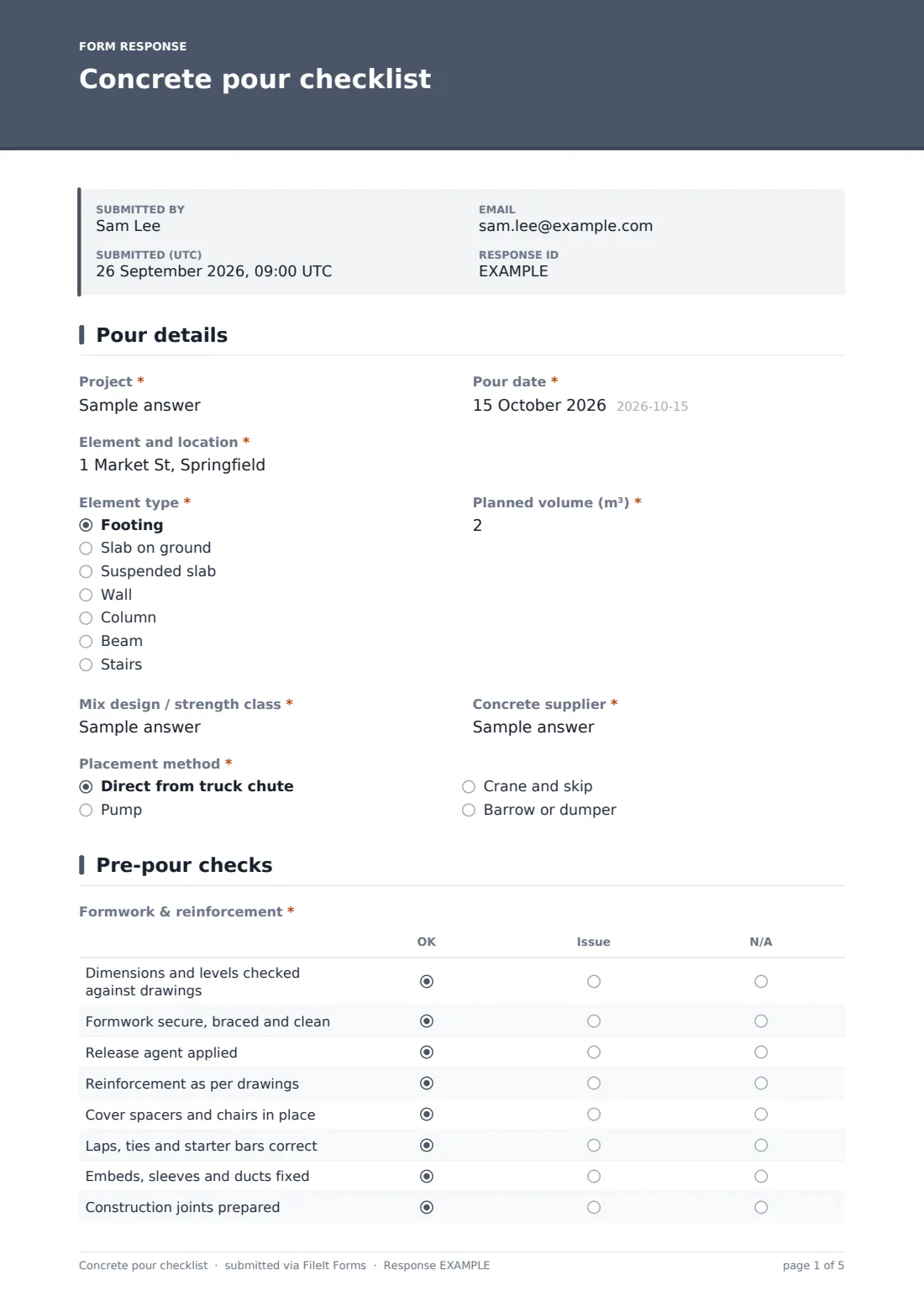
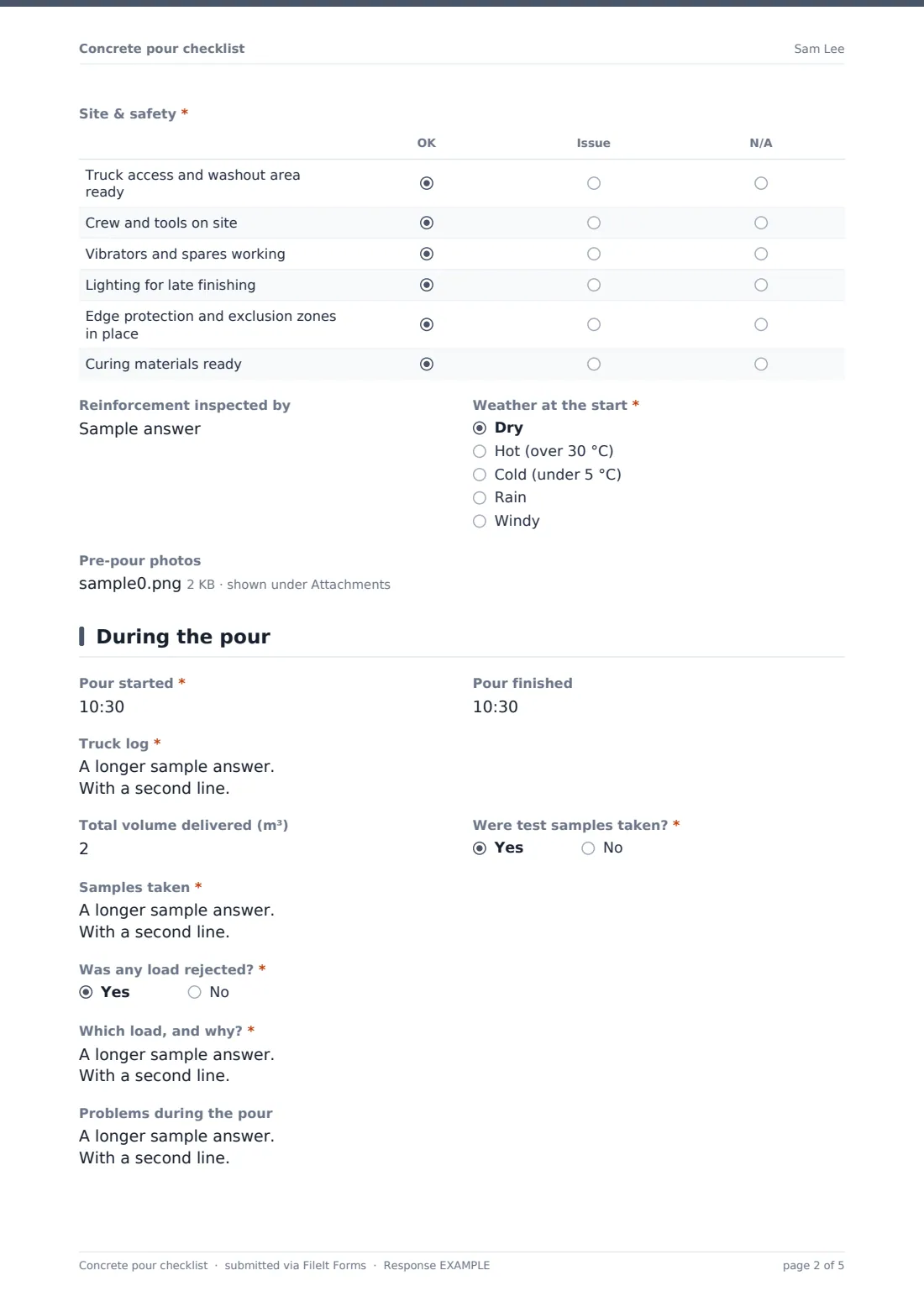
This template's pre-pour page has two grids. "Formwork & reinforcement" covers dimensions and levels, bracing, release agent, reinforcement, cover spacers and chairs, laps and starter bars, embeds and construction joints. "Site & safety" covers truck access and washout, crew and tools, vibrators, lighting, edge protection and curing materials. Anything other than dry weather asks what precautions are in place. During the pour, a "Truck log" records each delivery ticket, and the form asks about test samples and rejected loads.
It runs on FileIt's Forms app on a phone or tablet. Photos are attached, the supervisor signs on screen, and every pour record is filed as a PDF in your vault.
- Best for
- Builders, concrete contractors, groundworkers and site managers
- Filled in by
- The site supervisor or concrete foreman
- Time to complete
- About 10 minutes before the pour, a few minutes after
- Includes
- Two check grids, weather precautions, truck log, sample and rejection follow-ups, photos, signature
Who uses a concrete pour checklist form?
- Slab-on-ground pours on residential builds
- Suspended slabs where reinforcement must be inspected first
- Footings and foundations poured direct from the truck
- Pump pours with a separate pump company on site
- Recording hot- or cold-weather precautions
- Keeping pour records to match against test results later
Questions on this concrete pour checklist form
30 questions over 4 pages · includes signature, file upload, conditional questions, multiple pages, ratings.
1 Pour details
- Project*
- Pour date*
- Element and location*
- Element type* Footing · Slab on ground · Suspended slab · Wall · Column · Beam · Stairs
- Planned volume (m³)*
- Mix design / strength class*
- Concrete supplier*
- Placement method* Direct from truck chute · Pump · Crane and skip · Barrow or dumper
- Pump company and operator asked only when it applies
2 Pre-pour checks
- Formwork & reinforcement* OK · Issue · N/A
- Site & safety* OK · Issue · N/A
- Reinforcement inspected by
- Weather at the start* Dry · Hot (over 30 °C) · Cold (under 5 °C) · Rain · Windy
- Weather precautions* asked only when it applies
- Pre-pour photos
3 During the pour
- Pour started*
- Pour finished
- Truck log*
- Total volume delivered (m³)
- Were test samples taken?*
- Samples taken* asked only when it applies
- Was any load rejected?*
- Which load, and why?* asked only when it applies
- Problems during the pour
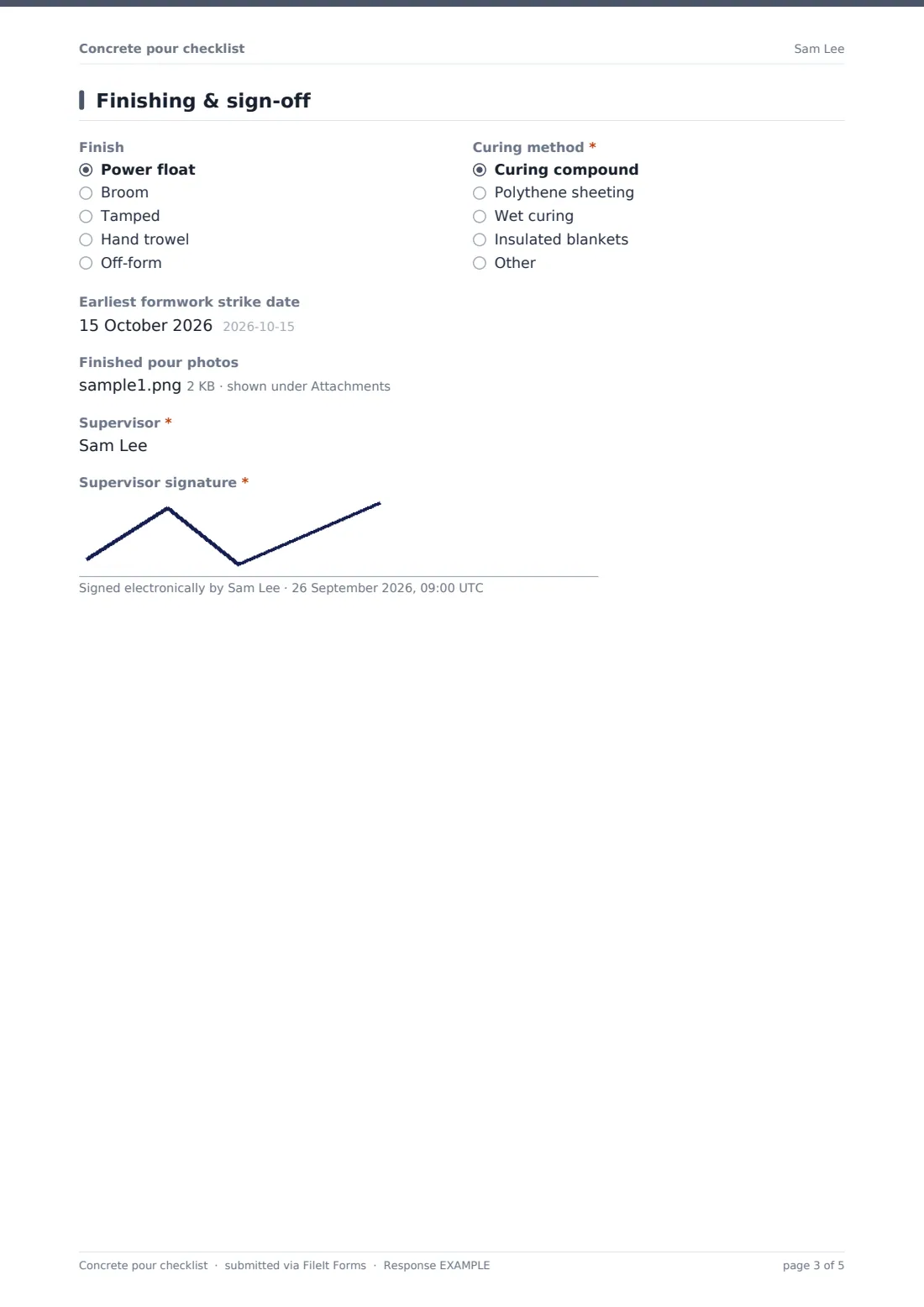
4 Finishing & sign-off
- Finish Power float · Broom · Tamped · Hand trowel · Off-form
- Curing method* Curing compound · Polythene sheeting · Wet curing · Insulated blankets
- Earliest formwork strike date
- Finished pour photos
- Supervisor*
- Supervisor signature*
The concrete pour checklist form, page by page
1 Pour details
Project, pour date and "Element and location", then the element type — footing, slab on ground, suspended slab, wall, column, beam or stairs. Planned volume, mix design or strength class and the concrete supplier follow. The placement method is chute, pump, crane and skip, or barrow; choosing pump asks for the pump company and operator.
2 Pre-pour checks
Two OK / Issue / N/A grids cover formwork and reinforcement, and site and safety. The supervisor records who inspected the reinforcement if that's required, and the weather at the start — dry, hot, cold, rain or windy. Anything but dry asks for weather precautions. Up to six pre-pour photos can be attached.
3 During the pour
Start and finish times, then the "Truck log": one line per truck with ticket number, volume, batch and arrival times, slump and any water added. Total volume delivered is recorded. "Were test samples taken?" asks for the details, and "Was any load rejected?" asks which and why. A free-text box captures problems like formwork movement or a pump blockage.
4 Finishing & sign-off
Finish type, curing method, the earliest formwork strike date and up to four photos of the finished pour. The supervisor gives their name and signs.
Make the template yours
- Switch the volume unit to cubic yards in the labels if you work in imperial
- Add rows to the grids for your own specification items
- Make the reinforcement inspector required for suspended slabs
- Add a signature field for the engineer or client's representative
- File records into a vault folder per project
- Notify the project manager on every submission
Tips for a better concrete pour checklist form
- Fill in the pre-pour page early enough to fix what you find
- Photograph the reinforcement before it's buried
- Note any water added on site against the truck it went into
- Write sample details clearly so test results can be matched later
- Record rejected loads, even if the supplier replaces them quickly
- Keep delivery tickets with the record until test results are back
Every response becomes a PDF in your vault
The signed pour record is filed as a PDF in your vault with every photo attached, and the office is notified. The PDF shows each grid row and its result, so a reviewer sees exactly what was checked.
Search the Responses table by project or element, and export to CSV to build a pour register for the job.
- Start from this template. It opens in the FileIt Forms designer — change any question, add pages, set the rules for when questions appear.
- Share it. Turn on a public link, or send it to people by email, each with their own link. They don’t need a FileIt account.
- Get the answers as PDFs. Each response is saved as a PDF in the vault folder you choose, with uploaded files attached — and listed in a Responses table you can export to CSV.
Concrete pour checklist form: frequently asked questions
Is this concrete pour checklist template free?
Yes. It's included in FileIt's Forms app on every plan, including free.
Can I fill it in before and after the pour?
The form is submitted once, so most supervisors complete it on site as the pour progresses. On the same device, answers in progress are kept in the browser if the page is closed.
Does it work offline?
The form needs a connection to submit. In-progress answers are saved in the browser on that device.
Can I record imperial units?
Yes. Edit the labels for volume and the help text; the numbers themselves aren't tied to a unit.
Does the form check the concrete meets specification?
No. It records what was checked and delivered. Your engineer or specification decides what's acceptable.
Can photos be taken on site?
Yes. Upload straight from a phone or tablet camera — up to six before and four after.