What is the church record certificate request form template?
Requests for church records arrive in every form — a phone message, an email from overseas, a note pushed under the office door — and many are missing the one detail that makes the entry findable: a maiden name, a rough year, the parents' names. This church record certificate request form asks for those details every time, so the office can search the registers without a round of follow-up questions.
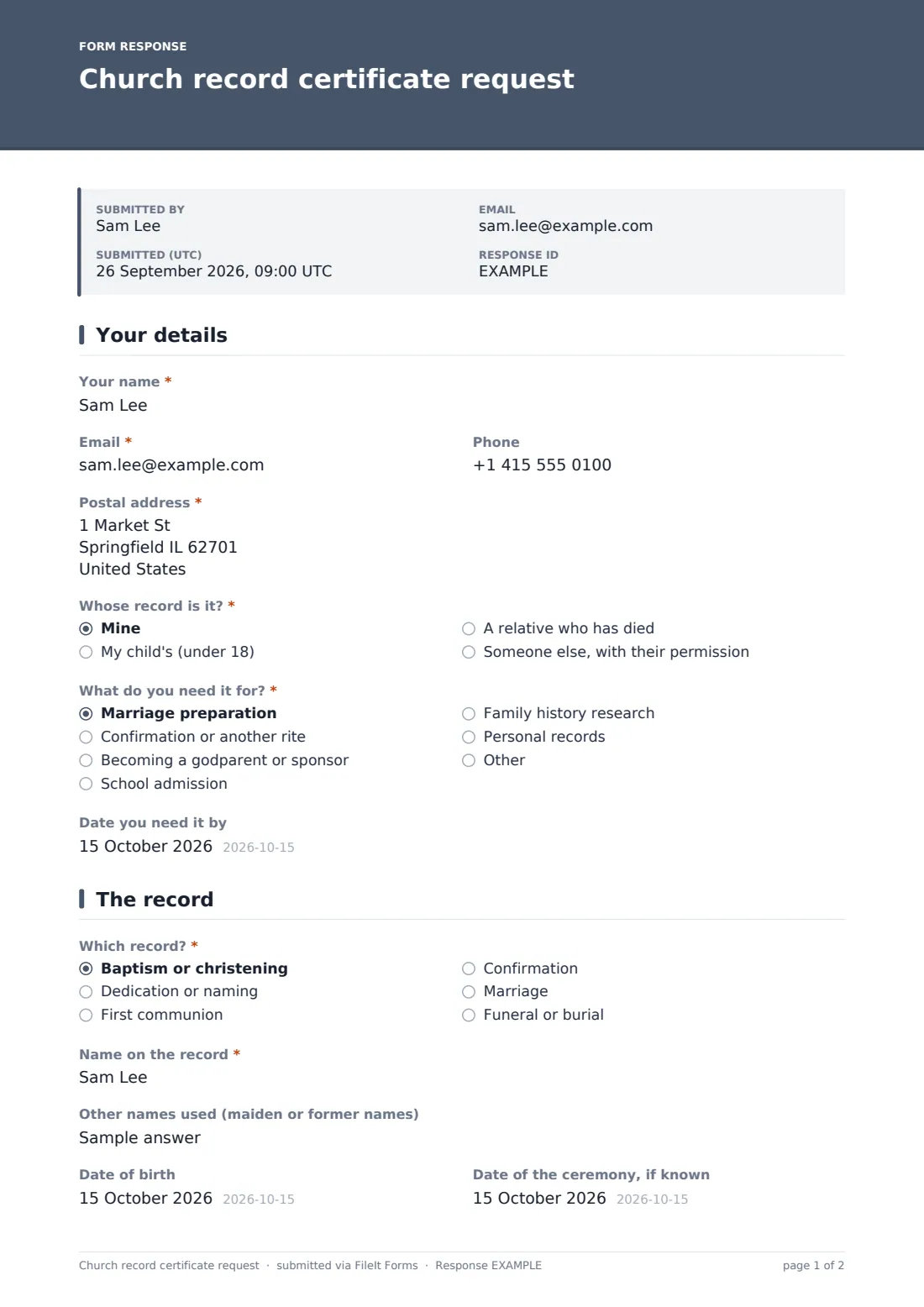
The form covers the usual reasons people need a record: marriage preparation, another rite, becoming a godparent or sponsor, school admission, family history or personal records. It asks whose record it is, because that decides who may have it. A request for someone else needs their written permission, uploaded with the form. The record page adapts: a baptism asks for the parents' names at the time, a marriage asks for the spouse's name, and anyone unsure of the date can give an approximate year.
The requester signs a declaration, and each request is filed as a PDF in your FileIt vault with any permission letter attached.
- Best for
- Parish offices, churches, chapels and faith communities holding registers
- Filled in by
- The person named, a parent, a relative, or someone with written permission
- Time to complete
- About 5 minutes
- Includes
- Six record types, permission upload, approximate dates, copies and delivery, a signed declaration
Who uses a church record certificate request form?
- A couple's marriage preparation needing recent baptism certificates
- A godparent asked to show they've been confirmed
- A family historian looking for a great-grandparent's baptism entry
- A parent needing a child's baptism record for a school application
- A relative requesting a funeral or burial record
Questions on this church record certificate request form
24 questions over 3 pages · includes signature, file upload, conditional questions, multiple pages, consent checkbox.
1 Your details
- Your name*
- Email*
- Phone
- Postal address*
- Whose record is it?* Mine · My child's (under 18) · A relative who has died · Someone else, with their permission
- Written permission from the person named* asked only when it applies
- What do you need it for?* Marriage preparation · Confirmation or another rite · Becoming a godparent or sponsor · School admission · Family history research · Personal records
- Date you need it by
2 The record
- Which record?* Baptism or christening · Dedication or naming · First communion · Confirmation · Marriage · Funeral or burial
- Name on the record*
- Other names used (maiden or former names)
- Date of birth
- Date of the ceremony, if known
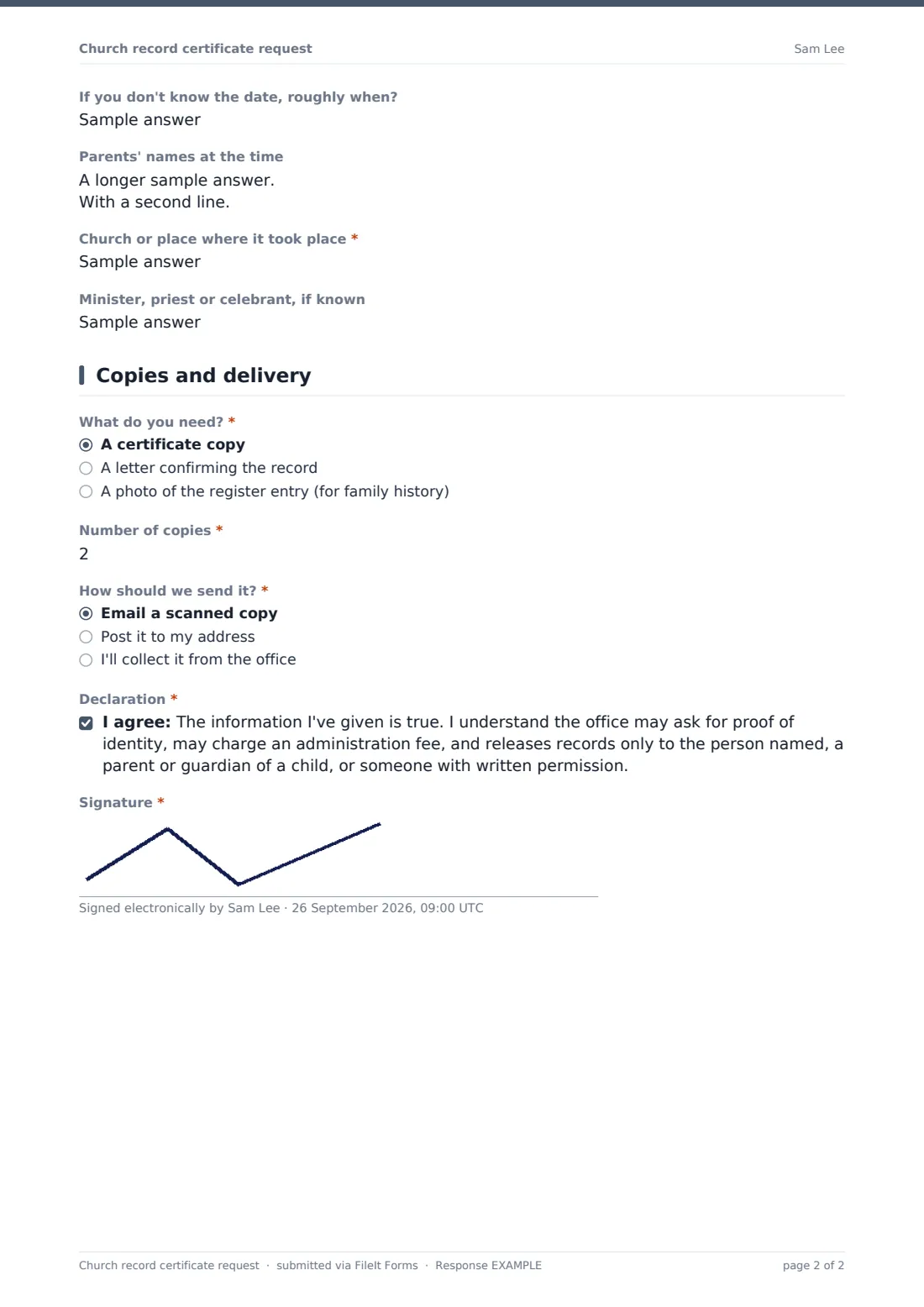
- If you don't know the date, roughly when?
- Parents' names at the time asked only when it applies
- Spouse's name* asked only when it applies
- Church or place where it took place*
- Minister, priest or celebrant, if known
3 Copies and delivery
- What do you need?* A certificate copy · A letter confirming the record · A photo of the register entry (for family history)
- Number of copies*
- How should we send it?* Email a scanned copy · Post it to my address · I'll collect it from the office
- Send it to a different address asked only when it applies
- Declaration*
- Signature*
The church record certificate request form, page by page
1 Your details
The requester gives their name, email, phone and postal address. "Whose record is it?" offers mine, my child's (under 18), a relative who has died, or someone else with their permission. That last choice requires an upload of "Written permission from the person named". "What do you need it for?" lists marriage preparation, confirmation or another rite, becoming a godparent or sponsor, school admission, family history research, personal records or another reason. The requester can add the date they need it by.
2 The record
"Which record?" covers baptism or christening, dedication or naming, first communion, confirmation, marriage, and funeral or burial. The requester gives the "Name on the record", any other names used, date of birth, and the date of the ceremony if known — or "If you don't know the date, roughly when?".
A baptism asks for "Parents' names at the time", with help text asking for the mother's maiden name. A marriage asks for the spouse's name. Every request gives the "Church or place where it took place" and, if known, the minister, priest or celebrant.
3 Copies and delivery
"What do you need?" offers a certificate copy, a letter confirming the record, or a photo of the register entry for family history. The requester chooses the number of copies and "How should we send it?" — email, post, or collection from the office. Post offers an optional different address. The declaration covers proof of identity, a possible administration fee, and who records are released to, followed by a signature.
Make the template yours
- Remove record types your community doesn't hold, or rename them for your tradition
- State your administration fee, or remove the mention if there isn't one
- Change the release rule in the declaration to match your own policy
- Make the date of birth required if your registers are indexed by it
- File requests in a records folder so the office can work through them in order
Tips for a better church record certificate request form
- Search by both married and maiden names, using "Other names used (maiden or former names)"
- Use the approximate year to narrow the register volumes before searching
- Check identity before releasing a record, especially by post
- Reply quickly to requests marked for marriage preparation — there's usually a deadline
- Treat family history requests differently from certificate requests if your policy does
Every response becomes a PDF in your vault
Each request becomes a PDF in your vault, signed, with any permission letter attached, and the parish office is notified by email. The requester receives a copy of their request.
The Responses table can be searched by name, record type or church. Export to CSV to keep a log of requests, dates found and certificates sent.
- Start from this template. It opens in the FileIt Forms designer — change any question, add pages, set the rules for when questions appear.
- Share it. Turn on a public link, or send it to people by email, each with their own link. They don’t need a FileIt account.
- Get the answers as PDFs. Each response is saved as a PDF in the vault folder you choose, with uploaded files attached — and listed in a Responses table you can export to CSV.
Church record certificate request form: frequently asked questions
Is this church record request form free?
Yes. It's one of the ready-made templates in the Forms app on every FileIt account, including the free plan.
Does FileIt search the registers?
No. The form collects the details. Your parish office searches its own registers and sends the record.
Can someone request a record for another person?
Yes, with that person's written permission, which the form requires as an upload. Parents can request their child's record.
Can I take the administration fee through the form?
No. The declaration mentions that a fee may apply. Take payment through your usual giving page or in person.
Is the certificate legally valid?
That depends on the record and on who asks for it. The form only requests a copy; check what the receiving body needs.
Can people overseas use it?
Yes. The address fields take any country, and the requester can choose to receive a scanned copy by email.