What is the cash flow forecast submission form template?
Group cash forecasting usually means a spreadsheet emailed out to every business unit and a dozen versions coming back, each with its own layout. The numbers matter, but so do the assumptions behind them and the risks the unit can see coming.
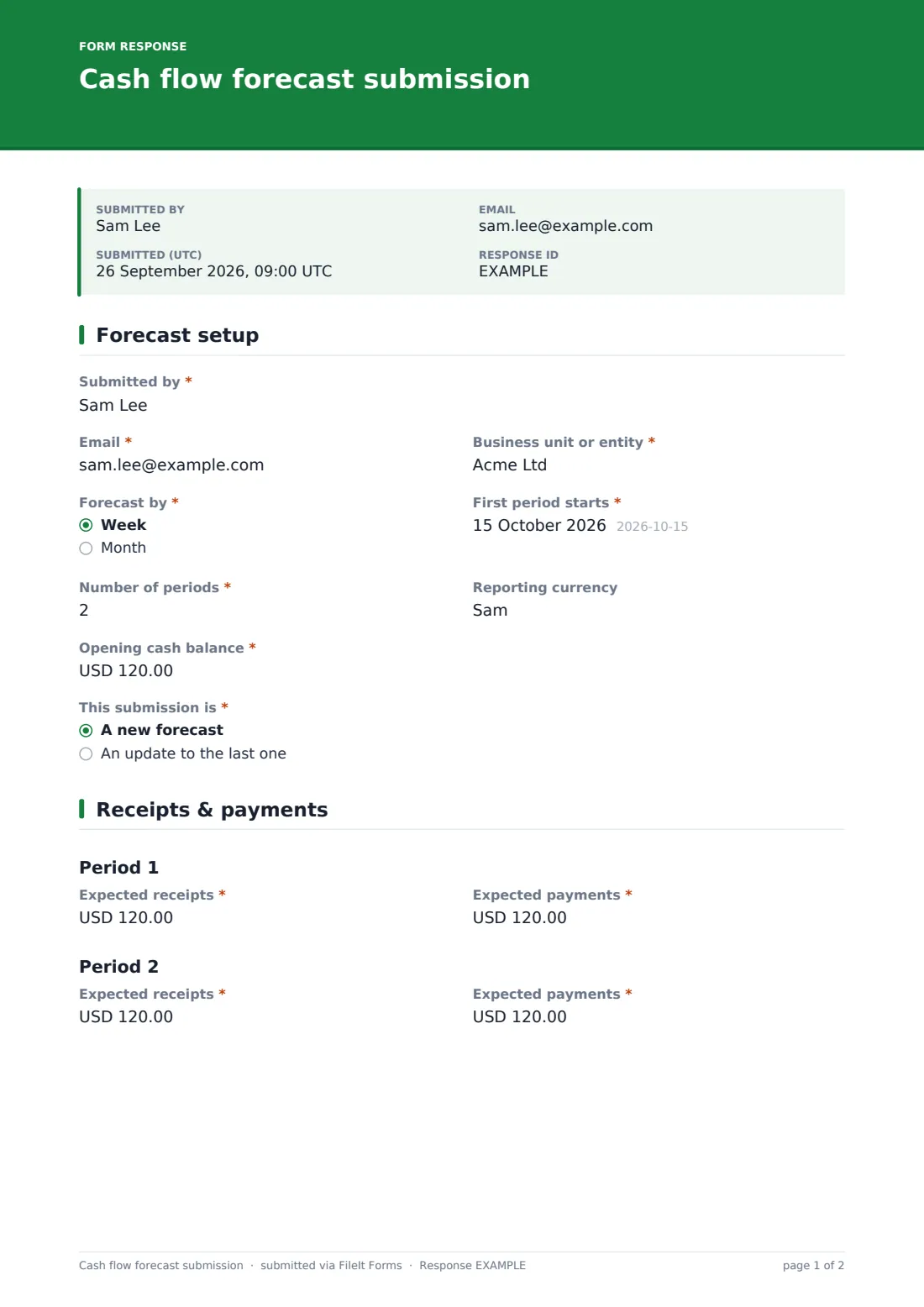
This three-page form keeps submissions consistent. The submitter names the unit, chooses weekly or monthly periods, the first period's start and how many periods (up to six), and gives the opening cash balance and whether this is a new forecast or an update. The next page shows a block for each period with expected receipts and expected payments.
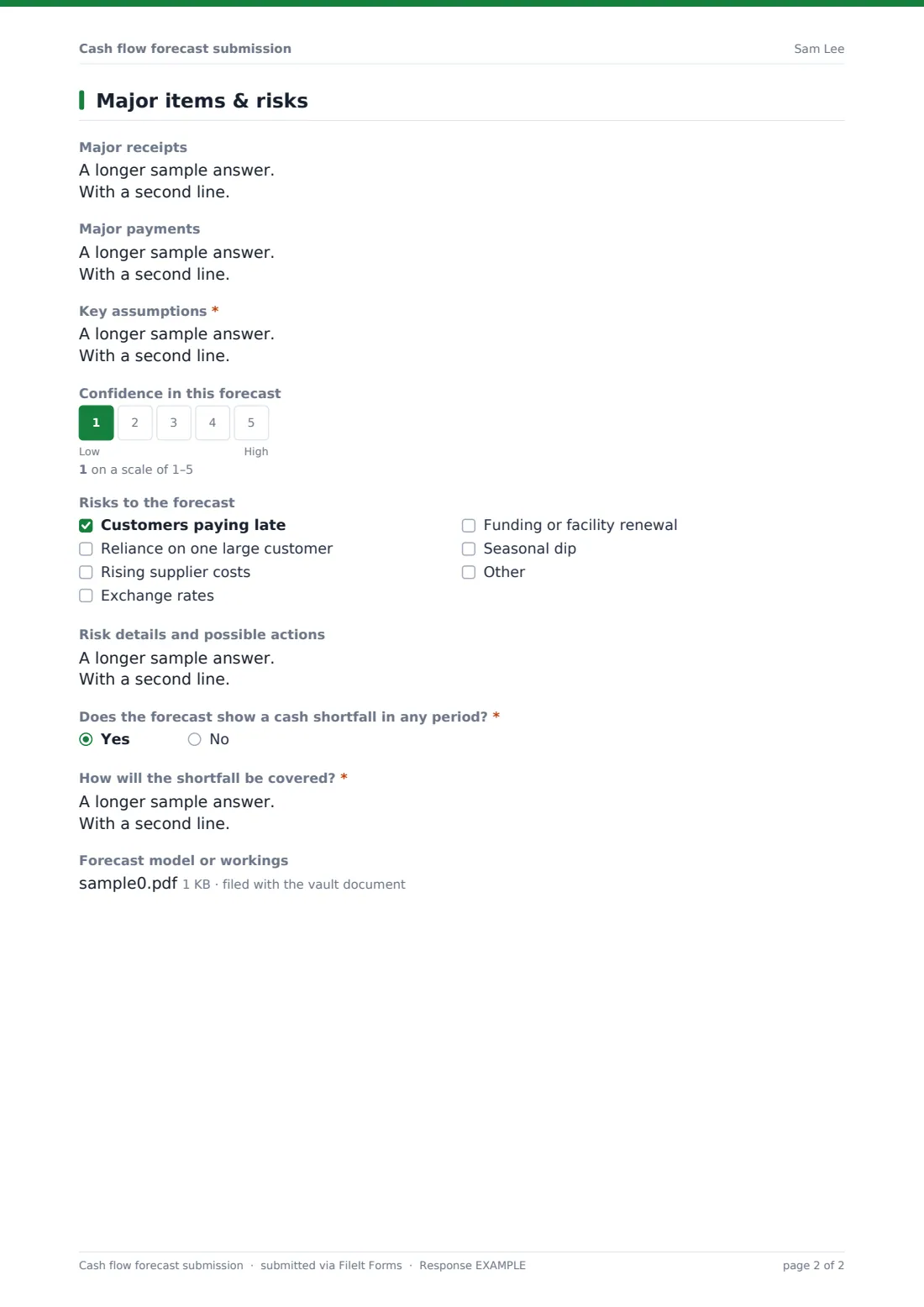
The last page captures major receipts and payments, key assumptions, what changed since last time, a confidence rating, risks, and whether any period shows a shortfall and how it will be covered. The full model can be attached. Each submission is saved as a PDF in your FileIt vault.
- Best for
- Treasury, FP&A and finance teams collecting forecasts from units or subsidiaries
- Filled in by
- Business unit finance leads or owners
- Time to complete
- About 10 minutes with the forecast ready
- Includes
- Up to six periods, assumptions, risks, confidence, shortfall plan, model upload
Who uses a cash flow forecast submission form?
- A group treasury team collecting weekly forecasts from subsidiaries
- A business with several shops or sites submitting monthly cash plans
- A lender asking a borrower for regular cash forecasts
- A start-up founder updating investors on runway
- A charity's departments forecasting cash ahead of a grant gap
- A finance manager documenting assumptions behind each forecast
Questions on this cash flow forecast submission form
31 questions over 3 pages · includes file upload, conditional questions, multiple pages, ratings.
1 Forecast setup
- Submitted by*
- Email*
- Business unit or entity*
- Forecast by* Week · Month
- First period starts*
- Number of periods*
- Reporting currency
- Opening cash balance*
- This submission is* A new forecast · An update to the last one
2 Receipts & payments
- Expected receipts*
- Expected payments*
- Expected receipts* asked only when it applies
- Expected payments* asked only when it applies
- Expected receipts* asked only when it applies
- Expected payments* asked only when it applies
- Expected receipts* asked only when it applies
- Expected payments* asked only when it applies
- Expected receipts* asked only when it applies
- Expected payments* asked only when it applies
- Expected receipts* asked only when it applies
- Expected payments* asked only when it applies
3 Major items & risks
- Major receipts
- Major payments
- Key assumptions*
- What changed since the last forecast?* asked only when it applies
- Confidence in this forecast
- Risks to the forecast Customers paying late · Reliance on one large customer · Rising supplier costs · Exchange rates · Funding or facility renewal · Seasonal dip
- Risk details and possible actions asked only when it applies
- Does the forecast show a cash shortfall in any period?*
- How will the shortfall be covered?* asked only when it applies
- Forecast model or workings
The cash flow forecast submission form, page by page
1 Forecast setup
The submitter gives their name, Email and Business unit or entity. Forecast by sets weeks or months, First period starts and Number of periods (1 to 6) set the horizon, and Reporting currency is optional. Opening cash balance is required, and This submission is marks a new forecast or an update.
2 Receipts & payments
One block appears for each period, with Expected receipts and Expected payments. Units with longer horizons attach their full model on the next page.
3 Major items & risks
Major receipts and Major payments call out large or unusual items. Key assumptions is required, and updates must explain what changed since the last forecast. A 1-to-5 confidence scale is followed by Risks to the forecast, such as late-paying customers, reliance on one customer, rising costs, exchange rates, funding renewal or a seasonal dip, with a details box if any are ticked. If any period shows a shortfall, the unit explains how it will be covered.
Make the template yours
- Add separate lines for payroll, tax or capital spend in each period
- Add more period blocks for a longer forecast, such as 13 weeks
- Change the currency on the amount fields
- Turn Business unit into a dropdown of your entities
- Set the form to accept one submission per unit with personal links
- Notify your treasury inbox when a forecast arrives
Tips for a better cash flow forecast submission form
- Base receipts on when customers actually pay, not on invoice due dates
- Compare last period's forecast to what happened, and explain big differences
- List major items separately so they're not lost in the totals
- A low confidence score is useful information — don't discourage it
- Agree a submission day each week or month so forecasts line up
Every response becomes a PDF in your vault
Each forecast is saved as a PDF in the vault folder you choose, with the model attached. Treasury is emailed when it arrives, and the submitter can get a copy.
Export responses to CSV to combine units' period totals into a group forecast, and filter by unit to compare versions over time.
- Start from this template. It opens in the FileIt Forms designer — change any question, add pages, set the rules for when questions appear.
- Share it. Turn on a public link, or send it to people by email, each with their own link. They don’t need a FileIt account.
- Get the answers as PDFs. Each response is saved as a PDF in the vault folder you choose, with uploaded files attached — and listed in a Responses table you can export to CSV.
Cash flow forecast submission form: frequently asked questions
Is this cash flow forecast template free?
Yes. It's a starter template in the FileIt Forms app on every account.
Does the form calculate closing balances?
No. It collects opening cash, receipts and payments. Closing balances are worked out in your own model or from the CSV export.
Can units submit more than six periods?
Attach the full model, or add more period blocks in the designer.
Can we use it for a 13-week cash flow?
Yes. Choose weekly periods and add blocks up to 13 in the designer.
Do business units need a FileIt account?
No. Send them the link or a personal link each period.
Is this suitable for lenders or investors?
It can be used to collect forecasts from borrowers or portfolio companies. Adapt the questions to what your agreement requires.