What is the budget transfer request form template?
Budgets rarely survive the year exactly as set. Prices change, projects slip, and one line runs short while another sits unspent. Moving money between them is routine, but without a standard request it happens by email and nobody can later explain why the numbers changed.
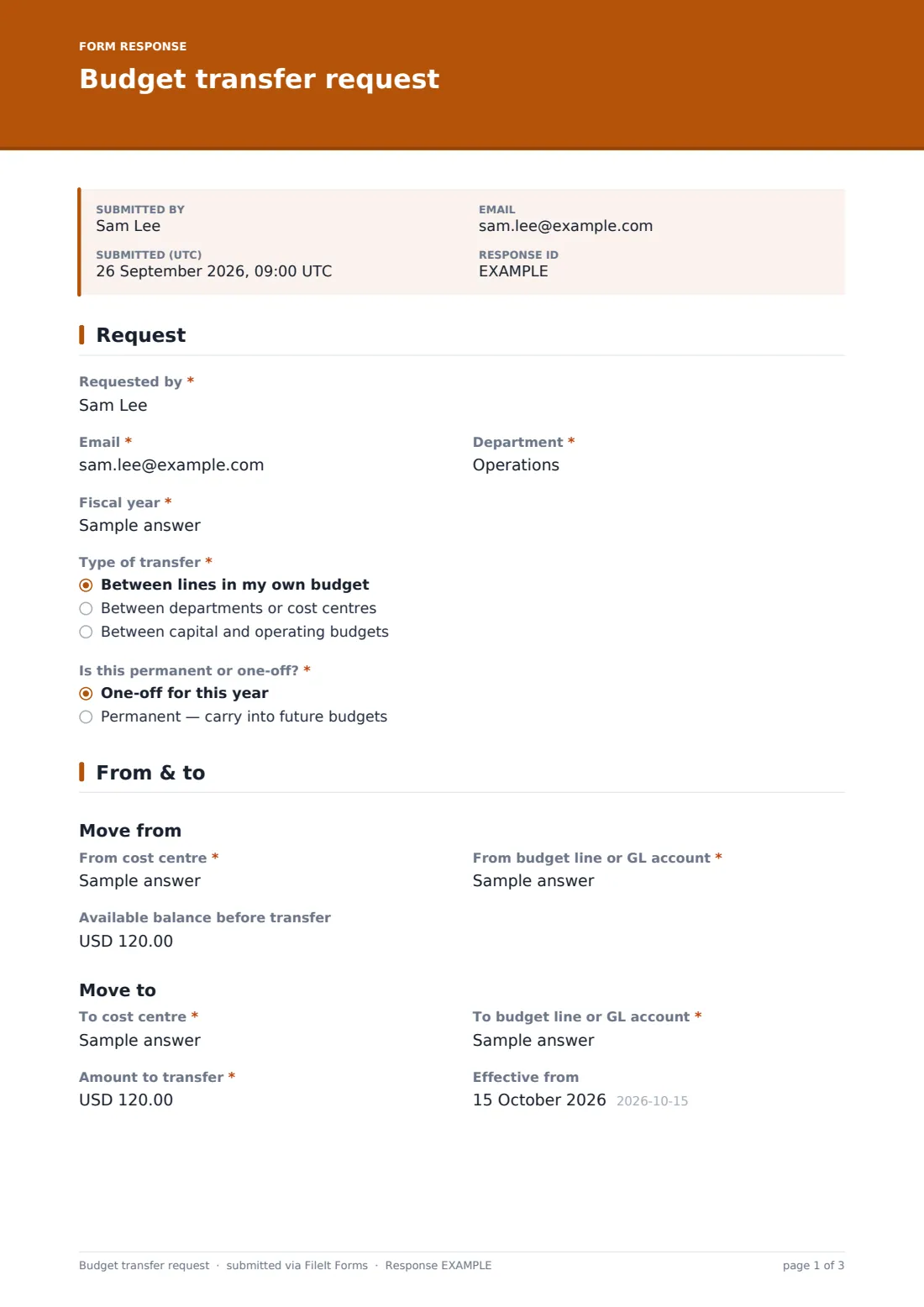
This three-page form asks for what finance needs. The requester gives their department and fiscal year, says whether the transfer is within their own budget, between cost centres or between capital and operating budgets, and whether it's one-off or permanent. The From and To sections take the cost centre and budget line for each, the available balance, and the other budget holder when two departments are involved.
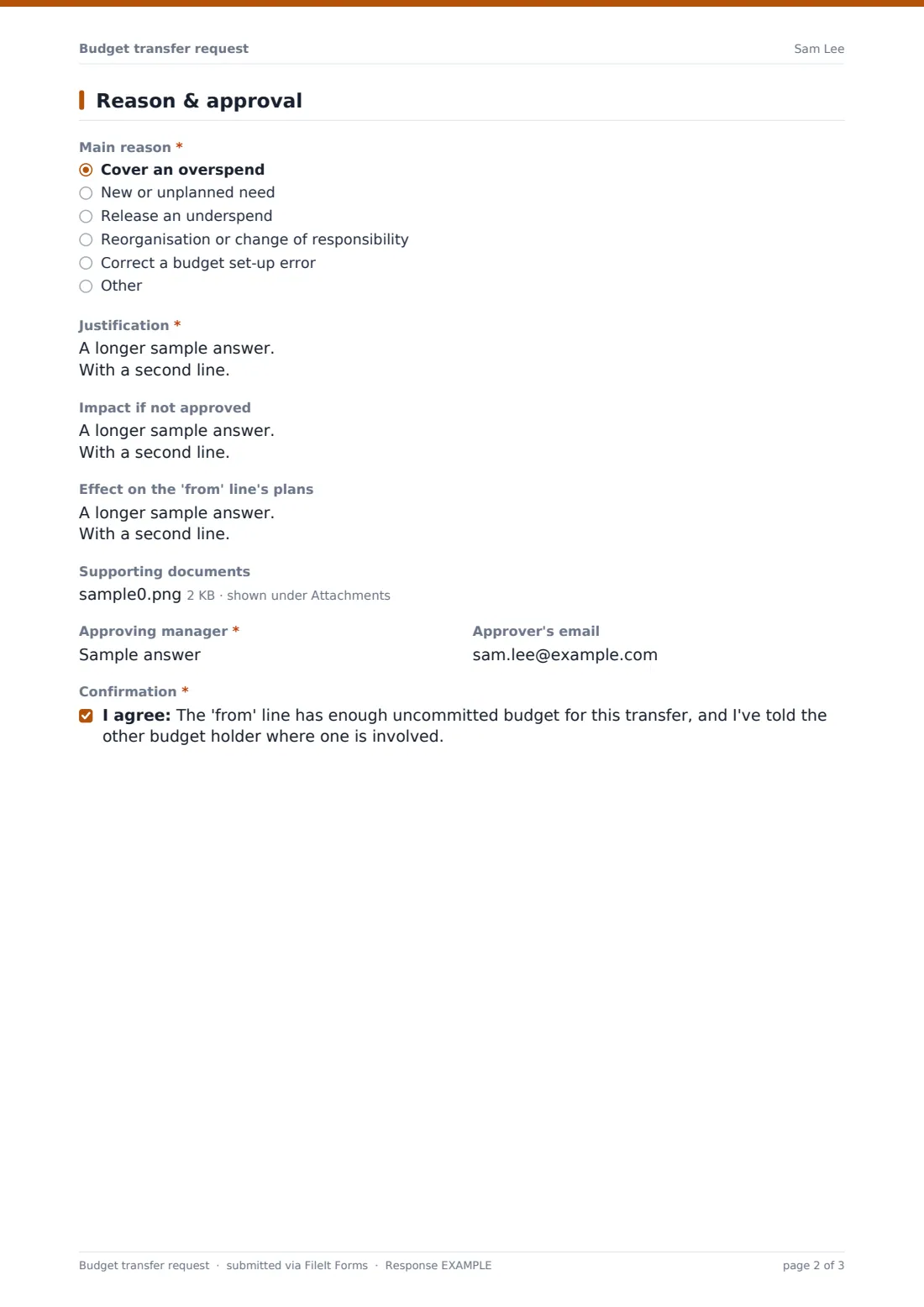
The last page captures the main reason, a justification, the impact of not approving, the effect on the 'from' line, supporting documents and the approving manager. Each request is saved as a PDF in your FileIt vault, giving you a record of every in-year change.
- Best for
- Finance teams, schools, councils, charities and companies with departmental budgets
- Filled in by
- Budget holders and department managers
- Time to complete
- About 5 minutes
- Includes
- From and to lines, amount, reason, impact, approver, uploads
Who uses a budget transfer request form?
- Moving an underspend on travel to cover extra software costs
- Two departments agreeing to shift budget after a team moves
- Converting part of an operating budget to buy equipment
- Correcting a budget line set up under the wrong cost centre
- A school moving funds between subject budgets mid-year
- A charity reallocating a grant budget within allowed lines
Questions on this budget transfer request form
23 questions over 3 pages · includes file upload, conditional questions, multiple pages, consent checkbox.
1 Request
- Requested by*
- Email*
- Department*
- Fiscal year*
- Type of transfer* Between lines in my own budget · Between departments or cost centres · Between capital and operating budgets
- Is this permanent or one-off?* One-off for this year · Permanent — carry into future budgets
2 From & to
- From cost centre*
- From budget line or GL account*
- Available balance before transfer
- Budget holder for the 'from' line asked only when it applies
- To cost centre*
- To budget line or GL account*
- Budget holder for the 'to' line asked only when it applies
- Amount to transfer*
- Effective from
3 Reason & approval
- Main reason* Cover an overspend · New or unplanned need · Release an underspend · Reorganisation or change of responsibility · Correct a budget set-up error · Other
- Justification*
- Impact if not approved
- Effect on the 'from' line's plans
- Supporting documents
- Approving manager*
- Approver's email
- Confirmation*
The budget transfer request form, page by page
1 Request
The requester enters their name, Email, Department and Fiscal year. Type of transfer offers between lines in my own budget, between departments or cost centres, or between capital and operating budgets. Is this permanent or one-off? sets whether the change should carry into future budgets.
2 From & to
Under Move from, the requester gives the From cost centre, the From budget line or GL account and the Available balance before transfer. Under Move to, they give the To cost centre and budget line. For transfers between departments, each side asks for that line's budget holder. Amount to transfer is required, and Effective from is optional.
3 Reason & approval
Main reason lists covering an overspend, a new need, releasing an underspend, reorganisation, correcting a set-up error, or Other. Justification is required; Impact if not approved and Effect on the 'from' line's plans are optional. The requester can attach quotes, forecasts or a revised budget, names the Approving manager and their email, and confirms the 'from' line has enough uncommitted budget.
Make the template yours
- Turn the cost centre fields into dropdowns of your own cost centres
- Add a second approval step for transfers above a set amount
- Remove the capital and operating option if your organisation doesn't split them
- Send notifications to your management accountant
- Change the currency to your reporting currency
- Add a grant or fund code field if you manage restricted funds
Tips for a better budget transfer request form
- Check what's already committed on the 'from' line, not just what's been spent
- Get the other budget holder's agreement before submitting a cross-department transfer
- Record permanent transfers in next year's budget build
- Restricted or grant funds often have rules about moving money; check them first
- Review the month's transfers together at month end
Every response becomes a PDF in your vault
Each request is saved as a PDF in the vault folder you choose, with any attachments. Finance is notified by email, and the requester can receive a copy.
Once approved, finance updates the budget in your accounting or planning system. The Responses table and CSV export give a log of transfers for reporting.
- Start from this template. It opens in the FileIt Forms designer — change any question, add pages, set the rules for when questions appear.
- Share it. Turn on a public link, or send it to people by email, each with their own link. They don’t need a FileIt account.
- Get the answers as PDFs. Each response is saved as a PDF in the vault folder you choose, with uploaded files attached — and listed in a Responses table you can export to CSV.
Budget transfer request form: frequently asked questions
Is this budget transfer request template free?
Yes. It's a starter template in the FileIt Forms app on every account.
Does the form update our budget system?
No. It collects and files the request. Finance makes the change in your own system.
Can it check that the money is available?
No. The requester enters the available balance and confirms it; finance should verify before approving.
Can the approver sign the form?
The form records the approver's name. For a signed approval, add a signature field or use FileIt eSignature.
Is this the same as a virement?
Many public sector and education organisations call budget transfers virements. Rename the form if that's your term.
Do budget holders need a FileIt account?
No. Share the link with them and they can submit requests.