What is the building permit application form template?
A plans examiner needs to know the property, who owns it, who is applying, who will build it, what the work is, what it's worth, and whether it touches the structure. This application asks for all of that and takes the drawings and site plan as uploads.
Logic keeps it short. Applications from someone other than the owner ask for the applicant's details. A licensed contractor asks for the company, licence number, phone and insurance certificate. Structural work asks whether the drawings are stamped by an architect or engineer. Applicants also say which inspections they expect and who to call to book them.
Each signed application is saved as a PDF in FileIt with the drawings attached.
- Best for
- Building departments, county permit offices and local authorities
- Filled in by
- Property owners, contractors, architects and agents
- Time to complete
- About 15 minutes, plus uploading drawings
- Includes
- Property, parcel, type, owner, applicant, contractor and licence, insurance, type of work, trades, description, floor area, value, structural changes, occupancy, dates, drawings, site plan, stamped drawings, inspections, HOA, declaration, signature
Who uses a building permit application form?
- A homeowner adding a rear extension
- A contractor applying for a kitchen remodel
- An architect submitting a new detached garage
- A business converting a shop to a restaurant
- An owner-builder putting up a deck
Questions on this building permit application form
32 questions over 4 pages · includes signature, file upload, conditional questions, multiple pages, consent checkbox.
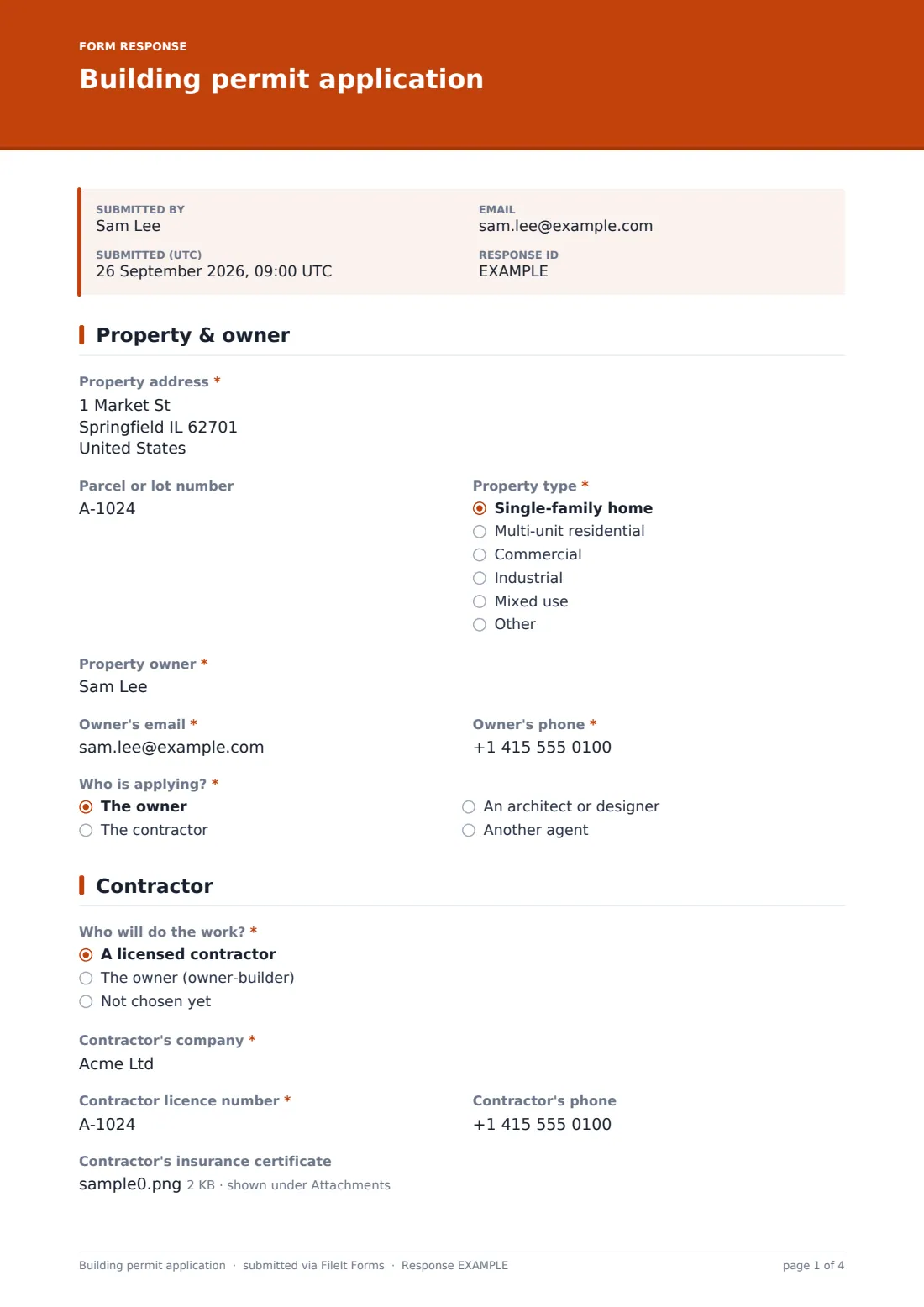
1 Property & owner
- Property address*
- Parcel or lot number
- Property type* Single-family home · Multi-unit residential · Commercial · Industrial · Mixed use · Other
- Property owner*
- Owner's email*
- Owner's phone*
- Who is applying?* The owner · The contractor · An architect or designer · Another agent
- Applicant's name and company* asked only when it applies
- Applicant's email* asked only when it applies
- Applicant's phone asked only when it applies
2 Contractor
- Who will do the work?* A licensed contractor · The owner (owner-builder) · Not chosen yet
- Contractor's company* asked only when it applies
- Contractor licence number* asked only when it applies
- Contractor's phone asked only when it applies
- Contractor's insurance certificate asked only when it applies
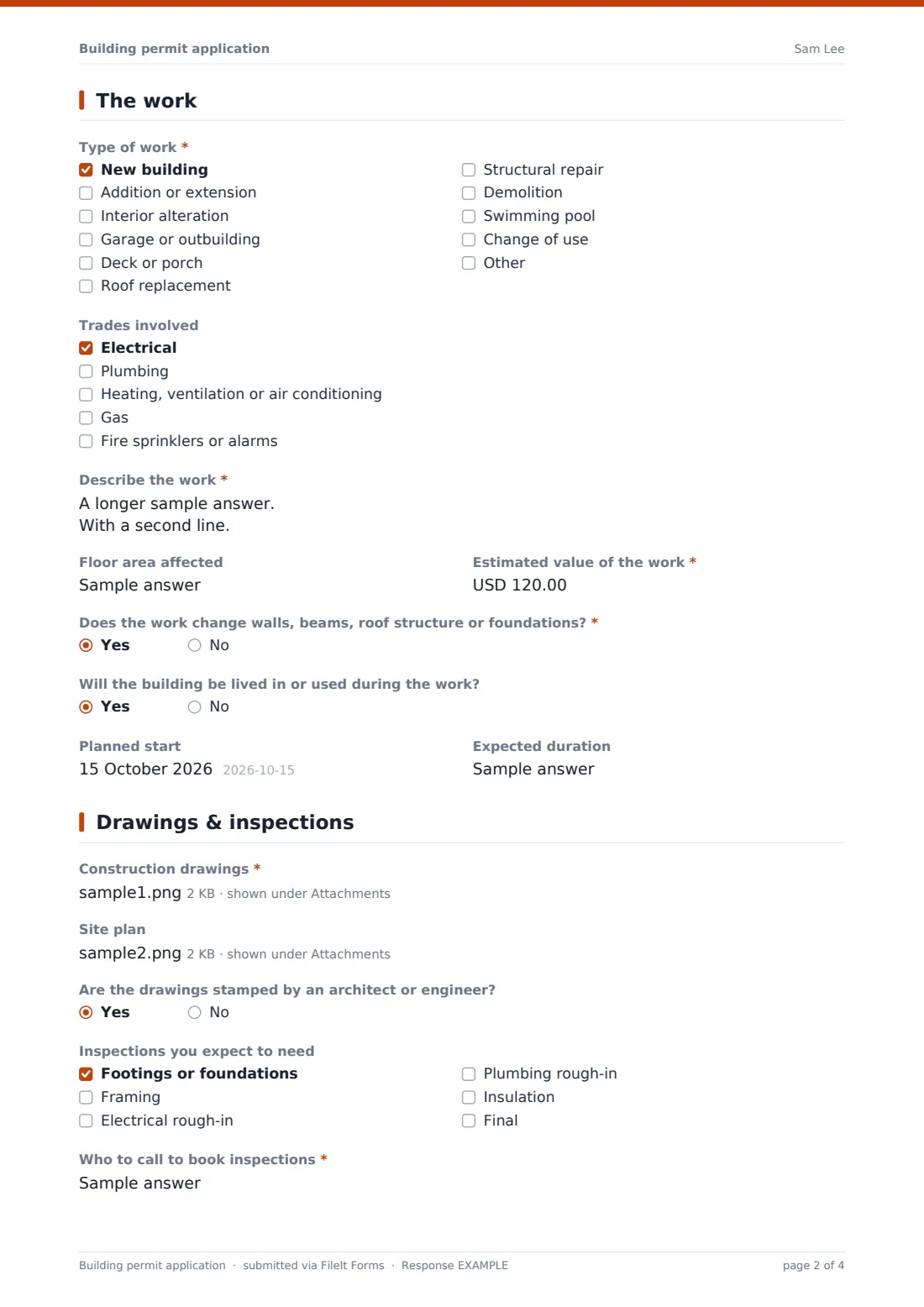
3 The work
- Type of work* New building · Addition or extension · Interior alteration · Garage or outbuilding · Deck or porch · Roof replacement · Structural repair · Demolition · Swimming pool · Change of use
- Trades involved Electrical · Plumbing · Heating, ventilation or air conditioning · Gas · Fire sprinklers or alarms
- Describe the work*
- Floor area affected
- Estimated value of the work*
- Does the work change walls, beams, roof structure or foundations?*
- Will the building be lived in or used during the work?
- Planned start
- Expected duration
4 Drawings & inspections
- Construction drawings*
- Site plan
- Are the drawings stamped by an architect or engineer? asked only when it applies
- Inspections you expect to need Footings or foundations · Framing · Electrical rough-in · Plumbing rough-in · Insulation · Final
- Who to call to book inspections*
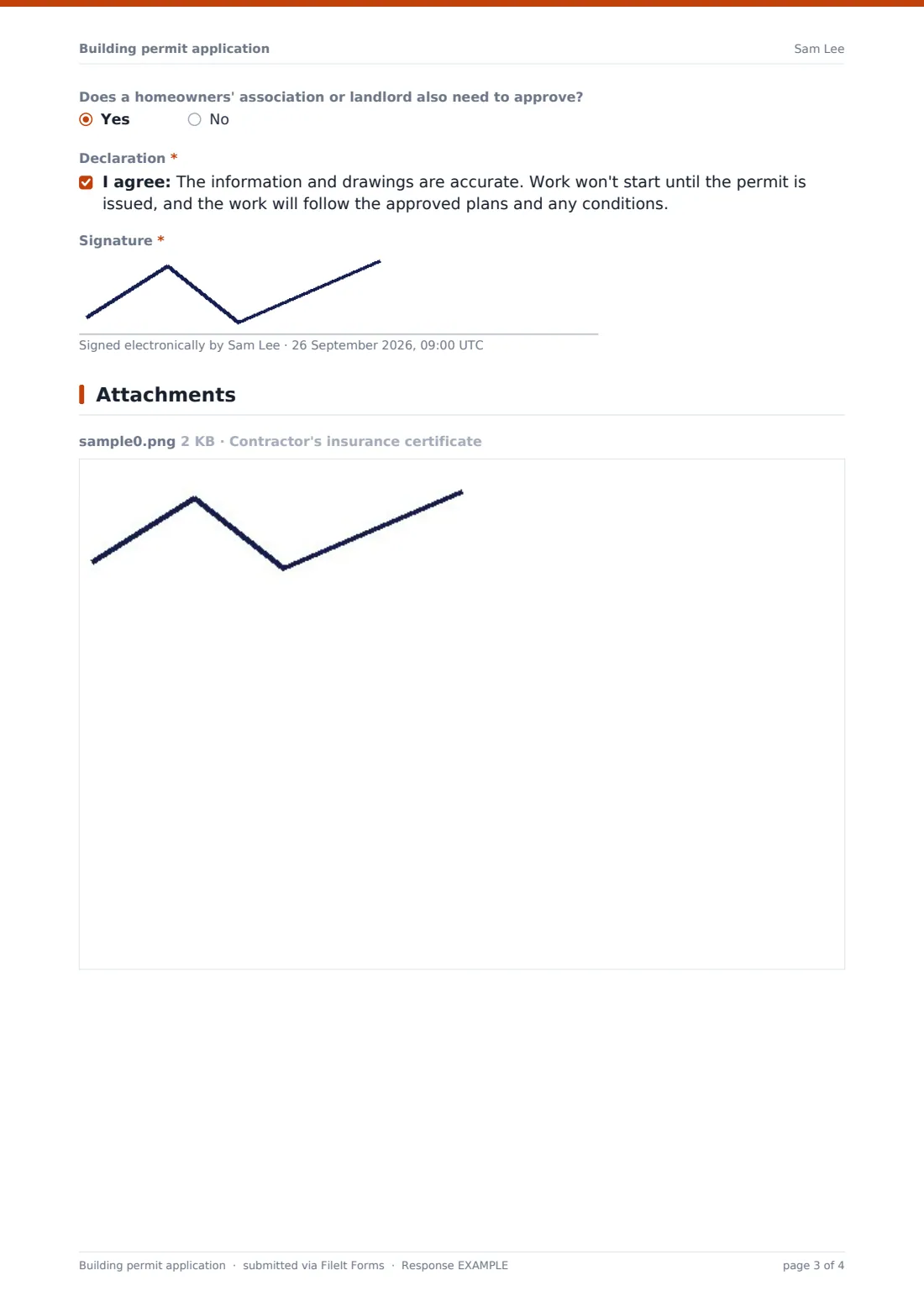
- Does a homeowners' association or landlord also need to approve?
- Declaration*
- Signature*
The building permit application form, page by page
1 Property & owner
"Property address", parcel or lot number, "Property type", the owner's name, email and phone, and "Who is applying?". If it isn't the owner, the applicant's name, company, email and phone.
2 Contractor
"Who will do the work?" (a licensed contractor, the owner as owner-builder, or not chosen yet). A licensed contractor asks for the company, licence number, phone and insurance certificate.
3 The work
"Type of work" lists new buildings, additions, interior alterations, garages, decks, roofs, structural repairs, demolition, pools and changes of use. "Trades involved" covers electrical, plumbing, HVAC, gas and fire systems. Then a description, floor area, "Estimated value of the work", whether walls, beams, roof structure or foundations change, whether the building is occupied, the planned start and expected duration.
4 Drawings & inspections
"Construction drawings" are required. A site plan upload follows, and structural work asks whether drawings are stamped. "Inspections you expect to need", who to call to book them, whether an HOA or landlord must approve, a declaration and a signature finish it.
Make the template yours
- Put your fee schedule and review times in the cover text
- Change the property types and work types to your code's categories
- Add questions your code requires, such as energy compliance or flood zone
- Notify the plans examiner on duty by email
- Make the site plan required for additions and new buildings
Tips for a better building permit application form
- Check the value of work against the description; it often decides the fee
- Confirm the contractor's licence before issuing
- Ask for stamped drawings early on structural work
- Use the inspections answer to plan inspector visits
- Keep the PDF with the approved drawings for the property's permit history
Every response becomes a PDF in your vault
Each signed application is saved as a PDF in the folder you choose, with drawings and certificates attached. Your permits team is emailed, and the applicant gets a copy if you leave that on.
The Responses table lists applications with search by address or contractor. Export to CSV for your permit log.
- Start from this template. It opens in the FileIt Forms designer — change any question, add pages, set the rules for when questions appear.
- Share it. Turn on a public link, or send it to people by email, each with their own link. They don’t need a FileIt account.
- Get the answers as PDFs. Each response is saved as a PDF in the vault folder you choose, with uploaded files attached — and listed in a Responses table you can export to CSV.
Building permit application form: frequently asked questions
Is this building permit template free?
Yes. It's one of the starter templates in the Forms app, included on every FileIt account, and you can edit any question.
Does submitting the form approve the permit?
No. It collects the application. Your plans examiners review it and issue the permit or ask for corrections.
Can applicants upload large drawings?
Each file can be up to 10 MB, with up to ten drawing files, but one submission is capped at 25 MB in total. Large plan sets may need to be compressed or sent separately.
Can applicants pay the permit fee through the form?
The form doesn't take payments. Explain the fee and how to pay in the cover text or confirmation message, or contact the applicant afterwards.
Is this the required form for our jurisdiction?
It's a starting point. Check it against your own rules and edit the questions to match what your council or city requires.