
What is the athlete recruiting profile form template?
College coaches see hundreds of emails from hopeful athletes, and the ones that get a reply usually have the same things in common: the right stats for the sport, a highlight video, grades and test scores, and a coach who will vouch for the player. This template collects all of that in a set order, so a high-school coach, club director or recruiting adviser can build a consistent profile for every athlete they help.
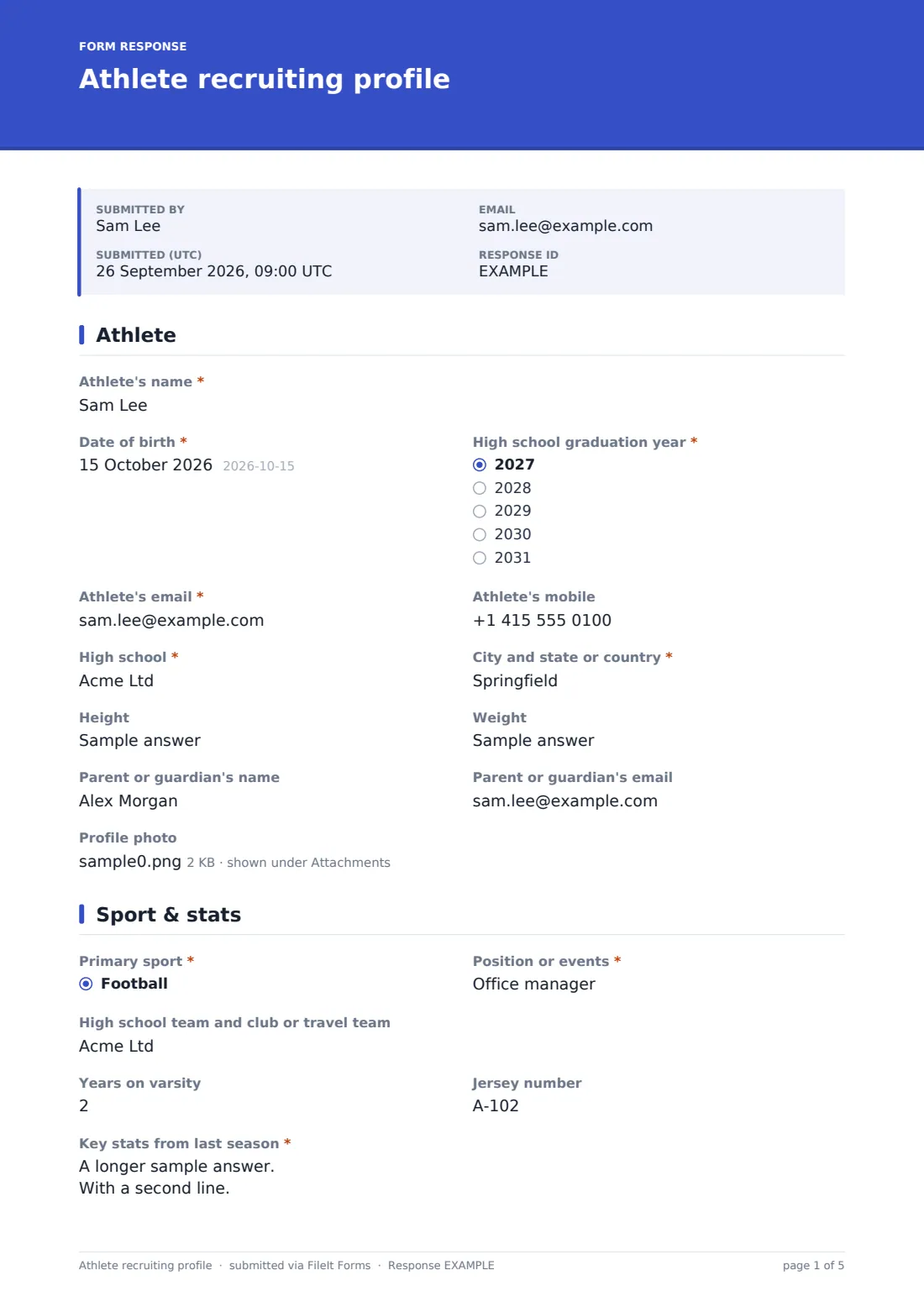
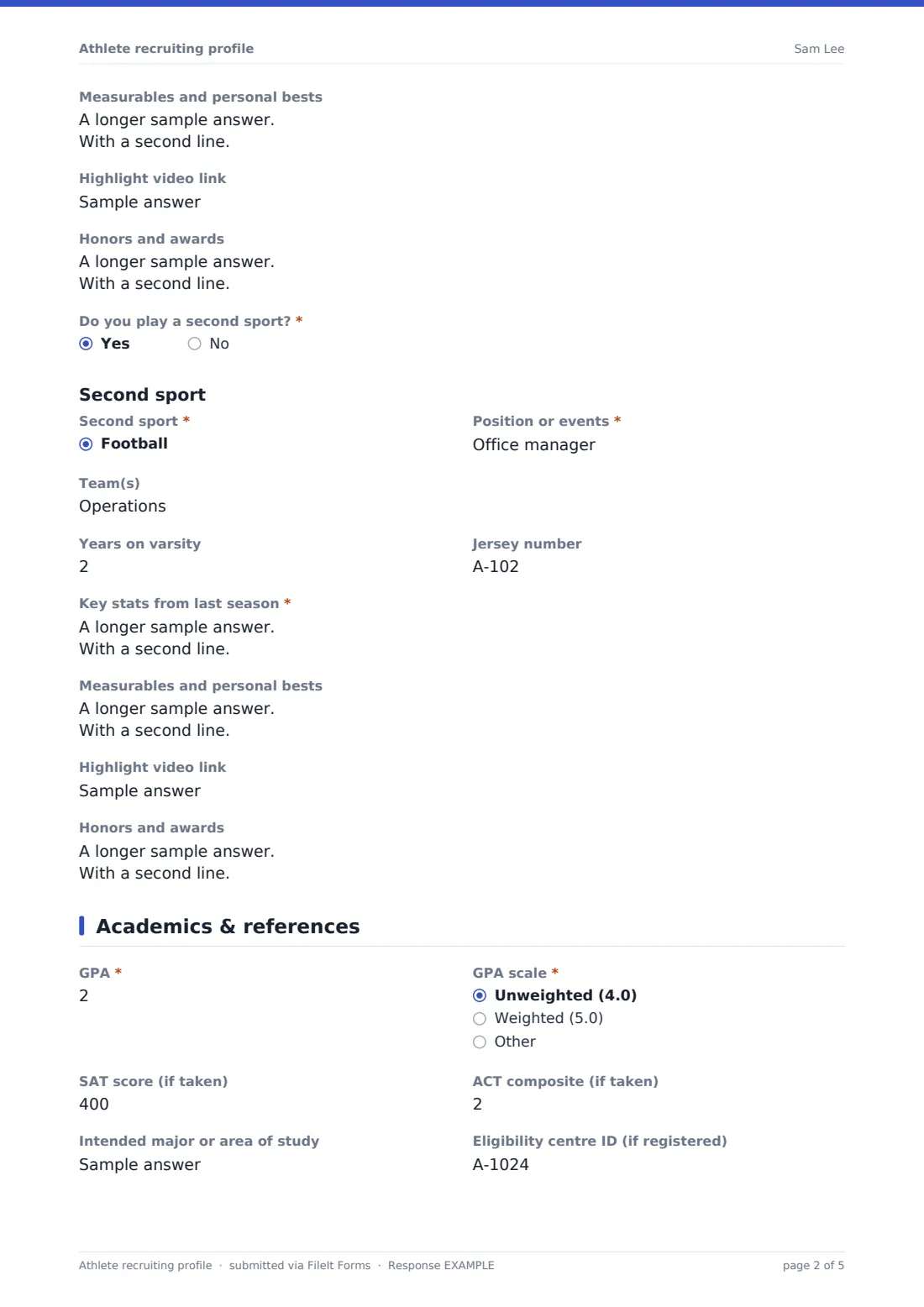
The first page covers the athlete: name, date of birth, graduation year, contact details, school, hometown, height, weight, a parent or guardian's contact and an optional profile photo. The second page asks for the primary sport, position or events, teams, years on varsity, jersey number, key stats from last season, measurables and personal bests, a highlight video link and honors. Answering yes to 'Do you play a second sport?' repeats the whole stats section for that sport.
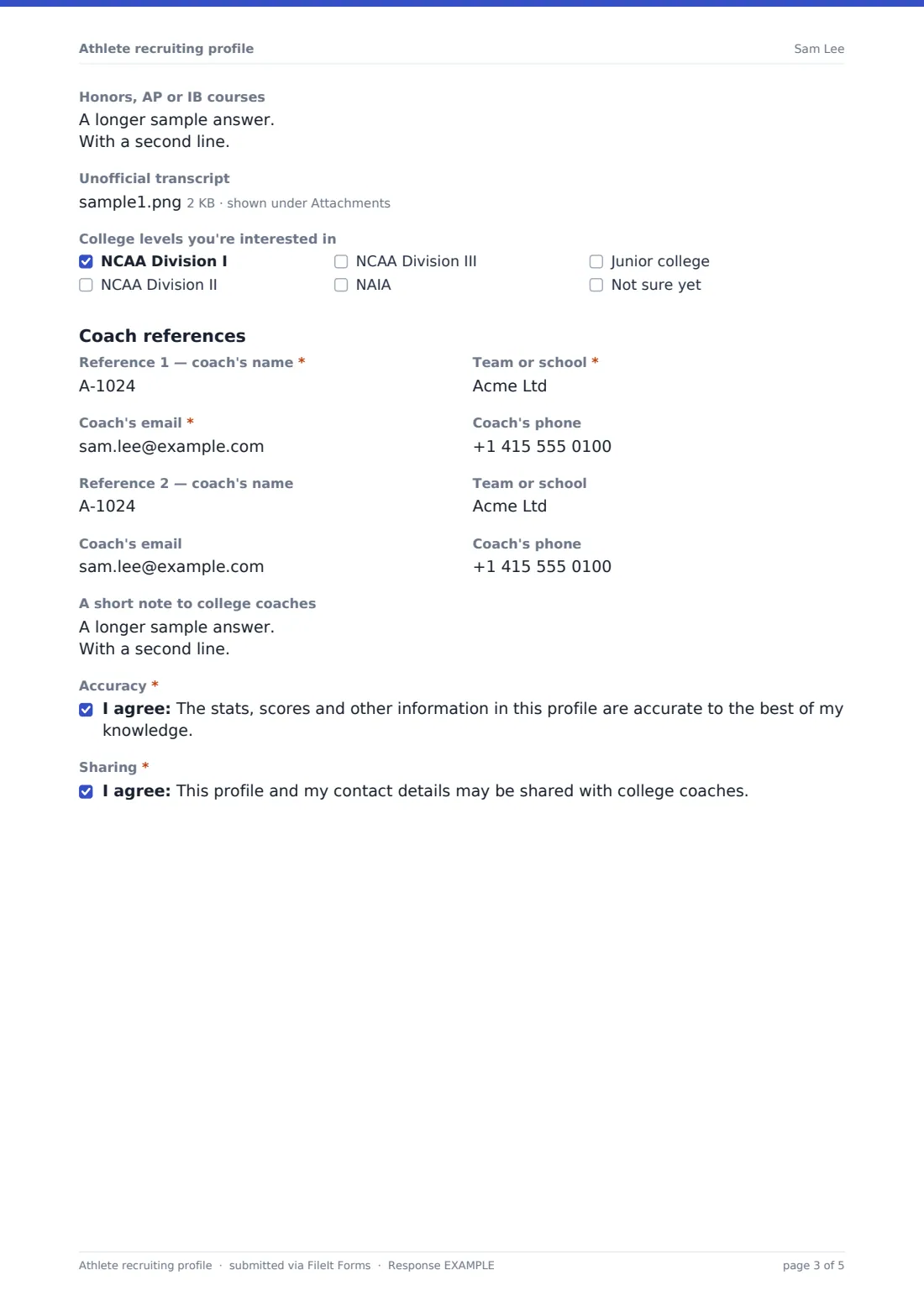
The third page is academics and references — GPA and scale, SAT or ACT scores, intended major, an eligibility centre ID, advanced courses, an optional unofficial transcript upload and the college levels they're interested in — plus one or two coach references and a short note to college coaches. Each completed profile is saved as a PDF in your FileIt vault, ready to attach to an email.
- Best for
- High-school coaches, club and travel teams, recruiting advisers and families
- Filled in by
- The athlete, often with a parent
- Time to complete
- About 10 minutes
- Includes
- Stats and measurables, highlight video, second sport, GPA and test scores, transcript, coach references
Who uses a athlete recruiting profile form?
- A high-school coach asks every junior to complete a profile before the recruiting season
- A club soccer director builds profiles to send ahead of a college showcase
- A two-sport athlete records stats for both football and track
- A family keeps the athlete's latest profile PDF ready to attach to coach emails
- A recruiting adviser collects profiles from new clients in one format
- A volleyball club updates every player's stats at the end of the season
Questions on this athlete recruiting profile form
51 questions over 3 pages · includes file upload, conditional questions, multiple pages, consent checkbox.
1 Athlete
- Athlete's name*
- Date of birth*
- High school graduation year* 2027 · 2028 · 2029 · 2030 · 2031
- Athlete's email*
- Athlete's mobile
- High school*
- City and state or country*
- Height
- Weight
- Parent or guardian's name
- Parent or guardian's email
- Profile photo
2 Sport & stats
- Primary sport* Football · Basketball · Baseball · Softball · Soccer · Volleyball · Track and field · Cross country · Swimming and diving · Wrestling · Lacrosse · Ice hockey
- Position or events*
- High school team and club or travel team
- Years on varsity
- Jersey number
- Key stats from last season*
- Measurables and personal bests
- Highlight video link
- Honors and awards
- Do you play a second sport?*
- Second sport* asked only when it applies Football · Basketball · Baseball · Softball · Soccer · Volleyball · Track and field · Cross country · Swimming and diving · Wrestling · Lacrosse · Ice hockey
- Position or events* asked only when it applies
- Team(s) asked only when it applies
- Years on varsity asked only when it applies
- Jersey number asked only when it applies
- Key stats from last season* asked only when it applies
- Measurables and personal bests asked only when it applies
- Highlight video link asked only when it applies
- Honors and awards asked only when it applies
3 Academics & references
- GPA*
- GPA scale* Unweighted (4.0) · Weighted (5.0) · Other
- SAT score (if taken)
- ACT composite (if taken)
- Intended major or area of study
- Eligibility centre ID (if registered)
- Honors, AP or IB courses
- Unofficial transcript
- College levels you're interested in NCAA Division I · NCAA Division II · NCAA Division III · NAIA · Junior college · Not sure yet
- Reference 1 — coach's name*
- Team or school*
- Coach's email*
- Coach's phone
- Reference 2 — coach's name
- Team or school
- Coach's email
- Coach's phone
- A short note to college coaches
- Accuracy*
- Sharing*
The athlete recruiting profile form, page by page
1 Athlete
Athlete's name, date of birth, graduation year, email, high school and city (required), plus mobile, height, weight, a parent or guardian's name and email, and an optional profile photo.
2 Sport & stats
Primary sport from a dropdown and position or events (required), teams, years on varsity, jersey number, required key stats from last season, measurables and personal bests, a highlight video link and honors. A required 'Do you play a second sport?' — a yes repeats every one of these questions for the second sport.
3 Academics & references
Required GPA and GPA scale, optional SAT and ACT scores, intended major, eligibility centre ID, advanced courses, an unofficial transcript upload and the college levels of interest. A required first coach reference (name, team, email) with optional phone, an optional second reference, a note to college coaches, and required consents to accuracy and to sharing the profile.
Make the template yours
- Change the stats help text to name the exact numbers your sport's coaches ask for
- Trim the sport list if you only work with one or two sports
- Update the graduation years at the start of each school year
- Remove the US test-score questions if your athletes are elsewhere, or add the exams they take
- Make the highlight video required if you only send complete profiles
- File each athlete's profile in a vault folder by graduation year
Tips for a better athlete recruiting profile form
- Ask athletes to update the profile after each season rather than starting over
- Check stats against official team records before a profile goes out
- Tell references in advance that college coaches may contact them
- Keep highlight videos short, with the athlete's best plays first
- Re-send the form to the athlete when grades or test scores change
Every response becomes a PDF in your vault
Each profile is saved as a PDF in your FileIt vault, with the photo and transcript stored as attachments. The athlete can receive a copy by email.
Use the Responses table to filter by graduation year or sport, and open any profile's PDF to attach it to an email to a college coach.
- Start from this template. It opens in the FileIt Forms designer — change any question, add pages, set the rules for when questions appear.
- Share it. Turn on a public link, or send it to people by email, each with their own link. They don’t need a FileIt account.
- Get the answers as PDFs. Each response is saved as a PDF in the vault folder you choose, with uploaded files attached — and listed in a Responses table you can export to CSV.
Athlete recruiting profile form: frequently asked questions
Is the athlete recruiting profile template free?
Yes. It's included in the Forms app on every FileIt account, including the free plan.
Does FileIt send the profile to colleges?
No. FileIt stores the PDF in your vault; you or the athlete decide who to send it to.
Can a two-sport athlete use one form?
Yes. Answering yes to 'Do you play a second sport?' repeats the sport and stats questions for the second sport.
Does it check eligibility?
No. The form records the athlete's own information, including an eligibility centre ID if they have one. It doesn't check eligibility or give advice on it.
Can athletes upload a transcript?
Yes. There's an optional upload for an unofficial transcript, kept as an attachment of the profile.
Does the athlete need a FileIt account?
No. They fill it in from a link.