What is a flight training agreement?
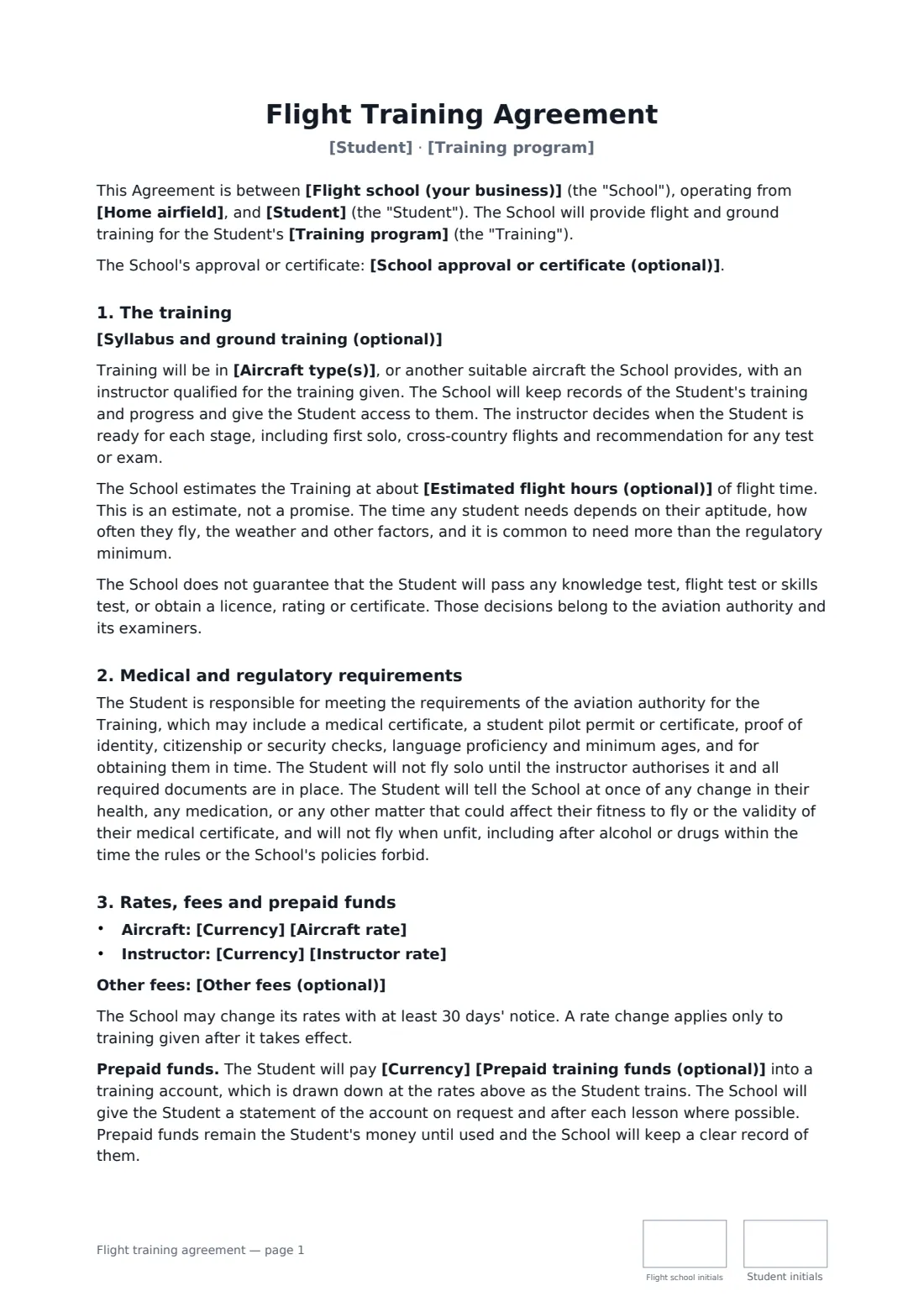
A flight training agreement protects both the school and the student on the points that matter most: how prepaid money is held and refunded, how lessons are cancelled, who pays if an aircraft is damaged, and the medical and regulatory steps the student must take.
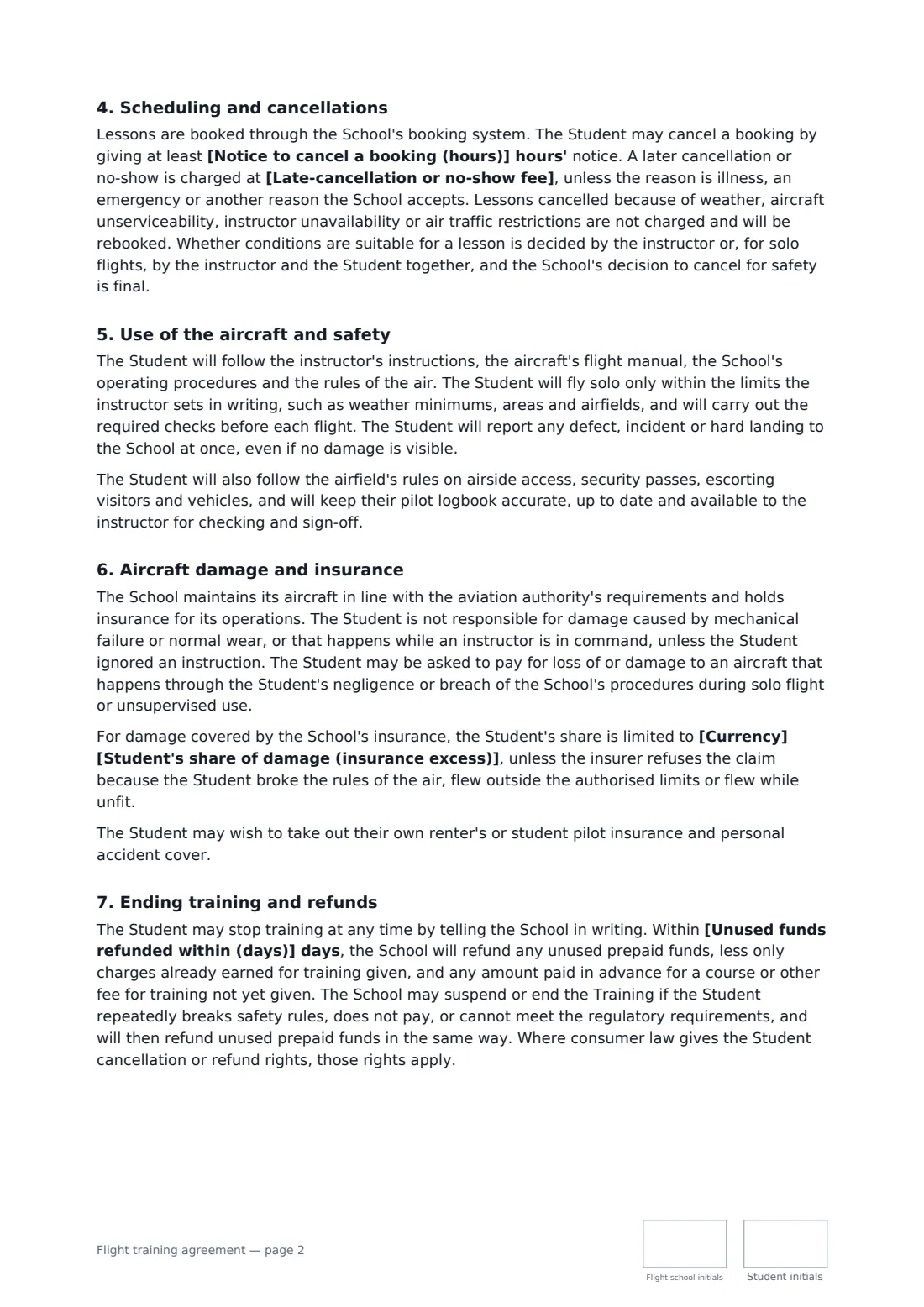
This template covers the training program and syllabus, aircraft type, an hours estimate that is clearly not a promise, no guaranteed test result, the student's responsibility for medical certificates, student permits and security checks, aircraft and instructor rates and other fees, prepaid training funds and statements, booking and cancellation with a no-show fee, weather and unserviceability cancellations, solo limits and defect reporting, aircraft damage with an optional cap at the insurance excess, ending training and refunding unused funds. FileIt places the signature, date and initials boxes for both parties.
- Best for
- Flight schools, flying clubs and independent flight instructors
- Signed by
- The flight school and the student
- Payment
- Prepaid training account or pay as you fly
- Length
- About 3 pages, initialled on every page
When to use a flight training agreement
- Enrolling a student in private pilot licence training
- An instrument rating or night rating course
- A block of prepaid hours for a returning pilot
- Trial and introductory lessons that may lead to full training
- Training at a flying club with its own aircraft
What you fill in
20 blanks, then the name and email of each person who signs: flight school, student.
1 The parties
- Flight school (your business)*
- Your phone or email*
- School approval or certificate (optional)
- Home airfield*
- Student*
- Student phone or email*
2 Training
- Training program*
- Syllabus and ground training (optional)
- Estimated flight hours (optional)
- Aircraft type(s)*
3 Rates and funds
- Currency*
- Aircraft rate*
- Instructor rate*
- Other fees (optional)
- Prepaid training funds (optional)
- Unused funds refunded within (days)*
4 Scheduling
- Notice to cancel a booking (hours)*
- Late-cancellation or no-show fee*
5 Damage and insurance
- Student's share of damage (insurance excess)
- Governing law*
6 Who signs
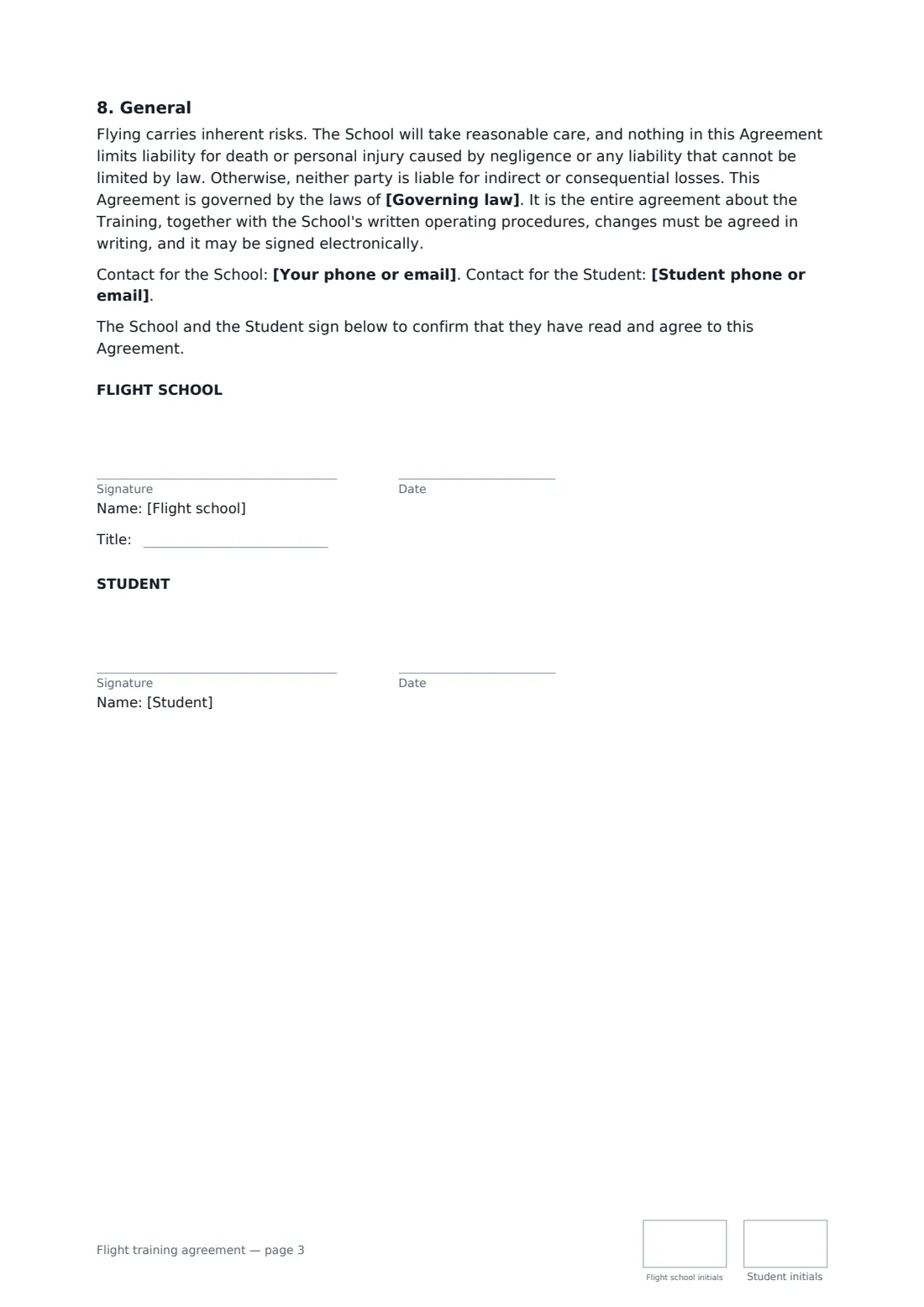
- Flight school signature and date, job title, initials on every page · The flight school or flight training business.
- Student signature and date, initials on every page · The student pilot enrolling in training.
What the flight training agreement covers
- The training
- Medical and regulatory requirements
- Rates, fees and prepaid funds
- Scheduling and cancellations
- Use of the aircraft and safety
- Aircraft damage and insurance
- Ending training and refunds
- General
Using the flight training agreement, step by step
1 Enter the school and student
Add your school, any approval or certificate reference, the home airfield and the student's details.
2 Describe the program
Enter the training program, a summary of the syllabus and ground training, an optional hours estimate and the aircraft type.
3 Set rates and funds
Enter aircraft and instructor rates, other fees, any prepaid amount and how quickly unused funds are refunded.
4 Scheduling, damage and send
Set the cancellation notice and no-show fee and, if your insurance has one, the student's maximum share of damage. Then add the student as a signer.
Tips before you send it
- Encourage students to get their medical certificate early — a problem found late wastes their money.
- Give clear statements of prepaid funds; the template says they remain the student's money until used.
- Check your aircraft insurance before setting the student's share of damage, and tell students about renter's insurance.
- Keep your written operating procedures and solo limits up to date; the template refers to them.
Sign it online in minutes
- Fill in the blanks. Names, dates and amounts go straight into the agreement — the preview shows exactly where.
- Name who signs. Tick “This is me” for your own part. FileIt builds the PDF with every signature, date and initials box on the right line, and you can check or move anything before sending.
- Send it. Each signer gets a secure link and signs from any device — no account needed. The signed PDF, with an audit trail and a Certificate of Completion, is filed in your vault and emailed to everyone.
Flight training agreement: frequently asked questions
Does the school guarantee the student will pass?
No. Tests and licences are decided by the aviation authority and its examiners. The template says so, and treats any hours estimate as an estimate only.
Who pays if the aircraft is damaged?
The student isn't responsible for mechanical failure, normal wear or damage while an instructor is in command, unless they ignored an instruction. They may have to pay for damage caused by their negligence during solo or unsupervised flight — capped at the amount you enter where the school's insurance covers it.
What happens to prepaid money if the student stops?
The school refunds unused prepaid funds within the number of days you set, less only charges already earned for training given.
Is it valid if signed online?
In most countries, including the US (ESIGN Act and UETA), the UK, the EU (eIDAS) and Canada, an electronic signature is generally valid for an ordinary services contract like this one. FileIt keeps an audit trail and a Certificate of Completion with the signed PDF as evidence of who signed and when.
Can I change the wording?
You fill in the blanks and choose the options on the setup page; optional clauses appear only when you fill them in. If you need different clauses, draft your own document and upload it to FileIt eSignature instead — you can still place the signature boxes in the editor.
Is this template free?
Yes. The template is free to use with the eSignature app in FileIt. The person you send it to doesn't need a FileIt account to sign.