What is a course enrollment agreement?
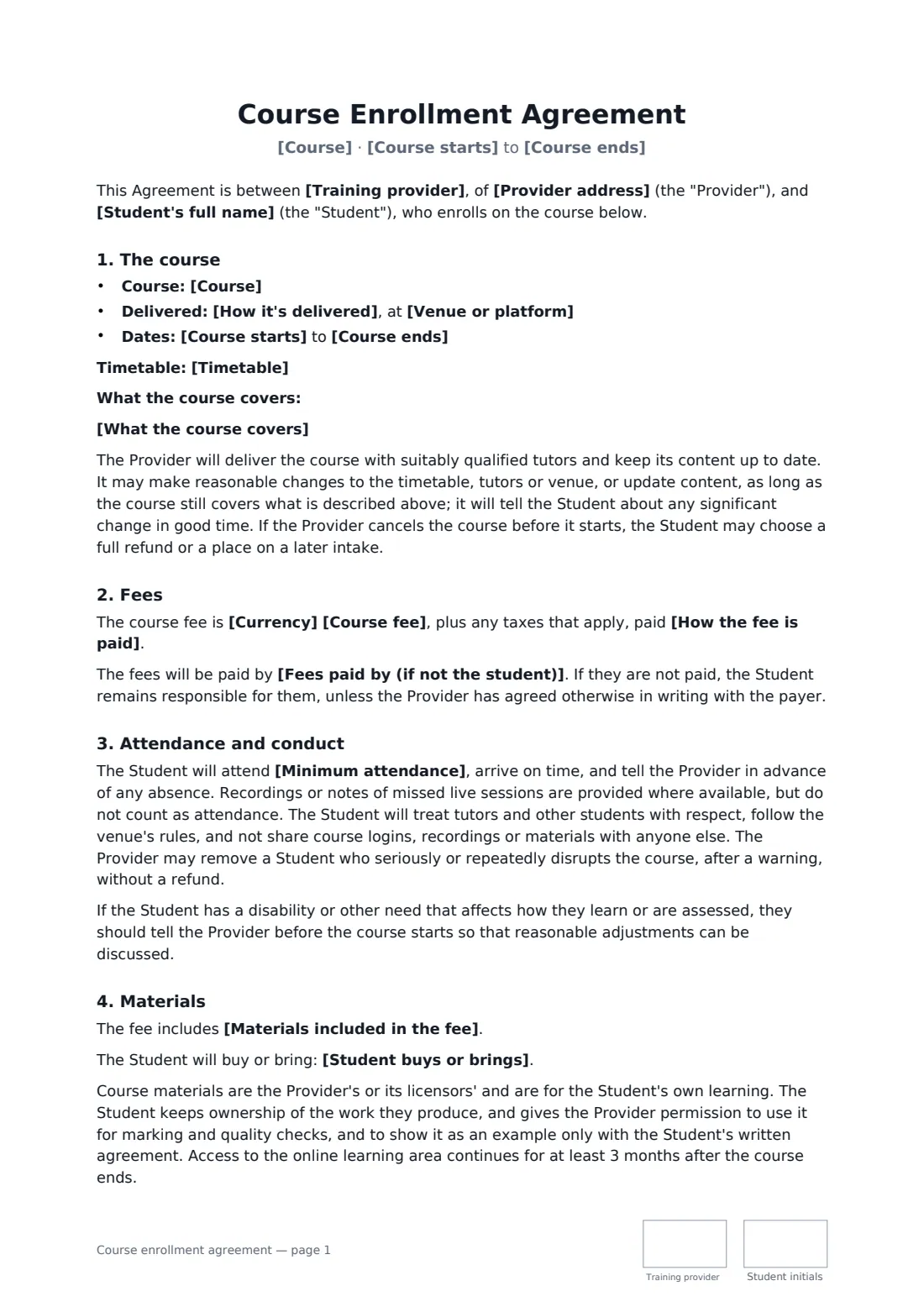
When a student pays for a course, two questions cause most disputes later: what does it take to get the certificate, and what happens to the money if they drop out? A course enrollment agreement answers both up front, alongside the dates, the delivery format and the payment plan, so the student knows what they've signed up for and the provider has a record of it.
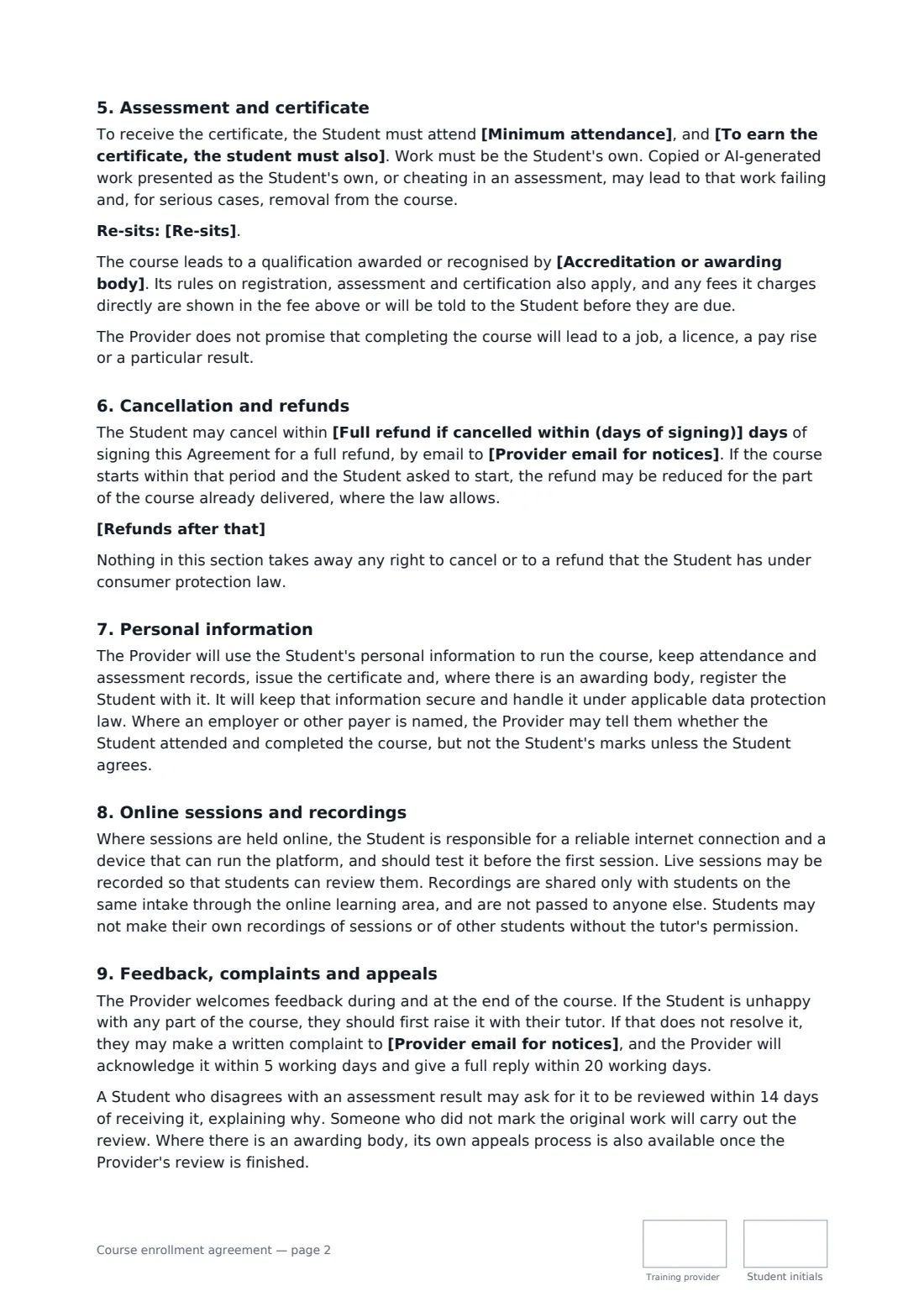
This template covers the course and its content, in-person, live online, self-paced or blended delivery, dates and timetable, the fee paid in full or by a payment plan, a named employer or other payer, attendance and conduct, reasonable adjustments, materials included and what the student brings, ownership of student work, the attendance and assessment rules for the certificate, re-sits, an optional accrediting or awarding body, academic honesty including AI-written work, a cooling-off period, your refund and transfer wording, personal data and a liability cap.
- Best for
- Training providers, academies, bootcamps and short-course schools
- Signed by
- The student and the provider, with job title
- Payment
- In full before the start, or by a payment plan you set out
- Length
- About 3 pages, initialled on every page
When to use a course enrollment agreement
- A 12-week evening certificate in digital marketing
- An employer paying for a member of staff's first-aid or forklift course
- A coding bootcamp with a payment plan
- A self-paced online course with a final assessment
- A weekend workshop that leads to an awarding body's qualification
What you fill in
26 blanks, then the name and email of each person who signs: training provider, student.
1 The parties
- Training provider*
- Provider address
- Provider email for notices*
- Student's full name*
- Student's email*
- Fees paid by (if not the student)
2 The course
- Course*
- What the course covers*
- How it's delivered* in person · live online · self-paced online · a mix of in-person and online sessions
- Venue or platform*
- Course starts*
- Course ends*
- Timetable
3 Fees
- Currency*
- Course fee*
- How the fee is paid* in full before the course starts · by the payment plan below
- Payment plan
4 Materials
- Materials included in the fee*
- Student buys or brings
5 Certificate
- Minimum attendance*
- To earn the certificate, the student must also*
- Re-sits
- Accreditation or awarding body
6 Cancellation and refunds
- Full refund if cancelled within (days of signing)*
- Refunds after that*
- Governing law*
7 Who signs
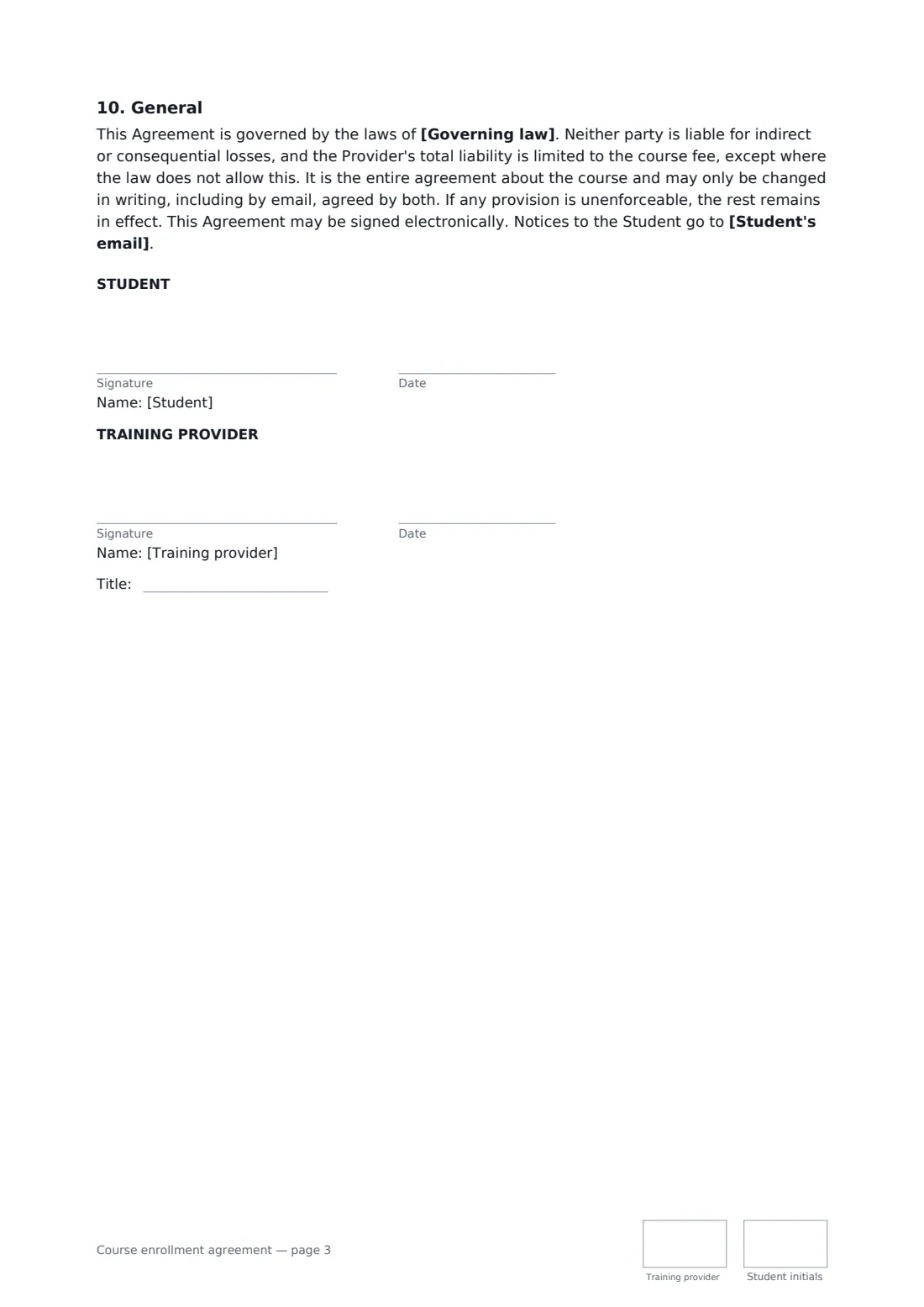
- Training provider signature and date, job title, initials on every page · The school, academy or trainer running the course.
- Student signature and date, initials on every page · The person taking the course. Where an employer pays, the student still signs; the employer can be named as the payer.
What the course enrollment agreement covers
- The course
- Fees
- Attendance and conduct
- Materials
- Assessment and certificate
- Cancellation and refunds
- Personal information
- Online sessions and recordings
- Feedback, complaints and appeals
- General
Using the course enrollment agreement, step by step
1 Describe the course
Enter the course name and what it covers, pick the delivery format, and add the venue or platform, start and end dates and the timetable.
2 Set the fee
Enter the course fee and choose payment in full or a payment plan, then list the instalments. Name the employer or other payer if someone else is paying.
3 Set the certificate rules
Edit the minimum attendance and what else the student must complete to earn the certificate. Add re-sit terms and the awarding body if there is one.
4 Refunds and send
Set the cooling-off period and edit the refund and transfer wording. Add the student as a signer and send.
Tips before you send it
- Write the certificate requirements in plain numbers — attendance percentage, assignments, pass mark — so there's nothing to argue about at the end.
- Check consumer law where your students live: courses sold online often carry a statutory cooling-off period.
- Offering a transfer to a later intake instead of a refund keeps goodwill without losing the fee.
- If you claim accreditation, name the body exactly as it appears on its own register.
Sign it online in minutes
- Fill in the blanks. Names, dates and amounts go straight into the agreement — the preview shows exactly where.
- Name who signs. Tick “This is me” for your own part. FileIt builds the PDF with every signature, date and initials box on the right line, and you can check or move anything before sending.
- Send it. Each signer gets a secure link and signs from any device — no account needed. The signed PDF, with an audit trail and a Certificate of Completion, is filed in your vault and emailed to everyone.
Course enrollment agreement: frequently asked questions
What if the student drops out after the course starts?
That's covered by the refund wording you write. The default keeps the fee once the course has started but lets the student transfer once to a later intake at no charge. Any statutory rights to cancel still apply.
Does the provider guarantee a job or a pass?
No. The template says completing the course doesn't promise a job, a licence or a particular result, and the certificate depends on the attendance and assessment rules you set.
Can an employer pay instead of the student?
Yes. Name the employer as the payer. The student still signs, and stays responsible if the fee isn't paid unless you agree otherwise with the employer. The employer can be told about attendance and completion, not marks, unless the student agrees.
Is a course enrollment form signed online valid?
In most countries, including the US (ESIGN Act and UETA), the UK, the EU (eIDAS) and Canada, an electronic signature is generally valid for an ordinary services contract like this one. FileIt keeps an audit trail and a Certificate of Completion with the signed PDF as evidence of who signed and when.
Can I change the wording?
You fill in the blanks and choose the options on the setup page; optional clauses appear only when you fill them in. If you need different clauses, draft your own document and upload it to FileIt eSignature instead — you can still place the signature boxes in the editor.
Is this template free?
Yes. The template is free to use with the eSignature app in FileIt. The student you send it to doesn't need a FileIt account to sign.