What is a account balance confirmation letter?
At year-end, before an audit or when an account is about to close, finance teams send balance confirmation letters to check that both sides' ledgers say the same thing. It's the quickest way to catch a missing credit note, a payment posted to the wrong account or an invoice the other side never received — before it turns into a dispute or an audit finding.
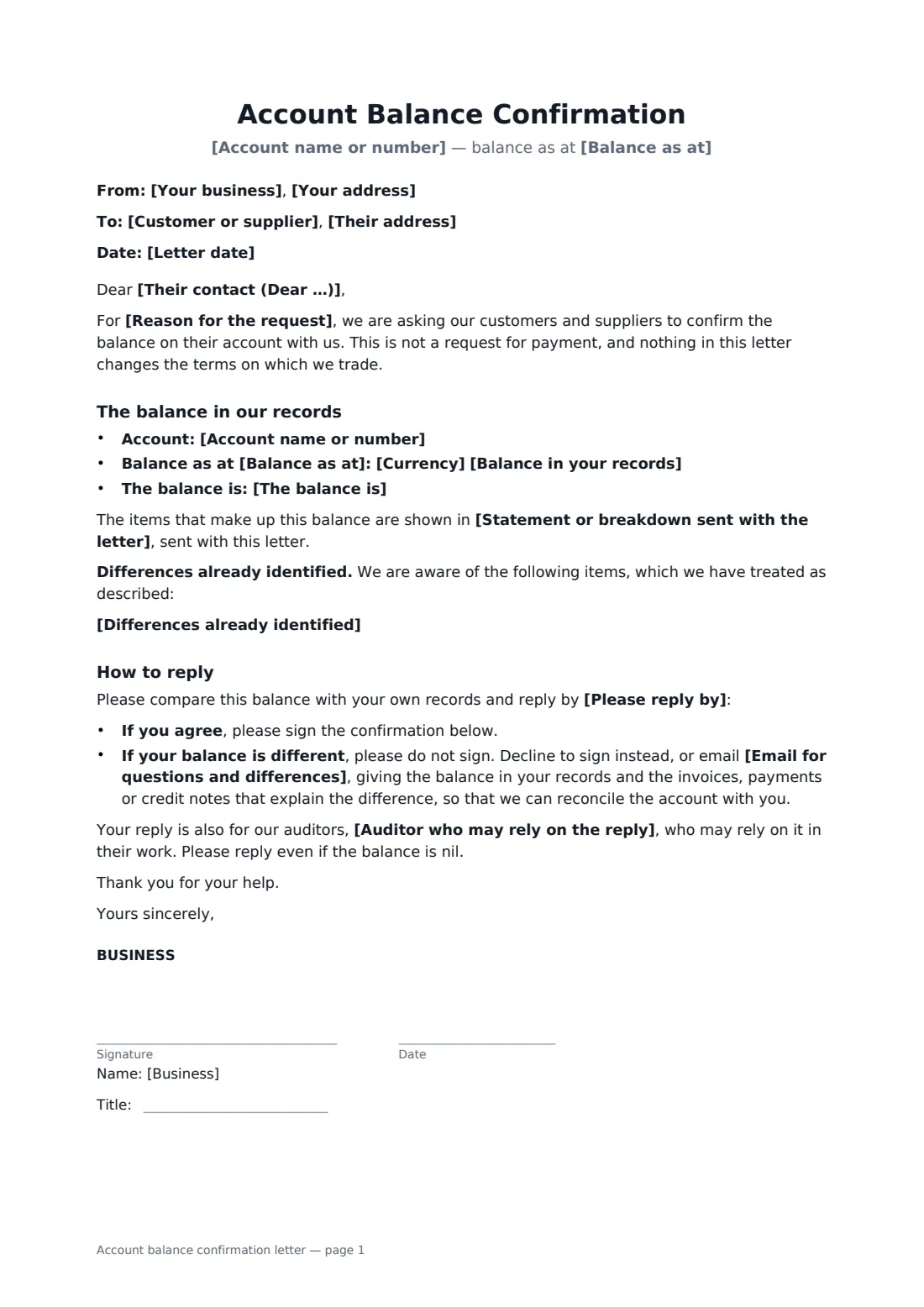
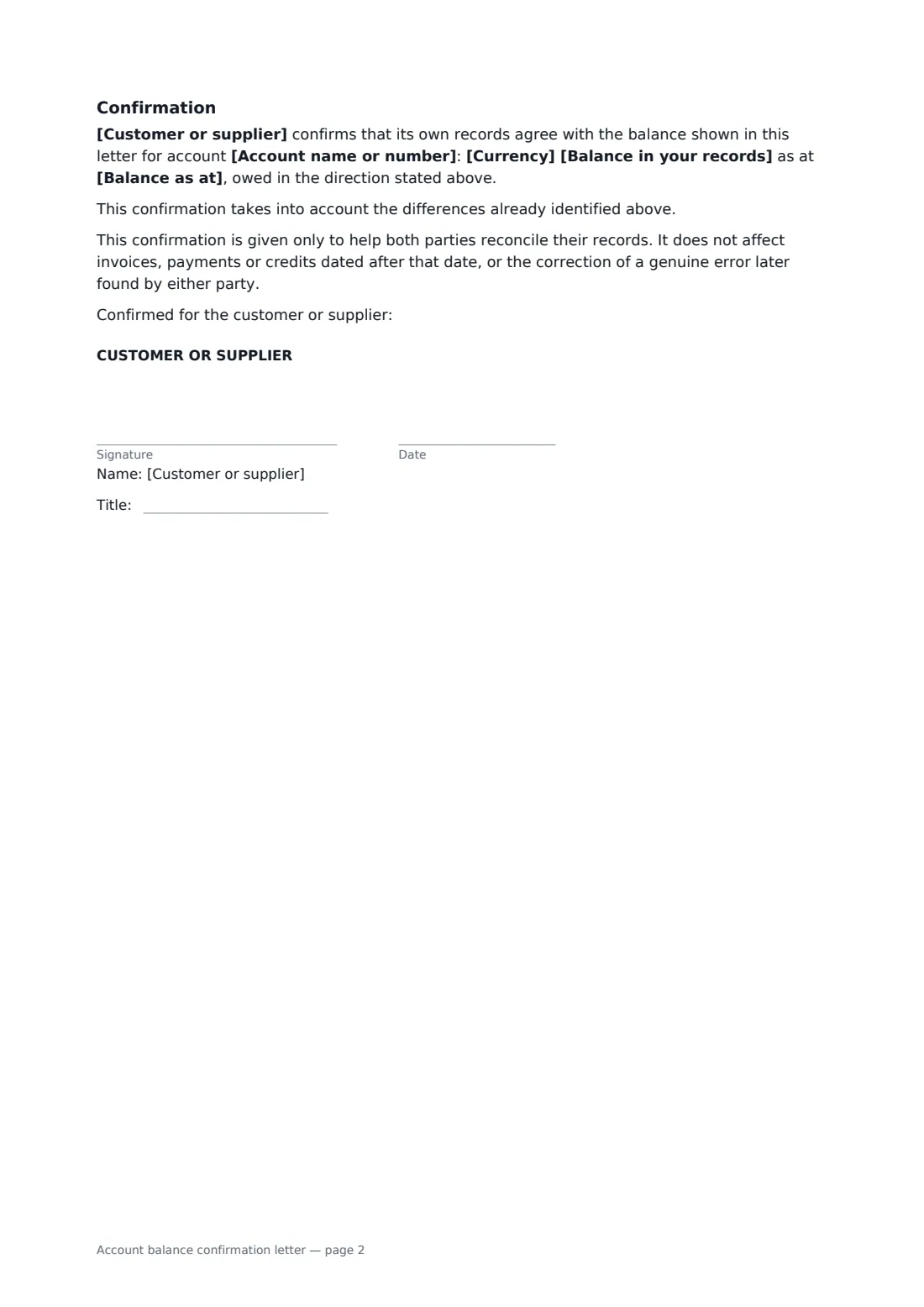
This template is a short letter from your business with a confirmation slip for the other side to sign. It states the account, the balance and which way it runs, points to the statement you've sent, lists any differences you already know about, and explains how to reply: sign if it matches, or decline and send their own figure with the items that explain the gap. It makes clear it isn't a demand for payment, can mention an auditor who will rely on the reply, and says the confirmation doesn't stop either side correcting a genuine error later.
- Best for
- Year-end, audit and routine ledger reconciliations with customers or suppliers
- Signed by
- Your finance contact, then the customer or supplier
- Not a demand
- The letter says it is not a request for payment
- Length
- 1–2 pages, no initials
When to use a account balance confirmation letter
- Confirming balances with your ten largest customers before the year-end close
- An auditor asking you to obtain written confirmations from key suppliers
- Checking a credit balance before refunding it to a former customer
- Agreeing the final figure on a supplier account before it is closed
- Reconciling a long-running intercompany account between two related businesses
What you fill in
17 blanks, then the name and email of each person who signs: business, customer or supplier.
1 The letter
- Letter date*
- Your business*
- Your address
- Customer or supplier*
- Their address
- Their contact (Dear …)
- Reason for the request* our year-end accounts · our annual audit · a routine reconciliation of our ledgers · the planned closure of the account
2 The balance
- Account name or number*
- Balance as at*
- Currency*
- Balance in your records*
- The balance is* owed by you to us · owed by us to you · nil — nothing is owed either way
- Statement or breakdown sent with the letter
3 Differences
- Differences already identified
4 Reply
- Please reply by*
- Email for questions and differences*
- Auditor who may rely on the reply
5 Who signs
- Business signature and date, job title · Your business, asking for the confirmation. Usually someone in finance or accounts signs.
- Customer or supplier signature and date, job title · The customer or supplier confirming the balance. Someone with access to its accounts should sign.
What the account balance confirmation letter covers
- The balance in our records
- How to reply
- Confirmation
Using the account balance confirmation letter, step by step
1 Enter the account and the balance
Add the account name or number, the date of the balance and the amount, and say whether it is owed to you, by you, or nil.
2 Point to the detail
Name the statement or ledger extract you're sending by email alongside, and list any items you already know are treated differently.
3 Set the reply date
Choose a reply-by date and an email address for questions. If the confirmation is for an audit, add the auditor's name.
4 Sign and send
Sign the letter and send it to the other side's accounts contact. If you send many, FileIt tracks each envelope's status, so you can see who has viewed, signed or declined and send reminders.
Tips before you send it
- Send the statement of account at the same time so they can check line by line.
- Ask for a reply even when the balance is nil — auditors often want confirmation of zero balances too.
- When a reply shows a difference, record what caused it and how it was resolved before you close the books.
- Address the letter to someone in their accounts team rather than a sales contact.
Sign it online in minutes
- Fill in the blanks. Names, dates and amounts go straight into the agreement — the preview shows exactly where.
- Name who signs. Tick “This is me” for your own part. FileIt builds the PDF with every signature, date box on the right line, and you can check or move anything before sending.
- Send it. Each signer gets a secure link and signs from any device — no account needed. The signed PDF, with an audit trail and a Certificate of Completion, is filed in your vault and emailed to everyone.
Account balance confirmation letter: frequently asked questions
What if the other side doesn't agree?
The letter asks them not to sign, but to decline or email you with their own balance and the items that explain the difference. You can then reconcile the account together and, if needed, send a corrected letter.
Does signing mean they have to pay?
No. The letter says it is not a request for payment and doesn't change your trading terms. It only records that both sets of records agree at a date.
Can an auditor rely on an electronically signed confirmation?
Many auditors accept electronic confirmations, but each sets its own procedures — some prefer to send and receive confirmations directly. Ask your auditor before you send. FileIt's audit trail and Certificate of Completion show who signed and when.
Can it be signed electronically?
Yes. In most countries, including the US (ESIGN Act and UETA), the UK, the EU (eIDAS) and Canada, an electronic signature is generally valid for a business letter like this one.
Is this template free?
Yes. The template is free to use with the eSignature app in FileIt, and the people you send it to don't need a FileIt account to sign.