What is Form N-565?
Form N-565, Application for Replacement Naturalization/Citizenship Document, is how you ask U.S. Citizenship and Immigration Services (USCIS) for a new Certificate of Naturalization, Certificate of Citizenship, Certificate of Repatriation or Declaration of Intention. You use it when your document was lost, stolen or destroyed, is mutilated, has a USCIS typographical or clerical error, or needs to show a legal name change, a legally changed date of birth (Certificate of Citizenship only) or your sex at birth.
The same form also requests a special certificate of naturalization, which a naturalized citizen uses to have their U.S. citizenship recognized by a foreign government. Your naturalization or citizenship certificate is primary proof of U.S. citizenship, so replacing it matters when you apply for a passport, a job or benefits, or need to prove status abroad.
FileIt walks you through the N-565 in plain English and prints your answers onto USCIS's own PDF (Edition 02/27/25). It asks only the follow-up parts your reasons call for, carries your name and A-Number onto the additional-information page, and checks that longer explanations fit their boxes. You print it, sign it by hand and mail it yourself. USCIS also accepts the N-565 online through a USCIS account. FileIt never files anything with USCIS.
- Who fills it
- A U.S. citizen replacing or correcting their naturalization or citizenship document, or requesting a special certificate for a foreign government.
- Filed
- Online with a USCIS account, or on paper by mail to the USCIS lockbox address on uscis.gov/n-565.
- Attach
- Depends on your reason: the original document, a police report or sworn statement for a lost one, and evidence of a name, date of birth or sex change.
- Signatures
- Signed by hand in ink. USCIS doesn't accept a stamped or typed name, so FileIt leaves the signature boxes blank.
- Edition
- Edition 02/27/25 (OMB 1615-0091, expires 12/31/2027)
- Agency
- U.S. Citizenship and Immigration Services (USCIS), Department of Homeland Security
Who needs to fill out Form N-565?
- Naturalized citizens whose Certificate of Naturalization was lost, stolen, destroyed or damaged.
- People who derived or acquired citizenship and need a replacement or corrected Certificate of Citizenship.
- Anyone whose certificate has a typographical or clerical error made by USCIS.
- Citizens whose name has legally changed through marriage, divorce, annulment or a court order and who want a certificate in the new name.
- Holders of a Certificate of Citizenship whose date of birth was legally changed by a court order or U.S. Government-issued document.
- Naturalized citizens asked by a foreign government for proof of U.S. citizenship (the special certificate).
When to use Form N-565
- As soon as you discover your certificate is lost or stolen, after reporting it to the police if it was stolen.
- When a certificate is damaged so that it can no longer be read or relied on.
- When you notice an error USCIS made on the certificate, or after a legal name, date of birth or sex-related change.
- When a foreign country's officials have asked for recognition of your U.S. citizenship.
What you need before you start
- The details printed on your current certificate or declaration: your name, date of birth, country of birth, former nationality, certificate number, and the USCIS office or court that issued it and when.
- Your A-Number, if you have one.
- Your current legal name, other names you've used, mailing address and marital status.
- The original certificate or declaration, unless it was lost, stolen or destroyed.
- For a lost, stolen or destroyed document: a copy if you have one, plus a police report or sworn statement.
- For a name, date of birth or sex change: the marriage certificate, divorce or annulment decree, court order, U.S. Government-issued document or birth certificate.
- USCIS's N-565 page also lists two identical passport-style photographs if you live outside the United States.
- The filing fee: check the USCIS fee schedule (Form G-1055).
What’s on Form N-565
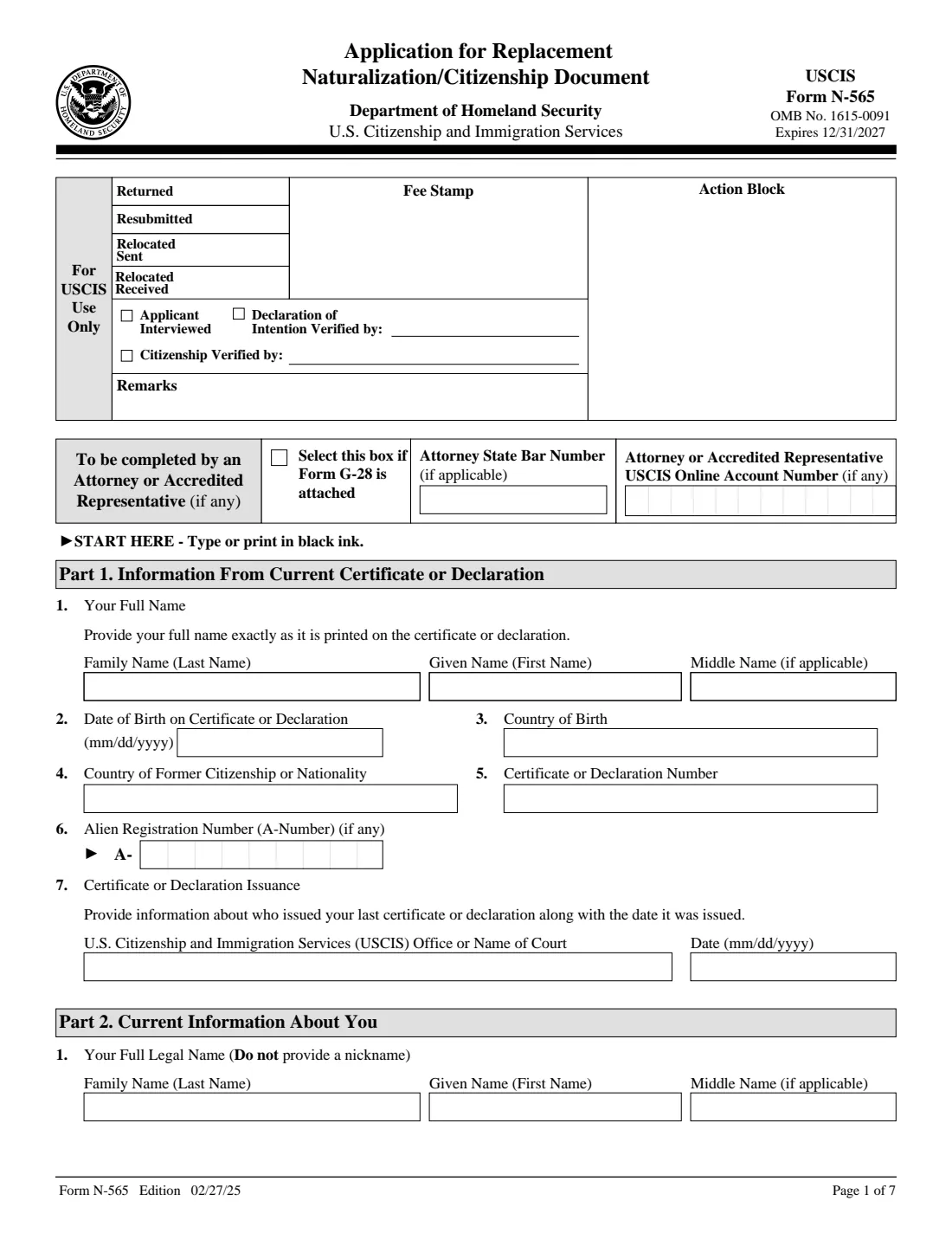
The 2025 edition has 7 pages. FileIt asks for it in 9 parts:
- Attorney or accredited representativeAttorney or accredited representative
- Part 1. Information from your current certificate or declarationApplicant
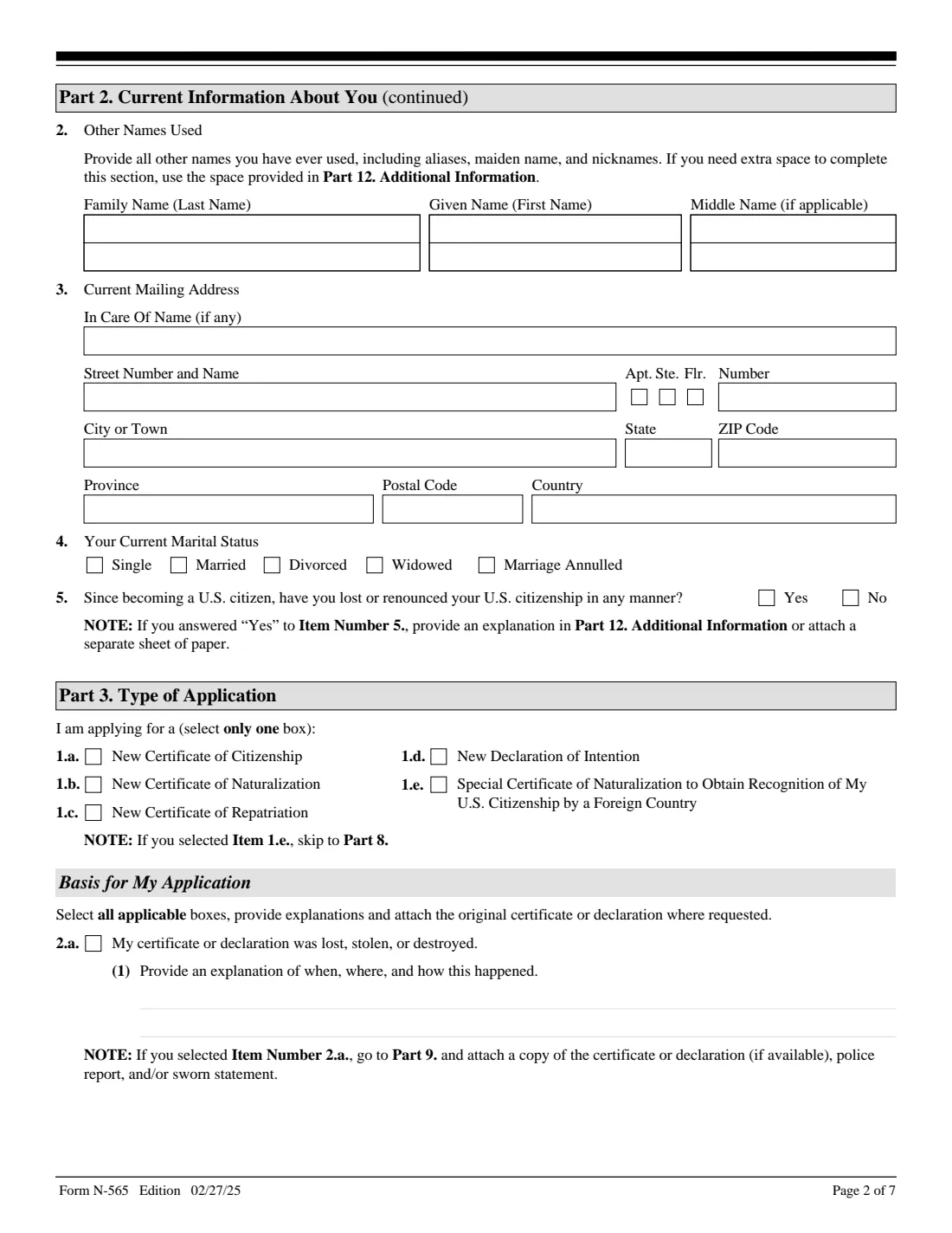
- Part 2. Current information about youApplicant
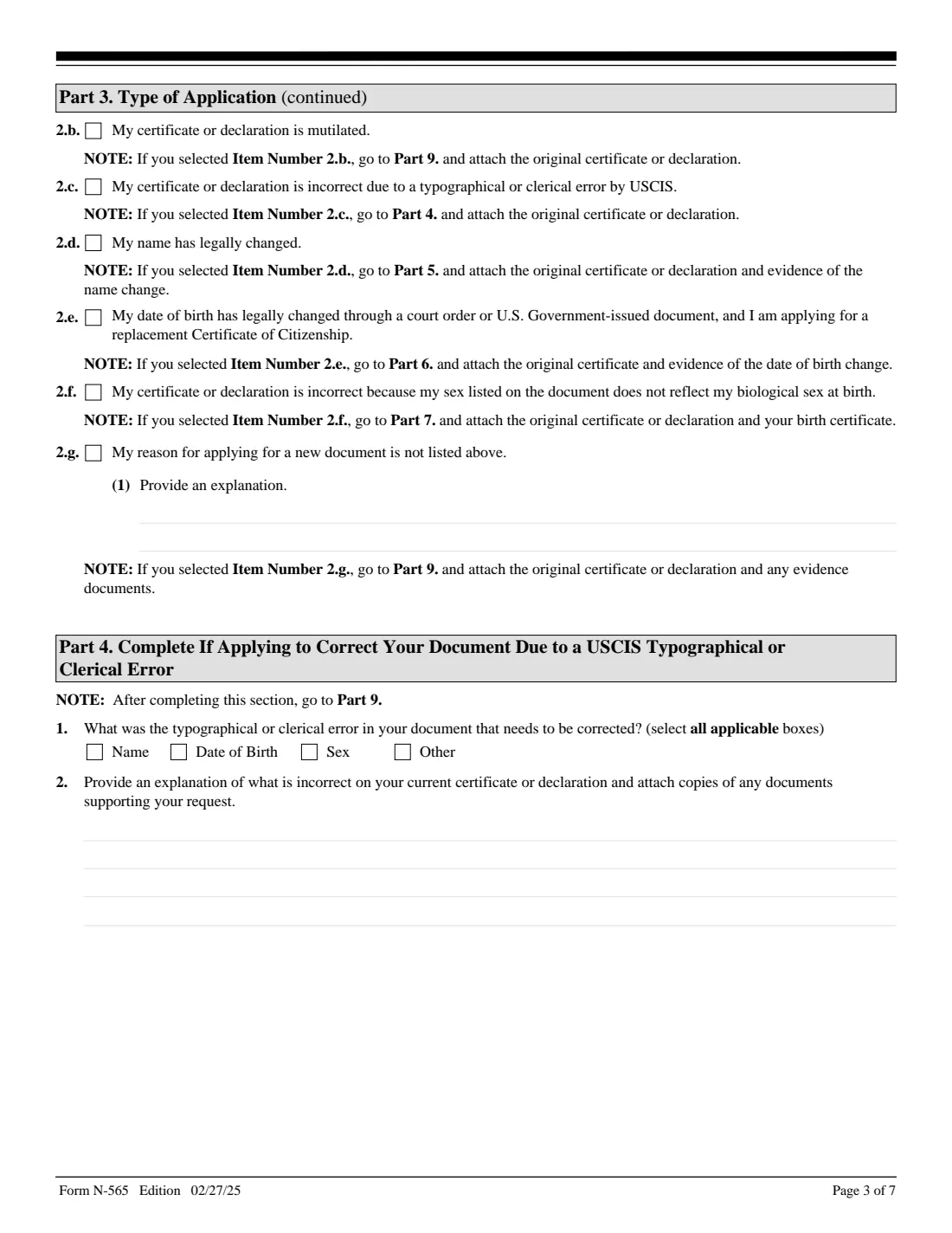
- Part 3. Type of application and why you need a new documentApplicant
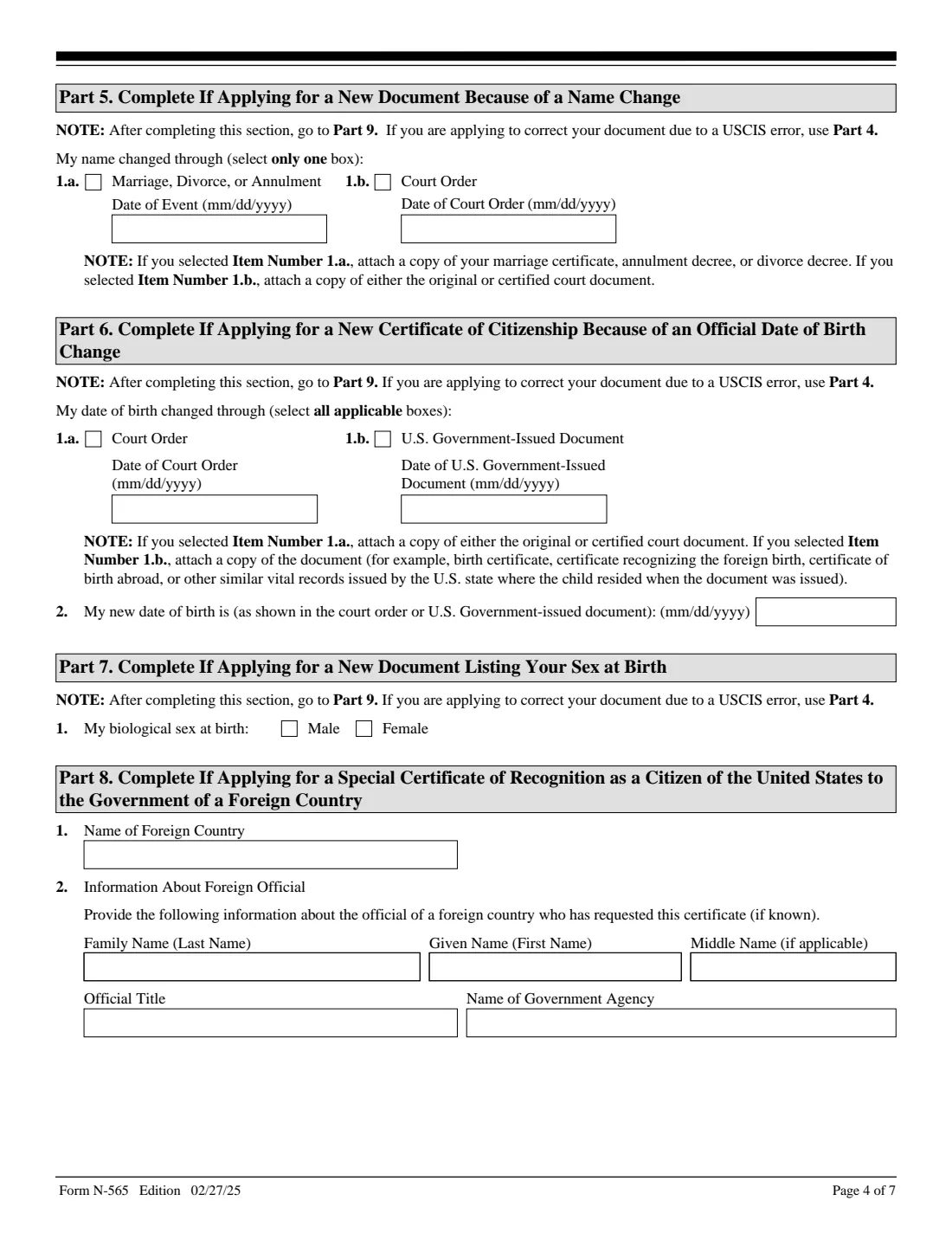
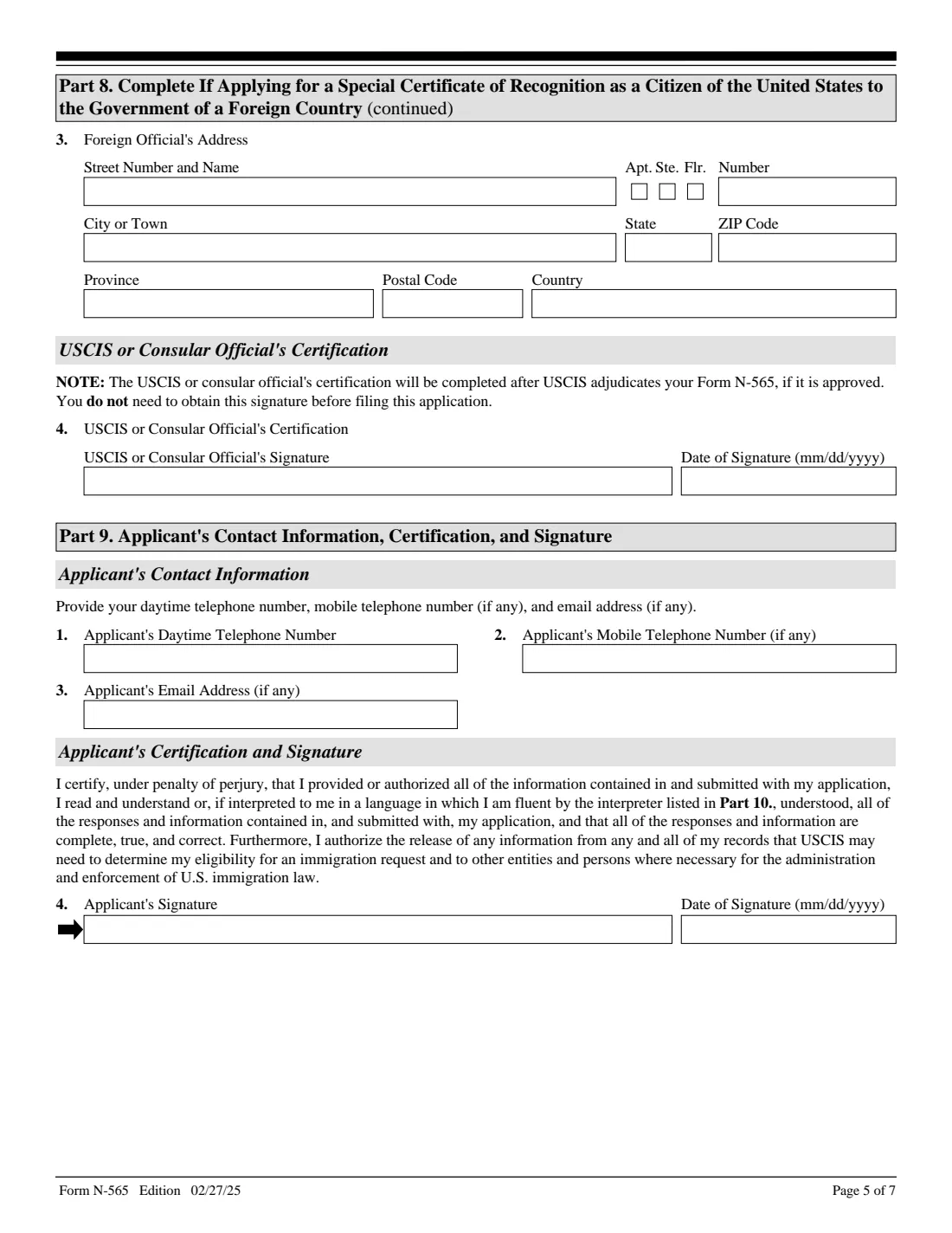
- Part 8. Special certificate for recognition by a foreign countryApplicant
- Part 9. Your contact information, certification and signatureApplicant
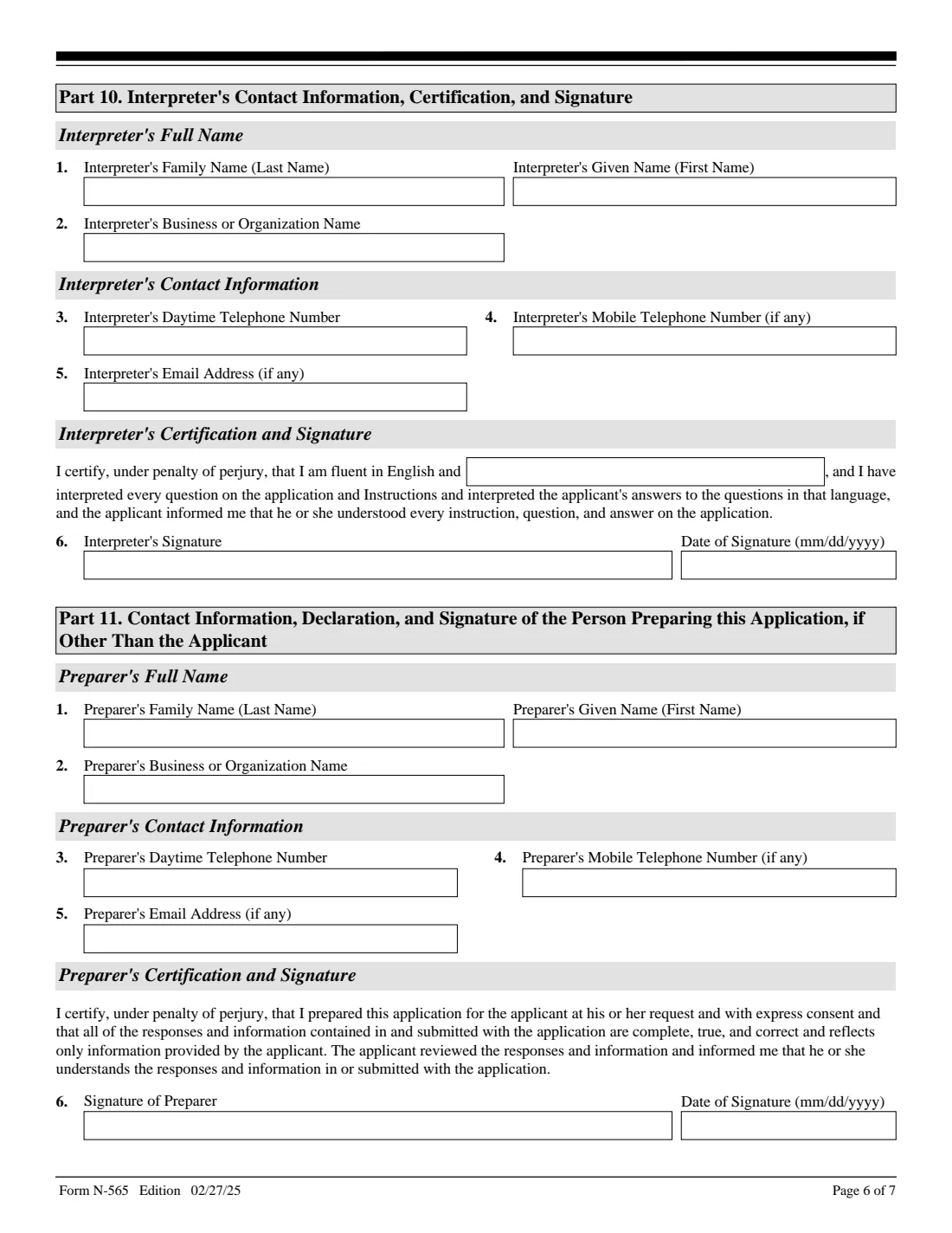
- Part 10. InterpreterInterpreter
- Part 11. Person who prepared this applicationPreparer
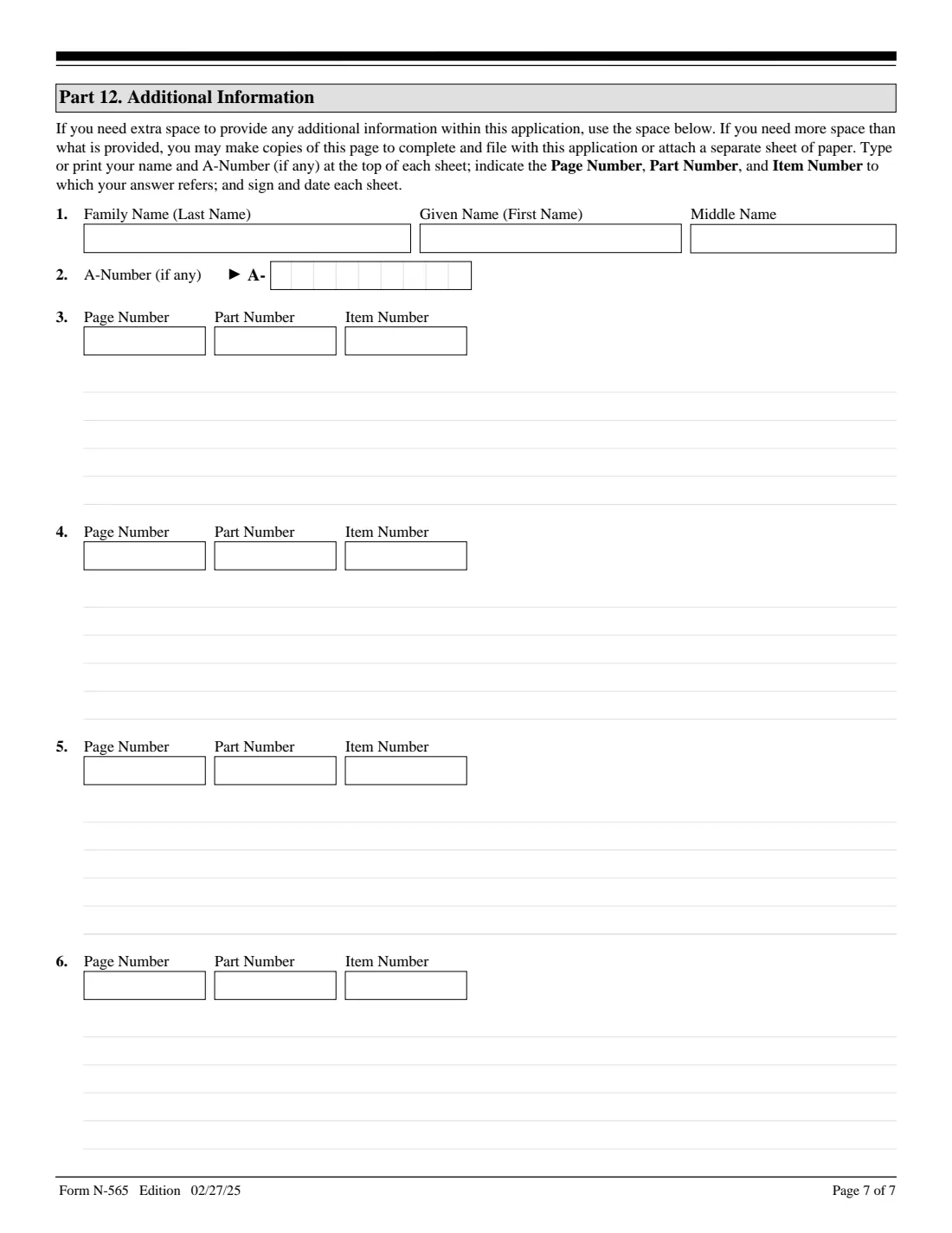
- Part 12. Additional informationApplicant
How to fill out Form N-565, step by step
1 Part 1. Your current certificate
Copy your name, date of birth, country of birth, former citizenship, certificate or declaration number and A-Number exactly as printed on your most recent document, and say which USCIS office or court issued it and when.
2 Part 2. You now
Give your current legal name (no nicknames), up to two other names you've used, your mailing address, your marital status, and whether you have lost or renounced U.S. citizenship since becoming a citizen. A Yes needs an explanation in Part 12.
3 Part 3. What you're applying for and why
Choose one document type: a new Certificate of Citizenship, Naturalization or Repatriation, a new Declaration of Intention, or a special certificate for a foreign government. Then tick every reason that applies. Each reason tells you what to attach, and some lead to Parts 4-7.
4 Parts 4-8. Follow-up details
Part 4 describes a USCIS error, Part 5 a name change, Part 6 a date of birth change, Part 7 your sex at birth, and Part 8 the foreign country and official for a special certificate. FileIt shows only the parts your answers call for.
5 Parts 9-12. Contact, signature and extra space
Give your phone and email, then sign and date by hand. An interpreter or preparer completes Part 10 or 11. Part 12 holds anything that didn't fit, with the page, part and item number; FileIt prints your name and A-Number at the top of that page for you.
Common mistakes to avoid
- Copying your current details into Part 1 instead of what is printed on the certificate you're replacing.
- Forgetting the original certificate when the reason is a mutilated document, an error, or a name, date of birth or sex change.
- Leaving out the police report or sworn statement for a lost, stolen or destroyed certificate.
- Choosing item 2.e (date of birth change) for anything other than a Certificate of Citizenship.
- Ticking more than one document type in Part 3, item 1.
- Signing with a typed name. USCIS requires a handwritten signature.
After you fill it out
Print the form, sign Part 9 by hand, and have any interpreter or preparer sign their parts. Attach the documents your reasons require and the fee.
Mail it to the address on uscis.gov/n-565. At the time of writing that page lists USCIS, Attn: N-565, P.O. Box 20050, Phoenix, AZ 85036-0050 for USPS, and a Tempe, AZ street address for courier deliveries. Check the page before sending. You can ask for an email or text when the lockbox accepts it by adding Form G-1145.
Keep a copy of everything. FileIt saves the finished PDF in your vault, so you have a record of what you filed and when.
Fill out Form N-565 online with FileIt
- Pick the person. Choose someone from People and FileIt fills in their name, date of birth, address and other details it already knows.
- Answer plain-language questions. One part of the form at a time, with the official help text beside each question — 108 fields in all. Your answers save as you go.
- Check the live preview. Watch your answers land on the real U.S. Citizenship and Immigration Services (USCIS), Department of Homeland Security form, and let FileIt do any worksheet arithmetic.
- Generate the official PDF. FileIt prints your answers into the agency’s own PDF and files it in that person’s folder in your vault.
FileIt fills the form — it never files or submits anything for you. Deliver the finished form to whoever asked for it, the way the form’s instructions say.
Start Form N-565 now — it’s freeForm N-565: frequently asked questions
What is Form N-565 used for?
To ask USCIS for a replacement Certificate of Naturalization, Certificate of Citizenship, Certificate of Repatriation or Declaration of Intention, or for a special certificate of naturalization so a foreign government can recognize your U.S. citizenship.
Can I file Form N-565 online?
Yes. USCIS lets you file it online with a USCIS online account; online filers are told to mail any original documents separately. You can also file the paper form by mail.
What do I need if my certificate was lost?
Tick item 2.a, explain when, where and how it happened, and attach a copy of the certificate if you have one, plus a police report and/or a sworn statement.
Can I update my name on my naturalization certificate?
Yes, if it changed legally through marriage, divorce, annulment or a court order. Tick item 2.d, complete Part 5, and attach the original certificate and evidence of the name change.
How much does Form N-565 cost?
USCIS's N-565 page points to its fee schedule (Form G-1055) for the current fee. Check it before you file.
Can I fill out Form N-565 online with FileIt?
Yes. FileIt lets you complete the N-565 online and prints your answers on the official USCIS PDF. You then print it, sign it by hand and mail it yourself; FileIt doesn't file anything with USCIS.
Official sources
- Blank form (PDF), published by U.S. Citizenship and Immigration Services (USCIS), Department of Homeland Security: https://www.uscis.gov/sites/default/files/document/forms/n-565.pdf
- Official instructions and guidance: https://www.uscis.gov/n-565
- Edition shown on this page: Edition 02/27/25 (OMB 1615-0091, expires 12/31/2027) (checked 2026-09-28).
FileIt is not affiliated with or endorsed by U.S. Citizenship and Immigration Services (USCIS), Department of Homeland Security or any government. This page explains the form in general terms and is not legal, tax or immigration advice. Always read the official instructions, and check that you are using the edition the recipient accepts. Page last reviewed 2026-09-28.