What is Form D-4?
Form D-4, the DC Withholding Allowance Certificate, is issued by the District of Columbia Office of Tax and Revenue (OTR). Every new employee who lives in DC and needs DC income tax withheld fills it out and files it with their employer. The federal Form W-4 doesn't set DC withholding, so DC residents normally complete both.
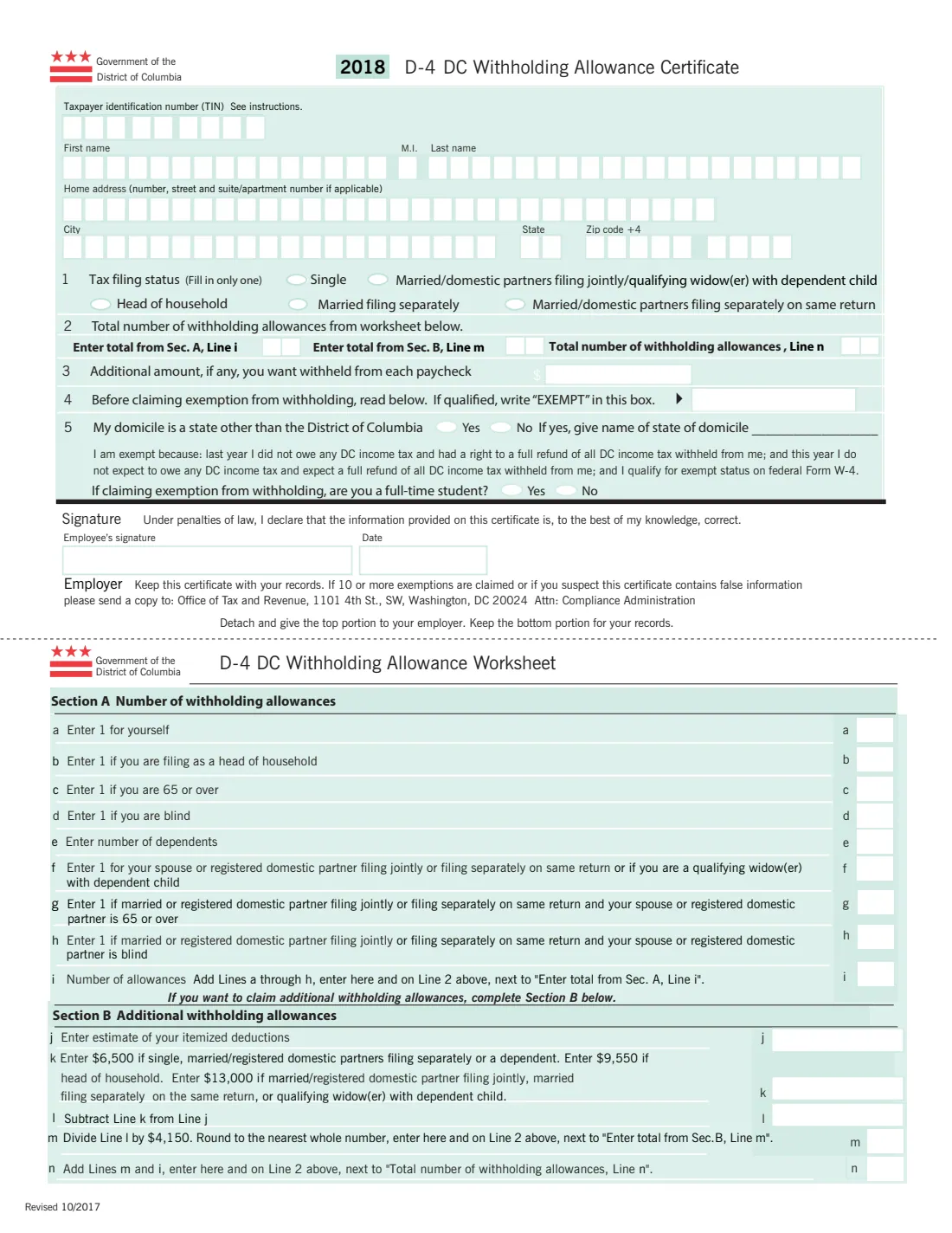
The certificate at the top of the page asks for your taxpayer identification number, name and home address, your tax filing status, the number of withholding allowances, any additional amount to withhold, and whether you claim exemption. The worksheet at the bottom works out the allowances: Section A counts one for you and one each for head of household, being 65 or over, being blind, each dependent, and your spouse or registered domestic partner; Section B adds allowances if you expect to itemize deductions. You give the top part to your employer and keep the worksheet.
FileIt asks each question in plain English, adds up the worksheet with the figures printed on the form, carries the totals to line 2, and prints your answers into OTR's own D-4 PDF, one letter per box as the fill-in format expects. The finished form is saved in your vault. FileIt never sends it anywhere: you give it to your employer.
- Who fills it
- Employees who live in the District of Columbia and need DC income tax withheld.
- Given to
- Your employer, who keeps it with its records. OTR doesn't receive it unless your employer sends a copy.
- When
- When you start a new job, and whenever your number of allowances changes.
- Signatures
- The employee signs and dates the certificate.
- Edition
- 2018 D-4 (Revised 10/2017), the edition OTR publishes
- Agency
- Office of Tax and Revenue, Government of the District of Columbia
Who needs to fill out Form D-4?
- New employees who live in DC and are required to have DC income tax withheld.
- DC residents changing jobs, since a D-4 is filed whenever you start new employment.
- Employees whose allowances go down (for example a dependent no longer qualifies), who must file a new certificate.
- Employees who want more tax withheld, or who qualify to claim exemption from DC withholding.
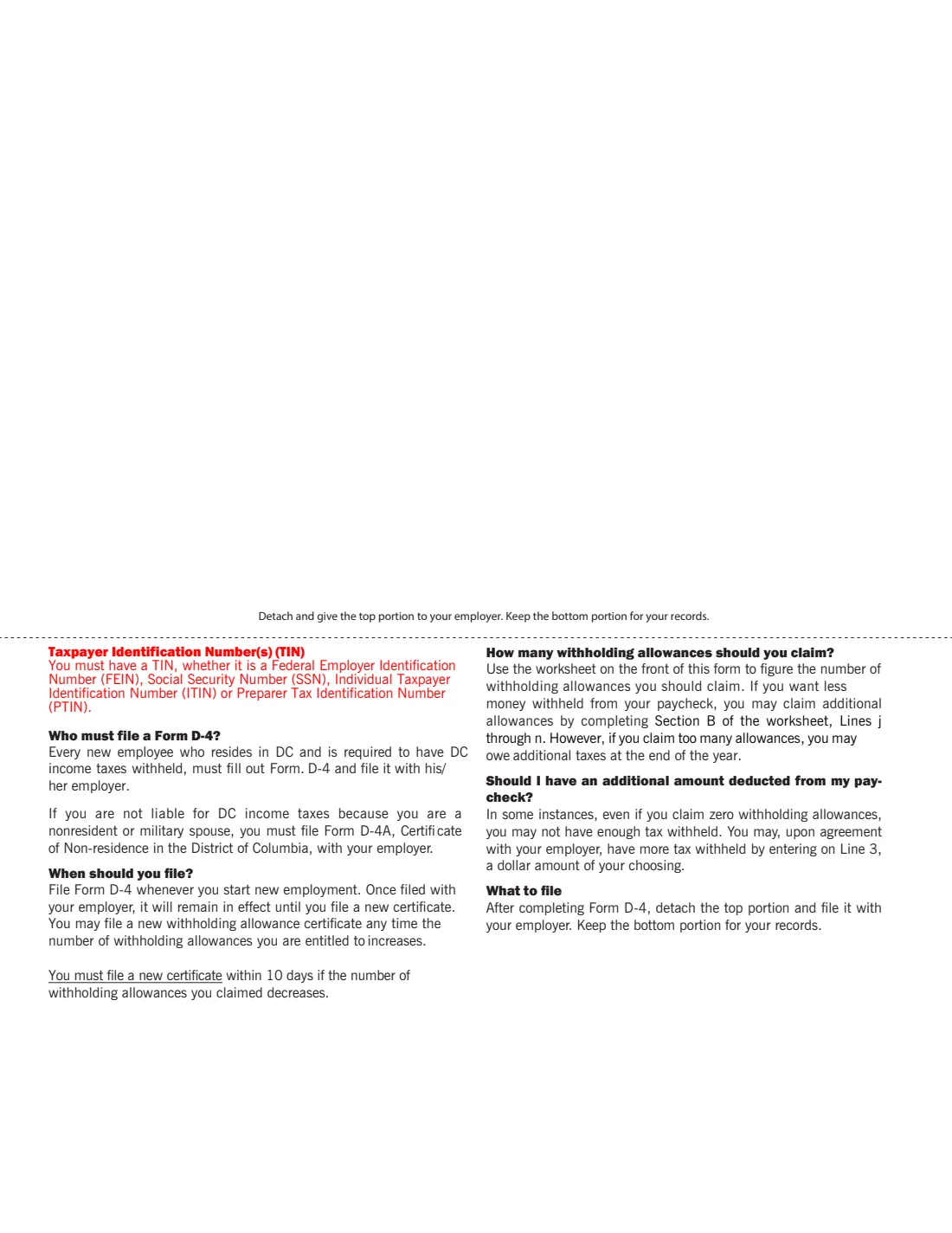
- Not for nonresidents or military spouses who aren't liable for DC income tax: they file Form D-4A, Certificate of Nonresidence in the District of Columbia.
When to use Form D-4
- When you start a new job while living in DC. Once filed it stays in effect until you file a new one.
- Any time the number of withholding allowances you are entitled to increases.
- Within 10 days if the number of allowances you claimed decreases, as the form requires.
- When you want to change the additional amount withheld from each paycheck.
- When you move out of DC, give your employer the right certificate for your new situation (for example Form D-4A).
What you need before you start
- Your taxpayer identification number: usually your Social Security number.
- Your name and home address.
- The filing status you expect to use on your DC return.
- The number of dependents you will claim, and whether you or your spouse or domestic partner are 65 or over or blind.
- If you expect to itemize: an estimate of your itemized deductions for Section B.
- Any additional amount you want withheld each paycheck.
What’s on Form D-4
The 2018 edition has 2 pages. FileIt asks for it in 5 parts, and it is signed by Employee:
- Your detailsEmployee
- Line 1: Tax filing statusEmployee
- Worksheet Section A: Number of withholding allowancesEmployee
- Worksheet Section B: Additional withholding allowancesEmployee
- Lines 2 to 5: Allowances, extra withholding and exemptionEmployee
How to fill out Form D-4, step by step
1 Your details
Enter your taxpayer identification number, first name, middle initial, last name, home address, city, state and ZIP code. The D-4 is a fill-in format with one box per character, so FileIt prints capitals, one per box: up to 15 letters of the first name, 20 of the last name, 30 characters of the address and 20 of the city.
2 Line 1: Tax filing status
Fill in only one: Single; Married or domestic partners filing jointly, or qualifying widow(er) with dependent child; Head of household; Married filing separately; or Married or domestic partners filing separately on the same return.
3 Worksheet Section A
Line a is 1 for yourself. Add 1 on line b if you file as head of household, 1 on line c if you are 65 or over, 1 on line d if you are blind, the number of dependents on line e, and on lines f to h 1 each for your spouse or registered domestic partner and, when you file jointly or separately on the same return, 1 if they are 65 or over and 1 if they are blind. Line i is the total, carried to line 2.
4 Worksheet Section B (optional)
If you want more allowances because you expect to itemize, enter your estimated itemized deductions on line j, subtract the line k amount printed on the form for your filing status ($6,500 single, married filing separately or a dependent; $9,550 head of household; $13,000 filing jointly, separately on the same return, or qualifying widow(er)), divide by $4,150 and round to the nearest whole number. Line n adds lines m and i. Claiming too many allowances can leave you owing tax at the end of the year.
5 Line 2: Total allowances
Line 2 has three boxes: the Section A total (line i), the Section B total (line m) and the total number of withholding allowances (line n). FileIt fills them from the worksheet.
6 Lines 3 to 5
Line 3 is an optional additional amount to withhold from each paycheck, by agreement with your employer. Line 4 is where you write EXEMPT, only if last year you owed no DC income tax and were due a full refund, this year you expect the same, and you qualify for exempt status on the federal W-4; if you claim exemption, also say whether you are a full-time student. Line 5 asks whether your domicile is a state other than DC, and which one.
7 Signature
Sign and date under the declaration that the information is, to the best of your knowledge, correct. Then detach the top portion for your employer and keep the worksheet.
Common mistakes to avoid
- Using the D-4 when you don't live in DC. Nonresidents and military spouses who aren't liable for DC tax file Form D-4A instead.
- Writing EXEMPT without meeting every condition printed on the form, including exempt status on your federal W-4.
- Not filing a new D-4 within 10 days when your allowances decrease.
- Claiming Section B allowances without expecting to itemize, which can leave too little tax withheld.
- Giving your employer the worksheet instead of the top portion. The worksheet is yours to keep.
- Forgetting to sign. The certificate is signed and dated by the employee.
After you fill it out
Sign and date the certificate, by hand on the printed PDF or with FileIt's optional e-signature, and give the top portion to your employer. Keep the bottom worksheet for your records; FileIt keeps the whole completed PDF in your vault folder.
Your employer keeps the certificate with its records. The form tells employers to send a copy to OTR if 10 or more exemptions are claimed or if they suspect the certificate contains false information.
File a new D-4 whenever your allowances change: any time they increase, and within 10 days if they decrease.
Fill out Form D-4 online with FileIt
- Pick the person. Choose someone from People and FileIt fills in their name, date of birth, address and other details it already knows.
- Answer plain-language questions. One part of the form at a time, with the official help text beside each question — 37 fields in all. Your answers save as you go.
- Check the live preview. Watch your answers land on the real DC Office of Tax and Revenue (OTR) form, and let FileIt do any worksheet arithmetic.
- Generate the official PDF. FileIt prints your answers into the agency’s own PDF and files it in that person’s folder in your vault. Sign it, or send it for e-signature.
FileIt fills the form — it never files or submits anything for you. Deliver the finished form to whoever asked for it, the way the form’s instructions say.
Start Form D-4 now — it’s freeForm D-4: frequently asked questions
What is Form D-4?
It is the District of Columbia's Withholding Allowance Certificate. You give it to your employer so they withhold the right amount of DC income tax from your pay. It comes from DC's Office of Tax and Revenue.
Can I fill out the D-4 online?
Yes. FileIt asks each question in plain English, adds up the worksheet, and prints your answers into OTR's official D-4 PDF, which you then sign and give to your employer. Filling forms works on every FileIt account, including the free plan.
Do I need a D-4 if I already filled out a W-4?
Yes, if you live in DC and need DC income tax withheld. The federal W-4 covers federal withholding only; DC uses its own allowances on the D-4.
I work in DC but live in Maryland or Virginia. Do I file a D-4?
The D-4 is for employees who reside in DC. If you aren't liable for DC income tax because you are a nonresident or a military spouse, the D-4 instructions say to file Form D-4A, Certificate of Nonresidence in the District of Columbia, with your employer.
How many allowances should I claim?
Use the worksheet: 1 for yourself plus 1 for each item in Section A that applies (head of household, 65 or over, blind, each dependent, your spouse or domestic partner and their age or blindness), and Section B only if you expect to itemize. FileIt does the arithmetic.
Can I have extra tax withheld?
Yes. Enter a dollar amount on line 3. The form notes that even with zero allowances you may not have enough withheld, and you can agree with your employer to have more taken out.
Where do I send Form D-4?
To your employer, not to OTR. Your employer keeps it and sends a copy to OTR only in the cases printed on the form.
Official sources
- Blank form (PDF), published by DC Office of Tax and Revenue (OTR): https://otr.cfo.dc.gov/sites/default/files/dc/sites/otr/publication/attachments/2018%20D-4.pdf
- Official instructions and guidance: https://otr.cfo.dc.gov/node/1296526
- Edition shown on this page: 2018 D-4 (Revised 10/2017) (checked 2026-09-28).
FileIt is not affiliated with or endorsed by DC Office of Tax and Revenue (OTR) or any government. This page explains the form in general terms and is not legal, tax or immigration advice. Always read the official instructions, and check that you are using the edition the recipient accepts. Page last reviewed 2026-09-28.