What is Form 911?
Form 911, Request for Taxpayer Advocate Service Assistance (and Application for Taxpayer Assistance Order), is how you ask the Taxpayer Advocate Service (TAS) for help. TAS is an independent organization within the IRS that helps taxpayers resolve federal tax problems and protects taxpayers' rights, and its help is always free. The form says TAS may be able to help if your tax problem is causing a financial difficulty, you've tried and been unable to resolve it with the IRS, or an IRS system, process or procedure isn't working as it should.
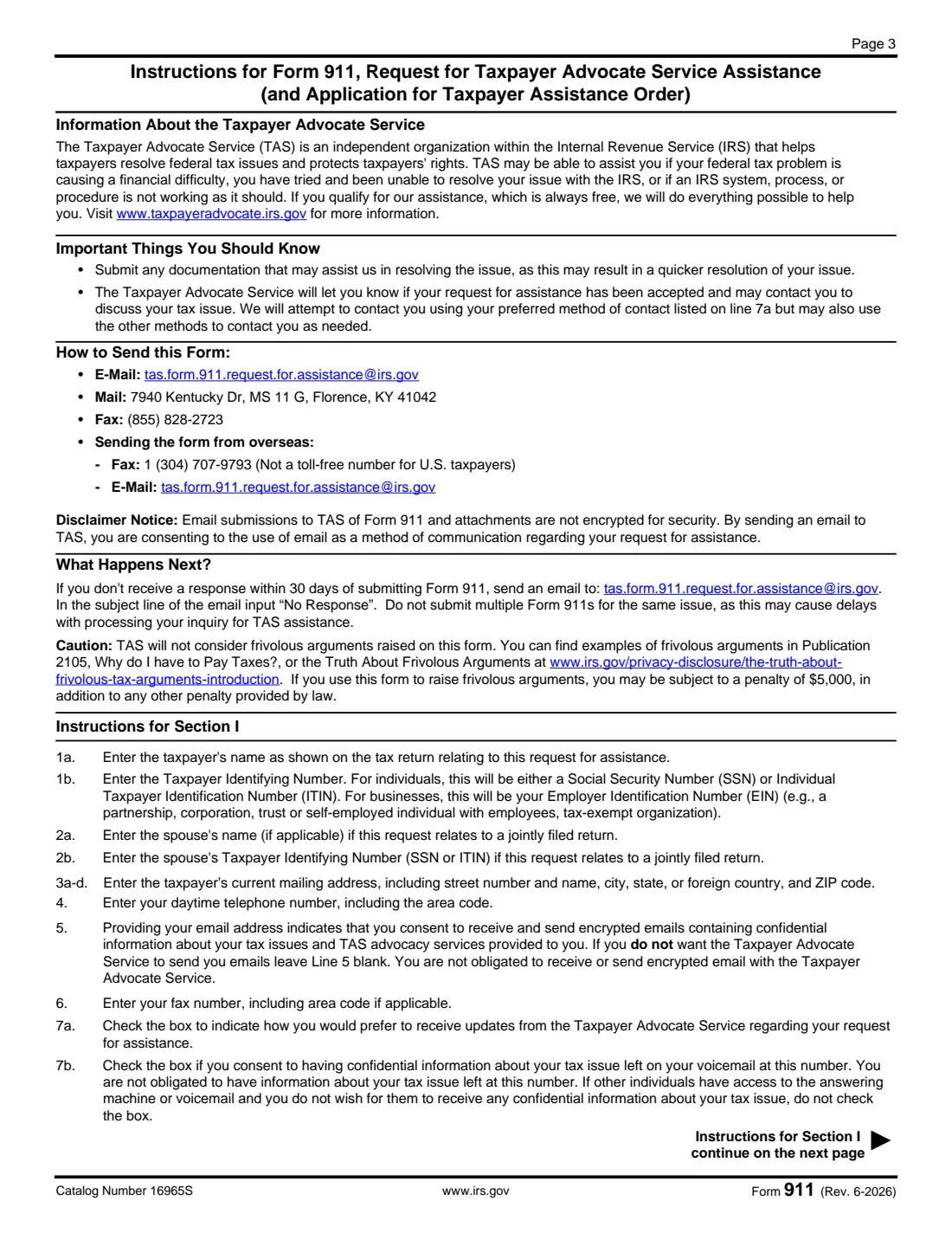
You describe the problem, what the IRS has or hasn't done, and the relief you want, and you can name a representative (Form 2848) or someone authorized to receive your information (Form 8821). The current edition is Rev. June 2026. Page 3 lists the ways to send it: by email, fax or mail to TAS. If you don't hear back within 30 days, the form tells you to email TAS with "No Response" in the subject line, and not to send a second Form 911 for the same issue.
FileIt walks you through each line, checks that your descriptions fit the boxes, and prints everything into the IRS's official PDF, saved in your vault, ready for you (and your spouse, for a joint request) to sign electronically or in ink. You send it to TAS yourself; FileIt never sends anything to the IRS.
- Who fills it
- Individuals and businesses with an unresolved IRS problem, or their authorized representative.
- Sent to
- The Taxpayer Advocate Service, by email, fax or mail, as listed on page 3 of the form.
- Cost
- TAS assistance is free, the form says.
- Signatures
- Taxpayer (both spouses for a joint request), or a business officer with title; a representative can sign instead.
- Edition
- Rev. June 2026
- Agency
- Taxpayer Advocate Service, Internal Revenue Service (IRS)
Who needs to fill out Form 911?
- Taxpayers whose IRS problem is causing financial difficulty, such as a delayed refund while bills go unpaid.
- Anyone who has tried to resolve an issue with the IRS through normal channels without success.
- Taxpayers affected by an IRS system or procedure that isn't working as it should.
- Businesses with an unresolved federal tax issue (signed by an authorized officer).
- Representatives submitting a request on a client's behalf, with Form 2848 or 8821.
When to use Form 911
- After you've tried to resolve the problem with the IRS and it hasn't worked, or when it's causing a financial difficulty now.
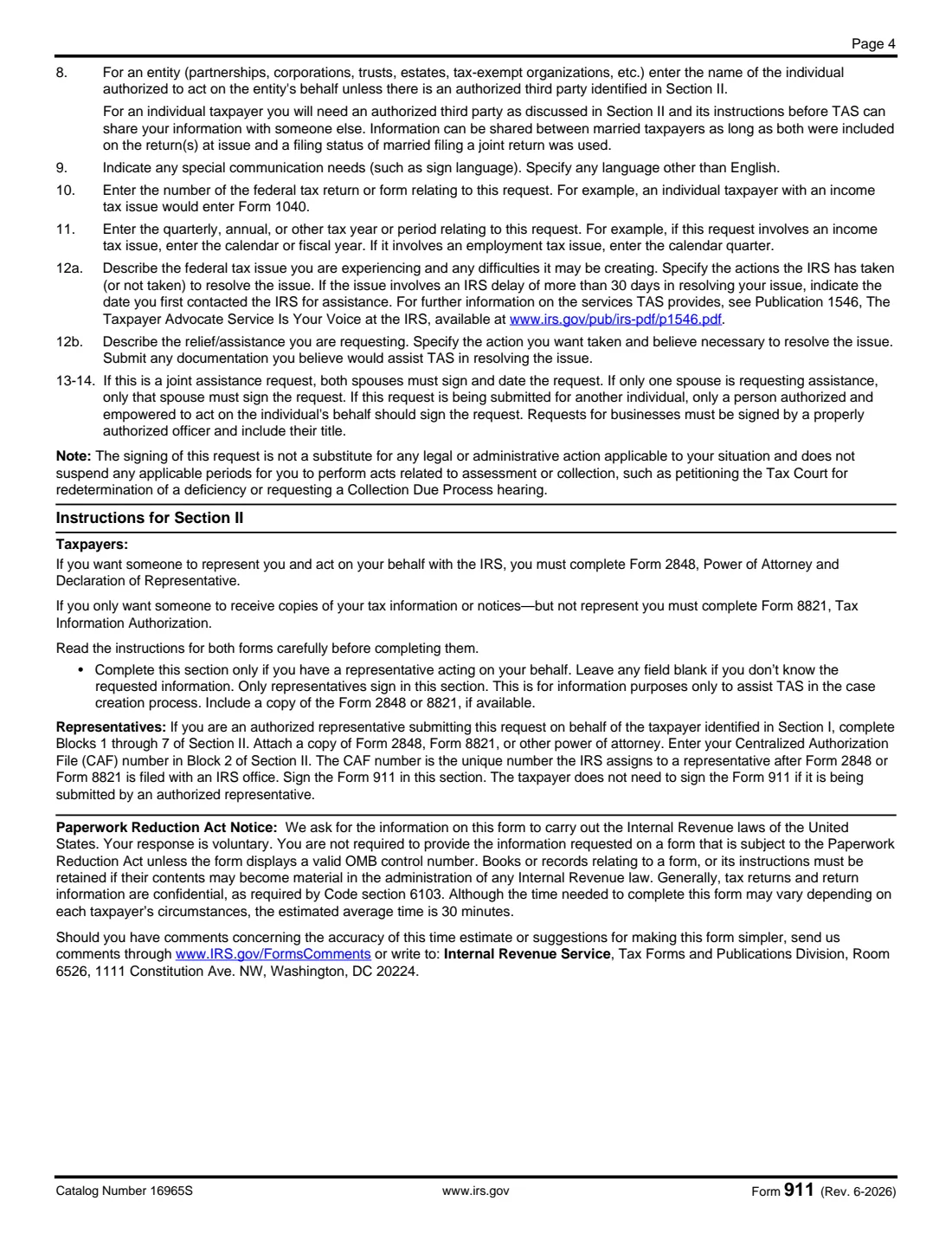
- When the IRS has taken more than 30 days to resolve your issue: give the date you first contacted the IRS.
- Not as a substitute for legal or administrative deadlines: signing it doesn't suspend the time to petition the Tax Court or request a Collection Due Process hearing.
What you need before you start
- Your name and TIN as on the return, and your spouse's for a joint return.
- Your current mailing address, daytime phone, and optionally email and fax.
- The tax form number (for example 1040 or 941) and the tax years or periods involved.
- A clear description of the problem, the IRS's actions, any hardship it's causing, and the relief you want.
- Copies of supporting documents (notices, letters, proof of hardship).
- Your representative's details and a copy of Form 2848 or 8821, if you have one.
What’s on Form 911
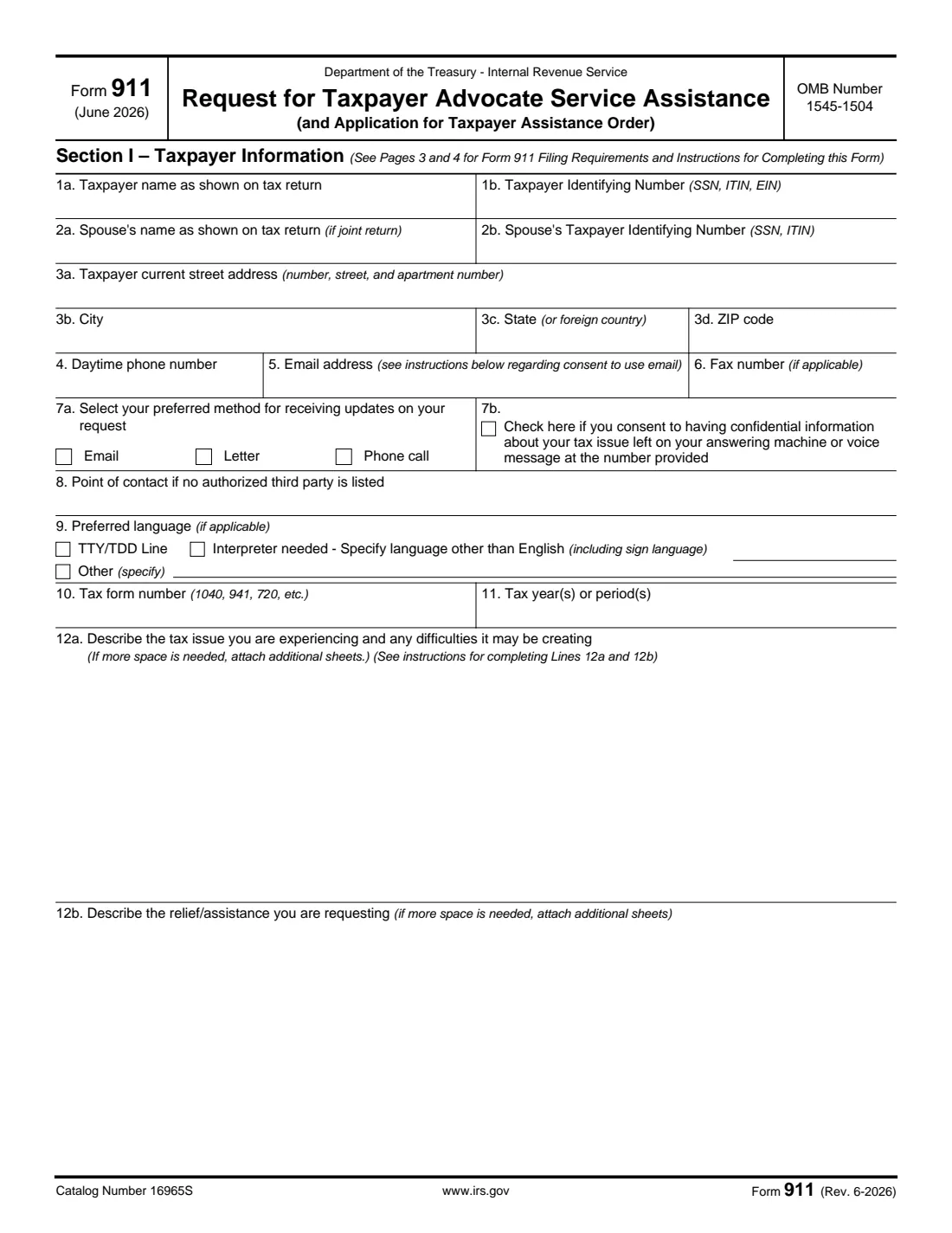
The 2026 edition has 4 pages. FileIt asks for it in 7 parts, and it is signed by Taxpayer and Spouse (joint request) and Representative (form 2848):
- Section I, lines 1 to 6: TaxpayerTaxpayer
- Section I, line 2: Spouse (joint return)Spouse (joint request)
- Section I, lines 7 to 9: Contact preferencesTaxpayer
- Section I, lines 10 to 12: Your tax issueTaxpayer
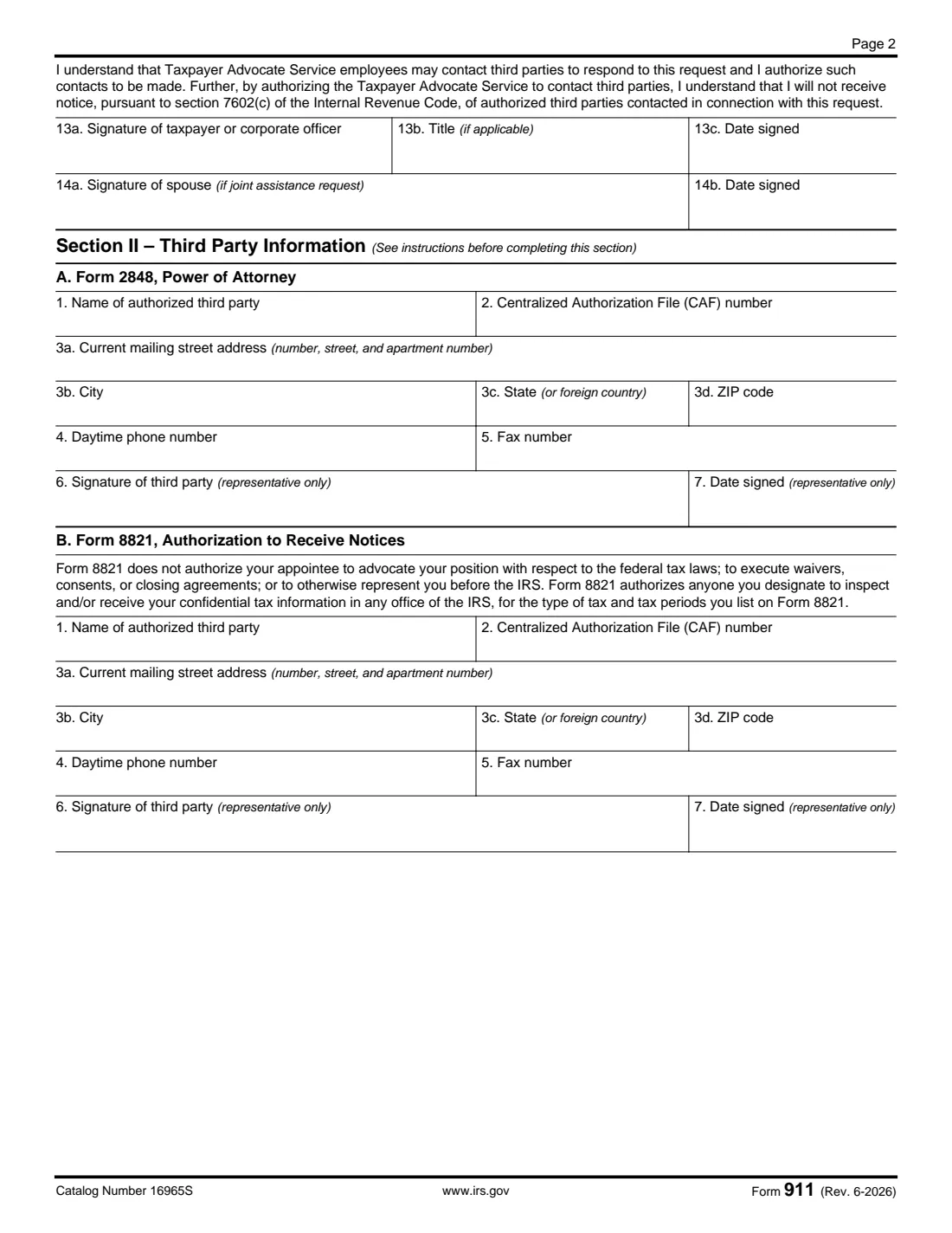
- Lines 13 and 14: SignatureTaxpayer
- Section II-A: Form 2848 representativeRepresentative (form 2848)
- Section II-B: Form 8821 designeeTaxpayer
How to fill out Form 911, step by step
1 Lines 1 to 6: Who you are
Enter your name and taxpayer identifying number as shown on the return (an SSN or ITIN; an EIN for a business), your spouse's if it's a joint return, your current mailing address, daytime phone, email (giving one means you consent to encrypted email about your issue) and fax.
2 Lines 7 to 9: How to reach you
Choose how you'd like updates (email, letter or phone call), whether TAS may leave confidential information on your voicemail, a point of contact for an entity, and any communication needs such as a TTY/TDD line or an interpreter.
3 Lines 10 and 11: The tax
Enter the tax form number (1040, 941, 720, etc.) and the tax years or periods: the calendar or fiscal year for income tax, the quarter for employment tax.
4 Lines 12a and 12b: The problem and the fix
Describe the tax issue and the difficulties it's creating, including what the IRS has or hasn't done; if the IRS has taken more than 30 days, give the date you first contacted it. Then describe the action you want taken. Attach additional sheets and supporting documents if needed.
5 Lines 13 and 14: Sign
Sign and date. You authorize TAS to contact third parties about your request and accept that you won't get notice of those contacts under section 7602(c). For a joint request both spouses sign; a business officer adds a title.
6 Section II: Third parties
If you have a representative under Form 2848, or someone authorized to receive your information under Form 8821, enter their details and CAF number. Only representatives sign Section II, and a taxpayer doesn't need to sign if a representative submits the request.
Common mistakes to avoid
- Sending several Form 911s for the same issue. The form says this may delay processing.
- Describing the problem but not the relief you want (line 12b).
- Leaving out the date you first contacted the IRS when the delay is over 30 days.
- Forgetting your spouse's signature on a joint request.
- Assuming the request stops other deadlines, such as a Tax Court petition. It doesn't.
- Raising frivolous arguments, which TAS won't consider and which can bring a $5,000 penalty.
After you fill it out
Sign and date it, attach supporting documents (and a copy of Form 2848 or 8821 if you have a third party), and send it to TAS by one of the methods on page 3 of the form. The form notes that email submissions aren't encrypted.
TAS will tell you whether it has accepted your request and may contact you, first by your preferred method. If you get no response within 30 days, email TAS with "No Response" in the subject line, as page 3 says.
Keep the copy FileIt saved in your vault, with the date you sent it.
Fill out Form 911 online with FileIt
- Pick the person. Choose someone from People and FileIt fills in their name, date of birth, address and other details it already knows.
- Answer plain-language questions. One part of the form at a time, with the official help text beside each question — 40 fields in all. Your answers save as you go.
- Check the live preview. Watch your answers land on the real Internal Revenue Service (IRS) form, and let FileIt do any worksheet arithmetic.
- Generate the official PDF. FileIt prints your answers into the agency’s own PDF and files it in that person’s folder in your vault. Sign it, or send it for e-signature.
FileIt fills the form — it never files or submits anything for you. Deliver the finished form to whoever asked for it, the way the form’s instructions say.
Start Form 911 now — it’s freeForm 911: frequently asked questions
What is the Taxpayer Advocate Service?
An independent organization within the IRS that helps taxpayers resolve federal tax issues and protects taxpayers' rights. Its help is free.
When can TAS help me?
The form says TAS may be able to help if your federal tax problem is causing a financial difficulty, you've tried and been unable to resolve it with the IRS, or an IRS system, process or procedure isn't working as it should.
How do I send Form 911?
By email, fax or mail to TAS, using the details on page 3 of the form, which also gives an overseas fax option.
What if I don't hear back?
If there's no response within 30 days, the form says to email TAS with "No Response" in the subject line. Don't send another Form 911 for the same issue.
Does filing Form 911 stop IRS deadlines?
No. It doesn't suspend periods such as the time to petition the Tax Court or request a Collection Due Process hearing.
Can my representative file it for me?
Yes. They complete Section II, enter their CAF number, attach Form 2848, 8821 or another power of attorney, and sign; the taxpayer then doesn't need to sign.
Official sources
- Blank form (PDF), published by Internal Revenue Service (IRS): https://www.irs.gov/pub/irs-pdf/f911.pdf
- Official instructions and guidance: https://www.irs.gov/forms-pubs/about-form-911
- Edition shown on this page: Rev. June 2026 (checked 2026-10-01).
FileIt is not affiliated with or endorsed by Internal Revenue Service (IRS) or any government. This page explains the form in general terms and is not legal, tax or immigration advice. Always read the official instructions, and check that you are using the edition the recipient accepts. Page last reviewed 2026-10-01.