What is IR334 - Employer registration?
IR334 is Inland Revenue's employer registration form. Inland Revenue says you need to register as an employer as soon as you start employing staff. The usual way is online in myIR (I want to... > Register as an Employer); the IR334 is the download-and-print alternative for people who don't use myIR. This page covers the edition marked April 2026.
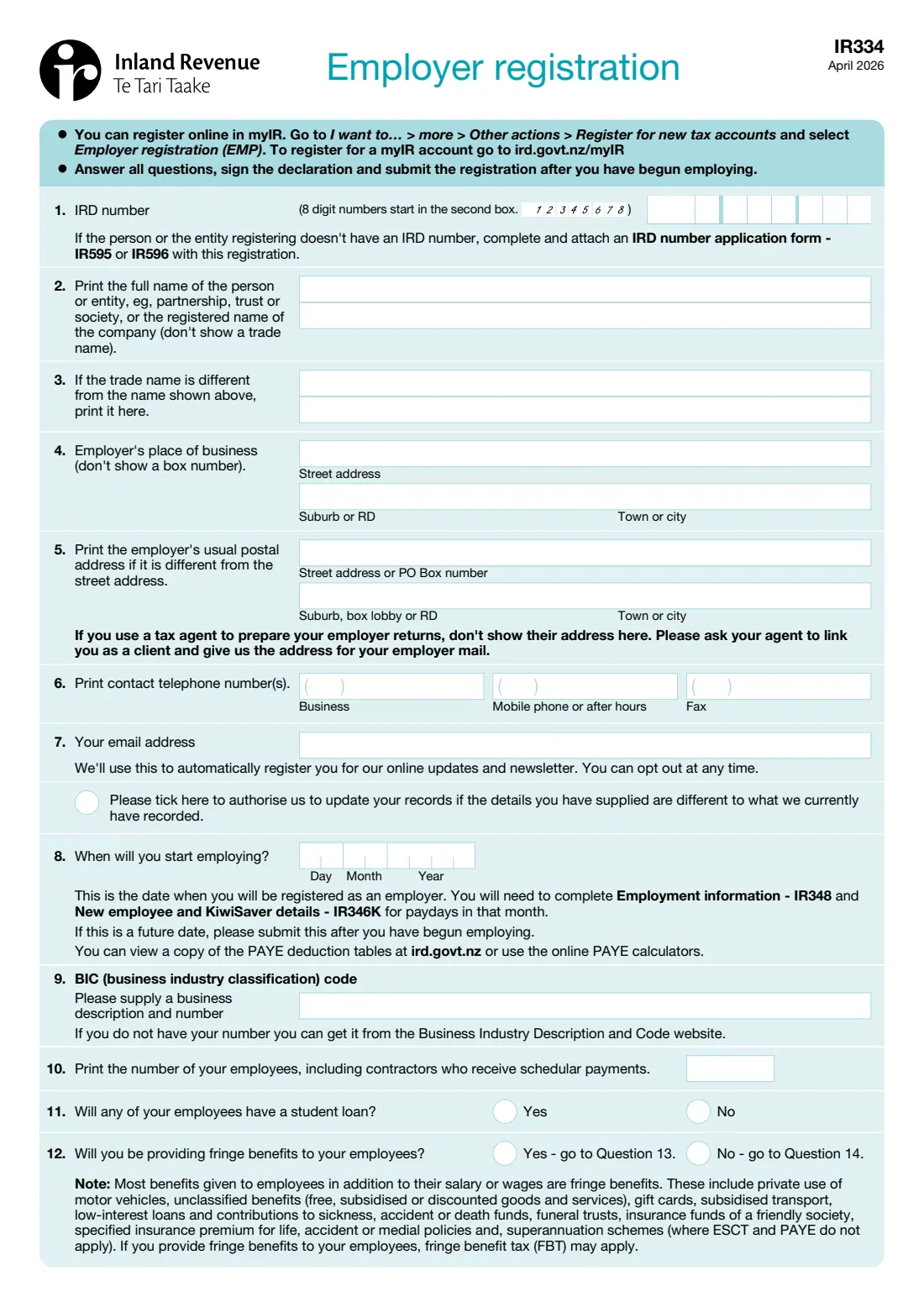
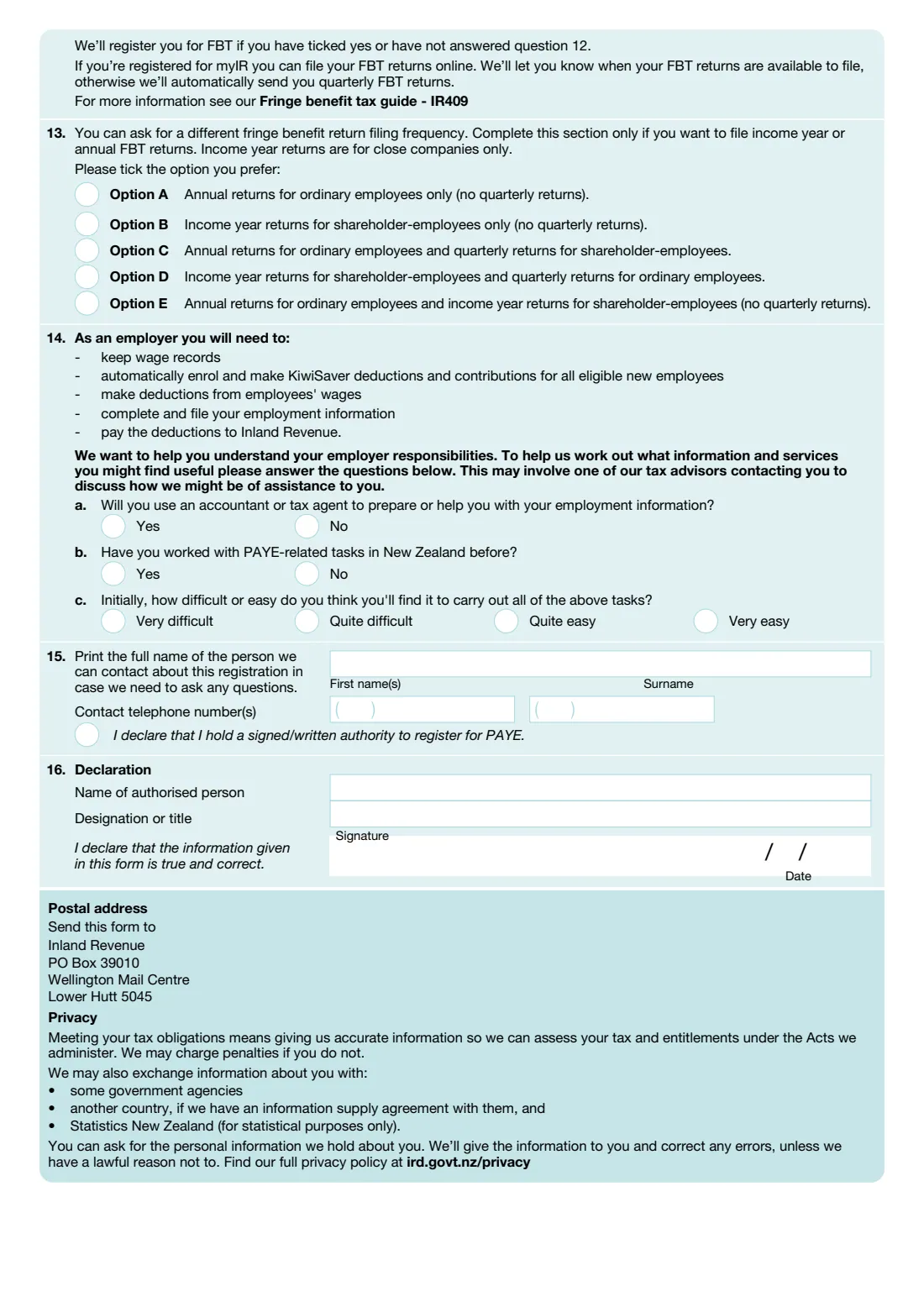
The form asks for the IRD number and full name of the person or entity registering, a trade name if different, the place of business and postal address, contact numbers and email, the date you start employing (the date you are registered from), your business industry classification (BIC) code, how many employees you'll have, whether any have a student loan, and whether you'll provide fringe benefits. Page 2 covers fringe benefit tax (FBT) return options, three questions about your experience with PAYE, a contact person and the signed declaration.
FileIt walks you through each question in plain English, checks the IRD number's check digit, prints an 8-digit IRD number from the second box as the form asks, and places your answers in Inland Revenue's own PDF, including names with macrons. You sign it and post it yourself — FileIt never files anything.
- Who fills it
- A person, company, partnership, trust, society that is starting to employ staff
- Sent to
- Inland Revenue, PO Box 39010, Wellington Mail Centre, Lower Hutt 5045
- When
- As soon as you start employing; the form asks you to send it after you have begun employing
- Signatures
- The authorised person signs and dates the declaration (question 16)
- Edition
- April 2026
Who needs to fill out IR334 - Employer registration?
- Sole traders, companies, partnerships, trusts and societies taking on their first employee.
- Businesses paying contractors who receive schedular payments, which the form counts with employees.
- Tax agents or bookkeepers registering a client, who tick that they hold a signed or written authority.
- Anyone who needs to register as an employer and doesn't use myIR.
When to use IR334 - Employer registration
- When you start employing staff. The form asks you to answer all questions, sign, and send it after you have begun employing.
- Use myIR instead if you have it: Inland Revenue offers employer registration online.
- If the person or entity has no IRD number yet, attach an IRD number application (IR595 or IR596) to this form.
What you need before you start
- The IRD number of the person or entity registering (or an IR595 / IR596 application to attach).
- The full legal name, or the company's registered name, and any trade name.
- The street address of the place of business (no box numbers) and a postal address if different.
- Business, mobile and fax numbers, and an email address.
- The date you start employing.
- Your BIC (business industry classification) description and code, from the Business Industry Description and Code website.
- The number of employees, including contractors receiving schedular payments.
- Whether any employees will have a student loan, and whether you'll provide fringe benefits.
- A contact person's name and phone number, and the authorised signatory's name and title.
What’s on IR334 - Employer registration
The 2026 edition has 2 pages. FileIt asks for it in 5 parts, and it is signed by Employer:
- 1-7. The employerEmployer
- 8-12. EmployingEmployer
- 14. Your employer responsibilitiesEmployer
- 15. Contact personEmployer
- 16. DeclarationEmployer
How to fill out IR334 - Employer registration, step by step
1 1–3 Who is registering
Give the IRD number (an 8-digit number starts in the second box), the full name of the person or entity or the company's registered name, and a trade name only if it's different.
2 4–7 Addresses and contact details
The place of business is a street address, not a box number. Give a postal address only if it's different, and not your tax agent's address. Add phone numbers, an email address, and tick the box if Inland Revenue may update its records with these details.
3 8 Start date
The date you start employing is the date you're registered as an employer. You then file Employment information (IR348) and New employee and KiwiSaver details (IR346K) for paydays in that month.
4 9–11 Business details
Your BIC description and code, the number of employees (including contractors receiving schedular payments), and whether any employees have a student loan.
5 12–13 Fringe benefits
Say whether you'll provide fringe benefits such as private use of a vehicle, discounted goods, gift cards or low-interest loans. Inland Revenue registers you for FBT if you answer Yes or leave it unanswered. Question 13 is only for choosing annual or income-year FBT returns instead of quarterly ones; income-year returns are for close companies only.
6 14 Your responsibilities
Three questions to help Inland Revenue offer support: whether an accountant or tax agent will help, whether you've done PAYE tasks in New Zealand before, and how easy you expect it to be.
7 15–16 Contact and declaration
Name a contact person and phone number, tick the authority box if you're registering on someone else's behalf, then the authorised person gives their name and title, signs and dates.
Common mistakes to avoid
- Giving a trade name in question 2. Use the legal or registered name there and the trade name in question 3.
- Using a PO Box as the place of business. Question 4 needs a street address.
- Putting your tax agent's address as the postal address.
- Leaving question 12 blank when you won't provide fringe benefits. Inland Revenue registers you for FBT if it's unanswered.
- Forgetting to attach an IR595 or IR596 when the entity has no IRD number.
- Leaving out the BIC code or the number of employees.
After you fill it out
Sign the declaration and post the form to Inland Revenue, PO Box 39010, Wellington Mail Centre, Lower Hutt 5045. FileIt doesn't send it.
Inland Revenue says it will then send you a letter about keeping wage records, making PAYE deductions, filing employer returns and paying the deductions.
Set up payroll for your first payday: collect a tax code declaration (IR330) from each employee and file employment information for each payday. FileIt keeps the filled PDF in your vault.
Fill out IR334 - Employer registration online with FileIt
- Pick the person. Choose someone from People and FileIt fills in their name, date of birth, address and other details it already knows.
- Answer plain-language questions. One part of the form at a time, with the official help text beside each question — 36 fields in all. Your answers save as you go.
- Check the live preview. Watch your answers land on the real Inland Revenue (NZ) form, and let FileIt do any worksheet arithmetic.
- Generate the official PDF. FileIt prints your answers into the agency’s own PDF and files it in that person’s folder in your vault. Sign it, or send it for e-signature.
FileIt fills the form — it never files or submits anything for you. Deliver the finished form to whoever asked for it, the way the form’s instructions say.
Start IR334 - Employer registration now — it’s freeIR334 - Employer registration: frequently asked questions
When do I need to register as an employer?
Inland Revenue says as soon as you start employing staff. The form asks you to send it after you have begun employing.
Can I register online instead?
Yes. In myIR, Inland Revenue lets you register as an employer online. The IR334 is for people who don't use myIR.
Where do I send the IR334?
Post it to Inland Revenue, PO Box 39010, Wellington Mail Centre, Lower Hutt 5045.
What if I don't have an IRD number?
Complete and attach an IRD number application with the registration: IR595 or IR596.
What is a BIC code?
A business industry classification code describing what your business does. The form points you to the Business Industry Description and Code website to find it.
Do I have to answer the fringe benefit question?
Answer it. Inland Revenue registers you for fringe benefit tax if you tick Yes or leave question 12 unanswered.
Is FileIt free for this form?
Yes. FileIt prints your answers into Inland Revenue's official PDF, free on every FileIt account. You sign and post it yourself.
Official sources
- Blank form (PDF), published by Inland Revenue (NZ): https://www.ird.govt.nz/-/media/project/ir/home/documents/forms-and-guides/ir300---ir399/ir334/ir334.pdf
- Official instructions and guidance: https://www.ird.govt.nz/employing-staff/register-as-an-employer
- Edition shown on this page: April 2026 (checked 2026-09-28).
FileIt is not affiliated with or endorsed by Inland Revenue (NZ) or any government. This page explains the form in general terms and is not legal, tax or immigration advice. Always read the official instructions, and check that you are using the edition the recipient accepts. Page last reviewed 2026-09-28.