What is FS4 — payee status declaration (tax status for a new job)?
The FS4 Payee Status Declaration is the Malta Tax and Customs Administration's (MTCA) form under the Final Settlement System (FSS), the system through which employers deduct tax from pay. Every payee — a full-time, part-time or other employee — fills in a separate FS4 for each employment. It tells the employer (the payer) whether this job is your main income, qualifying part-time work or other emoluments, and which tax rates apply to you. The notes on the form say that if you don't fill in an FS4, your employer is obliged to deduct tax at the highest rate.
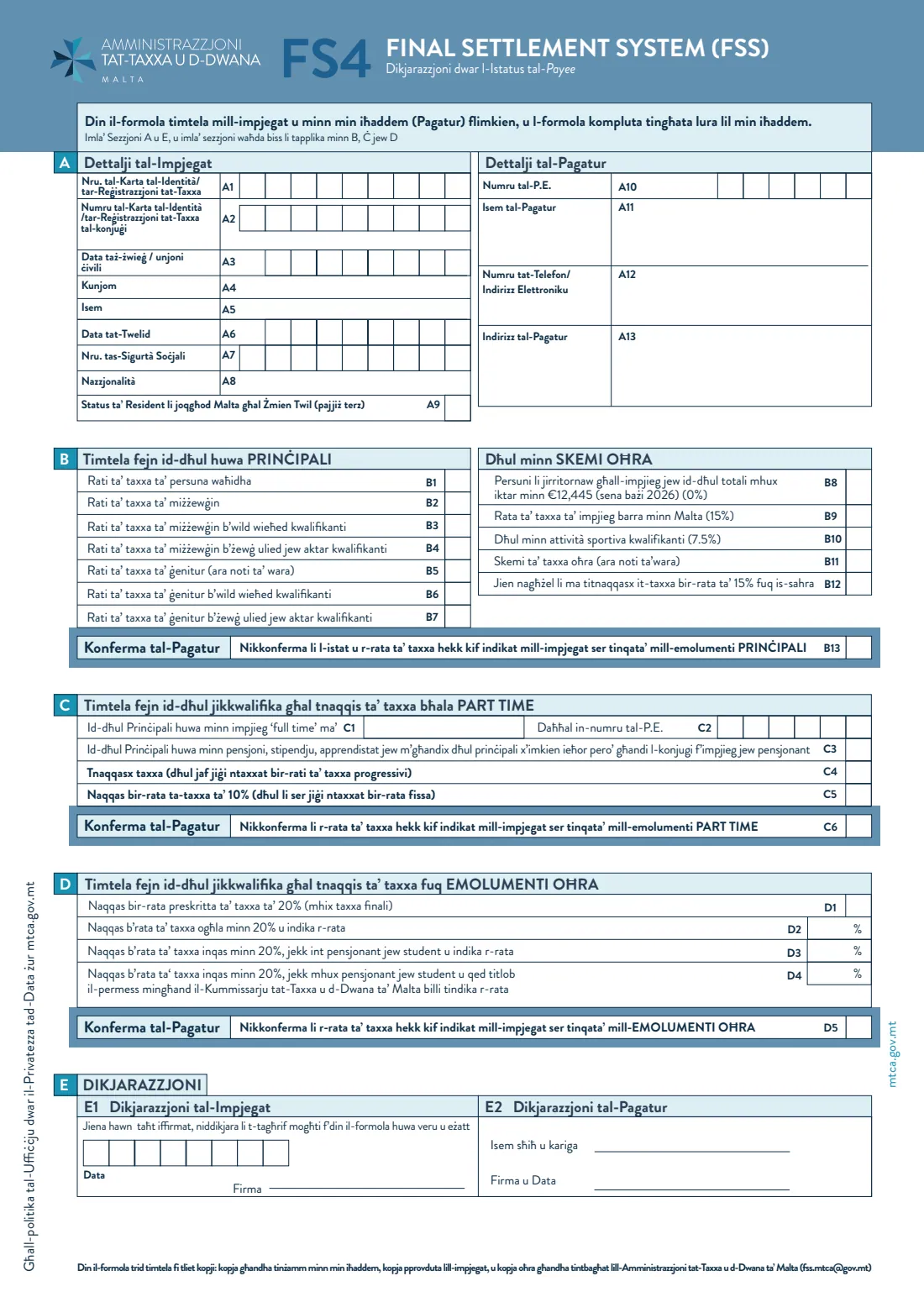
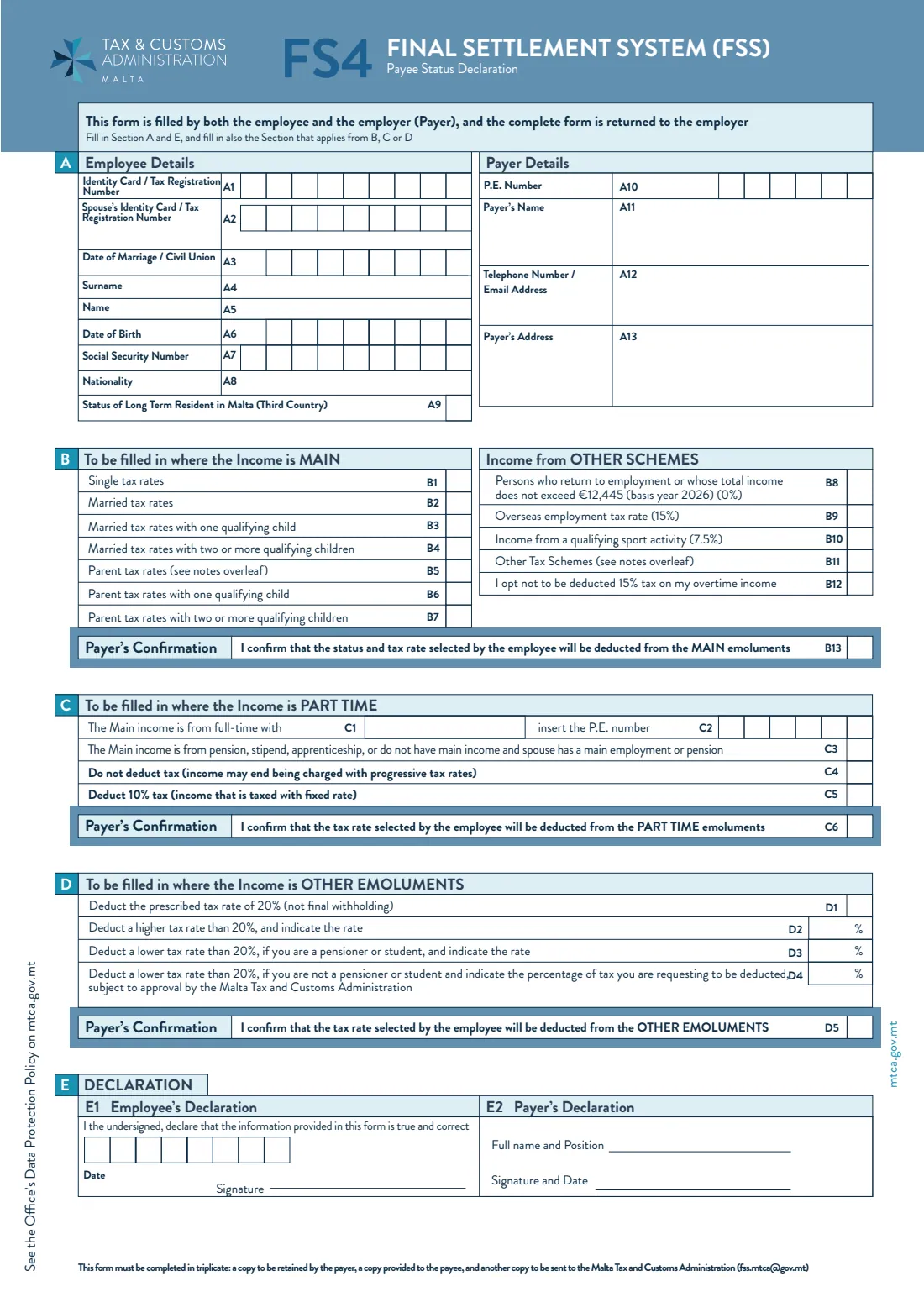
The form has five sections. Section A holds your details and your employer's; you then fill in only ONE of section B (main income: single, married or parent rates, or special schemes), section C (part-time income taxed at 0 % or the final 10 %) or section D (other emoluments at 20 % or another rate), and both of you sign section E. This is the January 2026 edition for basis year 2026; its B8 line refers to a total income of €12,445 for 2026. The PDF has the form and notes in Maltese and in English.
FileIt asks the questions in plain English, shows only the section that fits the income you choose, and prints your answers into the English form in the official PDF. Your name and date of birth can be pre-filled from the People records in your FileIt vault, and your employer's name and address from their entity. FileIt checks the rules printed in the notes, such as the spouse details needed for the married rates and the rate limits in section D. The finished form is saved in your vault and can be sent for e-signature by you and your employer. FileIt never sends it to MTCA.
- Who fills it
- The employee (payee), with the guidance of the employer, who then completes and signs the payer's parts
- Given to
- Your employer; the employer sends a copy to MTCA
- When
- Within seven days of starting a new employment, and whenever your details or tax status change
- Copies
- Three: one for the payer, one for you and one for MTCA (the form gives [email protected])
- Signatures
- Employee (E1) and payer (E2)
- Edition
- January 2026, basis year 2026
Who needs to fill out FS4 — payee status declaration (tax status for a new job)?
- Anyone starting a new job in Malta or Gozo as a full-time, part-time or other employee — one FS4 for each employment.
- Employees whose tax status changes, for example on marriage or when a child starts to qualify for the parent rates.
- People with a second, part-time job who want the final 10 % tax rate on it.
- Pensioners and students who take up employment: they don't need an FS4 for the pension, stipend or grant, but do for employment income.
- Employees who qualify for a special scheme, such as the overseas employment rate, the sport activity rate or the Highly Qualified Persons Rules.
- Employers, who confirm the employee's choice and sign the payer's declaration.
When to use FS4 — payee status declaration (tax status for a new job)
- Within seven days of starting a new employment.
- Whenever there is a significant change in the details on the last FS4 you gave, including a change of tax status.
- For each separate employment — two jobs mean two FS4s.
- Before your first pay if you want to avoid tax being deducted at the highest rate.
What you need before you start
- Your identity card or tax registration number, social security number, date of birth and nationality.
- If married or in a civil union: your spouse's identity card or tax registration number and the date of marriage or civil union.
- Whether you have long-term resident status in Malta as a third-country national.
- Your family situation and children's ages, to choose between the single, married and parent rates.
- For part-time work: the name and P.E. number of your full-time employer, if that is your main income.
- Your employer's P.E. number, name, phone or email and address, and the name and position of the person signing for them.
What’s on FS4 — payee status declaration (tax status for a new job)
The 2026 edition has 4 pages. FileIt asks for it in 7 parts, and it is signed by Employee (payee) and Employer (payer):
- A. Employee detailsEmployee (payee)
- Which income is this?Employee (payee)
- B. Main incomeEmployee (payee)
- C. Part-time incomeEmployee (payee)
- D. Other emolumentsEmployee (payee)
- E1. Employee's declarationEmployee (payee)
- Payer details and declaration (A10–A13, E2)Employer (payer)
How to fill out FS4 — payee status declaration (tax status for a new job), step by step
1 A. Employee details and Payer details
Enter your identity card or tax registration number (A1), your spouse's number and the date of marriage or civil union if they apply (A2, A3), your surname, name, date of birth, social security number and nationality (A4 to A8), and tick A9 if you have long-term resident status as a third-country national. The payer's side takes the employer's P.E. number, name, phone number or email and address (A10 to A13).
2 B. Main income
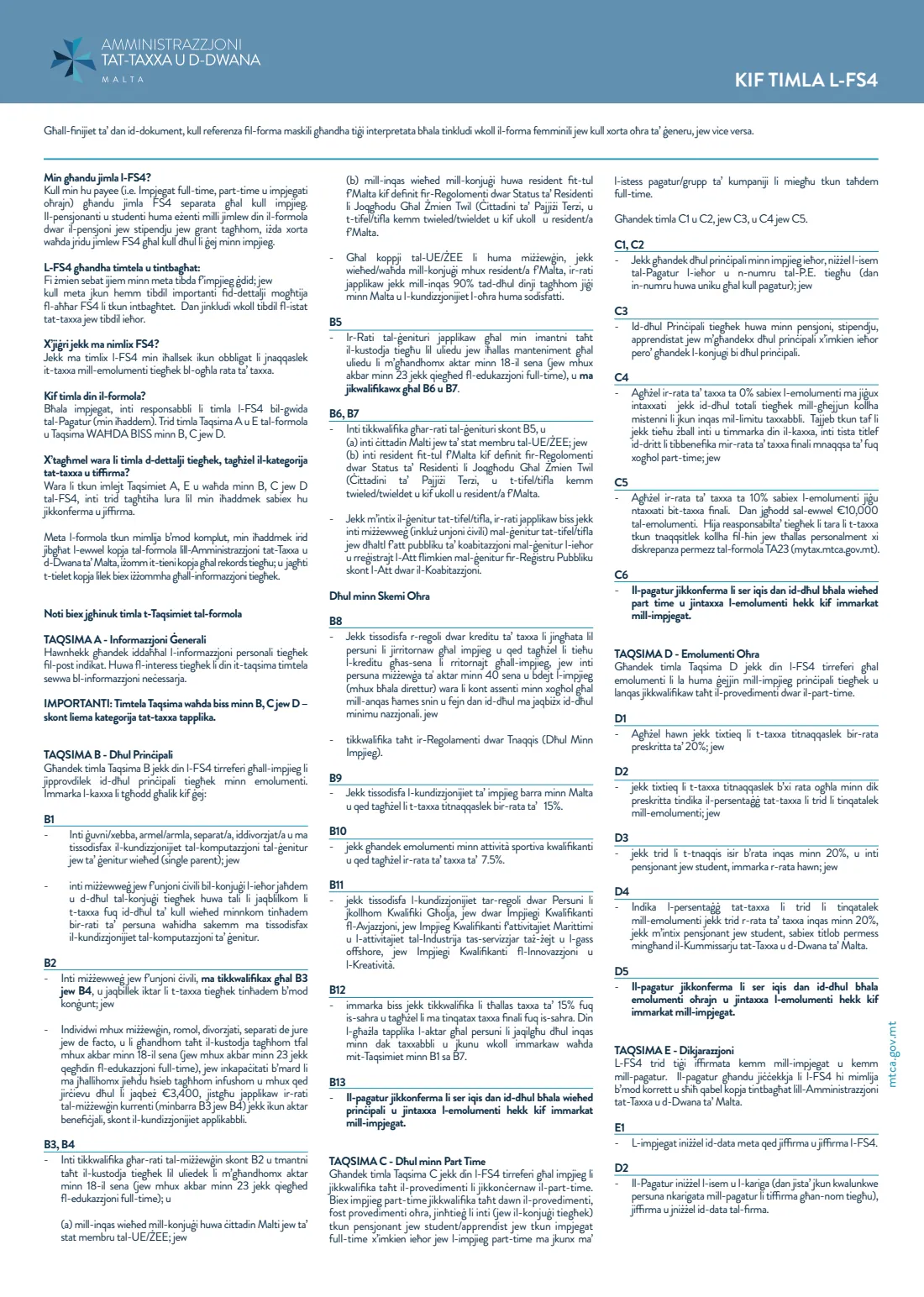
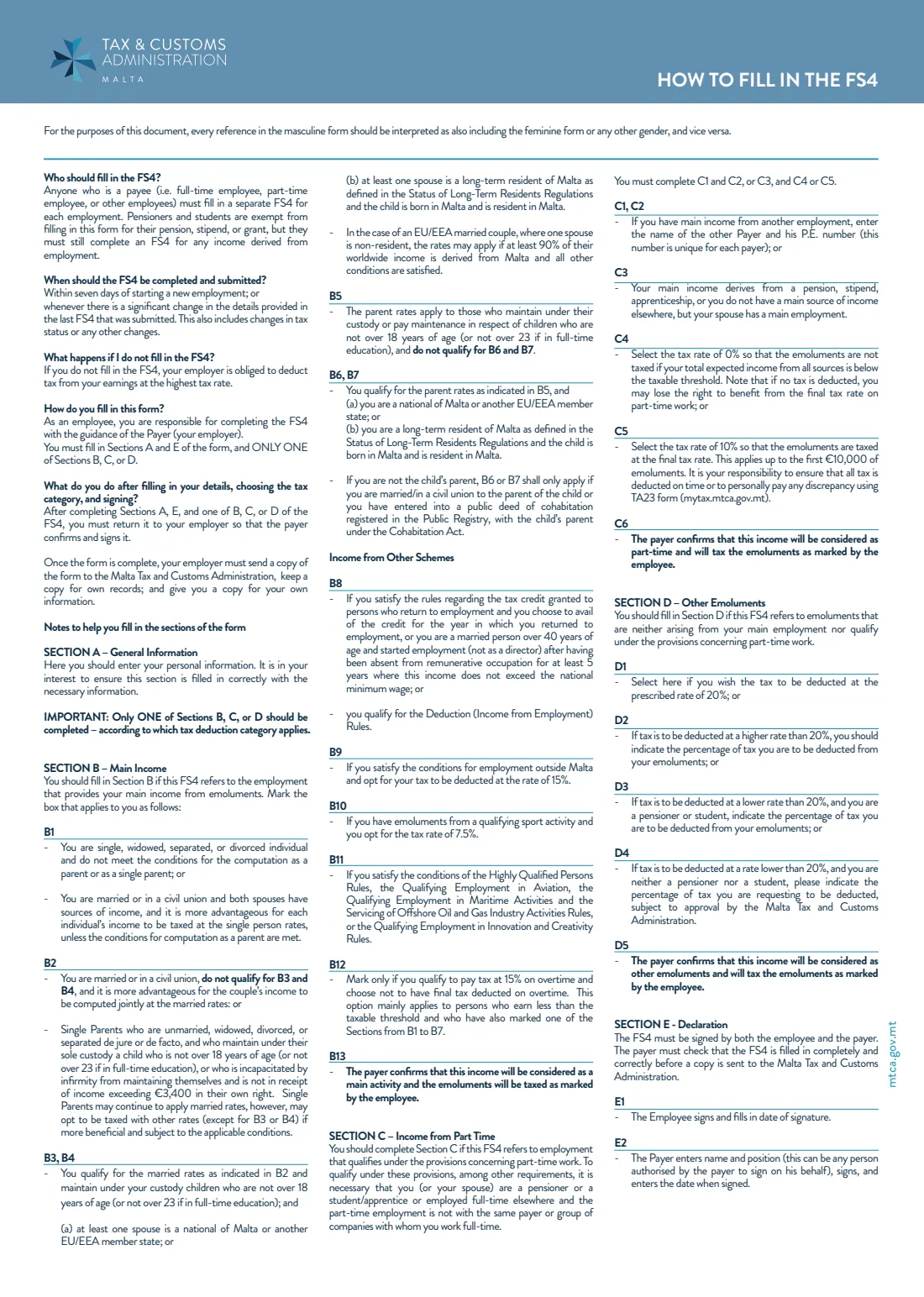
Fill in section B if this job gives you your main income from emoluments, and mark the one status that applies. B1 is the single rates; B2 the married rates (single parents with sole custody of a qualifying child may also use them); B3 and B4 the married rates with one, or two or more, qualifying children; B5 the parent rates; B6 and B7 the parent rates with one, or two or more, qualifying children. The notes set conditions for B3, B4, B6 and B7, such as EU/EEA nationality or long-term residence with the child born and resident in Malta.
The 'Income from other schemes' lines cover people returning to employment or with total income not over €12,445 in basis year 2026 (B8, 0 %), overseas employment (B9, 15 %), a qualifying sport activity (B10, 7.5 %) and other schemes such as the Highly Qualified Persons Rules (B11). B12 lets you opt not to have the 15 % tax deducted on overtime. The payer confirms in B13.
3 C. Part-time income
Fill in section C for part-time work that qualifies under the part-time provisions — for example, you or your spouse are a pensioner or a student or apprentice, or you work full-time for a different payer. Give your full-time employer's name and P.E. number (C1, C2), or tick C3 if your main income is a pension, stipend or apprenticeship, or you have no main income and your spouse has a main employment or pension.
Then choose C4, no tax deducted (for when your total expected income is below the taxable threshold; you may lose the final rate), or C5, the final 10 % rate, which the notes say applies to the first €10,000 of part-time emoluments. The payer confirms in C6.
4 D. Other emoluments
Section D is for emoluments that are neither your main employment nor qualifying part-time work. D1 is the prescribed 20 % rate (not final withholding). D2 is a higher rate that you state; D3 a lower rate for pensioners and students; D4 a lower rate for others, subject to MTCA's approval. The payer confirms in D5.
5 E. Declaration
In E1 you date and sign to declare that the information is true and correct. In E2 the payer gives the name and position of the person signing (anyone authorised by the payer), signs and dates it. The payer must check the form is complete and correct before sending a copy to MTCA.
Common mistakes to avoid
- Filling in more than one of sections B, C and D — only one applies to each employment.
- Choosing the married rates (B2 to B4) without giving your spouse's ID number and the date of marriage or civil union.
- Using one FS4 for two jobs — each employment needs its own.
- Claiming the part-time 10 % rate for part-time work with the same payer or group as your full-time job.
- Entering a D2 rate that isn't above 20 %, or a D3 or D4 rate that isn't below 20 %.
- Not giving a new FS4 when your tax status changes.
- Leaving the form unsigned by the payer, or without the payer's confirmation box ticked.
After you fill it out
Sign section E1 and give the FS4 to your employer, who checks it, ticks the payer's confirmation for your section and signs E2 (FileIt can send it for e-signature, or you can print and sign). According to the form, the employer keeps one copy, gives you one and sends one to the Malta Tax and Customs Administration ([email protected]). FileIt does not send it to MTCA.
Keep your copy. FileIt saves the finished PDF in your folder in the vault, so you can find it when your situation changes and you need a new FS4.
Give a new FS4 whenever your details or tax status change significantly.
Fill out FS4 — payee status declaration (tax status for a new job) online with FileIt
- Pick the person. Choose someone from People and FileIt fills in their name, date of birth, address and other details it already knows.
- Answer plain-language questions. One part of the form at a time, with the official help text beside each question — 31 fields in all. Your answers save as you go.
- Check the live preview. Watch your answers land on the real Malta Tax and Customs Administration (MTCA) form, and let FileIt do any worksheet arithmetic.
- Generate the official PDF. FileIt prints your answers into the agency’s own PDF and files it in that person’s folder in your vault. Sign it, or send it for e-signature.
FileIt fills the form — it never files or submits anything for you. Deliver the finished form to whoever asked for it, the way the form’s instructions say.
Start FS4 — payee status declaration (tax status for a new job) now — it’s freeFS4 — payee status declaration (tax status for a new job): frequently asked questions
What is the FS4 form in Malta?
It's the Payee Status Declaration under the Final Settlement System. It tells your employer which tax status and rates to use when deducting tax from your pay.
What happens if I don't fill in an FS4?
The notes on the form say your employer is then obliged to deduct tax from your earnings at the highest rate.
When do I need to fill in the FS4?
Within seven days of starting a new employment, and whenever there is a significant change in the details on your last FS4, including your tax status.
Who sends the FS4 to MTCA?
Your employer. The form is completed in three copies: the payer keeps one, gives you one and sends one to the Malta Tax and Customs Administration (the form gives [email protected]).
Which section do I fill in?
Section A and E always, and only one of B (main income), C (qualifying part-time income) or D (other emoluments).
How does the 10 % part-time rate work?
If your part-time job qualifies, you can choose C5 to have tax deducted at the final 10 % rate, which the notes say applies up to the first €10,000 of part-time emoluments. You must pay any discrepancy yourself.
Do pensioners and students need an FS4?
Not for their pension, stipend or grant, but they must fill in an FS4 for any income from employment.
Can I fill in the FS4 online with FileIt?
Yes, free. FileIt asks the questions in English, shows the right section and prints your answers into the English FS4 in MTCA's official PDF. You and your employer then sign it, and your employer sends the copy to MTCA.
Official sources
- Blank form (PDF), published by Malta Tax and Customs Administration (MTCA): https://mtca.gov.mt/docs/default-source/documents/personal-tax/fss-system/online-services---employers/mtca-fs4.pdf?sfvrsn=53f02313_3
- Official instructions and guidance: https://mtca.gov.mt/docs/default-source/documents/personal-tax/fss-system/online-services---employers/mtca-fs4.pdf?sfvrsn=53f02313_3
- Edition shown on this page: MTCA FS4, basis year 2026 (January 2026 edition) (checked 2026-09-26).
FileIt is not affiliated with or endorsed by Malta Tax and Customs Administration (MTCA) or any government. This page explains the form in general terms and is not legal, tax or immigration advice. Always read the official instructions, and check that you are using the edition the recipient accepts. Page last reviewed 2026-09-26.