What is Form 54 Claims 2025 (DIRT and tax repayment)?
Form 54 Claims is the Irish Revenue Commissioners' repayment claim for income tax deducted at source: Deposit Interest Retention Tax (DIRT) on savings, dividend withholding tax, and tax on annuities or covenants. Revenue says you may be due a DIRT refund if, for example, you are now over 65, your income went temporarily over the exemption limit, you have become incapacitated, or it was your first year with a DIRT exemption but your bank had already deducted DIRT.
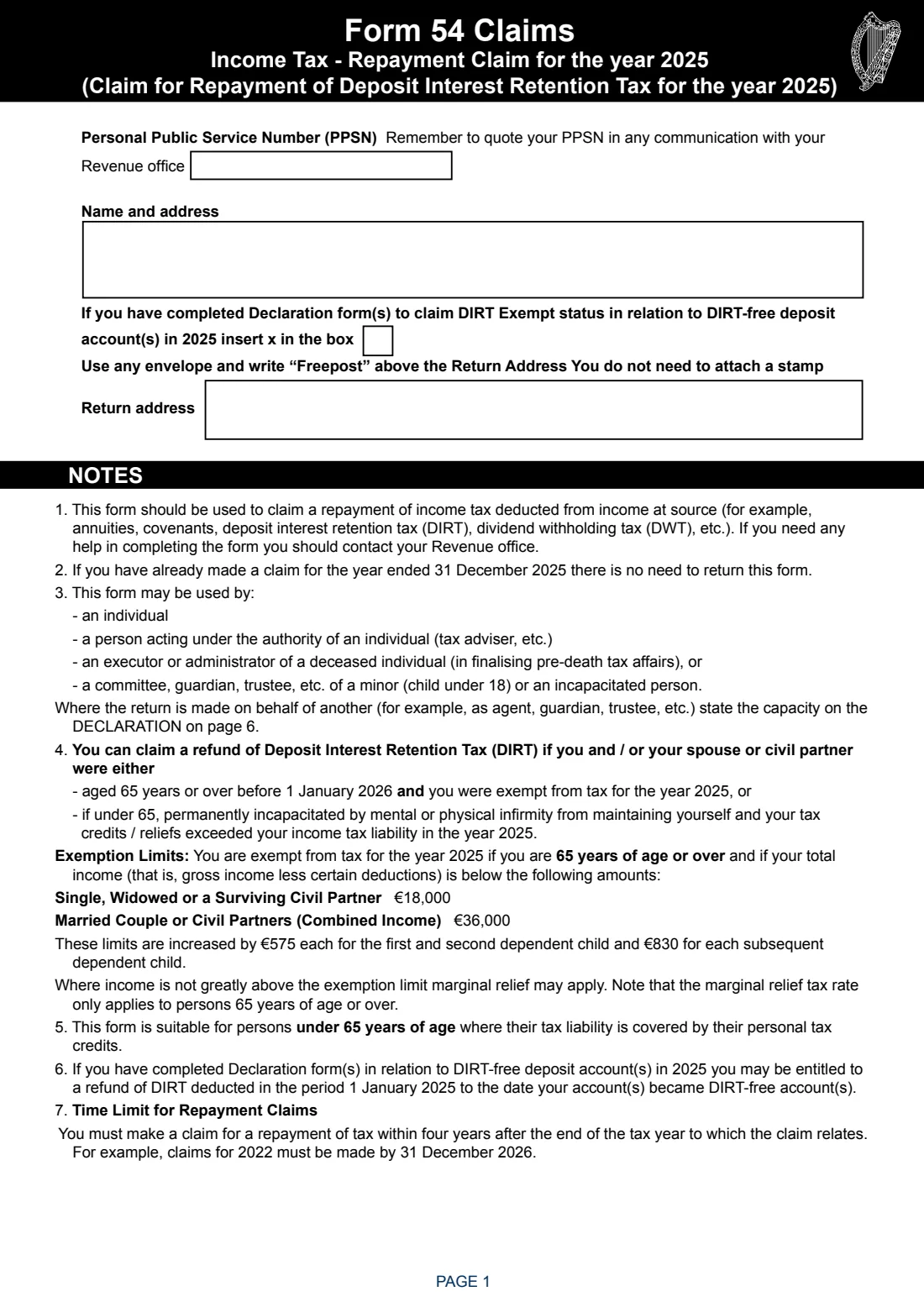
The 2025 form's notes say you can claim a DIRT refund if you or your spouse or civil partner were aged 65 or over before 1 January 2026 and exempt from tax for 2025 (total income below €18,000, or €36,000 for a couple, plus €575 each for the first two dependent children and €830 for each further child), or under 65 and permanently incapacitated with tax credits exceeding your liability. The form also covers your tax credits, health and nursing home expenses and any capital gains.
FileIt guides you through all seven pages, adds up your income and expenses, shows only the parts you need, checks your IBAN, and prints your answers into Revenue's official PDF. It can be filled by the claimant or by an agent, executor or guardian on their behalf. The finished form is saved in your FileIt vault; you sign it and post it to your Revenue office.
- Who fills it
- Mainly people over 65 or permanently incapacitated who had tax deducted at source in 2025
- Given to
- Your Revenue office (Freepost, no stamp needed)
- Time limit
- Within four years after the end of the tax year: by 31 December 2029 for 2025
- Signatures
- The claimant, or the person acting for them, signs the declaration
- Edition
- Form 54 Claims 2025
Who needs to fill out Form 54 Claims 2025 (DIRT and tax repayment)?
- People aged 65 or over whose income is below the exemption limit and who had DIRT deducted from deposit interest.
- People under 65 who are permanently incapacitated and whose tax credits exceed their tax.
- People who got DIRT-exempt status in 2025 but had DIRT deducted before their account became DIRT-free.
- Agents, executors, administrators, guardians or trustees claiming for someone else.
When to use Form 54 Claims 2025 (DIRT and tax repayment)
- After the end of 2025, to reclaim tax deducted at source during 2025.
- Within four years after the end of the tax year: the form's example is that 2022 claims must be made by 31 December 2026.
- Not if you have already made a claim for 2025: the form says there's no need to return it.
- For earlier years, use that year's Form 54: Revenue publishes the 2021 to 2024 editions too.
What you need before you start
- Your PPSN, name and address.
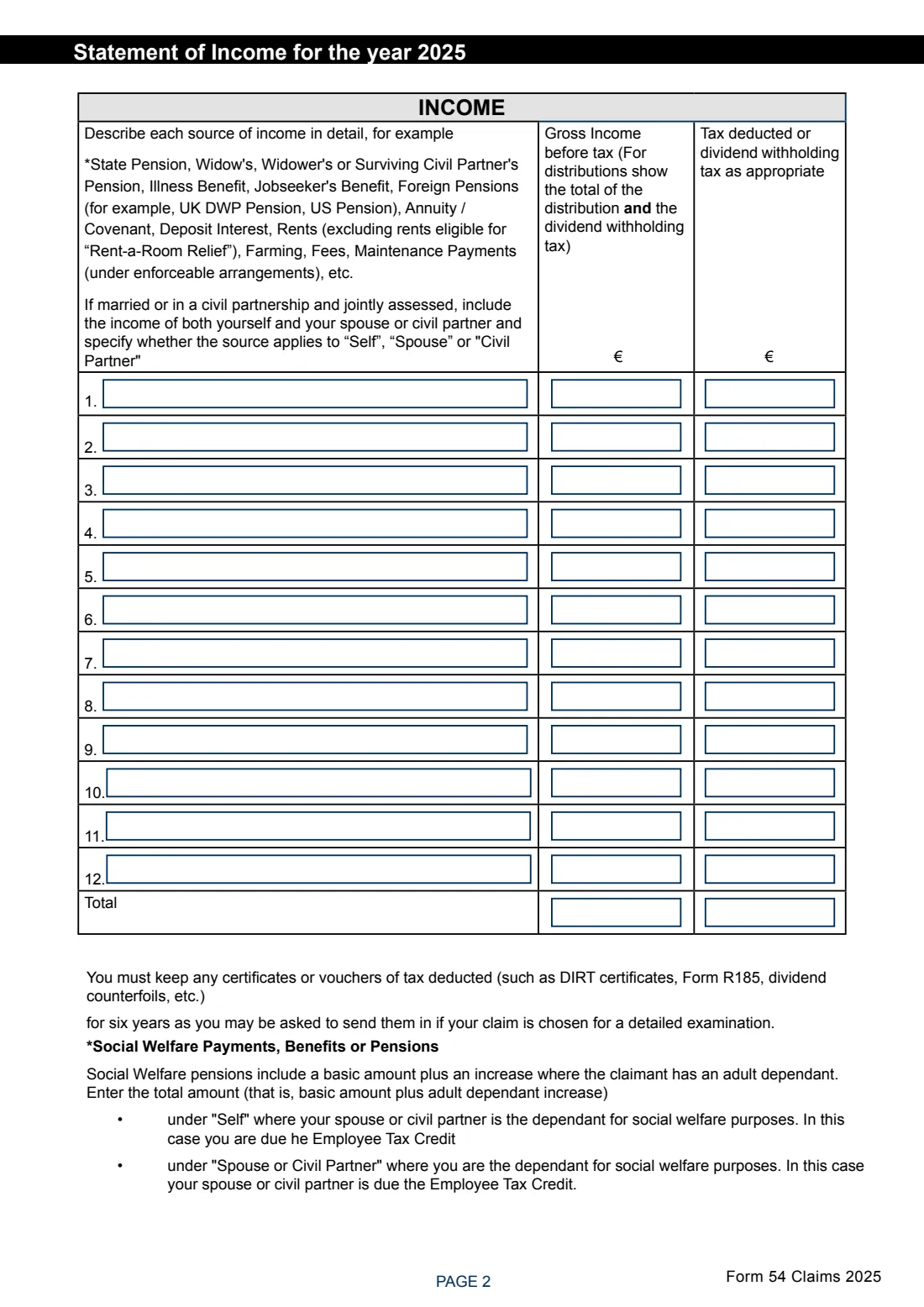
- Every source of income in 2025 with the gross amount and any tax deducted (DIRT certificates, Form R185, dividend counterfoils).
- Your civil status and dates of birth if you or your spouse or civil partner were born before 1 January 1961.
- Receipts for any nursing home, non-routine dental (Form Med 2) or other health expenses, and any amounts refunded by the HSE or insurance.
- Amounts for other credits you claim, such as pension contributions, rent or tuition fees.
- Your IBAN and BIC for the repayment (and your spouse's, if jointly assessed).
What’s on Form 54 Claims 2025 (DIRT and tax repayment)
The 2025 edition has 7 pages. FileIt asks for it in 11 parts, and it is signed by Claimant:
- Your detailsClaimant
- Statement of income for 2025Claimant
- Personal tax credit, dependants and ageClaimant
- Rent-a-Room Relief and childcare servicesClaimant
- Nursing home expensesClaimant
- Non-routine dental and other health expensesClaimant
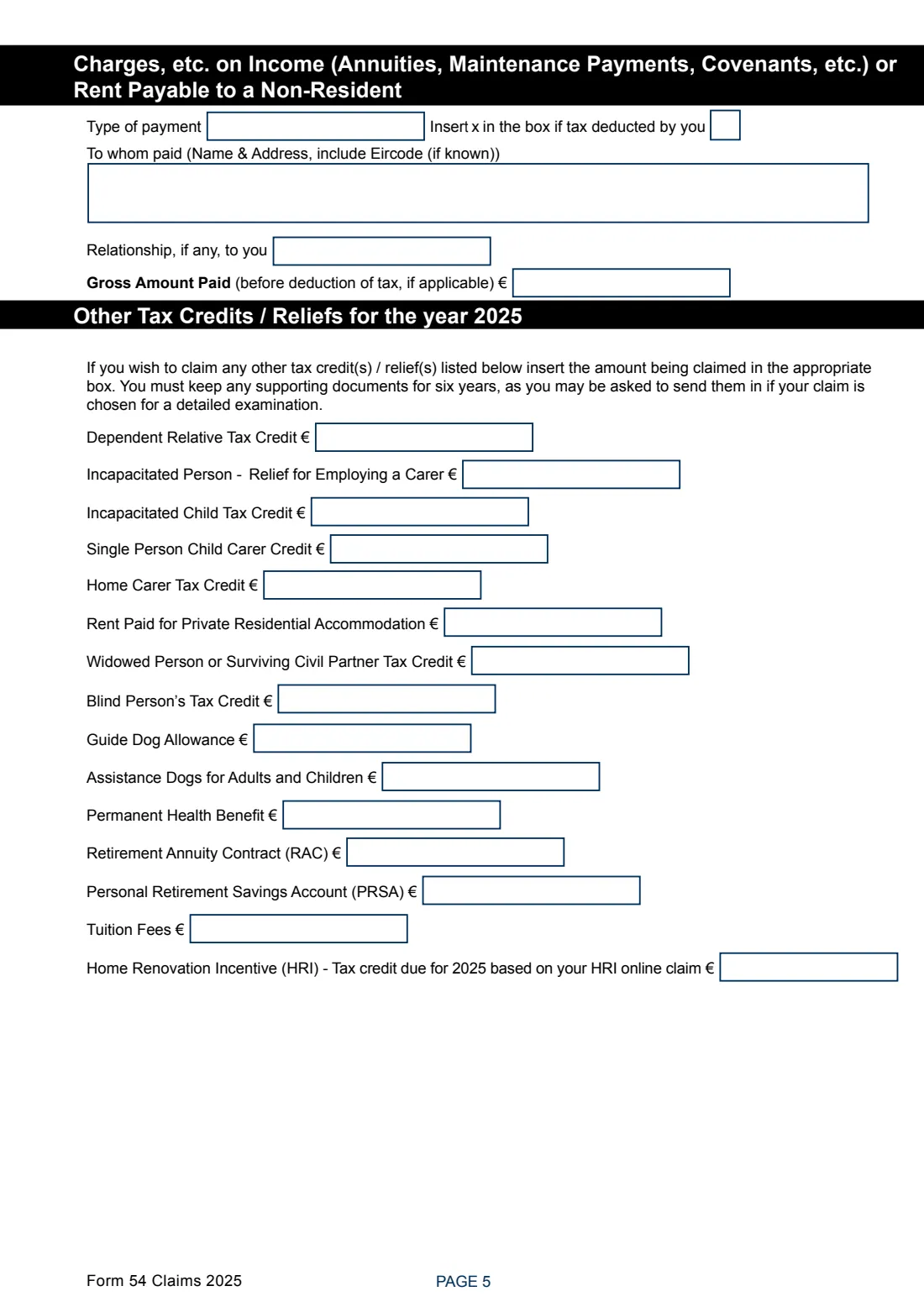
- Charges on income, or rent payable to a non-residentClaimant
- Other tax credits and reliefs for 2025Claimant
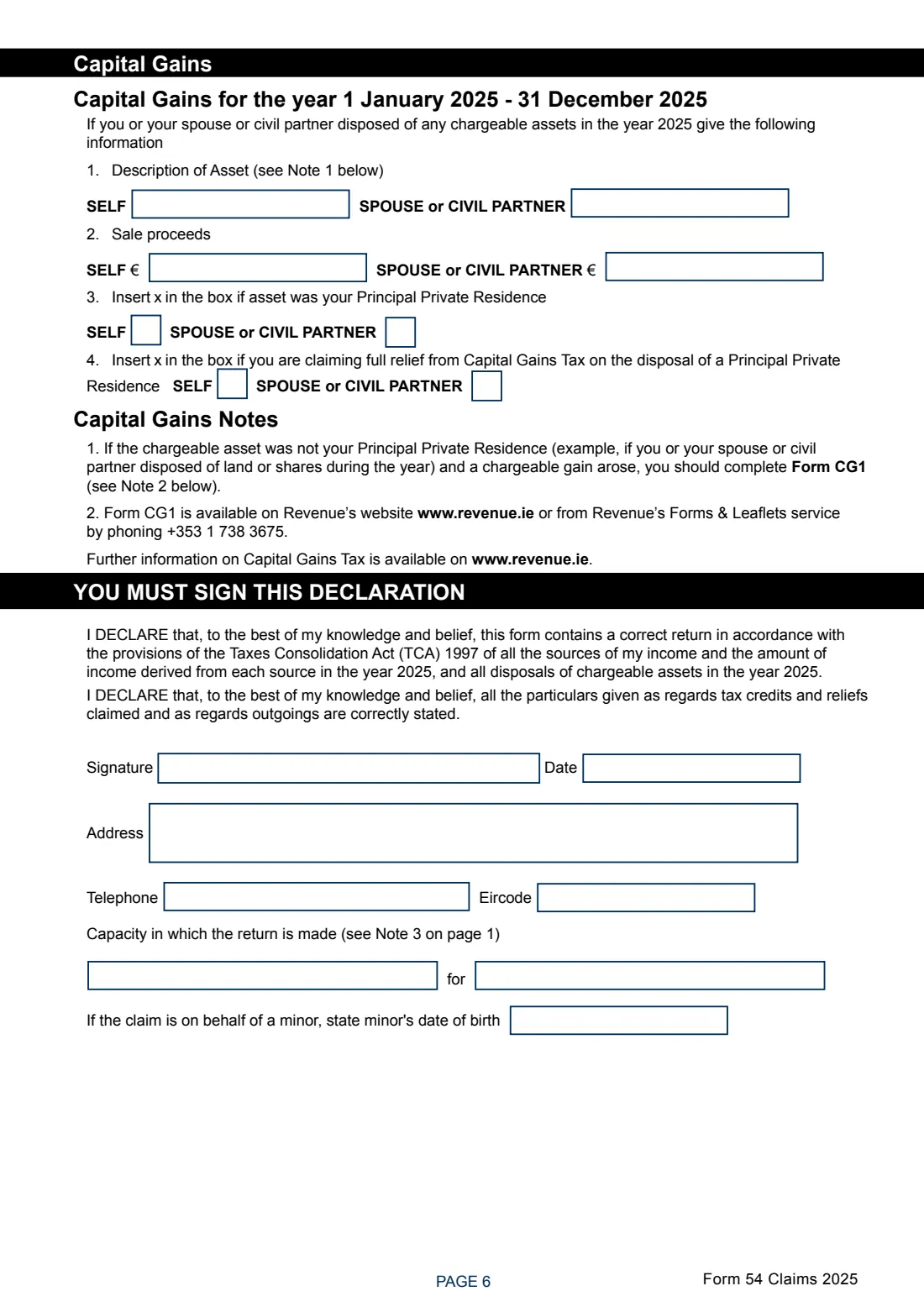
- Capital gains in 2025Claimant
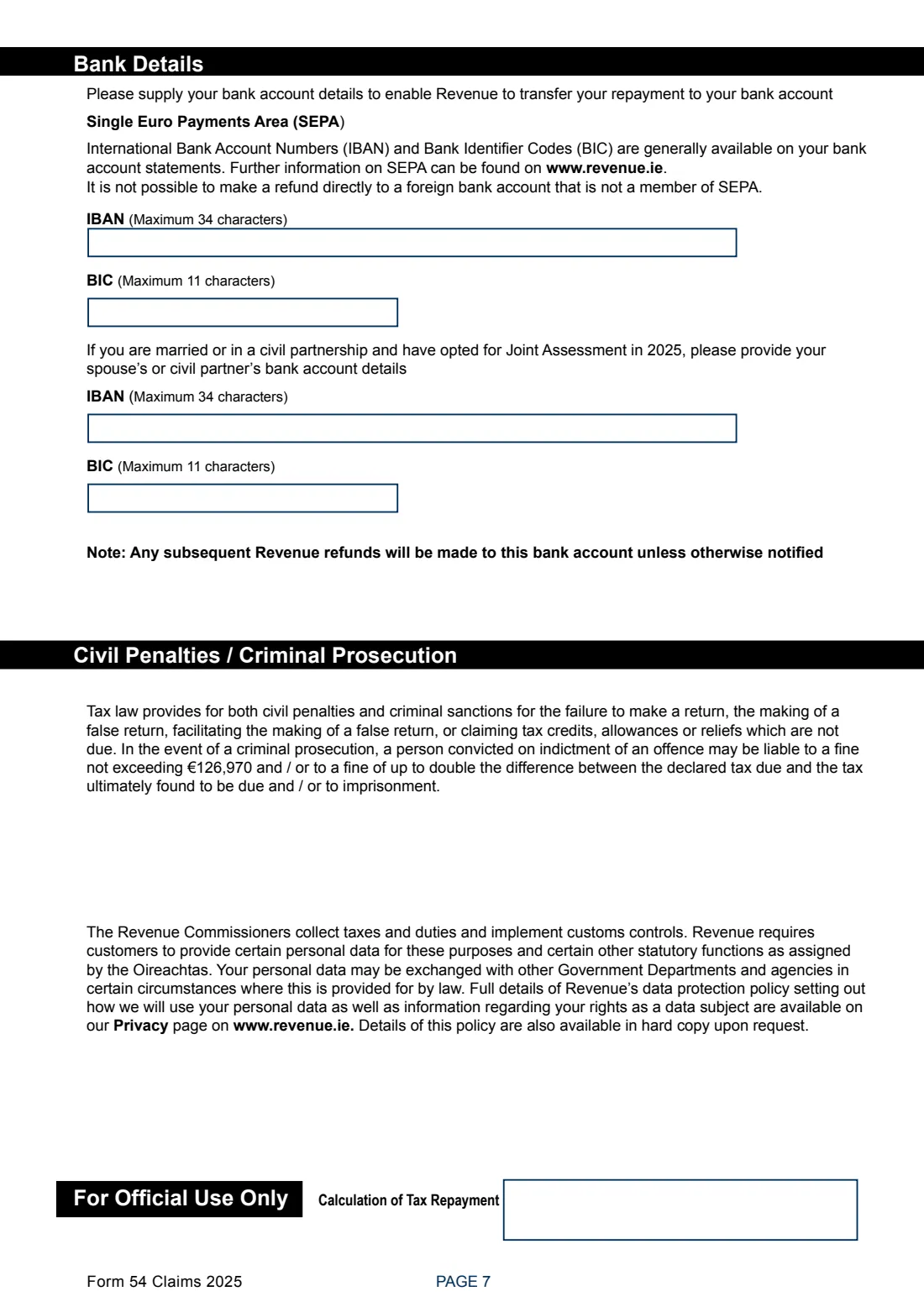
- Bank details for the repayment (SEPA)Claimant
- DeclarationClaimant
How to fill out Form 54 Claims 2025 (DIRT and tax repayment), step by step
1 Page 1: your details
Your PPSN, name and address, whether you completed DIRT-exempt declarations in 2025, and the return address of your Revenue office.
2 Page 2: statement of income
Up to 12 sources of income with the gross amount and the tax or dividend withholding tax deducted, marked 'Self' or 'Spouse' / 'Civil Partner' if you are jointly assessed. FileIt adds up the totals.
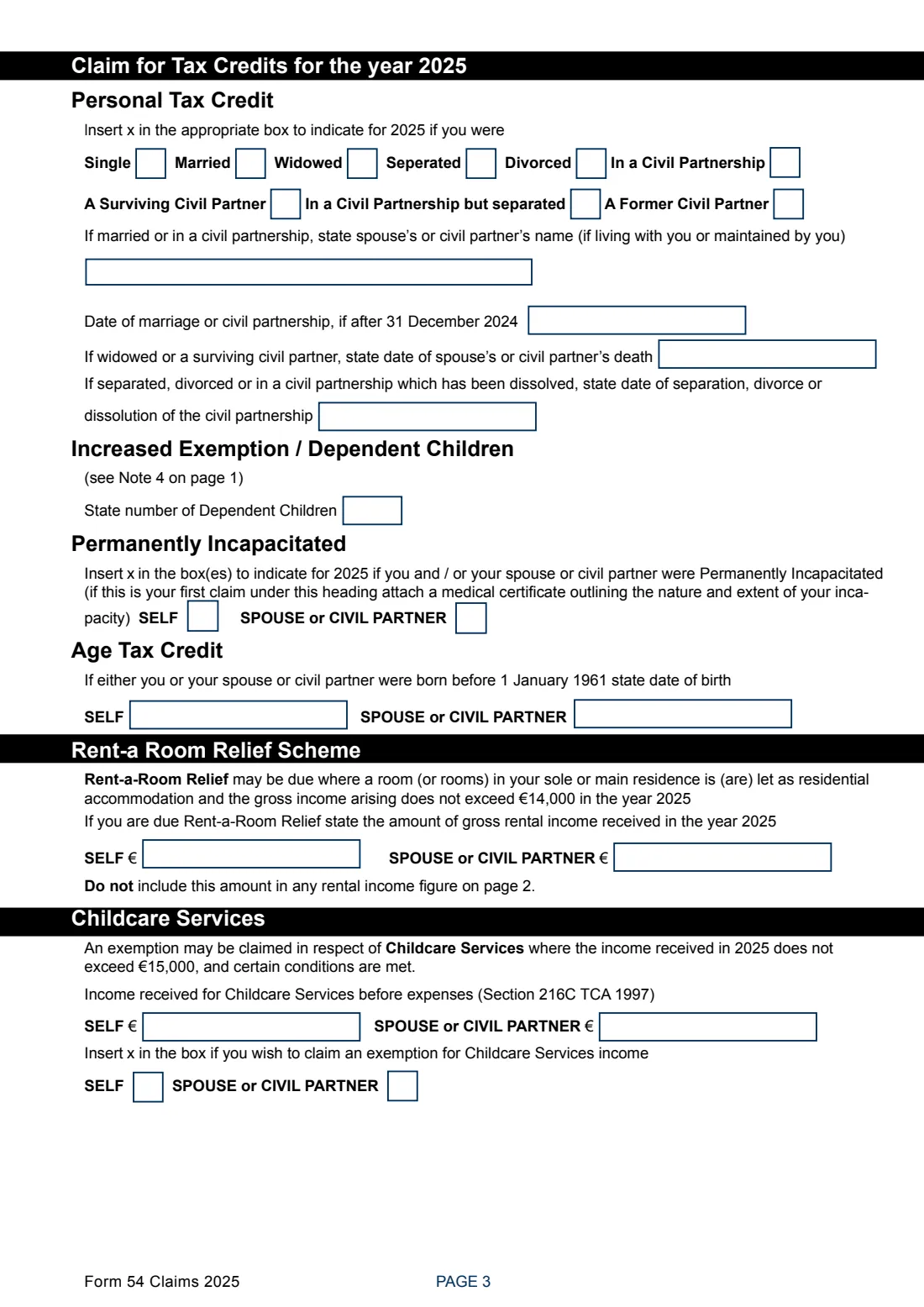
3 Page 3: tax credits
Your civil status and related dates, number of dependent children, permanent incapacity, age tax credit dates of birth, Rent-a-Room income (up to €14,000) and childcare services income and exemption (up to €15,000).
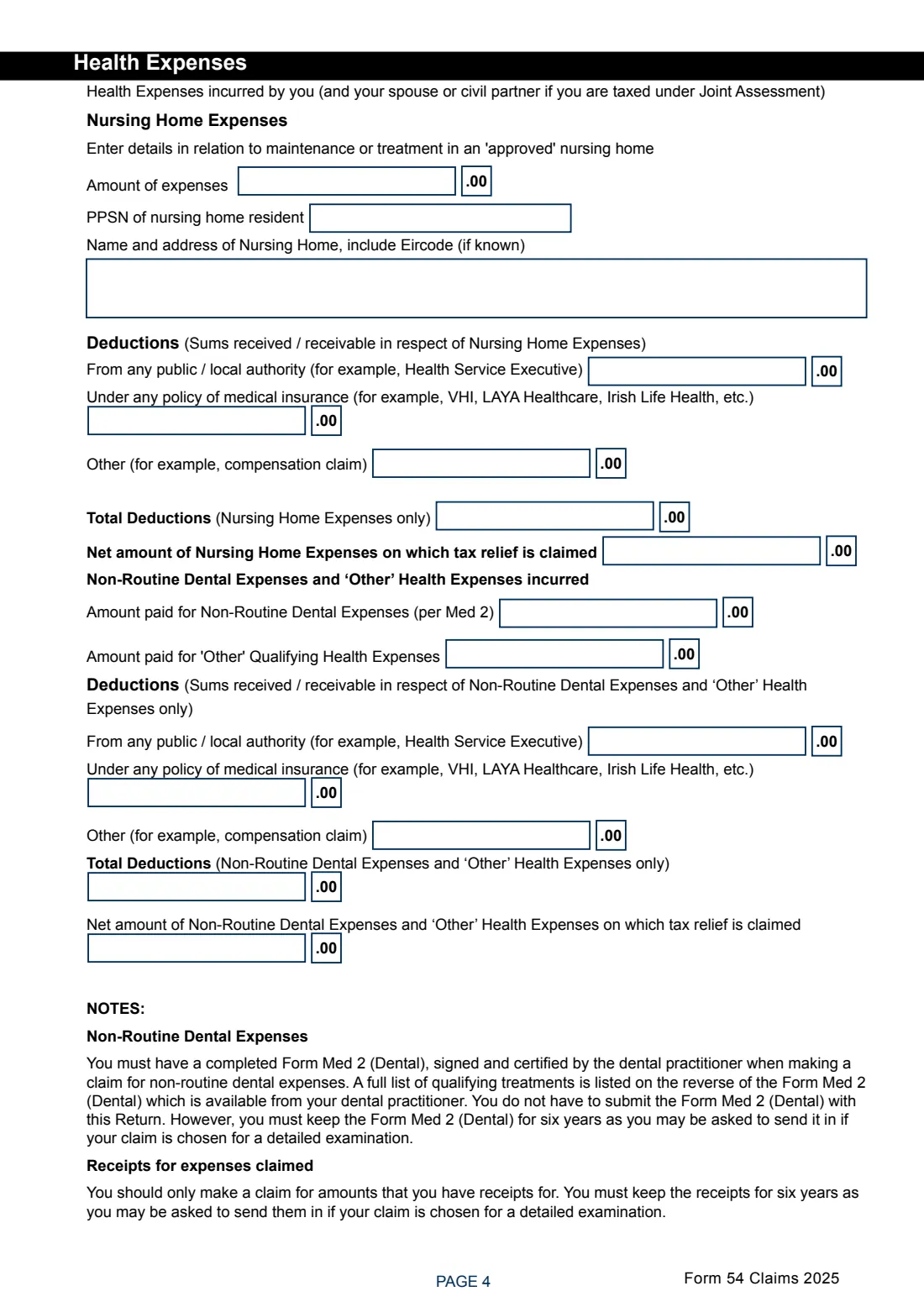
4 Page 4: health expenses
Nursing home expenses with the resident's PPSN and the home's address, then non-routine dental and other health expenses, each less any amounts received from the HSE, insurance or compensation. FileIt works out the totals and net amounts.
5 Page 5: charges and other credits
Maintenance, covenants or rent paid to a non-resident, and the amounts of other credits or reliefs you claim, from the Dependent Relative Tax Credit to the Home Renovation Incentive.
6 Pages 6-7: capital gains, declaration and bank details
Any disposals of chargeable assets in 2025, the signed declaration (with your capacity if you sign for someone else), and the bank account for the repayment.
Common mistakes to avoid
- Including Rent-a-Room income in the rents on page 2: the form says not to.
- Leaving out the adult dependant increase on a Social Welfare pension. The form asks for the total amount.
- Claiming health expenses without keeping receipts (and Form Med 2 for dental work) for six years.
- Not stating the capacity when signing for someone else, such as an agent, guardian or trustee.
- Missing the four-year time limit for the repayment claim.
After you fill it out
Print the form, sign the declaration and post it to your Revenue office. The form says any envelope will do with 'Freepost' written above the return address, and no stamp is needed.
Keep your certificates of tax deducted, receipts and Form Med 2 for six years in case Revenue asks for them.
If you gave bank details, the repayment goes to that account, as will later Revenue refunds unless you tell them otherwise. A copy of the filled form stays in your FileIt vault.
Fill out Form 54 Claims 2025 (DIRT and tax repayment) online with FileIt
- Pick the person. Choose someone from People and FileIt fills in their name, date of birth, address and other details it already knows.
- Answer plain-language questions. One part of the form at a time, with the official help text beside each question — 115 fields in all. Your answers save as you go.
- Check the live preview. Watch your answers land on the real Office of the Revenue Commissioners (Revenue) form, and let FileIt do any worksheet arithmetic.
- Generate the official PDF. FileIt prints your answers into the agency’s own PDF and files it in that person’s folder in your vault. Sign it, or send it for e-signature.
FileIt fills the form — it never files or submits anything for you. Deliver the finished form to whoever asked for it, the way the form’s instructions say.
Start Form 54 Claims 2025 (DIRT and tax repayment) now — it’s freeForm 54 Claims 2025 (DIRT and tax repayment): frequently asked questions
Who can claim a DIRT refund in Ireland?
Per the form: you, or your spouse or civil partner, were 65 or over before 1 January 2026 and exempt from tax for 2025, or under 65 and permanently incapacitated with tax credits exceeding your tax. Revenue also lists people whose income went temporarily over the limit and people in their first year of DIRT exemption.
What is the exemption limit for 2025?
For people 65 or over, the form gives €18,000 for a single, widowed or surviving civil partner and €36,000 combined for a married couple or civil partners. The limits rise by €575 each for the first two dependent children and €830 for each further child.
How far back can I claim?
Four years after the end of the tax year. The form's example: claims for 2022 must be made by 31 December 2026.
Where do I send Form 54?
To your Revenue office. Revenue's page on DIRT refunds says to complete a Form 54 Claims and send it there.
Can someone else fill it in for me?
Yes. The form may be used by a person acting under your authority, an executor or administrator, or a committee, guardian or trustee, who states their capacity on the declaration.
Can I fill out Form 54 online?
FileIt lets you fill in Form 54 Claims 2025 online and prints it into Revenue's official PDF, adding up the totals for you. You then sign and post it.
Official sources
- Blank form (PDF), published by Office of the Revenue Commissioners (Revenue): https://www.revenue.ie/en/additional-incomes/documents/dirt/form54-claims.pdf
- Official instructions and guidance: https://www.revenue.ie/en/additional-incomes/dirt/can-you-claim-a-dirt-refund.aspx
- Edition shown on this page: Form 54 Claims 2025 (November 2025) (checked 2026-09-28).
FileIt is not affiliated with or endorsed by Office of the Revenue Commissioners (Revenue) or any government. This page explains the form in general terms and is not legal, tax or immigration advice. Always read the official instructions, and check that you are using the edition the recipient accepts. Page last reviewed 2026-09-28.