What is Formular P — Zentrales Vorsorgeregister (Vorsorgevollmacht)?
The Zentrales Vorsorgeregister (ZVR), run by the Bundesnotarkammer, is Germany's central register of lasting powers of attorney (Vorsorgevollmacht), care directives (Betreuungsverfügung), advance medical directives (Patientenverfügung) and objections to emergency representation by a spouse (Ehegattenwiderspruch). Guardianship courts and treating doctors can look it up. That helps avoid an unnecessary court-appointed carer and lets them find your document and your trusted person quickly.
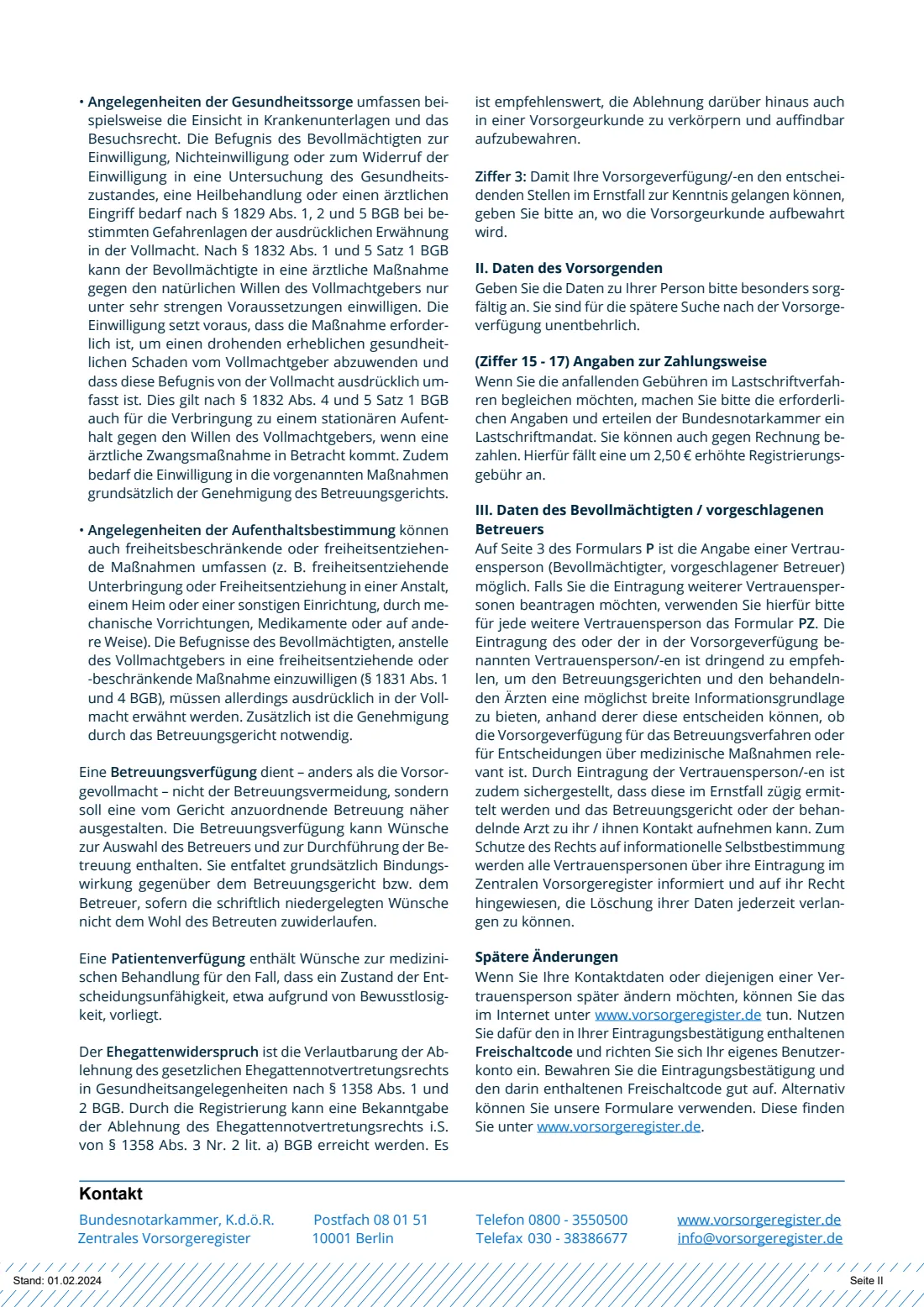
Formular P is the postal application to register a document that already exists. Registration doesn't create the document or check what it says, so ask a notary or lawyer about the content. You give the date of the document, what it covers, where it is kept, your personal details, how you pay the one-off fee and, ideally, one trusted person. Each person making a provision needs their own form. You never send the document itself.
FileIt guides you through Formular P in English with the German terms, prints your answers into the Bundesnotarkammer's own PDF, including names such as Wiśniewska or Ștefan, and saves it in your vault. It checks the form's rules, such as ticking at least one provision and an IBAN with valid check digits. You print it, sign it by hand and post it. FileIt never sends anything to the register.
- Who fills it
- The person who made the Vorsorgevollmacht or directive (der Vorsorgende)
- Given to
- Zentrales Vorsorgeregister, Postfach 08 01 51, 10001 Berlin — by post
- Signatures
- You sign page 3; the account holder also signs the SEPA mandate on page 2 if paying by direct debit
- Fee
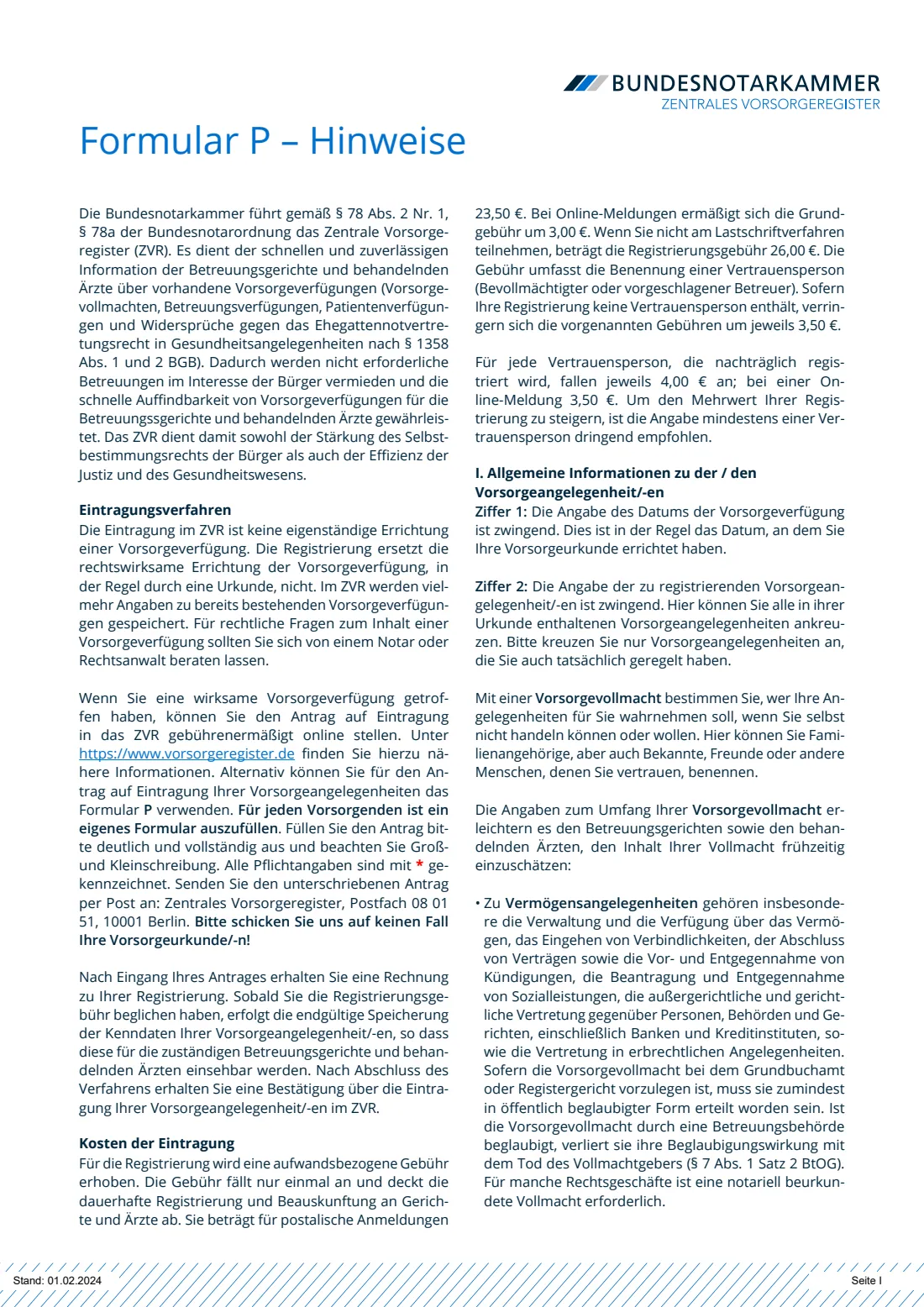
- One-off. The form's notes give the postal fees; online registration is cheaper
- Edition
- Formular P, Stand: 01.02.2024
- Pages
- 5 (3 to fill in, 2 of notes)
Who needs to fill out Formular P — Zentrales Vorsorgeregister (Vorsorgevollmacht)?
- Anyone in Germany who has signed a lasting power of attorney (Vorsorgevollmacht) and wants courts and doctors to know it exists.
- People with a care directive (Betreuungsverfügung) or an advance medical directive (Patientenverfügung) they want to be findable.
- Married people who object to their spouse's statutory right to represent them in health emergencies (§ 1358 BGB) and want that objection on record.
- People who prefer paper, or have no online access. The register also accepts applications online at vorsorgeregister.de.
- Relatives helping an older person register their documents. The person making the provision signs.
When to use Formular P — Zentrales Vorsorgeregister (Vorsorgevollmacht)
- After you have signed your power of attorney or directive. Only an existing document can be registered.
- Any time afterwards. There is no deadline, but registering early means it can be found in an emergency.
- For each further trusted person beyond the one on page 3, the notes say to use Formular PZ. For later changes to contact details you use the online account with the activation code (Freischaltcode) from your confirmation, or the register's other forms.
What you need before you start
- The date of your document, usually the day you signed it or had it drawn up.
- What it covers: financial matters, health care (and whether it expressly covers measures under §§ 1829 or 1832 BGB), decisions about where you live (and § 1831 BGB measures), other personal matters, a care directive, an advance medical directive or a spousal objection.
- Where the original is kept, with the name and address if it is with an institution such as a notary.
- Your name, name at birth, place and date of birth, address and email.
- Your IBAN and the account holder's name if you pay by direct debit.
- Your trusted person's details (attorney and/or proposed carer): name, date of birth, address, phone and email, and whether they keep the document.
What’s on Formular P — Zentrales Vorsorgeregister (Vorsorgevollmacht)
The 2024 edition has 5 pages. FileIt asks for it in 5 parts, and it is signed by Person making the provision (vorsorgender):
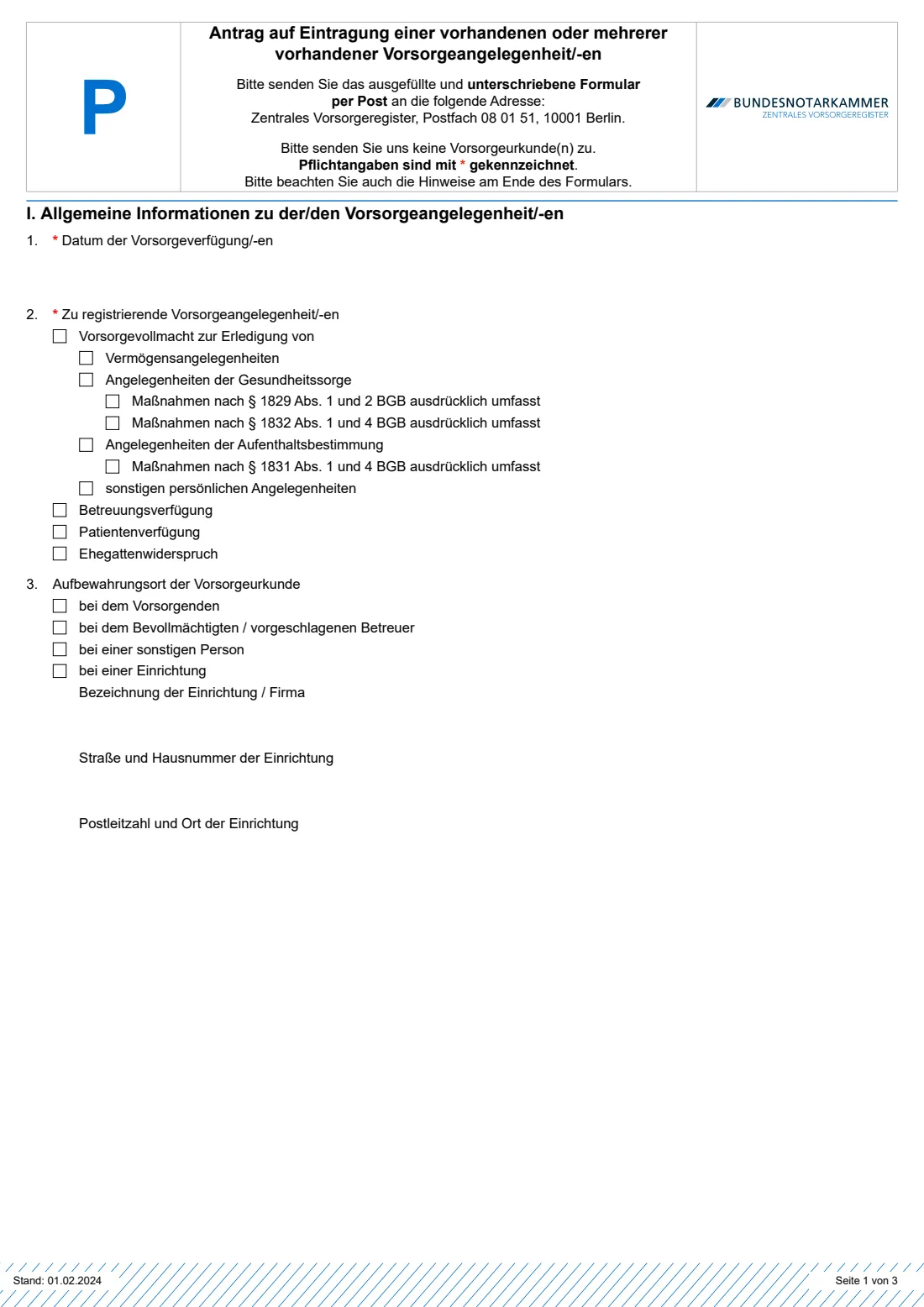
- I. The document(s) you are registering (Allgemeine Informationen)Person making the provision (vorsorgender)
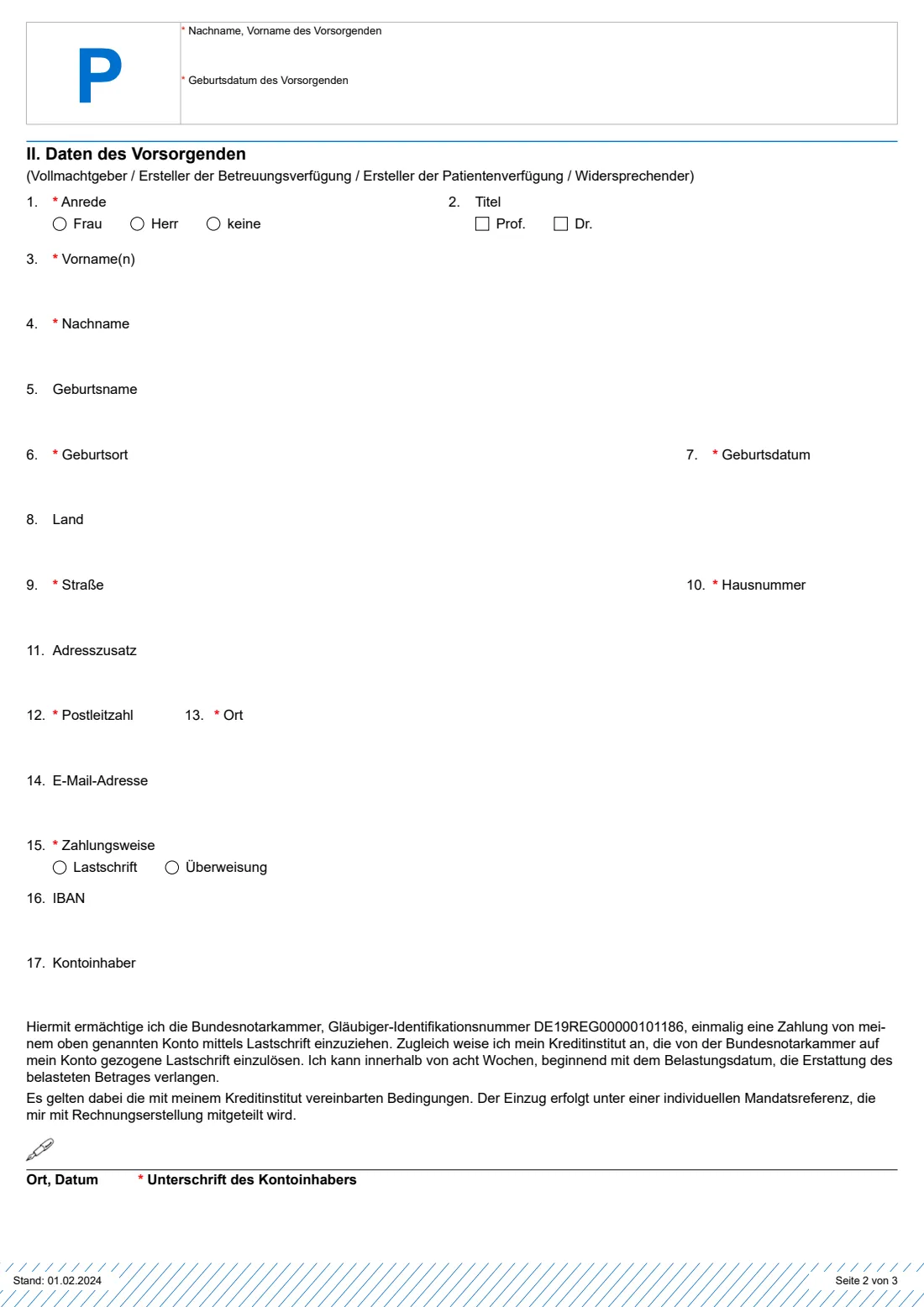
- II. You — the person making the provision (Daten des Vorsorgenden)Person making the provision (vorsorgender)
- Paying the fee (Zahlungsweise, Ziffer 15–17)Person making the provision (vorsorgender)
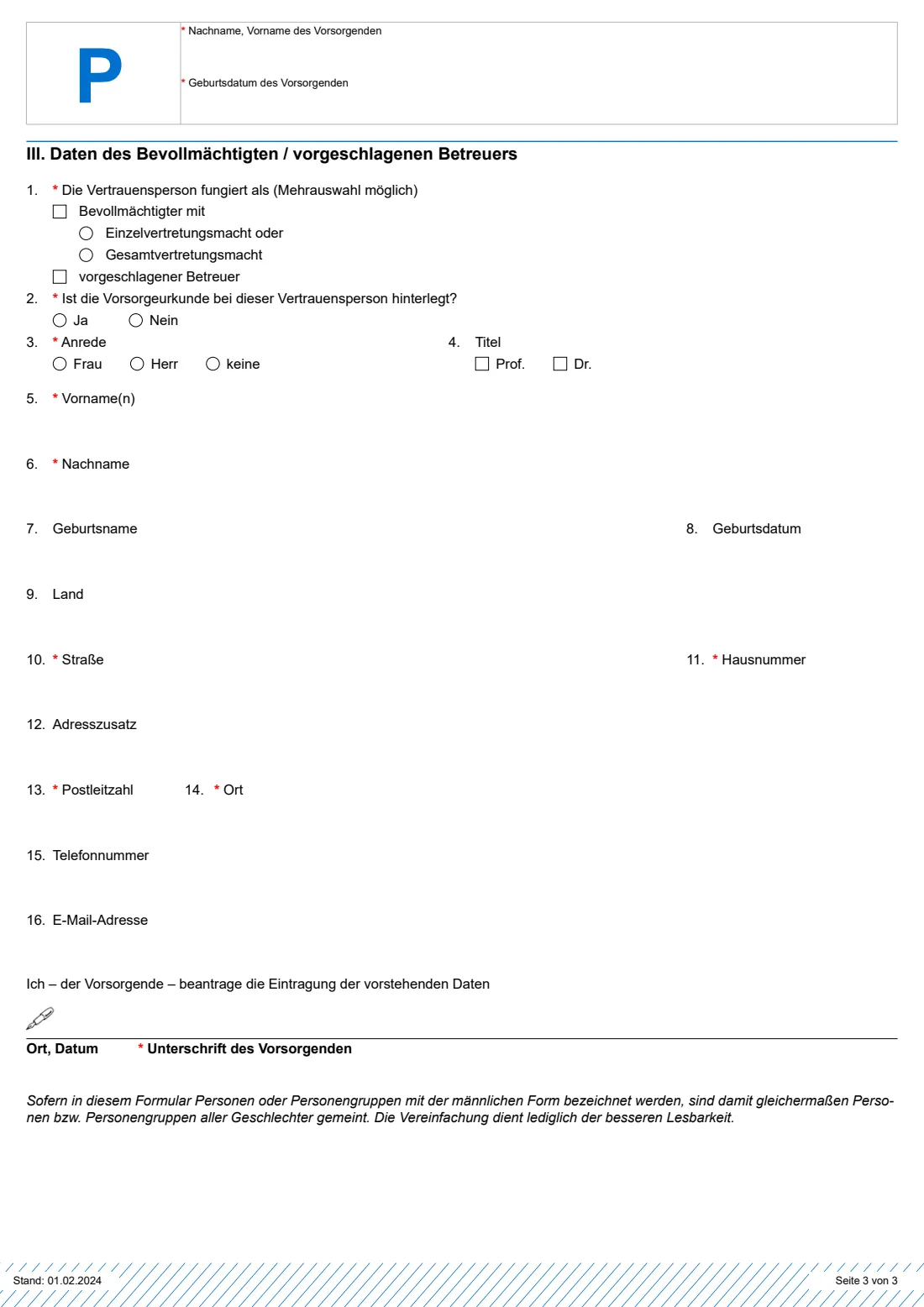
- III. Trusted person — attorney or proposed carer (Daten des Bevollmächtigten / vorgeschlagenen Betreuers)Person making the provision (vorsorgender)
- Signature (Unterschrift des Vorsorgenden)Person making the provision (vorsorgender)
How to fill out Formular P — Zentrales Vorsorgeregister (Vorsorgevollmacht), step by step
1 I.1 Datum der Vorsorgeverfügung (date of the document)
Mandatory. Normally the date on which you made the document.
2 I.2 Zu registrierende Vorsorgeangelegenheit/-en (what you are registering)
Tick only what your document actually covers. For a lasting power of attorney, tick the areas: financial and property matters, health care, deciding where you live and other personal matters. Tick the §§ 1829, 1832 and 1831 BGB boxes only if your document expressly covers those serious medical and liberty-restricting measures, as the law requires. Also tick a care directive, an advance medical directive or a spousal objection if you have one.
3 I.3 Aufbewahrungsort (where the document is kept)
With you, with your attorney or proposed carer, with another person, or with an institution such as a notary, lawyer or bank. For an institution, give its name and address.
4 II. Daten des Vorsorgenden (your details)
Form of address, title, first names, surname, name at birth, place and date of birth, country, street and number, address addition, postcode, town and email. The notes stress giving these carefully, since they are what the register searches by. Your name and date of birth are repeated in the header of pages 2 and 3.
5 II.15–17 Zahlungsweise (payment)
Choose direct debit (Lastschrift) and give the IBAN and account holder, who signs the one-off SEPA mandate on page 2. Or choose a bank transfer against the invoice, which the notes say costs 2.50 € more.
6 III. Vertrauensperson (trusted person)
Optional, but the notes strongly recommend it. Say whether the person is your attorney (acting alone or jointly) and/or your proposed carer, and whether they keep the document. Then give their name, date of birth, address, phone and email. The register tells every trusted person that they have been registered. For more people, use Formular PZ.
7 Unterschrift (signature)
On page 3 you apply for registration of the details above. Write the place and date and sign by hand.
Common mistakes to avoid
- Sending your original document. The form says in bold: don't send your Vorsorgeurkunde, only this form.
- Ticking areas your document doesn't cover. The notes ask you to tick only what you have actually arranged.
- Using one form for a couple. Each person making a provision needs their own Formular P.
- Forgetting the account holder's signature on the SEPA mandate when paying by direct debit.
- Leaving out a trusted person. It is optional, but without one courts and doctors have no-one to contact quickly.
After you fill it out
Print the PDF from your FileIt vault, sign page 3 (and page 2 if paying by direct debit) and post it to Zentrales Vorsorgeregister, Postfach 08 01 51, 10001 Berlin.
According to the notes, you then receive an invoice. Once the fee is paid, your details are stored for good and you get a confirmation with an activation code (Freischaltcode) for later online changes. Keep the confirmation and code safe, for example in your FileIt vault.
Tell your trusted person where the original is kept. The register informs them of their registration.
Fill out Formular P — Zentrales Vorsorgeregister (Vorsorgevollmacht) online with FileIt
- Pick the person. Choose someone from People and FileIt fills in their name, date of birth, address and other details it already knows.
- Answer plain-language questions. One part of the form at a time, with the official help text beside each question — 60 fields in all. Your answers save as you go.
- Check the live preview. Watch your answers land on the real Bundesnotarkammer — Zentrales Vorsorgeregister form, and let FileIt do any worksheet arithmetic.
- Generate the official PDF. FileIt prints your answers into the agency’s own PDF and files it in that person’s folder in your vault. Sign it, or send it for e-signature.
FileIt fills the form — it never files or submits anything for you. Deliver the finished form to whoever asked for it, the way the form’s instructions say.
Start Formular P — Zentrales Vorsorgeregister (Vorsorgevollmacht) now — it’s freeFormular P — Zentrales Vorsorgeregister (Vorsorgevollmacht): frequently asked questions
What is Formular P?
It is the Bundesnotarkammer's postal form to register an existing Vorsorgevollmacht, Betreuungsverfügung, Patientenverfügung or Ehegattenwiderspruch in the Zentrales Vorsorgeregister.
Does registering make my power of attorney valid?
No. The notes explain that registration doesn't replace creating the document properly. The register only stores details of documents that already exist.
How much does registration cost?
A one-off fee that covers permanent registration and information to courts and doctors. The form's notes list the postal fees by payment method and number of trusted persons, and online registration is cheaper. Check vorsorgeregister.de for the current amounts.
Where do I send Formular P?
By post to Zentrales Vorsorgeregister, Postfach 08 01 51, 10001 Berlin. The register's forms page also mentions sending through the eBO or Mein Justizpostfach. FileIt doesn't send it for you.
Can I register more than one trusted person?
Page 3 takes one. For each further person, use Formular PZ.
Is there an English version?
The register publishes Form P in English and several other languages. FileIt fills the German Formular P and explains every question in English.
Can I fill in Formular P online?
Yes. FileIt lets you fill it in online free and prints your answers into the official PDF saved in your vault. You then sign and post it. The register also offers its own online registration at vorsorgeregister.de.
Official sources
- Blank form (PDF), published by Bundesnotarkammer — Zentrales Vorsorgeregister: https://www.vorsorgeregister.de/fileadmin/user_upload_zvr/Dokumente/Datenformulare_ZVR/Formular_P.pdf
- Official instructions and guidance: https://www.vorsorgeregister.de/formulare
- Edition shown on this page: Formular P, Stand: 01.02.2024 (checked 2026-09-28).
FileIt is not affiliated with or endorsed by Bundesnotarkammer — Zentrales Vorsorgeregister or any government. This page explains the form in general terms and is not legal, tax or immigration advice. Always read the official instructions, and check that you are using the edition the recipient accepts. Page last reviewed 2026-09-28.