What is ISP-1000 CPP retirement pension application?
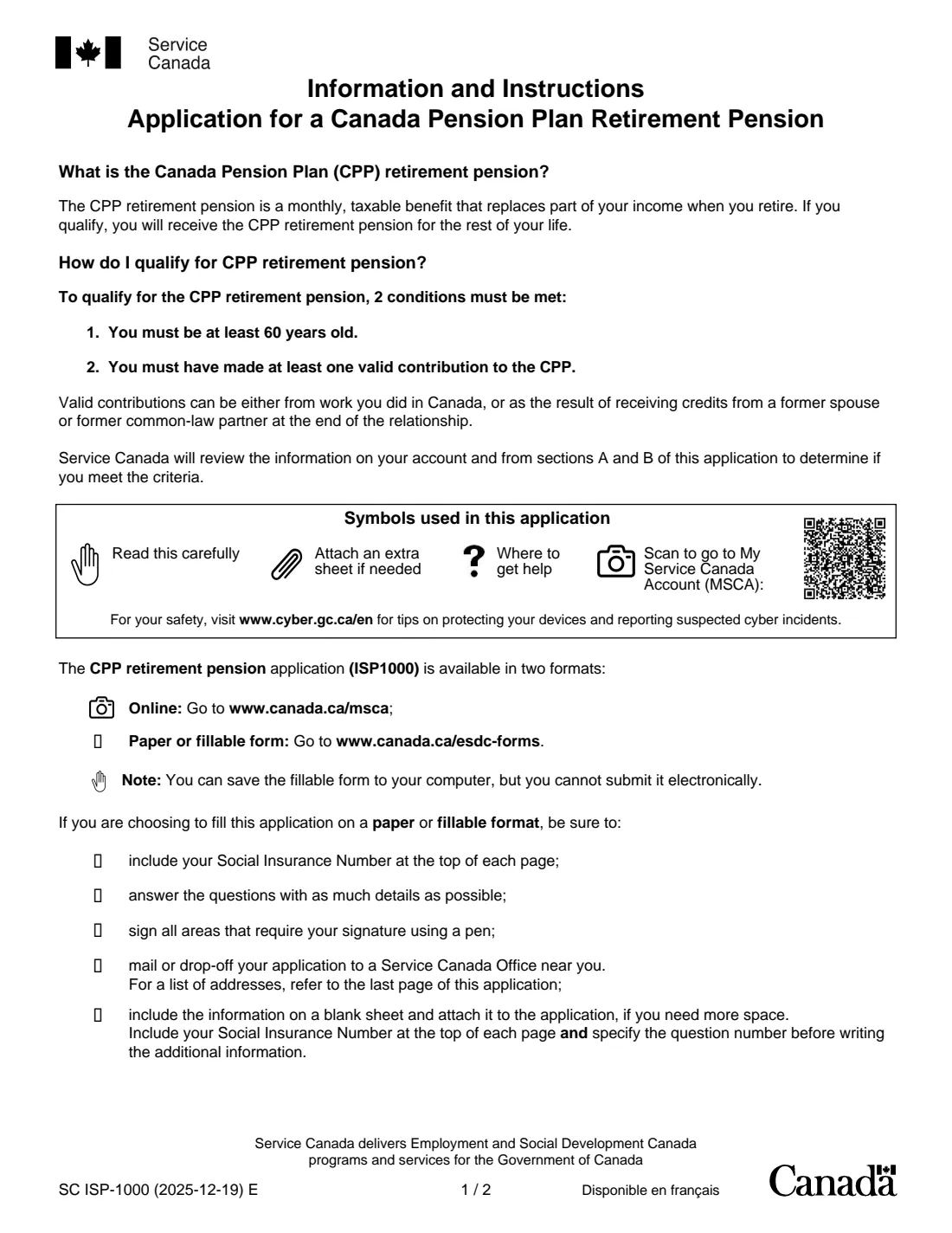
Form ISP-1000 is the paper application for the Canada Pension Plan (CPP) retirement pension, a monthly, taxable benefit that replaces part of your income when you retire and is paid for the rest of your life. To qualify you must be at least 60 and have made at least one valid contribution to the CPP, either from work in Canada or from credits received from a former spouse or common-law partner when the relationship ended.
The form itself says it comes in two formats: online through My Service Canada Account, or on paper or as a fillable PDF. The fillable PDF cannot be submitted electronically, so after filling it you print it, sign it in pen and mail it to or drop it off at a Service Canada office. Beyond the basics, it covers direct deposit, pension sharing, benefits from other countries, credit splitting after a separation, the child rearing provision, your chosen start date and voluntary tax deductions.
FileIt guides you through each part in plain English and prints your answers into the official ISP-1000 PDF, including your Social Insurance Number at the top of every page, as the form asks. Names, date of birth and email can be pre-filled from the People records in your vault, and FileIt checks rules the form states, such as the earliest month your pension can start. The finished PDF is saved in your vault folder. Because the form asks for a pen signature, you print and sign it yourself, then deliver it to Service Canada: FileIt never submits it for you.
- Who fills it
- Anyone aged 60 or over with at least one valid CPP contribution who wants to start their CPP retirement pension
- Given to
- Service Canada, by mail or dropped off at a Service Canada Centre (or apply online through My Service Canada Account instead)
- When
- Once you have decided when your pension should start; the earliest start is the month after your 60th birthday
- Signatures
- The applicant, in pen; a spouse or former partner signs the child rearing waiver only if it applies; a witness only if you sign with a mark
- Edition
- SC ISP-1000 (2025-12-19) E
- Not for
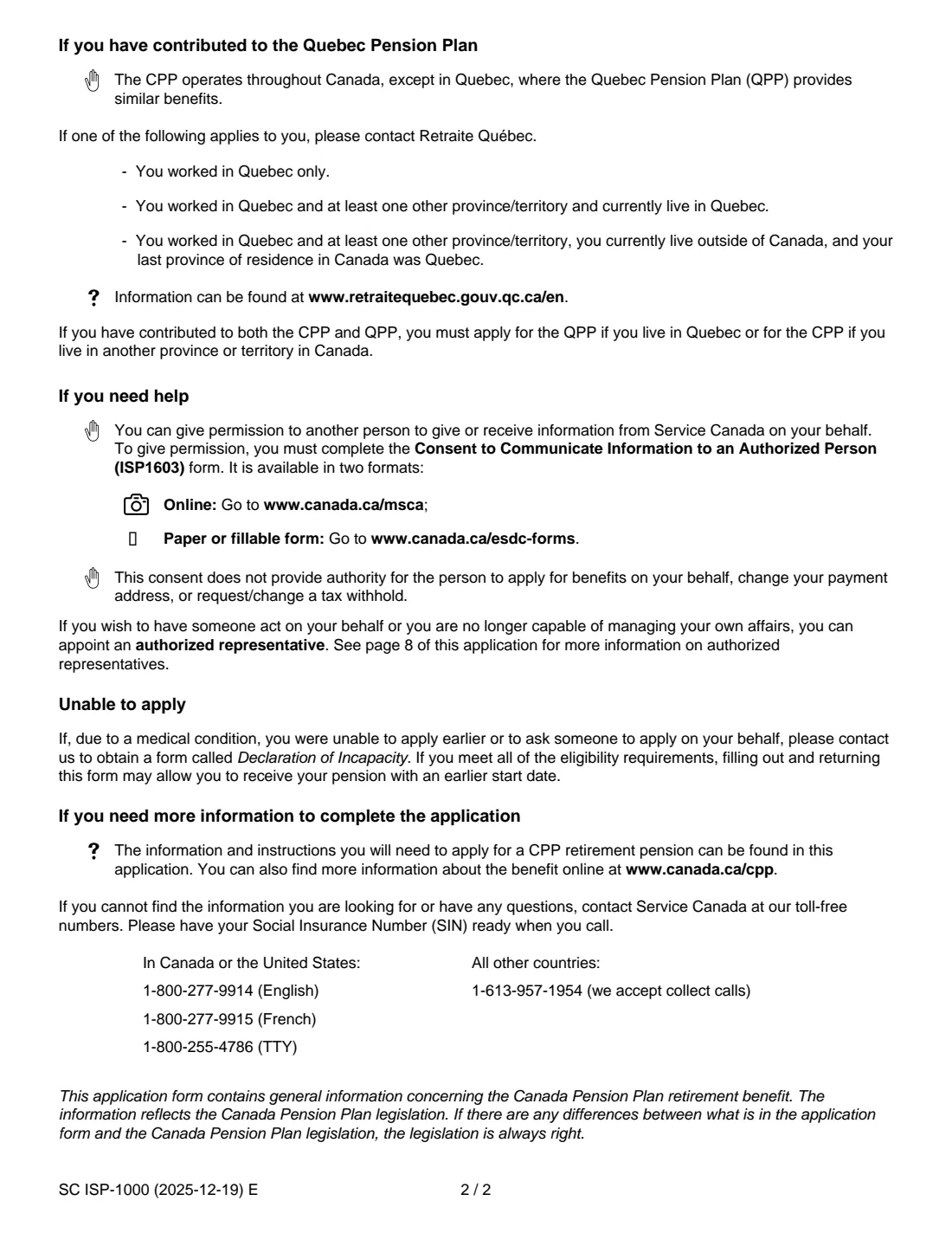
- People who worked only in Quebec, or who live in Quebec: they apply to Retraite Québec
Who needs to fill out ISP-1000 CPP retirement pension application?
- Anyone aged 60 or over who has contributed to the CPP and wants to start receiving their retirement pension.
- People who prefer to apply on paper, or need to, rather than online through My Service Canada Account.
- Parents who worked less, or stopped working, to care for children under 7 and want the child rearing provision considered.
- People who are separated, divorced or whose common-law relationship ended, since the form asks about credit splitting.
- People who lived or worked in another country and may be entitled to a benefit there under a social security agreement.
- People living outside Canada who contributed to the CPP, who give the last province or territory they lived in.
When to use ISP-1000 CPP retirement pension application
- When you have decided when you want your CPP retirement pension to start: any month from the month after your 60th birthday.
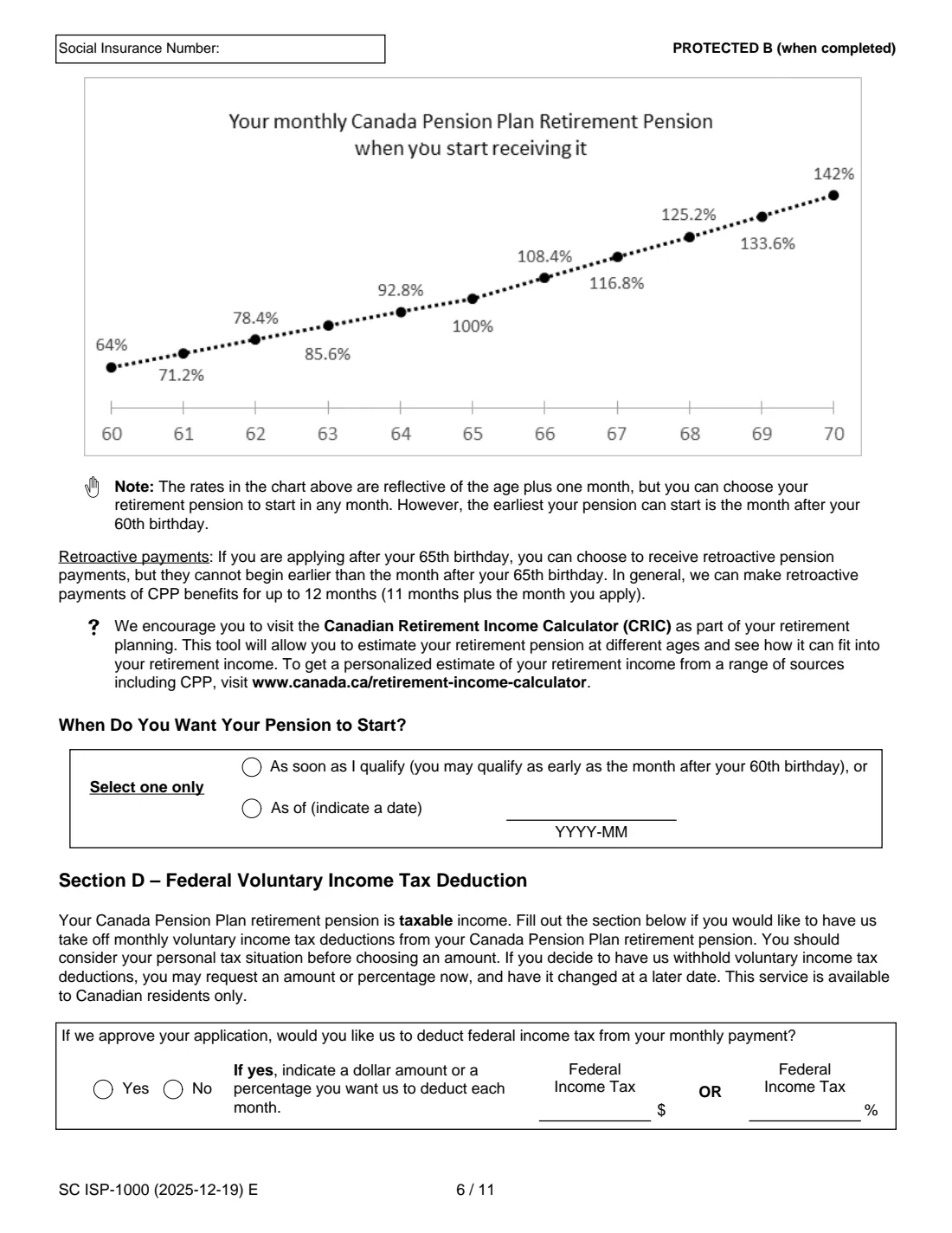
- Before your 65th birthday if you accept a permanently reduced pension (0.6% less for each month before 65, as the form explains).
- After 65 if you want a permanently larger pension (0.7% more for each month after 65, up to 42% more at 70). The form notes there is no financial advantage in waiting past 70.
- After your 65th birthday, if you want to ask for retroactive payments. The form says these can't start before the month after your 65th birthday and generally go back up to 12 months.
- As soon as practical once you decide, since the form points out that the date Service Canada receives your application can affect when your benefit starts.
What you need before you start
- Your Social Insurance Number, which the form asks you to write at the top of each page and on every sheet you add.
- Your date of birth, full name at birth if different, home and mailing addresses and telephone number.
- Your bank's branch number (5 digits), institution number (3 digits) and account number, or a void cheque.
- If you lived or worked abroad: the country, the dates, your insurance number there, and whether you applied for a benefit there.
- Your current marital status, and whether you have ever been separated, divorced or in a common-law relationship that ended.
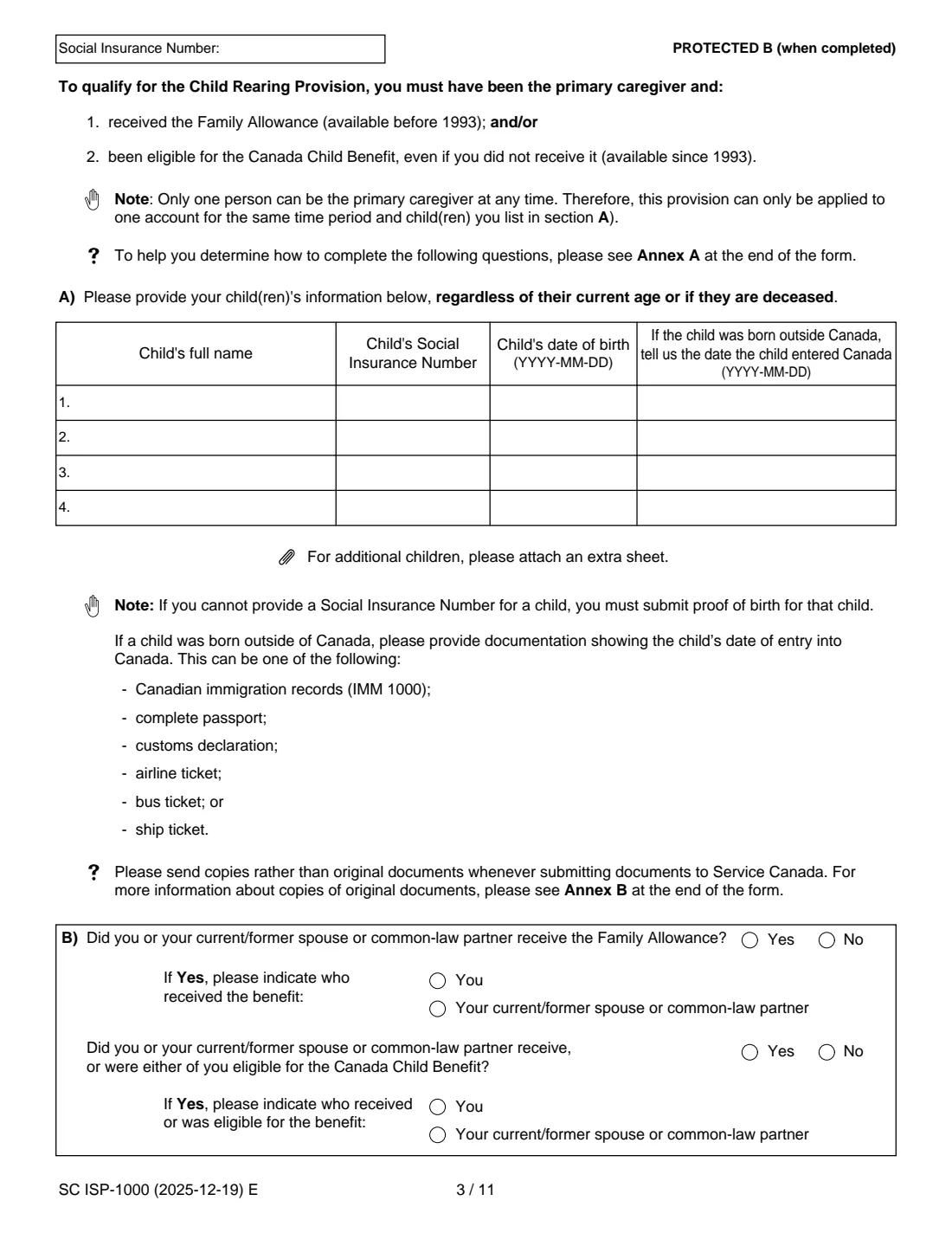
- For the child rearing provision: each child's full name, SIN, date of birth and, if born outside Canada, date of entry into Canada.
- Whether you or your current or former spouse received the Family Allowance (before 1993) or the Canada Child Benefit (since 1993).
- Copies (not originals) of any supporting documents, such as proof of birth for a child without a SIN, or proof of a child's date of entry into Canada.
- The month you want your pension to start, and whether you want federal tax deducted (as a dollar amount or a percentage).
What’s on ISP-1000 CPP retirement pension application
The 2025 edition has 14 pages. FileIt asks for it in 9 parts:
- Section A: Information about youApplicant
- A2: Direct depositApplicant
- Section B: Other provisions and agreements (B1–B3)Applicant
- B4: Child rearing provision (CRP)Applicant
- B4 F): Waiver of rights to the Child Rearing ProvisionCurrent or former spouse or partner (waiver)
- Section C: Your CPP retirement pensionApplicant
- Section D: Federal voluntary income tax deductionApplicant
- Section E: Declaration and signatureApplicant
- Witness (if you sign with a mark)Witness
How to fill out ISP-1000 CPP retirement pension application, step by step
1 Section A — Information about you (A1)
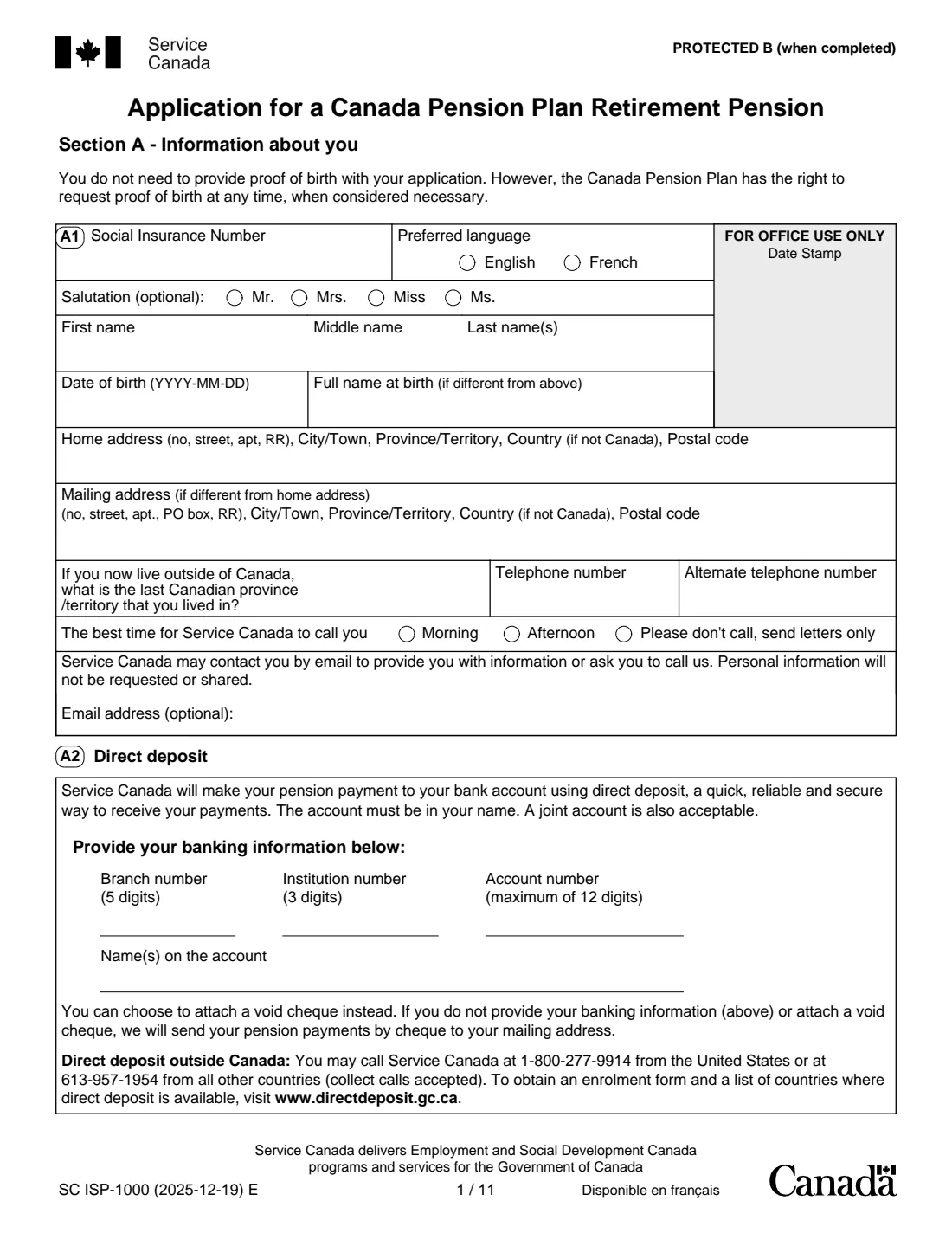
Give your Social Insurance Number, preferred language, optional salutation, name, date of birth and full name at birth if it was different. Home and mailing addresses each go on one line. If you now live outside Canada, give the last Canadian province or territory you lived in. Add your phone numbers, the best time to call (or ask for letters only), and an optional email address.
The form says you don't need to send proof of birth, but the CPP can ask for it at any time. FileIt also prints your SIN in the box at the top of pages 2 to 7.
2 A2 — Direct deposit
Enter the branch, institution and account numbers and the name(s) on the account. The account must be in your name; a joint account is also acceptable. You can attach a void cheque instead. If you give neither, Service Canada sends payments by cheque to your mailing address. The form explains that direct deposit outside Canada is arranged separately.
3 Section B — Pension sharing (B1) and benefits from other countries (B2)
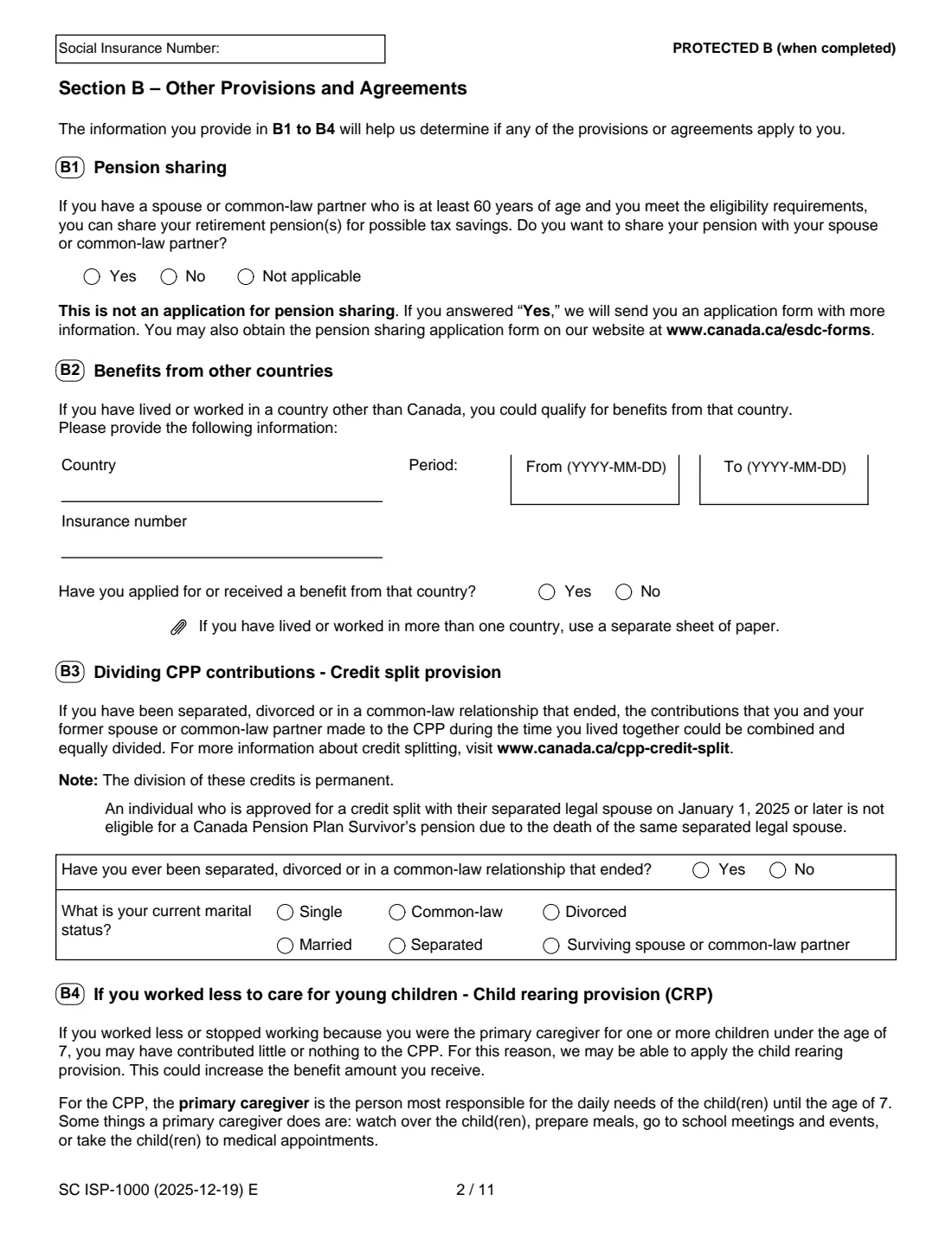
B1 asks whether you want to share your pension with a spouse or common-law partner who is at least 60, for possible tax savings. Answering Yes is not the application itself: Service Canada sends you the pension sharing form.
B2 is for people who have lived or worked outside Canada. There is room for one country, with the period, your insurance number there and whether you have applied for or received a benefit from it. For more countries, attach a separate sheet.
4 B3 — Credit split provision
If you have been separated, divorced or in a common-law relationship that ended, the CPP contributions you and your former partner made while living together could be combined and divided equally. The form says this division is permanent, and that someone approved for a credit split with a separated legal spouse on January 1, 2025 or later is not eligible for a CPP survivor's pension on that spouse's death. Answer the question and tick your current marital status.
5 B4 — Child rearing provision (A to E)
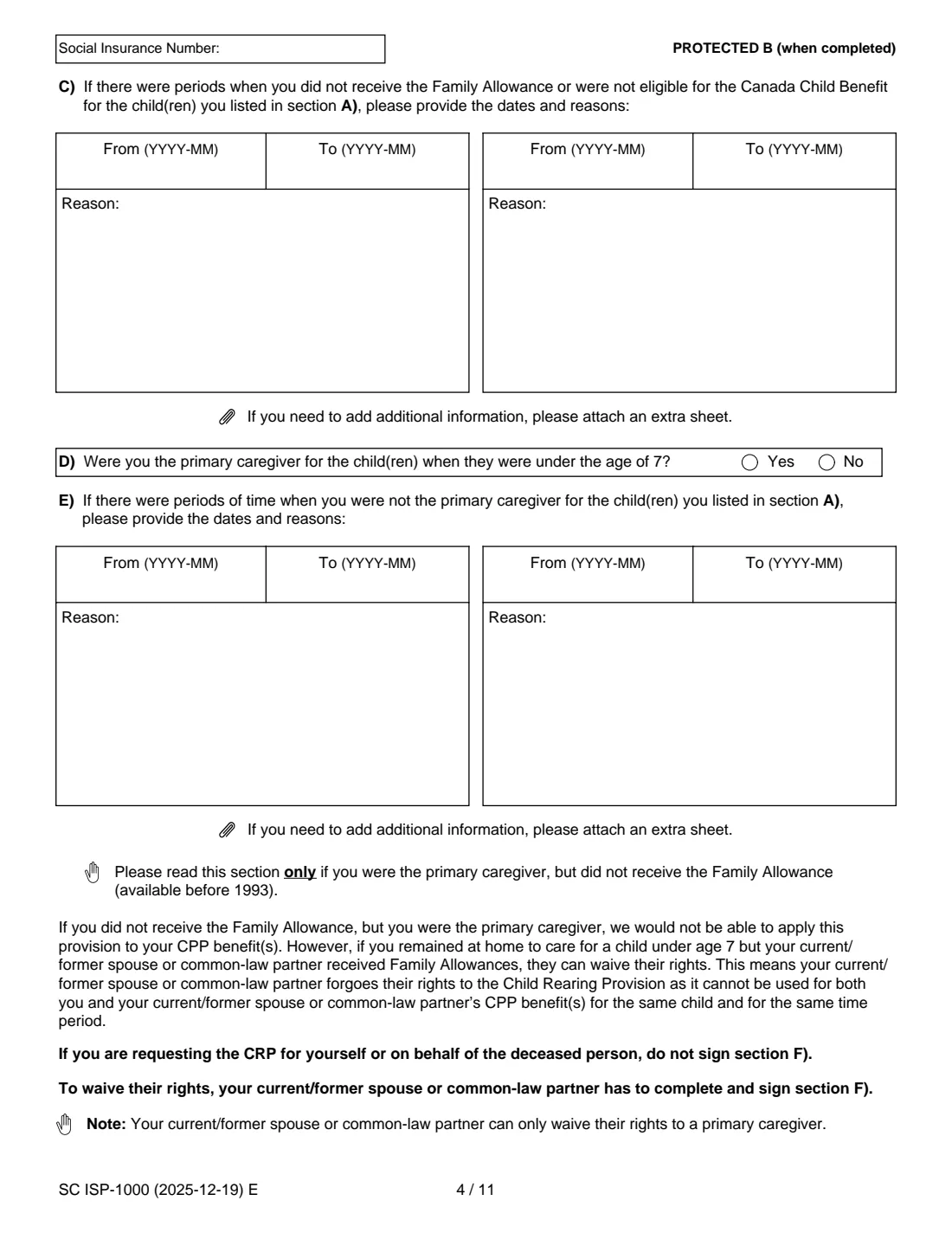
If you were the primary caregiver of a child under 7 and worked less or not at all, this provision may raise your pension. You must have received the Family Allowance (before 1993) and/or been eligible for the Canada Child Benefit (since 1993). List your children in A), even if they are now adults or deceased. Questions B) to E) ask who received the Family Allowance and the Canada Child Benefit, any periods when they were not received, and any periods when you were not the primary caregiver, with reasons.
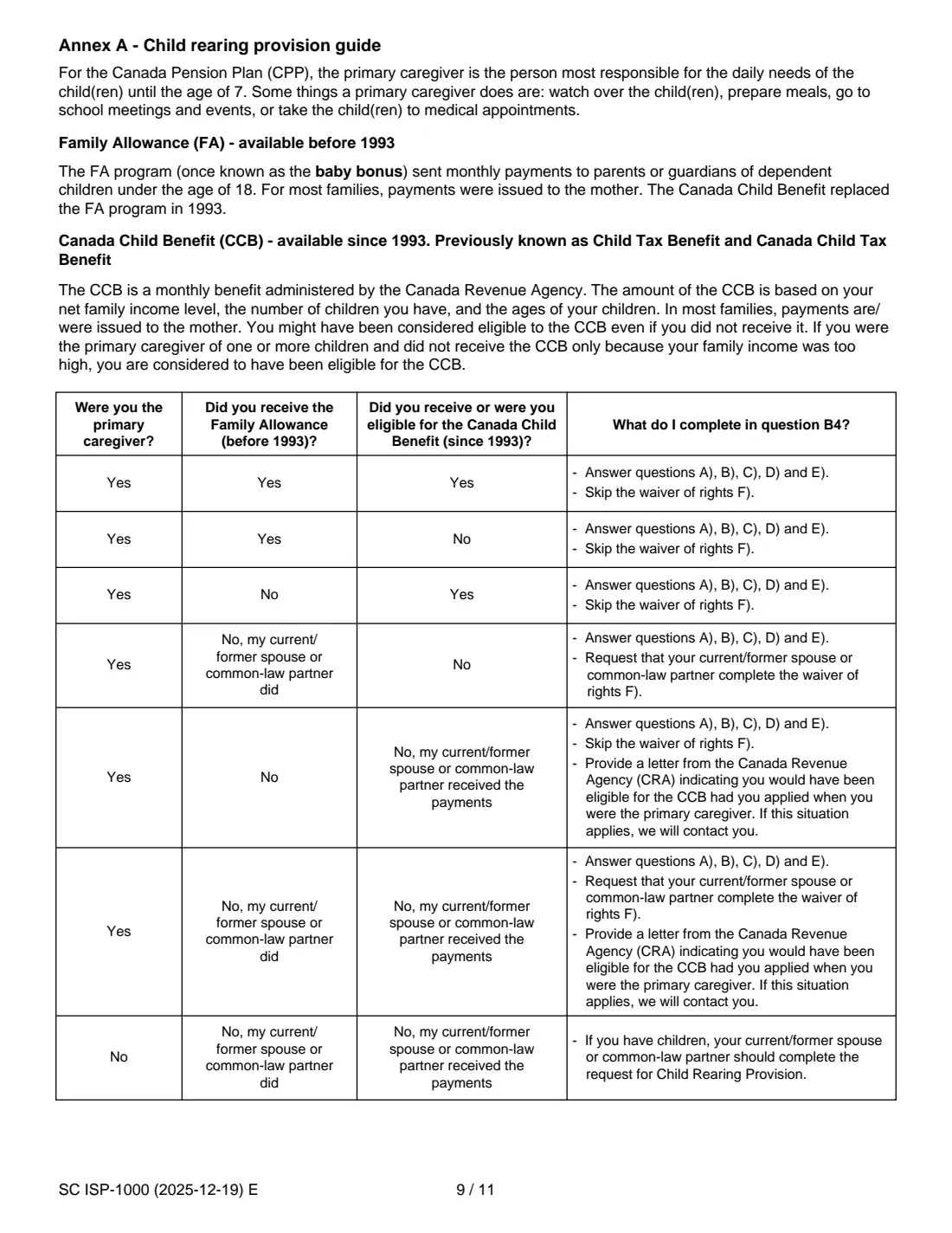
Annex A at the end of the form has a table showing which questions to answer. FileIt treats this whole part as optional and only prints it when you switch it on.
6 B4 F) — Waiver of rights
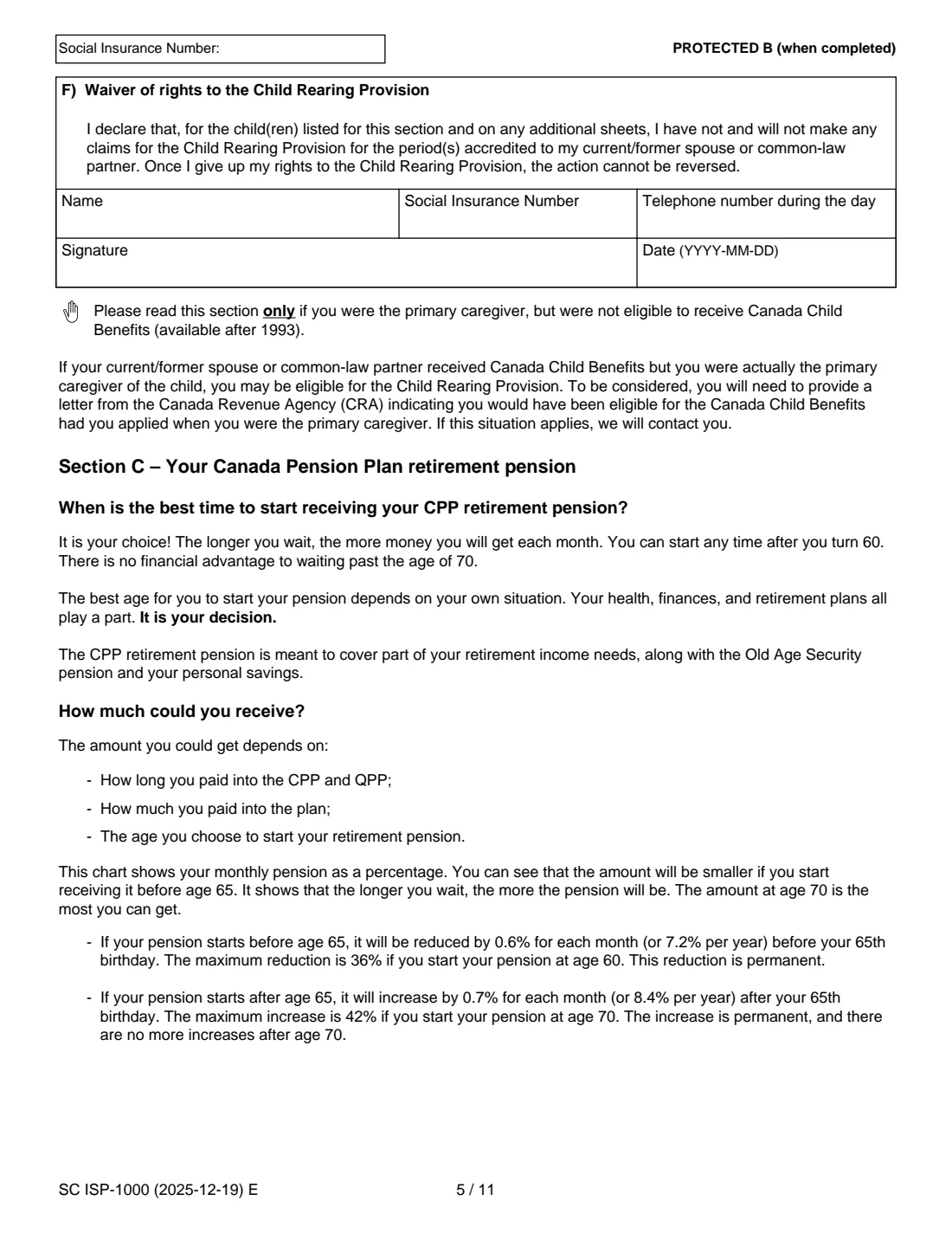
If you were the primary caregiver but your current or former spouse or partner received the Family Allowance, they can waive their right to the provision for those children and periods so it can be applied to you. They complete and sign F) themselves, and the waiver cannot be reversed. If you are asking for the provision for yourself without a waiver, F) is not signed.
7 Section C — Your CPP retirement pension start date
Choose to start as soon as you qualify (as early as the month after your 60th birthday) or from a month you name, written as YYYY-MM. The form's chart shows your monthly pension as a percentage of the age-65 amount, from 64% at 60 to 142% at 70. The best age depends on your health, finances and plans; the form stresses that it is your decision. It also points to the Canadian Retirement Income Calculator for a personal estimate.
8 Section D — Federal voluntary income tax deduction
The CPP retirement pension is taxable. If you want federal income tax taken off each monthly payment, answer Yes and give either a dollar amount or a percentage, not both. You can change it later. The form says this service is for Canadian residents only.
9 Section E — Declaration and signature
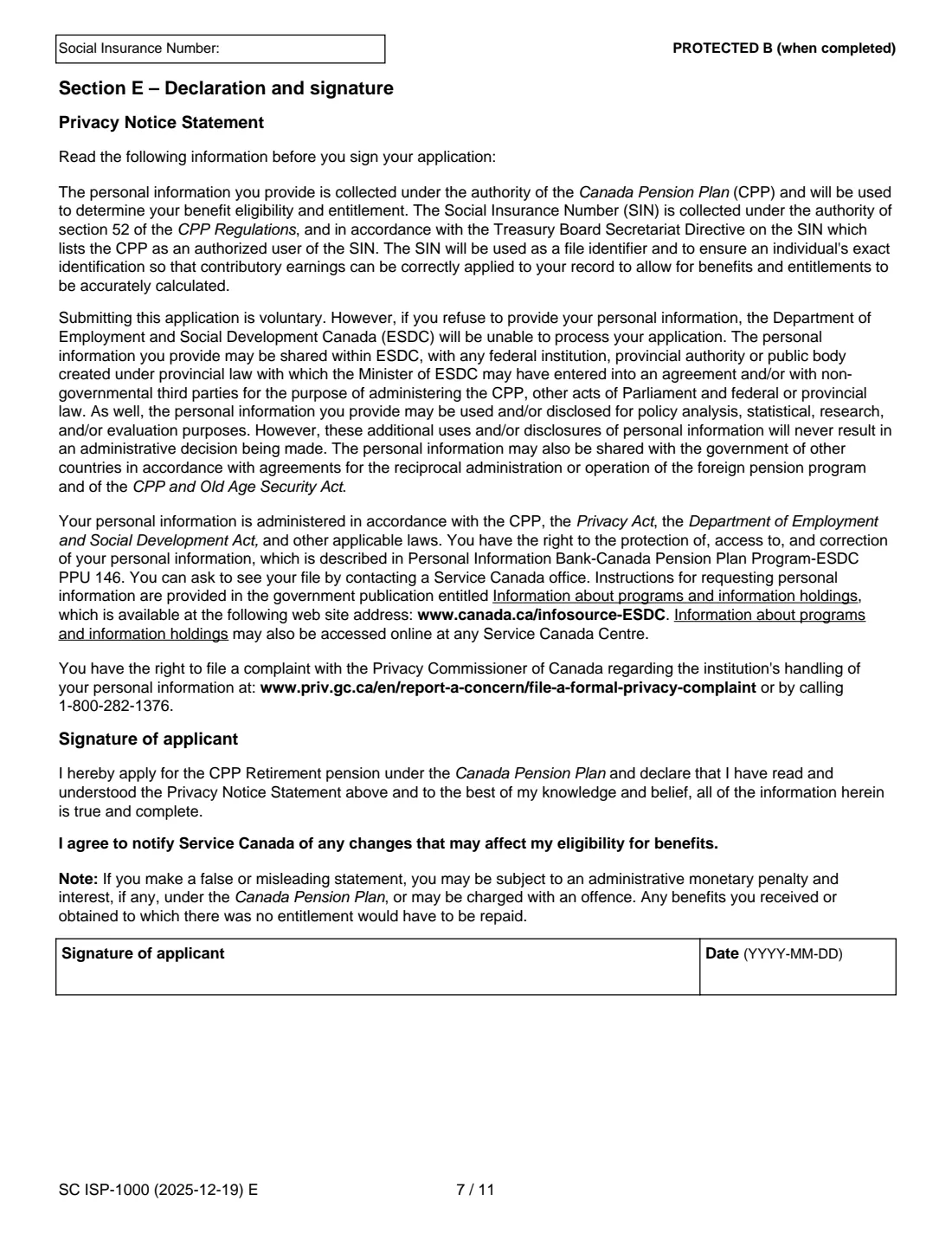
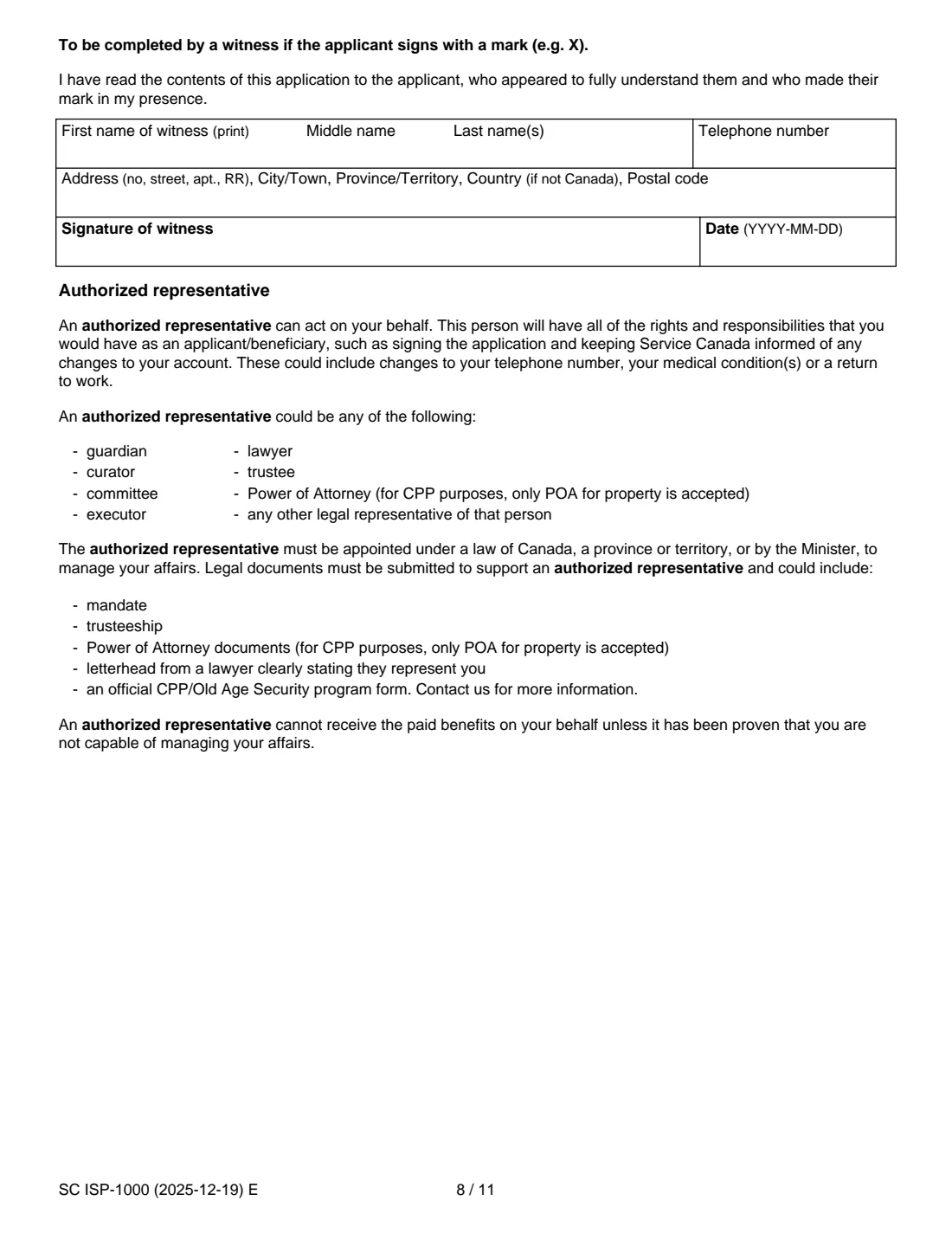
Read the privacy notice, then sign and date as the applicant. By signing you apply for the pension, confirm your answers are true and complete, and agree to tell Service Canada about changes that may affect your eligibility. If you sign with a mark such as an X, a witness fills in and signs the box on the next page. An authorized representative, such as a guardian, trustee or a power of attorney for property, can sign for you if they send the supporting legal documents.
Common mistakes to avoid
- Leaving the SIN off the top of pages 2 to 7 or off attached sheets. The form's checklist asks you to confirm it is there.
- Signing with anything other than a pen,, or forgetting to sign the declaration on page 7.
- Choosing a start month earlier than the month after your 60th birthday, or asking for retroactive payments before the month after your 65th birthday.
- Applying to Service Canada when you should apply to Retraite Québec, for example if you worked only in Quebec or live in Quebec.
- Filling in both a dollar amount and a percentage for the tax deduction: choose one.
- Listing children without a SIN and forgetting to send proof of birth, or leaving out proof of the date of entry for a child born abroad.
- Asking a former spouse to sign the waiver in F) when it doesn't apply. Annex A shows when it is needed.
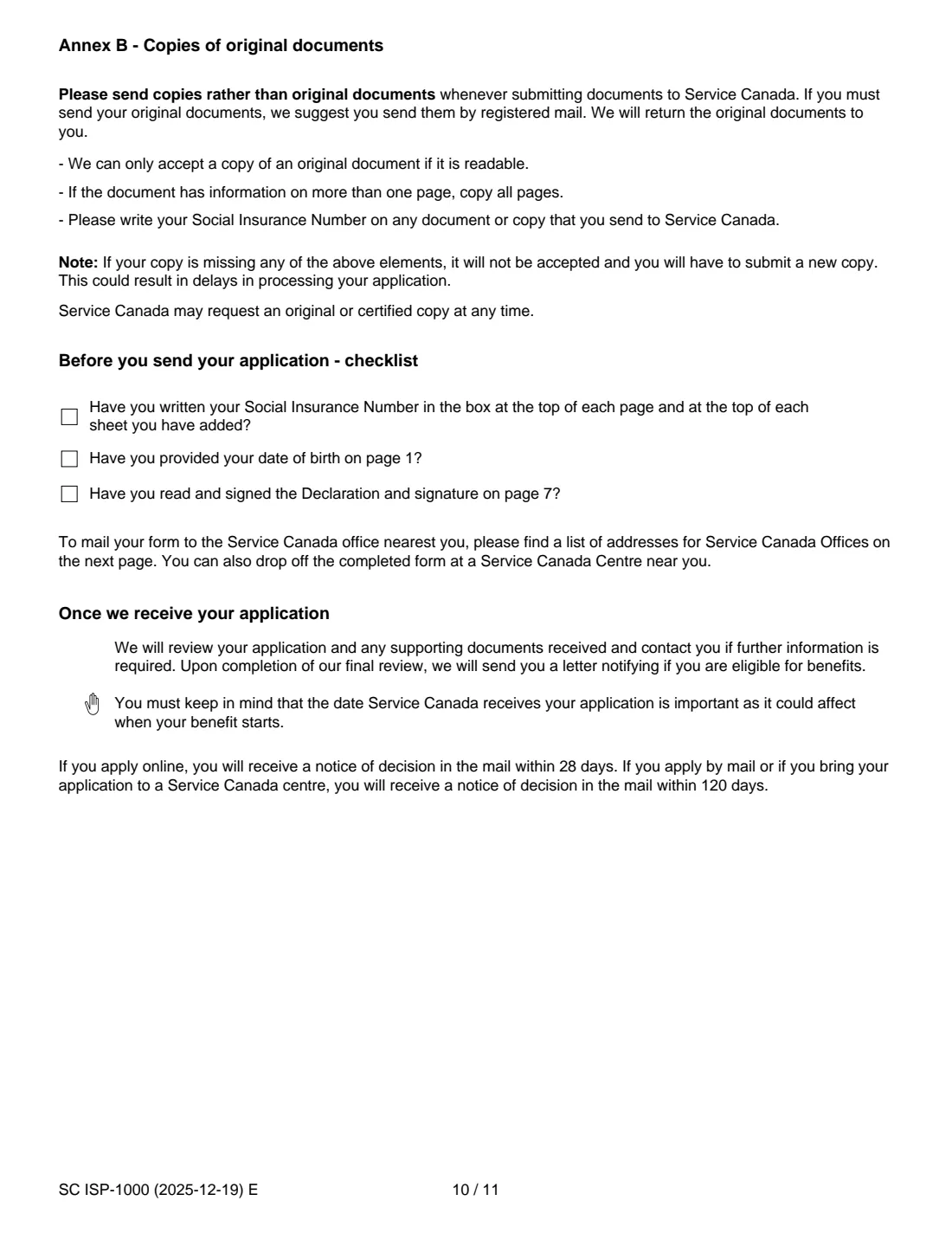
- Sending original documents when copies are accepted. The form asks for readable copies of every page, with your SIN written on them.
After you fill it out
Print the completed PDF and sign the declaration on page 7 in pen, as the form instructs. Before you send it, go through the checklist on page 10: your SIN at the top of each page and on any added sheets, your date of birth on page 1, and your signature. If your former spouse is waiving their child rearing rights, they sign section F) too.
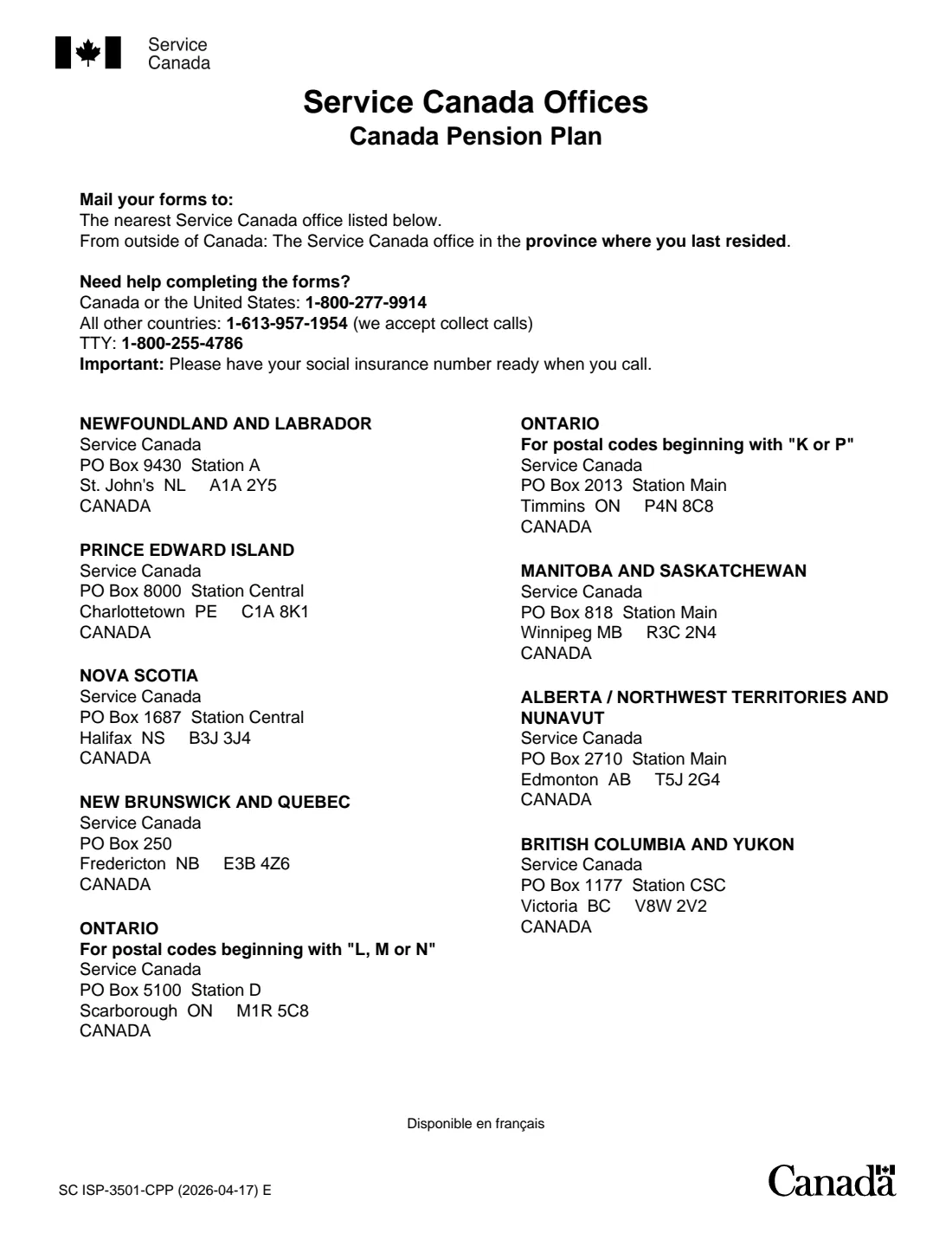
Mail the application to the Service Canada office listed for your province or territory on the last page of the form, or drop it off at a Service Canada Centre. From outside Canada, the form says to send it to the office for the province where you last lived. Include copies of any supporting documents, and a void cheque if you chose that for direct deposit. FileIt does not send anything to Service Canada; delivering it is up to you. The form says paper applications receive a notice of decision by mail within 120 days, and online applications within 28 days.
Keep the filled PDF in your FileIt vault as a record of the date you chose and the information you gave. If your address, banking or marital situation changes, you agreed in the declaration to tell Service Canada.
Fill out ISP-1000 CPP retirement pension application online with FileIt
- Pick the person. Choose someone from People and FileIt fills in their name, date of birth, address and other details it already knows.
- Answer plain-language questions. One part of the form at a time, with the official help text beside each question — 91 fields in all. Your answers save as you go.
- Check the live preview. Watch your answers land on the real Service Canada, for Employment and Social Development Canada (ESDC) form, and let FileIt do any worksheet arithmetic.
- Generate the official PDF. FileIt prints your answers into the agency’s own PDF and files it in that person’s folder in your vault.
FileIt fills the form — it never files or submits anything for you. Deliver the finished form to whoever asked for it, the way the form’s instructions say.
Start ISP-1000 CPP retirement pension application now — it’s freeISP-1000 CPP retirement pension application: frequently asked questions
Can I apply for my CPP retirement pension online instead of using ISP-1000?
Yes. The form itself says the application is available online through My Service Canada Account, as well as on paper or as a fillable PDF. It also notes that the fillable PDF can be saved but cannot be submitted electronically, so a paper application still has to be printed, signed and delivered.
What is the earliest I can start my CPP retirement pension?
The month after your 60th birthday. Starting before 65 reduces your pension by 0.6% for each month (36% at age 60), and the reduction is permanent. Starting after 65 increases it by 0.7% a month, up to 42% at 70.
Do I need to sign ISP-1000 in pen?
Yes. The form asks you to sign all areas that require your signature using a pen, so FileIt doesn't add an electronic signature to this form. Print the PDF, sign and date it, and then mail it or drop it off.
Where do I send the completed ISP-1000?
To the Service Canada office for your province or territory, listed on the last page of the form, or drop it off at a Service Canada Centre. If you live outside Canada, send it to the office for the province where you last lived.
Can I fill out form ISP-1000 online with FileIt?
Yes. FileIt walks you through each section, pre-fills your details from your vault, and prints the answers into Service Canada's official PDF, including your SIN on every page that needs it. You then print, sign in pen and deliver it yourself. FileIt never submits it.
What is the child rearing provision on the CPP application?
It can raise your pension if you worked less or stopped working while you were the primary caregiver of a child under 7. You must have received the Family Allowance (before 1993) and/or been eligible for the Canada Child Benefit (since 1993). Fill in section B4 and use Annex A to see which questions apply.
I contributed to both the CPP and the QPP. Which do I apply to?
The form says you apply to the QPP (Retraite Québec) if you live in Quebec, and to the CPP if you live in another province or territory. If you worked only in Quebec, contact Retraite Québec.
How long does Service Canada take to decide?
The form says that if you apply by mail or bring your application to a Service Canada centre, you will receive a notice of decision by mail within 120 days. Online applications get one within 28 days.
Can someone else sign the application for me?
An authorized representative, such as a guardian, trustee, executor, lawyer or someone with power of attorney for property, can sign for you if they send legal documents supporting their authority. If you can sign only with a mark, a witness must complete the witness box.
Official sources
- Blank form (PDF), published by Service Canada, for Employment and Social Development Canada (ESDC): https://catalogue.servicecanada.gc.ca/apps/EForms/pdf/en/ISP-1000.pdf
- Official instructions and guidance: https://www.canada.ca/en/services/benefits/publicpensions/cpp/cpp-benefit/apply.html
- Edition shown on this page: SC ISP-1000 (2025-12-19) E (checked 2026-09-26).
FileIt is not affiliated with or endorsed by Service Canada, for Employment and Social Development Canada (ESDC) or any government. This page explains the form in general terms and is not legal, tax or immigration advice. Always read the official instructions, and check that you are using the edition the recipient accepts. Page last reviewed 2026-09-26.