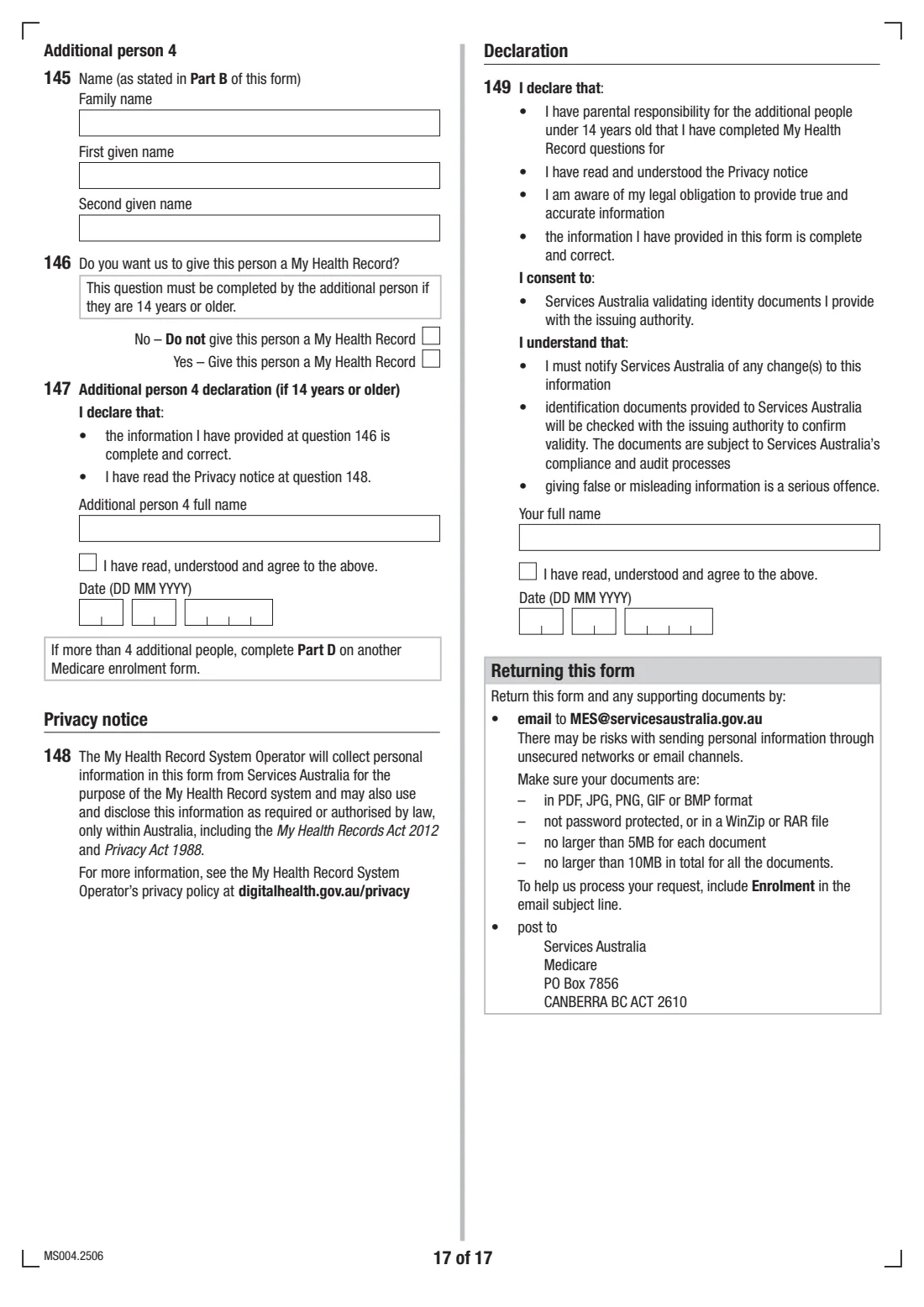
What is Medicare enrolment form (MS004)?
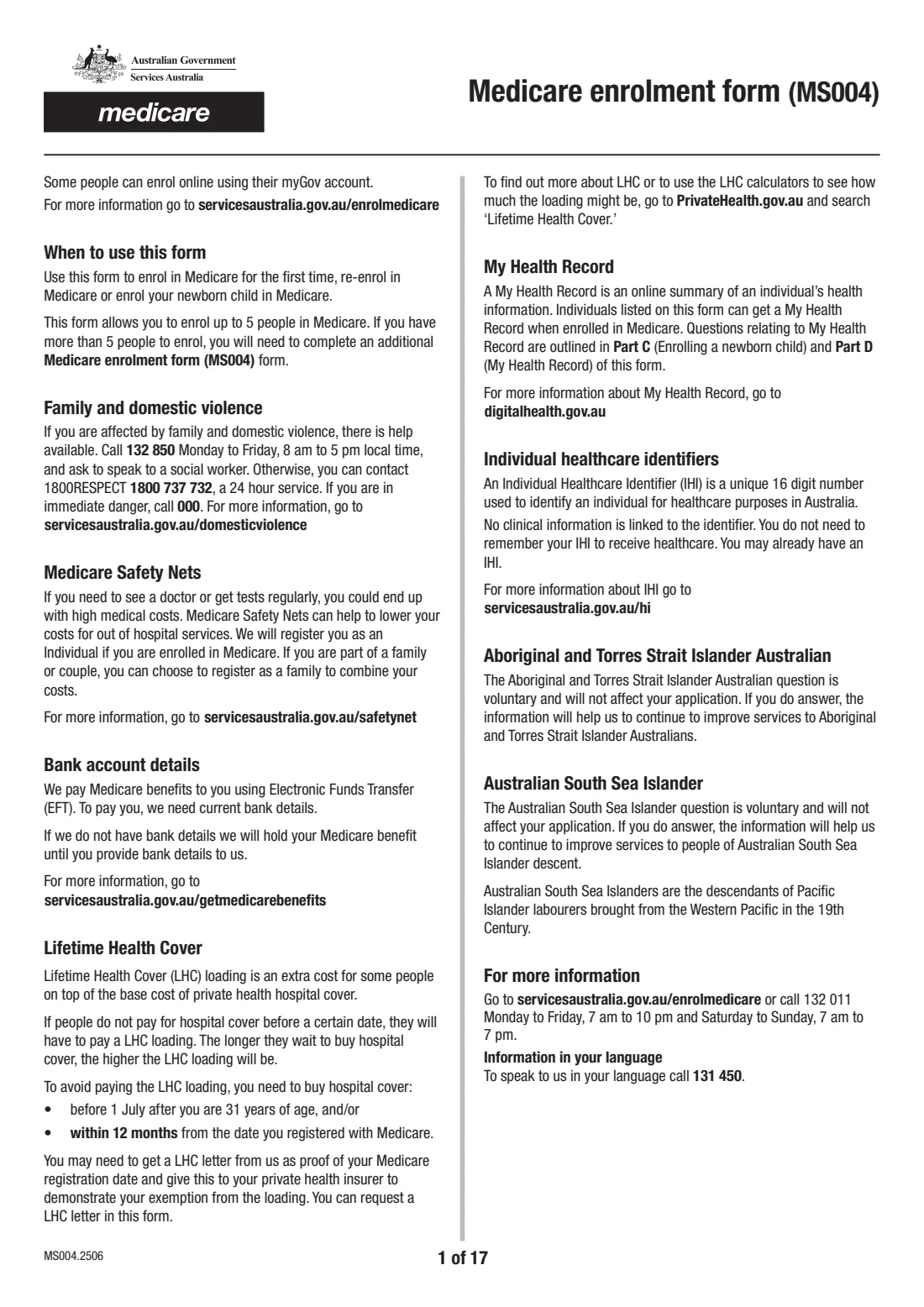
The Medicare enrolment form, MS004, is the paper route into Australia's public health system. One form covers you and up to four other people, and it's used for four different jobs: enrolling in Medicare for the first time (including returning visitors from a country with a Reciprocal Health Care Agreement), re-enrolling or extending Medicare eligibility, enrolling a newborn child born in Australia, and answering the My Health Record questions for everyone on the form.
It's a long form — 17 pages in the current edition — and it branches depending on what you're doing. The person filling it in becomes the Medicare contact person, who receives the card(s) and general information for everyone on the card. Some people can enrol online through myGov instead, but many new arrivals, returning residents and families still need MS004.
FileIt helps you fill in the MS004.2506 edition through guided questions that follow the form's own 'Go to' routing. Names, dates of birth and addresses can be pre-filled from your People records, each person's name is printed everywhere the form repeats it, and the finished PDF is saved to your FileIt vault. The form's declarations are a typed full name, a tick and a date — there's no signature box. You then email or post it to Services Australia yourself with copies of your documents; FileIt never submits it.
- Who fills it
- The Medicare contact person (you), with each additional person aged 15 or older completing their own declaration
- Given to
- Services Australia (Medicare), by email or post
- When
- On arrival or return to live in Australia, to extend eligibility, or for a newborn before their 1st birthday
- Signatures
- No signature box — each declaration is a full name, an 'I agree' tick and a date
- People per form
- Up to 5 (you and up to 4 others)
- Edition
- MS004.2506
Who needs to fill out Medicare enrolment form (MS004)?
- Australian citizens enrolling in Medicare for the first time, or returning to live in Australia after a long period overseas.
- New Zealand citizens living in Australia, permanent residents, and people who have applied for permanent residency or a permanent protection visa.
- Visitors from a country with a Reciprocal Health Care Agreement with Australia.
- Interim or Reciprocal Medicare card holders who haven't left Australia and want to extend their eligibility.
- Parents enrolling a baby born in Australia, up to the child's 1st birthday, using Part C.
- Families enrolling together — one form covers up to five people who share the same immigration status and visa end date.
When to use Medicare enrolment form (MS004)
- Soon after you arrive or return to live in Australia, once you have your identity and residency documents together.
- When your visa situation changes and you need to extend your Medicare eligibility.
- After your baby is born in Australia, any time up to their 1st birthday — the form treats a child as a 'newborn' until that day.
- When you want My Health Records created for the people you're enrolling (Part D).
- If you have more than five people, or someone has a different immigration status or visa end date, use an additional MS004 for them.
What you need before you start
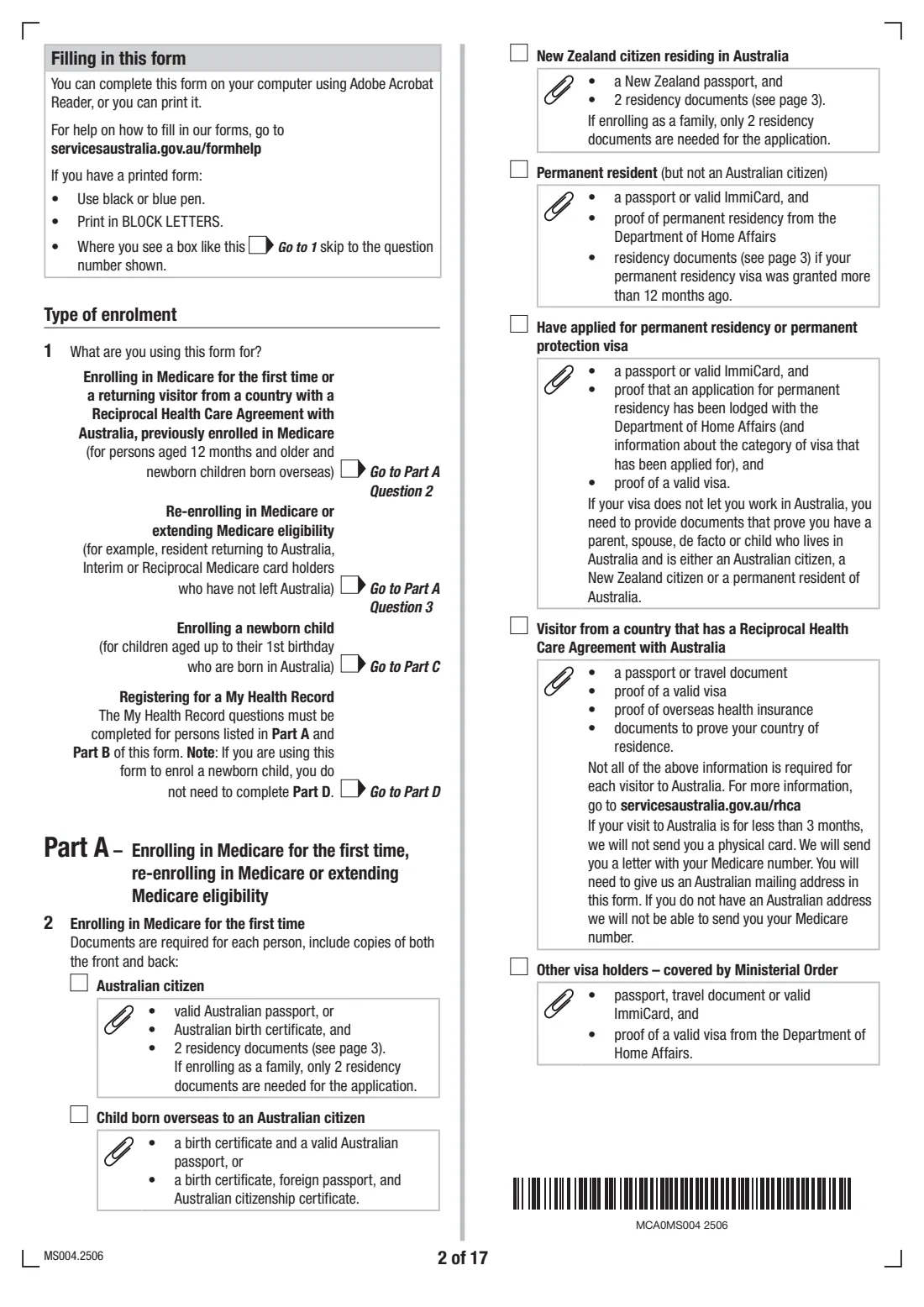
- Copies (front and back) of each person's identity and status documents — for example an Australian passport or birth certificate, a New Zealand passport, a passport or ImmiCard with proof of visa or permanent residency.
- Residency documents dated within the last 6 months: 2 from Australia, or 1 from Australia and 1 from where the person last lived. A family only needs 2 for the whole application.
- Each person's full name, any previous names, date of birth and gender.
- An Australian postal address, phone number and email for the contact person.
- Previous Medicare card numbers, if re-enrolling, and your current card number if you're only adding a dependant.
- Overseas history: previous country of residence, how long you lived there, date of arrival and whether you plan to stay permanently.
- Australian bank details (bank name, BSB, account number and account name) for Medicare benefits.
- For a newborn: one document linking you to the child, such as a birth certificate, the back page of the Newborn Child Declaration (FA081), or a doctor's or midwife's declaration of birth.
What’s on Medicare enrolment form (MS004)
The 2025 edition has 17 pages. FileIt asks for it in 9 parts:
- Type of enrolment (questions 1–3)Applicant
- Part A: Medicare contact person (you)Applicant
- Other people on this formApplicant
- Part B: Additional person 1Applicant
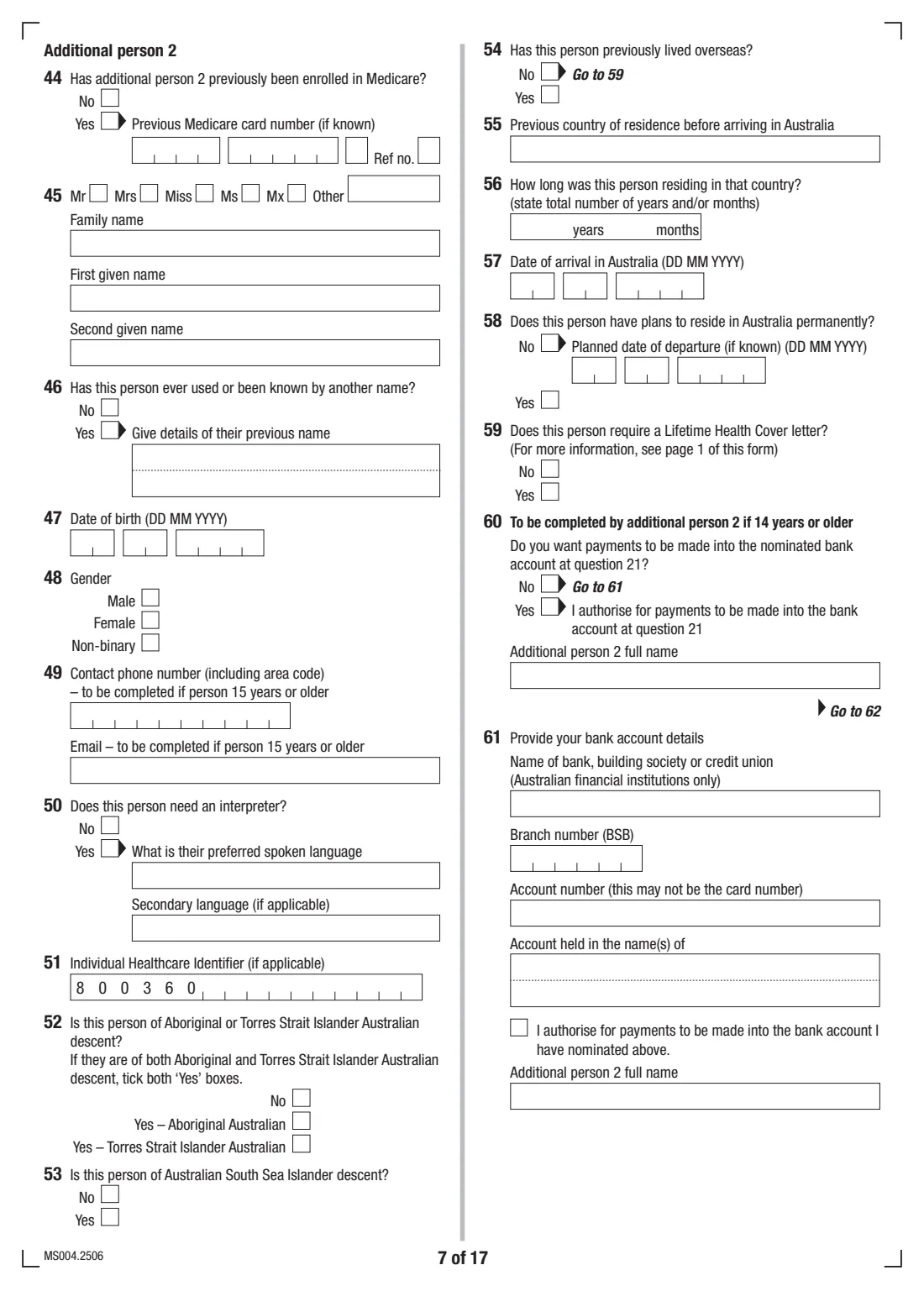
- Part B: Additional person 2Applicant
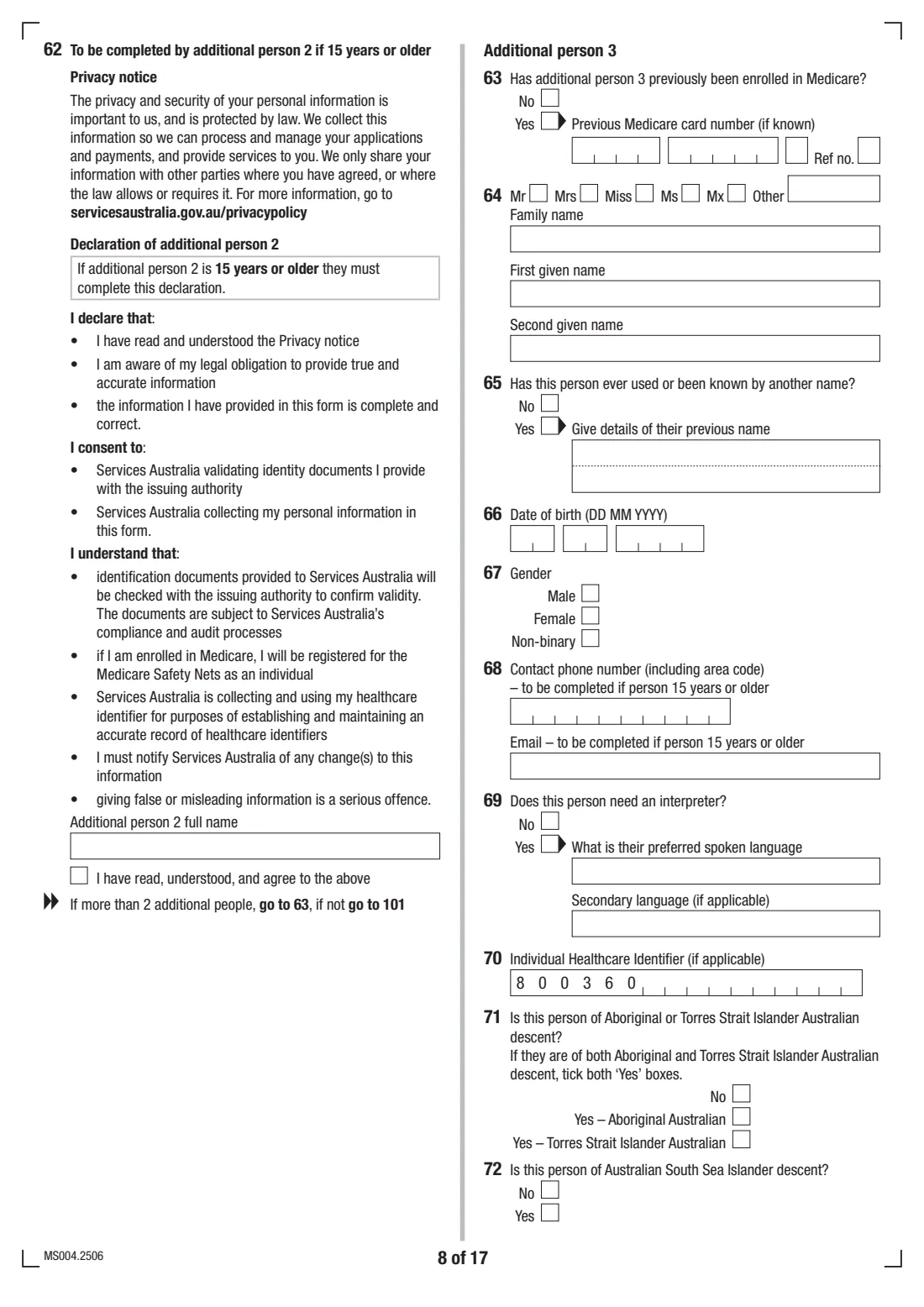
- Part B: Additional person 3Applicant
- Part B: Additional person 4Applicant
- Part C: Enrolling a newborn childApplicant
- Part D: My Health RecordApplicant
How to fill out Medicare enrolment form (MS004), step by step
1 Type of enrolment (questions 1 to 3)
Question 1 asks what you're using the form for: enrolling for the first time, re-enrolling or extending eligibility, enrolling a newborn, or registering for a My Health Record. Your answer decides which parts you complete.
Questions 2 and 3 narrow down your situation — for example Australian citizen, New Zealand citizen, permanent resident, reciprocal health care visitor, or returning to reside permanently. Each option lists the documents you need, so read yours carefully before you start gathering copies.
2 Part A: Medicare contact person — your details (questions 4 to 11)
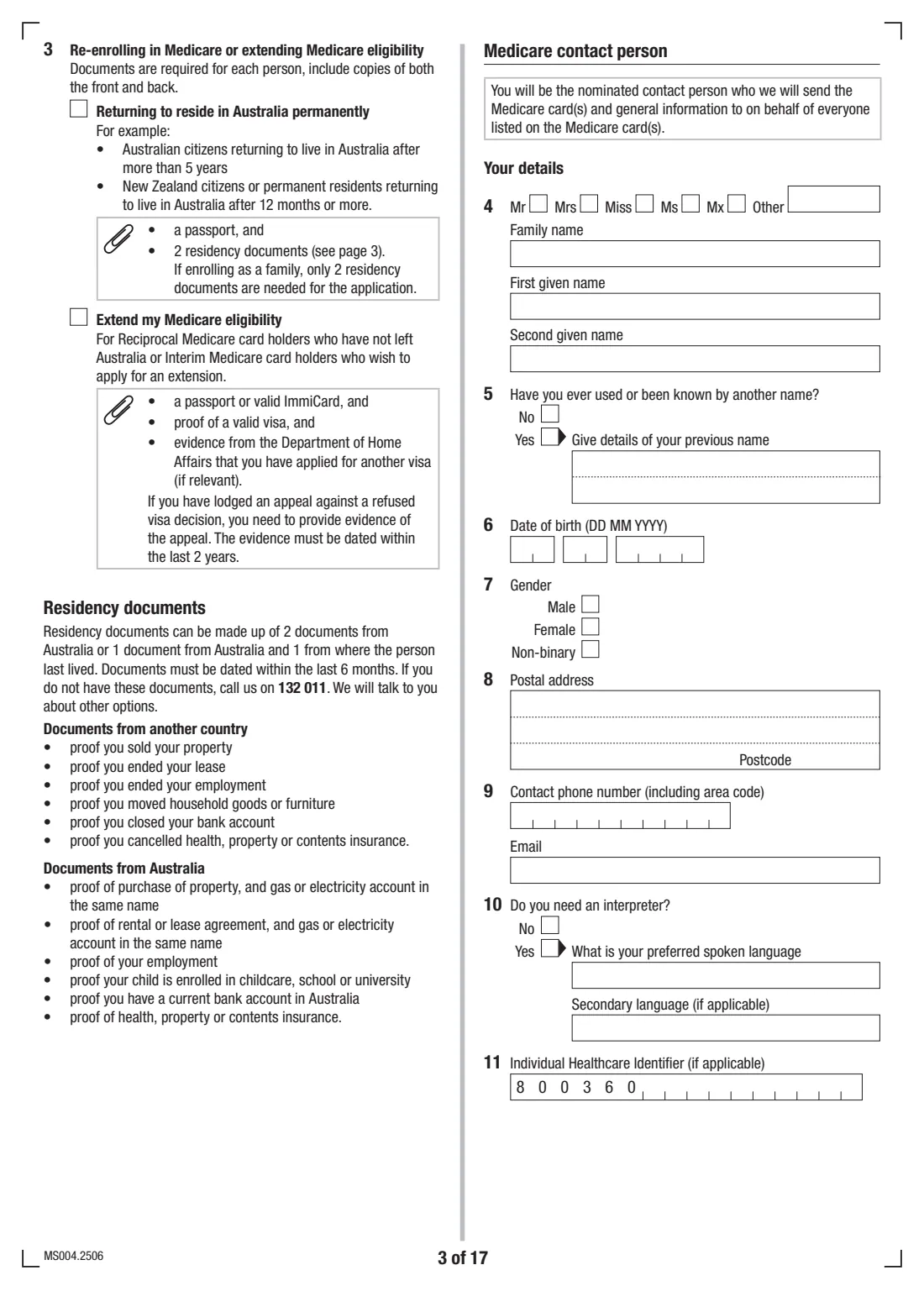
You're the nominated contact person: the Medicare card(s) and general information for everyone on the card will be sent to you. Enter your name, any previous names, date of birth, gender, an Australian postal address, phone and email, and whether you need an interpreter.
Question 11 asks for your Individual Healthcare Identifier (IHI) if you have one. You don't need to know it — it's a 16-digit number used to identify you for healthcare purposes and you may already have one.
3 Part A: Enrolment history, background and residence (questions 12 to 20)
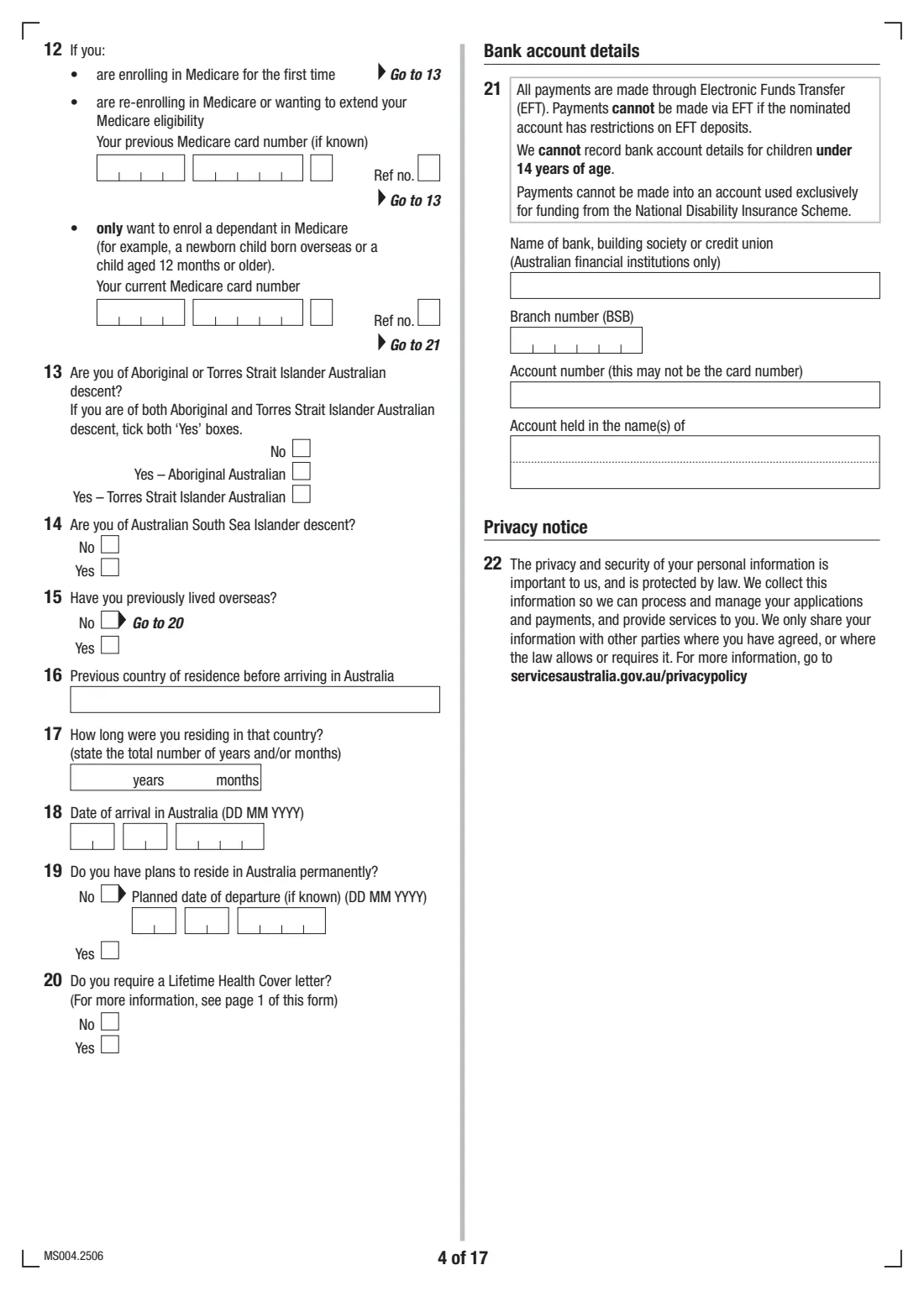
Question 12 asks whether you're enrolling for the first time, re-enrolling (with your previous card number if known), or only enrolling a dependant (with your current card number). The Aboriginal and Torres Strait Islander and Australian South Sea Islander questions are voluntary and won't affect the application.
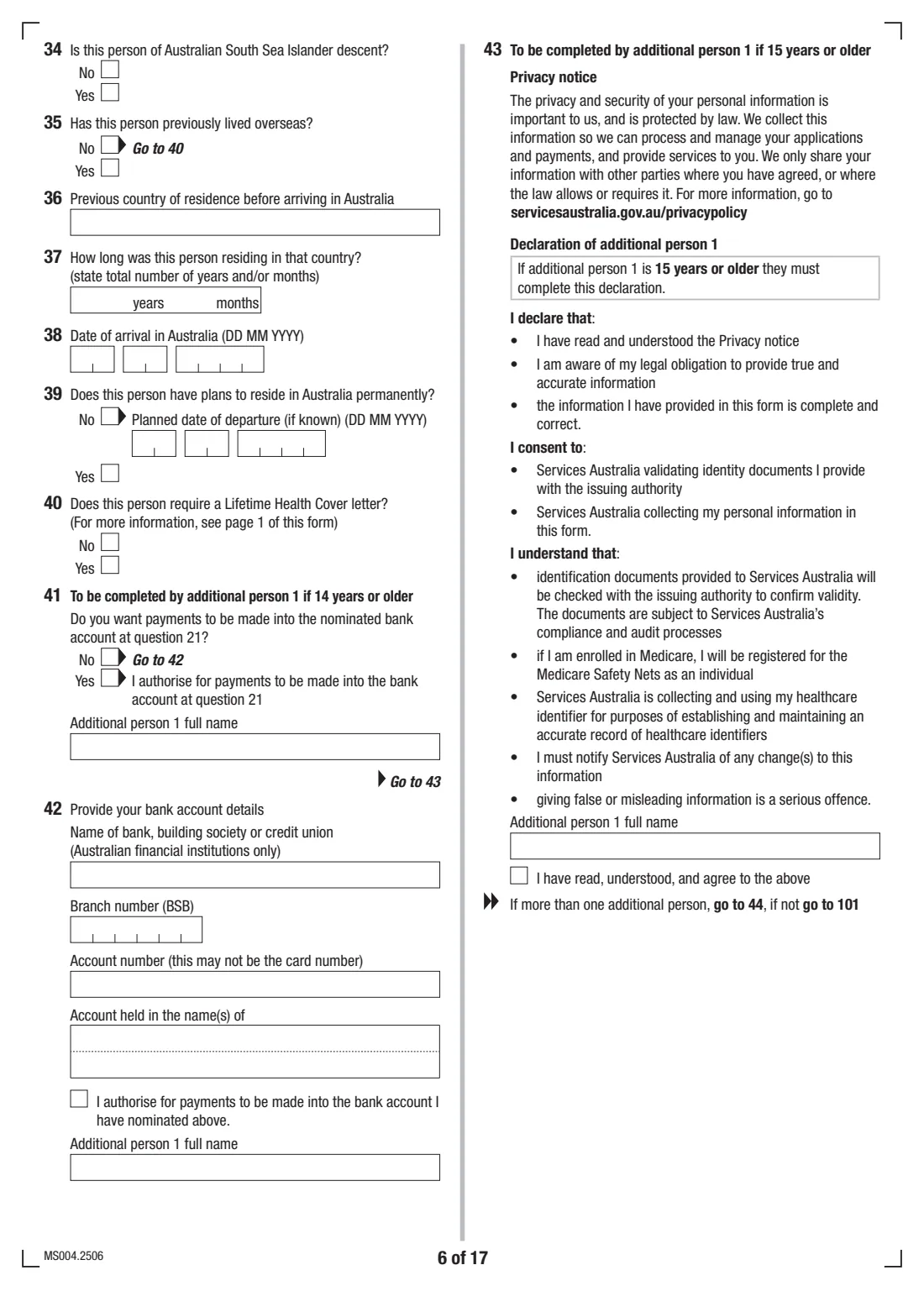
If you've lived overseas, give your previous country, how long you lived there, your arrival date and whether you plan to stay permanently. Question 20 lets you request a Lifetime Health Cover letter, which you can give your private health insurer as proof of your Medicare registration date.
4 Part A: Bank account details and declaration (questions 21 to 24)
Medicare pays benefits by electronic funds transfer, and if there are no bank details on file your benefit is held until you provide them. Give an Australian bank, BSB, account number and the name(s) the account is held in.
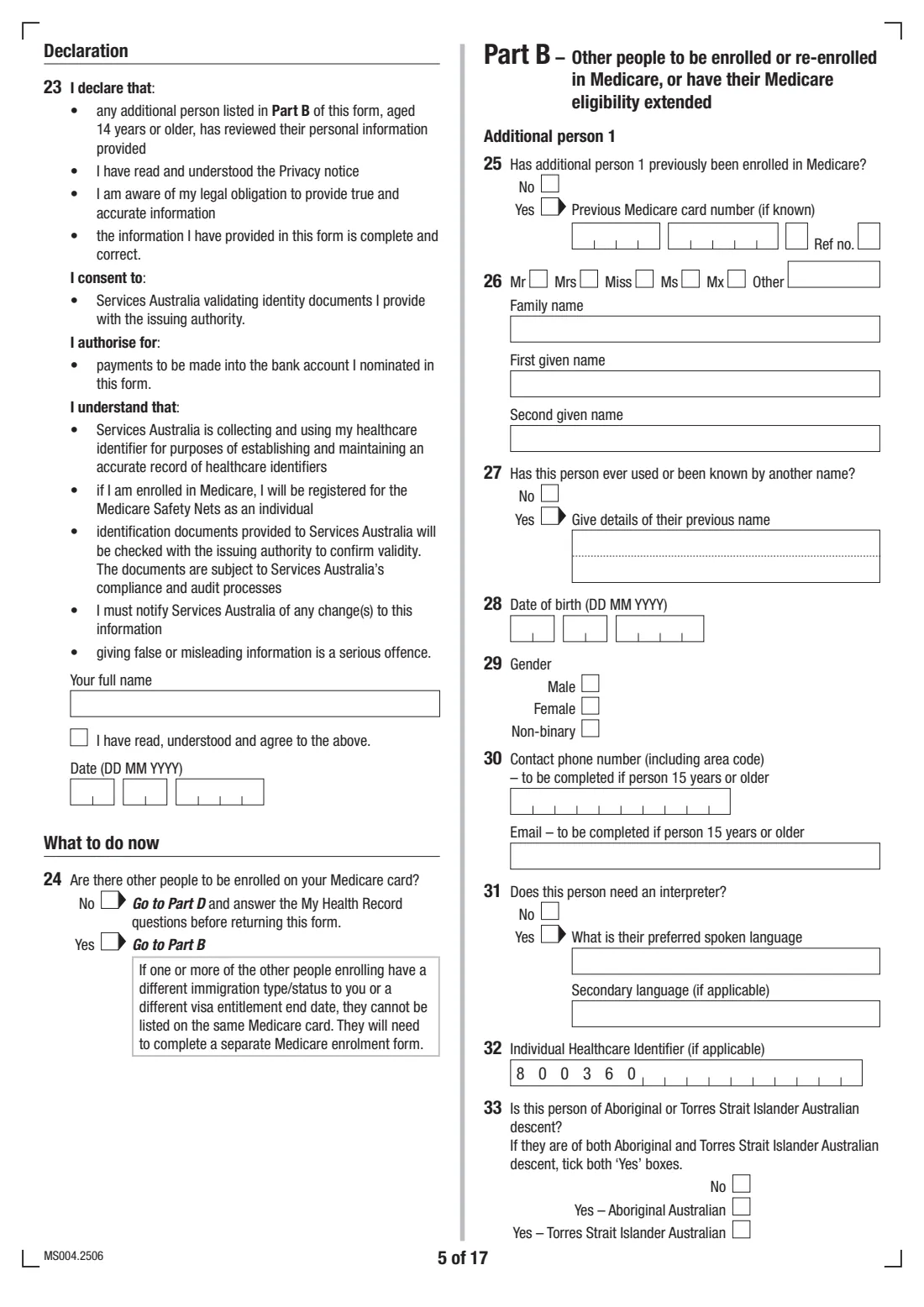
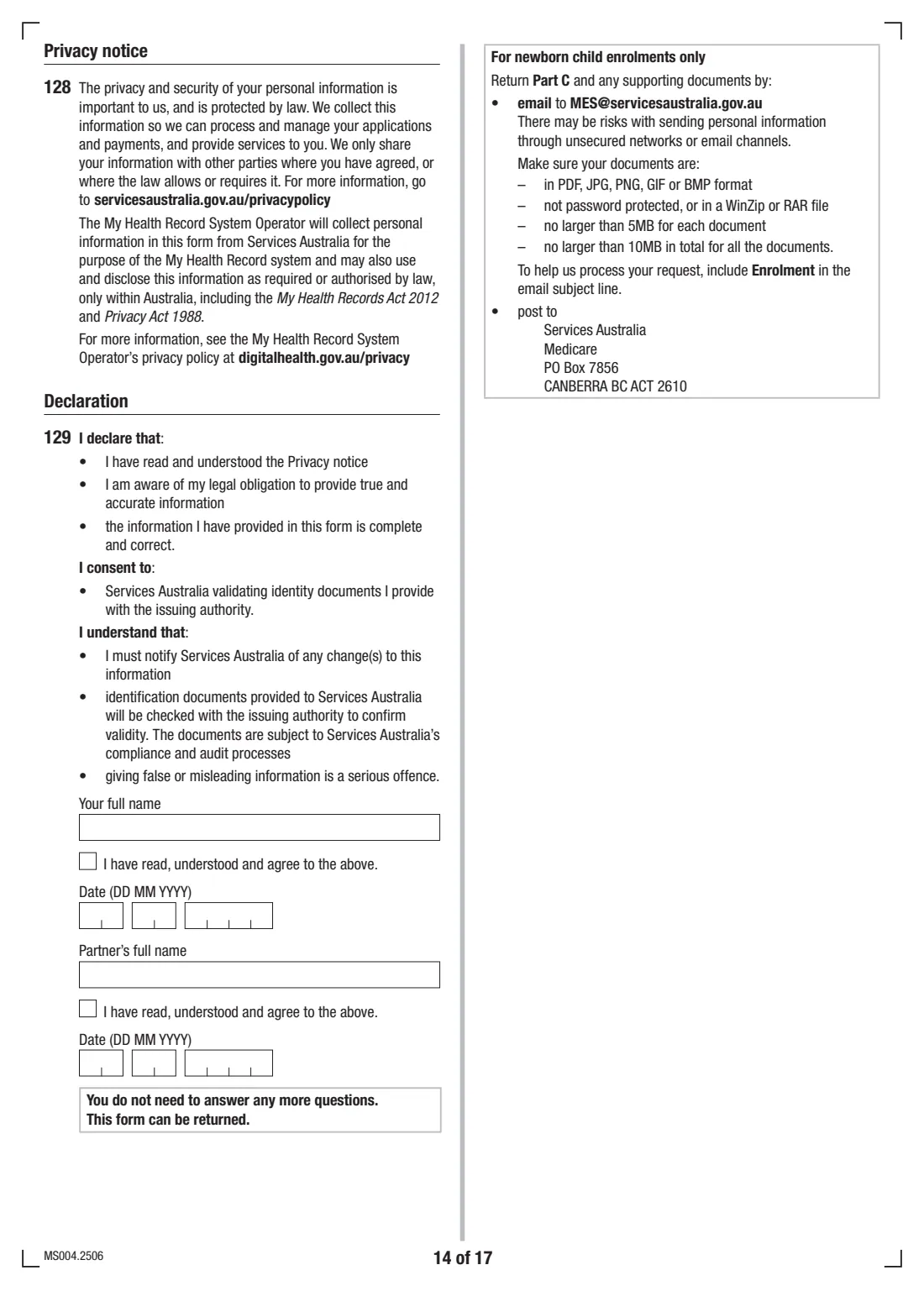
Then type your full name, tick 'I have read, understood and agree' and date the declaration. Question 24 asks whether other people are to be enrolled on your card — if yes, go to Part B; if not, go to Part D.
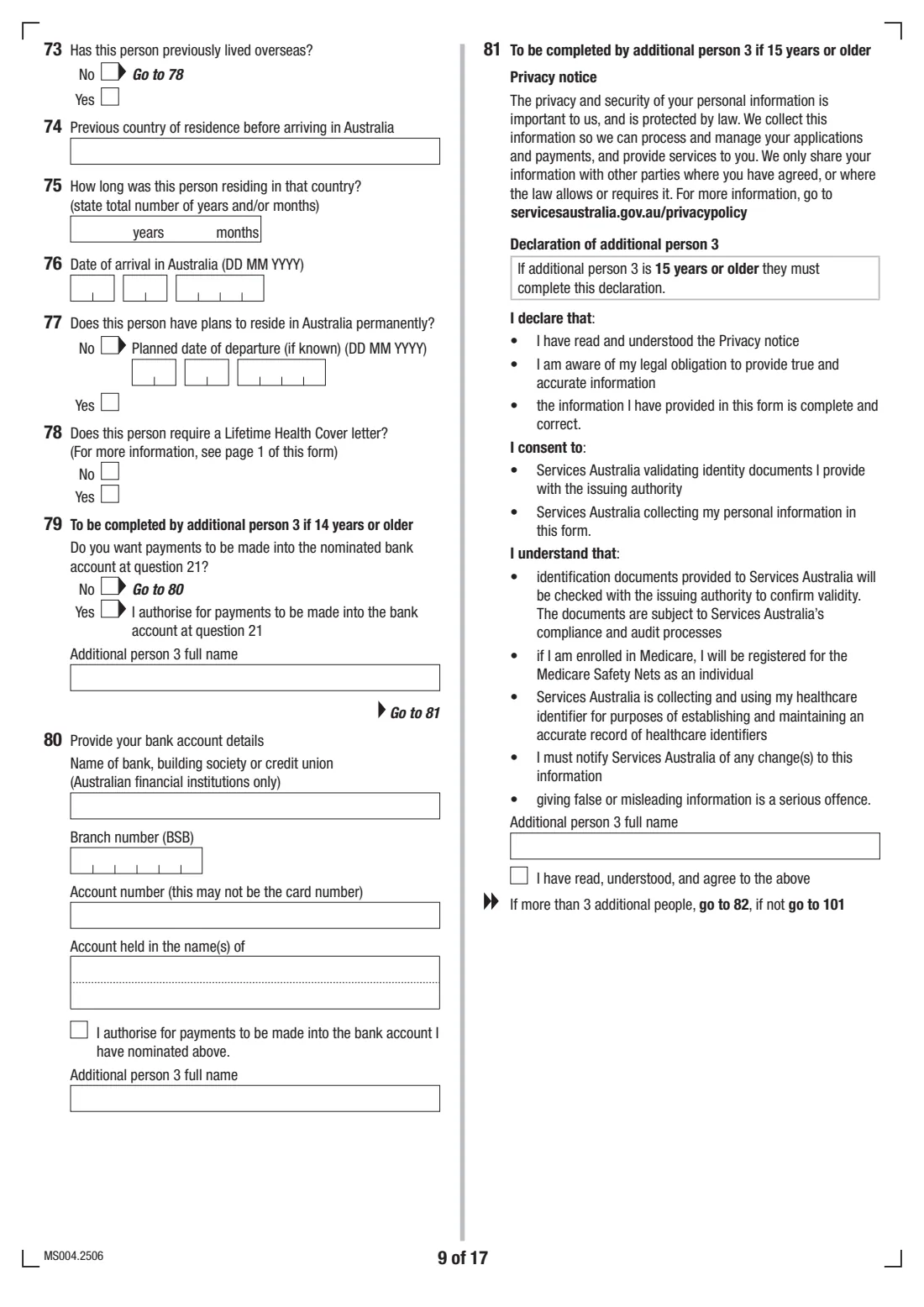
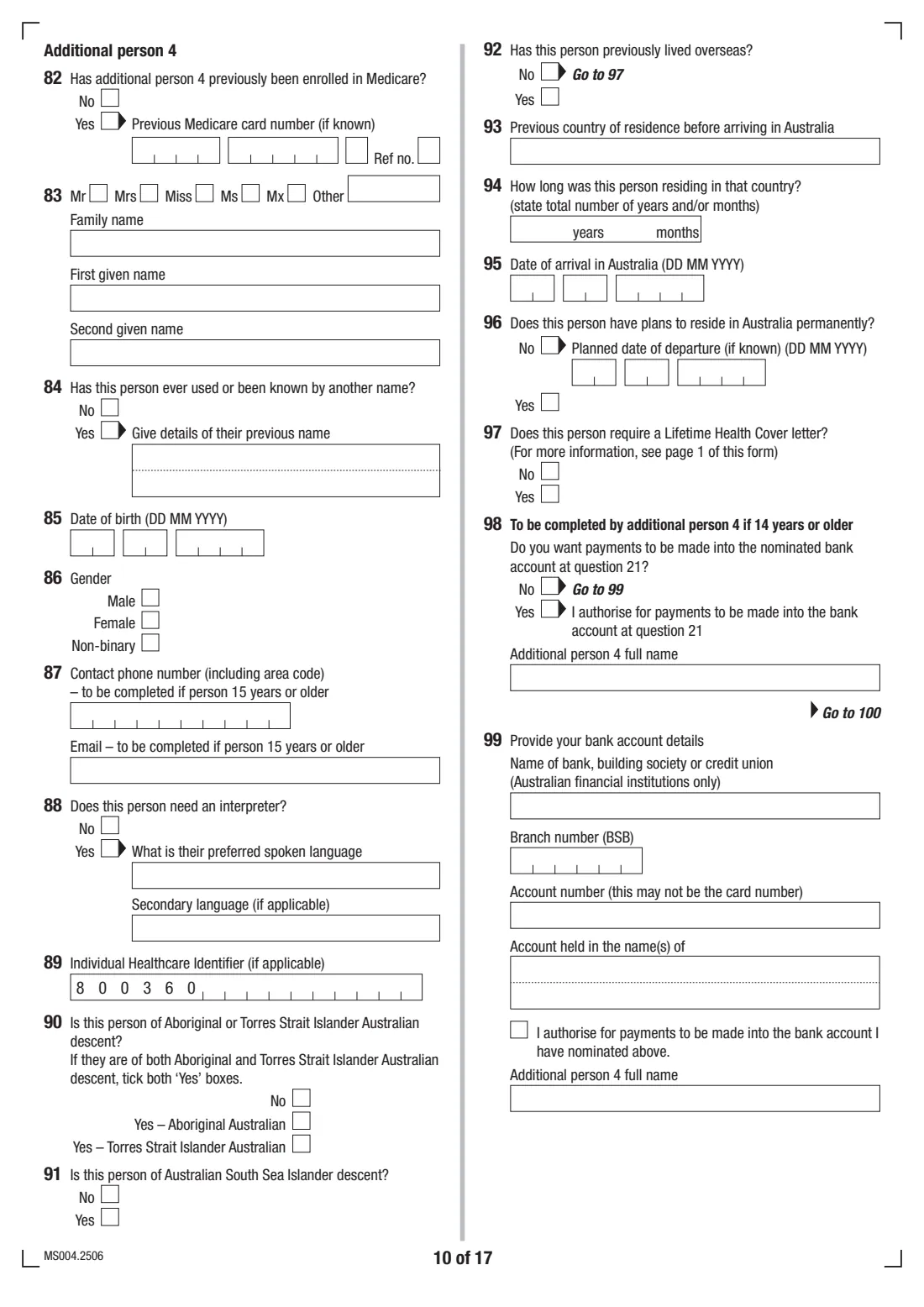
5 Part B: Additional persons 1 to 4
Part B repeats the same questions for each other person on your card: previous enrolment, name, date of birth, gender, contact details (only if 15 or older), interpreter needs, IHI, background, overseas history and Lifetime Health Cover.
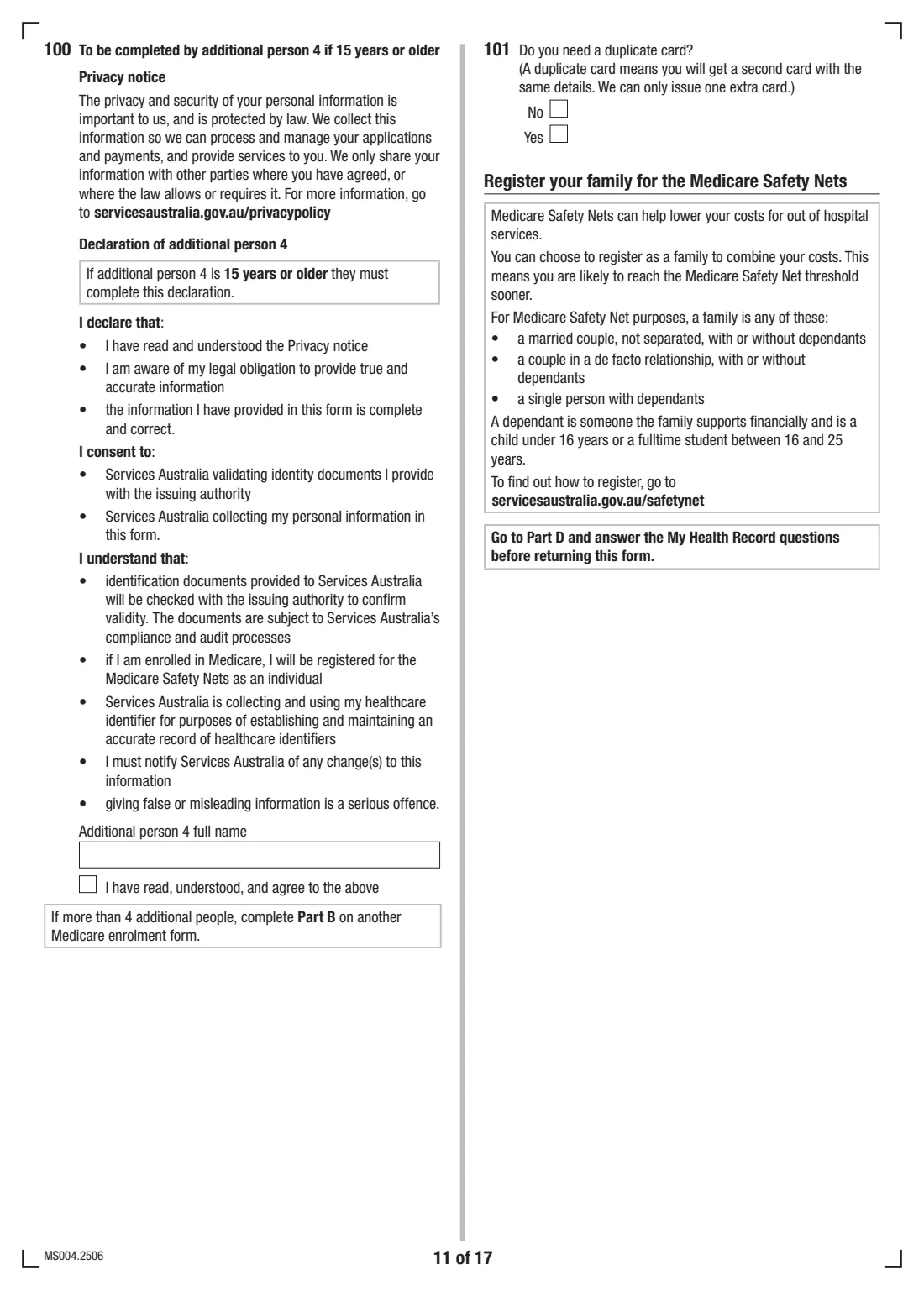
People 14 or older answer the bank question themselves — they can authorise payments into your account at question 21 or give their own. Bank details can't be recorded for children under 14. Anyone 15 or older completes their own declaration. At the end you can ask for a duplicate card; only one extra card can be issued.
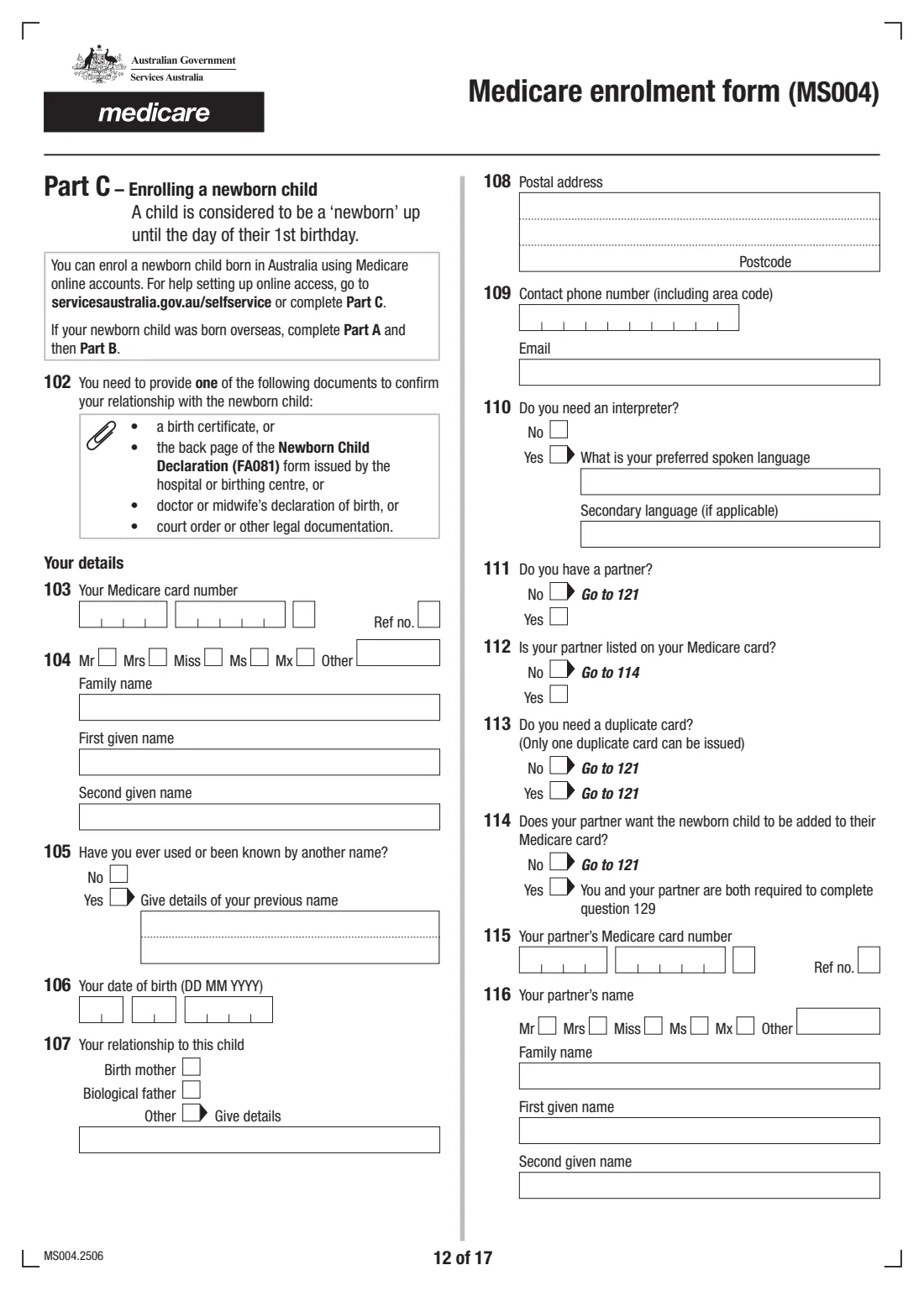
6 Part C: Enrolling a newborn child
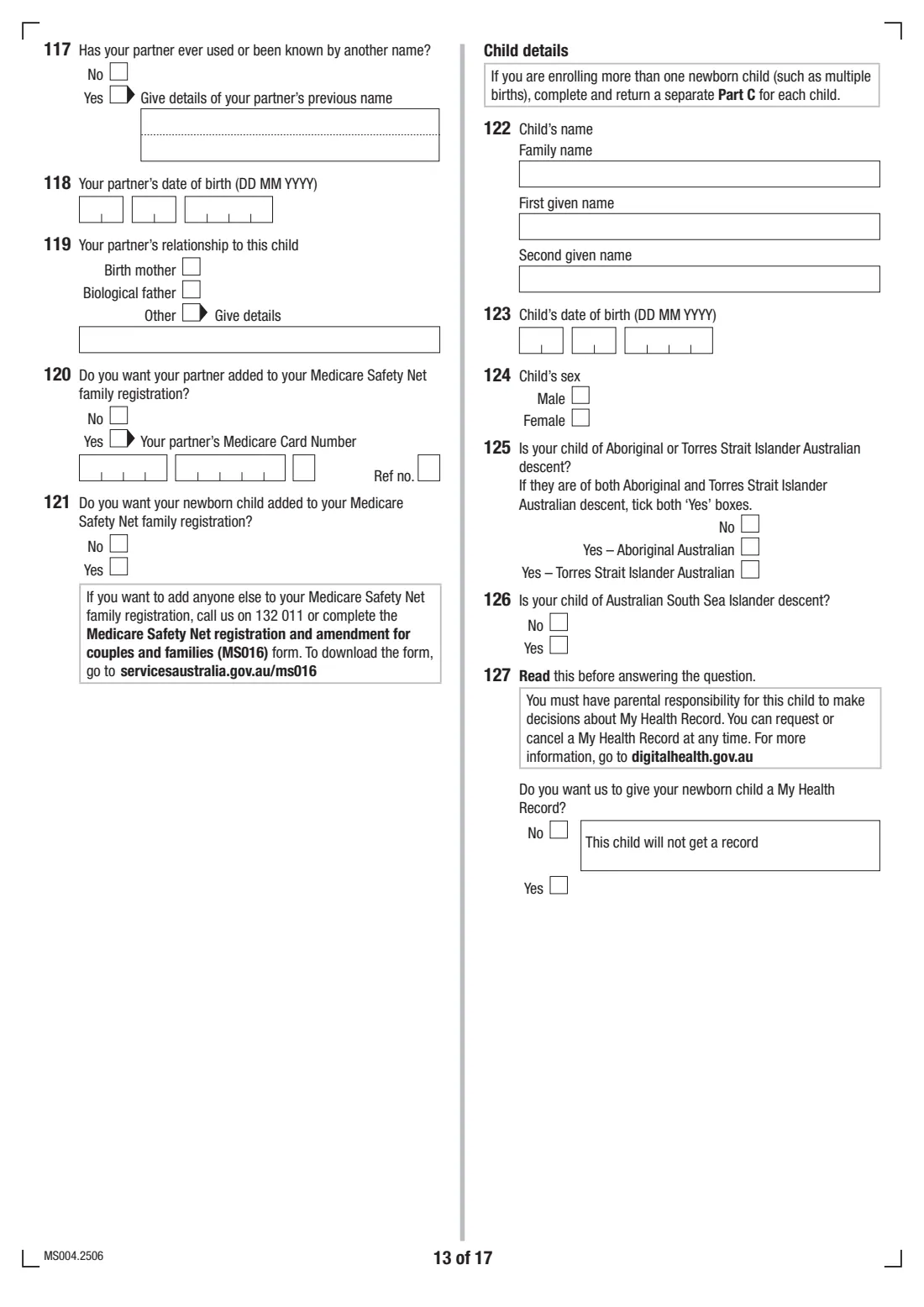
Use Part C for a baby born in Australia, up to their 1st birthday. A baby born overseas goes through Parts A and B instead. Give your Medicare card number, your details and your relationship to the child, then say whether you have a partner, whether they're on your card, and whether they want the baby added to their card too.
You can add your partner and the baby to your Medicare Safety Net family registration, enter the child's name, date of birth and sex, and decide whether the baby gets a My Health Record. Twins or more need a separate Part C each. You and, where relevant, your partner complete the declarations. Part D isn't needed for a newborn enrolment.
7 Part D: My Health Record
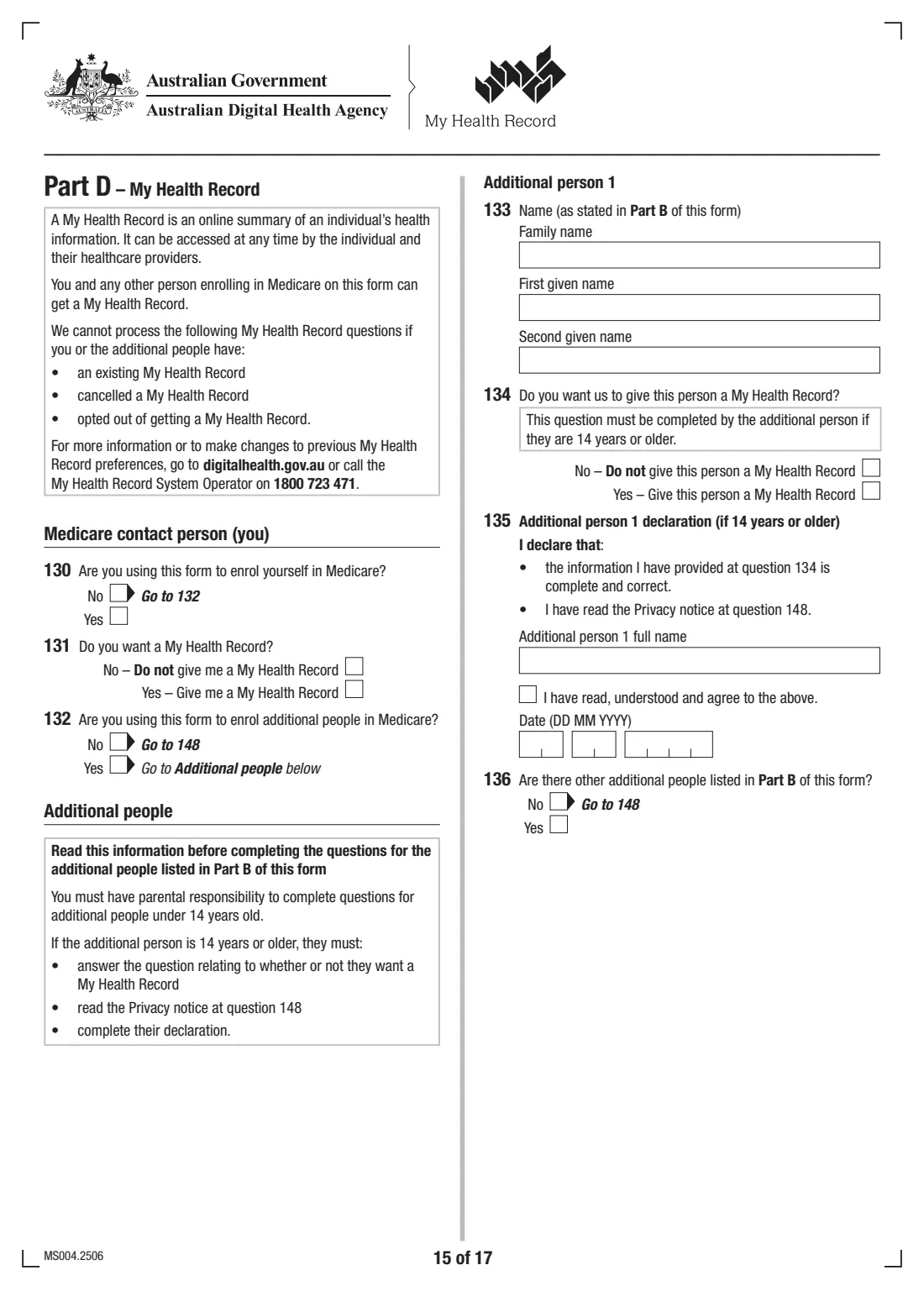
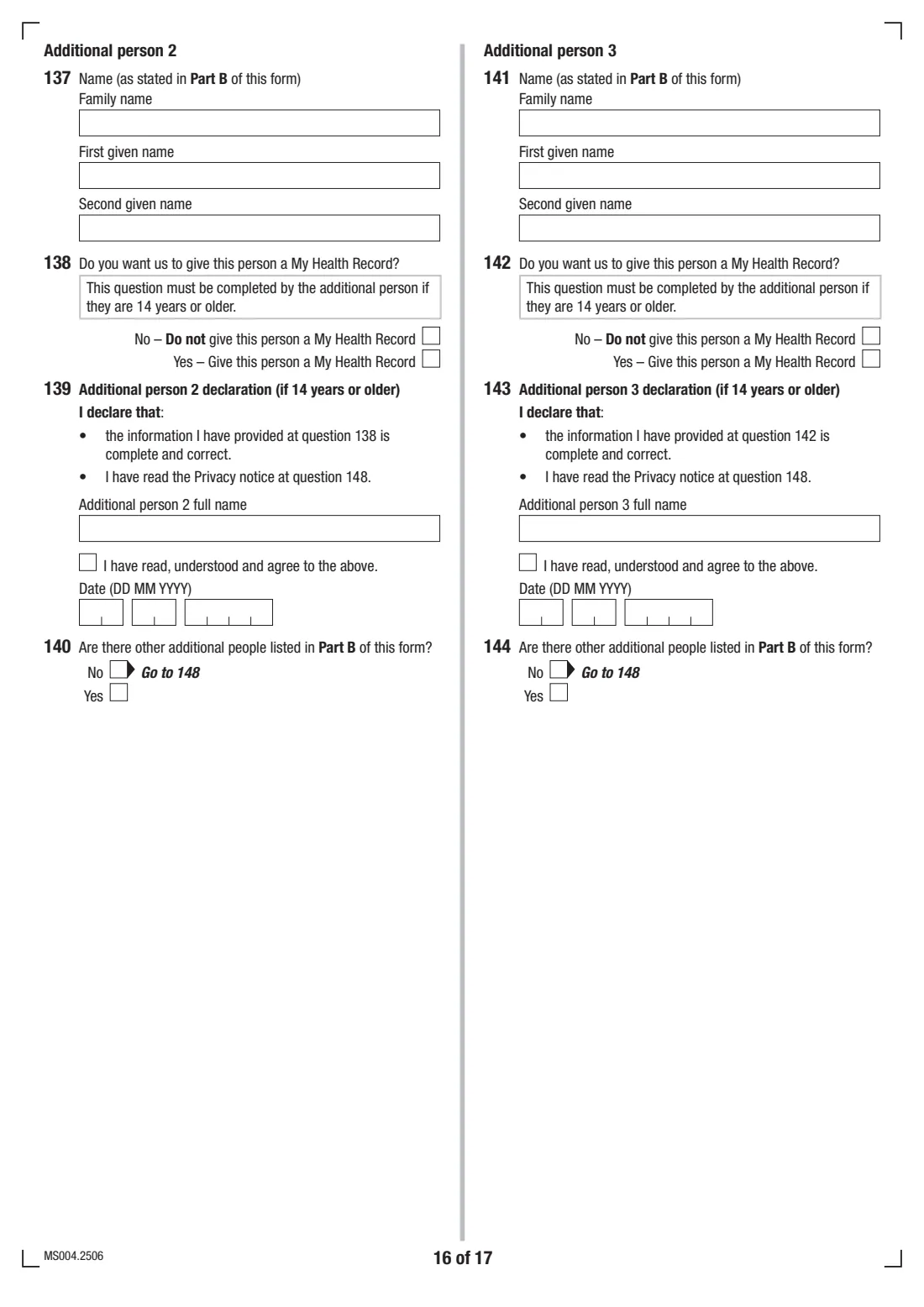
A My Health Record is an online summary of a person's health information that they and their healthcare providers can see. Part D asks, for you and each additional person, whether you want a record created. Anyone 14 or older must answer their own question, and you need parental responsibility to answer for someone younger.
These questions can't be processed for anyone who already has, has cancelled, or has opted out of a My Health Record. Finish with your own declaration — full name, tick and date.
Common mistakes to avoid
- Putting people with different immigration statuses or visa end dates on one form — they can't share a card and need a separate MS004.
- Sending only the front of a document. The form asks for copies of both the front and back.
- Using residency documents older than 6 months, or residency documents in different names (for example a lease and an electricity account should be in the same name).
- Using Part C for a baby born overseas — overseas-born children are enrolled through Parts A and B.
- Giving bank details for a child under 14; they can't be recorded.
- Forgetting that people 15 or older must tick and date their own declaration.
- Emailing documents that are password-protected, zipped or too large — see the file limits below.
After you fill it out
Check that every declaration has a full name, the 'I agree' tick and a date. There's no handwritten signature on this form. Gather copies of the front and back of each person's documents — the form doesn't ask for certified copies.
Return the form and documents to Services Australia by email to the address printed on the form ([email protected]), with 'Enrolment' in the subject line, or by post to Services Australia, Medicare, PO Box 7856, CANBERRA BC ACT 2610. For email, the form asks for PDF, JPG, PNG, GIF or BMP files that aren't password-protected or zipped, no larger than 5MB each and 10MB in total. It also notes that sending personal information by email carries some risk.
FileIt keeps the completed PDF in your vault alongside each family member's records, so you have a copy of what was sent. Once the cards arrive, you can file them in the vault too. If your details change, the declaration reminds you that you must tell Services Australia.
Fill out Medicare enrolment form (MS004) online with FileIt
- Pick the person. Choose someone from People and FileIt fills in their name, date of birth, address and other details it already knows.
- Answer plain-language questions. One part of the form at a time, with the official help text beside each question — 292 fields in all. Your answers save as you go.
- Check the live preview. Watch your answers land on the real Services Australia (Medicare) form, and let FileIt do any worksheet arithmetic.
- Generate the official PDF. FileIt prints your answers into the agency’s own PDF and files it in that person’s folder in your vault.
FileIt fills the form — it never files or submits anything for you. Deliver the finished form to whoever asked for it, the way the form’s instructions say.
Start Medicare enrolment form (MS004) now — it’s freeMedicare enrolment form (MS004): frequently asked questions
What is the MS004 form used for?
MS004 is the Medicare enrolment form from Services Australia. It's used to enrol in Medicare for the first time, re-enrol or extend eligibility, enrol a newborn child born in Australia, and register people for a My Health Record.
Where do I send the Medicare enrolment form?
The form says to email it with your documents to [email protected] (subject 'Enrolment') or post it to Services Australia, Medicare, PO Box 7856, CANBERRA BC ACT 2610. FileIt doesn't send it for you.
Can I fill in the MS004 Medicare form online?
Yes. FileIt walks you through the questions and prints your answers into the official MS004 PDF, repeating each person's name wherever the form needs it. It's available on every FileIt account, including the free plan. Some people can also enrol directly online through myGov.
How many people can I enrol on one MS004?
Up to five: you and up to four others. If you have more, or if someone has a different immigration status or visa end date, they need a separate form.
How do I enrol my newborn baby in Medicare?
For a baby born in Australia, complete Part C before their 1st birthday and include one document linking you to the child, such as a birth certificate or the back page of the Newborn Child Declaration (FA081). You may also be able to do it through your Medicare online account.
Do my documents need to be certified?
No — the form asks for copies of the front and back of each document, not certified copies.
What are residency documents for Medicare?
Documents dated within the last 6 months showing you live in Australia — for example a lease or property purchase plus a gas or electricity account in the same name, proof of employment, a child's school or childcare enrolment, or a current Australian bank account. One can instead come from the country you last lived in, such as proof you ended a lease or closed a bank account.
Does the Medicare enrolment form need a signature?
No. Each declaration is completed by typing the person's full name, ticking 'I have read, understood and agree' and adding the date.
What is a Lifetime Health Cover letter?
It's a letter from Medicare showing the date you registered, which you can give your private health insurer to show you're exempt from the Lifetime Health Cover loading. You can request one at question 20.
Official sources
- Blank form (PDF), published by Services Australia (Medicare): https://www.servicesaustralia.gov.au/sites/default/files/2025-06/ms004-2506en-f.pdf
- Official instructions and guidance: https://www.servicesaustralia.gov.au/ms004
- Edition shown on this page: MS004.2506 (checked 2026-09-25).
FileIt is not affiliated with or endorsed by Services Australia (Medicare) or any government. This page explains the form in general terms and is not legal, tax or immigration advice. Always read the official instructions, and check that you are using the edition the recipient accepts. Page last reviewed 2026-09-25.