What is the waste bin request form template?
Bin requests are frequent and routine, but each type needs slightly different information. This form asks what's needed, which bins and how many, and where to leave them, then fills in the rest from the request type.
A new property asks when the resident moved in. A damaged bin asks what's broken and whether to take the old one away. A lost or stolen bin can include a police reference. A larger bin asks why more space is needed, such as five or more people living there or nappies and medical waste. A note tells residents that some bins carry a charge and they'll be told before anything is ordered.
Each request is saved as a PDF in FileIt, ready for your waste team to order and schedule.
- Best for
- Councils, waste contractors and housing associations
- Filled in by
- Residents and small businesses
- Time to complete
- About 3 minutes
- Includes
- Name, address, contact, property type, request type, move-in date, bin types, size, quantity, reasons for a larger bin, damage, police reference, serial, household size, delivery spot, old bin, delivery notes
Who uses a waste bin request form?
- New tenants moving into an empty property
- A wheelie bin split by the collection lorry
- A bin taken during a storm or stolen
- A large family asking for a bigger rubbish bin
- A resident who no longer needs a garden waste bin
Questions on this waste bin request form
19 questions over 3 pages · includes conditional questions, multiple pages.
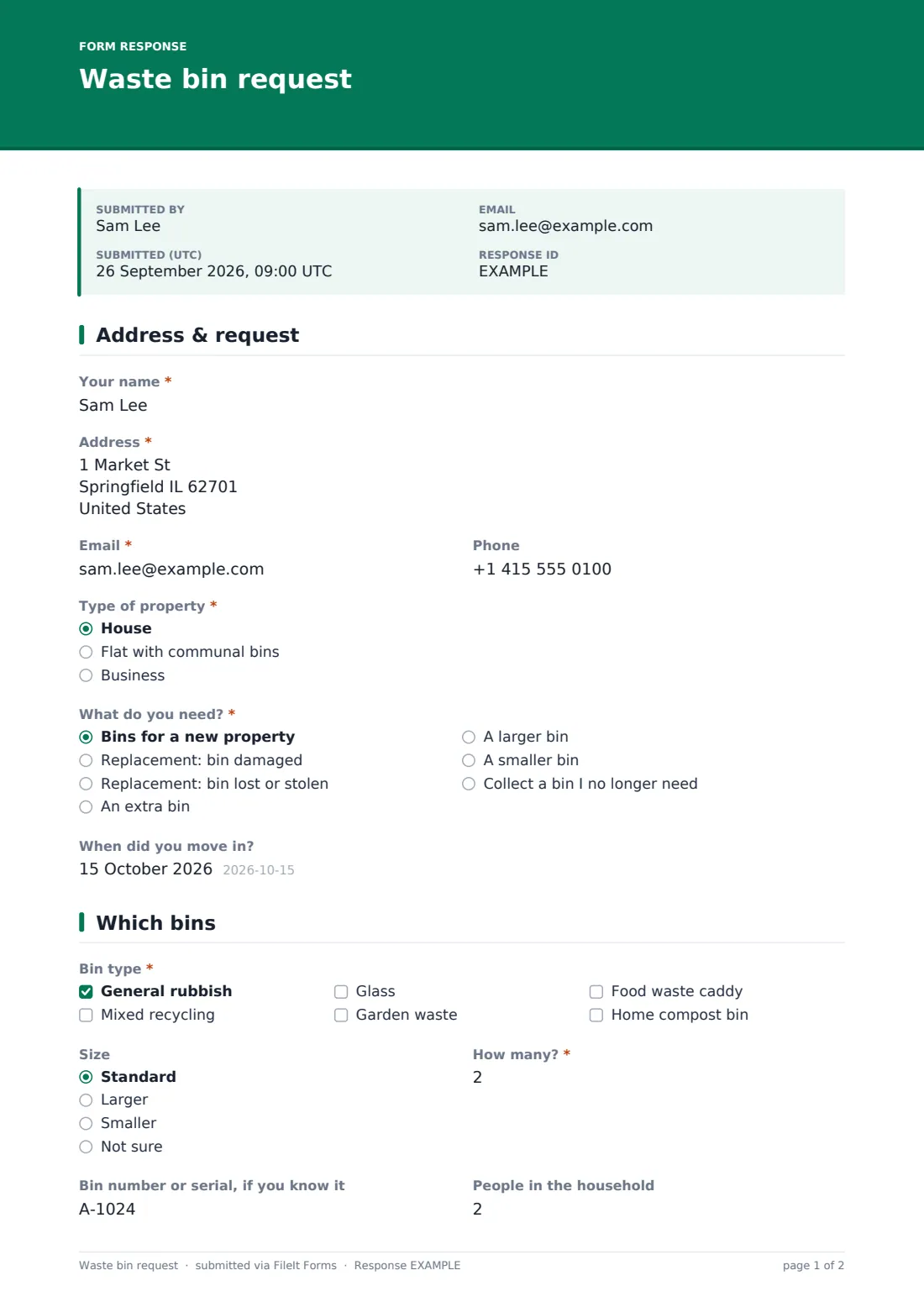
1 Address & request
- Your name*
- Address*
- Email*
- Phone
- Type of property* House · Flat with communal bins · Business
- What do you need?* Bins for a new property · Replacement: bin damaged · Replacement: bin lost or stolen · An extra bin · A larger bin · A smaller bin · Collect a bin I no longer need
- When did you move in? asked only when it applies
2 Which bins
- Bin type* General rubbish · Mixed recycling · Glass · Garden waste · Food waste caddy · Home compost bin
- Size Standard · Larger · Smaller · Not sure
- How many?*
- Why do you need more space?* asked only when it applies Five or more people live here · Nappies or medical waste · We already recycle everything we can
- What's damaged?* asked only when it applies Lid · Wheels or axle · Cracked body · Damaged by the collection lorry
- Police or incident reference, if you have one asked only when it applies
- Bin number or serial, if you know it
- People in the household
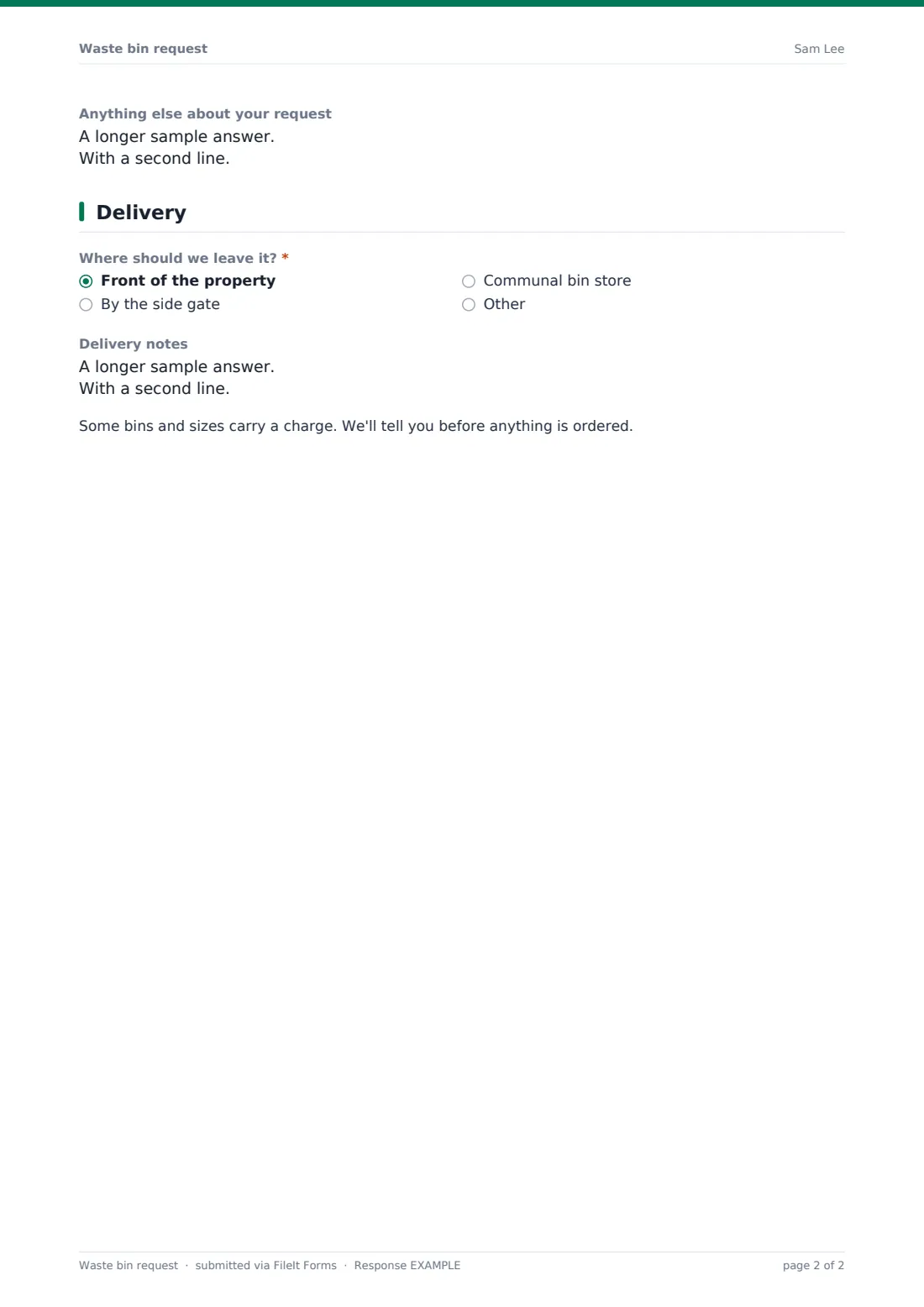
- Anything else about your request
3 Delivery
- Where should we leave it?* Front of the property · By the side gate · Communal bin store
- Your old bin asked only when it applies Please take it away · I'll keep it
- Delivery notes
The waste bin request form, page by page
1 Address & request
Name, address, email, phone, "Type of property" and "What do you need?": bins for a new property, a replacement for a damaged or lost bin, an extra bin, a larger or smaller one, or collecting a bin no longer needed. A new property asks "When did you move in?".
2 Which bins
"Bin type" covers rubbish, mixed recycling, glass, garden waste, a food waste caddy and a home compost bin, then size and how many. Larger bins ask why, damaged bins ask what's damaged, and lost or stolen ones can include a police reference. Bin number, household size and an open box finish the page.
3 Delivery
"Where should we leave it?", what to do with the old bin if it's damaged, delivery notes, and the note about charges.
Make the template yours
- Rename the bin types and sizes to match your service, such as litre sizes or colours
- Put your charges for replacement or garden waste bins in the cover text
- Remove the compost bin option if you don't supply them
- Notify your bin delivery contractor directly
- Add a question about assisted collection for residents who can't move their bin
Tips for a better waste bin request form
- Check the household size before approving a larger bin
- Ask for a photo if you need to check damage before replacing a bin
- Group deliveries by area to save trips
- Let residents know the delivery date by email
- Export requests to CSV to track bin stock
Every response becomes a PDF in your vault
Each request is saved as a PDF in the folder you choose, and your waste team is emailed.
The Responses table lists requests by address and type. Export to CSV to order stock and plan deliveries.
- Start from this template. It opens in the FileIt Forms designer — change any question, add pages, set the rules for when questions appear.
- Share it. Turn on a public link, or send it to people by email, each with their own link. They don’t need a FileIt account.
- Get the answers as PDFs. Each response is saved as a PDF in the vault folder you choose, with uploaded files attached — and listed in a Responses table you can export to CSV.
Waste bin request form: frequently asked questions
Is this waste bin template free?
Yes. It's one of the starter templates in the Forms app, included on every FileIt account, and you can edit any question.
Can residents pay for a bin through the form?
The form doesn't take payments. Explain the fee and how to pay in the cover text or confirmation message, or contact the applicant afterwards.
Can residents order several bins at once?
Yes. They can tick more than one bin type and say how many.
Do residents need a FileIt account?
No. Residents open your link, answer the questions and submit. No account is needed.
Can we use it for communal bins at flats?
Yes. Residents can pick a flat with communal bins and leave delivery at the communal bin store.