
What is the video production brief form template?
A video project goes well or badly long before anyone picks up a camera. If the producer doesn't know who the video is for, where it'll be shown, whether it needs a vertical cut or who's writing the script, the quote is a guess and the first edit is a surprise. This video production brief walks a client through the decisions that shape the job, over three short pages.
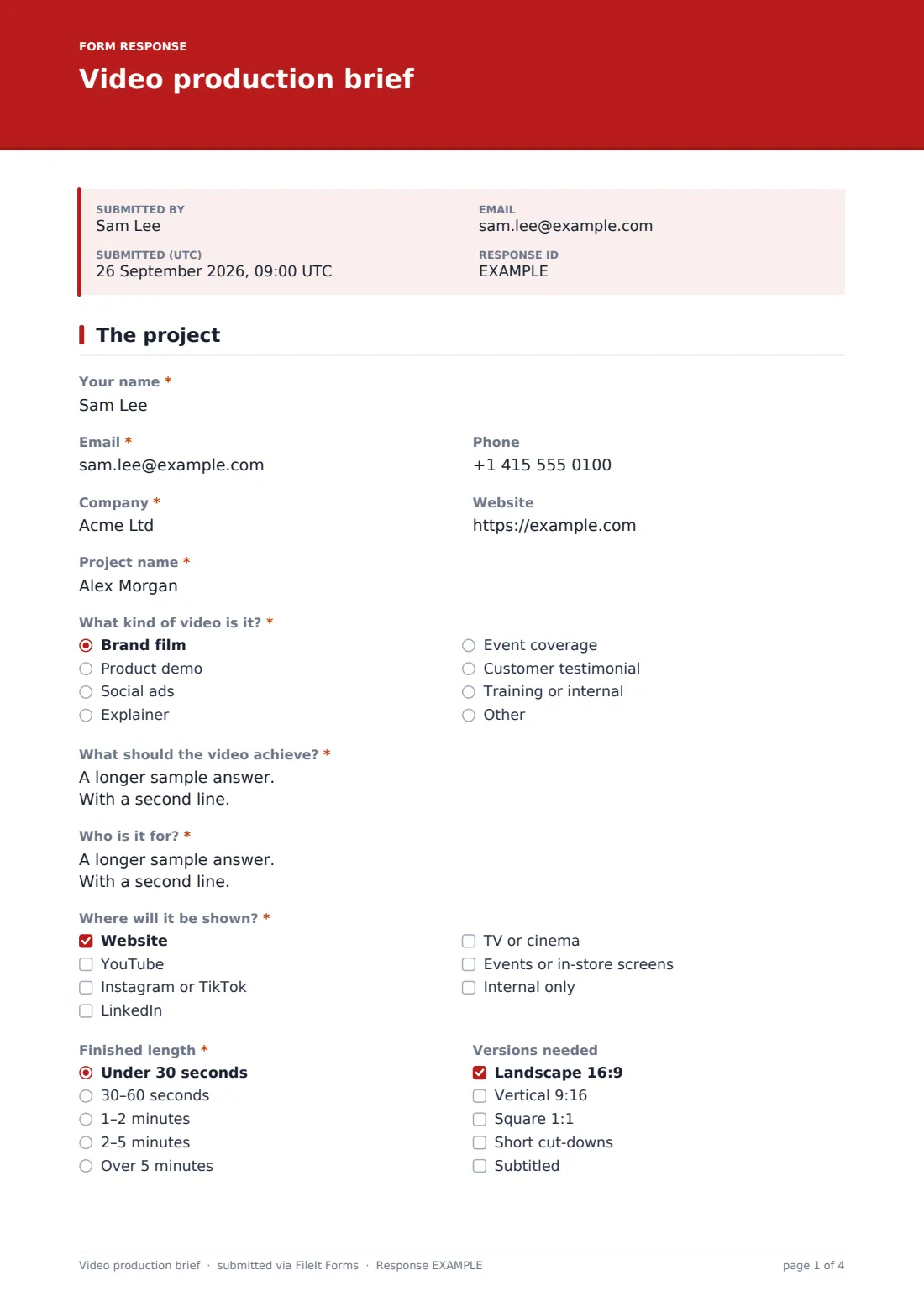
Page one is the why: the type of video, from brand film and product demo to social ads, explainers, event coverage, testimonials and internal training, plus “What should the video achieve?”, “Who is it for?” and “Where will it be shown?” The finished length and versions needed, such as landscape, vertical, square, cut-downs and subtitles, follow.
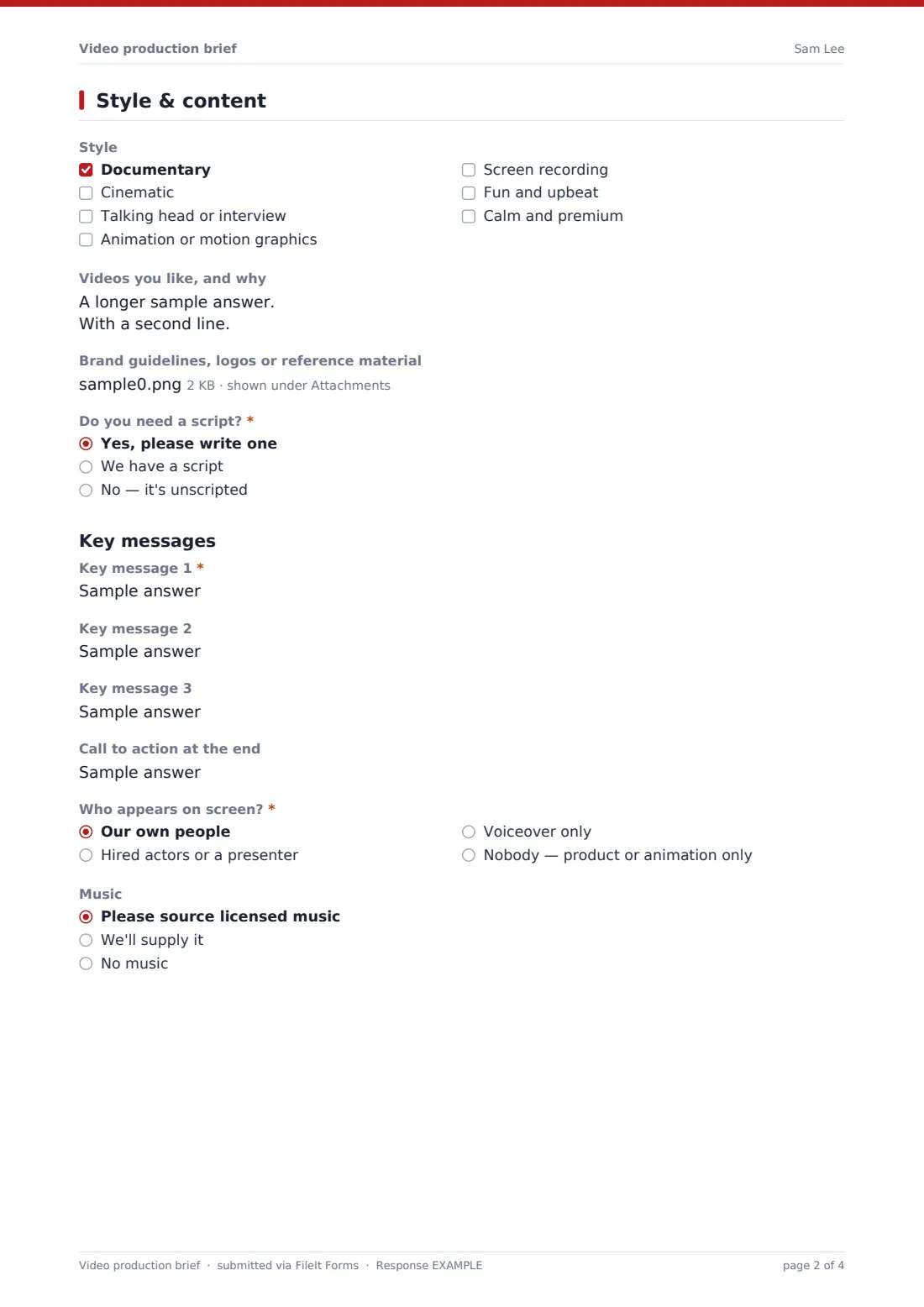
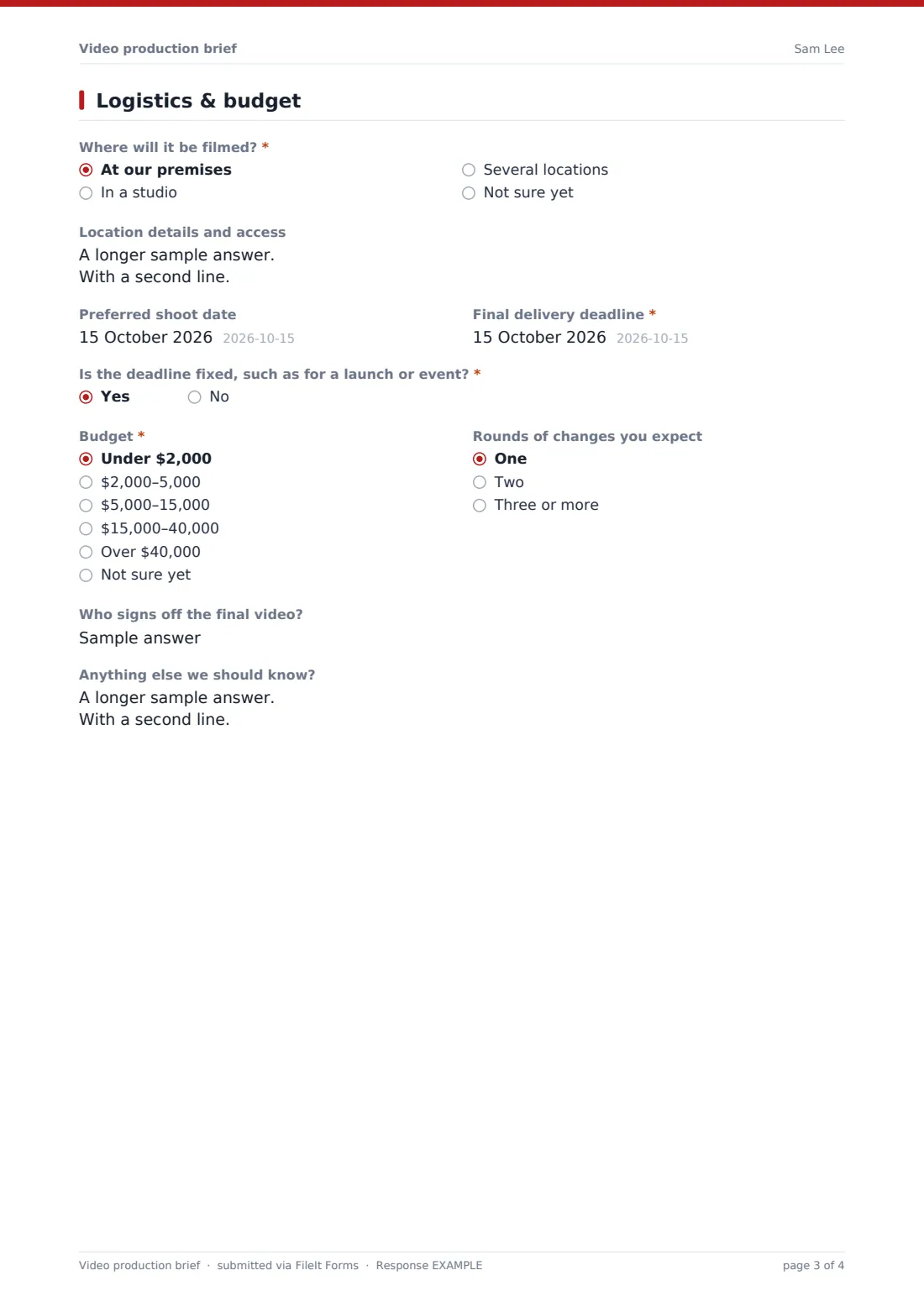
Page two is the how. Style choices, reference videos and brand assets come first. Then “Do you need a script?” Choosing “Yes, please write one” opens a key messages section: a required key message 1, optional messages 2 and 3, and the call to action at the end. Clients who already have a script can upload it instead. Page three covers locations, dates, the deadline, budget, review rounds and sign-off. Each brief is filed as a PDF in your FileIt vault.
- Best for
- Video production companies, freelance videographers, animators and in-house creative teams
- Filled in by
- Clients or internal stakeholders commissioning a video
- Time to complete
- About 10 minutes
- Includes
- Purpose and audience, channels and versions, style references, script and key messages, talent, locations, deadline and budget
Who uses a video production brief form?
- A freelance videographer sending the brief before a discovery call
- A production company standardising how it gathers requirements for quotes
- An in-house marketing team collecting requests for product videos from different departments
- An animation studio that needs key messages agreed before scripting
- An events company scoping highlight films for conferences
Questions on this video production brief form
32 questions over 3 pages · includes file upload, conditional questions, multiple pages.
1 The project
- Your name*
- Email*
- Phone
- Company*
- Website
- Project name*
- What kind of video is it?* Brand film · Product demo · Social ads · Explainer · Event coverage · Customer testimonial · Training or internal
- What should the video achieve?*
- Who is it for?*
- Where will it be shown?* Website · YouTube · Instagram or TikTok · LinkedIn · TV or cinema · Events or in-store screens · Internal only
- Finished length* Under 30 seconds · 30–60 seconds · 1–2 minutes · 2–5 minutes · Over 5 minutes
- Versions needed Landscape 16:9 · Vertical 9:16 · Square 1:1 · Short cut-downs · Subtitled
2 Style & content
- Style Documentary · Cinematic · Talking head or interview · Animation or motion graphics · Screen recording · Fun and upbeat · Calm and premium
- Videos you like, and why
- Brand guidelines, logos or reference material
- Do you need a script?* Yes, please write one · We have a script · No — it's unscripted
- Key message 1* asked only when it applies
- Key message 2 asked only when it applies
- Key message 3 asked only when it applies
- Call to action at the end asked only when it applies
- Your script asked only when it applies
- Who appears on screen?* Our own people · Hired actors or a presenter · Voiceover only · Nobody — product or animation only
- Music Please source licensed music · We'll supply it · No music
3 Logistics & budget
- Where will it be filmed?* At our premises · In a studio · Several locations · Not sure yet
- Location details and access
- Preferred shoot date
- Final delivery deadline*
- Is the deadline fixed, such as for a launch or event?*
- Budget* Under $2,000 · $2,000–5,000 · $5,000–15,000 · $15,000–40,000 · Over $40,000 · Not sure yet
- Rounds of changes you expect One · Two · Three or more
- Who signs off the final video?
- Anything else we should know?
The video production brief form, page by page
1 The project
The client gives their name, email, phone, company and website, and a “Project name”. They choose the type of video, with an Other option, then describe the goal and the audience. The channel checkboxes need at least one tick. “Finished length” runs from under 30 seconds to over 5 minutes, and “Versions needed” covers aspect ratios, cut-downs and subtitles.
2 Style & content
“Style” allows up to three choices: documentary, cinematic, talking head or interview, animation or motion graphics, screen recording, fun and upbeat, or calm and premium. “Videos you like, and why” takes links, and up to five files of brand guidelines, logos or references can be uploaded.
The script answer decides what comes next: the key messages section, a script upload, or nothing for unscripted shoots. “Who appears on screen?” offers the client's own people, hired actors or a presenter, voiceover only, or nobody. “Music” asks whether to source licensed music, use the client's own, or have none.
3 Logistics & budget
“Where will it be filmed?” offers the client's premises, a studio, several locations or not sure yet, with a box for addresses, parking and permissions. The client sets a preferred shoot date and a required “Final delivery deadline”, and answers whether the deadline is fixed for a launch or event. A budget dropdown runs from under $2,000 to over $40,000, or not sure yet. The page also asks for the expected rounds of changes, who signs off the final video, and anything else.
Make the template yours
- Adjust the budget bands to match your typical projects and currency
- Add the formats you specialise in, such as drone footage or 360 video
- Remove the script upload if you always write scripts in-house
- Set the confirmation message to say when the client can expect a proposal
- Notify your producer and editor as well as yourself on each new brief
Tips for a better video production brief form
- Read the goal and audience answers first — they shape every other decision
- Watch the client's reference videos before your first call
- Confirm the number of review rounds in your proposal to avoid scope creep
- Plan versions for every channel before the shoot, since a vertical cut is easier to frame on the day
- Agree who gives final sign-off early, so feedback comes from one place
Every response becomes a PDF in your vault
Each brief is filed in your vault as a PDF, with the uploaded brand assets and script attached to the same document, and you're emailed when it arrives. The client gets a copy, which is useful to refer back to when your proposal lands.
The Responses table lists every brief with its deadline and budget. Export to CSV to track your pipeline, or open a response to start your proposal from the client's own words.
- Start from this template. It opens in the FileIt Forms designer — change any question, add pages, set the rules for when questions appear.
- Share it. Turn on a public link, or send it to people by email, each with their own link. They don’t need a FileIt account.
- Get the answers as PDFs. Each response is saved as a PDF in the vault folder you choose, with uploaded files attached — and listed in a Responses table you can export to CSV.
Video production brief form: frequently asked questions
Is this video brief template free?
Yes. It's a starter template in FileIt's Forms app, included with every account, including the free plan.
Do clients need a FileIt account to fill it in?
No. Send them the link or an emailed request from the Share tab, and they fill it in without signing up.
Can clients upload their brand guidelines and script?
Yes. Up to five brand files can be uploaded, plus a script file if they have one.
What happens when a client needs a script written?
Choosing that option opens a key messages section with up to three messages and a call to action.
Does the form give the client a price?
No. It gathers what you need to prepare your own quote or proposal.
Can I use it for animation-only projects?
Yes. Choose animation in the style question and “Nobody — product or animation only” for talent, or edit the questions to suit your studio.