What is the utilities setup request form template?
Moving in is stressful enough without arriving to cold showers because nobody told the gas company. In many buildings the manager handles part of the utility setup, or at least needs to know which accounts the tenant will take over and when. When those details arrive as a string of texts, something gets missed.
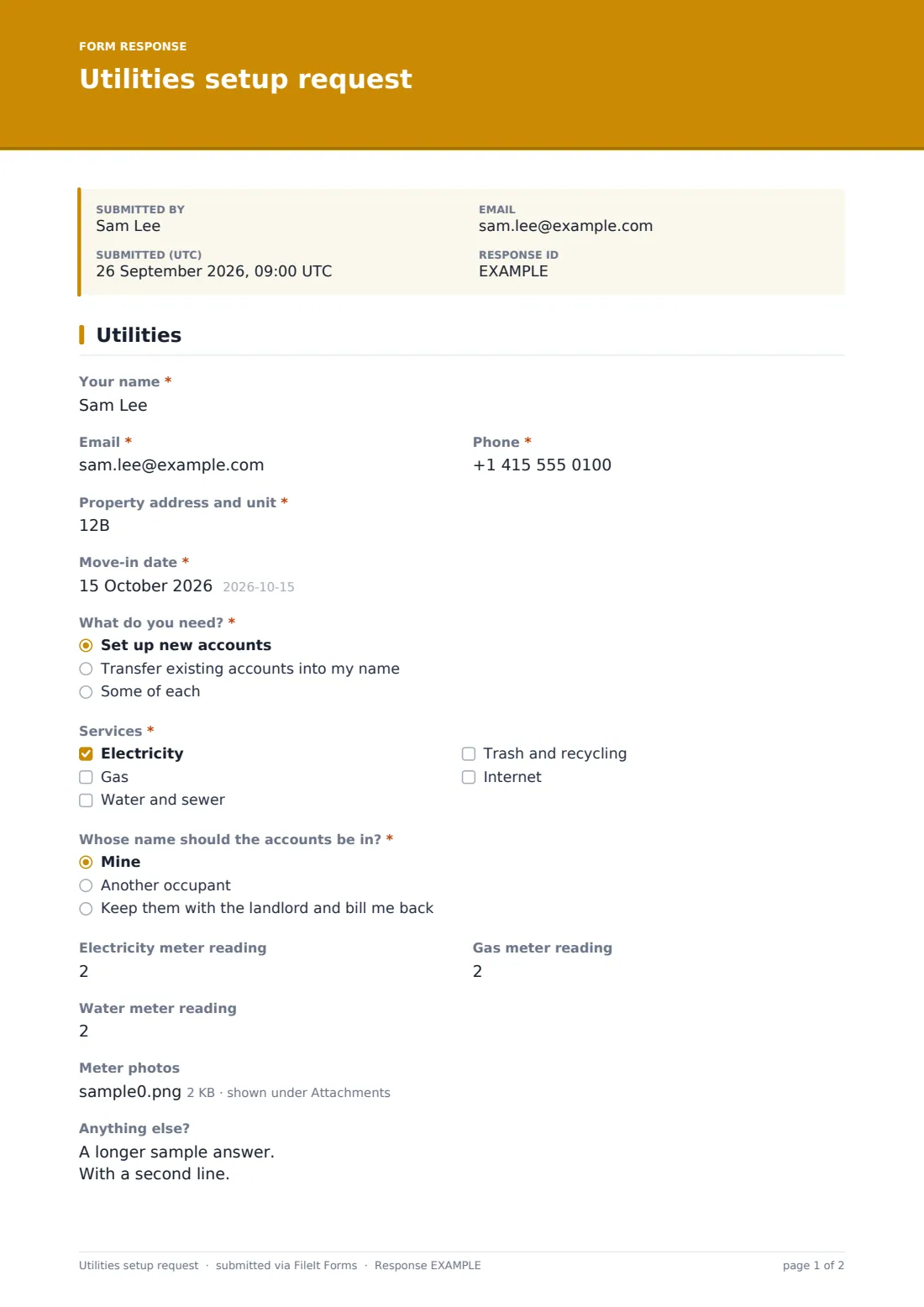
This form puts it all on a single page. The occupant gives their name, contact details, the address and unit, and the move-in date. "What do you need?" separates brand-new accounts from transfers, and "Services" lists electricity, gas, water and sewer, trash and recycling, and internet. "Whose name should the accounts be in?" covers the common arrangements: the tenant, another occupant, or the landlord keeping the account and billing back.
Ticking internet opens three more questions: a "Preferred internet provider", "Speed you need" in plain terms rather than megabits, and the best times for an installer visit. Opening meter readings and meter photos give both sides a starting point for the first bill. Each request is filed as a PDF in your FileIt vault with the tenant's other move-in paperwork.
- Best for
- Property managers, landlords and building offices handling move-ins
- Filled in by
- The incoming tenant or occupant
- Time to complete
- About 4 minutes
- Includes
- Services checklist, account holder choice, internet follow-ups, three meter readings and meter photos
Who uses a utilities setup request form?
- Sending to every new tenant with the lease signing pack
- Buildings where the manager orders internet installs for each unit
- Shared houses deciding which housemate holds each account
- Furnished rentals where the landlord keeps the utilities and recharges
- Transferring accounts when one tenant leaves and another moves in
- Recording opening meter readings for the first bill
Questions on this utilities setup request form
17 questions · includes file upload, conditional questions.
1 Utilities
- Your name*
- Email*
- Phone*
- Property address and unit*
- Move-in date*
- What do you need?* Set up new accounts · Transfer existing accounts into my name · Some of each
- Services* Electricity · Gas · Water and sewer · Trash and recycling · Internet
- Whose name should the accounts be in?* Mine · Another occupant · Keep them with the landlord and bill me back
- Account holder's name* asked only when it applies
- Preferred internet provider asked only when it applies
- Speed you need* asked only when it applies Basic — browsing and email · Streaming and video calls · Heavy use — gaming, large uploads, several people working from home · Not sure
- Best times for an installer visit asked only when it applies
- Electricity meter reading
- Gas meter reading
- Water meter reading
- Meter photos
- Anything else?
The utilities setup request form, page by page
1 Utilities
Your name, email and phone, the "Property address and unit" and the move-in date. "What do you need?" asks whether you're setting up new accounts, transferring existing ones into your name, or doing some of each. "Services" must have at least one ticked. "Whose name should the accounts be in?" offers mine, another occupant (which asks for their name), or keeping them with the landlord and billing back. If internet is ticked, the form adds a preferred provider, a speed question running from basic browsing to heavy home-working use, and installer times. Then come the electricity, gas and water meter readings, optional meter photos, and a box for anything else, like a prepay meter or a locked meter cupboard.
Make the template yours
- Remove services the building already provides, such as water or trash
- List the providers that serve your building as options instead of a text box
- Make meter photos required if readings are often disputed
- Add a question about a parking permit or mailbox key while you're at it
- Notify a maintenance coordinator as well as the property manager
- Change the speed options to the packages your building offers
Tips for a better utilities setup request form
- Send the form a week or two before move-in so installs can be booked
- Ask for meter photos on the move-in day itself, not before
- Agree in the lease who holds each account so the form just confirms it
- Check internet availability for the unit before promising a speed
- Keep the request with the move-in inspection so all day-one records sit together
Every response becomes a PDF in your vault
The request is filed as a PDF in your vault with any meter photos attached, and you get an email. The tenant receives a copy at the address they gave.
Use the Responses table to see which move-ins still need services confirmed, and export it to CSV if you track installs in a spreadsheet.
- Start from this template. It opens in the FileIt Forms designer — change any question, add pages, set the rules for when questions appear.
- Share it. Turn on a public link, or send it to people by email, each with their own link. They don’t need a FileIt account.
- Get the answers as PDFs. Each response is saved as a PDF in the vault folder you choose, with uploaded files attached — and listed in a Responses table you can export to CSV.
Utilities setup request form: frequently asked questions
Is the utilities setup request template free?
Yes. It's one of the starter templates in FileIt's Forms app, on every plan including free.
Does FileIt contact the utility companies?
No. The form collects what the manager needs. Arranging the service is still done with each provider.
Why does internet ask extra questions?
Installs often need an appointment and a choice of plan, so ticking internet asks for the provider, speed and installer times.
Are the meter readings required?
No. They're optional, because not every tenant can reach the meter before they move in.
Can tenants fill it in on a phone?
Yes, including taking meter photos with the camera.