
What is the staff uniform order form template?
Uniform orders have a way of going wrong in small, annoying ways. Someone texts a size to their manager, the manager forgets to pass it on, a new starter turns up on day one in their own clothes, and nobody can remember whether the replacement jacket was meant to come out of their pay. This staff uniform order form puts the whole request in one place, with one submission per order.
Staff choose up to three items from a list that covers polo shirts, shirts and blouses, trousers, fleeces, jackets, aprons, caps, hi-vis vests and name badges, each with a size, quantity and fit. The second and third items only appear if they answer yes to “Add another item?”, so a quick one-item order stays short.
Payment is where the form earns its keep. “How are these being paid for?” offers a free issue from the uniform allowance, payroll deduction, or paying on collection. Choosing payroll deduction shows the amount, how many pay periods to spread it over, a written deduction authorization and a signature, so payroll has signed consent before any money comes out of a payslip.
- Best for
- Retail, hospitality, care, cleaning, security and logistics employers who issue uniforms
- Filled in by
- Employees, or a manager ordering on behalf of a new starter
- Time to complete
- About 3 minutes
- Includes
- Up to three items with size, fit and quantity; replacement reason; payroll deduction authorization with signature
Who uses a staff uniform order form?
- A café chain ordering starter sets of aprons and polo shirts for seasonal staff
- A care agency replacing worn tunics and trousers across several branches
- A warehouse issuing hi-vis vests and jackets, with extra items paid by payroll deduction
- A hotel exchanging sizes after a new starter's first fitting
- An HR team that needs written consent on file before taking uniform costs from pay
Questions on this staff uniform order form
29 questions · includes signature, conditional questions, consent checkbox.
1 Your uniform order
- Your name*
- Email*
- Employee ID
- Store, site or location*
- Your role
- This order is for* My starter set · Replacing worn or damaged items · Extra items · Exchanging a size
- What happened to the old items? asked only when it applies
- Item 1* Polo shirt · Shirt or blouse · T-shirt · Trousers · Skirt · Fleece or jumper · Jacket · Apron · Cap or hat · Hi-vis vest · Name badge
- Size* XS · S · M · L · XL · 2XL · 3XL · One size
- Quantity*
- Fit Regular fit · Fitted / women's cut · Tall
- Add another item? asked only when it applies
- Item 2* asked only when it applies Polo shirt · Shirt or blouse · T-shirt · Trousers · Skirt · Fleece or jumper · Jacket · Apron · Cap or hat · Hi-vis vest · Name badge
- Size* asked only when it applies XS · S · M · L · XL · 2XL · 3XL · One size
- Quantity* asked only when it applies
- Fit asked only when it applies Regular fit · Fitted / women's cut · Tall
- Add another item? asked only when it applies
- Item 3* asked only when it applies Polo shirt · Shirt or blouse · T-shirt · Trousers · Skirt · Fleece or jumper · Jacket · Apron · Cap or hat · Hi-vis vest · Name badge
- Size* asked only when it applies XS · S · M · L · XL · 2XL · 3XL · One size
- Quantity* asked only when it applies
- Fit asked only when it applies Regular fit · Fitted / women's cut · Tall
- How are these being paid for?* Issued free from my uniform allowance · Payroll deduction · I'll pay when I collect them
- Amount to deduct* asked only when it applies
- Spread over* asked only when it applies One pay period · Two pay periods · Three pay periods
- Deduction authorization* asked only when it applies
- Your signature* asked only when it applies
- Where should we send it?* To my workplace · I'll collect from HR · To my home address
- Needed by
- Anything else?
The staff uniform order form, page by page
1 Your uniform order
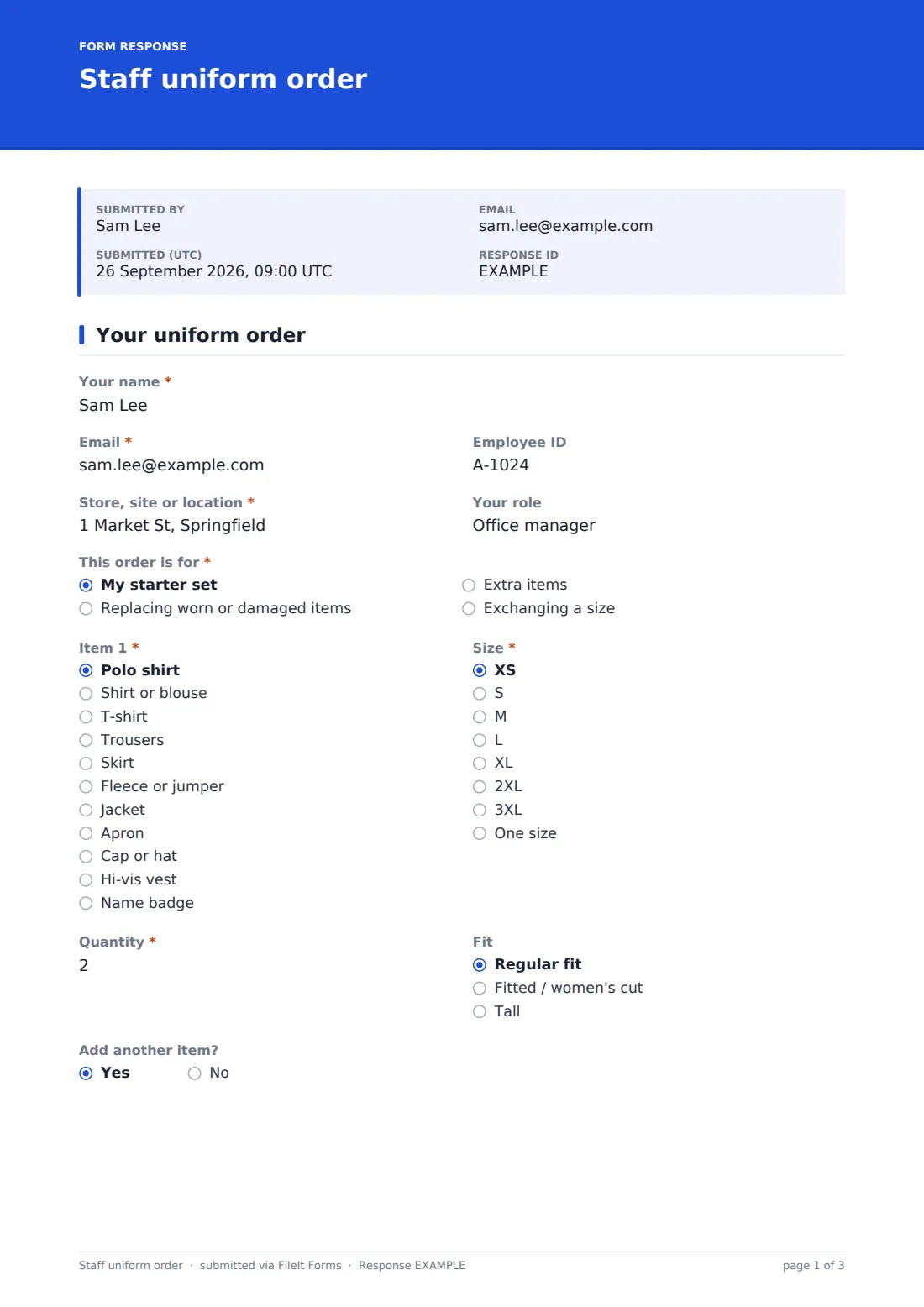
The employee gives their name, email, employee ID, “Store, site or location” and role. “This order is for” offers a starter set, replacing worn or damaged items, extra items or exchanging a size. Replacements ask “What happened to the old items?”
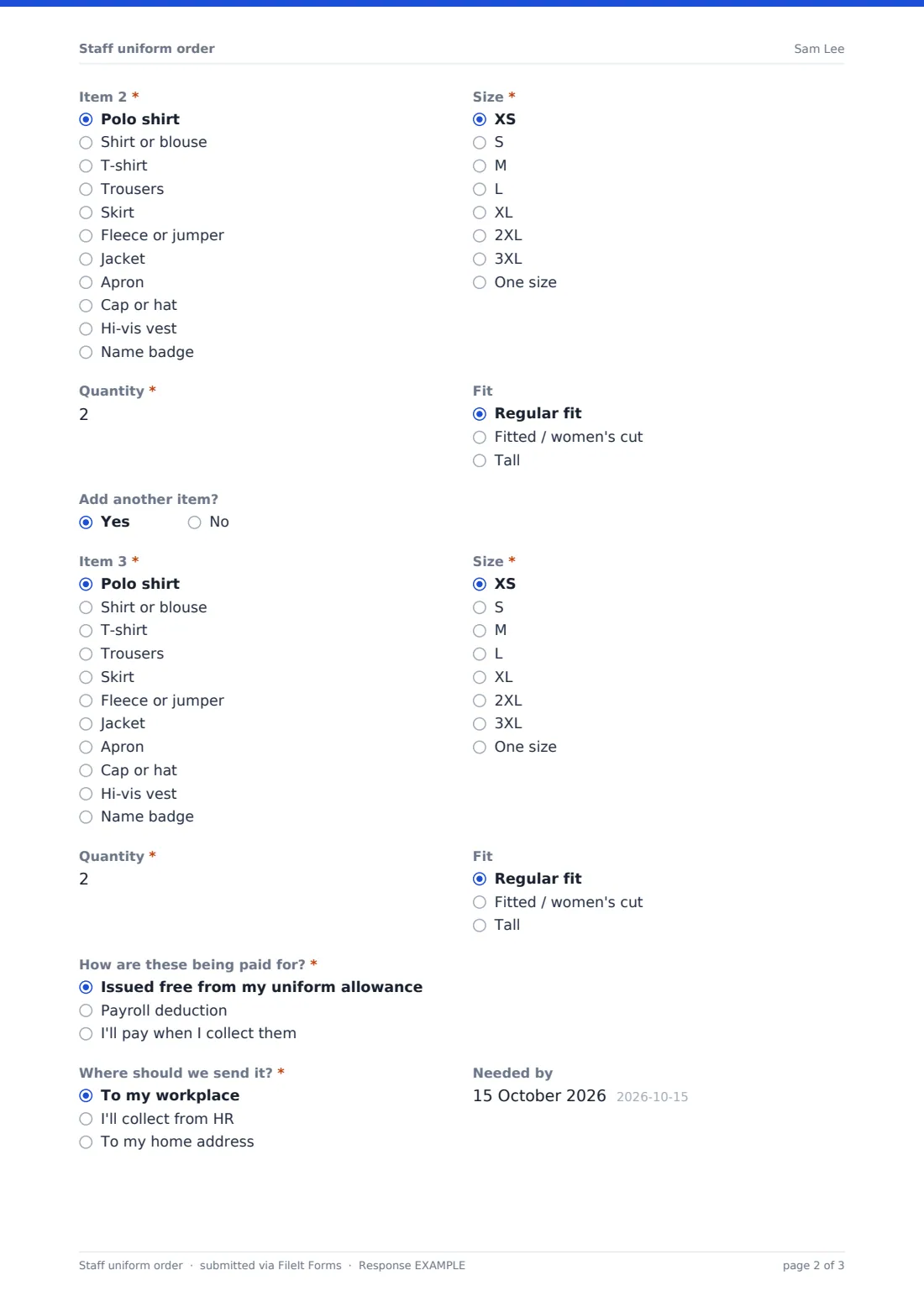
Item 1 has a dropdown of uniform pieces with a size from XS to 3XL or one size, a quantity up to ten and an optional fit: regular, fitted or tall. “Add another item?” opens Item 2, and a second “Add another item?” opens Item 3.
Under payment, payroll deduction asks for the “Amount to deduct”, how many pay periods to spread it over, a deduction authorization and the employee's signature. The form ends with “Where should we send it?”, a “Needed by” date and a box for anything else, such as embroidery or maternity sizing.
Make the template yours
- Replace the item list with your own uniform range, and the sizes with your supplier's size chart
- Change the currency on the deduction amount if you don't pay in US dollars
- Reword the deduction authorization to match your contracts and payroll policy
- Remove the payroll option entirely if uniforms are always free
- Send notifications to your uniform coordinator or payroll inbox as well as the owner
Tips for a better staff uniform order form
- Share a size guide link in the form's cover text to cut down on exchanges
- Ask managers to order starter sets as soon as an offer is accepted
- Check the deduction amount against your price list before the first payroll run
- Use the replacement reason to spot items that wear out unusually fast
- File orders by site so each location manager can see what's on the way
Every response becomes a PDF in your vault
Each order is filed in your FileIt vault as a PDF, including the signed deduction authorization where there is one, and you're emailed straight away. The employee receives a copy too, so they know exactly what they ordered and what they agreed to pay.
From the Responses table you can filter orders by site or payment method and export them to CSV, which makes it easy to send one combined order to your supplier and one list of deductions to payroll.
- Start from this template. It opens in the FileIt Forms designer — change any question, add pages, set the rules for when questions appear.
- Share it. Turn on a public link, or send it to people by email, each with their own link. They don’t need a FileIt account.
- Get the answers as PDFs. Each response is saved as a PDF in the vault folder you choose, with uploaded files attached — and listed in a Responses table you can export to CSV.
Staff uniform order form: frequently asked questions
Is this uniform order form free?
Yes. It's one of the starter templates included in FileIt's Forms app on every plan, including the free one.
How many items can someone order at once?
Up to three different items, each with its own size, fit and quantity of up to ten. You can add more item slots in the designer.
Does the form calculate the deduction?
No. The employee enters the amount from your price list, and payroll checks it before any deduction is made.
Is the payroll deduction authorization legally sufficient?
That depends on where you operate and your employment contracts. Treat the wording as a starting point and check it against your own requirements.
Can managers order for a new starter?
Yes. A manager can fill it in with the new starter's details. If the order is paid by deduction, the employee should sign it themselves.
Can I change the sizes?
Yes. Every dropdown can be edited in the designer, so you can use numeric sizes, waist and leg measurements, or your supplier's codes.