
What is the traffic management checklist form template?
Temporary traffic management protects two groups: the crew working beside live traffic and the people driving, cycling and walking past them. A layout that looked right at 7am can be very different by noon — a sign blown over, cones knocked into the lane, a footpath diversion blocked by a delivery. Regular, recorded checks catch that drift.
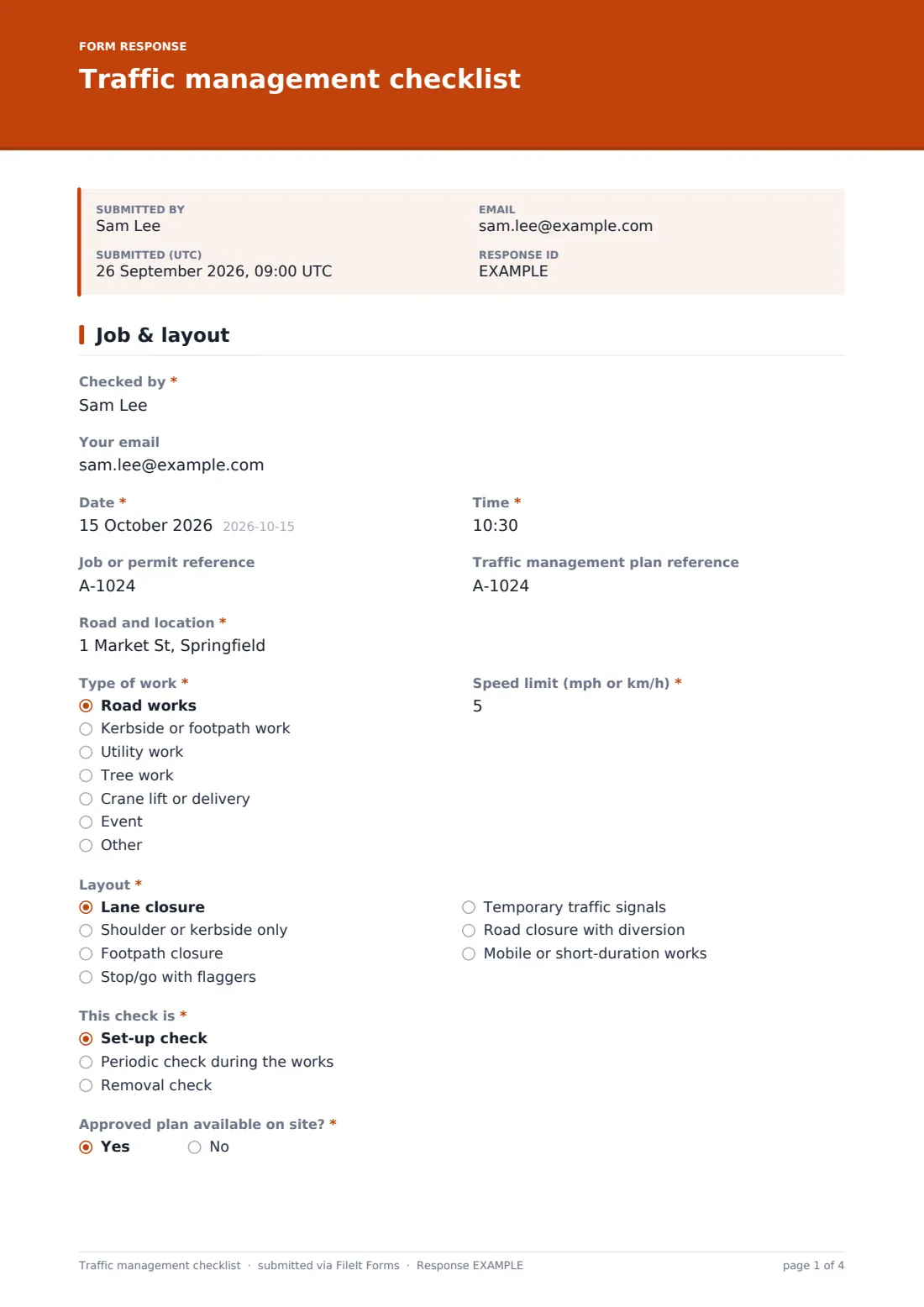
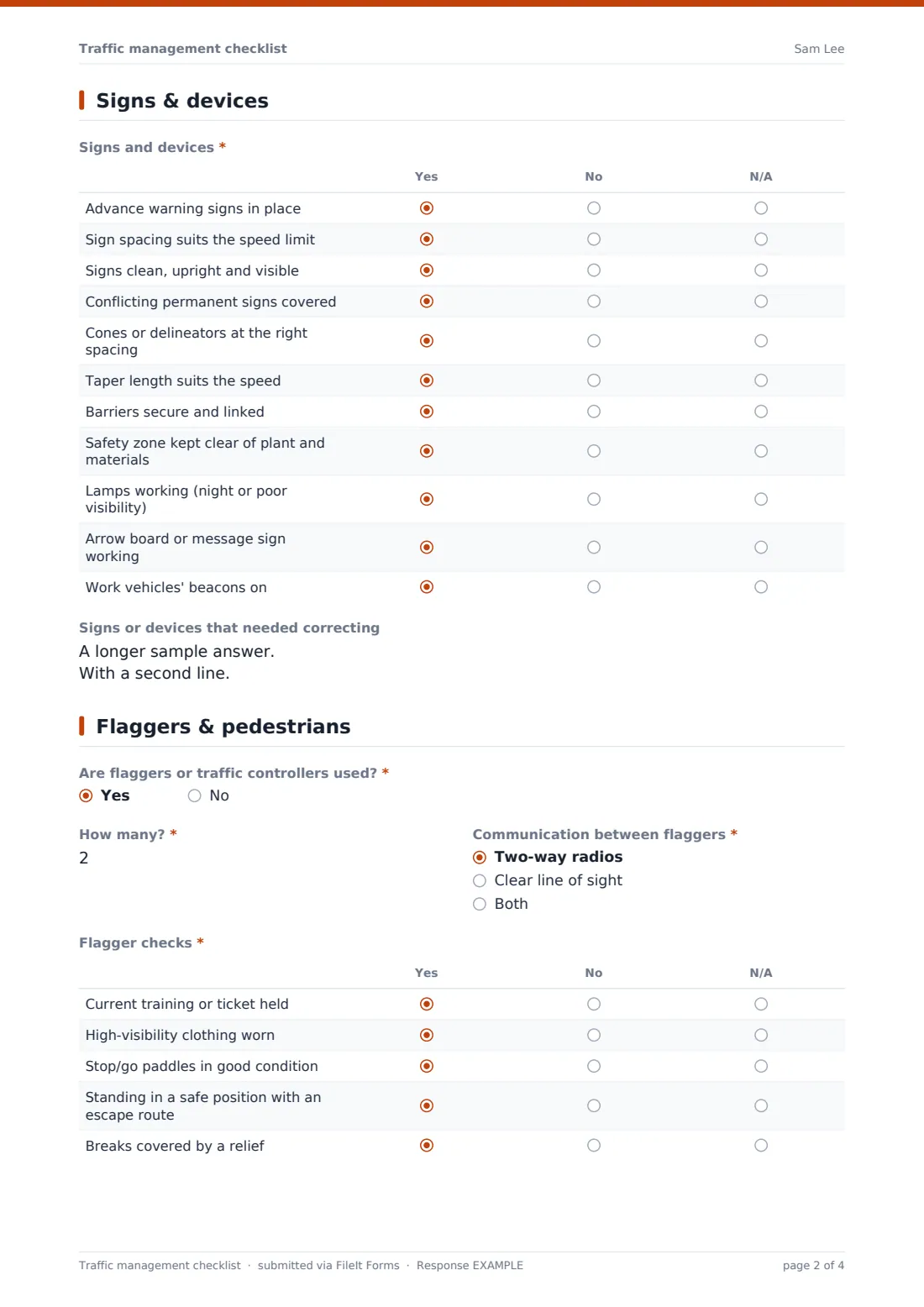
This checklist is built for road, kerbside and footpath work. The first page records who checked, when, where, the type of work, the speed limit, the layout and whether this is a set-up, periodic or removal check. Signs and devices are rated in one grid, from advance warning signs to taper length, barriers, lamps and beacons. The third page covers flaggers — how many, how they communicate and whether they're trained, visible and safely positioned — and a second grid for pedestrians and cyclists.
The result, corrections, any incidents, photos, the next check time and a signature complete the record, which is filed as a PDF in your FileIt vault.
- Best for
- Road crews, utility contractors, tree surgeons, event organisers and traffic management companies
- Filled in by
- The site supervisor or traffic management lead
- Time to complete
- About 5 minutes per check
- Includes
- Set-up, periodic and removal checks, sign and device grid, flagger checks, pedestrian grid, photos, signature
Who uses a traffic management checklist form?
- A utility crew checking a lane closure at set-up and every two hours
- A tree surgery team closing a footpath for a short job
- A crane delivery that needs stop/go control for twenty minutes
- An event organiser checking road closure and diversion signs
- A council inspector recording a contractor's traffic layout
- Recording the removal check when the road reopens
Questions on this traffic management checklist form
29 questions over 4 pages · includes signature, file upload, conditional questions, multiple pages, ratings.
1 Job & layout
- Checked by*
- Your email
- Date*
- Time*
- Job or permit reference
- Traffic management plan reference
- Road and location*
- Type of work* Road works · Kerbside or footpath work · Utility work · Tree work · Crane lift or delivery · Event · Other
- Type of work* asked only when it applies
- Speed limit (mph or km/h)*
- Layout* Lane closure · Shoulder or kerbside only · Footpath closure · Stop/go with flaggers · Temporary traffic signals · Road closure with diversion · Mobile or short-duration works
- This check is* Set-up check · Periodic check during the works · Removal check
- Approved plan available on site?*
2 Signs & devices
- Signs and devices* Yes · No · N/A
- Signs or devices that needed correcting
3 Flaggers & pedestrians
- Are flaggers or traffic controllers used?*
- How many?* asked only when it applies
- Communication between flaggers* asked only when it applies Two-way radios · Clear line of sight · Both
- Flagger checks* asked only when it applies Yes · No · N/A
- Pedestrians and cyclists* Yes · No · N/A
- Pedestrian route notes
4 Result & sign-off
- Result* Compliant – no action needed · Minor corrections made on the spot · Work stopped until corrected
- Corrections made* asked only when it applies
- Any traffic incidents, near misses or complaints since the last check?*
- What happened?* asked only when it applies
- Photos of the layout
- Next check due
- Site supervisor
- Signature*
The traffic management checklist form, page by page
1 Job & layout
Checked by, an optional email for a copy, Date and Time come first, with optional job or permit and traffic plan references. Road and location, Type of work and Speed limit describe the site. Layout covers lane closures, kerbside work, footpath closures, stop/go, temporary signals, road closures and mobile works. This check is records set-up, periodic or removal, and Approved plan available on site? is required.
2 Signs & devices
Signs and devices is a grid of eleven checks answered yes, no or N/A, including advance warning signs, spacing for the speed limit, visibility, covered conflicting signs, cone spacing, taper length, linked barriers, a clear safety zone, lamps, arrow boards and vehicle beacons. Anything corrected goes in the box below.
3 Flaggers & pedestrians
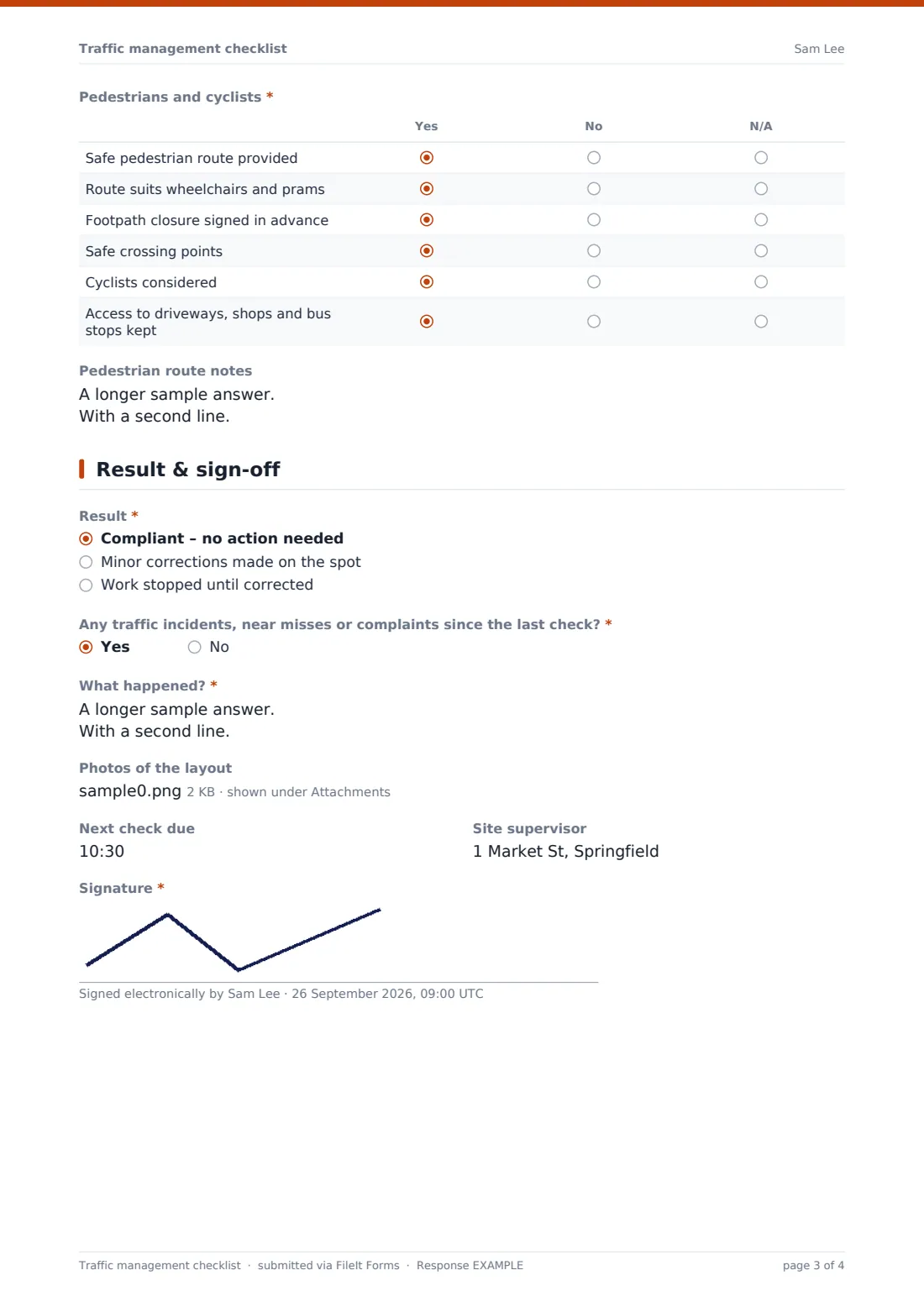
If flaggers are used, the form asks how many, how they communicate, and checks their training, clothing, paddles, position and relief cover. Pedestrians and cyclists is asked on every check: a safe route, wheelchair and pram access, advance signing of closures, crossing points, cyclists and access to driveways, shops and bus stops.
4 Result & sign-off
Result is compliant, corrected on the spot, or work stopped until corrected, with the corrections described. The form asks about traffic incidents, near misses or complaints since the last check. Up to eight photos — taken from a safe position — the next check time, site supervisor and signature finish the record.
Make the template yours
- Rename items to the terms used in your country's traffic management code
- Add a dropdown of your standard layout drawings
- Set the speed limit label to mph or km/h only
- Add rows for night work, such as lit signs and floodlighting
- Add the operations manager to notification emails so stopped work is seen the same day
- File checks into a vault folder per job or permit
Tips for a better traffic management checklist form
- Drive or walk through the layout as a road user would, at the speed they'd travel
- Check again after weather changes — wind and rain move signs and cones
- Keep the safety zone clear of materials and parked vehicles
- Look at the layout from the pedestrian's side, especially for wheelchair users
- Record the removal check so you know the road was left clear
Every response becomes a PDF in your vault
Each check is saved as a PDF with its photos in the vault folder you choose, titled with the date and the checker's name. You're notified straight away, and the checker can receive a copy.
The Responses table lets you filter by job, result or check stage and export to CSV to show the full set of checks for a job.
- Start from this template. It opens in the FileIt Forms designer — change any question, add pages, set the rules for when questions appear.
- Share it. Turn on a public link, or send it to people by email, each with their own link. They don’t need a FileIt account.
- Get the answers as PDFs. Each response is saved as a PDF in the vault folder you choose, with uploaded files attached — and listed in a Responses table you can export to CSV.
Traffic management checklist form: frequently asked questions
Is this traffic management checklist free?
Yes. It's a starter template in FileIt's Forms app, available on every plan including the free one.
Does it replace a traffic management plan?
No. It records checks against your approved plan. The plan itself is prepared by whoever is responsible under your local rules.
Does this checklist meet our local road authority's requirements?
FileIt doesn't give legal advice. Requirements differ by country and authority, so edit the grid to match the code you work to.
Can crews fill it in on a phone?
Yes. It works in any phone browser, and the signature can be drawn with a finger.
How often should we check?
Your plan or local rules set the frequency. The form records the stage and the next check time.
Do crew members need a FileIt account?
No. Anyone with the link can complete a check.