What is the trade show exhibit planner form template?
Exhibiting at a trade show involves dozens of moving parts with fixed deadlines: the booth package, graphics files, shipping to the advance warehouse, electricity and internet orders, hotel rooms, giveaways and the plan for following up leads. When those details live in one person's inbox, something gets missed.
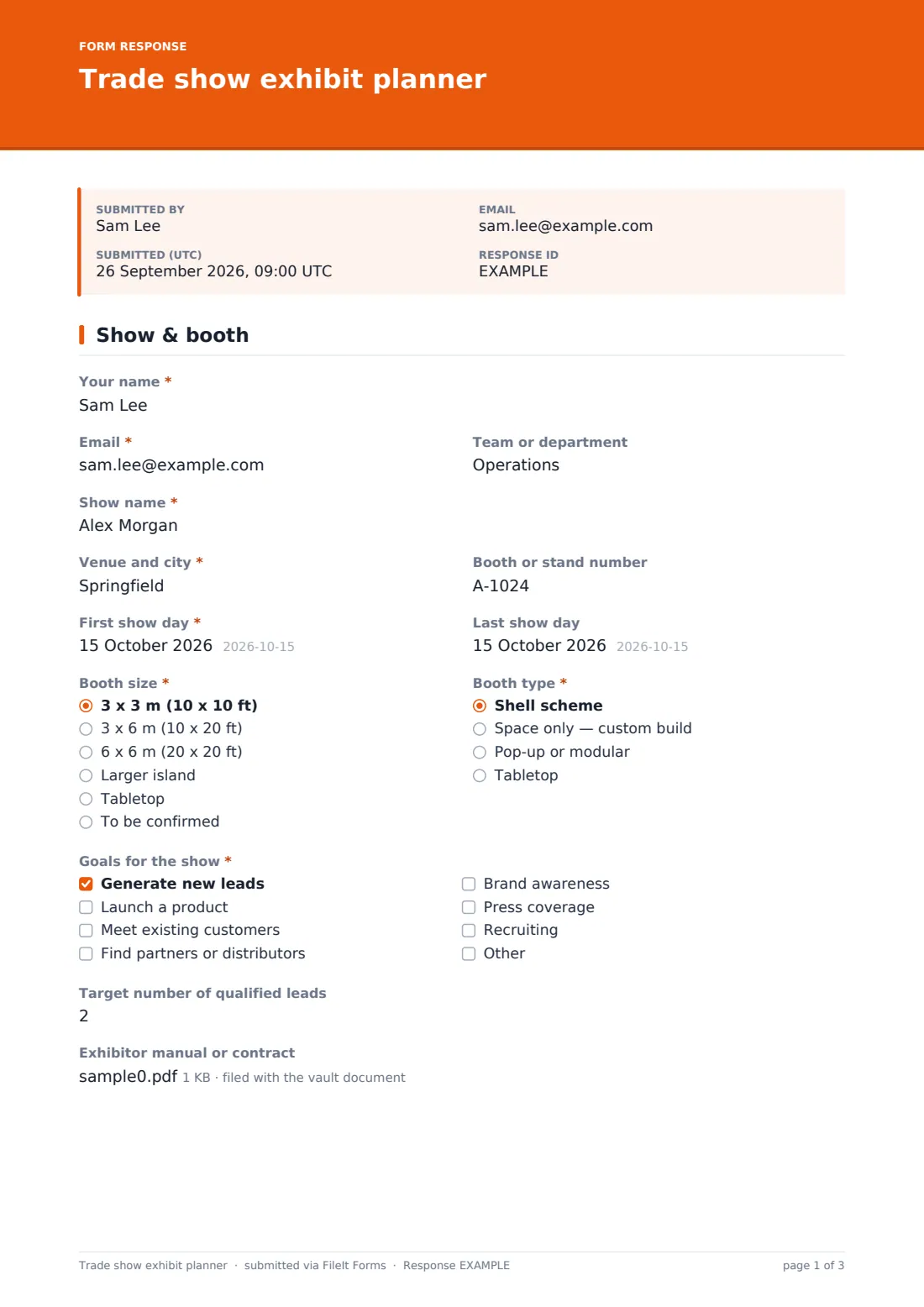
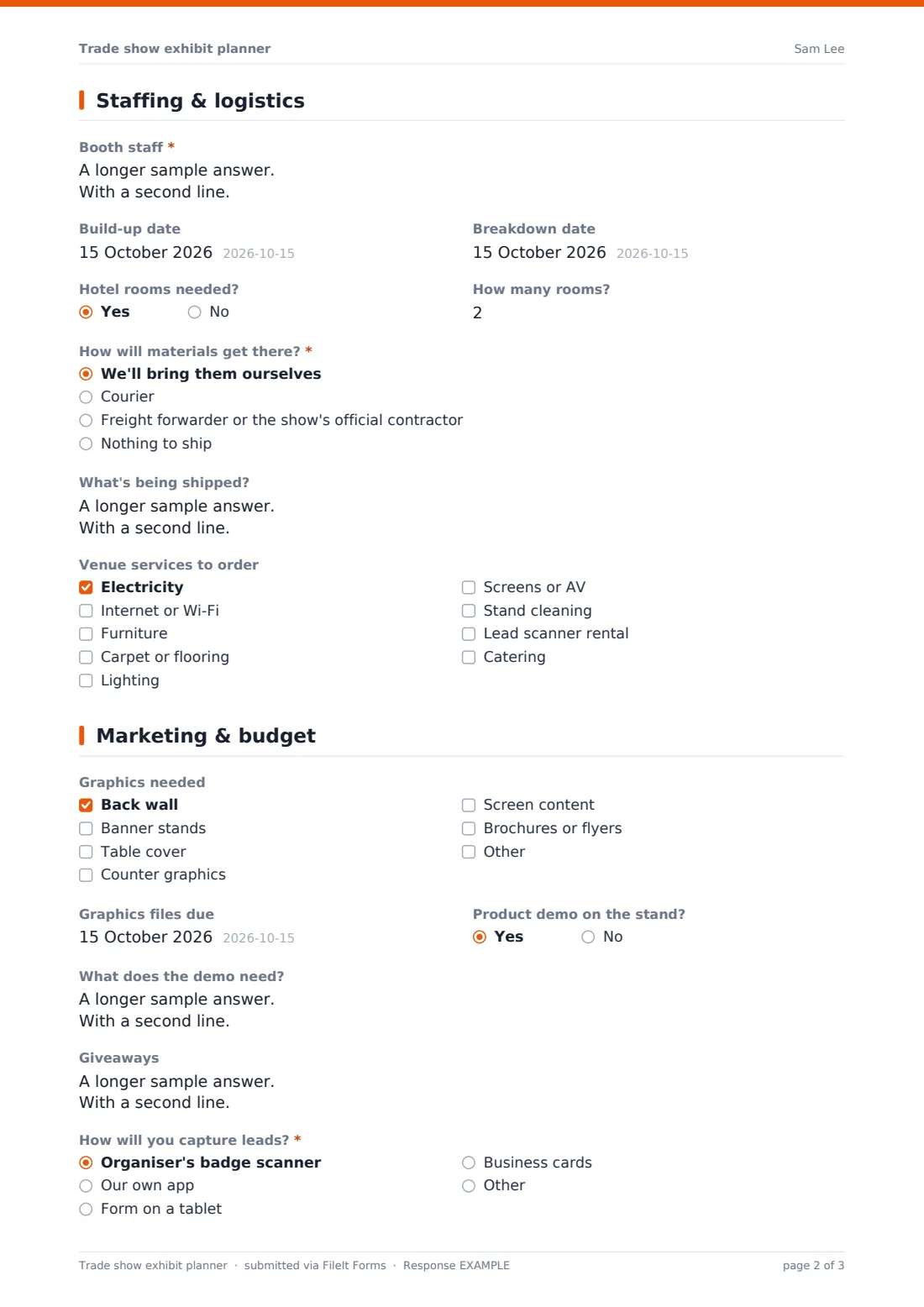
This trade show exhibit planner keeps them together. The first page records the show, venue, booth number, show dates, booth size and type, goals and a target number of qualified leads, with an upload for the exhibitor manual or contract. The second page lists booth staff and their days, build-up and breakdown dates, hotel rooms, how materials will get there — with a ship-by or advance warehouse deadline depending on the method — and the venue services to order.
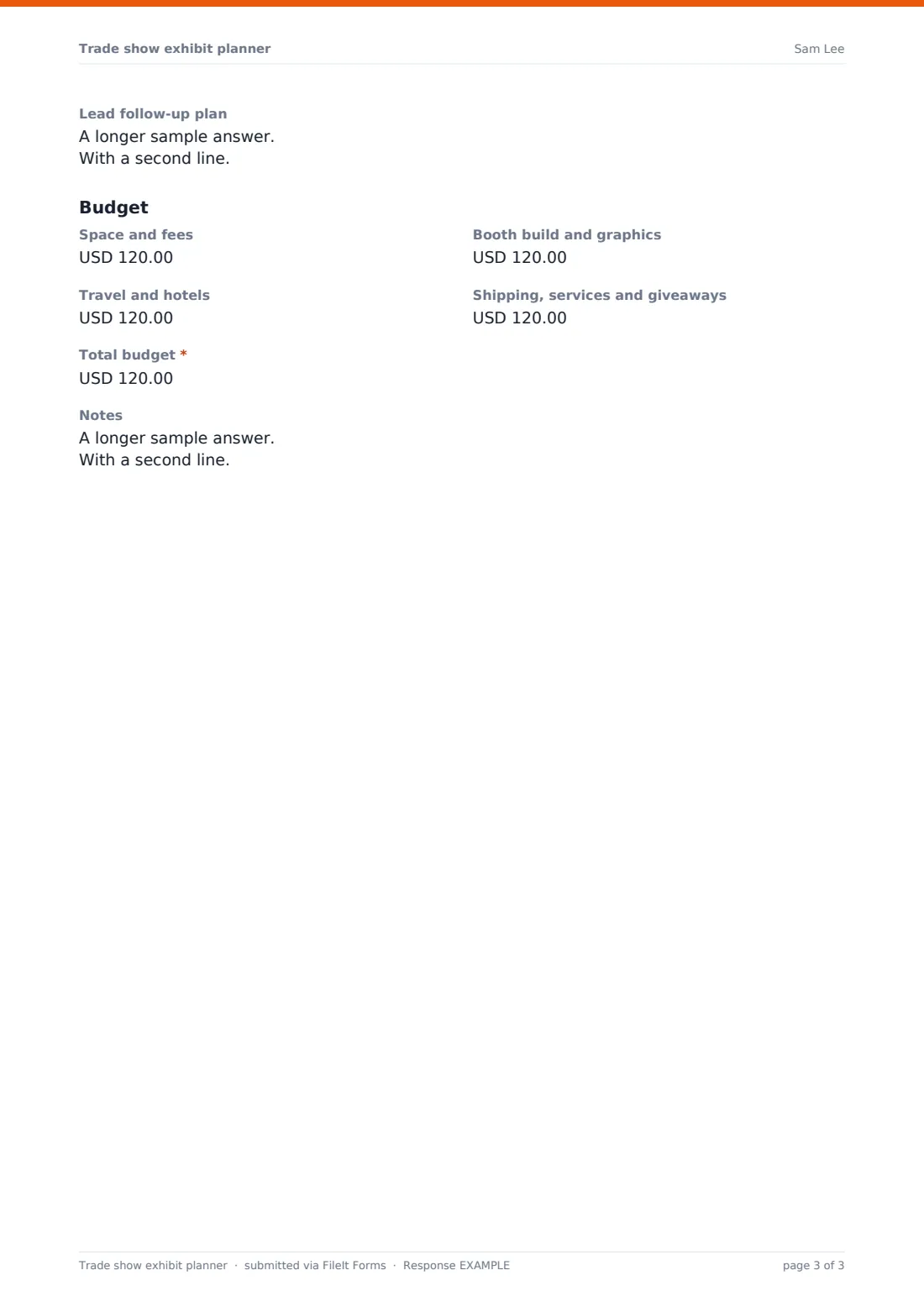
The final page covers graphics and their due date, any product demo, giveaways, how leads will be captured and followed up, and the budget broken down into space, build, travel and other costs. Each plan is saved as a PDF in your FileIt vault, and an updated version can be submitted as details firm up.
- Best for
- Marketing and events teams at companies that exhibit at trade shows
- Filled in by
- The person organising the company's presence at the show
- Time to complete
- About 15 minutes
- Includes
- Booth and goals, staffing and dates, shipping choices with deadlines, services and graphics checklists, lead capture and budget
Who uses a trade show exhibit planner form?
- A marketing team planning its presence at an industry expo
- A startup exhibiting at its first trade show
- Planning several shows a year in the same format
- Briefing a booth builder or design agency
- Getting budget approval for a show
- Handing a show over to a colleague with everything in one place
Questions on this trade show exhibit planner form
36 questions over 3 pages · includes file upload, conditional questions, multiple pages.
1 Show & booth
- Your name*
- Email*
- Team or department
- Show name*
- Venue and city*
- Booth or stand number
- First show day*
- Last show day
- Booth size* 3 x 3 m (10 x 10 ft) · 3 x 6 m (10 x 20 ft) · 6 x 6 m (20 x 20 ft) · Larger island · Tabletop · To be confirmed
- Booth type* Shell scheme · Space only — custom build · Pop-up or modular · Tabletop
- Goals for the show* Generate new leads · Launch a product · Meet existing customers · Find partners or distributors · Brand awareness · Press coverage · Recruiting
- Target number of qualified leads
- Exhibitor manual or contract
2 Staffing & logistics
- Booth staff*
- Build-up date
- Breakdown date
- Hotel rooms needed?
- How many rooms? asked only when it applies
- How will materials get there?* We'll bring them ourselves · Courier · Freight forwarder or the show's official contractor · Nothing to ship
- Ship-by date asked only when it applies
- Advance warehouse deadline asked only when it applies
- What's being shipped? asked only when it applies
- Venue services to order Electricity · Internet or Wi-Fi · Furniture · Carpet or flooring · Lighting · Screens or AV · Stand cleaning · Lead scanner rental · Catering
3 Marketing & budget
- Graphics needed Back wall · Banner stands · Table cover · Counter graphics · Screen content · Brochures or flyers
- Graphics files due
- Product demo on the stand?
- What does the demo need? asked only when it applies
- Giveaways
- How will you capture leads?* Organiser's badge scanner · Our own app · Form on a tablet · Business cards
- Lead follow-up plan
- Space and fees
- Booth build and graphics
- Travel and hotels
- Shipping, services and giveaways
- Total budget*
- Notes
The trade show exhibit planner form, page by page
1 Show & booth
The planner names the show, venue and city, booth number and the first and last show days. Booth size runs from 3 x 3 m to larger islands and tabletops, and booth type covers shell scheme, space-only custom builds, pop-up and tabletop.
Goals for the show — new leads, a product launch, existing customers, partners, awareness, press or recruiting — are required, with a target number of qualified leads and an upload for the exhibitor manual or contract.
2 Staffing & logistics
Booth staff are required, with each person's role and days on the stand, followed by build-up and breakdown dates and whether hotel rooms are needed.
How will materials get there? is required. Choosing a courier asks for a ship-by date; a freight forwarder or official contractor asks for the advance warehouse deadline from the exhibitor manual; anything other than nothing to ship asks what's being shipped. A checklist of venue services covers electricity, internet, furniture, flooring, lighting, AV, cleaning, lead scanners and catering.
3 Marketing & budget
A graphics checklist covers back walls, banner stands, table covers, counters, screen content and brochures, with a due date for files. A product demo opens a box for what it needs, and giveaways are listed with quantities.
How will you capture leads? is required, followed by the follow-up plan. The Budget section breaks costs into space and fees, booth build and graphics, travel and hotels, and shipping, services and giveaways, with a required total.
Make the template yours
- Add your standard booth sizes or kit options to the dropdown
- Change the budget currency and categories to match your finance codes
- Add a checklist of deadlines from your usual shows' exhibitor manuals
- Remove the hotel question for local shows
- File plans in a vault folder per year to compare shows
- Notify your events or finance team when a plan is submitted
Tips for a better trade show exhibit planner form
- Read the exhibitor manual first — every show sets its own deadlines and rules
- Order venue services before the early deadline where the show has one
- Agree the lead follow-up plan before the show, not after
- Brief booth staff on goals, demo and lead capture before the doors open
- Allow time for graphics proofing and printing before shipping
- Compare leads captured against the target after the show to judge whether to return
Every response becomes a PDF in your vault
Each plan is saved as a PDF in the vault folder you choose, with the exhibitor manual attached. You're emailed when it's submitted, and the planner can receive a copy.
Submit an updated plan as details change; each version is kept. The Responses table lists every show, and a CSV export helps compare budgets and lead targets across the year.
- Start from this template. It opens in the FileIt Forms designer — change any question, add pages, set the rules for when questions appear.
- Share it. Turn on a public link, or send it to people by email, each with their own link. They don’t need a FileIt account.
- Get the answers as PDFs. Each response is saved as a PDF in the vault folder you choose, with uploaded files attached — and listed in a Responses table you can export to CSV.
Trade show exhibit planner form: frequently asked questions
Is this template free?
Yes. It's included in the FileIt Forms app on every account, including the free plan, and every question can be edited, removed or added to.
Is this for exhibitors or show organisers?
Exhibitors. It plans one company's presence at a show. Organisers registering exhibitors should use an exhibitor registration form.
Does it add up the budget?
No. The budget lines and total are entered separately. Export the Responses table to CSV if you want to total costs across shows.
Can I attach the exhibitor manual?
Yes. The first page accepts up to 3 PDF or Word files, such as the manual or contract.
Can several people work on the same plan?
Each submission is one version. Share the link with the team and submit an updated plan as details are confirmed.
Does it book shipping or services?
No. It records what needs ordering. Book shipping and venue services through the organiser or your suppliers.
Can I change the booth sizes?
Yes. Edit the dropdown in the designer to use the sizes or kits you usually book.
Does the planner need a FileIt account?
No. Anyone with the form's link can fill it in without creating a FileIt account.