What is the team photo order form template?
Picture day for a youth league usually involves a stack of envelopes with smudged player names, ticked boxes nobody can read and cash that has to be counted on the sideline. This one-page template moves the order online. Parents fill it in before picture day, and the photographer or team parent gets a clean list of players, packages and payment choices.
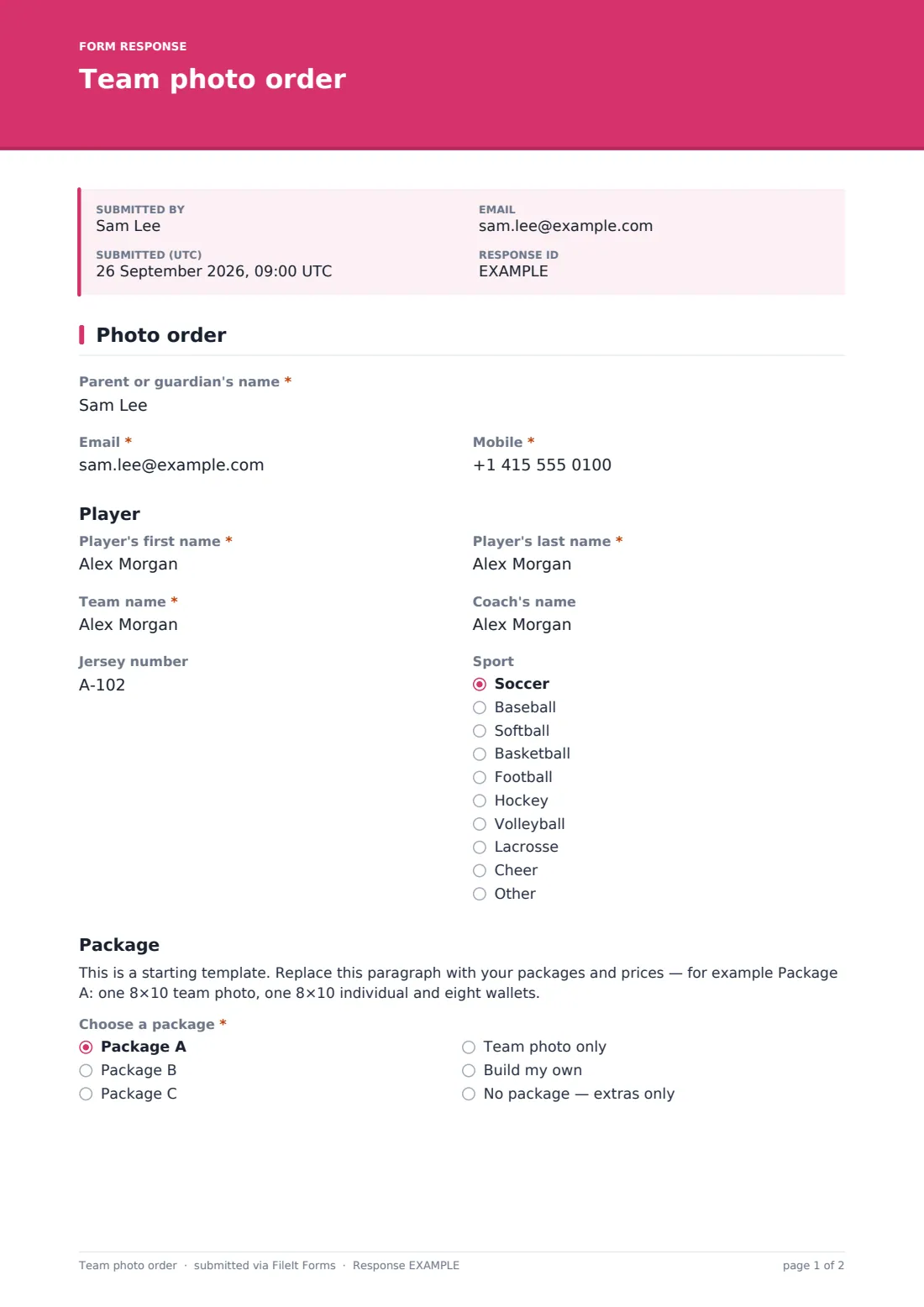
Parents give their own name, email and mobile, then the player's first and last name, team, coach, jersey number and sport. Your packages and prices go in a placeholder paragraph above 'Choose a package' — Package A, B or C, team photo only, build my own, or extras only. Picking 'Build my own' shows quantity boxes for 8×10, 5×7 and 4×6 individual prints, sheets of wallets, and 8×10 and 5×7 team photos, so nobody has to explain their order in a notes field.
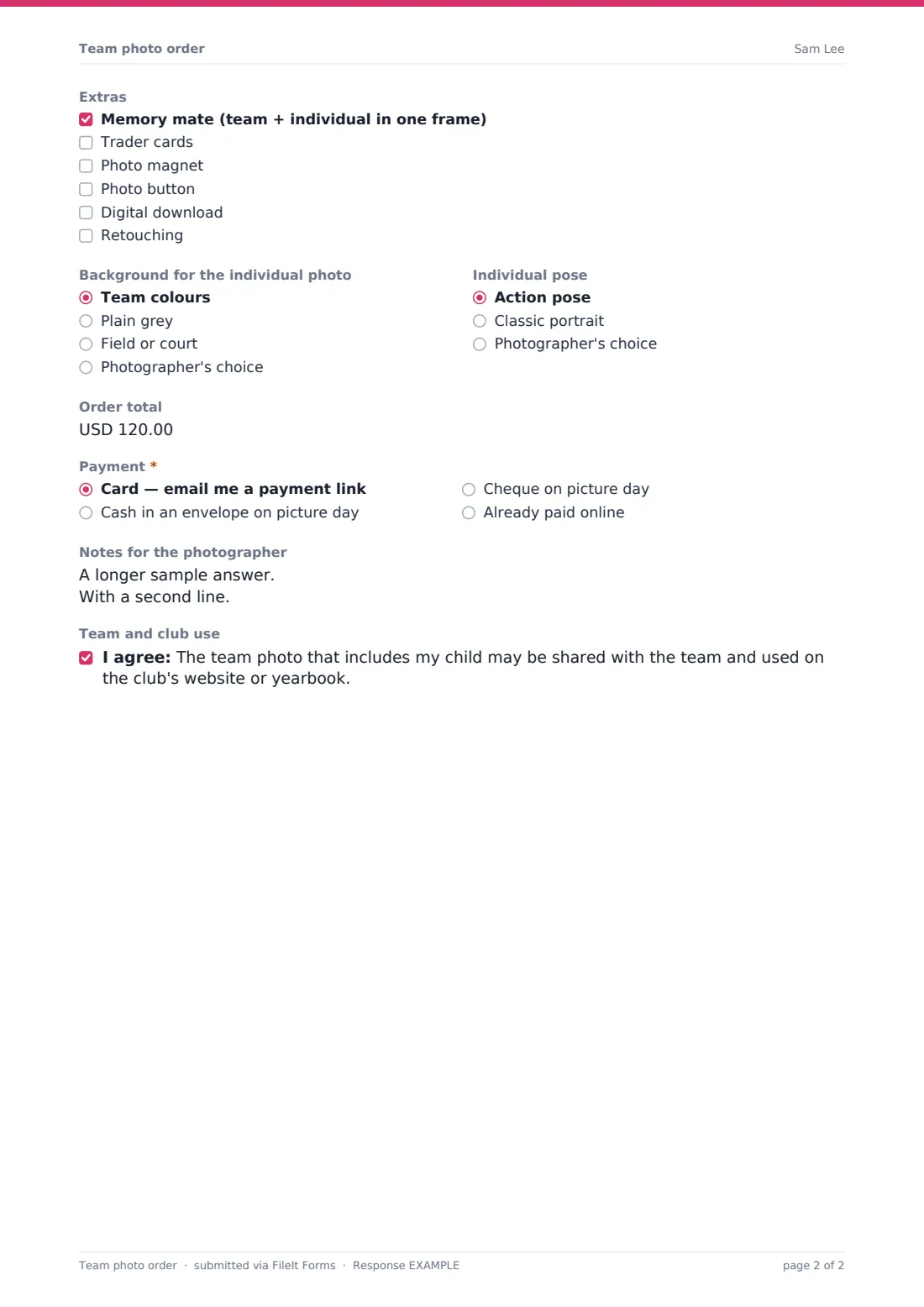
Extras such as a memory mate, trader cards, magnets, buttons, a digital download or retouching are a checklist. Parents choose a background and pose, enter the order total from your price list, pick how they'll pay and leave notes for the photographer. An optional consent covers sharing the team photo on the club website or in a yearbook. Each order is saved as a PDF in your FileIt vault.
- Best for
- Youth leagues, team parents, school sports and sports photographers
- Filled in by
- A parent or guardian
- Time to complete
- About 2 minutes
- Includes
- Player and team, package or build-your-own quantities, extras, background, pose, payment
Who uses a team photo order form?
- A youth soccer league collects photo orders for every team before picture day
- A team parent shares the link in the team group chat
- A sports photographer uses the form for every league they shoot
- A parent builds their own order of prints and wallets for grandparents
- A school athletics department collects orders for fall sports
- A club asks for consent before posting team photos on its website
Questions on this team photo order form
23 questions · includes conditional questions, consent checkbox.
1 Photo order
- Parent or guardian's name*
- Email*
- Mobile*
- Player's first name*
- Player's last name*
- Team name*
- Coach's name
- Jersey number
- Sport Soccer · Baseball · Softball · Basketball · Football · Hockey · Volleyball · Lacrosse · Cheer · Other
- Choose a package* Package A · Package B · Package C · Team photo only · Build my own · No package — extras only
- 8×10 individual prints asked only when it applies
- 5×7 individual prints asked only when it applies
- 4×6 individual prints asked only when it applies
- Sheets of 8 wallet prints asked only when it applies
- 8×10 team photos asked only when it applies
- 5×7 team photos asked only when it applies
- Extras Memory mate (team + individual in one frame) · Trader cards · Photo magnet · Photo button · Digital download · Retouching
- Background for the individual photo Team colours · Plain grey · Field or court · Photographer's choice
- Individual pose Action pose · Classic portrait · Photographer's choice
- Order total
- Payment* Card — email me a payment link · Cash in an envelope on picture day · Cheque on picture day · Already paid online
- Notes for the photographer
- Team and club use
The team photo order form, page by page
1 Photo order
The parent's name, email and mobile; the player's first and last name and team (required), coach, jersey number and sport. A placeholder for your packages and prices, then a required package choice — 'Build my own' shows quantity boxes for six print sizes. Optional extras, background, pose and order total, a required payment choice, notes for the photographer and an optional consent to team and club use of the team photo.
Make the template yours
- Replace the placeholder with your real packages, prices and print sizes
- Rename Package A, B and C to the names on your price list
- Change the currency on the order total to your own
- Edit the extras to the products your lab offers
- Remove the payment options you don't accept
- Set the close date to the day before picture day
Tips for a better team photo order form
- Ask the team parent to share the link at least a week before picture day
- Export the Responses table and sort by team to print a running order for the photographer
- Check the player name spellings before prints go to the lab
- Group siblings' orders using the notes field so they can be photographed together
- Keep the order PDFs until every print has been delivered
Every response becomes a PDF in your vault
Each order is saved as a PDF in your FileIt vault and you can be emailed for every one. Parents see your confirmation message and can receive a copy of their order.
Filter the Responses table by team or package, or export to CSV to send quantities to your print lab.
- Start from this template. It opens in the FileIt Forms designer — change any question, add pages, set the rules for when questions appear.
- Share it. Turn on a public link, or send it to people by email, each with their own link. They don’t need a FileIt account.
- Get the answers as PDFs. Each response is saved as a PDF in the vault folder you choose, with uploaded files attached — and listed in a Responses table you can export to CSV.
Team photo order form: frequently asked questions
Is the team photo order template free?
Yes. It's one of the starter templates in the FileIt Forms app, included on the free plan.
Does the form take payment?
No. Parents choose how they'll pay, and the order total they enter is recorded. Payment itself happens outside FileIt.
How does 'Build my own' work?
Choosing it shows quantity boxes for each print size, so parents can order exactly what they want.
Can I list my own prices?
Yes. Replace the placeholder paragraph with your package list and prices, and rename the package options.
Can parents order for two children?
They fill in one order per player, using the same link.
Do parents need a FileIt account?
No. They order from a link on any phone or computer.