What is the staff accommodation application form template?
Hotels, resorts, ski operators and summer camps that house their own staff need to match people to beds before the season starts: who arrives when, who wants a single room, who's happy to share and with whom, and who's bringing a car. Doing it from email threads is how two people end up booked into the same bed.
This application covers the applicant and their job, the move-in and move-out dates, room and sharing preferences, a few lifestyle details that help with roommate matching, and any accessibility needs. It finishes with house rules to accept, the deposit payment method, agreement to rent deduction, an emergency contact and a signature.
Each application is saved as a signed PDF in your FileIt vault, so HR and the accommodation manager can see who's applied, plan rooms and keep a record of what each person agreed.
- Best for
- Hotels, resorts, ski and summer seasonal employers, camps, cruise and remote site operators
- Filled in by
- New and returning staff applying for housing
- Time to complete
- About 5 to 7 minutes
- Includes
- Room and sharing preferences, roommate request, house rules checklist, deposit, rent deduction and signature
Who uses a staff accommodation application form?
- A ski resort allocating staff chalets before the winter season
- A coastal hotel housing summer seasonal workers
- A remote lodge where every employee lives on site
- A summer camp assigning counsellor accommodation
- A theme park managing an employee housing block
- An HR team replacing a paper housing form handed out at onboarding
Questions on this staff accommodation application form
29 questions over 3 pages · includes signature, conditional questions, multiple pages, consent checkbox.
1 About you
- Your name*
- Email*
- Mobile*
- Date of birth*
- Job title*
- Department or outlet
- Employment start date*
- Contract or season end date
- Contract type* Seasonal · Fixed term · Permanent · Internship or placement
2 Dates and room preference
- Requested move-in date*
- Expected move-out date*
- Room preference* Single room · Shared twin room · Shared dormitory · Couple's room · No preference
- Are you happy to share a room?* Yes · No · Only if no single rooms are available
- Colleague you'd like to share with
- Partner's name and job (if also working here) asked only when it applies
- Shared room preference asked only when it applies Same-gender room · Mixed room is fine · No preference
- About you Non-smoker · Early riser · Work late shifts · Light sleeper
- Will you bring a car or motorbike?
- Vehicle registration asked only when it applies
- Any health, accessibility or dietary needs relevant to your housing?
- Tell us what you need* asked only when it applies
3 House rules and deposit
- I have read and accept these house rules* No smoking or vaping inside the accommodation · No overnight guests without permission · Quiet hours are respected · Shared areas are kept clean on a rota · Rooms may be inspected with notice · I must move out when my employment ends
- How will you pay the deposit?* Deducted from my first pay · Bank transfer before arrival · Card on arrival
- Do you agree to rent being deducted from your pay, as set out in your housing terms?*
- Name*
- Relationship*
- Phone*
- Confirmation*
- Signature*
The staff accommodation application form, page by page
1 About you
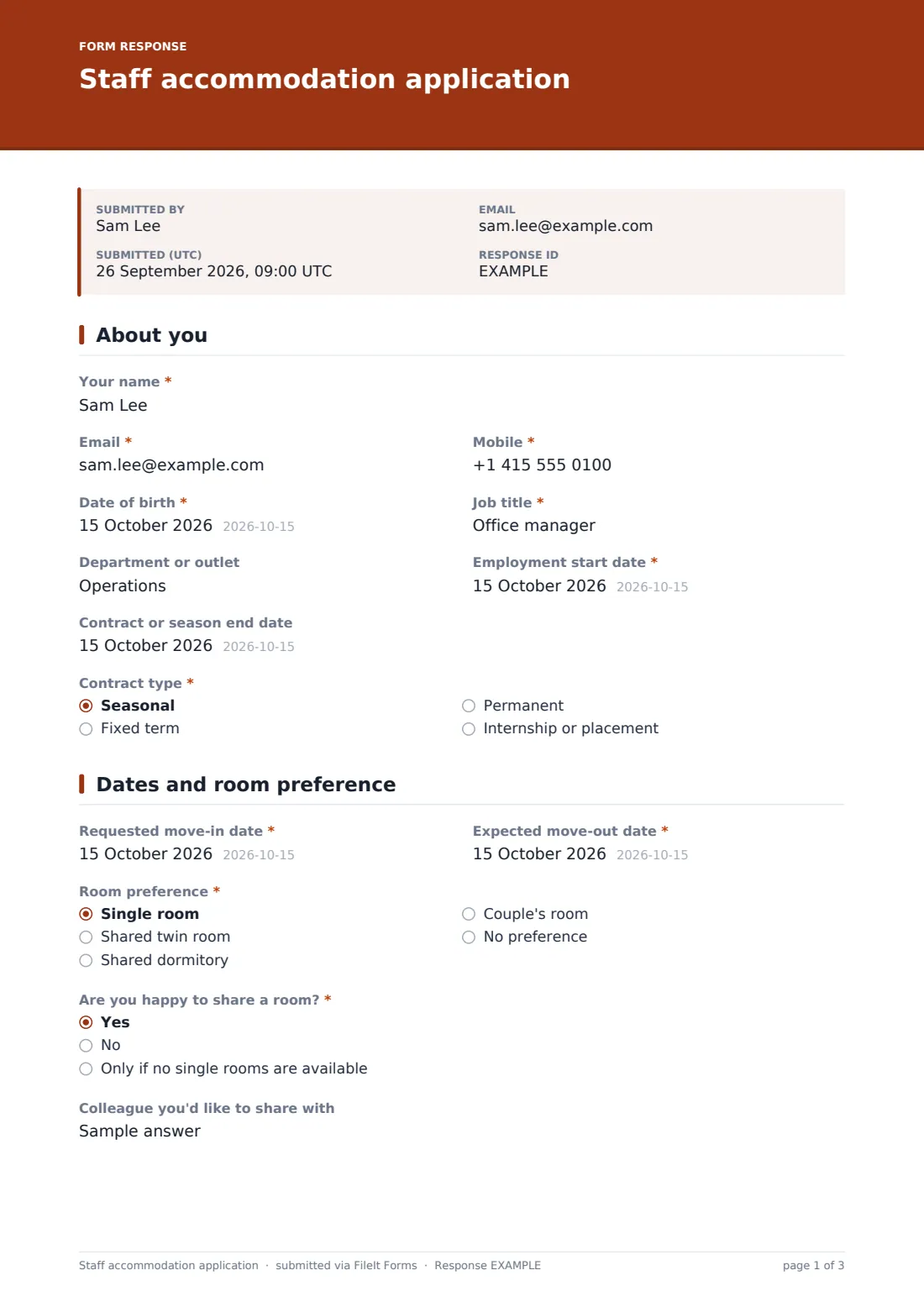
The applicant gives their name, email, mobile, date of birth, job title, department, employment start and end dates and contract type.
2 Dates and room preference
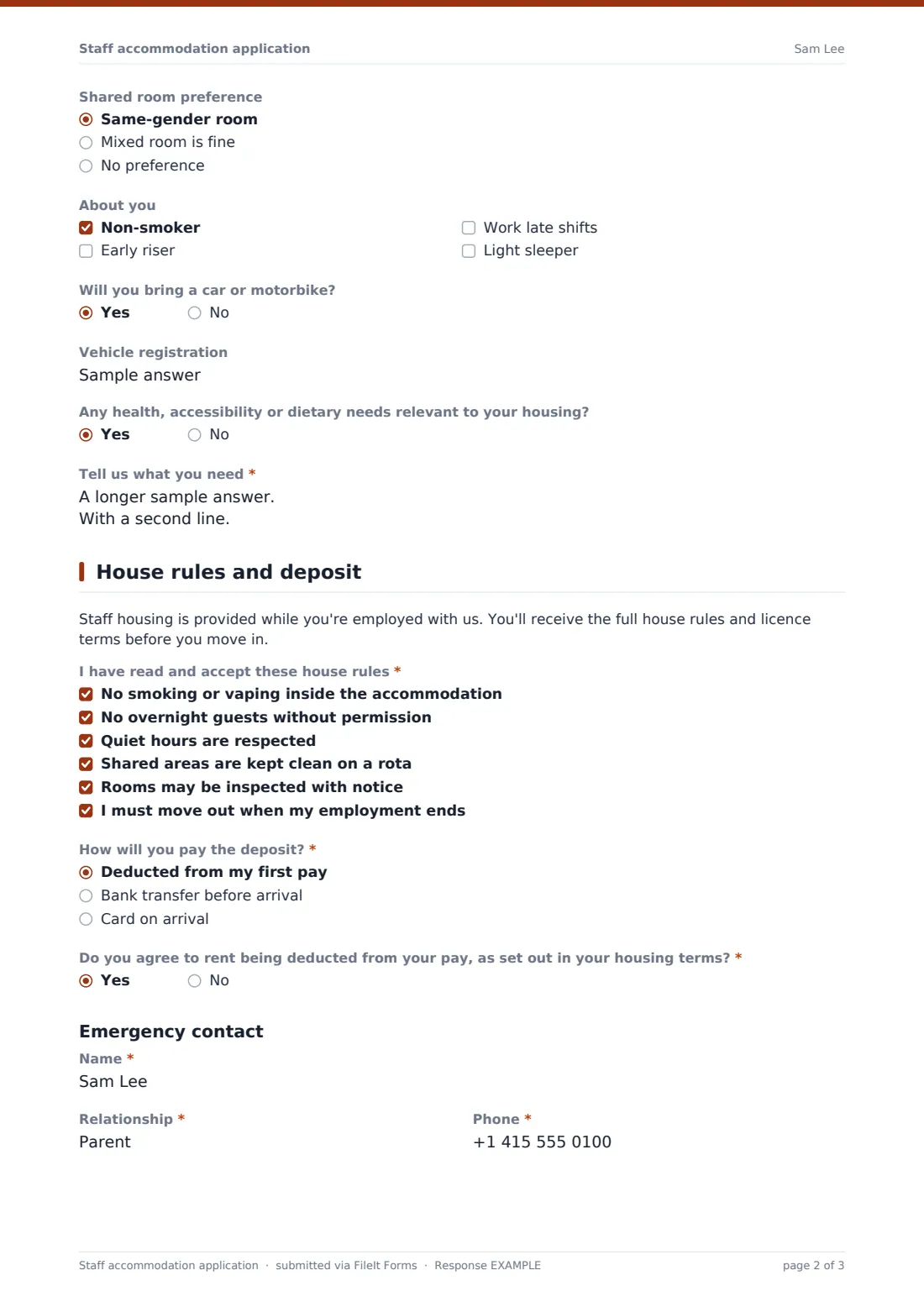
Applicants enter their requested move-in and move-out dates and choose a single room, shared twin, dormitory, couple's room or no preference. They say whether they're happy to share and can name a colleague to share with. A couple's room asks for the partner's name and job, and anyone willing to share is asked about a same-gender or mixed room. A short checklist helps match roommates, and applicants say whether they're bringing a vehicle and whether they have health, accessibility or dietary needs relevant to their housing.
3 House rules and deposit
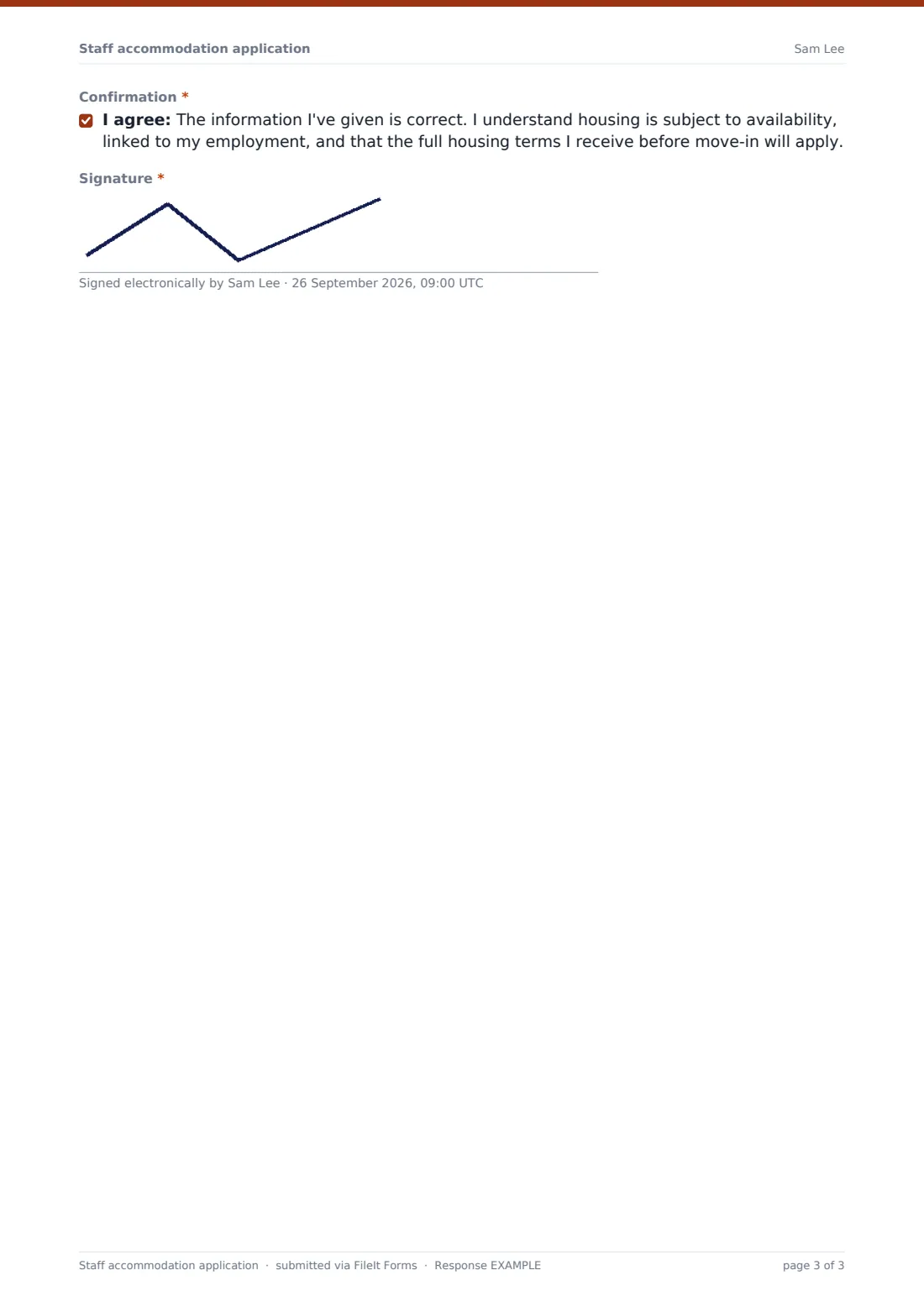
Applicants tick each house rule to accept it, choose how they'll pay the deposit and agree to rent being deducted from pay as set out in the housing terms. They add an emergency contact, confirm the declaration and sign.
Make the template yours
- Replace the house rules with your own, and link to your full housing terms
- Add your accommodation buildings or locations as a dropdown
- Put your deposit and weekly rent amounts in the help text
- Remove the couple's room option if you don't offer one
- Notify the accommodation manager and HR when an application arrives
- File applications into a vault folder per season
Tips for a better staff accommodation application form
- Send the form as soon as a job offer is accepted so you can plan rooms early
- Make sure rent deductions follow your employment contracts and local wage rules
- Pair roommates on similar shift patterns where you can
- Give every resident the full house rules and licence terms in writing before move-in
- Keep an up-to-date list of who is in each room for fire safety and emergencies
Every response becomes a PDF in your vault
Each application is saved as a signed PDF in your FileIt vault, and HR can be emailed as soon as it's submitted. Applicants can receive a copy of their answers.
The Responses table lets you sort applications by move-in date or room preference and export them to CSV to build your room allocation plan.
- Start from this template. It opens in the FileIt Forms designer — change any question, add pages, set the rules for when questions appear.
- Share it. Turn on a public link, or send it to people by email, each with their own link. They don’t need a FileIt account.
- Get the answers as PDFs. Each response is saved as a PDF in the vault folder you choose, with uploaded files attached — and listed in a Responses table you can export to CSV.
Staff accommodation application form: frequently asked questions
Is this staff accommodation application free?
Yes. It's one of the ready-made templates in the FileIt Forms app on every account, including the free plan.
Is this a tenancy agreement?
No. It's an application for housing. Your full housing terms or licence agreement should be given to staff separately before they move in.
Can I take the deposit through the form?
No. FileIt Forms doesn't process payments. The form records how the applicant will pay.
Can staff request a roommate?
Yes. Applicants can name a colleague they'd like to share with.
When are the shared room questions shown?
The same-gender or mixed room question appears unless the applicant says they don't want to share.
Do applicants need a FileIt account?
No. Send them the link during onboarding and they apply without signing in.