What is the social media management intake form template?
Starting with a new social media client usually means a long discovery call followed by a string of emails: which accounts, who has access, what the brand sounds like, who signs off posts, what they actually want to see in a report. Missing any of it leads to rework once posting starts.
This template collects the brief in one go. The client describes their brand, business and audience, ticks the channels to manage and lists handles, says whether they're business accounts and who has admin access — with a clear note not to send passwords. They choose up to four words for their brand voice, note what to avoid and accounts they admire, and upload brand guidelines and logo files.
The content page covers pillars, posting frequency, who creates photos and video, services needed and ad spend if paid social is included, plus key dates. Approvals and reporting record how posts are signed off, who approves, how to handle negative comments, reporting frequency and the measures that matter most. Each intake is saved as a PDF in your FileIt vault.
- Best for
- Social media agencies, freelancers and marketing consultants
- Filled in by
- The client or their marketing lead
- Time to complete
- About 10 minutes
- Includes
- Channel checklist, voice picker, brand asset upload, services, approval workflow and reporting KPIs
Who uses a social media management intake form?
- A social media agency onboarding a new monthly client
- A freelancer taking over accounts from a previous agency
- A restaurant or shop handing its Instagram to a manager
- A nonprofit briefing volunteers who run its channels
- A marketing consultant adding social to a wider retainer
- A brand launching on a new platform
Questions on this social media management intake form
30 questions over 5 pages · includes file upload, conditional questions, multiple pages, consent checkbox.
1 Your brand
- Brand or business name*
- Website
- Main contact*
- Email*
- Phone
- What does your business do?*
- Who is your audience?*
2 Channels
- Channels to manage* Instagram · Facebook · LinkedIn · TikTok · X (Twitter) · YouTube · Pinterest · Threads
- Handles or page links*
- Are these set up as business or creator accounts?
- Who currently has admin access? Owner · In-house team · Previous agency · Not sure
- Any channels you'd like to start?
3 Brand voice
- How should your brand sound?* Friendly · Professional · Playful · Inspiring · Expert · Bold · Warm · Straightforward
- Words, topics or styles to avoid
- Accounts you admire (any industry)
- Brand guidelines and logo files
4 Content
- Content pillars or themes*
- Posting frequency* Daily · 3–5 times a week · 1–2 times a week · Recommend for us
- Who creates photos and video?* You (the agency) · We'll supply them · A mix
- Services you need* Content planning and calendar · Graphics and copy · Short-form video · Replying to comments and messages · Paid social ads · Influencer outreach
- Monthly ad spend asked only when it applies
- Launches, campaigns or key dates coming up
5 Approvals & reporting
- How should posts be approved?* Approve every post · Approve the monthly calendar · No approval needed for routine posts
- Who approves?*
- Approver's email*
- How should we handle complaints or negative comments?
- Reporting* Weekly · Monthly · Quarterly
- What matters most to you?* Follower growth · Engagement · Reach · Website traffic · Leads or enquiries · Sales
- Preferred start date
- Content permissions*
The social media management intake form, page by page
1 Your brand
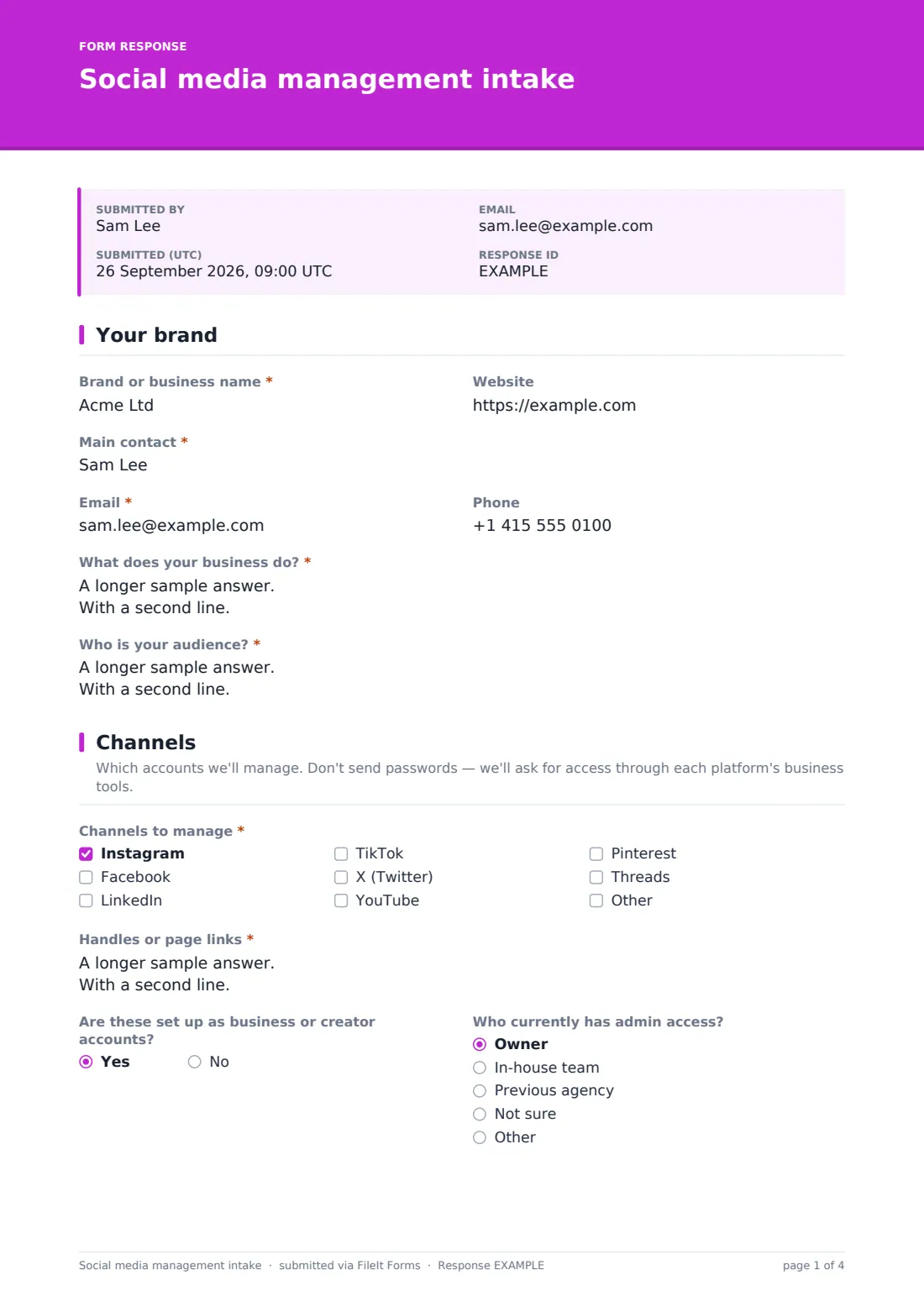
The client gives the Brand or business name, Website, main contact with email and phone, what the business does and who the audience is.
2 Channels
A note reminds the client not to send passwords. They tick channels to manage — Instagram, Facebook, LinkedIn, TikTok, X, YouTube, Pinterest, Threads or others — list handles or page links, say whether these are business or creator accounts and who has admin access, and name any channels they'd like to start.
3 Brand voice
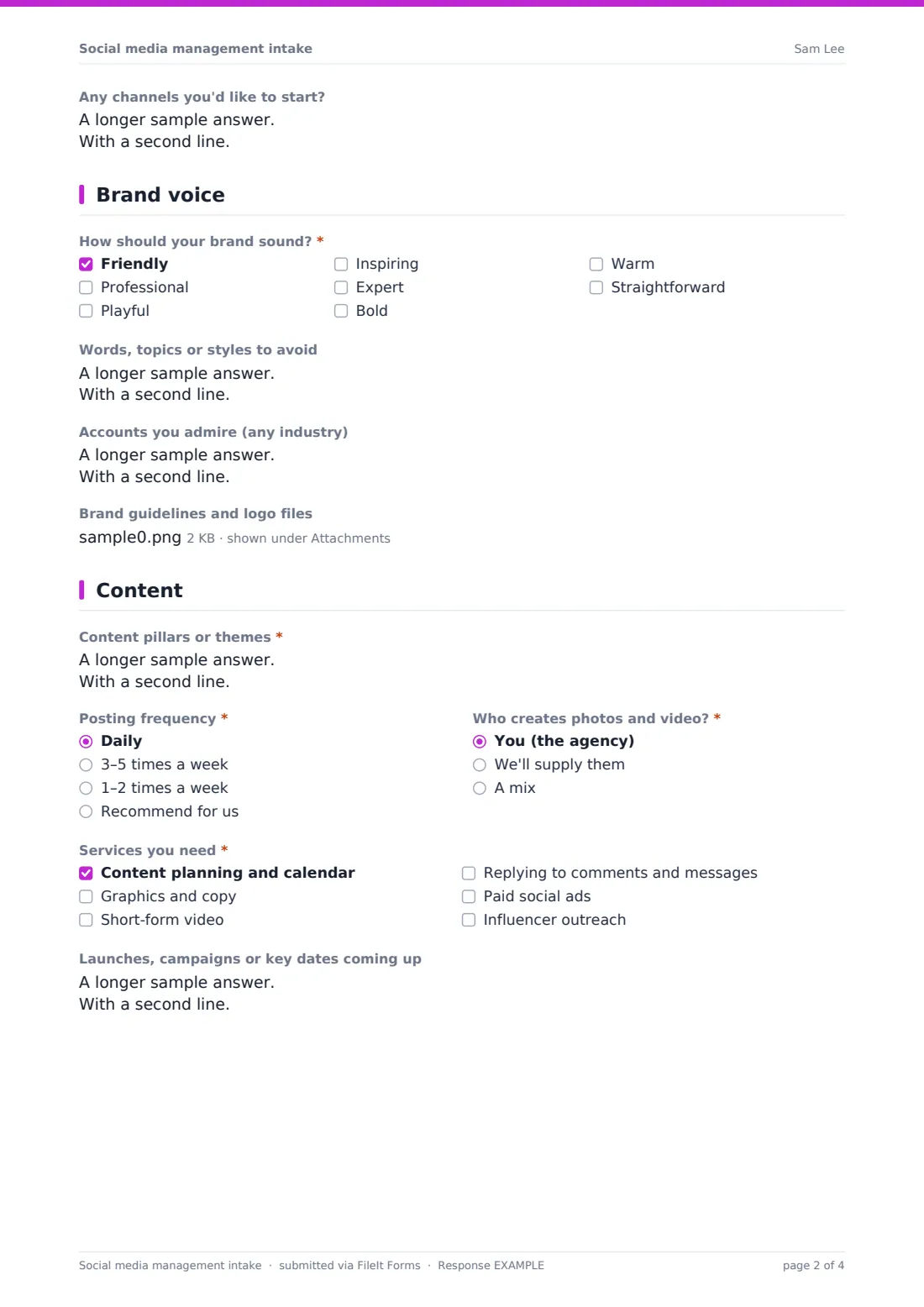
The client chooses up to four words describing how the brand should sound, lists words, topics or styles to avoid and accounts they admire, and can upload brand guidelines and logo files.
4 Content
Content pillars, posting frequency and who creates photos and video come first. Services needed include planning, graphics and copy, short-form video, community management, paid social and influencer outreach; choosing paid social asks for monthly ad spend. Upcoming launches and key dates complete the page.
5 Approvals & reporting
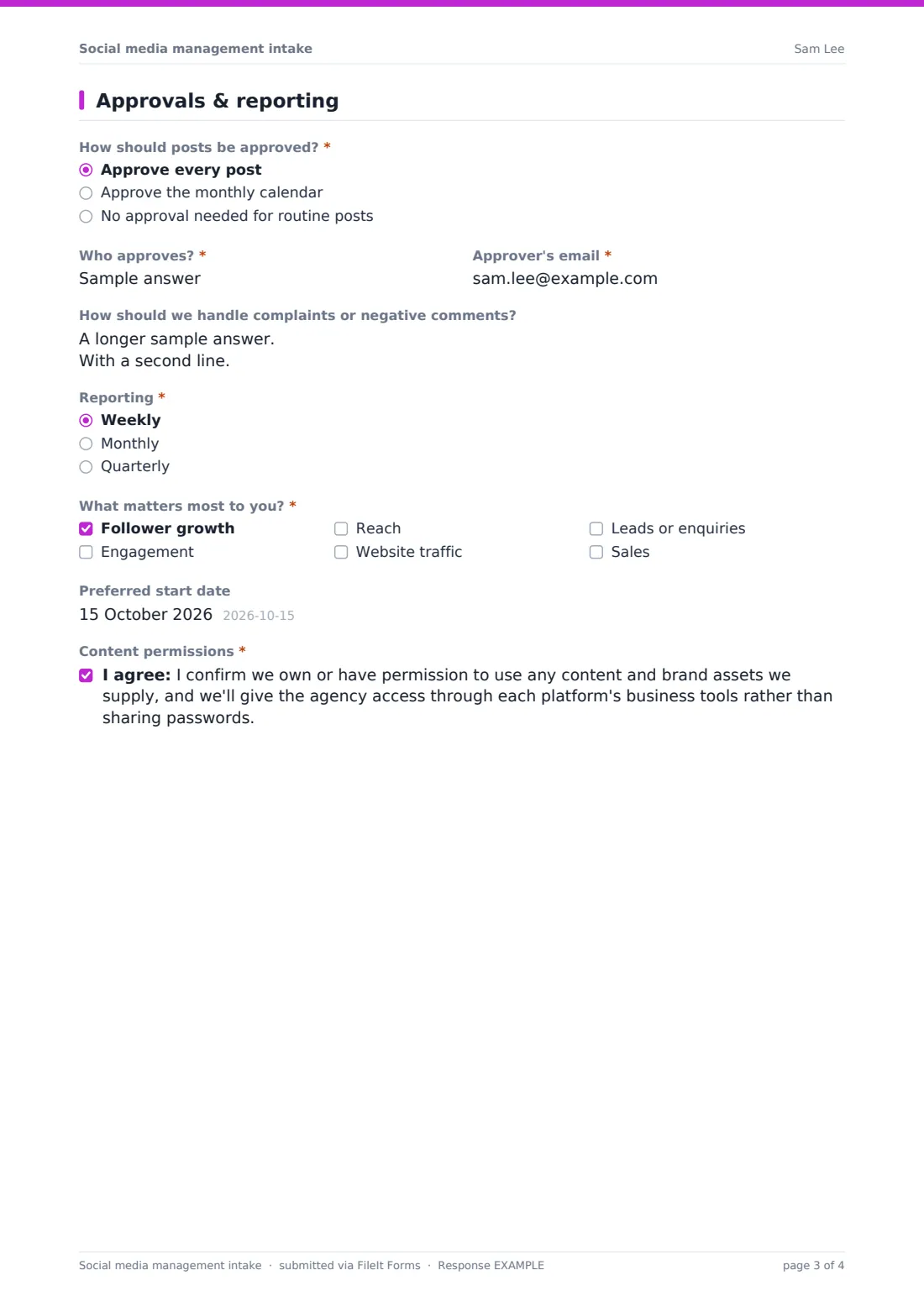
The client chooses whether to approve every post, the monthly calendar, or nothing routine, names the approver and their email, and explains how to handle complaints. They pick weekly, monthly or quarterly reporting, up to three measures that matter most and a start date, then confirm content permissions.
Make the template yours
- Replace the services list with your own packages
- Add your access instructions for each platform to the Channels page description
- Change the ad spend currency to your client's currency
- Route each intake to a vault folder for the client
- Send personal links pre-filled with the client's name and email
- Add a question about competitors if you include competitor monitoring
Tips for a better social media management intake form
- Never accept passwords — request access through each platform's business tools
- Agree the approval process before the first post goes out
- Turn the voice words into a short tone guide for your team
- Plan around the client's key dates first, then fill in the regular pillars
- Agree how to handle complaints before one happens
- Report on the measures the client chose, not just follower counts
Every response becomes a PDF in your vault
Each intake is saved as a PDF in your vault with the brand assets attached, and the client gets an emailed copy of their answers.
Your team can review new clients in the Responses table and export a CSV of channels, services, frequency and reporting choices to plan workloads.
- Start from this template. It opens in the FileIt Forms designer — change any question, add pages, set the rules for when questions appear.
- Share it. Turn on a public link, or send it to people by email, each with their own link. They don’t need a FileIt account.
- Get the answers as PDFs. Each response is saved as a PDF in the vault folder you choose, with uploaded files attached — and listed in a Responses table you can export to CSV.
Social media management intake form: frequently asked questions
Is this social media intake template free?
Yes. It's part of the FileIt Forms app on every plan, including the free plan.
Should clients include passwords?
No. The form asks them not to, and the closing permission confirms access will be given through platforms' business tools.
Does FileIt post to social media?
No. FileIt Forms collects and stores the brief; publishing happens in your own social media tools.
Can clients upload brand guidelines?
Yes. Up to six PDF, Word or image files, such as brand guidelines and logos.
Can we add our own packages?
Yes. Edit the services checkboxes to list your packages.
Do clients need a FileIt account?
No. Anyone with the link can fill it in.