What is the sEO audit intake form template?
An SEO audit is only as good as the context behind it. Without knowing which markets matter, which keywords the client cares about, who the competitors are, whether the site moved domain last year or what a previous agency did, an audit can miss the real problem — and the kick-off call becomes a long list of questions.
This template collects that context before work begins. The client describes their business, website, industry, business model and offer, then target markets, languages, any physical location and map listing, the searches they want to be found for and their most important pages. They list competitors and what those competitors do better online.
An access page records the website platform, who maintains it, which tools they can give access to — with a reminder never to share passwords — conversion tracking and any recent redesign or migration. The last page covers past SEO work, traffic drops, up to three goals, what success looks like, budget, deadlines and file uploads. Each intake is saved as a PDF in your FileIt vault.
- Best for
- SEO agencies, freelancers and in-house marketing teams
- Filled in by
- The client or website owner
- Time to complete
- About 10 minutes
- Includes
- Keyword and competitor lists, access checklist, migration and traffic-drop checks, goals and file upload
Who uses a sEO audit intake form?
- An SEO agency onboarding a new retainer client
- A freelancer preparing a one-off technical audit
- A web design studio offering SEO with a redesign
- An in-house team briefing an external SEO consultant
- A local business asking for help with map listings
- An e-commerce brand investigating a traffic drop
Questions on this sEO audit intake form
31 questions over 5 pages · includes file upload, conditional questions, multiple pages.
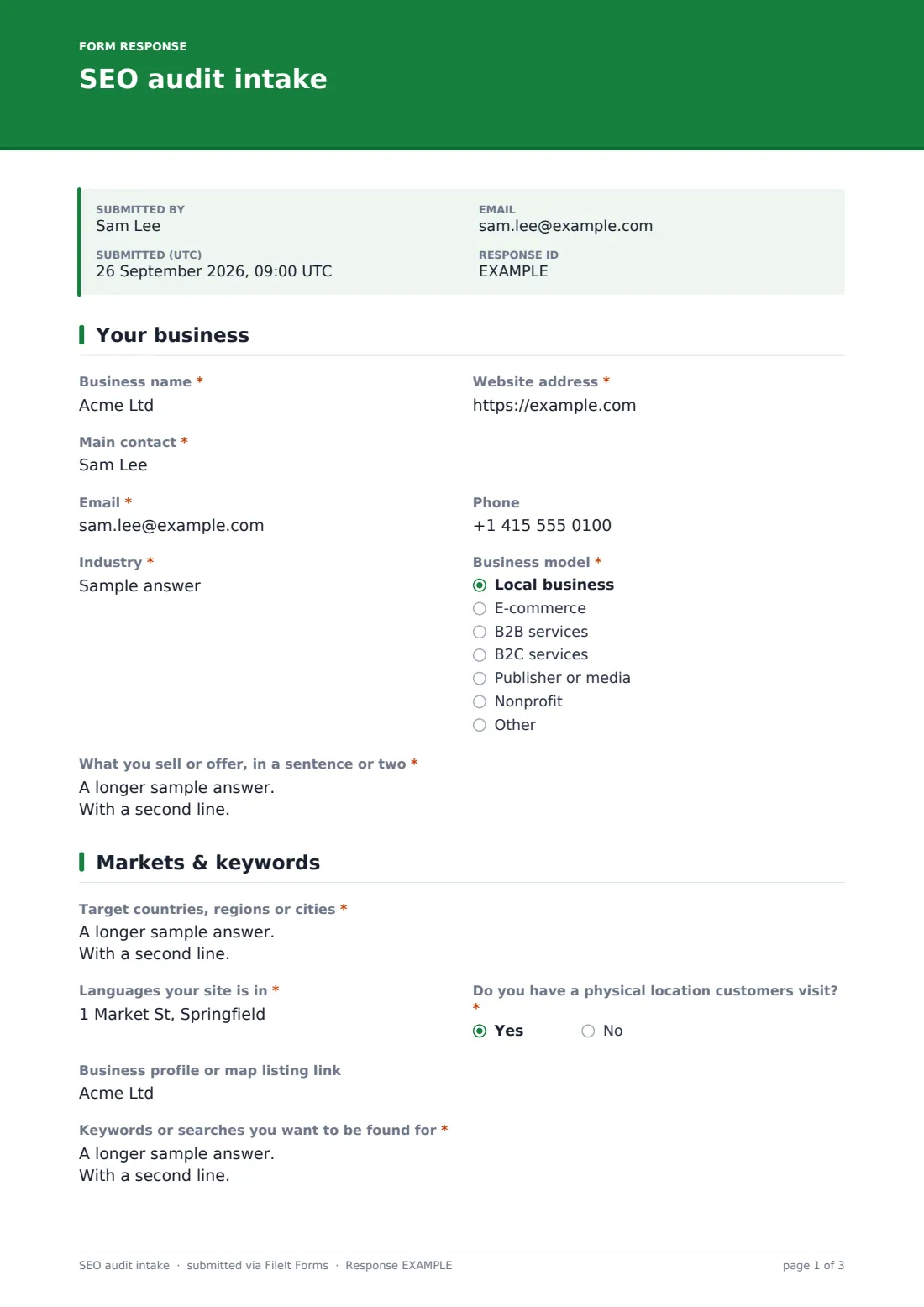
1 Your business
- Business name*
- Website address*
- Main contact*
- Email*
- Phone
- Industry*
- Business model* Local business · E-commerce · B2B services · B2C services · Publisher or media · Nonprofit
- What you sell or offer, in a sentence or two*
2 Markets & keywords
- Target countries, regions or cities*
- Languages your site is in*
- Do you have a physical location customers visit?*
- Business profile or map listing link asked only when it applies
- Keywords or searches you want to be found for*
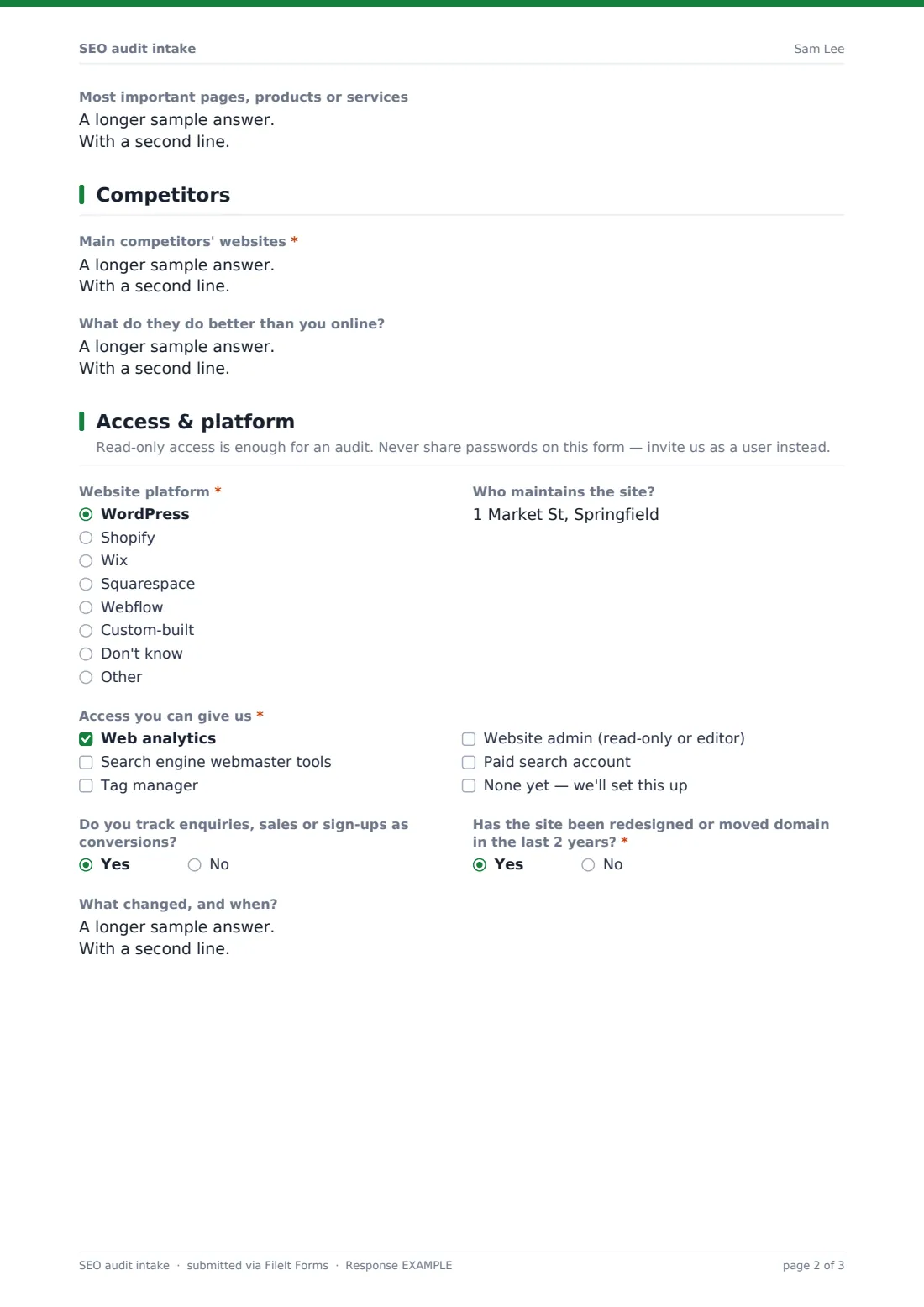
- Most important pages, products or services
3 Competitors
- Main competitors' websites*
- What do they do better than you online?
4 Access & platform
- Website platform* WordPress · Shopify · Wix · Squarespace · Webflow · Custom-built · Don't know · Other
- Who maintains the site?
- Access you can give us* Web analytics · Search engine webmaster tools · Tag manager · Website admin (read-only or editor) · Paid search account · None yet — we'll set this up
- Do you track enquiries, sales or sign-ups as conversions?
- Has the site been redesigned or moved domain in the last 2 years?*
- What changed, and when? asked only when it applies
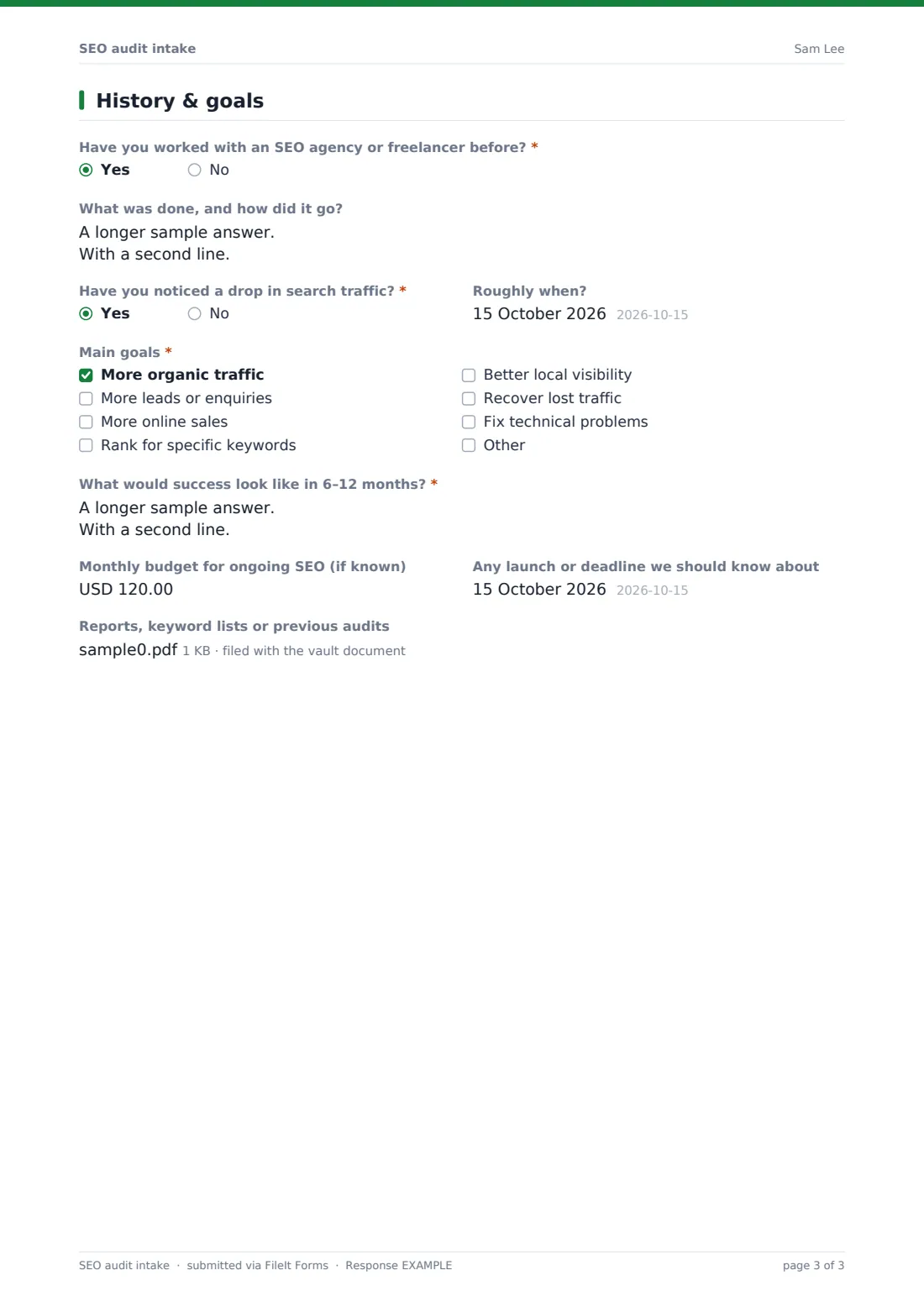
5 History & goals
- Have you worked with an SEO agency or freelancer before?*
- What was done, and how did it go? asked only when it applies
- Have you noticed a drop in search traffic?*
- Roughly when? asked only when it applies
- Main goals* More organic traffic · More leads or enquiries · More online sales · Rank for specific keywords · Better local visibility · Recover lost traffic · Fix technical problems
- What would success look like in 6–12 months?*
- Monthly budget for ongoing SEO (if known)
- Any launch or deadline we should know about
- Reports, keyword lists or previous audits
The sEO audit intake form, page by page
1 Your business
The client gives the Business name, Website address, main contact and their email and phone, Industry and Business model — local business, e-commerce, B2B or B2C services, publisher or nonprofit — and a short description of what they offer.
2 Markets & keywords
Target countries, regions or cities and site languages come first. A physical location opens a link to their business profile or map listing. The client lists the searches they want to be found for and their most important pages, products or services.
3 Competitors
The client lists their main competitors' websites and what those competitors do better online.
4 Access & platform
A note explains that read-only access is enough and passwords should never be shared on the form. The client picks the Website platform, says who maintains the site, ticks the access they can give — analytics, webmaster tools, tag manager, website admin or paid search — and whether conversions are tracked. A redesign or domain move in the last two years asks what changed and when.
5 History & goals
Previous SEO work opens a box asking what was done, including link-building. A traffic drop asks roughly when. The client chooses up to three goals, describes success in six to twelve months, and can give a monthly budget, a deadline and upload reports, keyword lists or earlier audits.
Make the template yours
- Add your agency's own access instructions to the Access & platform page description
- Change the budget currency or remove the question for fixed-price audits
- Add a question about content resources if you also offer content writing
- Route each intake to a vault folder for that client
- Add your account manager to notifications
- Send the form as a personal link pre-filled with the client's name and website
Tips for a better sEO audit intake form
- Send the intake before the kick-off call so the call is about strategy, not facts
- Ask for user access to tools rather than passwords
- Ask about migrations and redesigns — they're a common cause of traffic drops
- Ask what a previous agency did, especially any link-building
- Turn the client's own words for their keywords into research, not final targets
- Agree how you'll measure success before the audit starts
Every response becomes a PDF in your vault
Each intake is saved as a PDF in your vault with any uploaded reports or keyword lists, and the client gets an emailed copy of their answers.
Your team can review intakes in the Responses table, export a CSV of clients' platforms, goals and budgets, and start setting up access straight away.
- Start from this template. It opens in the FileIt Forms designer — change any question, add pages, set the rules for when questions appear.
- Share it. Turn on a public link, or send it to people by email, each with their own link. They don’t need a FileIt account.
- Get the answers as PDFs. Each response is saved as a PDF in the vault folder you choose, with uploaded files attached — and listed in a Responses table you can export to CSV.
SEO audit intake form: frequently asked questions
Is this SEO audit intake template free?
Yes. It's included in the FileIt Forms app on every plan, including the free plan.
Should clients share passwords on the form?
No. The form tells them not to. Ask them to invite you as a user on each tool instead.
Does the form connect to analytics tools?
No. FileIt Forms doesn't connect to external tools. The form records which access the client can give so you can request it.
Can clients upload past reports?
Yes. Up to five PDFs, spreadsheets, CSVs or Word files.
Is it only for audits?
No. It works as a general SEO onboarding form for retainers too.
Do clients need a FileIt account?
No. Anyone with the link can complete it.