What is the pPC campaign intake form template?
Paid ads campaigns tend to stall in the same places: nobody knows what counts as a conversion, the landing pages aren't ready, the budget turns out to include the agency fee, and account access takes two weeks of back-and-forth. Each gap costs days before a single ad goes live.
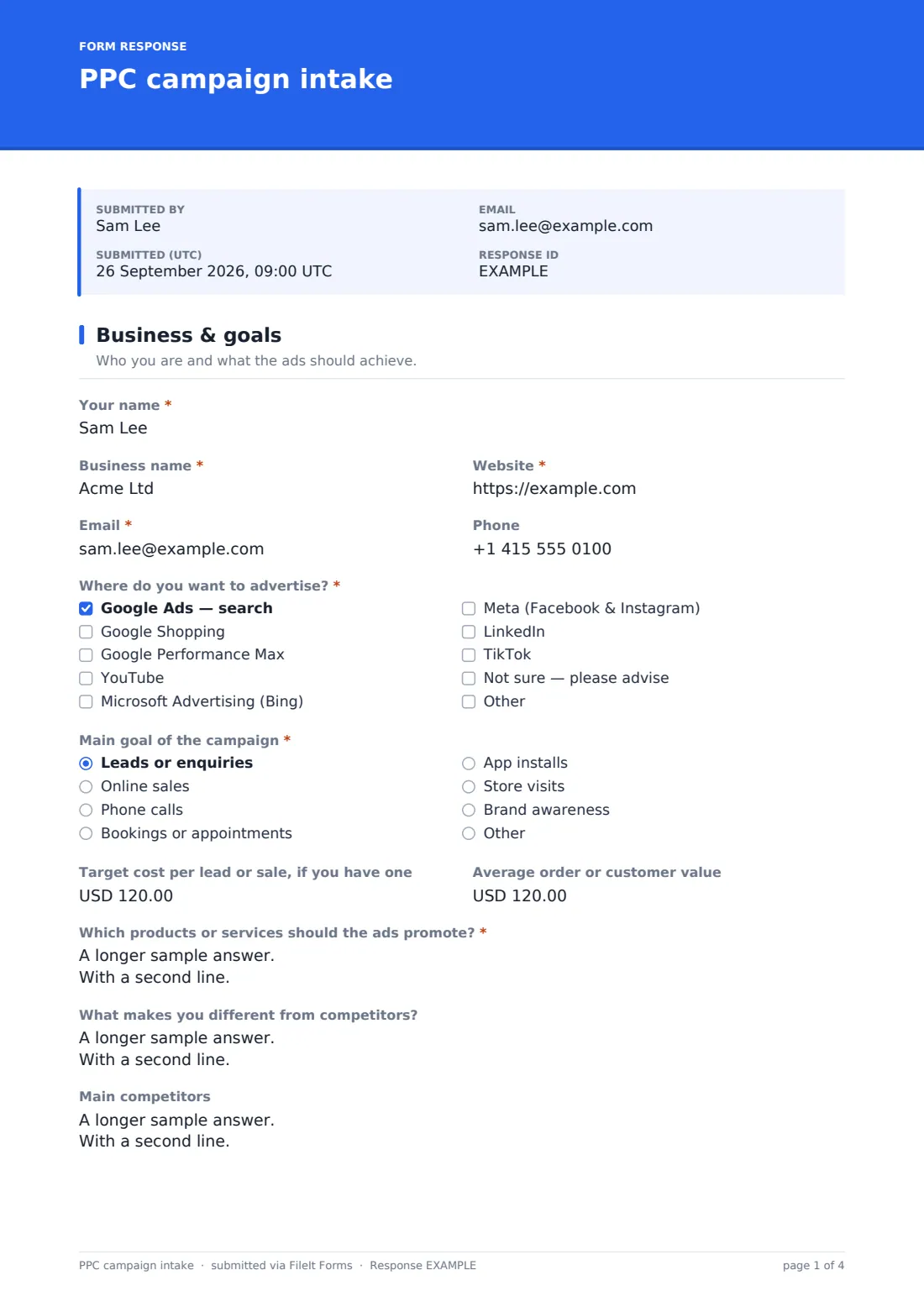
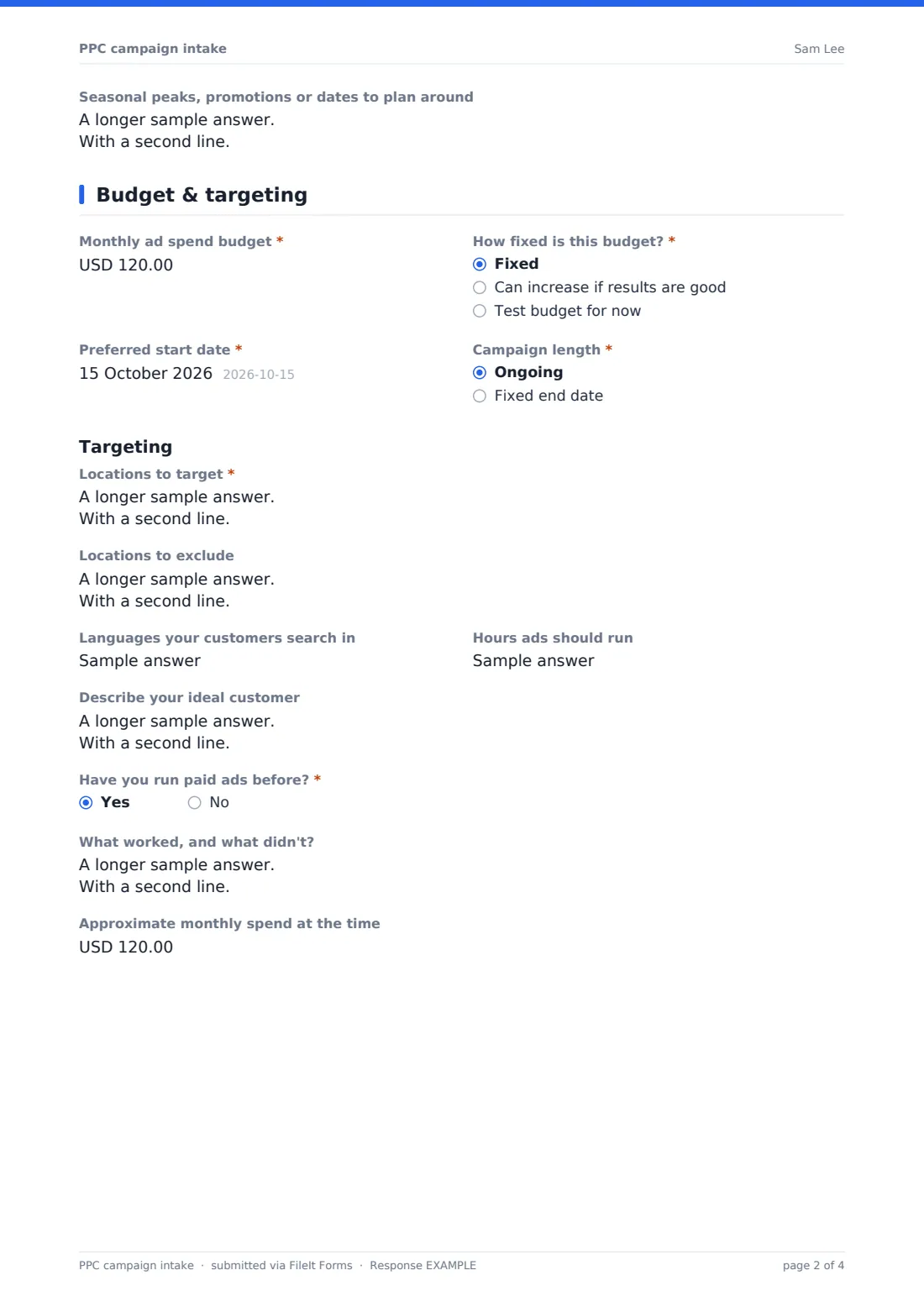
This PPC campaign intake form asks for all of it upfront. The first page covers the business, the platforms the client is interested in — from Google search and Shopping to Meta, LinkedIn and TikTok — the main goal, target cost per lead or sale, and the products to promote. The second page pins down the monthly ad spend, start date, locations to target and exclude, and what happened in any earlier campaigns.
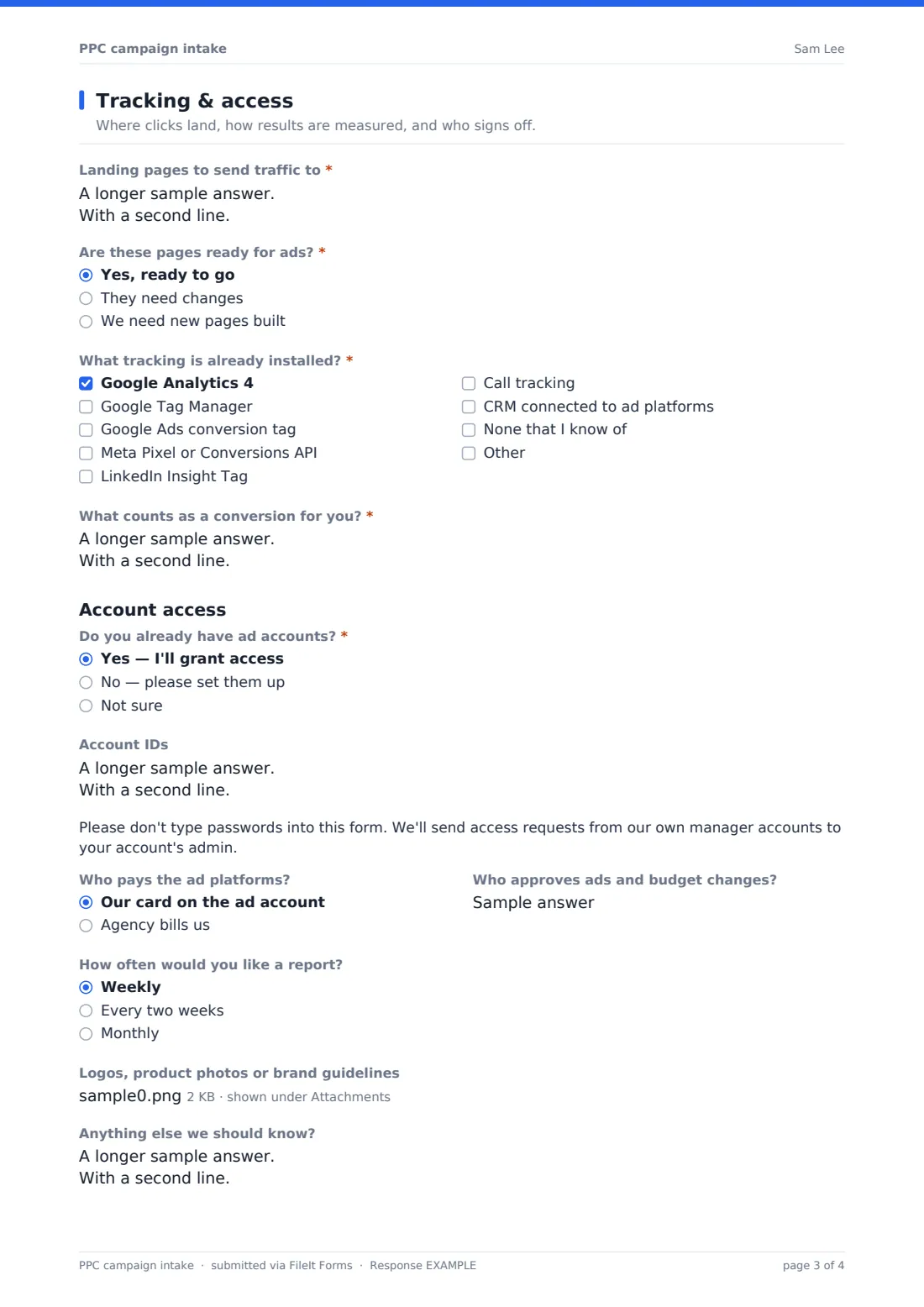
The last page collects landing pages, existing tracking such as Google Analytics 4, Tag Manager or the Meta Pixel, and how the client defines a conversion. It asks for account IDs rather than passwords, with a note saying so. Every completed intake is saved as a PDF in your FileIt vault, with any logos or product photos attached.
- Best for
- PPC freelancers, digital marketing agencies and in-house ads teams
- Filled in by
- The client or business owner starting a campaign
- Time to complete
- About 10 minutes
- Includes
- Platform and goal choices, budget and targeting, tracking checklist, account ID collection and file upload
Who uses a pPC campaign intake form?
- A PPC freelancer onboarding a new Google Ads client
- An agency collecting details before a paid social kickoff call
- An in-house marketing team briefing a new ads contractor
- A local business owner requesting a quote for search ads
- Re-briefing an existing account before a seasonal push
- Standardising onboarding across several account managers
Questions on this pPC campaign intake form
37 questions over 3 pages · includes file upload, conditional questions, multiple pages.
1 Business & goals
- Your name*
- Business name*
- Website*
- Email*
- Phone
- Where do you want to advertise?* Google Ads — search · Google Shopping · Google Performance Max · YouTube · Microsoft Advertising (Bing) · Meta (Facebook & Instagram) · LinkedIn · TikTok · Not sure — please advise
- Main goal of the campaign* Leads or enquiries · Online sales · Phone calls · Bookings or appointments · App installs · Store visits · Brand awareness
- Target cost per lead or sale, if you have one
- Average order or customer value
- Which products or services should the ads promote?*
- What makes you different from competitors?
- Main competitors
- Seasonal peaks, promotions or dates to plan around
2 Budget & targeting
- Monthly ad spend budget*
- How fixed is this budget?* Fixed · Can increase if results are good · Test budget for now
- Preferred start date*
- Campaign length* Ongoing · Fixed end date
- End date asked only when it applies
- Locations to target*
- Locations to exclude
- Languages your customers search in
- Hours ads should run
- Describe your ideal customer
- Have you run paid ads before?*
- What worked, and what didn't? asked only when it applies
- Approximate monthly spend at the time asked only when it applies
3 Tracking & access
- Landing pages to send traffic to*
- Are these pages ready for ads?* Yes, ready to go · They need changes · We need new pages built
- What tracking is already installed?* Google Analytics 4 · Google Tag Manager · Google Ads conversion tag · Meta Pixel or Conversions API · LinkedIn Insight Tag · Call tracking · CRM connected to ad platforms · None that I know of
- What counts as a conversion for you?*
- Do you already have ad accounts?* Yes — I'll grant access · No — please set them up · Not sure
- Account IDs asked only when it applies
- Who pays the ad platforms? Our card on the ad account · Agency bills us
- Who approves ads and budget changes?
- How often would you like a report? Weekly · Every two weeks · Monthly
- Logos, product photos or brand guidelines
- Anything else we should know?
The pPC campaign intake form, page by page
1 Business & goals
The client gives their name, business, website and contact details, then ticks Where do you want to advertise? — Google search, Shopping, Performance Max, YouTube, Microsoft Advertising, Meta, LinkedIn or TikTok, with a Not sure option for clients who want advice. Main goal of the campaign covers leads, online sales, phone calls, bookings, app installs, store visits and brand awareness.
Optional fields for target cost per lead or sale and average order or customer value help set realistic bids. The page ends with the products or services to promote in priority order, what makes the business different, main competitors, and seasonal peaks or promotions to plan around.
2 Budget & targeting
Monthly ad spend budget is labelled clearly as money paid to the ad platforms, not management fees — a common source of confusion. The client says how fixed the budget is, the preferred start date, and whether the campaign is ongoing or has a fixed end date, which reveals an End date field.
Under Targeting, the form asks for locations to target and exclude, languages, the hours ads should run and a description of the ideal customer. Have you run paid ads before? opens follow-ups on what worked, what didn't and the approximate monthly spend at the time.
3 Tracking & access
The client lists landing pages with the product each one is for, and says whether those pages are ready, need changes or need building. A tracking checklist covers Google Analytics 4, Tag Manager, the Google Ads conversion tag, Meta Pixel or Conversions API, LinkedIn Insight Tag, call tracking and CRM connections, followed by a required What counts as a conversion for you? box.
If the client already has ad accounts, they enter account IDs only — a note asks them never to type passwords. The form also records who pays the ad platforms, who approves ads and budget changes, how often they'd like a report, and an upload for logos, product photos or brand guidelines.
Make the template yours
- Remove platforms you don't manage from the advertising checklist
- Change the currency on the budget and cost fields to match your clients
- Add a question on your management fee model if you quote from the intake
- Add a Shopping-specific question about the product feed or Merchant Center if you run e-commerce campaigns
- Route completed intakes to a vault folder per client
- Edit the confirmation message to explain your next step, such as a kickoff call
Tips for a better pPC campaign intake form
- Agree the definition of a conversion before launch — it decides how every campaign is optimised and reported
- Request account access as soon as the intake arrives, since admin approvals often take the longest
- Check each landing page on a phone before launch; many businesses get a large share of paid clicks from mobile
- Write down the budget the client confirmed, including whether it covers fees, to avoid disputes later
- Ask for past results even if they were poor — knowing what failed saves the client paying to learn it again
- Never accept passwords by form or email; use the platforms' own manager or partner access instead
Every response becomes a PDF in your vault
Each completed intake is saved as a PDF in the vault folder you choose, with uploaded logos, photos and brand guidelines kept alongside. With owner notifications on, you're emailed as soon as a client submits, and the client can receive a copy of their answers.
The Responses table lists every intake so you can open any one in full or export them all to CSV — handy for comparing budgets or goals across clients, or for copying details into your own planning sheet.
- Start from this template. It opens in the FileIt Forms designer — change any question, add pages, set the rules for when questions appear.
- Share it. Turn on a public link, or send it to people by email, each with their own link. They don’t need a FileIt account.
- Get the answers as PDFs. Each response is saved as a PDF in the vault folder you choose, with uploaded files attached — and listed in a Responses table you can export to CSV.
PPC campaign intake form: frequently asked questions
Is this template free?
Yes. It's included in the FileIt Forms app on every account, including the free plan, and every question can be edited, removed or added to.
Does my client need a FileIt account to fill it in?
No. Anyone with the form's link can fill it in without creating a FileIt account.
Is it safe to collect ad account logins with this form?
The form deliberately asks for account IDs only and shows a note telling clients not to type passwords. Ad platforms such as Google Ads and Meta let agencies request access from their own manager accounts, which is the safer route.
Can I use it for paid social only, without Google Ads?
Yes. The platform list is a checklist, so a client can tick only Meta, LinkedIn or TikTok, and you can delete the options you don't offer.
Does the budget include our management fee?
The help text on the budget field says it's the amount paid to the ad platforms, not management fees. Edit the wording if you quote differently.
Can I send it to a client with their details already filled in?
Yes. You can email a personal link prefilled with the client's name and email, or share one public link on your website.
Does the form connect to Google Ads or Meta?
No. FileIt Forms doesn't connect to ad platforms. The intake is a record of what the client told you, saved as a PDF and in the Responses table.
Can clients upload brand assets?
Yes. The last page accepts up to 10 files — PDFs, images and Word documents — such as logos, product photos and brand guidelines.