
What is the silent auction bid form form template?
Paper bid sheets work until the end of the night, when someone has to read forty scribbled amounts, work out who "J. S., table 7" is, and chase a winner who has gone home. This silent auction bid form lets supporters bid on their own phones. Put a QR code next to each lot or in the catalogue, and every bid arrives with a name, a mobile number and an exact amount.
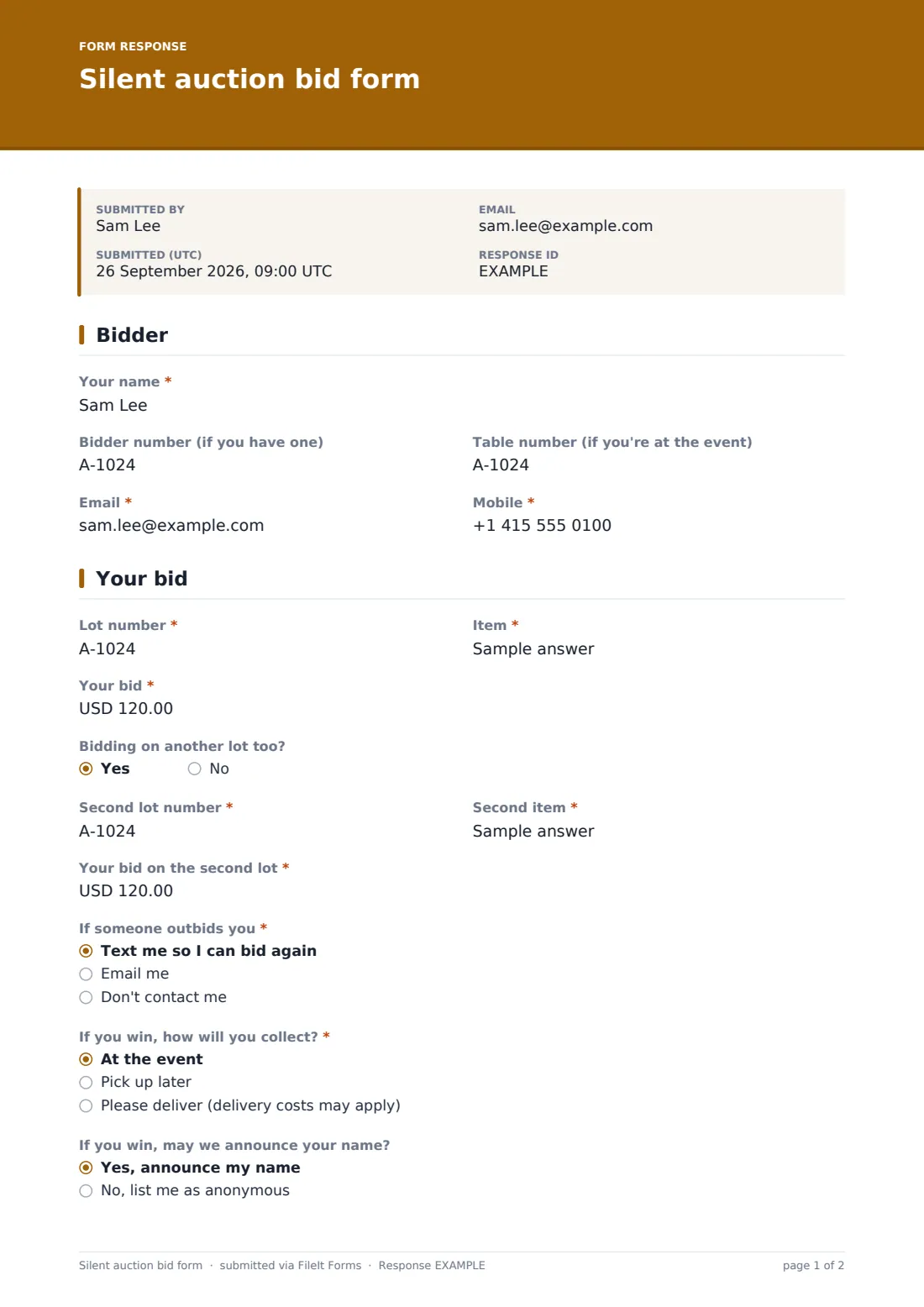
A bid takes about a minute. The bidder gives their name, optional bidder and table numbers, email and mobile, then the lot number, item and their bid. A second lot can go on the same submission. They choose whether to be texted or emailed if someone outbids them, how they'd collect if they win, and whether you may announce their name. Choosing delivery asks for an address.
Every bid is filed in your FileIt vault as a timestamped PDF. When bidding closes, the Responses table and CSV export show the highest bid on each lot.
- Best for
- Charity galas, school fundraisers, club dinners and community auctions
- Filled in by
- Bidders, on their own phones at the event or at home
- Time to complete
- About 1 minute per bid
- Includes
- Two lots per submission, outbid alert preference, collection or delivery, bidding terms consent
Who uses a silent auction bid form form?
- A charity gala with a QR code beside every silent auction lot
- A school PTA auction running online for a week before the summer fair
- A sports club dinner where guests bid from their tables
- Taking bids from supporters who can't attend in person
- Replacing paper bid sheets that get lost or misread
Questions on this silent auction bid form form
17 questions over 2 pages · includes conditional questions, multiple pages, consent checkbox.
1 Bidder
- Your name*
- Bidder number (if you have one)
- Table number (if you're at the event)
- Email*
- Mobile*
2 Your bid
- Lot number*
- Item*
- Your bid*
- Bidding on another lot too?
- Second lot number* asked only when it applies
- Second item* asked only when it applies
- Your bid on the second lot* asked only when it applies
- If someone outbids you* Text me so I can bid again · Email me · Don't contact me
- If you win, how will you collect?* At the event · Pick up later · Please deliver (delivery costs may apply)
- Delivery address* asked only when it applies
- If you win, may we announce your name? Yes, announce my name · No, list me as anonymous
- Bidding terms*
The silent auction bid form form, page by page
1 Bidder
The bidder gives their name, "Bidder number (if you have one)", "Table number (if you're at the event)", email and mobile. Including a mobile means you can text an outbid alert or a winning notice on the night.
2 Your bid
The bidder enters the "Lot number", the item and "Your bid". A yes to "Bidding on another lot too?" opens fields for a second lot number, item and bid. "If someone outbids you" offers a text, an email, or no contact. "If you win, how will you collect?" offers at the event, pick up later, or delivery, which asks for a delivery address and notes that costs may apply.
"If you win, may we announce your name?" lets bidders choose to stay anonymous. Every bid ends with the terms: the bid is a commitment to pay if it's highest when bidding closes, the organisers' decision is final, and items are as described in the catalogue.
Make the template yours
- Set the currency on the bid fields
- Turn the lot number into a dropdown of your lots and drop the item field
- Set a closing date, or close the form by hand when bidding ends
- Remove the delivery option if all prizes are collected on the night
- Add a minimum bid or increment to the cover text or the item labels
- Print the QR code from the Share tab and place it beside each lot
Tips for a better silent auction bid form form
- Put the lot number on the QR code card so bidders type it correctly
- Have one volunteer watch the Responses table and send outbid texts
- Sort the CSV export by lot and amount to find winners quickly
- Announce the closing time clearly and close the form right on time
- Contact winners the same evening while they're still at the event
Every response becomes a PDF in your vault
Each bid becomes a PDF in your vault, timestamped, and you're notified by email. Bidders receive a copy of their bid, which avoids disputes over the amount.
When bidding closes, export the responses to CSV and sort by lot and bid to find the highest bid on each lot. The Responses table search finds every bid by one person, by name or bidder number.
- Start from this template. It opens in the FileIt Forms designer — change any question, add pages, set the rules for when questions appear.
- Share it. Turn on a public link, or send it to people by email, each with their own link. They don’t need a FileIt account.
- Get the answers as PDFs. Each response is saved as a PDF in the vault folder you choose, with uploaded files attached — and listed in a Responses table you can export to CSV.
Silent auction bid form form: frequently asked questions
Is this silent auction form template free?
Yes. It's one of the ready-made templates in the Forms app on every FileIt account, including the free plan.
Does the form show the current highest bid?
No. Bids are private, like a sealed bid. Organisers see all bids in the Responses table, and the outbid question lets you contact people who've been overtaken.
Does it take payment from the winners?
No. You collect payment after the auction through your own card reader, giving page or invoice.
Can someone bid more than once?
Yes. Bidders can submit as many times as they like, and the cover text explains that their highest bid on each lot counts.
How do I pick the winners?
Export the responses to CSV, sort by lot number and bid, and take the highest valid bid on each lot when bidding closed.
Can people bid from home?
Yes. Share the link in your catalogue or newsletter, and remote bidders can choose to pick up later or ask for delivery.