

What is the sidewalk cafe permit form template?
An outdoor seating application lives or dies on a handful of measurements: how wide the sidewalk is, how much of it the restaurant wants, and how much room is left for people walking past. Add the furniture, the hours, whether drinks will be served outside and proof of insurance, and the reviewing officer has what they need to approve, condition or refuse the request.
This sidewalk cafe permit template asks for those details in the order a licensing or public works officer reads them. The business and premises come first, then the layout with frontage, sidewalk width, seating area and clear walkway, the number of tables and chairs, anything else placed outside and a required to-scale site plan. The operating page covers season, days and hours, alcohol, outdoor music and the cleaning plan, and the last page collects the insurance details, a certificate upload, the building owner's consent where the applicant is a tenant, a declaration and a signature.
Each application is filed as a PDF in your FileIt vault with the site plan, photos and certificates attached, so renewals and inspections can start from last year's file.
- Best for
- City and town licensing teams, business improvement districts and managers of pedestrian streets
- Filled in by
- Restaurant, cafe and bar owners or their agents
- Time to complete
- About 15 minutes with a site plan and insurance certificate to hand
- Includes
- Premises, dimensions and clear walkway, furniture, heaters, site plan, hours, alcohol, cleaning plan, insurance, owner consent, signature
Who uses a sidewalk cafe permit form?
- A city licensing office replacing a paper outdoor dining application
- A cafe renewing its summer sidewalk seating permit
- A business improvement district collecting seating requests for a pedestrianised street
- A bar adding heaters and barriers to an existing permit
- A small town trialling outdoor dining on its main street
- A landlord of a shopping parade coordinating tenants' outdoor seating
Questions on this sidewalk cafe permit form
45 questions over 4 pages · includes signature, file upload, conditional questions, multiple pages, consent checkbox.
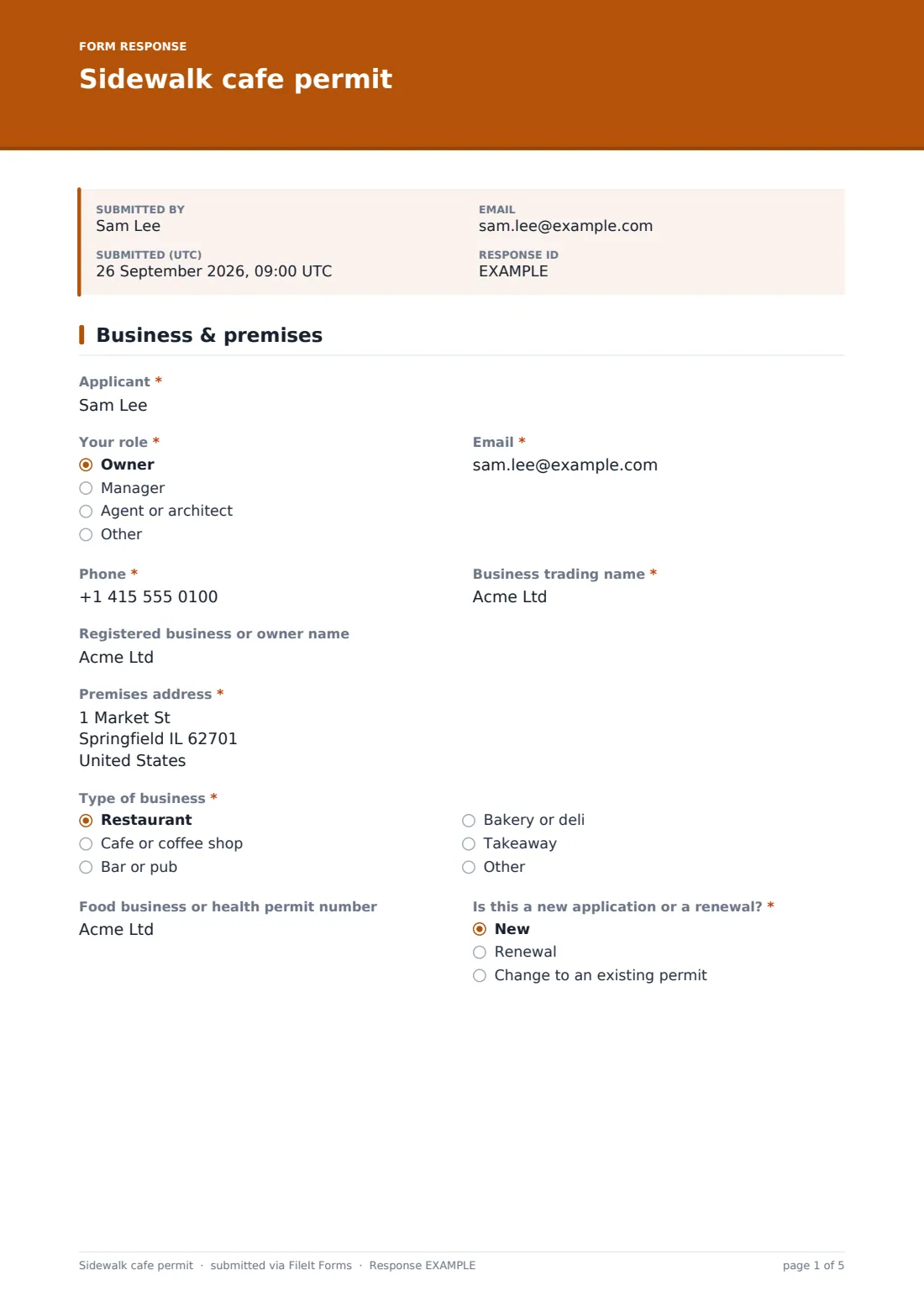
1 Business & premises
- Applicant*
- Your role* Owner · Manager · Agent or architect · Other
- Email*
- Phone*
- Business trading name*
- Registered business or owner name
- Premises address*
- Type of business* Restaurant · Cafe or coffee shop · Bar or pub · Bakery or deli · Takeaway
- Food business or health permit number
- Is this a new application or a renewal?* New · Renewal · Change to an existing permit
- Existing permit number* asked only when it applies
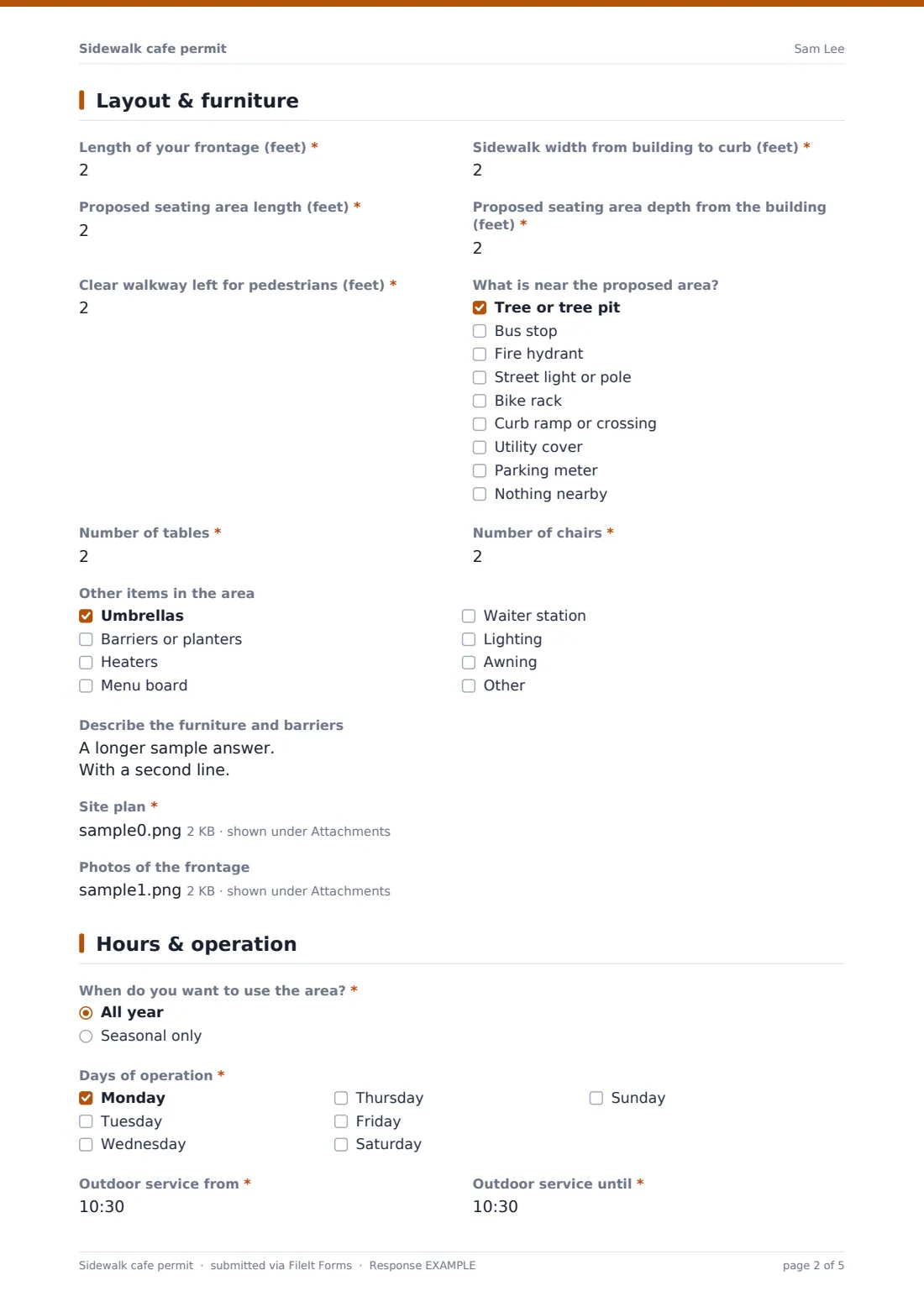
2 Layout & furniture
- Length of your frontage (feet)*
- Sidewalk width from building to curb (feet)*
- Proposed seating area length (feet)*
- Proposed seating area depth from the building (feet)*
- Clear walkway left for pedestrians (feet)*
- What is near the proposed area? Tree or tree pit · Bus stop · Fire hydrant · Street light or pole · Bike rack · Curb ramp or crossing · Utility cover · Parking meter · Nothing nearby
- Number of tables*
- Number of chairs*
- Other items in the area Umbrellas · Barriers or planters · Heaters · Menu board · Waiter station · Lighting · Awning
- Type of heaters asked only when it applies Electric · Propane or gas · Other
- Describe the furniture and barriers
- Site plan*
- Photos of the frontage
3 Hours & operation
- When do you want to use the area?* All year · Seasonal only
- Season starts asked only when it applies
- Season ends asked only when it applies
- Days of operation* Monday · Tuesday · Wednesday · Thursday · Friday · Saturday · Sunday
- Outdoor service from*
- Outdoor service until*
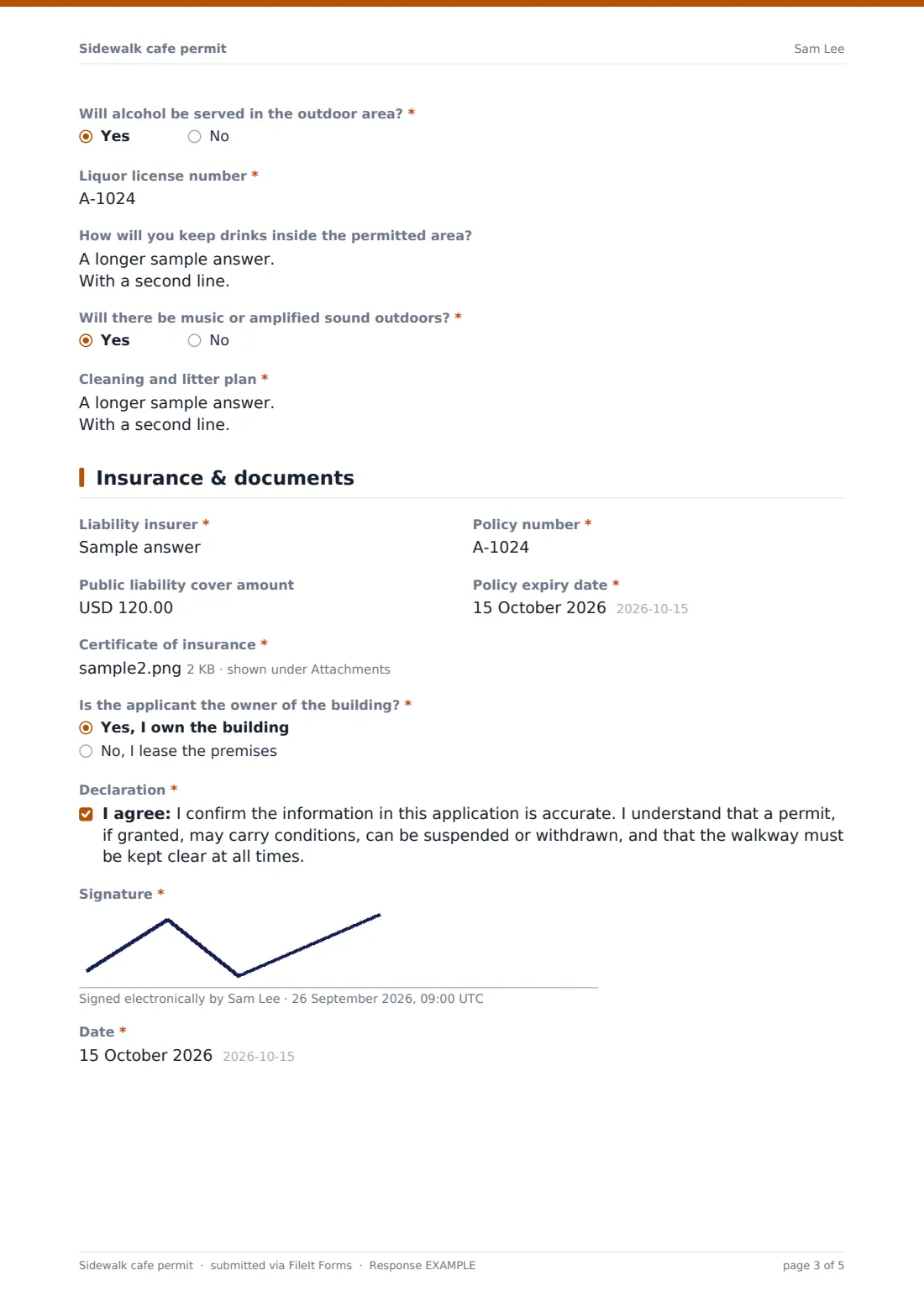
- Will alcohol be served in the outdoor area?*
- Liquor license number* asked only when it applies
- How will you keep drinks inside the permitted area? asked only when it applies
- Will there be music or amplified sound outdoors?*
- Cleaning and litter plan*
4 Insurance & documents
- Liability insurer*
- Policy number*
- Public liability cover amount
- Policy expiry date*
- Certificate of insurance*
- Is the applicant the owner of the building?* Yes, I own the building · No, I lease the premises
- Building owner's consent asked only when it applies
- Declaration*
- Signature*
- Date*
The sidewalk cafe permit form, page by page
1 Business & premises
The applicant gives their name, role, email and phone, the trading name and registered business name, and the premises address. They pick the type of business, add their food or health permit number and say whether this is a new application, a renewal or a change; anything other than new asks for the existing permit number.
2 Layout & furniture
Five measurements describe the space: frontage, sidewalk width from building to curb, the seating area's length and depth, and the clear walkway left for pedestrians. A checklist notes nearby trees, bus stops, hydrants, poles, bike racks, curb ramps and utility covers. The applicant counts tables and chairs, ticks other items such as umbrellas, barriers, heaters, menu boards and lighting (heaters ask whether they are electric or gas), describes the furniture and how it's secured, and uploads a required site plan plus optional frontage photos.
3 Hours & operation
The applicant chooses all-year or seasonal use, with season dates for the latter, the days of operation and the outdoor service hours. Serving alcohol outside asks for the liquor license number and how drinks will be kept inside the permitted area. A question on outdoor music and a required cleaning and litter plan complete the page.
4 Insurance & documents
The insurer, policy number, optional cover amount and policy expiry date come with a required certificate of insurance upload. A tenant is asked for the building owner's consent letter. The application ends with a declaration about conditions and keeping the walkway clear, a signature and the date.
Make the template yours
- Put your minimum clear walkway width, fees and processing time in the cover text
- Switch the measurements to metres if your authority works in metric
- Add questions your code requires, such as a fire department sign-off for gas heaters
- Change the insurance help text to your exact cover and additional-insured wording
- Add your licensing, highways and police contacts to the notification list
Tips for a better sidewalk cafe permit form
- Check the clear walkway figure against the site plan before anything else
- Look at the nearby-obstacles answers alongside the photos to spot conflicts with bus stops or curb ramps
- Use the policy expiry date to diary a reminder before the insurance lapses mid-season
- Keep last season's PDF to compare when a business applies to renew with a bigger area
- Ask for a revised site plan rather than approving a sketch without dimensions
Every response becomes a PDF in your vault
Each signed application is saved as a PDF in the vault folder you choose, with the site plan, photos, insurance certificate and any owner's consent attached. You and anyone on the notification list get an email, and the applicant can receive a copy.
The Responses table lets you search applications by business or address and export them to CSV, which is handy for a register of active outdoor seating permits and their insurance expiry dates.
- Start from this template. It opens in the FileIt Forms designer — change any question, add pages, set the rules for when questions appear.
- Share it. Turn on a public link, or send it to people by email, each with their own link. They don’t need a FileIt account.
- Get the answers as PDFs. Each response is saved as a PDF in the vault folder you choose, with uploaded files attached — and listed in a Responses table you can export to CSV.
Sidewalk cafe permit form: frequently asked questions
Is this sidewalk cafe permit template free?
Yes. It's one of the starter templates in the FileIt Forms app, available on every account, and every question can be edited.
Does submitting the form grant a permit?
No. It collects the application. Your team reviews it, inspects the site if needed and issues the permit, conditions or a refusal in your usual way.
Is this the official form for our city?
It's a general starting point, not any authority's official form. Adjust the questions, measurements and declaration to match your local rules.
Can applicants pay the permit fee through the form?
No, the form doesn't take payments. Explain the fee and how to pay in the cover text or confirmation message.
Do applicants need a FileIt account?
No. Anyone with the link can fill it in and upload their documents.
Can we use metres instead of feet?
Yes. Edit the labels on the measurement questions in the designer to use metres.
Can the applicant upload a hand-drawn site plan?
Yes, as a photo or PDF, but most authorities ask for a plan with dimensions, so say so in the help text if that's your rule.