What is the rental listing details form template?
A rental listing is only as good as the facts behind it. Agents and property managers lose days chasing owners for the deposit amount, whether the dishwasher still works and if cats are fine. Then a wrong number goes live and the phone rings with the wrong tenants. Asking for the details in a set format before writing the ad avoids most of that.
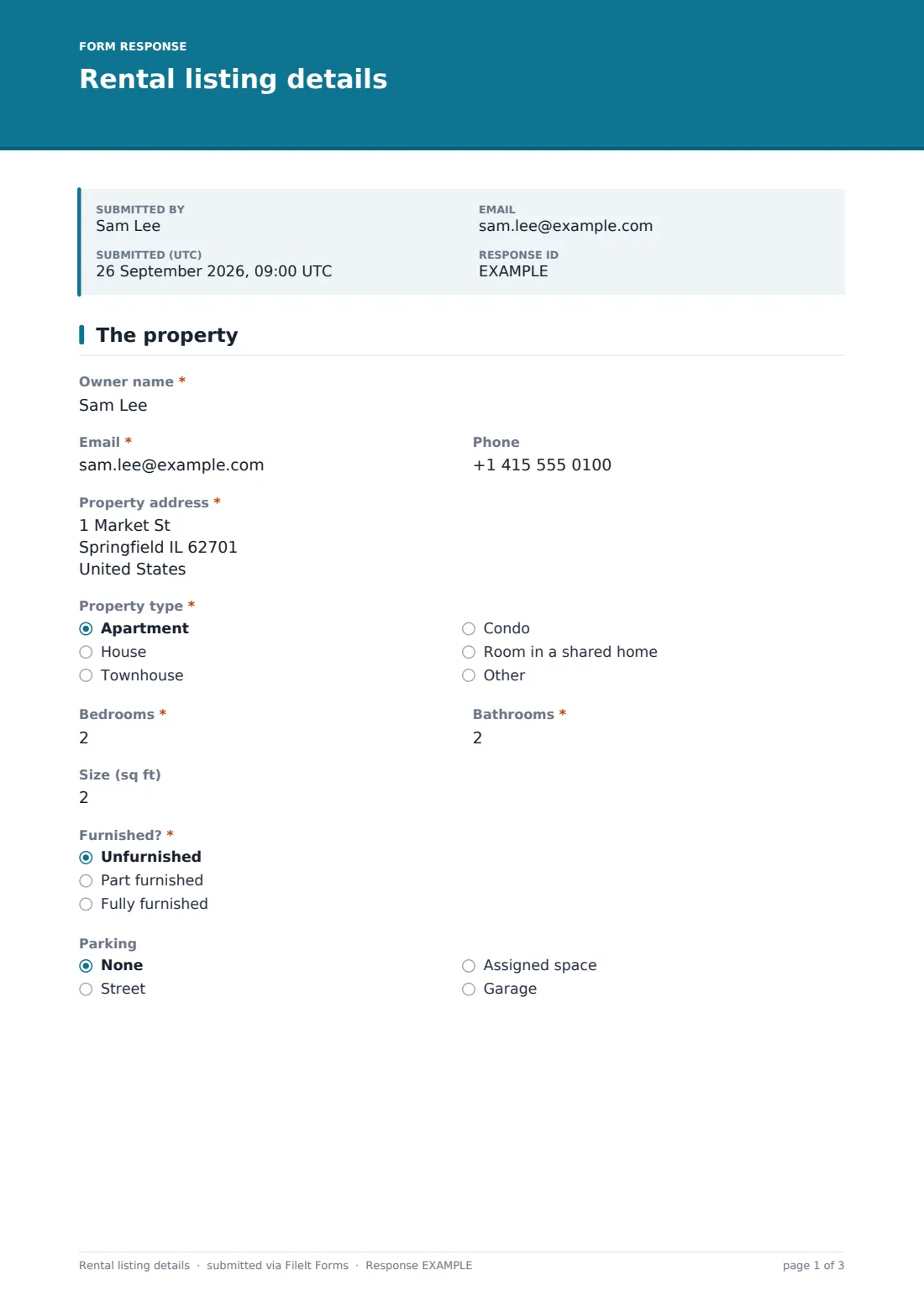
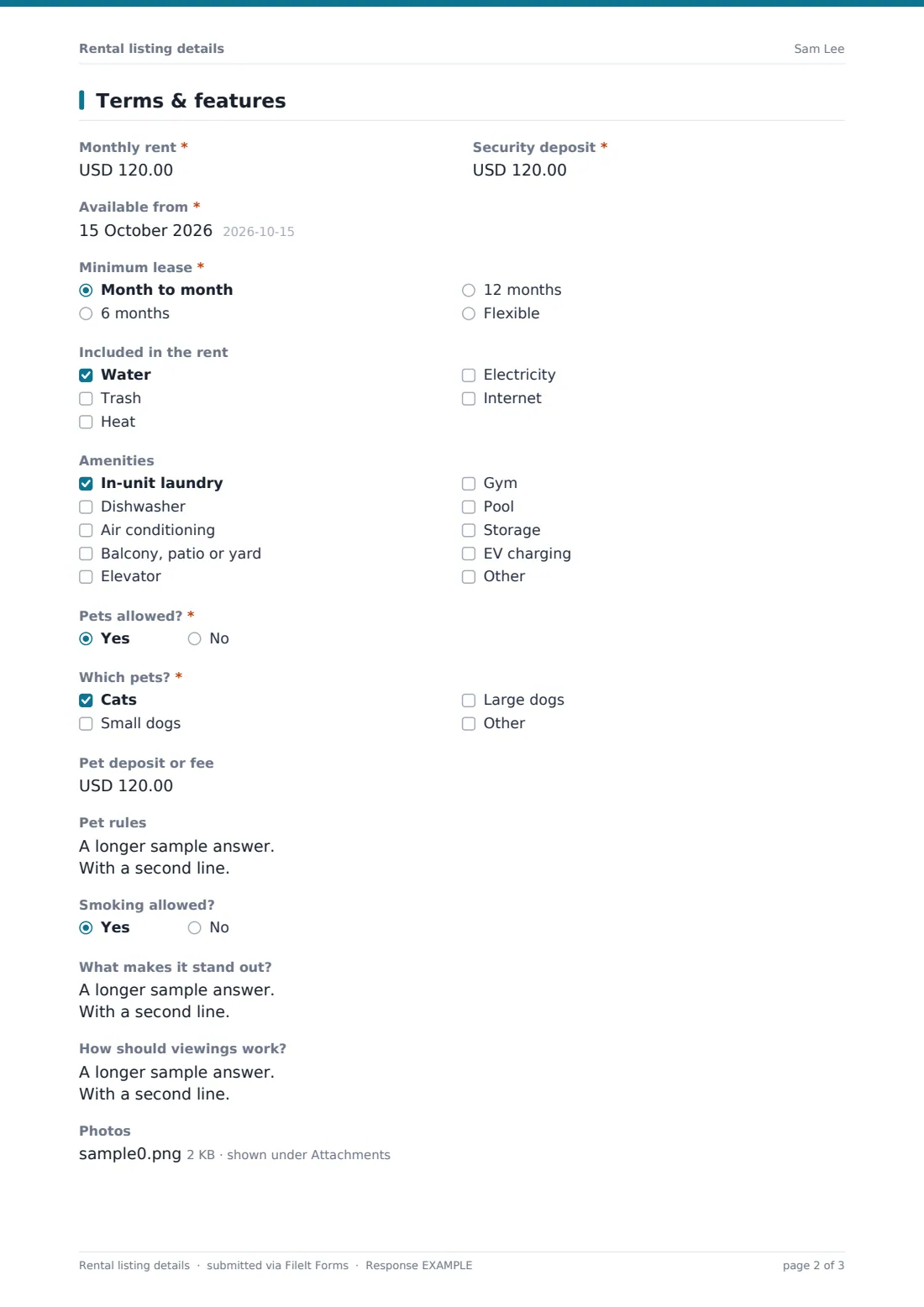
This two-page form is sent to the owner. The first page describes the place: the owner's contact details, the property address, "Property type", bedrooms and bathrooms (half baths allowed), size, whether it's furnished, and parking. The second page sets the terms: "Monthly rent", "Security deposit", "Available from", "Minimum lease", what's "Included in the rent", and a list of amenities from in-unit laundry to EV charging.
"Pets allowed?" is a required yes or no. Yes opens "Which pets?", a pet deposit or fee, and "Pet rules" for limits like two pets or monthly pet rent, so the ad and the screening match. The owner also says what makes the place stand out, how viewings should work, and uploads up to ten photos. Each set of details is filed as a PDF in your FileIt vault, with the photos attached and ready for the listing.
- Best for
- Letting agents, property managers and leasing teams
- Filled in by
- The property owner or landlord
- Time to complete
- About 10 minutes, plus photos
- Includes
- Property facts, rent and deposit, lease length, utilities, amenities, pet policy follow-ups, highlights, viewing arrangements and 10 photos
Who uses a rental listing details form?
- Onboarding a new landlord's property for advertising
- Re-listing a unit when the current tenant gives notice
- Owners listing several units, one form per unit
- Furnished rentals that need the furniture situation stated clearly
- Agreeing the pet policy before the ad goes out
- Collecting owner photos when you can't visit before listing
Questions on this rental listing details form
24 questions over 2 pages · includes file upload, conditional questions, multiple pages.
1 The property
- Owner name*
- Email*
- Phone
- Property address*
- Property type* Apartment · House · Townhouse · Condo · Room in a shared home
- Bedrooms*
- Bathrooms*
- Size (sq ft)
- Furnished?* Unfurnished · Part furnished · Fully furnished
- Parking None · Street · Assigned space · Garage
2 Terms & features
- Monthly rent*
- Security deposit*
- Available from*
- Minimum lease* Month to month · 6 months · 12 months · Flexible
- Included in the rent Water · Trash · Heat · Electricity · Internet
- Amenities In-unit laundry · Dishwasher · Air conditioning · Balcony, patio or yard · Elevator · Gym · Pool · Storage · EV charging
- Pets allowed?*
- Which pets?* asked only when it applies Cats · Small dogs · Large dogs
- Pet deposit or fee asked only when it applies
- Pet rules asked only when it applies
- Smoking allowed?
- What makes it stand out?
- How should viewings work?
- Photos
The rental listing details form, page by page
1 The property
Owner name, email and phone, the property address and "Property type" — apartment, house, townhouse, condo, room in a shared home or other. Bedrooms and bathrooms are required; size in square feet is optional. "Furnished?" offers unfurnished, part furnished or fully furnished, and parking runs from none to a garage.
2 Terms & features
Monthly rent, security deposit and the date the property is available from, then the minimum lease: month to month, six months, twelve months or flexible. "Included in the rent" covers water, trash, heat, electricity and internet. "Amenities" has nine common options plus other. A yes to "Pets allowed?" shows "Which pets?" (at least one), the pet deposit or fee, and the pet rules. Smoking, "What makes it stand out?", "How should viewings work?" and the photos finish the form.
Make the template yours
- Change the size unit to square meters if that's what your market uses
- Add your agency's fee or management terms for the owner to confirm
- Add questions about utilities providers or HOA rules
- Make photos required if you won't list without them
- Send the form to each owner by email so every request is tracked
- File listing details into a folder per property alongside its leases
Tips for a better rental listing details form
- Confirm the rent and deposit with the owner by phone before the ad goes live
- Ask for landscape photos taken in daylight with the lights on
- Use the highlights answer as a starting point, then write the ad in your own voice
- Make sure the pet rules in the ad match what the lease will say
- Check the viewing arrangements if a tenant is still living there
Every response becomes a PDF in your vault
The details are filed as a PDF in your vault, with every photo attached as a separate image you can upload to your listing site. You're notified, and the owner gets a copy of what they sent.
The Responses table shows every property submitted, newest first. Export to CSV if you keep a listing spreadsheet, or search by address to find a unit's last set of details when it comes up again.
- Start from this template. It opens in the FileIt Forms designer — change any question, add pages, set the rules for when questions appear.
- Share it. Turn on a public link, or send it to people by email, each with their own link. They don’t need a FileIt account.
- Get the answers as PDFs. Each response is saved as a PDF in the vault folder you choose, with uploaded files attached — and listed in a Responses table you can export to CSV.
Rental listing details form: frequently asked questions
Is this rental listing details form free?
Yes. It's one of the starter templates in FileIt's Forms app, available on every plan including free.
Does FileIt publish the listing for me?
No. The form collects the details and photos. You write and publish the ad wherever you advertise.
Can the owner upload photos from their phone?
Yes, up to ten images, straight from the camera roll.
What happens when pets are allowed?
The form asks which pets, the pet deposit or fee, and any pet rules.
Can I use it for rooms in a shared house?
Yes. Choose "Room in a shared home" as the property type and describe the shared spaces in the highlights.